
String- Social Media UI Kit Flutter - Thread & Twitter

Description
String | Social Media UI Kit Flutter
String is a complete social media application UI kit built with Flutter. It provides 35+ production-ready, responsive screens — feed, posts, polls, discovery, audio rooms, live stream, chat, profiles and settings — all written in Dart with a single shared design system, so you can drop them into a project and connect your own backend.
This is a front-end UI kit. Every screen is fully built and navigable using static sample data, which makes it a fast starting point for developers and studios building a social, community or creator app, and a ready-made reference for designers and agencies preparing client work. See What is not included below before purchasing.
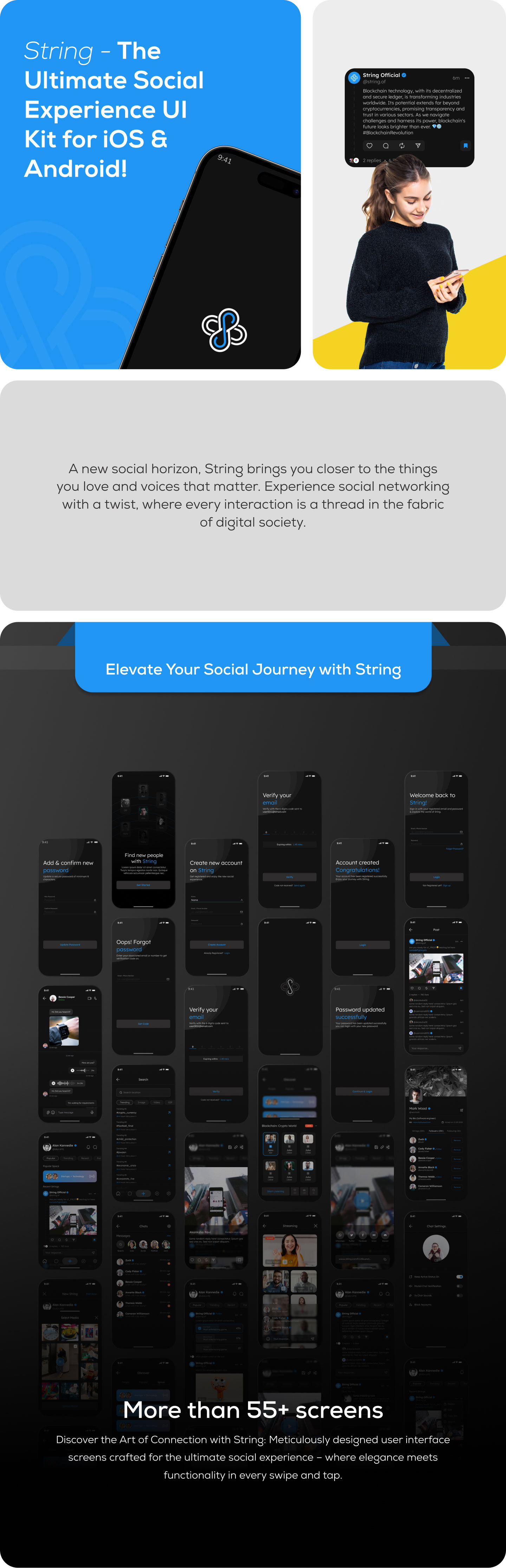
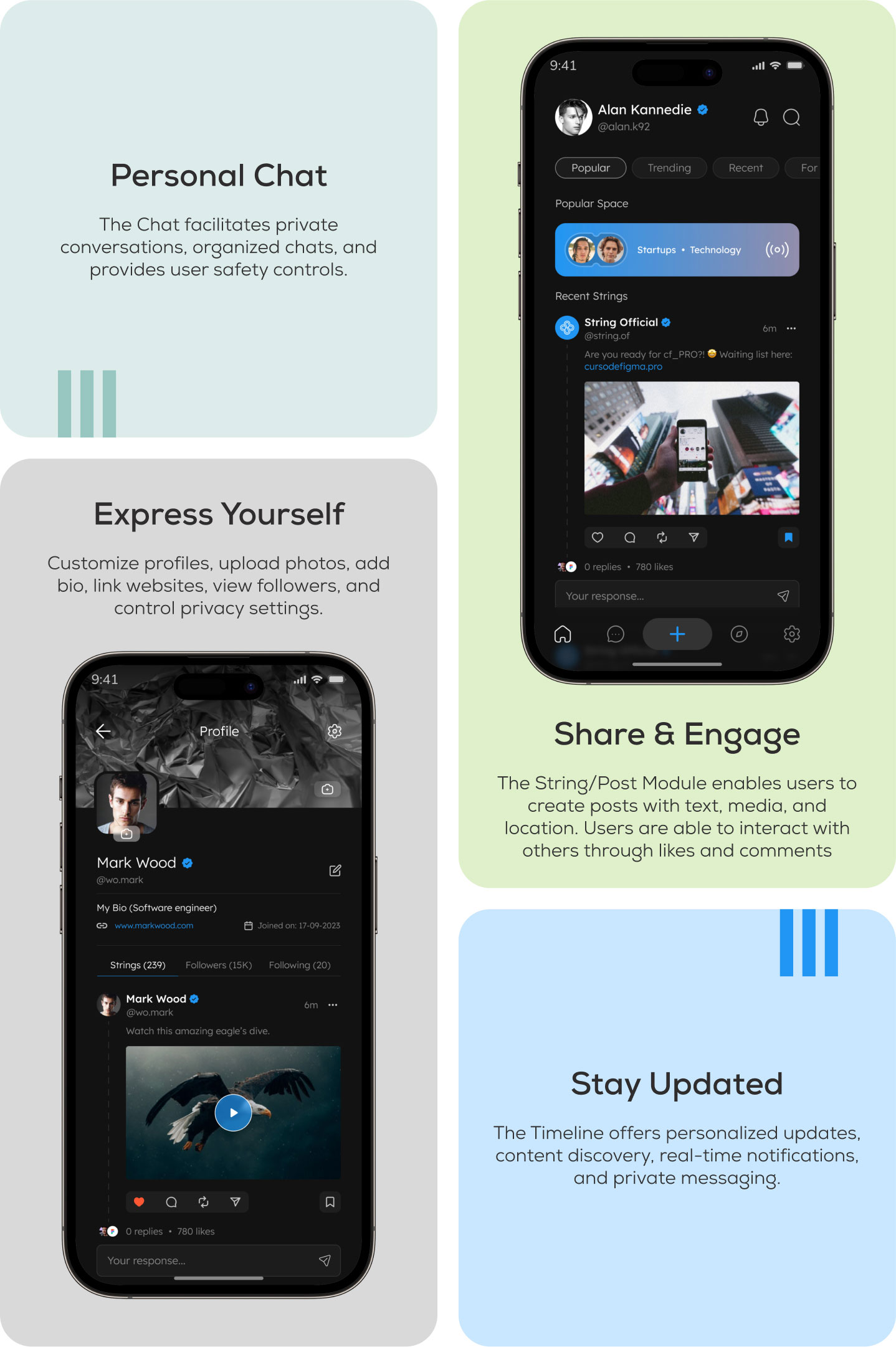

Screens included
Onboarding and authentication
- Splash screen and onboarding screen
- Sign up, OTP verification, profile details and complete profile
- Account created confirmation
- Login, forgot password, set new password, password updated confirmation
Feed and posts
- Home feed with Popular, Trending and Recent tabs
- Single image, multi image and video post detail screens
- Create post with media picker and gallery selection
- Create poll screen and poll results layout with vote counts and expiry
- Post editor
- Like, comment, repost, share and bookmark components
Discovery and search
- Discover screen with People, Popular and Space tabs
- Trending topics list
- Search screen with tabbed results
- Suggested accounts with follow actions
Audio rooms and live
- Space audio room interface with speakers, listeners and room controls
- Live stream viewer interface
Messaging
- Chat list
- Chat detail with text, image and voice note message layouts
- Chat settings
Profiles
- Own profile and other user profile, with Strings, Followers and Following tabs
- Cover and avatar layout with edit affordances
- Edit profile
Notifications and settings
- Notifications screen
- Notification preferences
- Account privacy controls
- Blocked accounts and muted accounts
- Contact info, change password, terms and conditions
- Deactivate account flow
Features
- 35+ ready-made screens covering a full social app flow
- Clean dark theme applied consistently across every screen
- Edge-to-edge layout that respects the iOS notch and Dynamic Island, the Android status bar and the home indicator
- Responsive sizing with flutter_screenutil, based on a 430 × 932 design baseline
- GetX state management and navigation
- Centralised colours, text styles and reusable widgets, so restyling is done in one place
- Reusable components: text fields, buttons, tab bars, list tiles, bottom sheets, OTP inputs
- Commented, readable Dart code organised by feature
- Written documentation covering setup, running the app, and changing the app name, icon, app ID and theme colours
What is not included
String is a UI kit, so the front end is complete but there is no server side. Please read this section before buying:
- No backend, database or API integration. There are no HTTP, REST or GraphQL calls. All content is static sample data defined directly in the Dart files, and there is no API base URL, authentication token or API key to configure.
- No push notifications. Firebase is not included and no configuration files are required. The notifications screen and notification preferences are interface only.
- Live stream and Space audio rooms are interface only. No streaming SDK, media server or third-party account is bundled; you would add your own real-time audio or video provider.
- No biometric or social login. The authentication screens are interface only and are not wired to an identity provider.
- Mobile only. The project is configured for Android and iOS. Web and desktop targets are not included.
Supported platforms
- Android 7.0 and newer (minSdk 24, targetSdk 36)
- iOS 13.0 and newer
Technical requirements
- Flutter 3.44.0 (the version is pinned in the project with FVM)
- Dart 3.12.0, SDK constraint
^3.10.4 - Android build: Gradle 9.1.0, Android Gradle Plugin 9.0.1, Kotlin 2.3.20, compileSdk 37, JDK 17 or newer
- Android Studio latest stable, with the Flutter plugin
- iOS build (macOS): Xcode 16 recommended (15 minimum), CocoaPods 1.16.2 recommended. iOS plugins use Swift Package Manager and are prepared automatically
Key dependencies
- get — state management, routing and dependency injection
- flutter_screenutil — responsive sizing
- google_fonts — typography (font files are bundled, so no download is needed at runtime)
- wechat_assets_picker and photo_manager — gallery and media selection
- image_picker — camera and single image capture
- permission_handler — runtime permissions
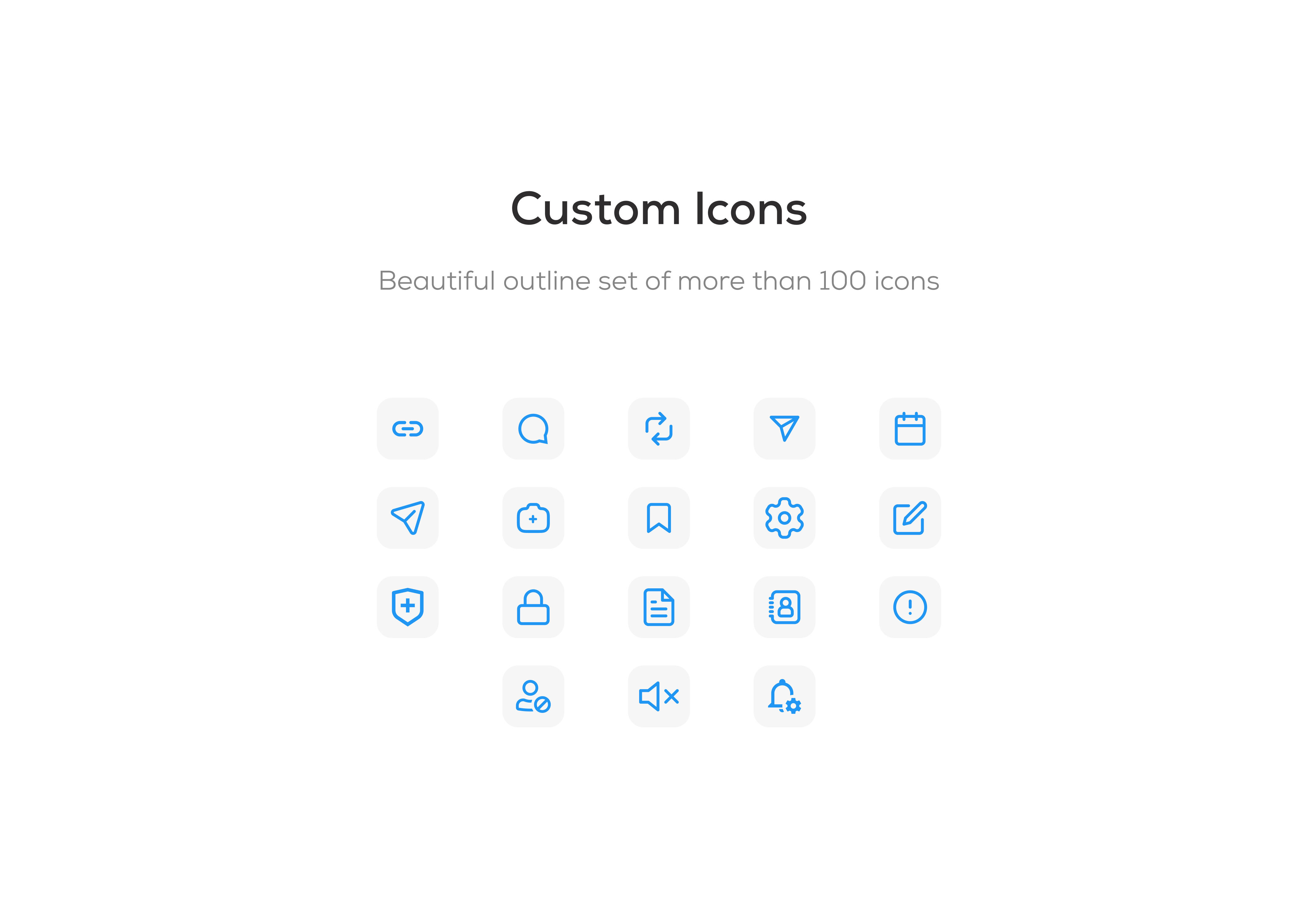
- flutter_svg and flutter_tabler_icons — vector assets and icons
- buttons_tabbar, flutter_staggered_grid_view, pull_to_refresh, flutter_otp_text_field, flutter_countdown_timer — interface components
All dependencies are published on pub.dev and are installed with flutter pub get. No paid or private packages are required.
Documentation and support
The download includes written documentation covering installation of Flutter and the Android and iOS toolchains, running the project, the code structure, changing the app name, icon, app ID and theme colours, and troubleshooting common build errors. If you have a question about the kit, please get in touch through our profile page.

| Type | Flutter App |
|---|---|
| Author | blockyfy |
| Category | Mobile / Flutter / Templates |
| Price | $18 |
| Sales | 20 |
| Published | Jan 18, 2024 |
| Last Update | Jan 18, 2024 |
| Compatible Software | Flutter 3.x |
| Mobile Files Included | Dart, YAML, .java, .kotlin, .h |
Categories
Tags
External listing. code.market does not sell this product and does not process payment for it. Pricing, payment, delivery, licensing, refunds, and support are handled by the third-party merchant on its own website. We may earn an affiliate commission from a referral. Details.
Products of the Week.
Submit🥇

STOP GUESSING WHAT TO POST
AI that learns your brand voice and builds a month of consistent, on-brand social content: carousels, posts and hooks that sound like you, not like everyone else's AI.
SaaS · 4,287 views · 38 clicksSaaS · Week 45 · 4,287 views · 38 clicks
🥈

Conversational Backlinks for Busy Founders
Place Backlink Relevant Conversation for your domain across Forums and Conversations
Website · 41,998 views · 223 clicksWebsite · Week 45 · 41,998 views · 223 clicks
🥉

upvote.club
Free Social Media Engagement that Helps Boost Your Content. Upvote Club supports 19 social networks with 100+ engagement actions in one dashboard. Add links to your posts and get free engagement from real users.
SaaS · 40,039 views · 117 clicksSaaS · Week 45 · 40,039 views · 117 clicks
#4

Substack Posting API
Onboard your Agent to Substack. Write Publish on Substack via API
SaaS · 59,049 views · 198 clicksSaaS · Week 45 · 59,049 views · 198 clicks
#5

Seenshot App
Free, Fast, MacOS Screenshot app. Make Screenshot cmd+shift+2 and send it via link
Desktop App · 28,423 views · 122 clicksDesktop App · Week 45 · 28,423 views · 122 clicks
#6

Hand-Placed Backlinks $9.99 per link. Flat rate.
Buy hand-placed forum, Q-A and directory backlinks. Flat $9.99 per link, no subscriptions — you only pay for approved listings.
Website · 4,258 views · 19 clicksWebsite · Week 45 · 4,258 views · 19 clicks
#7

Free Invoice Generator - PDF Invoices in Your Browser, No Sign-Up
A free invoice maker for freelancers and small businesses: fill in the invoice, check the live preview, and download a PDF that looks exactly like it. Any currency, tax per item, three templates, no sign-up, and nothing leaves your device.
2,935 views · 17 clicksWeek 45 · 2,935 views · 17 clicks
#8

Merge PDF Files Free - Combine PDFs in Your Browser, No Upload
A free PDF merger for office workers, students, and freelancers: combine PDFs and images into one file in the browser, reorder files and pages, pick page ranges, keep bookmarks, and open password-protected PDFs. Nothing is uploaded, no sign-up, no watermark.
2,711 views · 13 clicksWeek 45 · 2,711 views · 13 clicks