StrangerChat - Anonymous Chat Platform
Description
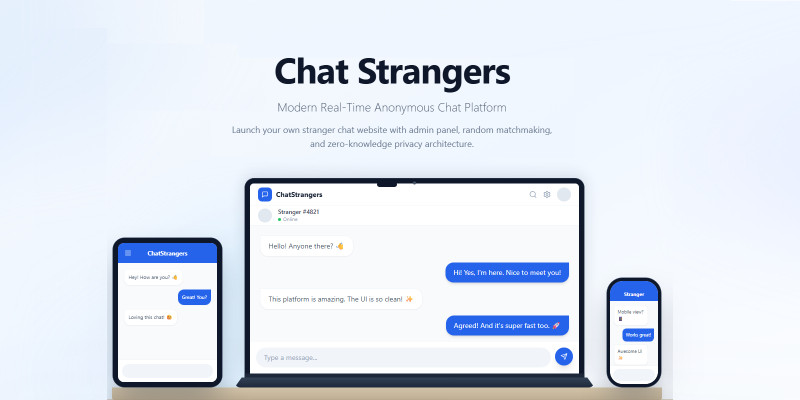
StrangerChat is a powerful real-time anonymous chat application that allows users to instantly connect and chat with random strangers online. Built with a modern tech stack (React, Express, PostgreSQL, Prisma & Socket.io), this script is perfect for launching your own Omegle-style chat platform. Admin Panel: https://strangerchat.codester....
Login: admin@anonchat.app Pass: admin123
Features
• Real-time anonymous chat with strangers — no registration required • Topic-based matching (Chat, Flirt 18+, Roleplay) • Gender and age filters for partner preference • Report and block functionality • Admin panel with statistics and moderation • JWT authentication for secure admin access • SMTP feedback integration • Maintenance mode support • Modern responsive UI (React + Tailwind) • Socket.io for real-time messaging • PostgreSQL database with Prisma ORM
Requirements
• OS: Ubuntu 24.04 LTS (recommended) • Node.js 20 or higher • PostgreSQL 14+ or higher • Nginx (recommended for production) • RAM: 2GB minimum (4GB recommended for production) • CPU: 1 core minimum • Disk: 10GB • Domain with SSL (Let's Encrypt supported)
Instructions
1. Upload strangerchat-v1.0.0.zip to your server (e.g. /var/www/) and extract it.
2. Install dependencies: Node.js 20+, PostgreSQL, Nginx, PM2.
3. Create PostgreSQL database and user: CREATE USER strangers WITH PASSWORD 'your_password'; CREATE DATABASE strangers OWNER strangers;
4. Configure .env in server folder: copy .env.example to .env, fill DATABASE_URL, JWT_SECRET, ADMIN_EMAIL.
5. Run: npm install, npx prisma generate, npx prisma db push, npm run prisma:seed, npm run build (server then client).
6. Copy the admin password hash from prisma:seed output into ADMIN_PASSWORD_HASH in .env.
7. Configure Nginx as reverse proxy for your domain, pointing to client/dist and API on port 3001.
8. Install SSL with Certbot (Let's Encrypt).
9. Start the server: pm2 start dist/index.js --name strangerchat
10. Access your site at https://your-domain.com. Admin panel: /admin
For a more detailed step-by-step guide, see the Installation Guide in the Documentation folder (deployment-full.html).
| Author | Win32 |
|---|---|
| Category | Scripts & Code / NodeJS |
| Price | $29 |
| Extended License | $87 |
| First Release | Feb 22, 2026 |
| Last Update | Feb 22, 2026 |
| Files included | .css, .html, JavaScript .js |
Categories
Tags
External listing. code.market does not sell this product and does not process payment for it. Pricing, payment, delivery, licensing, refunds, and support are handled by the third-party merchant on its own website. We may earn an affiliate commission from a referral. Details.
Products of the Week.
Submit🥇

STOP GUESSING WHAT TO POST
AI that learns your brand voice and builds a month of consistent, on-brand social content: carousels, posts and hooks that sound like you, not like everyone else's AI.
SaaS · 4,290 views · 38 clicksSaaS · Week 45 · 4,290 views · 38 clicks
🥈

Conversational Backlinks for Busy Founders
Place Backlink Relevant Conversation for your domain across Forums and Conversations
Website · 42,001 views · 223 clicksWebsite · Week 45 · 42,001 views · 223 clicks
🥉

upvote.club
Free Social Media Engagement that Helps Boost Your Content. Upvote Club supports 19 social networks with 100+ engagement actions in one dashboard. Add links to your posts and get free engagement from real users.
SaaS · 40,042 views · 117 clicksSaaS · Week 45 · 40,042 views · 117 clicks
#4

Substack Posting API
Onboard your Agent to Substack. Write Publish on Substack via API
SaaS · 59,052 views · 198 clicksSaaS · Week 45 · 59,052 views · 198 clicks
#5

Seenshot App
Free, Fast, MacOS Screenshot app. Make Screenshot cmd+shift+2 and send it via link
Desktop App · 28,426 views · 122 clicksDesktop App · Week 45 · 28,426 views · 122 clicks
#6

Hand-Placed Backlinks $9.99 per link. Flat rate.
Buy hand-placed forum, Q-A and directory backlinks. Flat $9.99 per link, no subscriptions — you only pay for approved listings.
Website · 4,261 views · 19 clicksWebsite · Week 45 · 4,261 views · 19 clicks
#7

Free Invoice Generator - PDF Invoices in Your Browser, No Sign-Up
A free invoice maker for freelancers and small businesses: fill in the invoice, check the live preview, and download a PDF that looks exactly like it. Any currency, tax per item, three templates, no sign-up, and nothing leaves your device.
2,937 views · 17 clicksWeek 45 · 2,937 views · 17 clicks
#8

Merge PDF Files Free - Combine PDFs in Your Browser, No Upload
A free PDF merger for office workers, students, and freelancers: combine PDFs and images into one file in the browser, reorder files and pages, pick page ranges, keep bookmarks, and open password-protected PDFs. Nothing is uploaded, no sign-up, no watermark.
2,713 views · 13 clicksWeek 45 · 2,713 views · 13 clicks