
StoreSearch AI - WooCommerce AI Semantic Search

Description
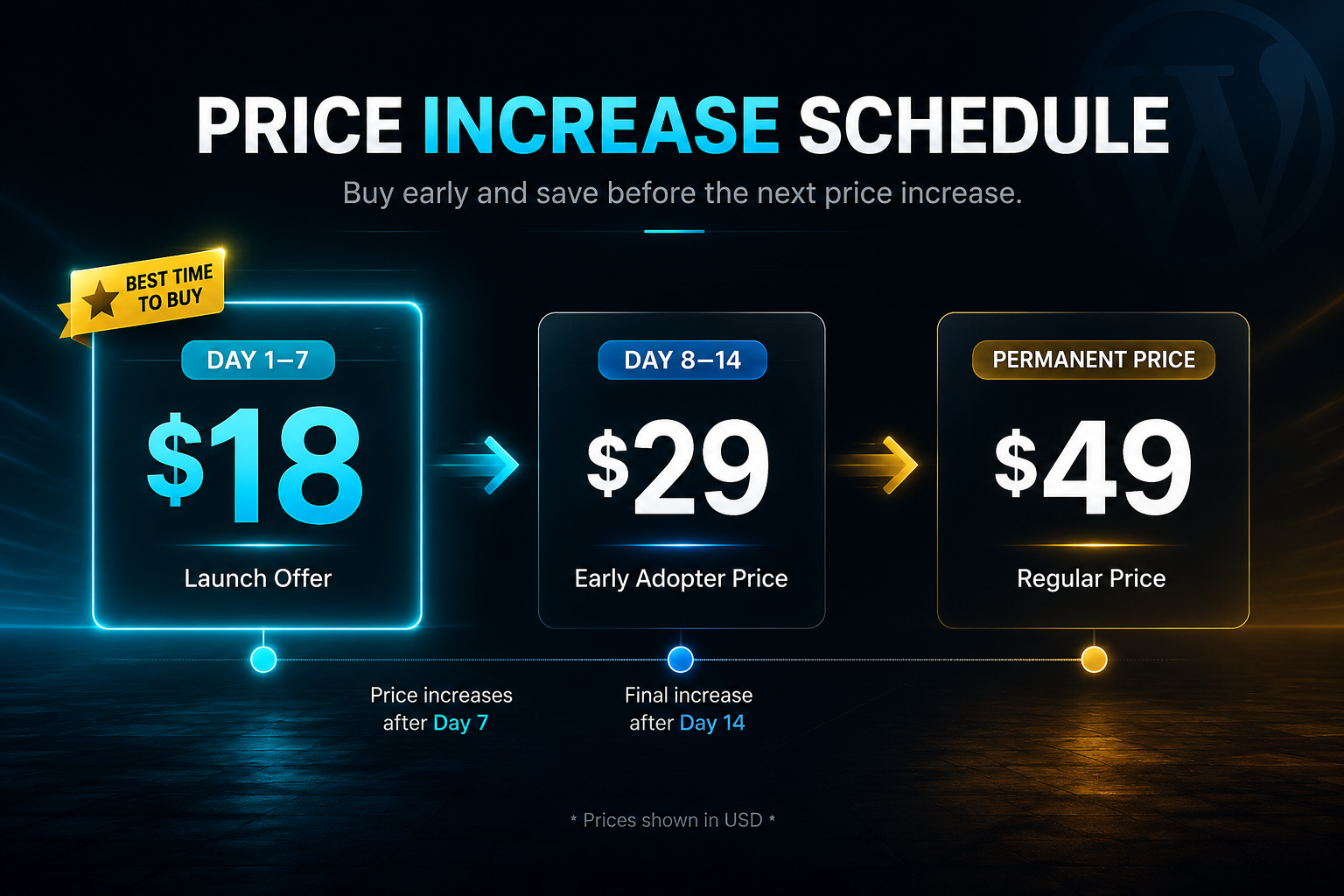
🔥 Launch Pricing — Limited Time
First 7 Day For $18 · Next 7 Day For $29 · Then $49 permanently
 Support: 6 months included; $10/6mo extended
StoreSearch AI — Eliminate zero-result WooCommerce searches with AI semantic matching. Supports ChatGPT, Gemini, Claude, DeepSeek & OpenRouter. 8-strategy cascade, AJAX live search, and analytics dashboard. No API key required.
What is StoreSearch AI?
StoreSearch AI is a WooCommerce search plugin that eliminates "No products found" from your store. Using AI semantic matching, it understands what customers mean — not just what they type. When a customer searches for "vegan leather backpack," StoreSearch AI finds products matching that intent, even if your catalog uses different terminology.
Works out of the box with zero configuration. Local TF-IDF mode runs entirely on your server with no API keys, no monthly fees, and no external dependencies. For enhanced understanding, connect ChatGPT, Google Gemini, Claude, DeepSeek, or any model through OpenRouter.
v2.1.5 WooCommerce 9.0 Compatible HPOS + Block Editor Ready
How It Works
1. Customer types a query in the WooCommerce search bar 2. Plugin intercepts the search and checks the local keyword index 3. 8-strategy cascade runs: exact match → prefix → fuzzy → trigram → token → meta → AI semantic → popular 4. AI provider (optional) enhances results with natural language understanding 5. Results appear instantly in an AJAX dropdown with relevance scoring and "Did you mean?" corrections 6. Zero-result queries logged in the intelligence dashboard for inventory insights 7. Analytics dashboard shows trends, conversion data, revenue recovery, and search healthWhat's Included
- Core plugin with all features unlocked
- 6 months of support from purchase date
- Lifetime updates
- Full documentation
Features
◆ Zero-Query Intelligence Dashboard See every search that returned zero results. Frequency data, auto-suggestions for products to add, CSV export for inventory planning. ◆ 8-Strategy Search Cascade Exact match → Prefix → Fuzzy (Levenshtein) → Trigram → Token → Meta → AI Semantic → Popular. Guarantees customers always find products, even with typos or misspellings. ◆ Multi-Provider AI ChatGPT, Google Gemini, Anthropic Claude, DeepSeek, and OpenRouter (200+ models). Configurable fallback chain — if one provider fails, the next takes over automatically. ◆ AJAX Live Search Instant dropdown results as customers type. Product images, prices, ratings, categories, sale badges, "Did you mean?" suggestions, and quick keyword chips. ◆ Search Analytics Dashboard KPI tiles, funnel visualization, hourly heatmap, provider breakdown, top queries, week-over-week trending, click-through tracking, revenue impact estimates. ◆ Smart Product Indexing Auto-indexes on product save, incremental indexing, manual re-index button, vector embeddings stored in WordPress custom tables. No external database required. ◆ Revenue Recovery Reports See exactly how much revenue was lost to failed searches and track recovery after enabling AI mode. ◆ Customization Page Theme-aware styling with light / dark / auto color modes. Toggle product fields (image, price, SKU, rating, badges), floating search button, responsive mobile bottom sheet. ◆ Daily Search Heatmap GitHub-contribution-style activity view with day details modal. Click any day to see every search, click, and KPI for that date. ◆ Privacy-First Architecture Local mode keeps all data on your server. Cloud AI is opt-in with anonymized queries. No third-party data sharing unless you configure an API key.AI Providers & Integrations
Provider Best For API Key Required Local TF-IDF Speed, privacy, zero cost No OpenAI (ChatGPT) Natural language understanding Yes Google Gemini Competitive pricing, strong semantic Yes Anthropic Claude Nuanced product descriptions Yes DeepSeek Budget-friendly semantic matching Yes OpenRouter 200+ models (Claude, Llama, Mistral, etc.) YesVersion History
Version Highlights 2.1.5Fix dashboard undefined render_tabs() fatal error2.1.3Wizard polish, setup UX hardening, submenu gating2.1.0Setup Wizard restored for fresh installs, activation notices2.0.0Major refactor — new dashboard, settings, and customization1.9.05-Step Setup Wizard with test playground and provider test1.8.0Customization page — 3 color modes, auto-detect, live preview1.7.0Customization page with per-result field toggles, 3 palettes1.6.0Daily Search Activity Heatmap, time-range selector, day details modal1.5.08-strategy search cascade — never returns empty results1.4.0Dashboard redesign, analytics endpoints, funnel, heatmap1.0.0Initial release — zero-query dashboard, local TF-IDF, multi-provider AIRequirements
Technical Requirements
WordPress Compatibility5.8+ (tested up to 7.0)PHP Version7.4+ (tested up to 8.4)WooCommerce6.0+ (tested up to 9.0)HPOS CompatibleYes — declared via FeaturesUtilBlock EditorYes — product block editor declared compatibleDatabaseCustom tables with vector indexing, query logs, and cacheWP-CLIwp wass reindex, status, cache, analyticsREST APIHeadless / custom search implementationsTheme CompatibilityAny theme — no template overrides requiredTranslation.pot file included, WPML compatibleMultilingualWPML readyPrerequisites Check
- WooCommerce must be installed and active.
- A working WordPress environment with PHP version 7.4 or higher.
Instructions
Installation Instructions
1. Unpack the downloaded Envato package and extract the main installable plugin zip:storesearch-ai.zip.
2.
In your WordPress admin dashboard, navigate to Plugins → Add New Plugin → Upload Plugin.
3.
Choose the storesearch-ai.zip file and click Install Now.
4.
After installation completes, click Activate Plugin.
5.
An amber setup notification will appear at the top. Click Run Setup Wizard to begin configuring the plugin.
Quick Start Configuration
- Onboarding Wizard: Follow the 5 guided steps to customize your color mode (Auto/Light/Dark), run the initial product reindex, connect a Cloud AI API key (optional — Local mode works out of the box), and use the sandbox playground to test a sample query.
- Customization options: Navigate to StoreSearch AI → Customization to toggle product images, prices, star ratings, and floating button positions on the storefront dropdown.
- Analytics Tracking: Once active, search volume, click-through rates, and zero-result queries will begin logging automatically in your StoreSearch AI → Dashboard.
| Author | oveshdevwala1 |
|---|---|
| Category | Plugins / WooCommerce |
| Price | $18 |
| Extended License | $54 |
| First Release | Jun 18, 2026 |
| Last Update | Jun 18, 2026 |
| Supported cms | WooCommerce 5.x, WooCommerce 6.x, WordPress 5.8, WordPress 5.9, WooCommerce 7.x, WooCommerce 8.x, WordPress 6.0, WordPress 6.1, WordPress 6.2, WordPress 6.3, WordPress 6.4, WordPress 6.5, WooCommerce 9.x, WordPress 6.6, WordPress 6.7, WordPress 6.8 |
| Files included | .php, .css, .html, JavaScript .js |
Categories
Tags
External listing. code.market does not sell this product and does not process payment for it. Pricing, payment, delivery, licensing, refunds, and support are handled by the third-party merchant on its own website. We may earn an affiliate commission from a referral. Details.
