
StockBay - Inventory Management App
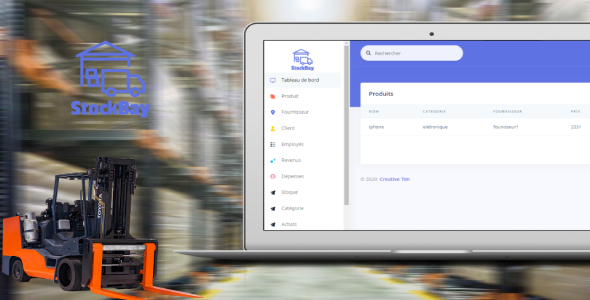
Description
StockBay is a powerful web-based Inventory Management System designed to streamline inventory tracking and management processes for businesses. It provides a user-friendly platform for businesses to efficiently manage their product inventory, track stock levels, and handle sales and purchases. The application is built on Spring Boot for the backend and Angular for the frontend, with MySQL serving as the primary database.
Benefits
- Efficient Inventory Tracking: StockBay enables businesses to accurately monitor stock levels, reducing the risk of overstocking or stockouts.
- Improved Order Fulfillment: With real-time inventory data, businesses can fulfill customer orders promptly, enhancing customer satisfaction.
- Data-Driven Insights: The system provides valuable insights through reporting and analytics, aiding in inventory planning and decision-making.
- Multi-User Collaboration: StockBay allows multiple users to collaborate and manage inventory data simultaneously.
Key Features
- Product Management: Add, edit, and categorize products, including details like name, description, price, and stock levels.
- Inventory Tracking: Monitor real-time stock levels, receive notifications for low stock, and track sales and purchases.
- Order Management: Process customer orders, generate invoices, and manage order status and fulfillment.
- Reporting and Analytics: Generate reports on inventory turnover, sales trends, and product performance.
Installation Requirements
To set up StockBay, ensure your system meets the following requirements:
- Java and Spring Boot: Install Java and set up a Spring Boot development environment for backend development.
- Angular and Node.js: Set up Angular and Node.js for frontend development.
- MySQL Database: Set up a MySQL database to store product information, inventory data, and transaction records.
Getting Started
-
Download or Clone the Repository:
- Download or clone the StockBay repository from the provided source.
-
Backend Setup:
- Set up the Spring Boot application by configuring database connections and API endpoints.
-
Frontend Setup:
- Set up Angular and configure frontend routing and components.
-
Database Setup:
- Set up the MySQL database and configure the connection in the application.
-
Run the Application:
- Start both the backend and frontend servers.
-
Access the Application:
- Open your preferred web browser and navigate to the provided URL to access StockBay Inventory Management System.
Technical Architecture
StockBay follows a microservices architecture, with separate services for product management, inventory tracking, order processing, and reporting. It employs RESTful APIs for communication between frontend and backend services. MySQL serves as the primary database for storing product data, inventory information, and transaction records.
Used Technologies
- Backend: Java, Spring Boot
- Frontend: Angular, Node.js
- Database: MySQL
FAQ
Q: Can StockBay handle multiple warehouses or locations? A: StockBay supports multi-location inventory management, allowing businesses to track stock across different warehouses.
Q: Can StockBay integrate with other business software and tools? A: Yes, StockBay provides API endpoints for integration with other business applications and software.
Q: How is data security ensured in StockBay Inventory Management System? A: StockBay employs encryption protocols, role-based access control, and regular security audits to safeguard sensitive inventory data.
Q: What support options are available for StockBay users? A: For further inquiries or assistance, please contact us at [contact@delta-dev-software.com]. Our support team will be happy to assist you.
| Author | Delta-Dev-Software |
|---|---|
| Price | $3 |
| Sales | 50 |
| Rating | 0 (2) |
| Published | Sep 13, 2021 |
| Last Update | Sep 13, 2021 |
| Application Runtime | Java |
| Demo Url | https://delta-dev-software.fr/stockbay-demo |
| Operating System Versions | Windows Vista, Windows 7, Windows 8 Desktop, Windows 8 Metro, Windows 10, Mac OS X 10.4, Mac OS X 10.5, Mac OS X 10.6, Mac OS X 10.7, Mac OS X 10.8, Mac OS X 10.9 |
Categories
Tags
External listing. code.market does not sell this product and does not process payment for it. Pricing, payment, delivery, licensing, refunds, and support are handled by the third-party merchant on its own website. We may earn an affiliate commission from a referral. Details.
Products of the Week.
Submit🥇

STOP GUESSING WHAT TO POST
AI that learns your brand voice and builds a month of consistent, on-brand social content: carousels, posts and hooks that sound like you, not like everyone else's AI.
SaaS · 7,329 views · 67 clicksSaaS · Week 46 · 7,329 views · 67 clicks
🥈

Conversational Backlinks for Busy Founders
Place Backlink Relevant Conversation for your domain across Forums and Conversations
Website · 46,597 views · 232 clicksWebsite · Week 46 · 46,597 views · 232 clicks
🥉

upvote.club
Free Social Media Engagement that Helps Boost Your Content. Upvote Club supports 19 social networks with 100+ engagement actions in one dashboard. Add links to your posts and get free engagement from real users.
SaaS · 44,539 views · 127 clicksSaaS · Week 46 · 44,539 views · 127 clicks
#4

Substack Posting API
Onboard your Agent to Substack. Write Publish on Substack via API
SaaS · 63,425 views · 206 clicksSaaS · Week 46 · 63,425 views · 206 clicks
#5

Seenshot App
Free, Fast, MacOS Screenshot app. Make Screenshot cmd+shift+2 and send it via link
Desktop App · 32,671 views · 127 clicksDesktop App · Week 46 · 32,671 views · 127 clicks
#6

Hand-Placed Backlinks $9.99 per link. Flat rate.
Buy hand-placed forum, Q-A and directory backlinks. Flat $9.99 per link, no subscriptions — you only pay for approved listings.
Website · 8,298 views · 19 clicksWebsite · Week 46 · 8,298 views · 19 clicks
#7

Free Invoice Generator - PDF Invoices in Your Browser, No Sign-Up
A free invoice maker for freelancers and small businesses: fill in the invoice, check the live preview, and download a PDF that looks exactly like it. Any currency, tax per item, three templates, no sign-up, and nothing leaves your device.
6,925 views · 29 clicksWeek 46 · 6,925 views · 29 clicks
#8

Merge PDF Files Free - Combine PDFs in Your Browser, No Upload
A free PDF merger for office workers, students, and freelancers: combine PDFs and images into one file in the browser, reorder files and pages, pick page ranges, keep bookmarks, and open password-protected PDFs. Nothing is uploaded, no sign-up, no watermark.
6,408 views · 18 clicksWeek 46 · 6,408 views · 18 clicks