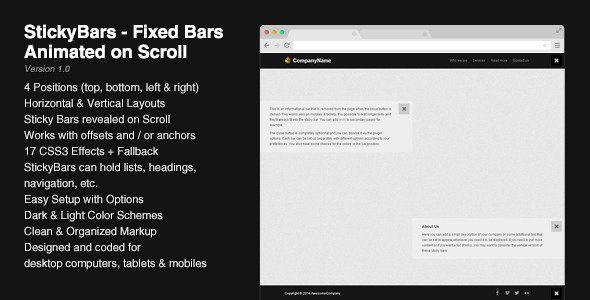
StickyBars - Fixed Bars Animated on Scroll
Description




StickyBars is a web element that can be used to display informations on your site while scrolling on the pages. These bars can be horizontal or vertical and they can stick to any edge of the browser. You can have several bars on a same page with different options for each one (colors, CSS3 effects, position, etc.)
Features
- 4 positions (top, bottom, left or right)
- Can be used as a header or a footer
- Horizontal and vertical layouts
- Original way to display informations, links, navigation, etc.
- Works with anchors or pixel offset values
- Sticky elements revealed on scroll
- 17 CSS3 effects with a simple fade fallback for older browsers
- Can hold lists, texts, headings, navigation elements, etc.
- Easy setup with jQuery options
- Dark and light color schemes
- Clean and organized valid markup
- Designed and coded for desktop computers, tablets and mobiles
What you get
The package contains 5 HTML files that can be used to easily setup your own StickyBars. All the code is organized, indented and easy to read. The script comes with an uncompressed version and a minified version.
Compatibility
StickyBars has been tested on several devices and browsers to ensure a maximum compatibility : Internet Explorer, Firefox, Chrome, Opera, Safari have successfully passed the tests. Here’s a list of compatibility :
- Internet Explorer 9+
- Firefox
- Chrome
- Opera
- Safari
- Chrome on Android
- Safari on iPad and iPhone
Please keep in mind that CSS3 effects are not available for all browsers, for example these StickyBars look acceptable under Internet Explorer 8 but it’s much better from Internet Explorer 9 for example.
Changelog
7/04/2014 – Version 1.0
- Initial Release
Categories
Tags
External listing. code.market does not sell this product and does not process payment for it. Pricing, payment, delivery, licensing, refunds, and support are handled by the third-party merchant on its own website. We may earn an affiliate commission from a referral. Details.
Products of the Week.
Submit🥇

STOP GUESSING WHAT TO POST
AI that learns your brand voice and builds a month of consistent, on-brand social content: carousels, posts and hooks that sound like you, not like everyone else's AI.
SaaS · 3,945 views · 35 clicksSaaS · Week 45 · 3,945 views · 35 clicks
🥈

Conversational Backlinks for Busy Founders
Place Backlink Relevant Conversation for your domain across Forums and Conversations
Website · 41,584 views · 222 clicksWebsite · Week 45 · 41,584 views · 222 clicks
🥉

upvote.club
Free Social Media Engagement that Helps Boost Your Content. Upvote Club supports 19 social networks with 100+ engagement actions in one dashboard. Add links to your posts and get free engagement from real users.
SaaS · 39,614 views · 114 clicksSaaS · Week 45 · 39,614 views · 114 clicks
#4

Substack Posting API
Onboard your Agent to Substack. Write Publish on Substack via API
SaaS · 58,645 views · 198 clicksSaaS · Week 45 · 58,645 views · 198 clicks
#5

Seenshot App
Free, Fast, MacOS Screenshot app. Make Screenshot cmd+shift+2 and send it via link
Desktop App · 28,028 views · 121 clicksDesktop App · Week 45 · 28,028 views · 121 clicks
#6

Hand-Placed Backlinks $9.99 per link. Flat rate.
Buy hand-placed forum, Q-A and directory backlinks. Flat $9.99 per link, no subscriptions — you only pay for approved listings.
Website · 3,887 views · 19 clicksWebsite · Week 45 · 3,887 views · 19 clicks
#7

Free Invoice Generator - PDF Invoices in Your Browser, No Sign-Up
A free invoice maker for freelancers and small businesses: fill in the invoice, check the live preview, and download a PDF that looks exactly like it. Any currency, tax per item, three templates, no sign-up, and nothing leaves your device.
2,565 views · 17 clicksWeek 45 · 2,565 views · 17 clicks
#8

Merge PDF Files Free - Combine PDFs in Your Browser, No Upload
A free PDF merger for office workers, students, and freelancers: combine PDFs and images into one file in the browser, reorder files and pages, pick page ranges, keep bookmarks, and open password-protected PDFs. Nothing is uploaded, no sign-up, no watermark.
2,388 views · 13 clicksWeek 45 · 2,388 views · 13 clicks