
SoftSend – Professional Email Marketing Software with Templates & SMTP
Description
SoftSend – Professional Email Marketing Software for Windows
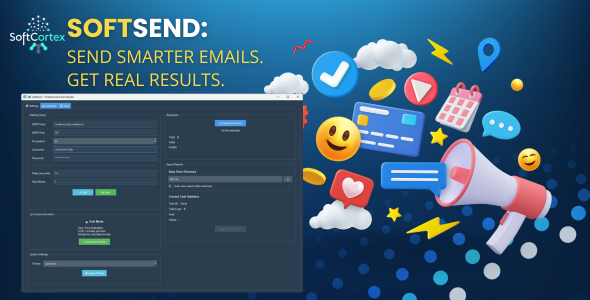
SoftSend is a powerful desktop email marketing application designed for Windows that makes bulk email sending simple, efficient, and professional. Whether you’re sending newsletters, marketing campaigns, or bulk notifications, SoftSend provides all the tools you need in one clean, easy-to-use interface.
Key Features
- Excel-Based Recipient Management: Import thousands of contacts instantly from Excel files (.xlsx) with automatic email validation
- Dynamic Personalization: Use unlimited custom placeholders to personalize every email with recipient-specific data
- Multiple Email Formats: Send Plain Text, HTML, or AMP emails with automatic fallback generation
- Real-Time Monitoring: Track sending progress live with integrated logs, statistics, and detailed error reporting
- Flexible Licensing: Try free with trial mode (3 emails per task) or activate for unlimited sending
- Universal SMTP Support: Works with Gmail, Outlook, Yahoo, and any custom SMTP server
- Smart Sending Controls: Configure delays between emails and automatic retry logic to avoid spam filters
- Pause & Resume: Full control over campaigns with pause, resume, and stop functionality
- Secure & Private: All data stored locally with encrypted passwords – no cloud dependency
- Professional Interface: Modern, clean UI with three organized tabs for streamlined workflow
Perfect For
- Marketing agencies sending client campaigns
- Small businesses managing customer communications
- Event organizers sending invitations and updates
- Nonprofits reaching donors and volunteers
- Freelancers managing multiple client newsletters
- Anyone needing reliable bulk email sending
Core Functionality
Settings Tab
- SMTP Configuration: Easy setup for any email server with TLS/SSL encryption support
- Connection Testing: Test your SMTP settings before sending to ensure everything works
- License Management: Simple activation with Envato purchase code or use trial mode
- Recipients Upload: Import contacts from Excel with instant validation and statistics
- Report Export: Configure auto-export of sending logs to Excel for analysis
- Theme Customization: Choose from 18 professional themes to match your preference
Compose Tab
- Email Fields: From Name, Reply-To, CC, BCC for complete control
- Subject & Body: Full support for dynamic placeholders in both fields
- Format Selection: Choose Plain Text, HTML, or AMP email formats
- Template System: load email templates
- Placeholder Support: Use any Excel column as a placeholder with simple syntax
Send Tab
- Sending Controls: Configure delay between emails (0-60 seconds) and max retries (0-5)
- Real-Time Progress: Live statistics showing total, sent, failed, and pending emails
- Campaign Controls: Start, pause, resume, or stop campaigns at any time
- Integrated Logs: Detailed sending history with timestamps and error messages
Technical Specifications
Platform: Windows 10 and Windows 11 (64-bit) Requirements: 4 GB RAM minimum (8 GB recommended), 200 MB disk space SMTP Support: TLS, SSL, and unencrypted connections Email Formats: Plain Text, HTML, AMP with automatic fallbacks Recipient Import: Excel .xlsx files with unlimited custom columns Data Storage: Local SQLite database with encrypted settings Interface: Modern ttkbootstrap UI with 18 theme optionsSecurity & Privacy
- All passwords encrypted before storage using industry-standard encryption
- Complete local data storage – no cloud servers or external dependencies
- Secure SMTP connections with TLS/SSL support
- No tracking, no analytics, no data collection
- Your data stays on your computer
What Makes SoftSend Different
- Excel-First Approach: Designed specifically for Excel-based workflows that marketers already use
- Unlimited Placeholders: Use any Excel column as a placeholder – no limits on personalization
- Trial Mode: Test with 3 emails per task before purchasing – no credit card required
- Real-Time Control: Pause, resume, or stop campaigns instantly with immediate response
- Integrated Logs: No separate log viewer – everything in one clean interface
- Smart Retry Logic: Automatic retry for failed emails with configurable attempts
- Professional Support: Comprehensive documentation and responsive email support
Use Cases & Examples
Marketing Campaigns
Send personalized marketing emails to thousands of customers. Use placeholders to include customer names, purchase history, location, and any other data from your Excel file. Track delivery in real-time and export detailed reports for analysis.
Event Invitations
Invite attendees to events with personalized details. Include event-specific information like ticket numbers, seating assignments, or VIP status. Monitor RSVPs and send follow-up reminders with ease.
Newsletter Distribution
Send regular newsletters to subscribers with rich HTML formatting. Use templates for consistent branding and placeholders for personalized greetings. Schedule campaigns and track engagement through detailed logs.
Customer Notifications
Keep customers informed with order confirmations, shipping updates, or account notifications. Personalize each message with order details, tracking numbers, and customer-specific information.
Getting Started
- 1 Install SoftSend: Run the installer and follow the simple setup wizard
- 2 Activate License: Enter your purchase code or use trial mode (3 emails per task)
- 3 Configure SMTP: Add your email server settings and test the connection
- 4 Upload Recipients: Import your Excel file with email addresses and custom data
- 5 Compose Email: Create your message with placeholders for personalization
- 6 Send Campaign: Configure delays, start sending, and monitor progress in real-time
Get Started Today
Download SoftSend now and start sending professional, personalized bulk emails in minutes.
Version: 1.0.0
Last Updated: January 2026
Developer: SoftCortex
Support: softandcortex@gmail.com
| Type | Windows App |
|---|---|
| Author | SoftCortex |
| Price | $13 |
| Sales | 7 |
| Rating | 0 (1) |
| Published | Jan 12, 2026 |
| Last Update | Jan 12, 2026 |
| Application Runtime | Native |
| Operating System Versions | Windows 11, Windows 10 |
Categories
Tags
External listing. code.market does not sell this product and does not process payment for it. Pricing, payment, delivery, licensing, refunds, and support are handled by the third-party merchant on its own website. We may earn an affiliate commission from a referral. Details.
Products of the Week.
Submit🥇

STOP GUESSING WHAT TO POST
AI that learns your brand voice and builds a month of consistent, on-brand social content: carousels, posts and hooks that sound like you, not like everyone else's AI.
SaaS · 7,344 views · 67 clicksSaaS · Week 46 · 7,344 views · 67 clicks
🥈

Conversational Backlinks for Busy Founders
Place Backlink Relevant Conversation for your domain across Forums and Conversations
Website · 46,619 views · 232 clicksWebsite · Week 46 · 46,619 views · 232 clicks
🥉

upvote.club
Free Social Media Engagement that Helps Boost Your Content. Upvote Club supports 19 social networks with 100+ engagement actions in one dashboard. Add links to your posts and get free engagement from real users.
SaaS · 44,561 views · 127 clicksSaaS · Week 46 · 44,561 views · 127 clicks
#4

Substack Posting API
Onboard your Agent to Substack. Write Publish on Substack via API
SaaS · 63,446 views · 206 clicksSaaS · Week 46 · 63,446 views · 206 clicks
#5

Seenshot App
Free, Fast, MacOS Screenshot app. Make Screenshot cmd+shift+2 and send it via link
Desktop App · 32,697 views · 127 clicksDesktop App · Week 46 · 32,697 views · 127 clicks
#6

Hand-Placed Backlinks $9.99 per link. Flat rate.
Buy hand-placed forum, Q-A and directory backlinks. Flat $9.99 per link, no subscriptions — you only pay for approved listings.
Website · 8,318 views · 19 clicksWebsite · Week 46 · 8,318 views · 19 clicks
#7

Free Invoice Generator - PDF Invoices in Your Browser, No Sign-Up
A free invoice maker for freelancers and small businesses: fill in the invoice, check the live preview, and download a PDF that looks exactly like it. Any currency, tax per item, three templates, no sign-up, and nothing leaves your device.
6,946 views · 29 clicksWeek 46 · 6,946 views · 29 clicks
#8

Merge PDF Files Free - Combine PDFs in Your Browser, No Upload
A free PDF merger for office workers, students, and freelancers: combine PDFs and images into one file in the browser, reorder files and pages, pick page ranges, keep bookmarks, and open password-protected PDFs. Nothing is uploaded, no sign-up, no watermark.
6,428 views · 18 clicksWeek 46 · 6,428 views · 18 clicks