
Sniper 3D: City Apocalypse (Unity3D game + Admob Ads)
Description
$$ WInter sale! 50% discount $$
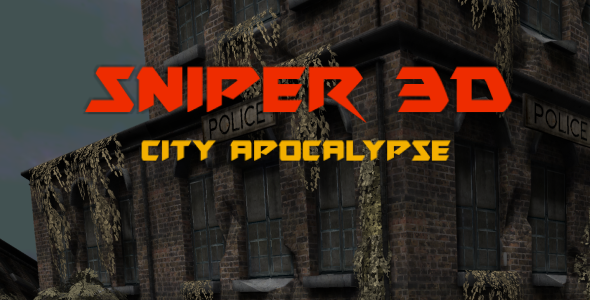
The game takes place in an abandoned city filled with hordes of zombies. You are armed with a sniper rifle, and your task is to survive, firing the undead forwards to you. For your accuracy you will get extra points and bonus that improves your weapon. Compete with other players using Google Play services.
Features: • High Quality 3D graphics • Infinite gameplay with increasing difficulty • Powerful sound effects and music • Ready to publish for iOS and Android • Easy to customize • Google Play Services and GameCenter leaderboards • Admob banner and interstitial ads
Requirements: • Unity3D 2019.2.17 or newer
To get support OR our RESKIN pricing OR if you have any other questions, contact us via:
Email Support: electricpunch@yandex.ru
Skype Support: Click to Chat
Whatsapp Support: Click to Chat
Setup Instructions: To use this project you need to install Unity 2019.2.17f (or newer version) from Unity Hub.
Setup Admob for Android
1) On Admob site create new Android app with interstitial and banner ad unit ids.
2) In Unity top menu go to Assets – Google Mobile Ads – Settings. Under Admob Ad Id label put your App Id from Admob website for Android.
3) Open /Assets/GAME/Scripts/GameUI.cs script. At line 15 put your Banner Ad Id from Admob website. At line 16 put your Interstitial Ad Id from Admob website.
Setup Admob for iOS
1) On Admob site create new iOS app with interstitial and banner ad unit ids.
2) In Unity top menu go to Assets – Google Mobile Ads – Settings. Under Admob Ad Id label put your App Id from Admob website for iOS.
3) Open /Assets/GAME/Scripts/GameUI.cs script. At line 18 put your Banner Ad Id from Admob website. At line 19 put your Interstitial Ad Id from Admob website.
You need to know Unity basics to make below steps. If you don’t know, just upload game to store as is.
Player setup
Player character is Player object in Hierarchy view. To change it you need import to Unity other 3D model and changeit Rig to Humanoid. Then drag it to scene and in Unity top menu click Tools – Third Person Controller – Character Builder. Assign you model to Character tab and click Build. Then copy all other components from original Player to your new Player and copy weapons from right hand of original Player to your own. When your player is read, put it to project (make prefab) in /Assets/GAME/Prefabs/Player. Assign it on MainCamera – CameraController – Character field. Assign it on MAIN – GameController – Player field and Player Center field (player center can be Hips).
Level setup
In each level you can make a waves of enemies. For example, open /Assets/GAME/Scenes/Game.scene. It’s first level. Click on MAIN object and in Inspector view look at GameController component. You can see Waves list. You can edit them and add new just increasing Size. There you can drop enemies prefabs for wave.
Enemies Setup
It’s similar to setup of player. You can find enemies objects /Assets/GAME/Prefabs/Enemy. Different is that you need to enable “Is AI Agent” in Character Builder before build. Then copy components from existing enemy and weapons from hand. Make new prefab with your enemy and assign it to one of level waves.
Pedestrians setup
All pedestrians located in /Assets/GAME/Prefabs/Humans/ folder. Just copy all components from one of existing pedestrian to your own and put it to prefab. Then assign them on object MAIN – AI Controller – Human Prefabs list. Vehicles setup All vehicles located in /Assets/GAME/Prefabs/Vehicle/ folders. /Empty/ subfolder contains empty vehicles, /Traffic/ subfolder contains AI vehicles with drivers.
To make a new vehicle you need a vehicle model with four separate wheels. As always, copy all components from existing vehicle. Copy all child objects from existing vehicle and assign them in components of root object. Assign created vehicles on object MAIN – AI Controller – Vehicle Prefabs list. How to generate new city
To generate cities we are using DungeonArchitect plugin. On game scene there is DungeonItems object. It contains all city objects. For fast city generation: 1) Change DungeonItems scale to 1, 1, 1; 2) On DungeonSimpleCity object click DestroyDungeon. Below in WaypointGenerator object click Clear Waypoints. 3) On SimpleCityDungeonConfig component Bu Seed number to any other. 4) Click Build Dungeon. 5) Change DungeonItems scale to 3, 3, 3;
| Type | Android App |
|---|---|
| Author | electricpunch1 |
| Price | $99 |
| Sales | 25 |
| Rating | 2.33 (3) |
| Published | Jul 10, 2018 |
| Last Update | Jan 3, 2022 |
| Compatible Software | Android 12.0, Android 11.0, Android 10.0, Android 9.0, Other |
| Demo Url | https://play.google.com/store/apps/details?id=com.elebah.snipercity |
| Mobile Files Included | .java, .xml |
| Video Preview Resolution | 1280x720 |
External listing. code.market does not sell this product and does not process payment for it. Pricing, payment, delivery, licensing, refunds, and support are handled by the third-party merchant on its own website. We may earn an affiliate commission from a referral. Details.
Products of the Week.
Submit🥇

STOP GUESSING WHAT TO POST
AI that learns your brand voice and builds a month of consistent, on-brand social content: carousels, posts and hooks that sound like you, not like everyone else's AI.
SaaS · 7,352 views · 67 clicksSaaS · Week 46 · 7,352 views · 67 clicks
🥈

Conversational Backlinks for Busy Founders
Place Backlink Relevant Conversation for your domain across Forums and Conversations
Website · 46,632 views · 232 clicksWebsite · Week 46 · 46,632 views · 232 clicks
🥉

upvote.club
Free Social Media Engagement that Helps Boost Your Content. Upvote Club supports 19 social networks with 100+ engagement actions in one dashboard. Add links to your posts and get free engagement from real users.
SaaS · 44,574 views · 127 clicksSaaS · Week 46 · 44,574 views · 127 clicks
#4

Substack Posting API
Onboard your Agent to Substack. Write Publish on Substack via API
SaaS · 63,460 views · 206 clicksSaaS · Week 46 · 63,460 views · 206 clicks
#5

Seenshot App
Free, Fast, MacOS Screenshot app. Make Screenshot cmd+shift+2 and send it via link
Desktop App · 32,710 views · 127 clicksDesktop App · Week 46 · 32,710 views · 127 clicks
#6

Hand-Placed Backlinks $9.99 per link. Flat rate.
Buy hand-placed forum, Q-A and directory backlinks. Flat $9.99 per link, no subscriptions — you only pay for approved listings.
Website · 8,332 views · 19 clicksWebsite · Week 46 · 8,332 views · 19 clicks
#7

Free Invoice Generator - PDF Invoices in Your Browser, No Sign-Up
A free invoice maker for freelancers and small businesses: fill in the invoice, check the live preview, and download a PDF that looks exactly like it. Any currency, tax per item, three templates, no sign-up, and nothing leaves your device.
6,958 views · 29 clicksWeek 46 · 6,958 views · 29 clicks
#8

Merge PDF Files Free - Combine PDFs in Your Browser, No Upload
A free PDF merger for office workers, students, and freelancers: combine PDFs and images into one file in the browser, reorder files and pages, pick page ranges, keep bookmarks, and open password-protected PDFs. Nothing is uploaded, no sign-up, no watermark.
6,439 views · 18 clicksWeek 46 · 6,439 views · 18 clicks