
Snap SEO Tools - Professional Tools for SEO With Resale Rights + keygen
Description
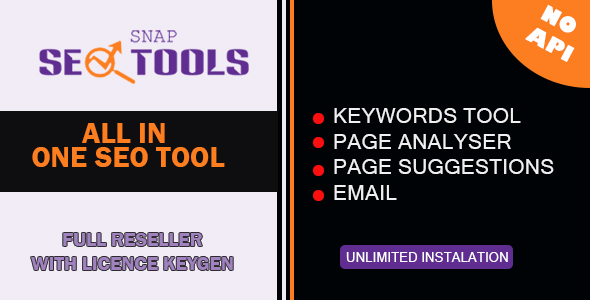
Snap SEO Tools is a powerful collection of user-friendly tool designed to help you boost your SEO and make smart decisions for your website’s success. You don’t need any technical skills to use it—just follow a few simple steps to get results.
Keywords Research Tool
Designed to help businesses enhance their online visibility by providing insightful keyword analysis. This intuitive application allows users to input a seed keyword and automatically generate a list of related keywords. Each keyword is accompanied by key information such as competition level, estimated search volume, cost-per-click (CPC), and trends over the year.
Features:
- Keyword Generation: Automatically generates variations of your seed keyword to help you explore more opportunities.
- Competition Assessment: Understand the difficulty of ranking for each keyword, categorized into Easy, Medium, and Hard.
- Search Volume Estimation: Get an estimate of how many searches a keyword receives monthly, aiding you in identifying high-potential keywords.
- CPC Estimation: Get a rough idea of how much advertisers are willing to pay per click for a keyword, helping you plan your ad budget.
- Trend Analysis: View a visual representation of search volume trends over the year, making it easier to identify seasonal spikes and plan your strategy accordingly.
- Easy Export: You can save selected keywords and their associated data in a CSV file for further use, such as content creation or advertising campaigns.
This tool is ideal for businesses aiming to optimize their website and digital marketing efforts. It presents complex data in a clear, easy-to-understand format, helping you make informed decisions for better online visibility.
SERP Analyzer Tool
Designed to help businesses and marketers analyze the performance of their target keywords on search engines. With this tool, users can effortlessly obtain detailed insights into the top search results for any keyword. By examining the titles, URLs, descriptions, and keyword usage in these results, users can make more informed decisions for their SEO strategy.
Key Features:
- Keyword Analysis: Simply enter a keyword and analyze the top 10 search engine results for it. The tool extracts useful information such as titles, URLs, descriptions, and how often the keyword appears within the search results.
- Keyword Usage Tracking: The tool tracks how frequently the entered keyword appears in the titles and descriptions of search results, helping you evaluate its presence and relevance.
- CSV Export: Users can save the analysis results as a CSV file for further use, making it easier to store and review data offline.
- Effortless User Interface: The clean, intuitive interface makes it easy to enter keywords, view results, and save them with just a few clicks.
- Real-Time Analysis: Get up-to-date results quickly with background processing, ensuring that your analysis doesn’t disrupt your workflow.
- Fully Customizable: The tool allows for easy customization of inputs and outputs, allowing users to tailor the analysis to their specific needs.
Perfect for SEO specialists, marketers, and anyone looking to improve their online presence, the SERP Analyzer makes powerful insights accessible in a simple, user-friendly application.
On-Page SEO Analyzer
Designed to help you enhance your website’s content for better search engine performance. Whether you’re a small business owner, marketer, or content creator, this tool simplifies the process of optimizing your website’s SEO elements without the need for technical expertise.
Key Features:
- Content Analysis: Easily analyze the text content of your web pages, checking for factors like keyword density, readability, and content length to ensure your content is both valuable to readers and optimized for search engines.
- Meta Tag Optimization: Get suggestions on improving critical meta tags such as the title tag and meta description, helping you boost visibility and click-through rates in search results.
- Heading Structure: The tool ensures your web page has the proper heading hierarchy, including essential
<h1>and<h2>tags for a clear and optimized page structure. - Internal Linking: It checks your page for internal links to ensure that your site’s content is well-connected, which helps improve both SEO and user navigation.
- HTTPS Validation: The tool automatically checks if your website uses HTTPS and alerts you to any potential issues like mixed content, helping ensure your website is secure.
- Social Media Tags: Get recommendations on adding Open Graph and Twitter Card meta tags to improve how your content appears when shared on social media platforms.
- Image Optimization: The tool checks your website’s images for missing alt attributes, large file sizes, and the use of responsive image tags to ensure they are optimized for both SEO and fast loading times.
- Broken Link Checker: Identify and fix broken links on your site that could negatively impact user experience and SEO performance.
- Sitemap Validation: It ensures your website’s sitemap is properly set up and accessible, helping search engines crawl your site more effectively.
With its easy-to-use interface and in-depth optimization features, the SEO Content Optimization Tool makes it simple for you to take control of your website’s SEO and improve its visibility on search engines.
On-Page SEO Suggestion
The SEO Content Optimization App is designed to analyze website content for SEO best practices and offer actionable suggestions for improvement. The application enables users to evaluate their web pages for critical elements such as keyword density, meta tags, image optimization, internal linking, and more. It provides insights into how to enhance the on-page SEO of a website to improve search engine rankings and overall user experience.
| Type | Windows App |
|---|---|
| Author | ydulana |
| Price | $72 |
| Sales | 1 |
| Rating | 0 (0) |
| Published | Dec 11, 2024 |
| Last Update | Dec 11, 2024 |
| Application Runtime | Native |
| High Resolution | Yes |
| Operating System Versions | Windows 10 |
| Video Preview Resolution | 1920x1080 |
Categories
Tags
External listing. code.market does not sell this product and does not process payment for it. Pricing, payment, delivery, licensing, refunds, and support are handled by the third-party merchant on its own website. We may earn an affiliate commission from a referral. Details.
Products of the Week.
Submit🥇

STOP GUESSING WHAT TO POST
AI that learns your brand voice and builds a month of consistent, on-brand social content: carousels, posts and hooks that sound like you, not like everyone else's AI.
SaaS · 7,354 views · 67 clicksSaaS · Week 46 · 7,354 views · 67 clicks
🥈

Conversational Backlinks for Busy Founders
Place Backlink Relevant Conversation for your domain across Forums and Conversations
Website · 46,636 views · 232 clicksWebsite · Week 46 · 46,636 views · 232 clicks
🥉

upvote.club
Free Social Media Engagement that Helps Boost Your Content. Upvote Club supports 19 social networks with 100+ engagement actions in one dashboard. Add links to your posts and get free engagement from real users.
SaaS · 44,576 views · 127 clicksSaaS · Week 46 · 44,576 views · 127 clicks
#4

Substack Posting API
Onboard your Agent to Substack. Write Publish on Substack via API
SaaS · 63,464 views · 206 clicksSaaS · Week 46 · 63,464 views · 206 clicks
#5

Seenshot App
Free, Fast, MacOS Screenshot app. Make Screenshot cmd+shift+2 and send it via link
Desktop App · 32,713 views · 127 clicksDesktop App · Week 46 · 32,713 views · 127 clicks
#6

Hand-Placed Backlinks $9.99 per link. Flat rate.
Buy hand-placed forum, Q-A and directory backlinks. Flat $9.99 per link, no subscriptions — you only pay for approved listings.
Website · 8,334 views · 19 clicksWebsite · Week 46 · 8,334 views · 19 clicks
#7

Free Invoice Generator - PDF Invoices in Your Browser, No Sign-Up
A free invoice maker for freelancers and small businesses: fill in the invoice, check the live preview, and download a PDF that looks exactly like it. Any currency, tax per item, three templates, no sign-up, and nothing leaves your device.
6,960 views · 29 clicksWeek 46 · 6,960 views · 29 clicks
#8

Merge PDF Files Free - Combine PDFs in Your Browser, No Upload
A free PDF merger for office workers, students, and freelancers: combine PDFs and images into one file in the browser, reorder files and pages, pick page ranges, keep bookmarks, and open password-protected PDFs. Nothing is uploaded, no sign-up, no watermark.
6,441 views · 18 clicksWeek 46 · 6,441 views · 18 clicks