
Smart Office ID Card Maker - Professional ID Card in Minutes
Description

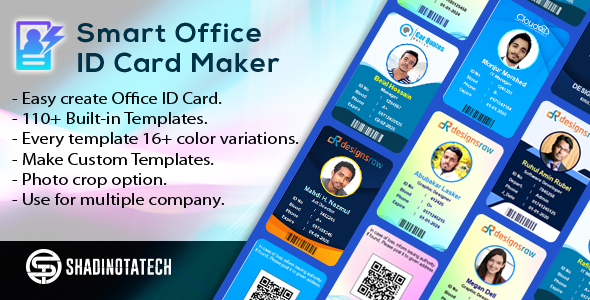
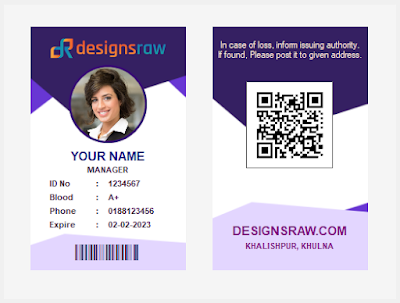
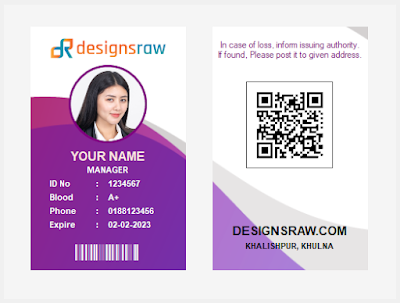
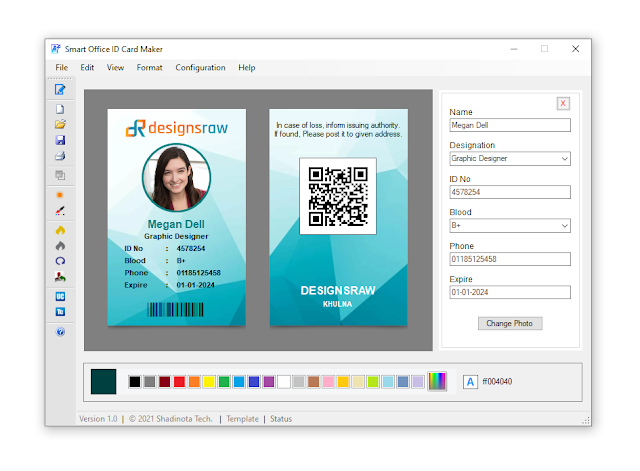
Welcome to Smart Office ID Card Maker. This software may you help to create your office and personal ID card. Also Smart Office ID Card Maker is user friendly and too easy to use. It has a lot of useful features also 110+ template which is minimal, modern, sophisticated, and also is extremely easy to use. Any kind of organization can use this software for making his employee identity card. You can fully customize this software. This is a very essential program for generate ID Card. Able to make Personal ID Card, Office ID Card, Employee ID Card, Smart ID Card, Event ID Card, Corporate ID Card, Company ID card, Professional ID Card. The interface of this program is very attractive to see which you will be able to use. You don’t need to learn Adobe Photoshop, Adobe Illustrator or any kind of graphic design software. The project is written in vb.net 2010.








About:
Smart Office ID Card Maker
Version 2.0
Software Version: .NET Framework
Supported: Windows XP, Vista, 7, 8 or later
Developed by: Shadinota Computers
Update:
• 110+ ready themes and templates.
• Pre- themes has 16+ color variations.
• Change template to any color.
• Save as Image.
• Color Scheme: For multiple color of selected template.
• Color Balance: For adjustment of color.
• Color Hue: Chance color of selected template.
Features:
• Nice interface and easy to use.
• 110+ ready themes and templates.
• Pre- themes has 16+ color variations.
• Change template to any color.
• Custom template making options.
• Any Customized Template usable.
• Cards save as document.
• Cards save as image in PNG.
• Fully customizable ID card.
• Ready to print options.
• image crop and edit options.
• Brightness and color effects of images.
• Apply Image rotations.
User’s Benefits:
• Easy create Office ID Card.
• 110+ Built-in Templates.
• Every template 16+ color variations.
• Change template to any color.
• Make Custom Templates.
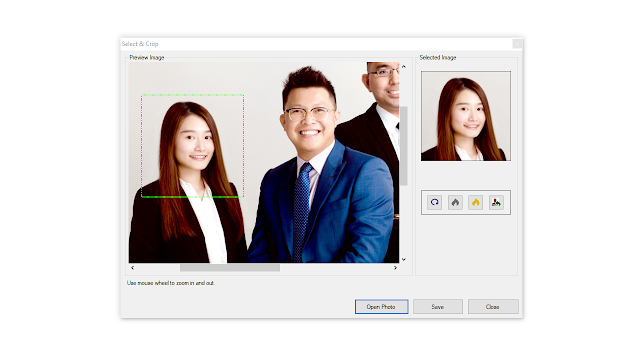
• Photo crop option.
• Use for multiple company.
Files Included:
• Software File
• Doucmentation
• User Guidelines
• Information file
• Read Me file
How to use:
You can use this application without install. This application is portable.
This file is very well organized.
1. Open “Smart Office ID Card Maker” folder.
2. Double click to “Smart Office ID Card Maker.exe”
3. Now ready to use. It’s easy.
Menu Options:
- New: For entry a new card.
- Open: Open a saved file.
- Close: Close the card editor option.
- Save: Save card as document file.
- Save as Image: Save card as an image file.
- Save as Template: Save card as a template.
- Import Template: For use any saved design template in current card.
- Import Text File: For use exported .txt file of person data.
- Export Text File:
Only Person Data: Export Person data only as text file.
All Text: Export all card text data as text file.
- Print: For print current card.
- Exit: Close the application.
- Brightness: For increase and decrease the photo brightness.
- Color Effects: Use color effect to photo.
- Select & Crop Photo: If you want to crop a photo.
- Card Color: Change the color of the card.
- Edit Card Text: For edit information of current card.
- Change Case: Make card text Upper Case and Capitalize Each Word.
- Photo Filter: Use an effect to photo.
- Photo Grayscale: For make photo grayscale.
- Photo Rotate: For rotate photo.
- Photo Reset: Reset photo effects.
- Template Theme: View in selected template.
- Classic Themes: View Basic designed card.
- Standard Theme: Basic shape designed card.
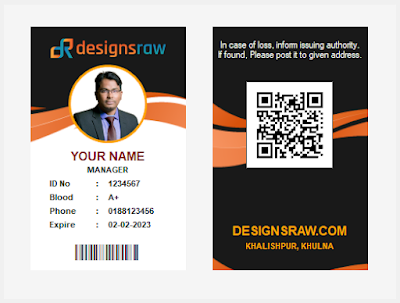
- Show Both Side: View front and back side of current card.
- Show Front Only: View only front side of current card.
- Show Back Only: View only back side of current card.
- Toolbar: Hide and show side toolbar.
- Color Bar: Hide and show color bar
- Barcode: Hide and show barcode.
- Back Note: Hide and show back note.
- QR Code: Hide and show QR code.
- Other Content:
Company Name & Address: Hide and show company name & address.
Company Logo: Hide and show company logo.
Photo: Hide and show photo.
Person Data: Hide and show card text data.
- Mockup View: Show card with ID card mockup.
- Fonts:
Company Name: Change font of company name.
Title/Name: Change font of title/name.
Body Text: Change font of body text.
- Fonts Color:
Company Name: Change font color of company name.
Back Note: Change font color of back note.
Name Title: Change font color of name title.
Body Text: Change font color of body text.
- Default Font: Set default font for all text.
- Change Template: For select built-in template or any customize theme.
- Color Scheme: For multiple color of selected template.
- Color Balance: For adjustment of color.
- Color Hue: Chance color of selected template.
- Change Background: For use any image as background.
- Line Graphics:
Front Side: Hide and show front side line graphic.
Back Side: Hide and show back side line graphic.
- Line Color:
Front Side: Change front side line graphic color.
Back Side: Change back side line graphic color.
- Photo Border Color: For change photo border color.
- Barcode Color: For change barcode color.
- Pattern:
Show/Hide: For Hide and show front side pattern.
Style: For change pattern style.
Color: For change pattern color.
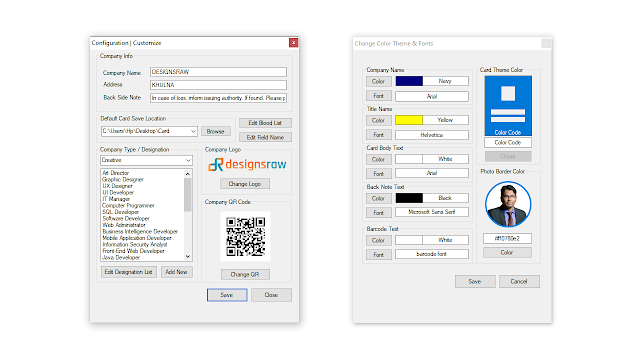
- Customize: For customize card main info, logo, QR code, company type etc.
- Set Color and Fonts: For change font and color of card.
- Edit Field Name: For change data field name.
- Edit Designation List: For edit designation list.
- Add New Designation List: For add new designation list.
- Edit Blood List: For edit blood list.
If you need any help using the application or need special customizing please feel free to contact me via my codecanyon profile. If you have a moment, please rate this item, I’ll appreciate it very much!....
Regards.
| Type | Windows App |
|---|---|
| Author | ShadinotaTech |
| Price | $9 |
| Sales | 67 |
| Rating | 0 (2) |
| Published | Jan 11, 2022 |
| Last Update | Apr 27, 2022 |
| Application Runtime | .NET 4 |
| High Resolution | No |
| Operating System Versions | Windows XP, Windows Vista, Windows 7, Windows 8 Desktop, Windows 8 Metro, Windows 10 |
| Video Preview Resolution | 1844x1036 |
Categories
Tags
External listing. code.market does not sell this product and does not process payment for it. Pricing, payment, delivery, licensing, refunds, and support are handled by the third-party merchant on its own website. We may earn an affiliate commission from a referral. Details.
Products of the Week.
Submit🥇

STOP GUESSING WHAT TO POST
AI that learns your brand voice and builds a month of consistent, on-brand social content: carousels, posts and hooks that sound like you, not like everyone else's AI.
SaaS · 6,701 views · 64 clicksSaaS · Week 46 · 6,701 views · 64 clicks
🥈

Conversational Backlinks for Busy Founders
Place Backlink Relevant Conversation for your domain across Forums and Conversations
Website · 45,733 views · 230 clicksWebsite · Week 46 · 45,733 views · 230 clicks
🥉

upvote.club
Free Social Media Engagement that Helps Boost Your Content. Upvote Club supports 19 social networks with 100+ engagement actions in one dashboard. Add links to your posts and get free engagement from real users.
SaaS · 43,710 views · 125 clicksSaaS · Week 46 · 43,710 views · 125 clicks
#4

Substack Posting API
Onboard your Agent to Substack. Write Publish on Substack via API
SaaS · 62,637 views · 204 clicksSaaS · Week 46 · 62,637 views · 204 clicks
#5

Seenshot App
Free, Fast, MacOS Screenshot app. Make Screenshot cmd+shift+2 and send it via link
Desktop App · 31,880 views · 125 clicksDesktop App · Week 46 · 31,880 views · 125 clicks
#6

Hand-Placed Backlinks $9.99 per link. Flat rate.
Buy hand-placed forum, Q-A and directory backlinks. Flat $9.99 per link, no subscriptions — you only pay for approved listings.
Website · 7,570 views · 19 clicksWebsite · Week 46 · 7,570 views · 19 clicks
#7

Free Invoice Generator - PDF Invoices in Your Browser, No Sign-Up
A free invoice maker for freelancers and small businesses: fill in the invoice, check the live preview, and download a PDF that looks exactly like it. Any currency, tax per item, three templates, no sign-up, and nothing leaves your device.
6,182 views · 21 clicksWeek 46 · 6,182 views · 21 clicks
#8

Merge PDF Files Free - Combine PDFs in Your Browser, No Upload
A free PDF merger for office workers, students, and freelancers: combine PDFs and images into one file in the browser, reorder files and pages, pick page ranges, keep bookmarks, and open password-protected PDFs. Nothing is uploaded, no sign-up, no watermark.
5,712 views · 16 clicksWeek 46 · 5,712 views · 16 clicks