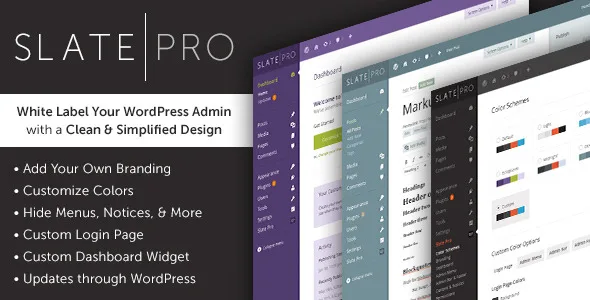
Slate Pro – WordPress Admin Theme and White Label
Description
Slate Pro – A Premium White Label Admin Theme for WordPress
Slate Pro is a powerful WordPress admin theme plugin that reimagines WordPress with a clean and simplified design. White label your WordPress install with custom colors, a custom login screen, custom admin branding, and more. Slate Pro is now multisite compatible! Network activate to control the look of all sub-sites.
Note that Slate Pro is only compatible with WordPress 4.0 and PHP 5.3 and above.
Make WordPress Your Own
You spend countless hours on your design and code, sweating all the details. Shouldn’t your Content Management System reflect your own brand?
And while you’re at it, how about making it beautiful instead of run-of-the-mill?
With Slate Pro you can create a completely customized WordPress Admin area without any WordPress branding. Your clients don’t even have to know that you’re using WordPress!
Create a look and feel that matches your brand.
If You Design or Develop for WordPress You Need Slate Pro
- Reimagines the WordPress Admin in a clean, modern, and simplified design. Your clients will love it.
- Change or remove all WordPress branding, creating a true White label admin area for your clients.
- Create your own color scheme, add your own branding to both the admin and login pages — make it your own!
- 6 months of support and all 1.x version updates with your purchase, so there’s no need to worry.
- Updates through the WordPress Plugins page makes updating easy as pie.
Customer Reviews
If you love Slate Pro please consider leaving a review here on CodeCanyon. Thank you!
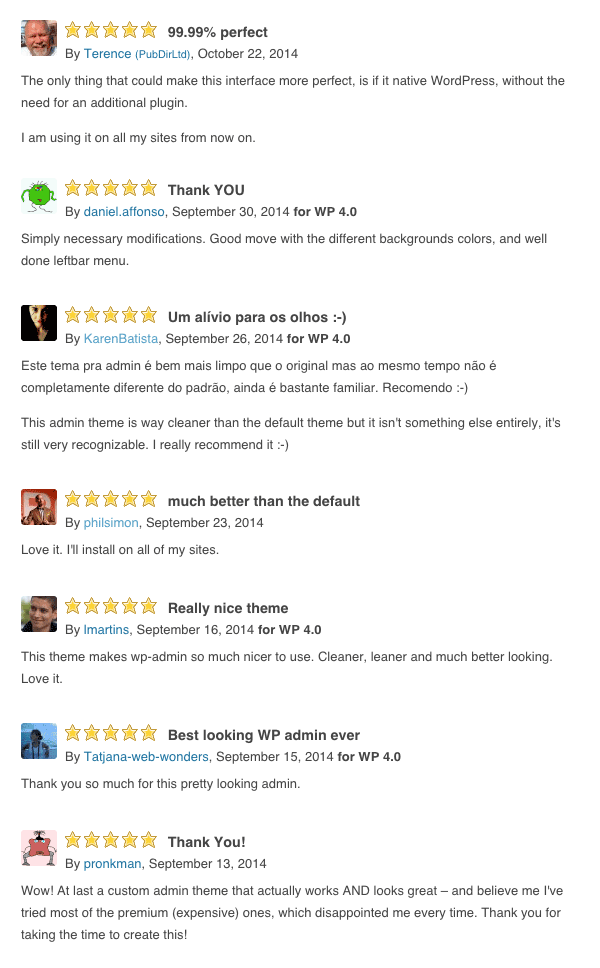
Check out these reviews for Slate, our original admin theme:
More Features
Color Schemes
- Completely customize all colors for a truly personalized and professional look.
- Users can choose from preset colors through their profile page.
- Hide the ability for users to choose their own colors.
- 8 Color Schemes included and more to come!
Admin Branding
- Highlight your web design and development services!
- Add a full size and collapsed logos to the WordPress Admin Menu.
- Add a custom admin favicon.
- Customize all colors.
Login Page
- Add a logo.
- Add a background image.
- Change the logo link and title.
- Choose how the background image displays.
- Customize all colors.
Dashboard
- Hide the default Welcome Message.
- Create a custom widget.
- Remove distracting, unneeded Dashboard widgets.
Permissions
- Hide Admin Menu items for specific users.(Note: not available on main Multisite Network install)
- Hide the Slate Pro Settings for specific users.
- Hide Slate Pro from the Plugins page for specific users.
Admin Bar
- Hide the Admin Bar.
- Hide just the WordPress logo from the Admin Bar.
- Customize all colors.
Admin Footer
- Hide the Footer.
- Display custom footer text with HTML support.
- Hide the version number.
- Customize all colors.
Content and Notices
- Hide the Help tab.
- Hide the Screen Options tab.
- Hide WordPress in Titles.
- Hide WordPress Update Notices.
- Hide WordPress Theme Update Notices.
- Hide WordPress Plugin Update Notices.
Multisite Compatible
- Control look of all sub-sites.
- Network Activation requires only a single license key.
- Sub-sites can activate their own copies.
Language Support
- Translation ready.
- Portuguese translation included.
Import/Export
- Easily backup all your settings.
Update History
1/31/22: Version 1.1.10
Fixes error on Customizer screen.
Prevents post states from displaying on Menus page.
Styling fixes for WordPress 5.9.
Styling fixes for Elementor and WooCommerce.
9/7/20: Version 1.1.9
Styling fixes for WordPress 5.5.
4/26/20: Version 1.1.8
Styling fixes for WordPress 5.4.
2/23/19: Version 1.1.7
Styling fixes for WordPress 5.1.
2/17/19: Version 1.1.6
Minor bug fixes.
2/16/19: Version 1.1.5
Compatibility update for WordPress 5.0+ and Gutenberg.
12/9/17: Version 1.1.4
Compatibility update for WordPress 4.8 and 4.9.
12/28/16: Version 1.1.3
Compatibility update for WordPress 4.6 and 4.7.
2/28/16: Version 1.1.2
Compatibility update for WordPress 4.4 and 4.5 beta.
Fixes overlapping notices
Fixes incorrectly positioned Screen Options
8/23/15: Version 1.1.1
Minor update.
8/22/15: Version 1.1
Big update with lots of user requested features!
You can now use custom url's for branding images.
Admin Bar styling now shows on the front end of the site.
Custom login url's now work on multisite installs.
Added option to remove "WordPress" from admin page titles.
WordPress 4.3 compatibility.
Other bug fixes.
7/6/15: Version 1.0.8
Added support for custom login addresses on non-multisite sites.
Other bug fixes.
4/23/15: Version 1.0.7
Added warning about losing settings when disabling plugin.
Bug fixes.
1/10/15: Version 1.0.6
Added alternative option for hiding update notices. This should help with speed issues.
Minor bug fixes.
12/27/14: Version 1.0.5
Multisite compatible.
Language files added.
Hide Login Page logo.
Jetpack compatibility fixes.
Other bug fixes.
12/19/14: Version 1.0.4
Added Title and Link fields to the Login Logo.
Fixed invisible post titles for subscribers.
Updated import functionality.
Made the Admin Menu section work more reliably.
Increased compatibility with other plugins.
Refactored code and squashed bugs.
12/15/14: Version 1.0.3
Increased compatibility with some 3rd party plugins and custom metaboxes.
Minor bug fixes.
12/13/14: Version 1.0.2
Added ability to hide the "Screen Options" tab.
Minor bug fixes.
12/9/14: Version 1.0.1
Updated for compability with WordPress 4.1.
Minor bug fixes.
Categories
Tags
External listing. code.market does not sell this product and does not process payment for it. Pricing, payment, delivery, licensing, refunds, and support are handled by the third-party merchant on its own website. We may earn an affiliate commission from a referral. Details.
Products of the Week.
Submit🥇

STOP GUESSING WHAT TO POST
AI that learns your brand voice and builds a month of consistent, on-brand social content: carousels, posts and hooks that sound like you, not like everyone else's AI.
SaaS · 6,431 views · 59 clicksSaaS · Week 46 · 6,431 views · 59 clicks
🥈

Conversational Backlinks for Busy Founders
Place Backlink Relevant Conversation for your domain across Forums and Conversations
Website · 45,236 views · 229 clicksWebsite · Week 46 · 45,236 views · 229 clicks
🥉

upvote.club
Free Social Media Engagement that Helps Boost Your Content. Upvote Club supports 19 social networks with 100+ engagement actions in one dashboard. Add links to your posts and get free engagement from real users.
SaaS · 43,234 views · 124 clicksSaaS · Week 46 · 43,234 views · 124 clicks
#4

Substack Posting API
Onboard your Agent to Substack. Write Publish on Substack via API
SaaS · 62,172 views · 204 clicksSaaS · Week 46 · 62,172 views · 204 clicks
#5

Seenshot App
Free, Fast, MacOS Screenshot app. Make Screenshot cmd+shift+2 and send it via link
Desktop App · 31,431 views · 125 clicksDesktop App · Week 46 · 31,431 views · 125 clicks
#6

Hand-Placed Backlinks $9.99 per link. Flat rate.
Buy hand-placed forum, Q-A and directory backlinks. Flat $9.99 per link, no subscriptions — you only pay for approved listings.
Website · 7,150 views · 19 clicksWebsite · Week 46 · 7,150 views · 19 clicks
#7

Free Invoice Generator - PDF Invoices in Your Browser, No Sign-Up
A free invoice maker for freelancers and small businesses: fill in the invoice, check the live preview, and download a PDF that looks exactly like it. Any currency, tax per item, three templates, no sign-up, and nothing leaves your device.
5,771 views · 20 clicksWeek 46 · 5,771 views · 20 clicks
#8

Merge PDF Files Free - Combine PDFs in Your Browser, No Upload
A free PDF merger for office workers, students, and freelancers: combine PDFs and images into one file in the browser, reorder files and pages, pick page ranges, keep bookmarks, and open password-protected PDFs. Nothing is uploaded, no sign-up, no watermark.
5,325 views · 15 clicksWeek 46 · 5,325 views · 15 clicks