
Single Radio - Flutter App for Android and iOS

Description
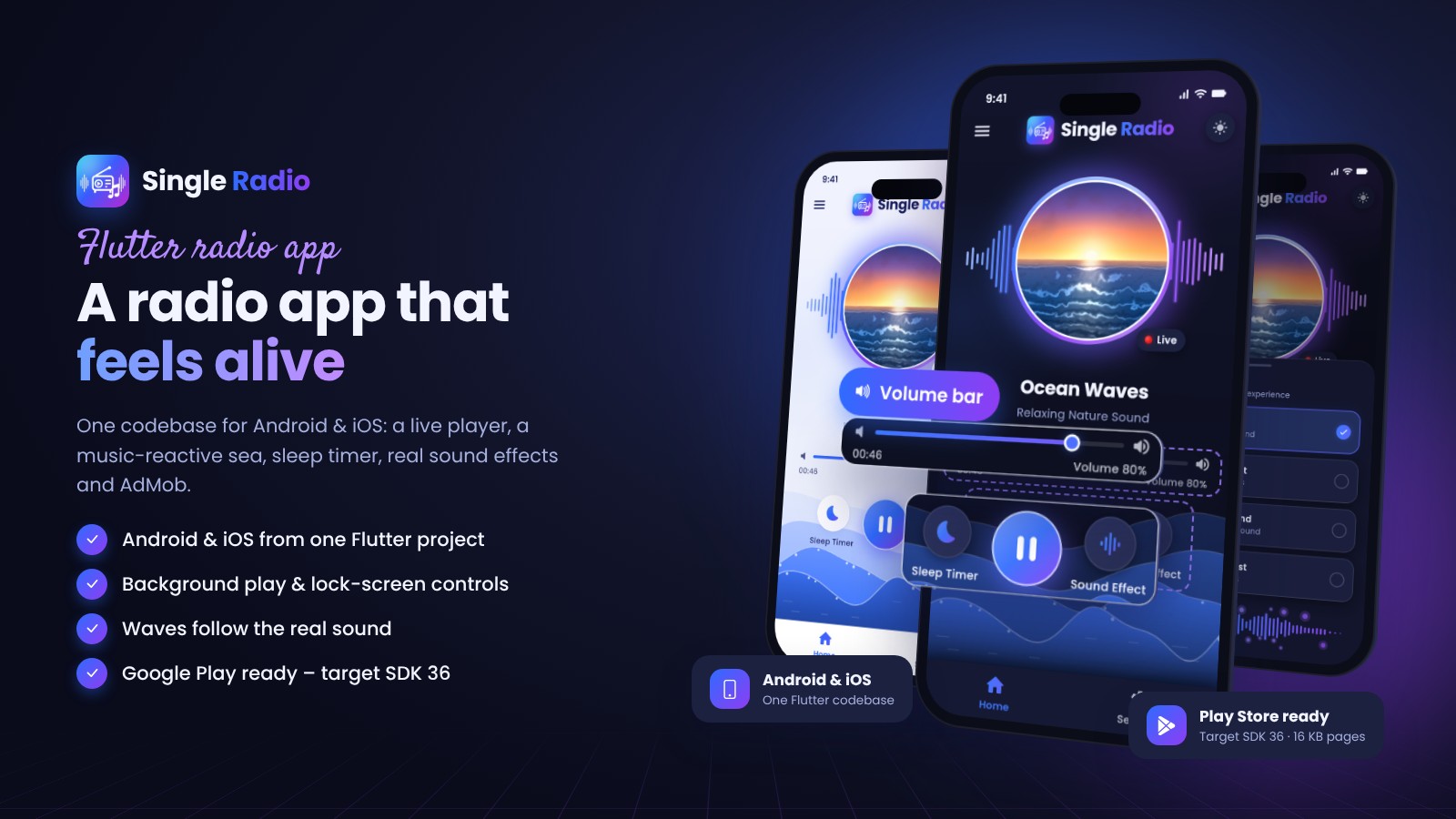
Single Radio — a beautiful radio app for Android & iOS
Single Radio is a complete Flutter project for a single-station internet radio. Listeners get a glowing player with live spectrum bars, a sea that swells with the music, a sleep timer with a gentle fade-out and real sound effects. You change the name, stream, colours and ad ids in one config file and publish.
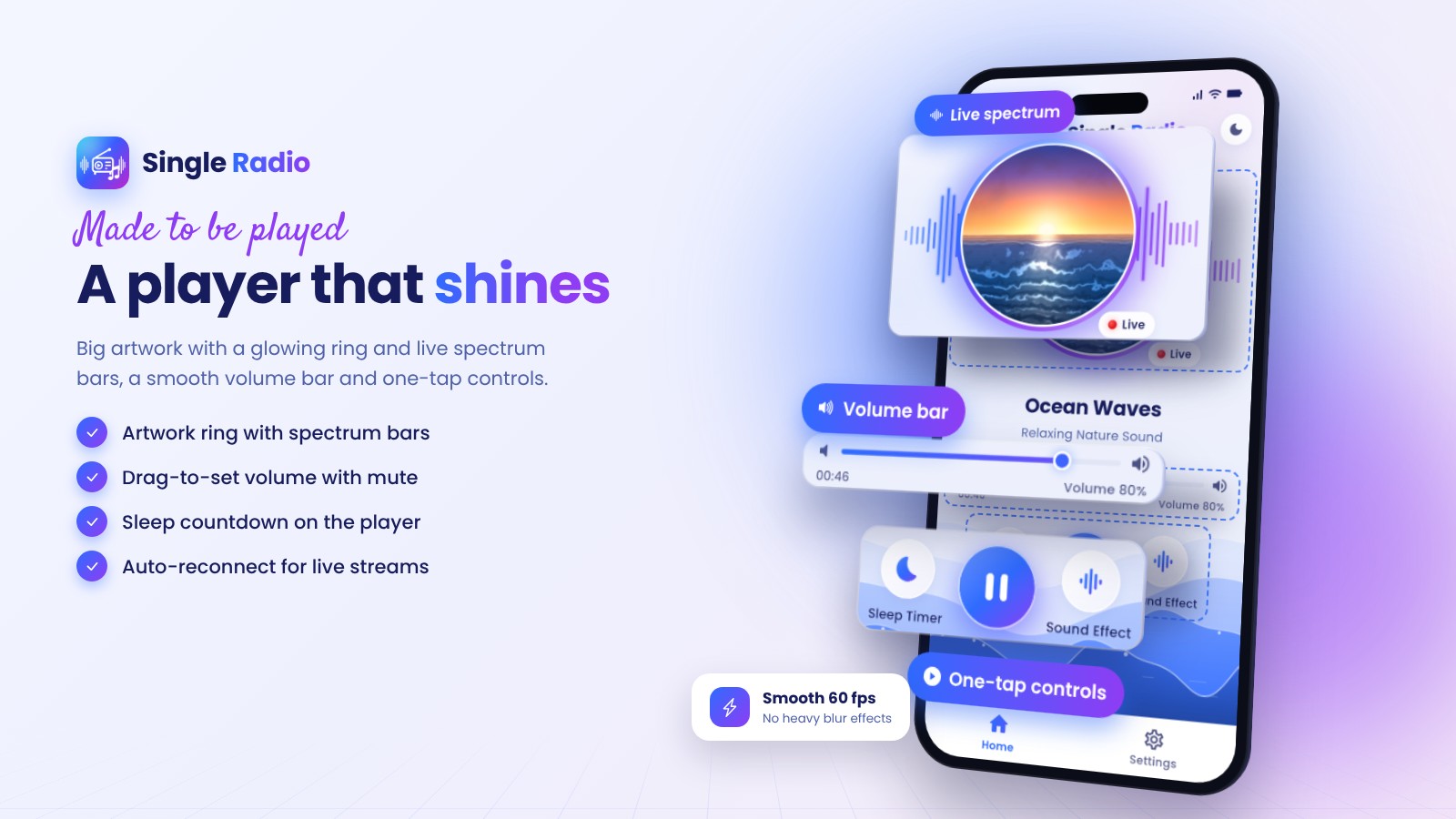
A player that shines
Large artwork with a glowing ring and spectrum bars, a drag-to-set volume bar with mute, one-tap controls and the sleep-timer countdown right on the player. Live streams reconnect automatically.
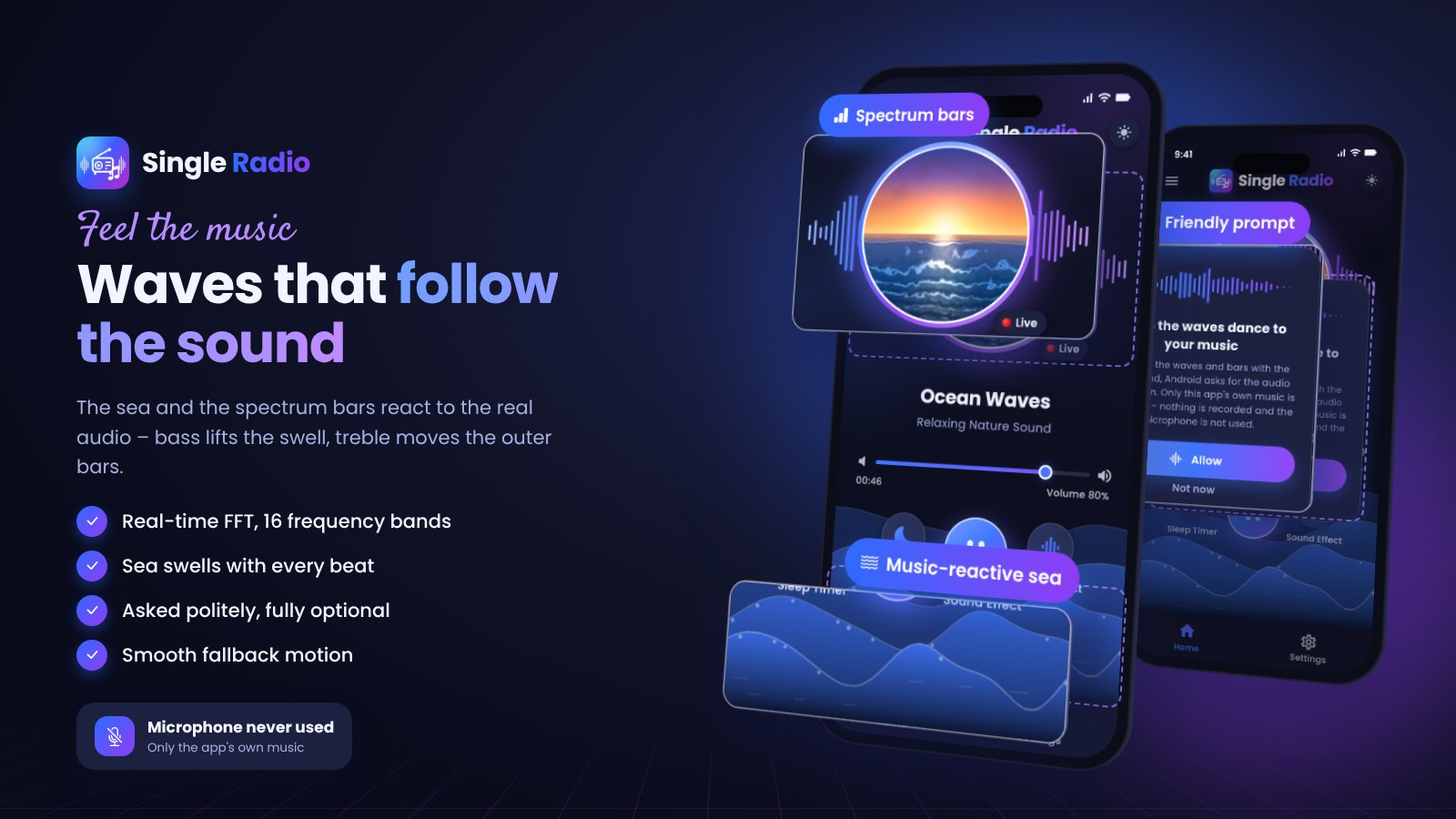
Waves that follow the sound
The sea and the bars react to the real audio: bass lifts the swell, treble moves the outer bars. On Android the app's own playback is analysed (the permission is explained first and is optional); on iOS no permission is needed. Without it a smooth fallback motion is used.
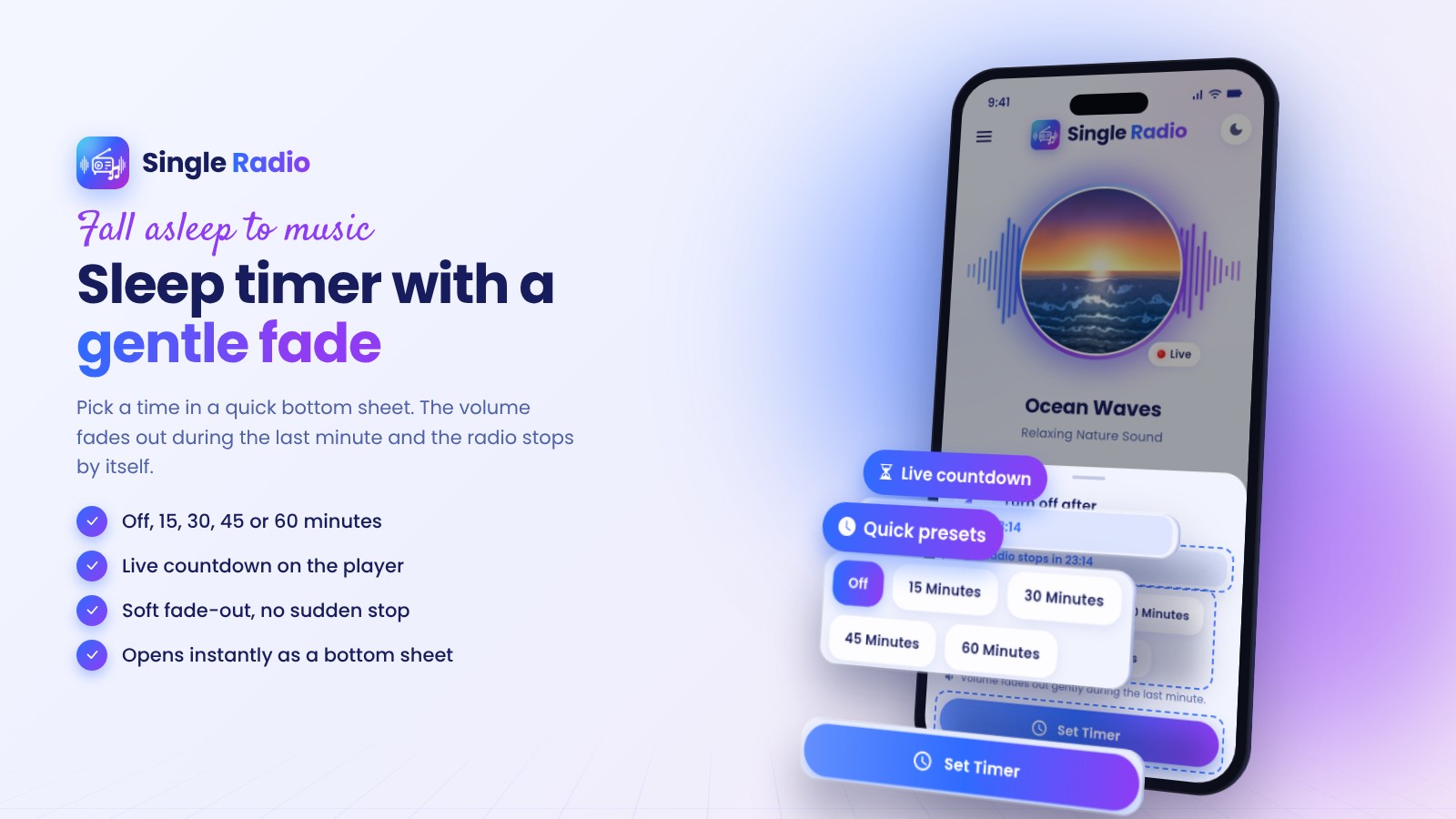
Sleep timer with a gentle fade
Off, 15, 30, 45 or 60 minutes in a quick bottom sheet. The volume fades out during the last minute and the radio stops by itself.
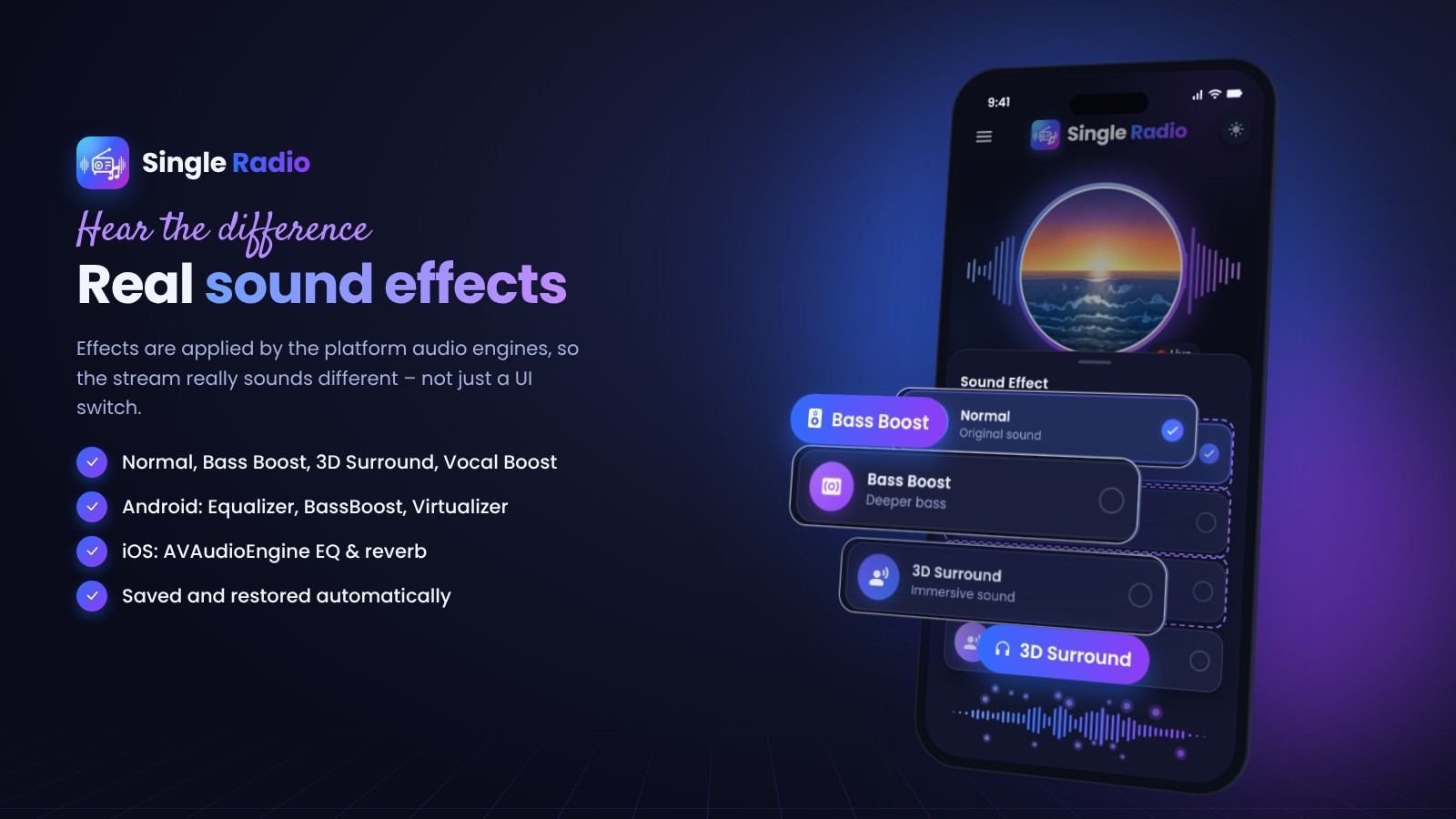
Real sound effects
Normal, Bass Boost, 3D Surround and Vocal Boost, applied by the platform audio engines – Android Equalizer, BassBoost and Virtualizer, and an AVAudioEngine EQ with reverb on iOS.
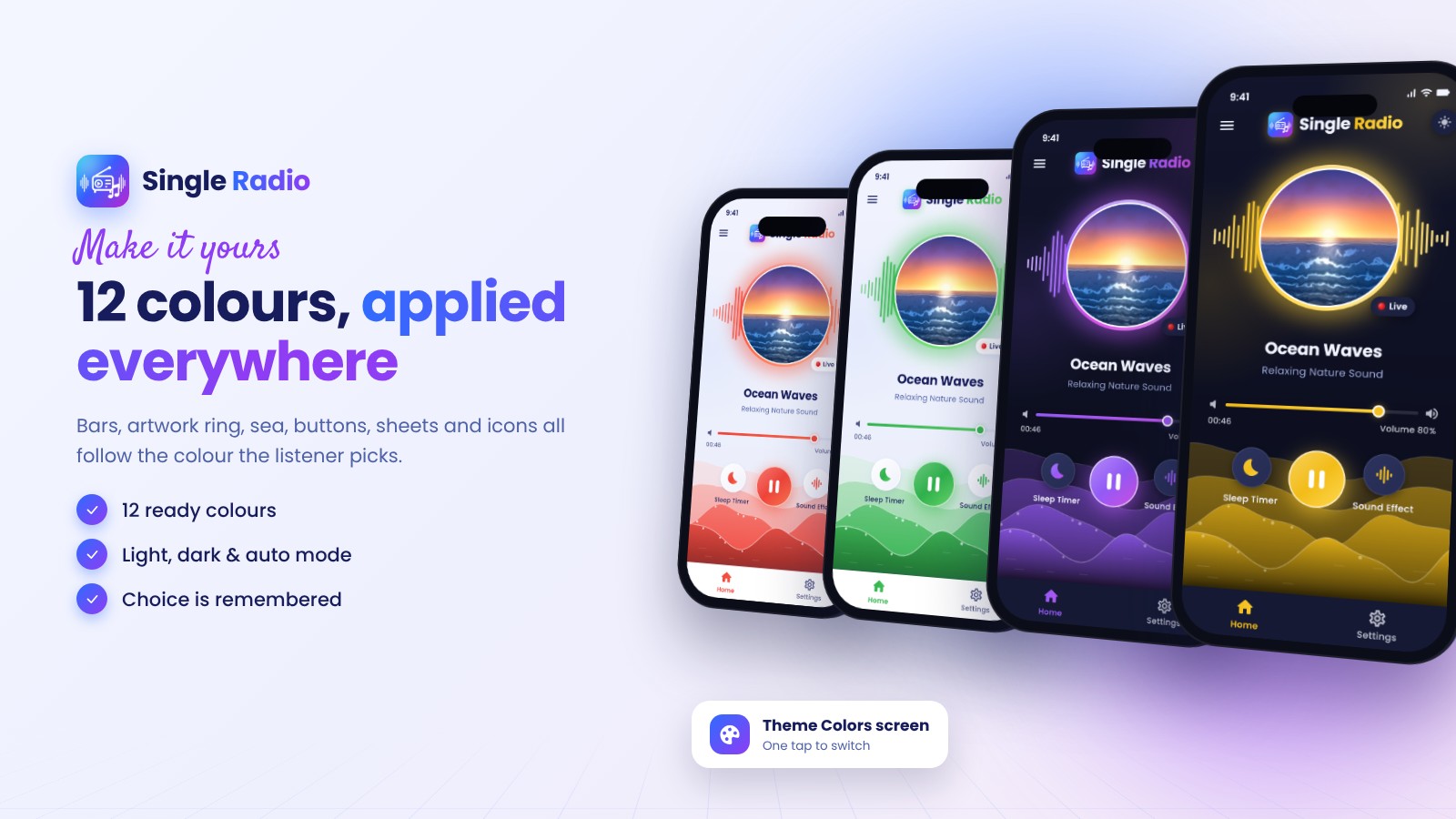
12 colours, applied everywhere
Bars, artwork ring, sea, buttons, sheets and icons follow the colour the listener picks. Light, dark and auto mode are included.
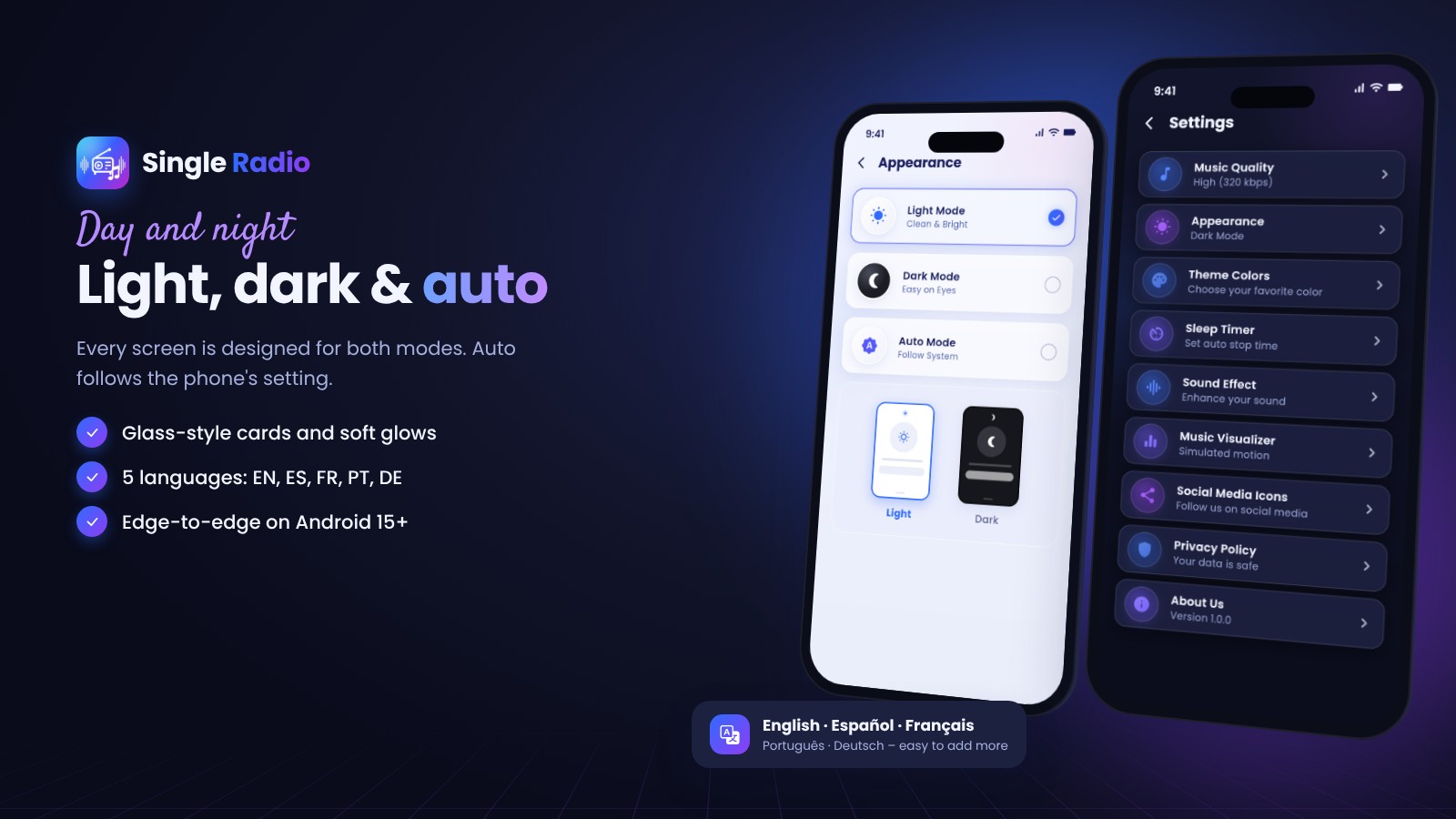
Light, dark & 5 languages
Every screen is designed for both modes. English, Spanish, French, Portuguese and German are included and a new language is one map in a single file.
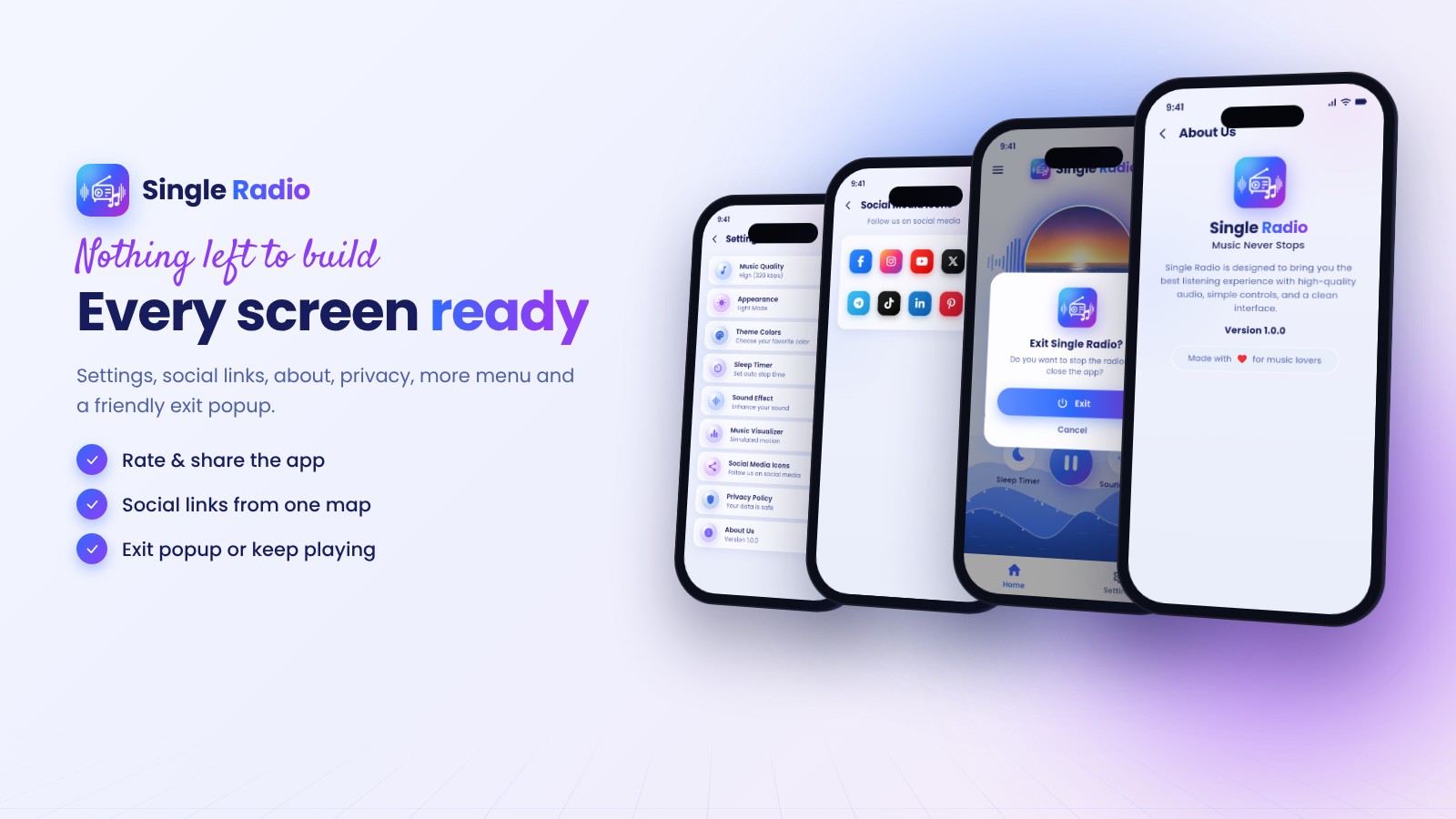
Every screen ready
Splash preloader, settings, music quality, social links, about, privacy, more menu (rate, share, help, notifications, language) and a friendly exit popup that can keep the radio playing.
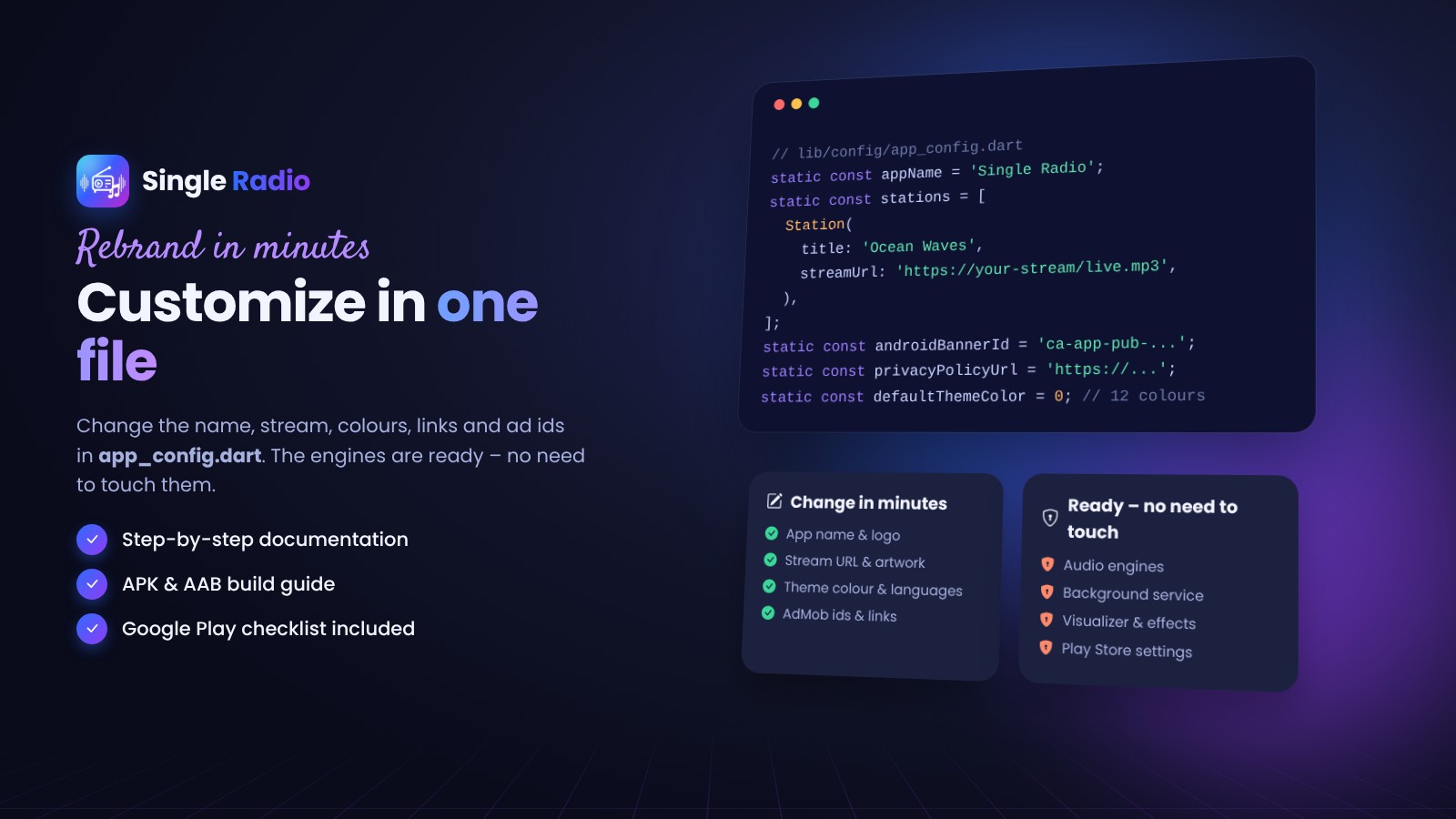
Customize in one file
App name, stream URL, artwork, theme colour, languages, social and privacy links and AdMob ids all live in lib/config/app_config.dart. The documentation walks through rebranding, building the APK / App Bundle and the Google Play forms.
What you get
- Full Flutter source code (Android + iOS)
- HTML documentation and a Google Play checklist
- Original app icon, artwork and graphics you may use in your app
Support and updates
Support through the Codester item page covers installation, configuration and bugs in the item. Custom development and store publishing are not included.
The demo APK uses Google test ads and a public demo stream.
Features
Player
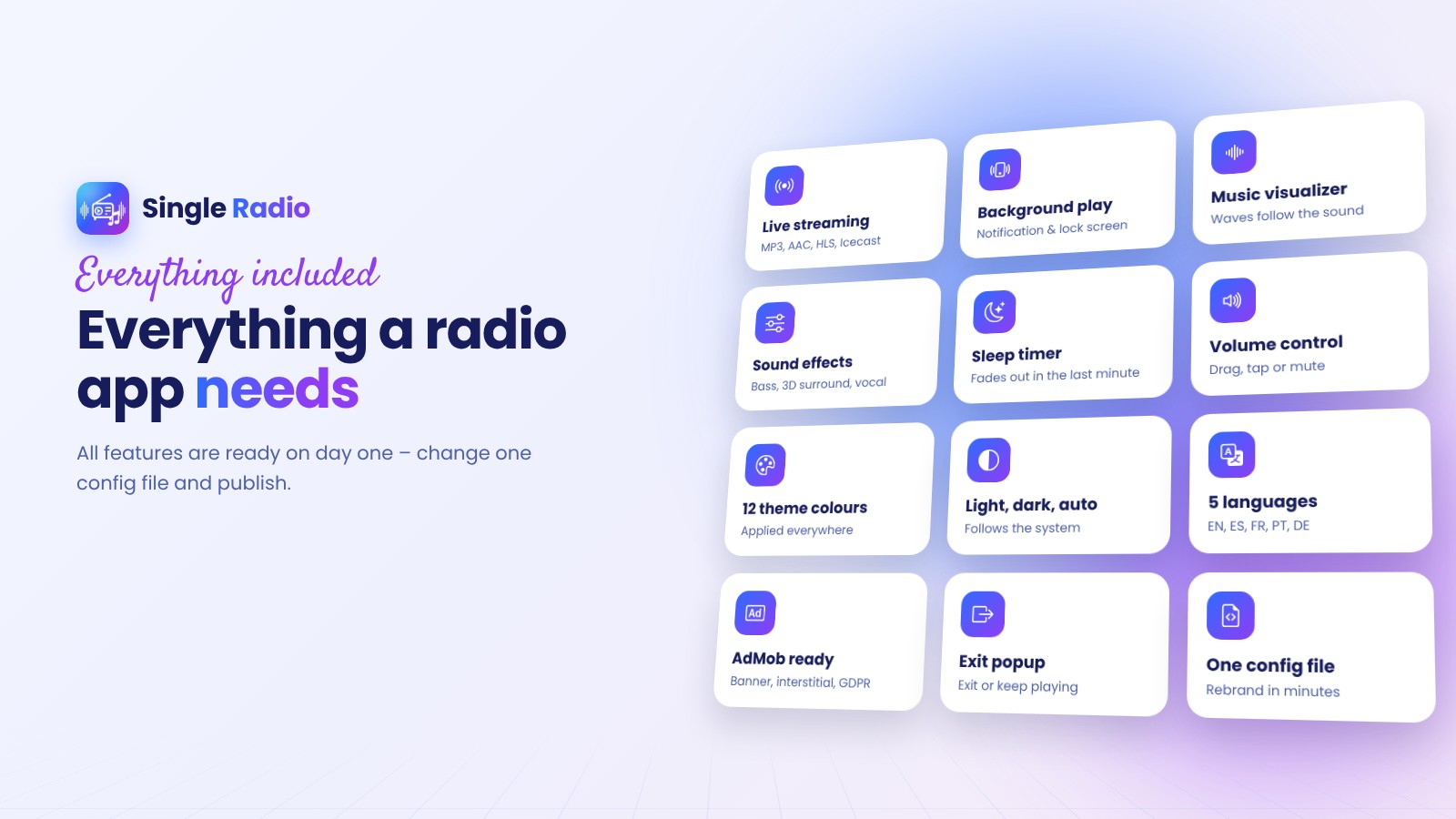
- Live streaming: MP3, AAC, HLS, Icecast / Shoutcast
- Background playback with notification and lock-screen controls
- Volume bar with mute, remembered between launches
- Auto-reconnect when the connection drops
- Music quality: low / medium / high stream URLs
Visuals
- Music visualizer: sea waves and spectrum bars follow the real sound
- Splash preloader that pre-loads the artwork
- 12 theme colours applied everywhere, light / dark / auto mode
Listening tools
- Sleep timer with fade-out in the last minute
- Sound effects: Normal, Bass Boost, 3D Surround, Vocal Boost
- Exit popup: exit or keep playing in the background
App & business
- AdMob banner and interstitial with GDPR consent (UMP)
- 5 languages: English, Spanish, French, Portuguese, German
- Rate, share, help (e-mail), social links, privacy and about pages
- Google Play ready: target SDK 36, 16 KB page size, edge-to-edge, predictive back
- One config file for rebranding
Requirements
- Flutter 3.47 or newer (Dart 3.13+)
- Android Studio with Android SDK 36 for Android builds (app runs on Android 7.0+)
- A Mac with Xcode 16+ for iOS builds (app runs on iOS 13+)
- Your own radio stream URL (MP3, AAC or HLS)
- Optional: a Google AdMob account for ads
Instructions
Run the app
- Unzip the package and open the single_radio folder in Android Studio or VS Code.
- Run
flutter pub get, thenflutter runon a phone or emulator.
Rebrand
- Edit
lib/config/app_config.dart: app name, stream URL, links, theme colour, AdMob ids. - Replace the app icon and the package name (step-by-step in the documentation).
Publish
- Create your upload key and fill
android/key.properties. - Build with
flutter build appbundle --releaseand followPLAY_STORE_CHECKLIST.md.
Full guide: documentation/index.html inside the package.
| Author | anowhosting |
|---|---|
| Category | App Templates / Android |
| Price | $25 |
| Extended License | $75 |
| Rating | 5.00 from 1 rating |
| Reviews | 1 |
| First Release | Oct 17, 2026 |
| Last Update | Oct 20, 2026 |
| Files included | .html, .json, .dart, .kt, .gradle.kts, .md, .yml/.yaml, .swift |
| Operating systems | Android 7.0, iOS 13.0 |
| Programming language | Kotlin, Swift, Dart |
| App framework / engine | Flutter |
Categories
Tags
External listing. code.market does not sell this product and does not process payment for it. Pricing, payment, delivery, licensing, refunds, and support are handled by the third-party merchant on its own website. We may earn an affiliate commission from a referral. Details.
Products of the Week.
Submit🥇

STOP GUESSING WHAT TO POST
AI that learns your brand voice and builds a month of consistent, on-brand social content: carousels, posts and hooks that sound like you, not like everyone else's AI.
SaaS · 6,580 views · 61 clicksSaaS · Week 46 · 6,580 views · 61 clicks
🥈

Conversational Backlinks for Busy Founders
Place Backlink Relevant Conversation for your domain across Forums and Conversations
Website · 45,551 views · 229 clicksWebsite · Week 46 · 45,551 views · 229 clicks
🥉

upvote.club
Free Social Media Engagement that Helps Boost Your Content. Upvote Club supports 19 social networks with 100+ engagement actions in one dashboard. Add links to your posts and get free engagement from real users.
SaaS · 43,538 views · 124 clicksSaaS · Week 46 · 43,538 views · 124 clicks
#4

Substack Posting API
Onboard your Agent to Substack. Write Publish on Substack via API
SaaS · 62,471 views · 204 clicksSaaS · Week 46 · 62,471 views · 204 clicks
#5

Seenshot App
Free, Fast, MacOS Screenshot app. Make Screenshot cmd+shift+2 and send it via link
Desktop App · 31,721 views · 125 clicksDesktop App · Week 46 · 31,721 views · 125 clicks
#6

Hand-Placed Backlinks $9.99 per link. Flat rate.
Buy hand-placed forum, Q-A and directory backlinks. Flat $9.99 per link, no subscriptions — you only pay for approved listings.
Website · 7,415 views · 19 clicksWebsite · Week 46 · 7,415 views · 19 clicks
#7

Free Invoice Generator - PDF Invoices in Your Browser, No Sign-Up
A free invoice maker for freelancers and small businesses: fill in the invoice, check the live preview, and download a PDF that looks exactly like it. Any currency, tax per item, three templates, no sign-up, and nothing leaves your device.
6,033 views · 20 clicksWeek 46 · 6,033 views · 20 clicks
#8

Merge PDF Files Free - Combine PDFs in Your Browser, No Upload
A free PDF merger for office workers, students, and freelancers: combine PDFs and images into one file in the browser, reorder files and pages, pick page ranges, keep bookmarks, and open password-protected PDFs. Nothing is uploaded, no sign-up, no watermark.
5,576 views · 16 clicksWeek 46 · 5,576 views · 16 clicks