
Self-Messaging with WhatsApp Memo by Mubasharanoreen
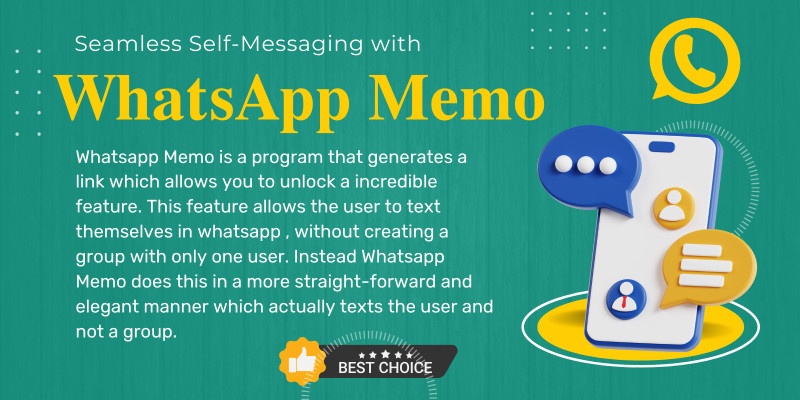
Description
In the fast-paced world of digital communication, the need for efficiency and simplicity has never been greater. WhatsApp, one of the most popular messaging platforms worldwide, has continuously evolved to meet these demands. However, there has always been a slight inconvenience when it comes to messaging oneself on WhatsApp – creating a group with just one user. But fear not, as a groundbreaking solution has emerged: WhatsApp Memo.
WhatsApp Memo is a revolutionary program designed to streamline the process of self-messaging on WhatsApp. Gone are the days of creating a group with only yourself just to send a message to your own number. With WhatsApp Memo, users can now enjoy a more straightforward and elegant method of texting themselves.
So, how does WhatsApp Memo work? It's simple. This innovative program generates a unique link that allows users to unlock an incredible feature within WhatsApp. This feature enables users to send messages directly to themselves without the need to create a group. No more cluttering your chat list with unnecessary solo groups – WhatsApp Memo ensures a clean and efficient messaging experience.
Imagine the convenience of being able to jot down a quick note, send yourself a reminder, or save important information without any hassle. With WhatsApp Memo, it's all possible with just a few taps on your smartphone. Whether you're managing your to-do list, saving links or documents for later reference, or simply sending yourself a motivational message, WhatsApp Memo empowers you to communicate with yourself effortlessly.
Furthermore, WhatsApp Memo enhances privacy and security by eliminating the need to create a group, ensuring that your personal messages remain private and confidential. Say goodbye to accidentally sending messages to the wrong chat or exposing sensitive information – with WhatsApp Memo, your self-messages are for your eyes only.
But the benefits of WhatsApp Memo extend beyond convenience and security. By simplifying the process of self-messaging, this innovative program promotes productivity and organization. With the ability to quickly send yourself reminders, ideas, or tasks, you can stay on top of your priorities and make the most out of your day.
Features
Solo Messaging: WhatsApp Memo enables users to send messages directly to themselves without the need to create a group. This eliminates the clutter of unnecessary solo groups in the chat list.
Effortless Communication: With WhatsApp Memo, sending yourself reminders, notes, links, or documents is as simple as sending a message to any other contact on WhatsApp.
Unique Link Generation: WhatsApp Memo generates a unique link for each user, providing a seamless way to access the self-messaging feature within WhatsApp.
Privacy and Security: By eliminating the need to create a group, WhatsApp Memo ensures that self-messages remain private and confidential. Users can rest assured that their personal information stays protected.
Streamlined User Experience: The intuitive interface of WhatsApp Memo makes self-messaging quick and convenient. Users can easily access the feature and send messages to themselves with just a few taps on their smartphone.
Enhanced Productivity: With WhatsApp Memo, users can stay organized and productive by easily jotting down ideas, setting reminders, or saving important information for later reference. This promotes efficiency and helps users stay on top of their tasks and priorities.
Seamless Integration: WhatsApp Memo seamlessly integrates with the existing WhatsApp platform, allowing users to enjoy the benefits of self-messaging without any additional apps or complicated setups.
Cross-Platform Compatibility: WhatsApp Memo is compatible with both Android and iOS devices, ensuring that users can access the self-messaging feature regardless of their device preference.
Regular Updates and Support: The developers behind WhatsApp Memo are committed to providing regular updates and support, ensuring that users continue to benefit from the latest features and improvements.
Free to Use: WhatsApp Memo is available to users free of charge, making it accessible to anyone who wants to simplify their messaging experience and boost their productivity on WhatsApp.
Requirements
cPanel, Shared web hosting
Instructions
No Skill Requires Working Very Fast and Easy installation
Unzip the .zip file.
Follow instructions in the Documentation folder.
| Author | mubasharanoreen |
|---|---|
| Category | Scripts & Code / JavaScript / Miscellaneous |
| Price | $9 |
| Extended License | $27 |
| Likes | 1 |
| First Release | Mar 16, 2024 |
| Last Update | Mar 16, 2024 |
| Files included | .php, .css, .html, JavaScript .js |
Categories
Tags
External listing. code.market does not sell this product and does not process payment for it. Pricing, payment, delivery, licensing, refunds, and support are handled by the third-party merchant on its own website. We may earn an affiliate commission from a referral. Details.
Products of the Week.
Submit🥇

STOP GUESSING WHAT TO POST
AI that learns your brand voice and builds a month of consistent, on-brand social content: carousels, posts and hooks that sound like you, not like everyone else's AI.
SaaS · 3,972 views · 35 clicksSaaS · Week 45 · 3,972 views · 35 clicks
🥈

Conversational Backlinks for Busy Founders
Place Backlink Relevant Conversation for your domain across Forums and Conversations
Website · 41,618 views · 222 clicksWebsite · Week 45 · 41,618 views · 222 clicks
🥉

upvote.club
Free Social Media Engagement that Helps Boost Your Content. Upvote Club supports 19 social networks with 100+ engagement actions in one dashboard. Add links to your posts and get free engagement from real users.
SaaS · 39,647 views · 114 clicksSaaS · Week 45 · 39,647 views · 114 clicks
#4

Substack Posting API
Onboard your Agent to Substack. Write Publish on Substack via API
SaaS · 58,677 views · 198 clicksSaaS · Week 45 · 58,677 views · 198 clicks
#5

Seenshot App
Free, Fast, MacOS Screenshot app. Make Screenshot cmd+shift+2 and send it via link
Desktop App · 28,057 views · 122 clicksDesktop App · Week 45 · 28,057 views · 122 clicks
#6

Hand-Placed Backlinks $9.99 per link. Flat rate.
Buy hand-placed forum, Q-A and directory backlinks. Flat $9.99 per link, no subscriptions — you only pay for approved listings.
Website · 3,916 views · 19 clicksWebsite · Week 45 · 3,916 views · 19 clicks
#7

Free Invoice Generator - PDF Invoices in Your Browser, No Sign-Up
A free invoice maker for freelancers and small businesses: fill in the invoice, check the live preview, and download a PDF that looks exactly like it. Any currency, tax per item, three templates, no sign-up, and nothing leaves your device.
2,595 views · 17 clicksWeek 45 · 2,595 views · 17 clicks
#8

Merge PDF Files Free - Combine PDFs in Your Browser, No Upload
A free PDF merger for office workers, students, and freelancers: combine PDFs and images into one file in the browser, reorder files and pages, pick page ranges, keep bookmarks, and open password-protected PDFs. Nothing is uploaded, no sign-up, no watermark.
2,415 views · 13 clicksWeek 45 · 2,415 views · 13 clicks