
Reviva | Android Storage Scan and File Restore App
Description
Android only: This item includes an Android project. An iOS version is not included or supported.
Reviva | Android Storage Scan and File Restore App
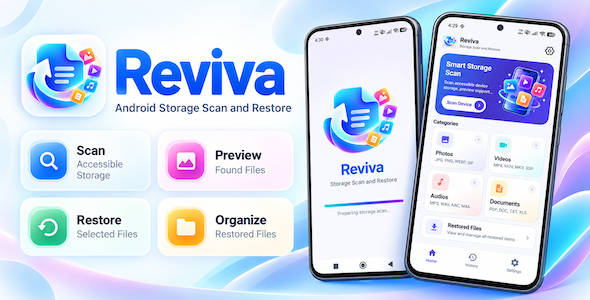
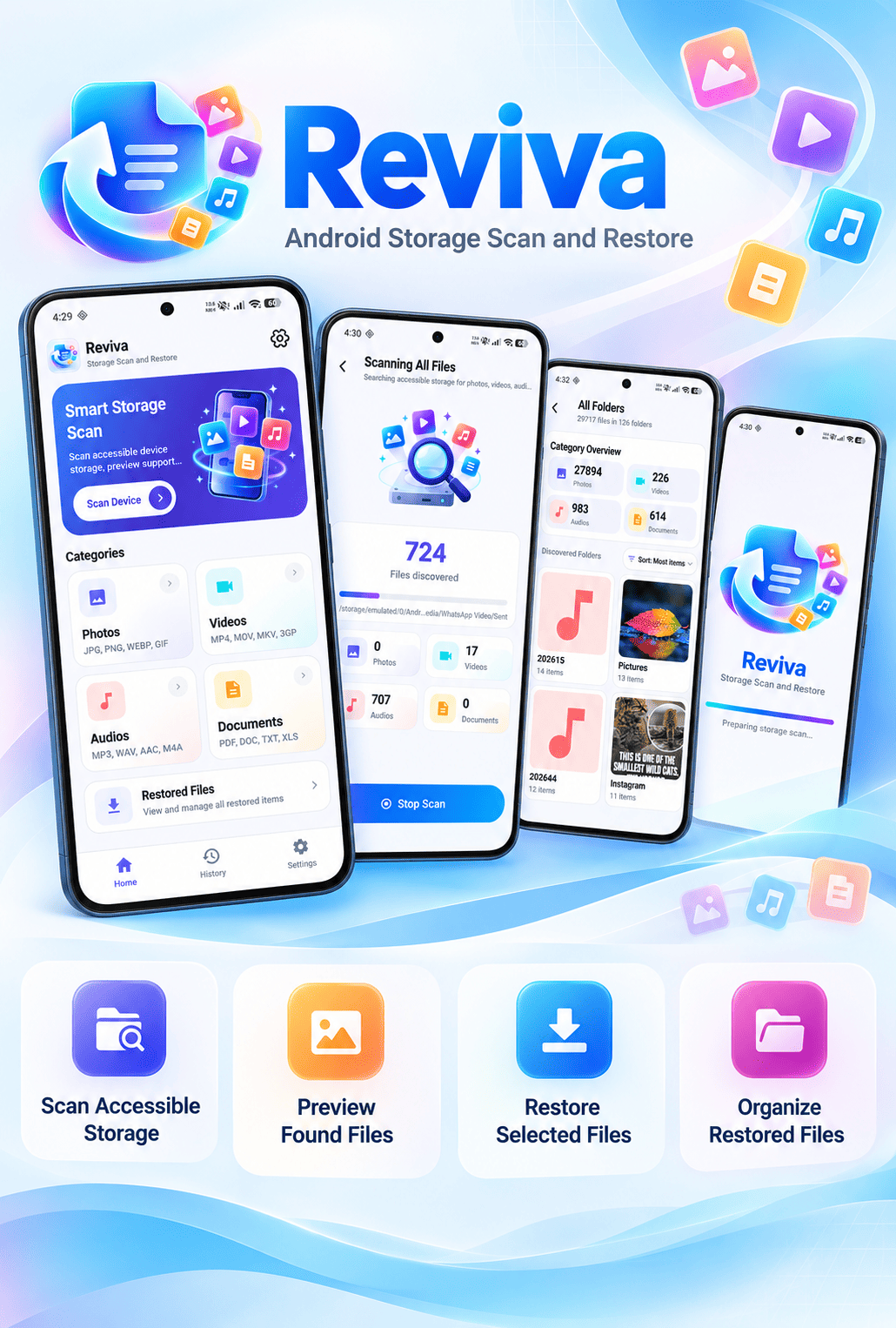
Reviva is a modern Android storage utility for scanning accessible files, previewing supported formats, selecting items, and restoring existing files to a new folder. It gives users a clear scan-and-restore workflow with category-based results, file details, restored-file history, file viewers, ads, consent management, and optional push notifications.
Reviva is designed for buyers who want a ready-to-customize Android storage scanning application with a polished dashboard, storage scan flows, multi-select restore, permission guidance, responsive edge-to-edge layouts, and centralized buyer configuration.
Demo Instructions
- Demo APK: Tap the download image above to install and test the app.
- Demo Login Email: Not required.
- Demo Login Password: Not required.
- How to test: Grant storage access, choose a scan category, run a storage scan, preview results, select files, and test the restore flow.
- Important: Reviva scans accessible storage for files that still exist on the device and restores selected items. It does not recover permanently deleted or overwritten data.
Support & Contact

|

|
Special Selling Features
1. Complete Scan-to-Restore Workflow
Reviva takes users from storage permission to scan results, preview, selection, and restore in one clear workflow. The interface is designed to make storage scanning and file restoration understandable for everyday users.
2. Photo, Video, Audio and Document Scanning
Buyers can offer scan-and-restore categories for common media and document formats, including photos, videos, audio files, PDFs, DOC, TXT, XLS, and other supported files.
3. Storage Scan Flow
The current build launches its storage scan flow from the Home screen after the user selects a scan category.
4. Preview and Restore Selection
Users can review file details and preview supported files before choosing one file, multiple files, or all selected results for restoration.
5. Restored Files and Restore History
Restored files are available through a dedicated restored-files area, while Restore History gives users a clear view of previous restore activity.
6. Monetization with Responsible Ad Frequency
Reviva includes rewarded ads for restore-all actions and threshold-based interstitial ads for restore and preview workflows. Home uses its banner placement, while other screens use fixed 320×50 banner slots.
Main Features
- Photo scan and restore.
- Video scan and restore.
- Audio scan and restore.
- Document scan and restore.
- All supported files scan.
- Storage scan flow.
- Category-based results and folder browsing.
- File selection for one, multiple, or all results.
- Preview support for supported image, video, audio, and document formats.
- File details including name, path, size, type, and date.
- Restored-files library.
- Restore History for previous restore sessions.
- Optional rewarded ad before restore-all actions; restoration continues if the ad is unavailable.
- Interstitial ad thresholds for restore and file preview actions.
- Home banner ad and fixed 320×50 banners on other activities.
- Google UMP consent flow and Privacy Choices support.
- OneSignal push notification integration.
- Google Play in-app update support.
- Storage permission explanation and All files access flow.
- Responsive edge-to-edge layouts for phones, tablets, and large screens.
- English-only interface.
Monetization Features
- AdMob: Banner, interstitial, and rewarded ad placements are included.
- Rewarded Ads: A rewarded ad may be shown before restore-all actions; restoration continues if the ad is unavailable.
- Interstitial Ads: Configured thresholds control restore and preview ad frequency.
- Google UMP: Consent and Privacy Choices support are included.
Technical Information
- Platform: Android
- Language: Kotlin
- UI: XML layouts, View Binding and Material components
- Minimum SDK: 24
- Target SDK: 36 at the time of this release; update the listing when the project target changes.
- Compile SDK: 36 at the time of this release; update the listing when the project compile SDK changes.
- Storage Access: MANAGE_EXTERNAL_STORAGE for the core scan and restore workflow
- Image Loading: Glide
- Animations: Lottie
- Consent: Google UMP
- Notifications: OneSignal and Firebase configuration
- Release: R8 and resource shrinking enabled
- Cloud Deleted-Data Backend: Not required
Third-Party Services
- AdMob: Buyers need their own AdMob account and ad unit IDs. Ad delivery depends on Google AdMob approval, policies, regional availability, and account status.
- OneSignal: Buyers need their own OneSignal account and Firebase/FCM setup if push notifications are enabled. Any OneSignal charge beyond the free tier is entirely the buyer’s responsibility, including charges based on subscriber count, plan, or usage.
- Google Play: Buyers must complete the Data Safety and All files access declarations for their final build and privacy policy.
- Firebase cost notice: If Firebase or FCM is enabled, Google may apply usage limits or charges according to the buyer’s Firebase plan and usage. All such costs are entirely the buyer’s responsibility.
AI tools were used only to assist with parts of the documentation, marketplace wording, and UI copy. AI tools were not used to create the distributed source code or graphics; the seller created, reviewed, and finalized those materials.
Paid Customization & Reskin Services
Need help customizing Reviva for your own brand? We offer professional customization and reskin services at an additional cost.
Important: Customization and reskin services are not included in the source code purchase price. All customization work is paid separately, and pricing depends on the buyer’s specific requirements.
Available paid services include app name and package name changes, logo and splash screen replacement, UI reskinning, AdMob configuration, OneSignal and Firebase setup, and APK or Android App Bundle build assistance.
Please contact us before requesting customization to discuss your requirements, pricing, and availability.
| Author | SoftexSolutions |
|---|---|
| Price | $33 |
| Sales | 0 |
| Rating | 0 (0) |
| Published | Nov 5, 2026 |
| Last Update | Nov 5, 2026 |
| Compatible Software | Android 15.0, Android 12.0, Android 11.0, Android 10.0, Android 9.0 |
| Demo Url | https://www.dropbox.com/scl/fi/dqgijb83jn30w5w7cb80q/Reviva_Demo.apk?rlkey=ip76hqmlvzjvt0zpei2156rkv&st=yn7gcsbi&dl=1 |
| Mobile Files Included | .apk, .java, .xml |
Categories
Tags
External listing. code.market does not sell this product and does not process payment for it. Pricing, payment, delivery, licensing, refunds, and support are handled by the third-party merchant on its own website. We may earn an affiliate commission from a referral. Details.
Products of the Week.
Submit🥇

Perceptle
Perceptle is a daily browser-based game that challenges you to test your sensory intuition through five quick estimation and rhythm-based rounds.
Other · 1 views · 0 clicksOther · Week 47 · 1 views · 0 clicks
🥈

Free LinkedIn Likes From Real
Get free LinkedIn likes on your posts from real members who react by hand. No
SaaS · 124 views · 2 clicksSaaS · Week 47 · 124 views · 2 clicks
🥉

STOP GUESSING WHAT TO POST
AI that learns your brand voice and builds a month of consistent, on-brand social content: carousels, posts and hooks that sound like you, not like everyone else's AI.
SaaS · 7,686 views · 71 clicksSaaS · Week 47 · 7,686 views · 71 clicks
#4

aaas.market
407 reliable micro tools for solo founders, marketers and creators. They work in your browser
SaaS · 122 views · 0 clicksSaaS · Week 47 · 122 views · 0 clicks