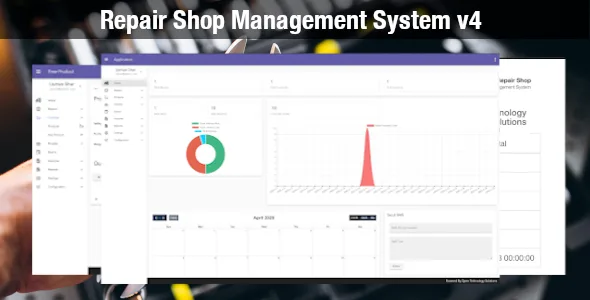
Repairer 4.3 - Repair/Workshop Management System
Description
Repairer – Repair/Workshop Management System is carefully developed for easy management of any type of repairshop/workshop. It’s actually an innovative, simple and powerful management tool, designed and developed for you. It’s just your trusty employee. It’s a web based system where you can manage reparations, clients, inventory, purchases etc.
Upcoming Features
- Point Of Sale
- Accounts, Expenses and Deposits
- if you have a suggestion email at uskhan099@gmail.com
Instalation on Cpanel – Video Tutorial
Demo
URL: rms.otsglobal.org/ Login URL: rms.otsglobal.org/login Email: admin@admin.com Password: passwordDocumentation
Want to know more about Repairer? Please read our Documentation
SOURCE CODE:
This is full application that comes with back-end (source code) and front-end app (minified). So you can’t edit the front-end but back-end only.
Quick Installation Guide
- Copy Files Unzip the file you downloaded from CodeCanyon, copy the contents in the to your webserver.
- Import Database When you unzipped the file in step 1, there is a folder called database you will find. In there you will find an SQL file(repairerr.sql), that is the system database. Import it to your PhpMyAdmin or whatever system you use.
- Edit .env file
On the folder you pasted on your installation folder, you will find a file called .env . This is a very important file that stores system variables. Open the file in a text editor and edit the following lines. The other lines can be edited via the system settings page so don’t worry about them.
- APP_URL=
- DB_HOST=localhost
- DB_USERNAME=username
- DB_PASSWORD=password
- DB_DATABASE=database_name
Update Installation Guide
Update 4.1 to 4.2
- take backup of files and database
- Copy Files Unzip the file you downloaded from CodeCanyon, copy the contents in the to your webserver.
- copy app/resources/lang and public/uploads from backup
- run repair.example.com/migrate
- Update Successfully Installed!
Update 4.0 to 4.1
- Added CUSTOM FIELDS
- Added POS
- Added Suspended Sales
- Added Stripe Integration for POS sales
- Added Vouchers for POS Sales
- Fix Reported Bugs
- Added Sales Reports with Partial Payment System
- Added Appearance tab in settings. making all the color scheme changeable.
- and much more little modifications and additions
- take backup of files and database
- Copy Files Unzip the file you downloaded from CodeCanyon, copy the contents in the to your webserver.
- copy app/resources/lang and public/uploads from backup
- run repair,example.com/migrate
- Update Successfully Installed!
Login Credentials:
email:admin@admin.com password:passwordBackend – Admin:
- Dashboard (graphical report)
- General settings (system customization)
- Client management
- Reparation management
- Inventory Management
- Purchases Managment
- Taxes, Models, Categories etc.
- Graphical Reports ( Stock & Finance )
Frontend:
- Reparation Status
- Login
Notification/ Alert System
Notify clients with their reparation status via E-Mail or SMS
Categories
Tags
External listing. code.market does not sell this product and does not process payment for it. Pricing, payment, delivery, licensing, refunds, and support are handled by the third-party merchant on its own website. We may earn an affiliate commission from a referral. Details.
