
Relay - Help Desk and Support Ticket System

Description
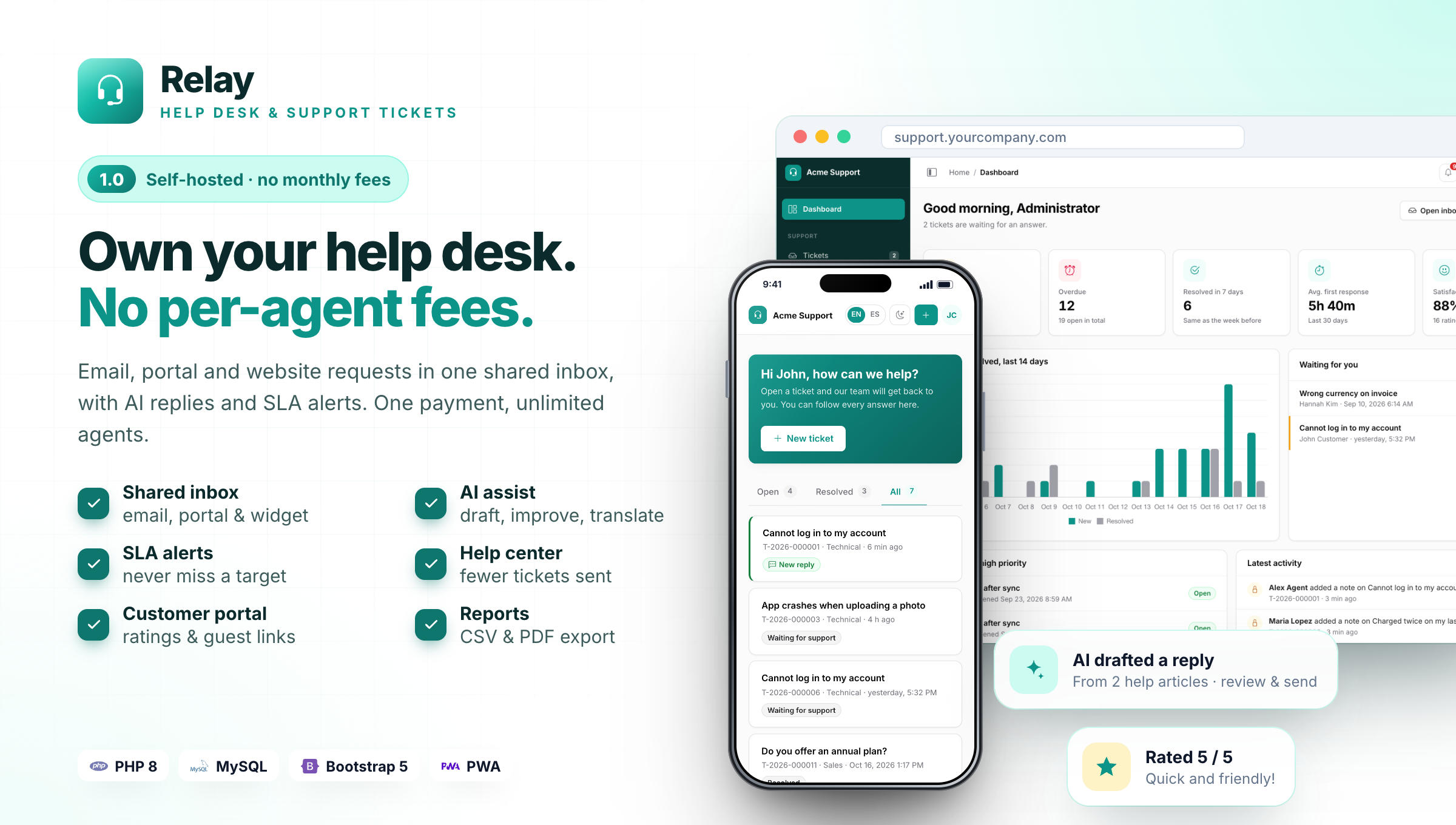
Own your help desk. No per-agent fees. Ever.
Stop renting your help desk. Relay gives your team the essentials of the big subscription help desks (one shared inbox, SLAs, a help center, a customer portal and AI-written replies) for a single payment, with unlimited agents and your data on your own server.
Emails, portal requests and website widget messages arrive in one shared inbox. Your team answers with saved replies, macros and an optional AI assist that drafts, improves and translates replies. SLA targets make sure nobody waits too long, and a public help center answers the common questions before they become tickets.
It is plain PHP 8 and MySQL with no framework, no Composer and no build step. Upload it, run the web installer and you are live in five minutes, even on shared hosting.
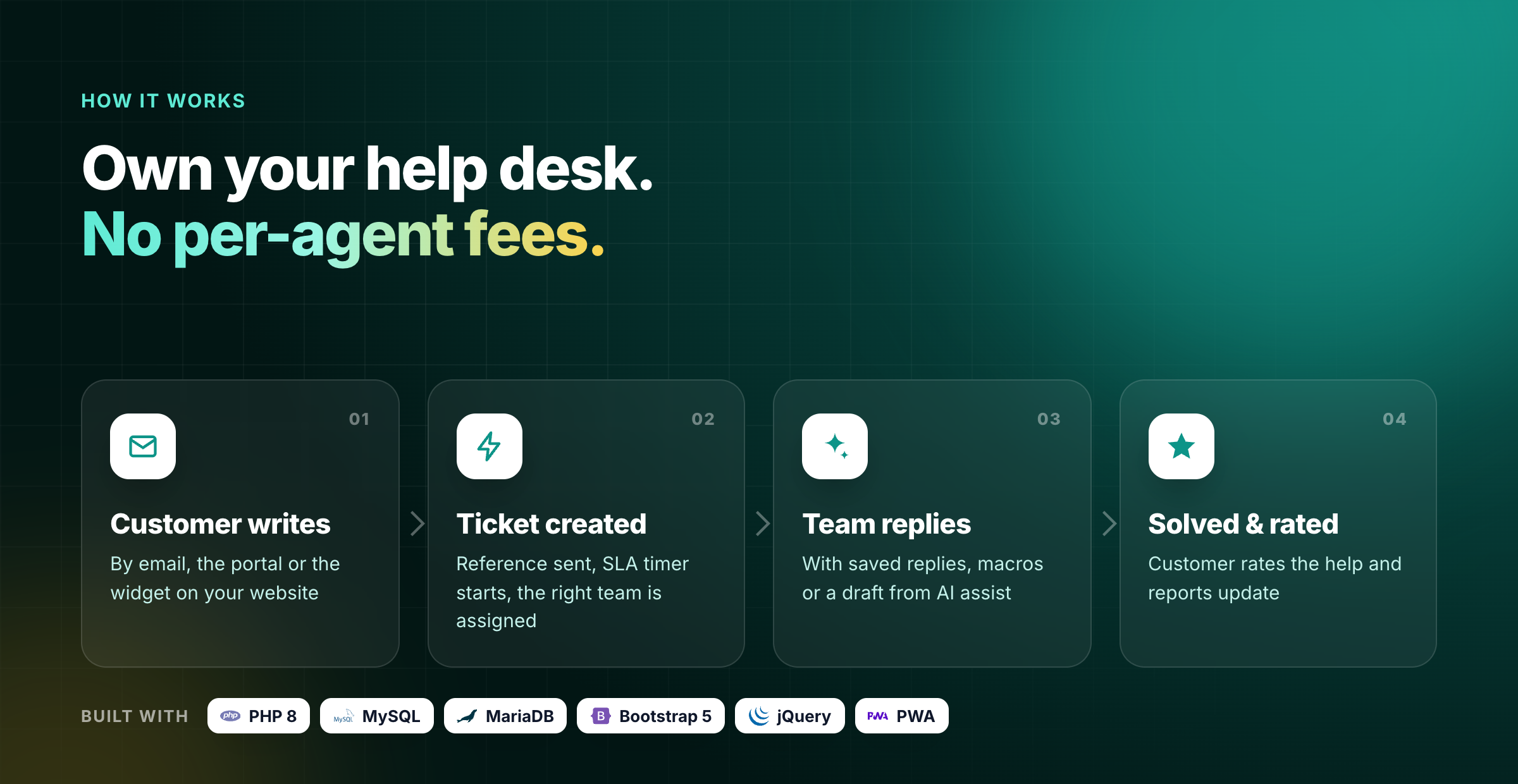
Why teams choose Relay
- All channels, one inbox: email (IMAP), customer portal, website widget and tickets logged by agents.
- AI assist on your own key: OpenAI, Google Gemini or any OpenAI-compatible API. Off by default, nothing is ever sent automatically.
- SLA targets per priority with overdue alerts.
- Help center with article suggestions while customers type.
- Runs anywhere: no framework, no Composer, and email import does not even need the PHP IMAP extension (removed from PHP 8.4).
- One payment: no per-agent fees, no subscription, your data on your server.
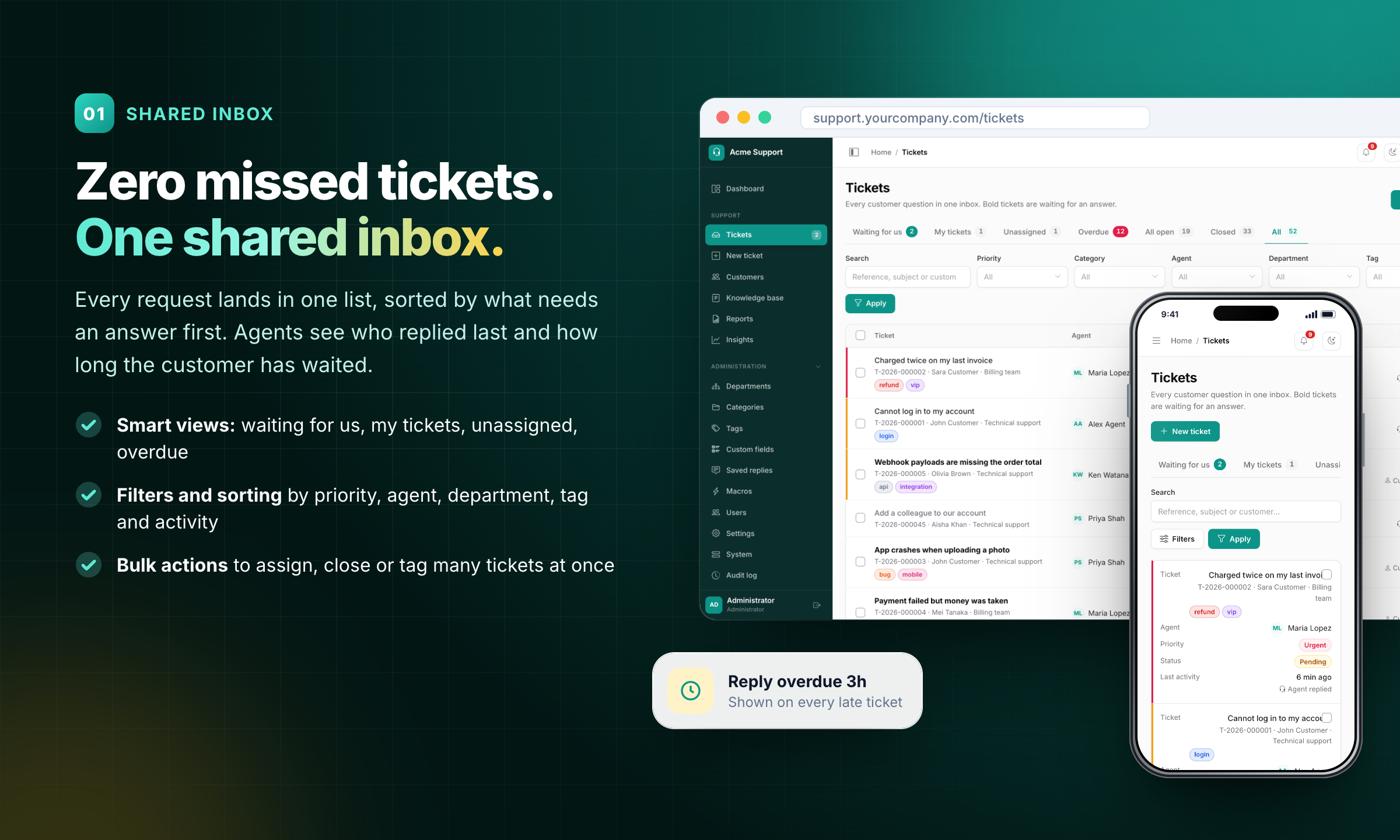
01 · Shared inbox: Zero missed tickets. One shared inbox.
Smart views (waiting for us, mine, unassigned, overdue), filters, sorting and bulk actions. Agents always know what needs an answer first.
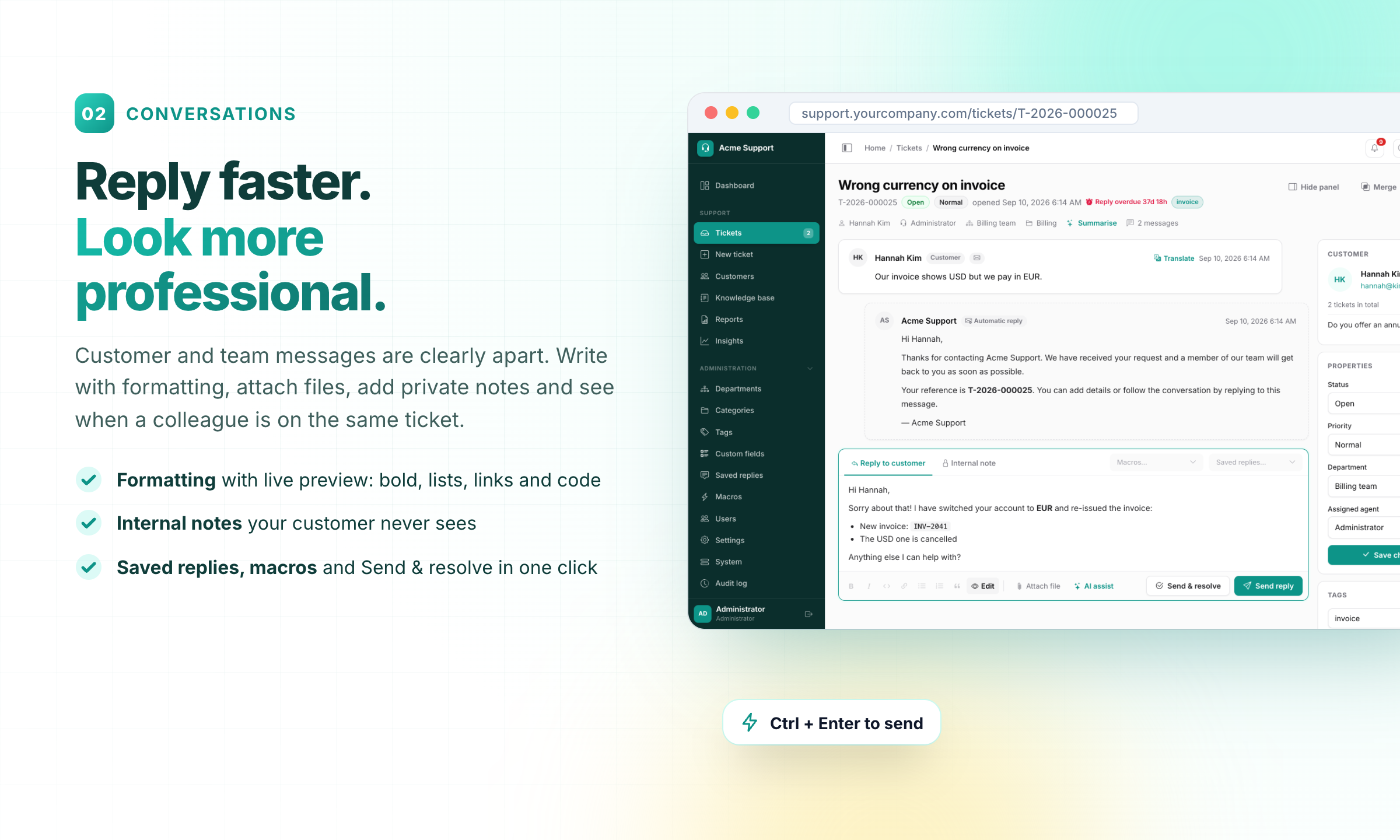
02 · Conversations: Reply faster. Look more professional.
Customer and team messages are clearly apart. Formatting with live preview, attachments, internal notes, merge tickets and a warning when a colleague is on the same ticket.
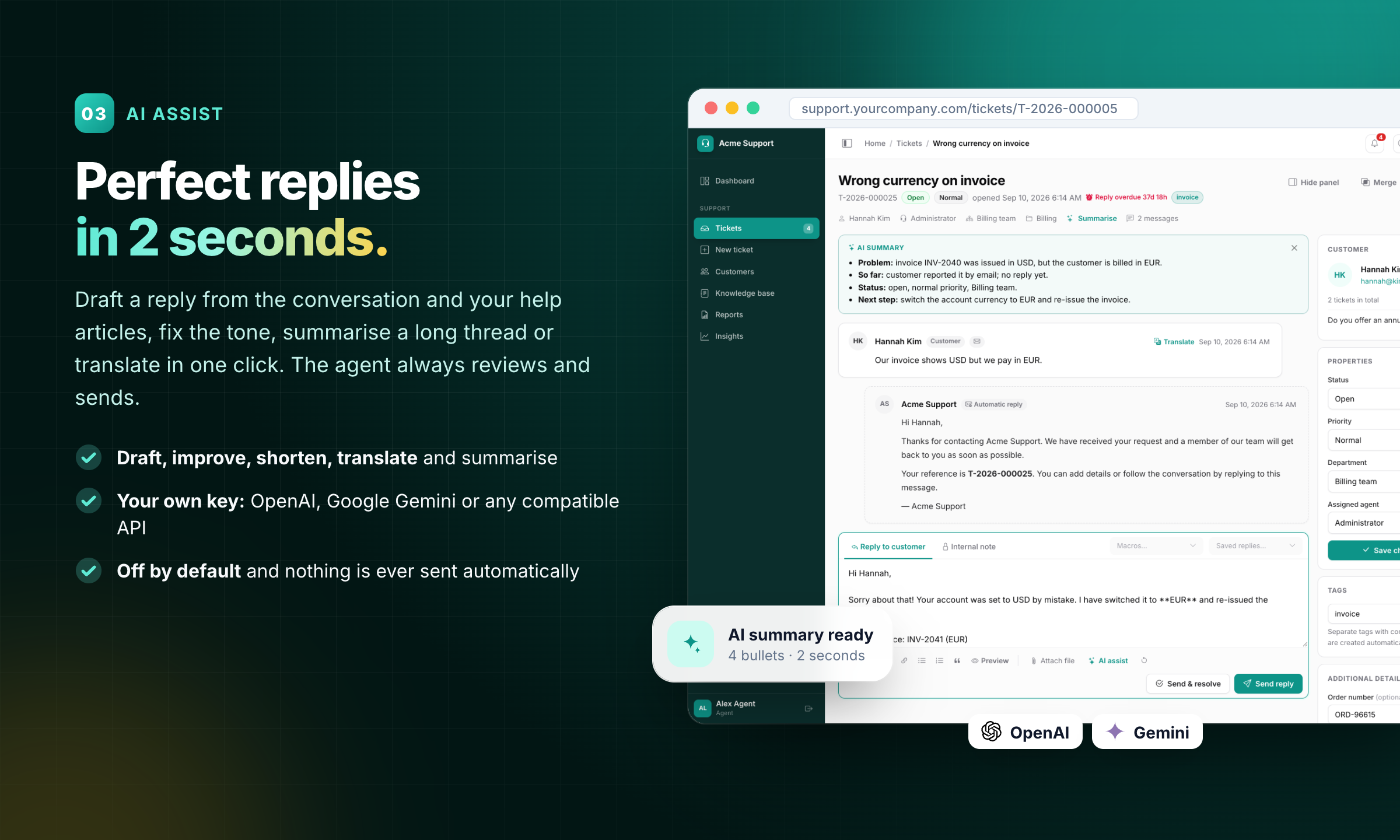
03 · AI assist: Perfect replies in 2 seconds.
Draft a reply from the conversation and your help articles, make it friendlier, more formal or shorter, summarise a long thread and translate messages. The agent always reviews and sends.
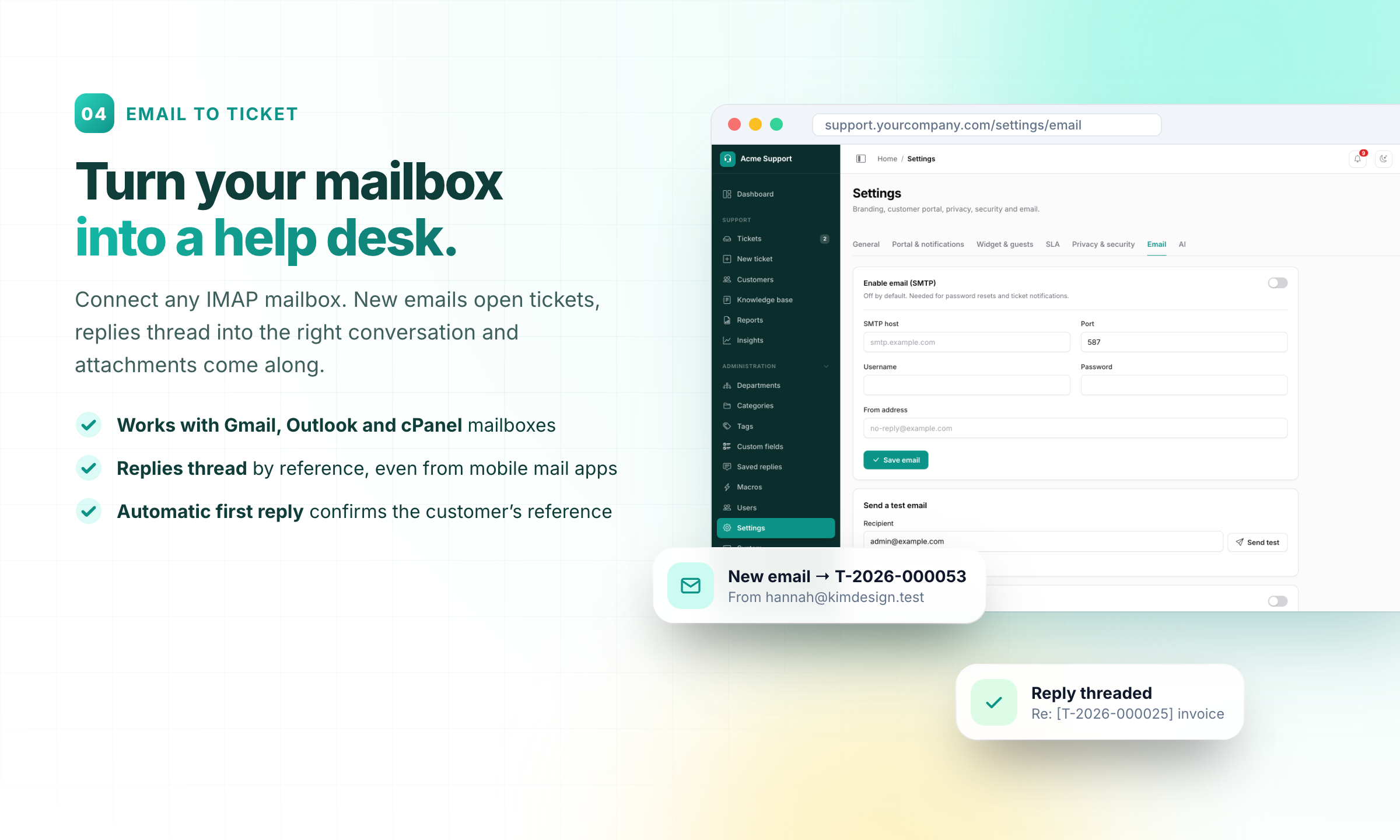
04 · Email to ticket: Turn your mailbox into a help desk.
Connect Gmail, Outlook or any cPanel mailbox. New emails open tickets, replies thread into the right conversation, and an optional automatic first reply confirms the reference.
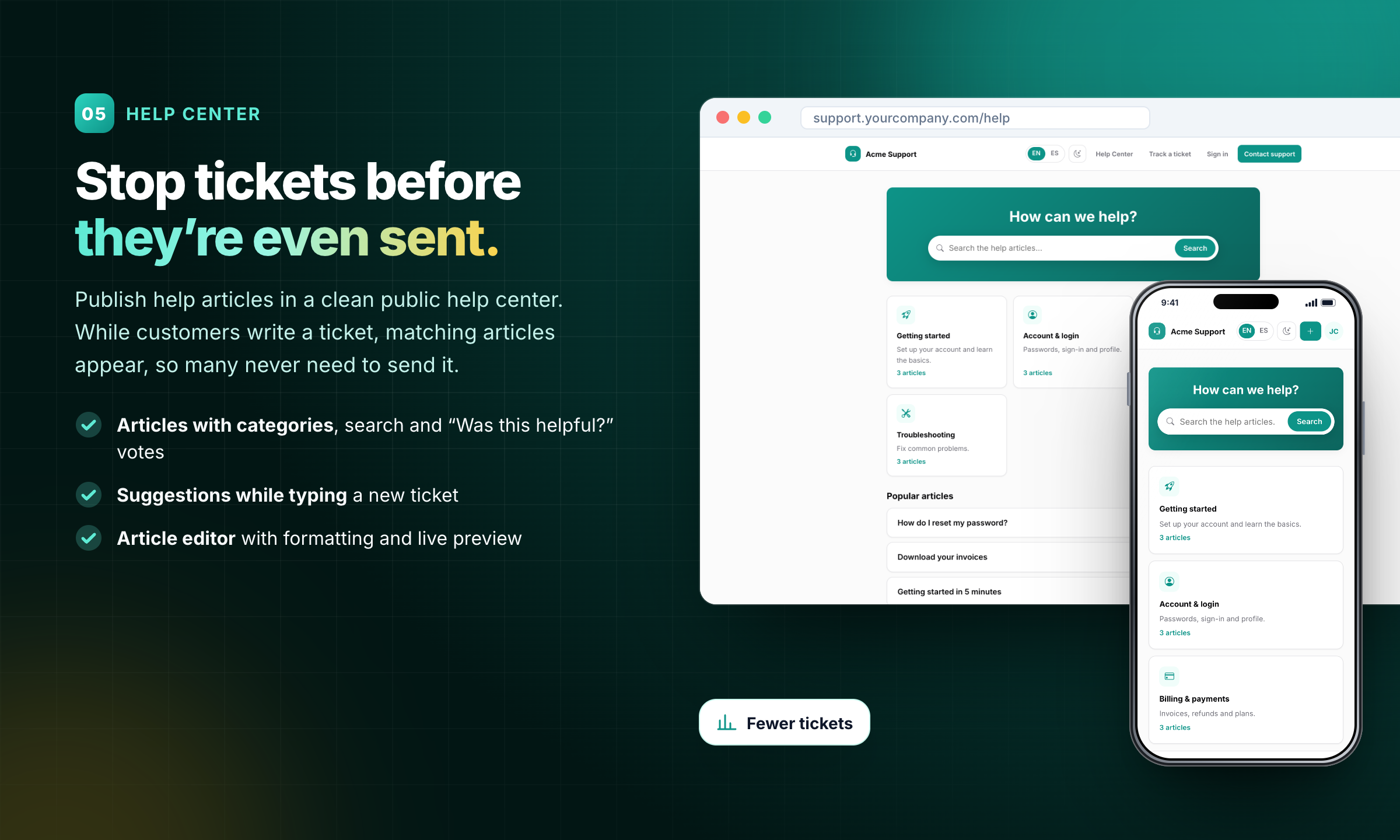
05 · Help center: Stop tickets before they’re even sent.
A clean public help center with categories, search and votes. Matching articles appear while a customer writes a ticket.
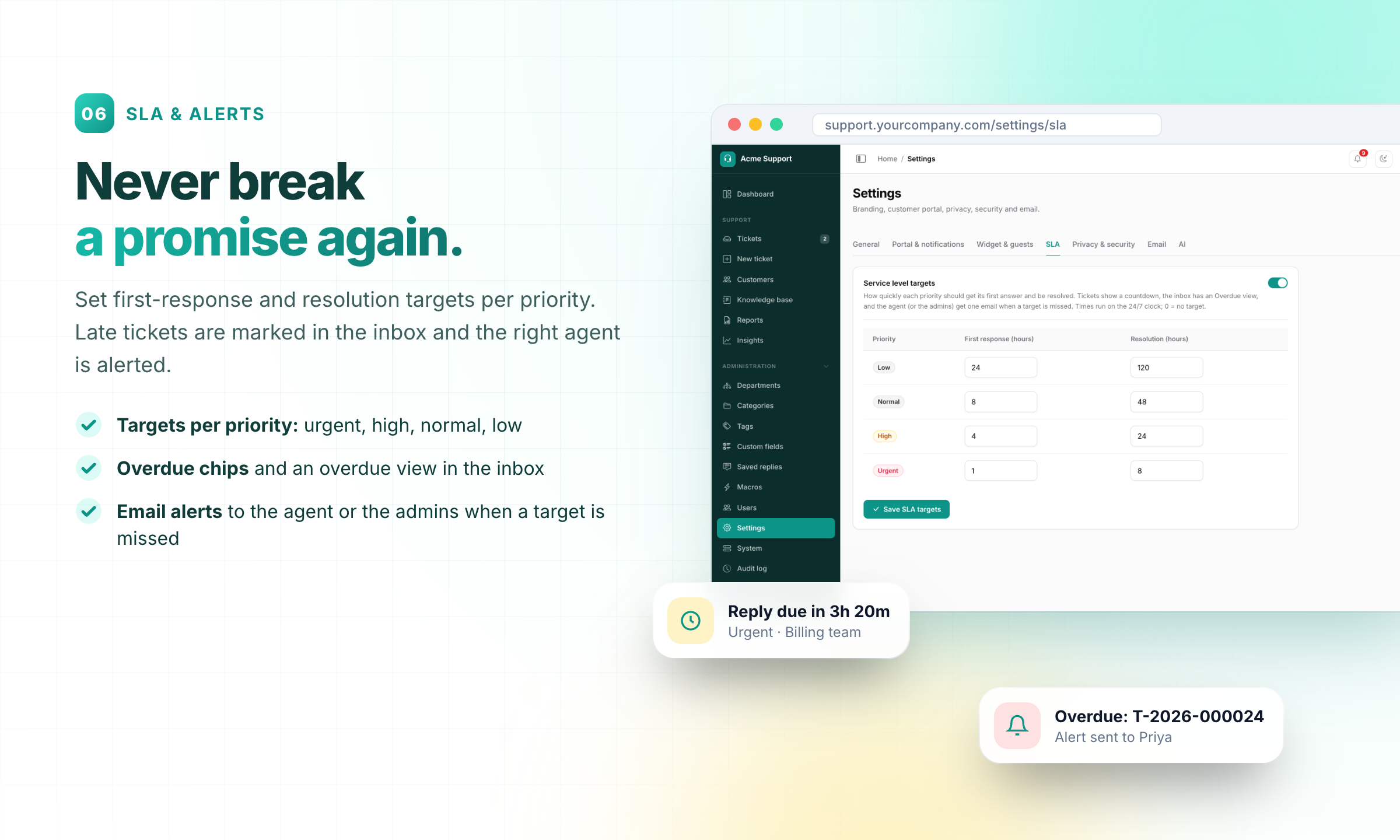
06 · SLA & alerts: Never break a promise again.
First-response and resolution targets per priority, overdue chips in the inbox and email alerts when a target is missed.
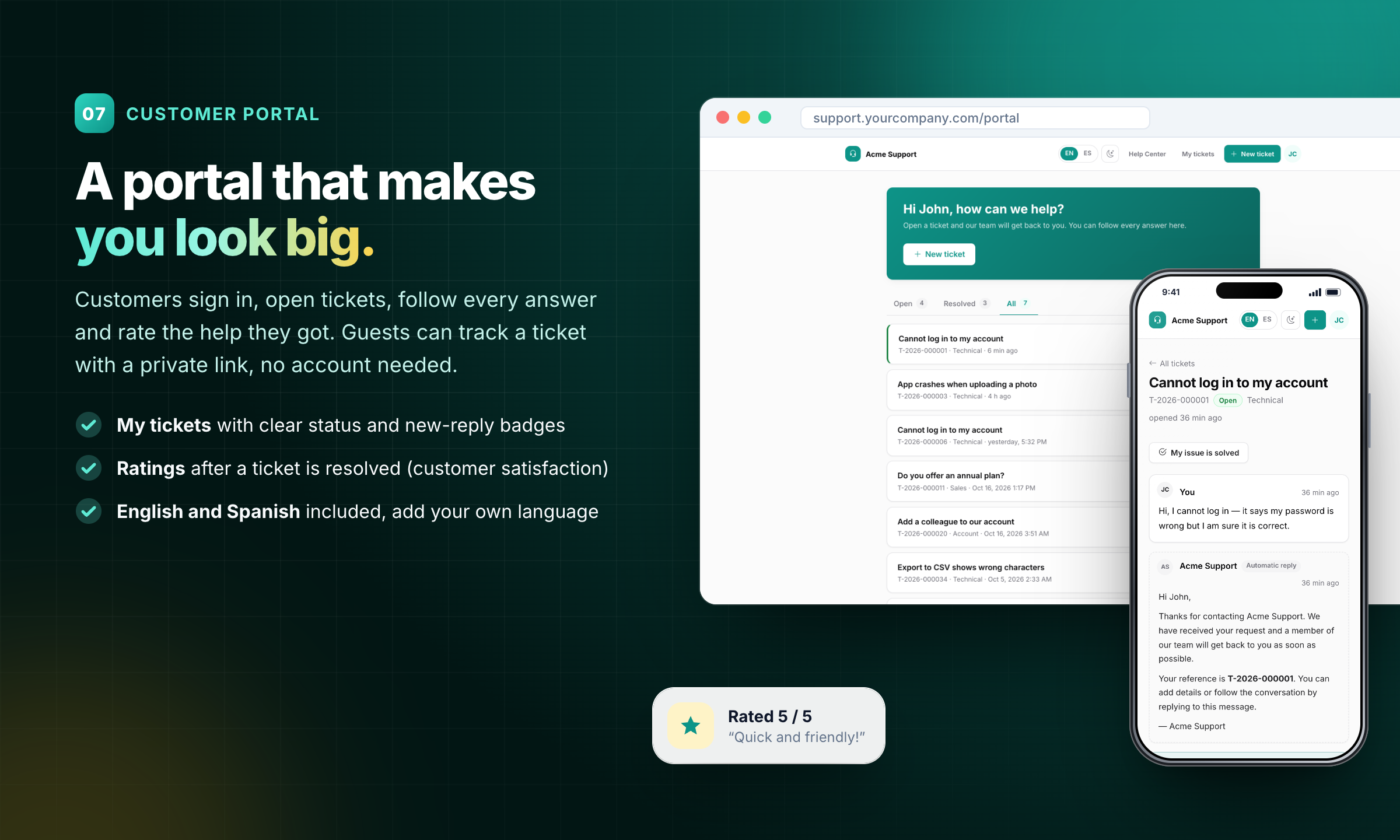
07 · Customer portal: A portal that makes you look big.
Customers open and follow tickets and rate the help they received. Guests can track a ticket with a private link.
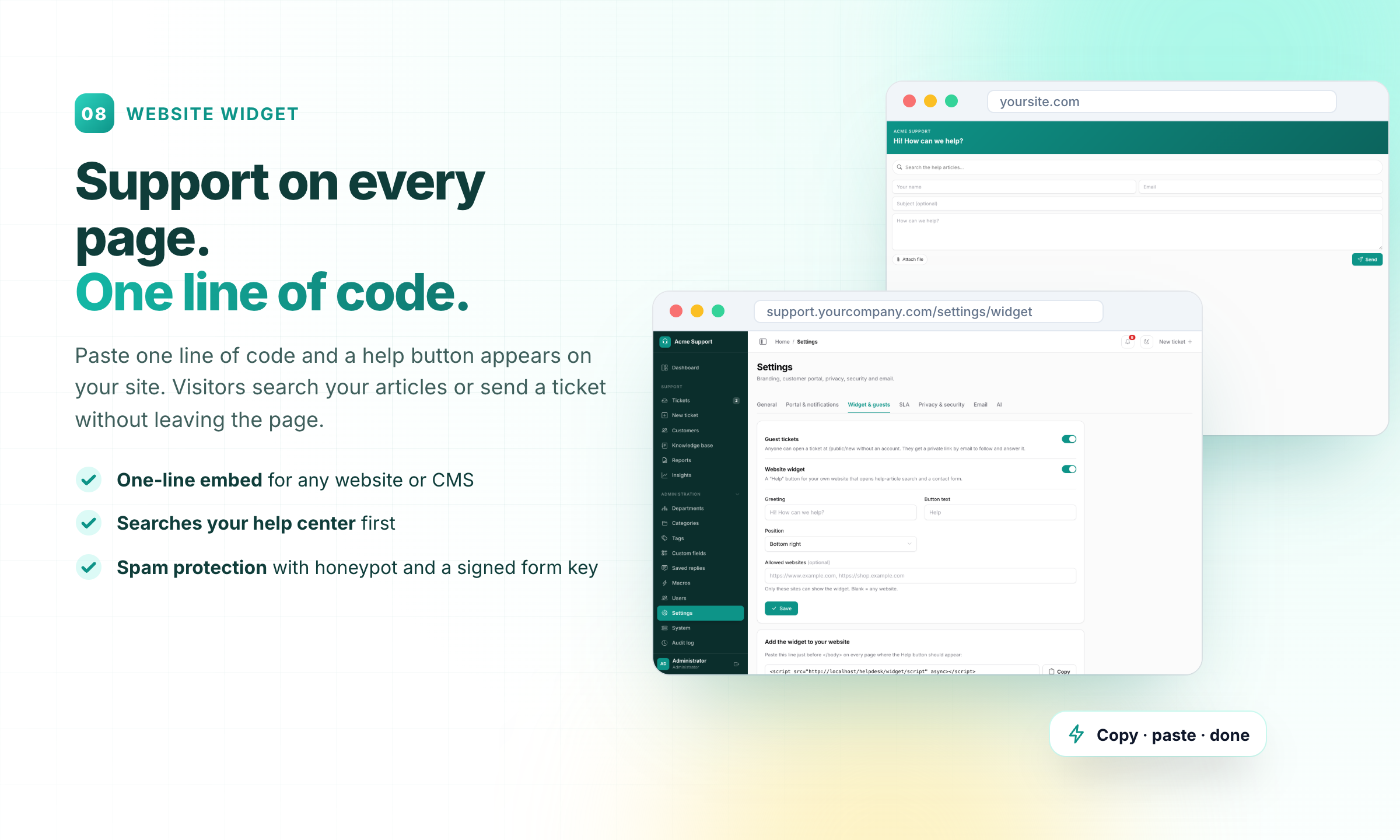
08 · Website widget: Support on every page. One line of code.
One line of code adds a help button to any website. Visitors search your articles or send a ticket without leaving the page.
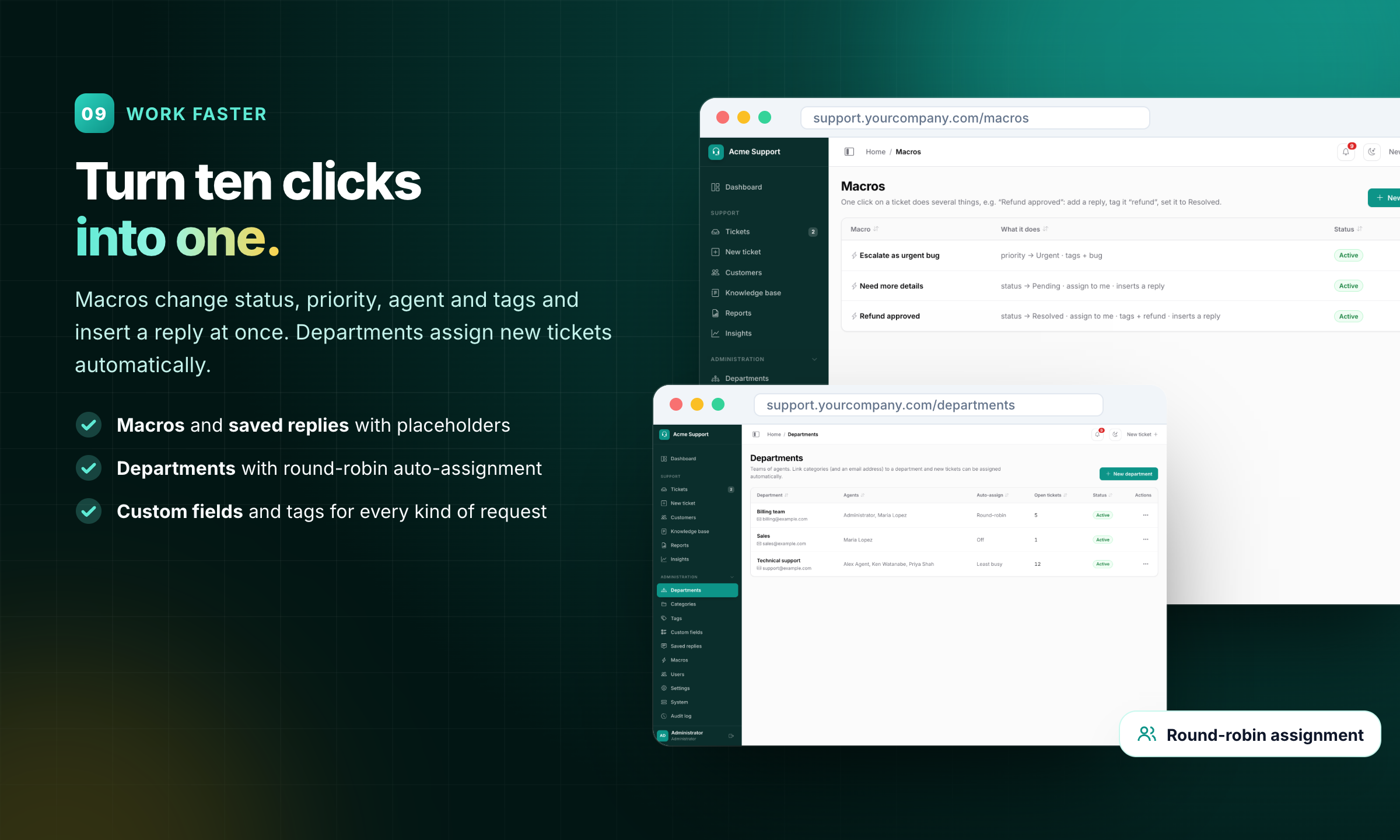
09 · Work faster: Turn ten clicks into one.
Macros, saved replies with placeholders, departments with round-robin assignment, tags and custom fields.
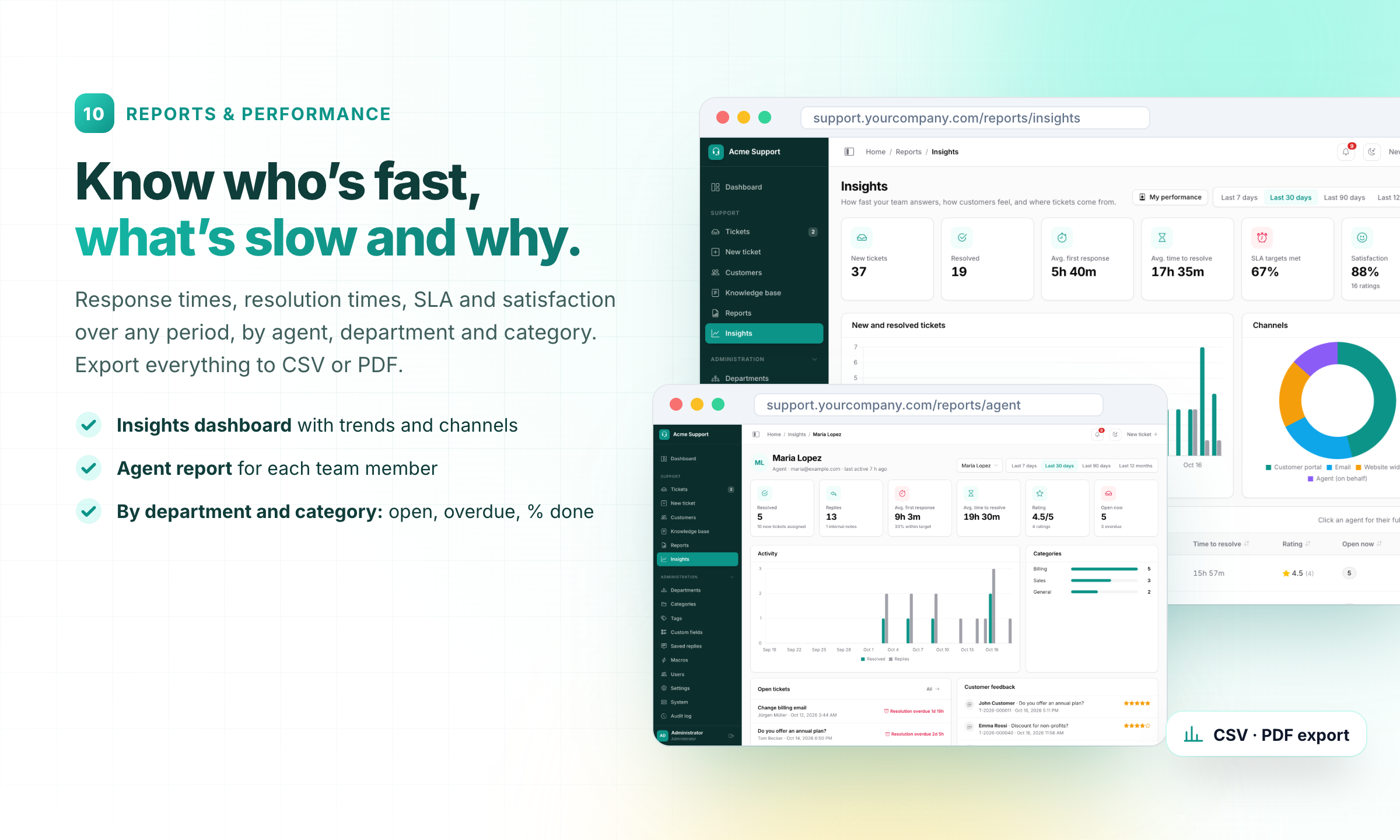
10 · Reports & performance: Know who’s fast, what’s slow and why.
Response and resolution times, SLA, satisfaction, a report for each agent and a department and category breakdown. Export to CSV or PDF.
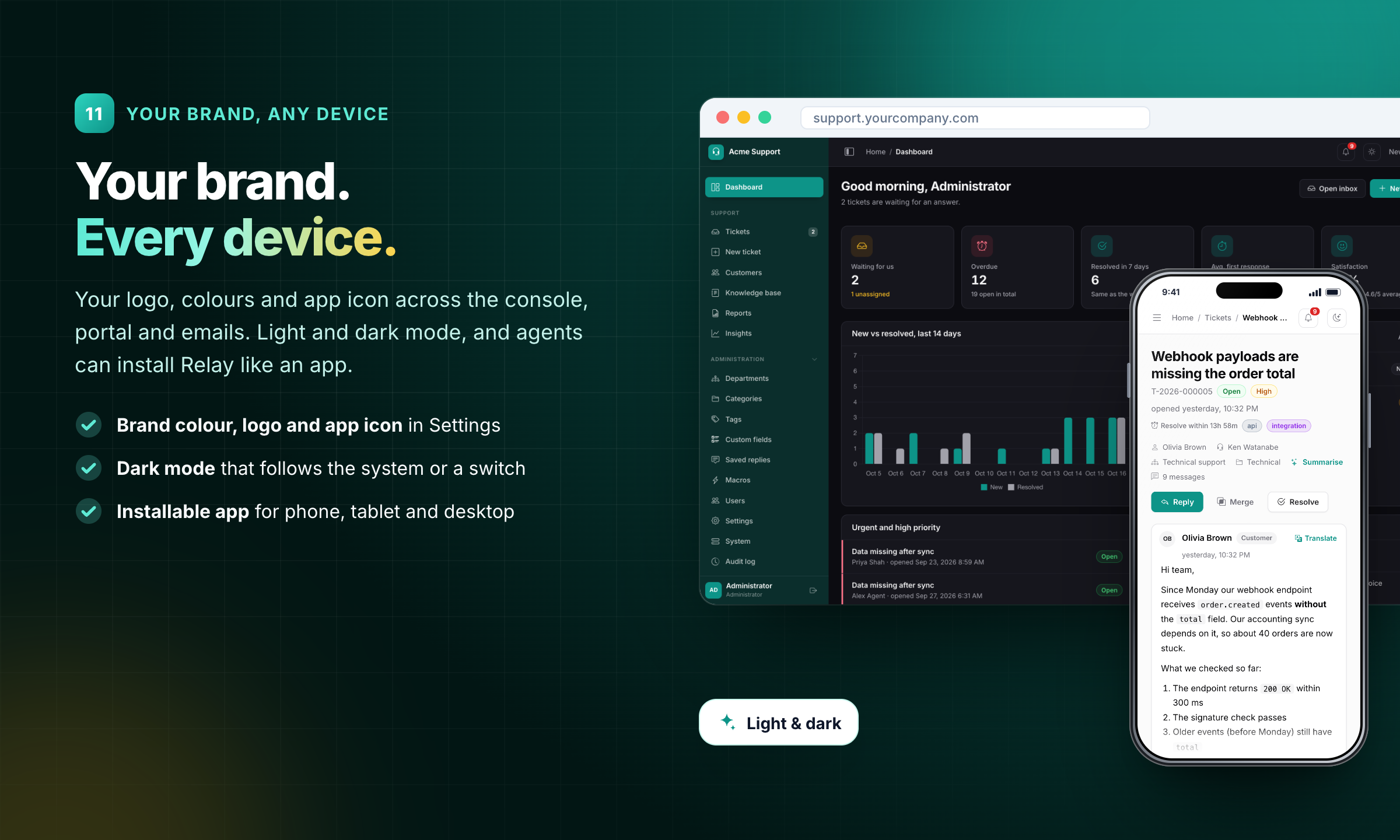
11 · Your brand, any device: Your brand. Every device.
Your logo, colour and app icon everywhere, light and dark mode, and an installable app for phones, tablets and desktops.
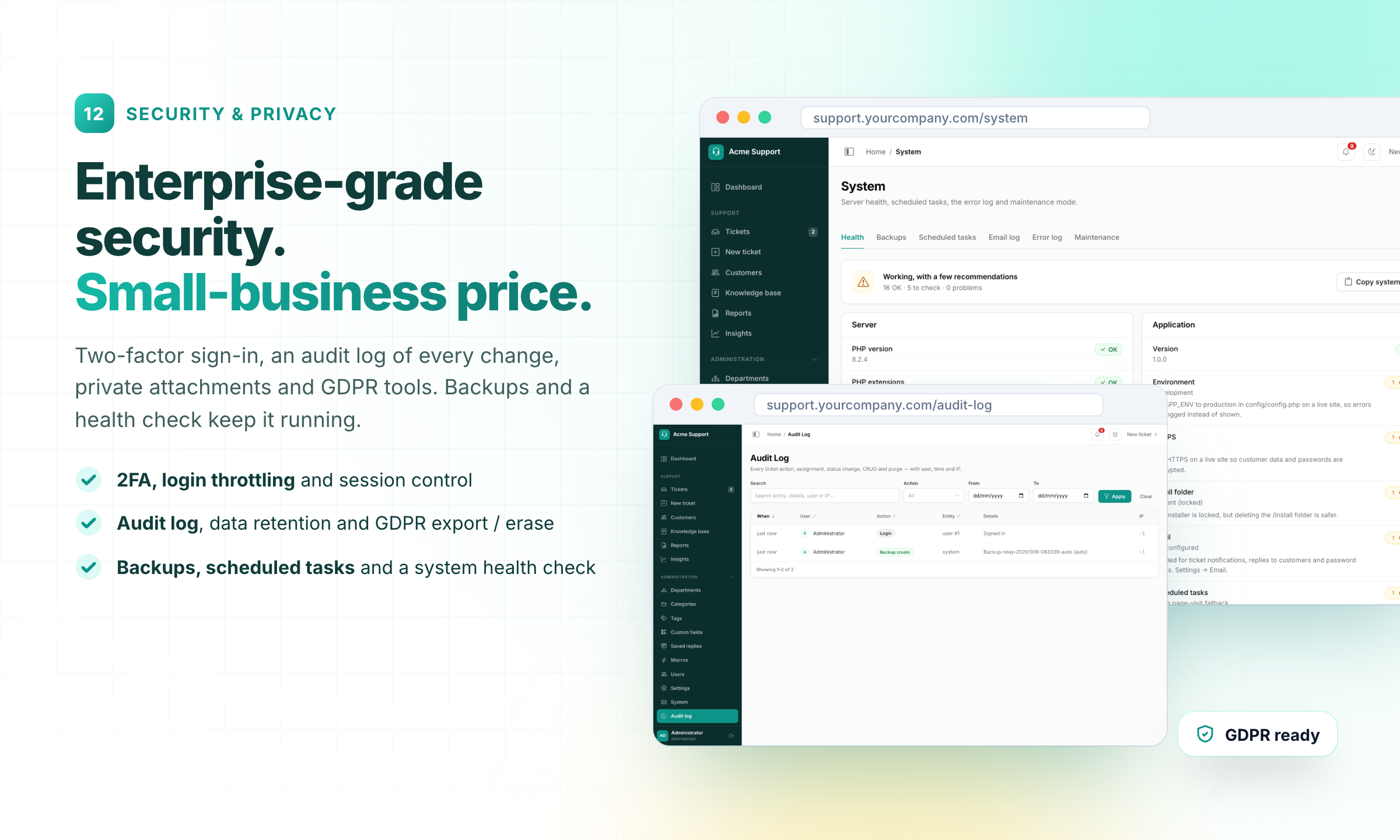
12 · Security & privacy: Enterprise-grade security. Small-business price.
Two-factor sign-in, login throttling, private attachments, audit log, data retention, GDPR export and erase, backups and a system health check.
What you get
- Full, unencrypted PHP source code
- Web installer with requirement checks, and an upgrade tool for future versions
- Optional demo data to explore every feature
- Documentation (HTML) with installation, cron, email, AI and FAQ
- English and Spanish; add your own language file
Support & updates
Support covers questions about features, help with bugs and help with the included settings, for 6 months. Updates are free. Contact me through Codester; I usually reply within one business day.
Changelog
v1.0 · 2026 Initial release.
Credits
Bootstrap 5 and Bootstrap Icons (MIT), jQuery (MIT), Chart.js (MIT), QR Code Generator (MIT), PHPMailer (LGPL 2.1), Dompdf (LGPL 2.1), Inter font (SIL OFL). Licenses are included in the package. Demo data is fictional.
Features
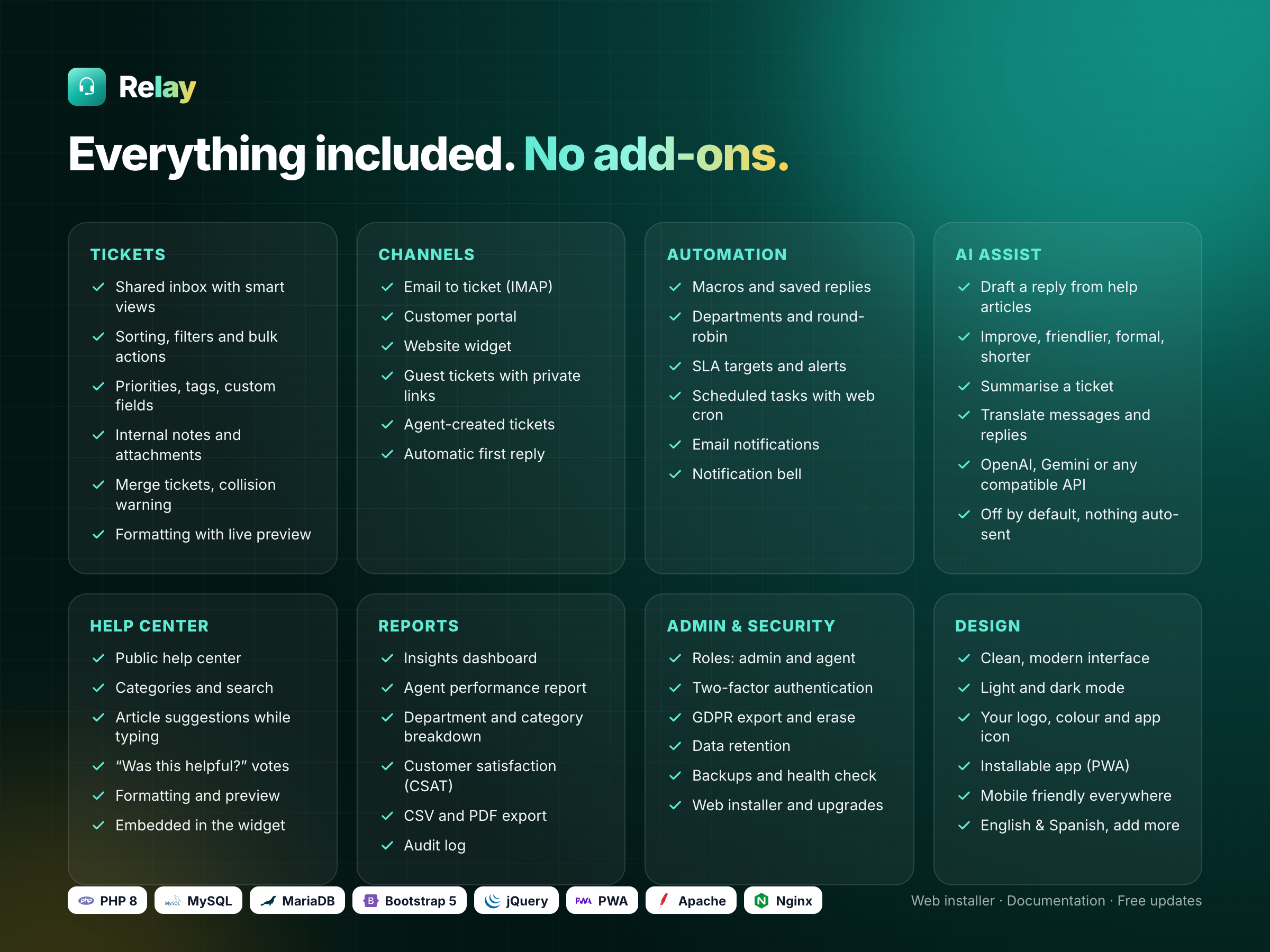
- Shared inbox for email, customer portal, website widget and agent-created tickets - Email to ticket over IMAP, no PHP IMAP extension needed - Saved replies, macros, departments with round-robin assignment - SLA targets per priority with overdue alerts - Public help center with article suggestions while customers type - Customer portal, guest ticket links and satisfaction ratings - Optional AI assist (your own key): draft, improve, translate and summarise replies - Reports and agent performance with CSV and PDF export - Two-factor sign-in, audit log, GDPR tools, backups, health check - Your logo and colours, light and dark mode, installable app (PWA)
Requirements
- PHP 8.0 to 8.3 with PDO MySQL, GD and mbstring - MySQL 5.7+ or MariaDB 10.4+ - Apache (.htaccess included) or Nginx; works on shared hosting - Optional: SMTP and an IMAP mailbox for email tickets, a cron job, an OpenAI or Gemini key
Instructions
1. Upload the contents of the relay folder to your server (or a subfolder).
2. Create an empty MySQL database and user.
3. Open your site in the browser: the web installer checks the server, connects the database and creates the admin account.
4. Set up a cron job for cron.php to run scheduled tasks (the documentation shows the exact command).
5. Full guide: documentation/index.html inside the download.1. Upload the contents of the `relay` folder to your server (or a subfolder). 2. Create an empty MySQL database and user. 3. Open your site in the browser: the web installer checks the server, connects the database and creates the admin account. 4. Set up a cron job for `cron.php` to run scheduled tasks (the documentation shows the exact command). 5. Full guide: `documentation/index.html` inside the download.
Demo logins (demo resets every hour): - Admin: admin@example.com / admin123 - Agent: agent@example.com / agent123 - Customer portal: john@example.com / customer123
| Author | amiriqbalmcs |
|---|---|
| Category | Scripts & Code / PHP Scripts / Help Desk |
| Price | $49 |
| Extended License | $147 |
| First Release | Oct 20, 2026 |
| Last Update | Oct 20, 2026 |
| Database | MySQL 5.7, MySQL 8.0, MariaDB 10.x |
| Files included | .php, .css, .html, .json, .sql, JavaScript .js |
| Software version | PHP 8.0, PHP 8.1, PHP 8.2, PHP 8.3, PHP 8.4 |
| Html/css framework | Bootstrap |
| Javascript framework | jQuery |
| Programming language | PHP, JavaScript |
Categories
Tags
External listing. code.market does not sell this product and does not process payment for it. Pricing, payment, delivery, licensing, refunds, and support are handled by the third-party merchant on its own website. We may earn an affiliate commission from a referral. Details.