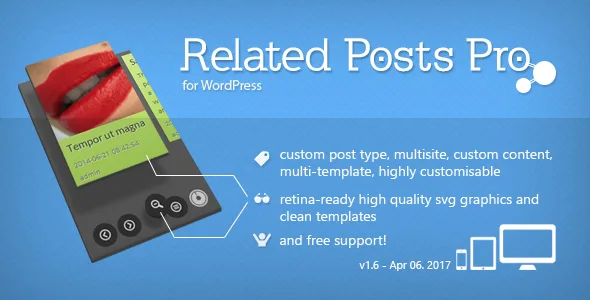
Related Posts Pro for WordPress - Related Content Plugin
Description



Related Posts like you never seen
Related posts pro provides a nice and powerful solution for all kinds of related content. Handles custom post types, multisites, categories, terms, mixed content, custom content and many more…
 The plugin comes with three beautiful layouts
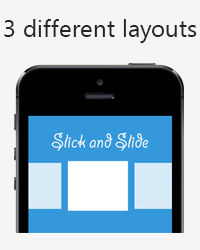
- Slick and Slide
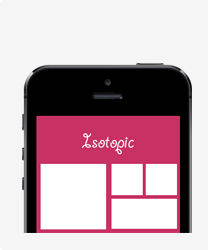
- Isotopic
- Transitioning

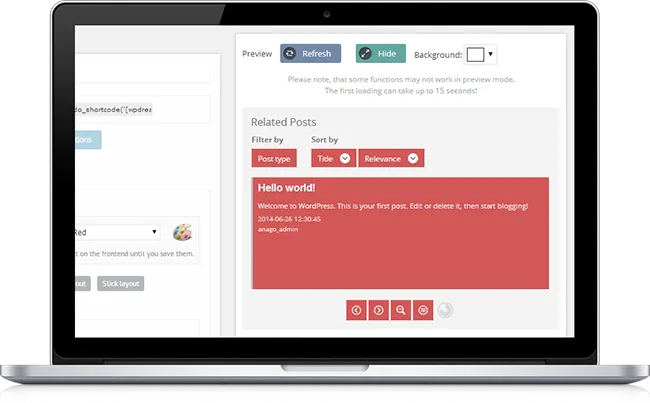
Very user friendly backend
It’s not always about the visitor. A high quality, confortable backend can save you a lot of time – this is also provided by Related Posts Pro. More than 200 optimally pre-defined options will give you the highest possible customisability level without touching the code. Why don’t you try it?
Documentation and Support
The plugin comes with a very descriptive documentation in both PDF and HTML formats. You can read them both before buying.


Features List
- 3 different layouts: Isotopic, Slick and Slide and Transitioning
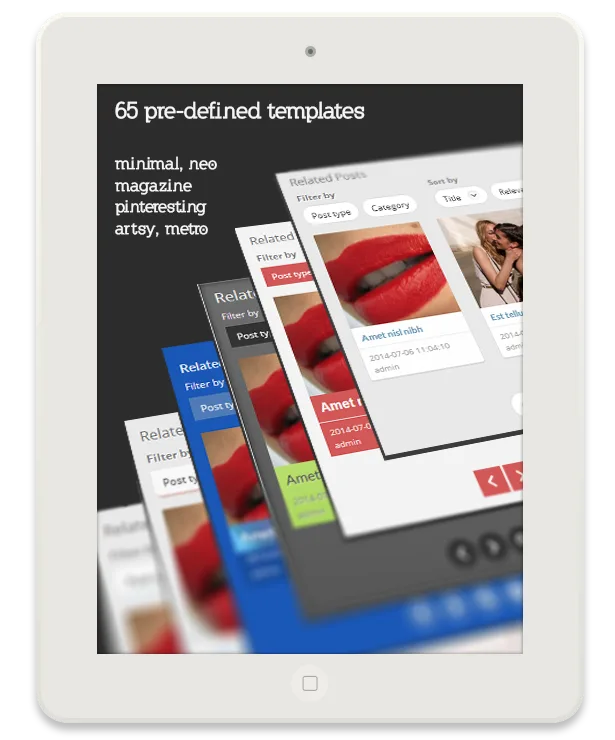
- 65 pre defined templates for each layout
- Retina ready .svg icons
- No coding whatsoever needed
- Navigation buttons and autoplay
- Compatible with custom post type using plugins: WooCommerce, wp eCommerc, bbPress etc..
- Works perfectly as a related Product, Forum topics slider
- Post type and category (+taxonomy term) filtering on frontend
- Configurabe search filter on frontend
- Sorting by name and relevance on the frontend
- Configurable title fields with a possibility to add custom fields
- Filling and overriding options for each instance
- Custom meta box for each post for possible post-level configuration
- Smart image parser with 6 different sources: featured image, content, excerpt, custom field, default and page screenshot
- Configurable, fast caching
- Compatibility checking and compatibility options
- Supports posts, pages, custom post types and custom content
- Fully configurable Smart algorithm with keywords extraction
- Highly optimalized Fulltext and Regular lookup
- Editable restricted keywords file
- Formatting options
- 100+ theme options: container, elements, buttons, icons and typography
- Minimal, Curvy, Neo, Metro, Pinteresting and Magazin templates
- Developer friendly: various actions and filters available
- Very descriptive documentation
- Friendly support
Future release plans:
 - Relevance by views, likes and current content tags
 - Plugin exclusion from page ids
 - Image crop position definition

Changelog:
2014.07.01 - v1.0 - Initial Release
 - Look in posts, pages, custom post types
 - Look in title, content, excerpt, custom fields
 - Smart image creation with TimThumb or built in image parser
 - Custom content creator
 - Shortcode available for posts and themes
 - Auto placement below/above content
 - Excluding posts,pages
 - Excluding categories
 - Excluding words in a stop-file
 - 150+ theme options, 65 pre-defined themes: neo, metro, minimal, artsy, magazine, pinteresting
 - 3 layouts: Isotopic (based on jQuery isotope), Slick and Slide and Transitioning (based on Codrops transitions)
 - Compatibility levels
 - Built in caching options
 - Hooks available
Categories
Tags
External listing. code.market does not sell this product and does not process payment for it. Pricing, payment, delivery, licensing, refunds, and support are handled by the third-party merchant on its own website. We may earn an affiliate commission from a referral. Details.
Products of the Week.
Submit🥇

STOP GUESSING WHAT TO POST
AI that learns your brand voice and builds a month of consistent, on-brand social content: carousels, posts and hooks that sound like you, not like everyone else's AI.
SaaS · 4,299 views · 38 clicksSaaS · Week 45 · 4,299 views · 38 clicks
🥈

Conversational Backlinks for Busy Founders
Place Backlink Relevant Conversation for your domain across Forums and Conversations
Website · 42,021 views · 223 clicksWebsite · Week 45 · 42,021 views · 223 clicks
🥉

upvote.club
Free Social Media Engagement that Helps Boost Your Content. Upvote Club supports 19 social networks with 100+ engagement actions in one dashboard. Add links to your posts and get free engagement from real users.
SaaS · 40,065 views · 117 clicksSaaS · Week 45 · 40,065 views · 117 clicks
#4

Substack Posting API
Onboard your Agent to Substack. Write Publish on Substack via API
SaaS · 59,074 views · 198 clicksSaaS · Week 45 · 59,074 views · 198 clicks
#5

Seenshot App
Free, Fast, MacOS Screenshot app. Make Screenshot cmd+shift+2 and send it via link
Desktop App · 28,449 views · 122 clicksDesktop App · Week 45 · 28,449 views · 122 clicks
#6

Hand-Placed Backlinks $9.99 per link. Flat rate.
Buy hand-placed forum, Q-A and directory backlinks. Flat $9.99 per link, no subscriptions — you only pay for approved listings.
Website · 4,282 views · 19 clicksWebsite · Week 45 · 4,282 views · 19 clicks
#7

Free Invoice Generator - PDF Invoices in Your Browser, No Sign-Up
A free invoice maker for freelancers and small businesses: fill in the invoice, check the live preview, and download a PDF that looks exactly like it. Any currency, tax per item, three templates, no sign-up, and nothing leaves your device.
2,957 views · 17 clicksWeek 45 · 2,957 views · 17 clicks
#8

Merge PDF Files Free - Combine PDFs in Your Browser, No Upload
A free PDF merger for office workers, students, and freelancers: combine PDFs and images into one file in the browser, reorder files and pages, pick page ranges, keep bookmarks, and open password-protected PDFs. Nothing is uploaded, no sign-up, no watermark.
2,730 views · 13 clicksWeek 45 · 2,730 views · 13 clicks