
ReelSaga | Short Drama Streaming App With Flutter and Next.js
Description
ReelSaga — Short Drama Streaming App
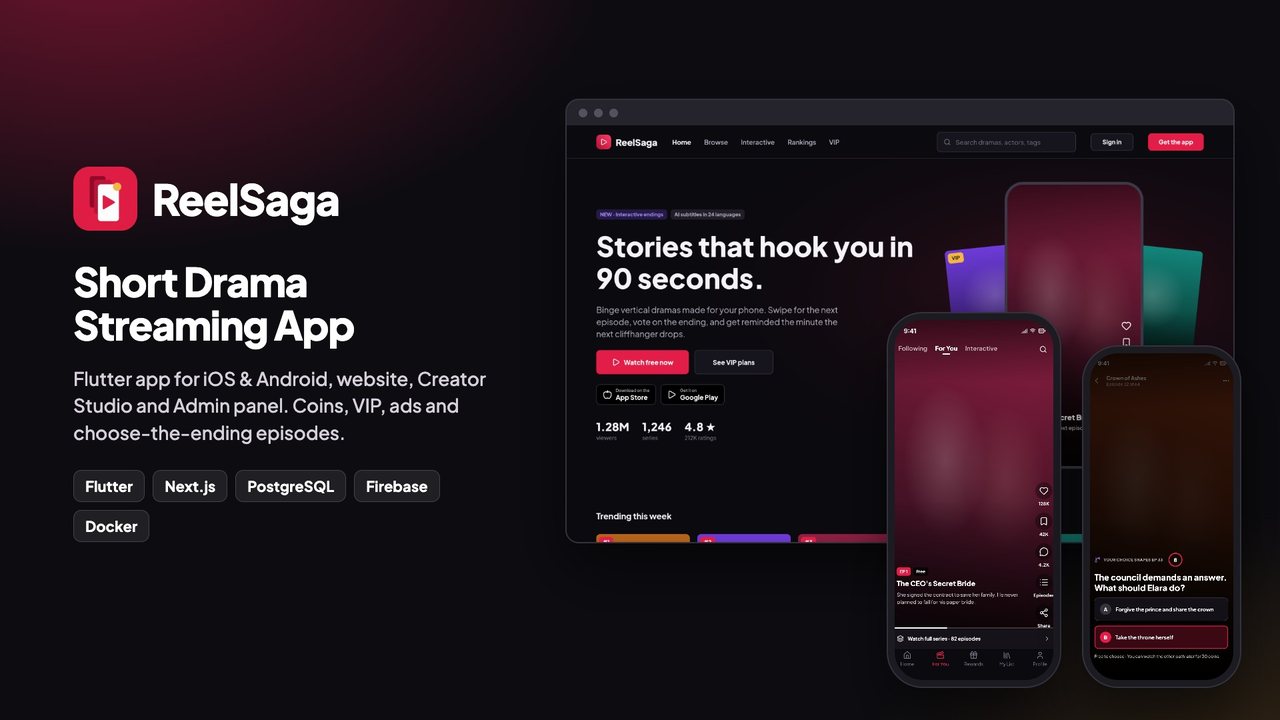
Launch your own short drama platform: vertical episodes that viewers swipe, unlock with coins or VIP, and binge in minutes. ReelSaga is a complete kit: a Flutter app for iOS and Android, a website, a Creator Studio for production companies, an Admin panel, and the server that runs them all. Install it with one Docker command and rebrand it with one more.
Live demo
- Website: reelsaga-demo.templates.codememory.com
- Admin panel: /admin/login → “Demo admin”, password
BuHghR_yX_MH(read-only) - Creator Studio: /sign-in?next=/studio → “Demo studio”, same password (read-only)
- Android app (APK): download the demo APK
- Documentation: read the docs online
On the demo, purchases run in demo mode (no real payment), the admin and studio cannot save changes, and the ads are Google test ads. Google test ads send no server-side verification callback, so the demo server grants rewarded-ad coins in demo mode; a launched server pays a rewarded ad only after Google confirms it (see Security). Sample videos are short placeholder clips.
AI disclosure
AI tools used to create this item: Yes.
- Source code: Yes. Written with the help of an AI coding assistant (Claude, by Anthropic). We reviewed, edited and tested all of it: the Flutter app passes
flutter analyzewith no issues, and the server has automated tests. - Documentation: Yes. Drafted with the same AI assistant, then checked step by step against the running product.
- Graphics: Yes. The screen designs and the app icon were made with the help of AI design tools. The preview images and the cover are screenshots of the real, running app. No photo or video is AI-generated: the six demo episode videos are real footage from Pexels by Alexander Mass (Pexels License), shown on the demo only and not in the download; episode posters are frames from those videos, and series covers are colour gradients.
AI-powered features in the item: Yes. They are optional, need your own OpenAI or Google Gemini API key, and stay off without one:
- Subtitles: episode subtitles from speech-to-text (OpenAI Whisper or Gemini) in the Creator Studio.
- Translation: subtitle translation, and translation of CMS pages in the Admin panel.
- Poster art: poster images generated with OpenAI in the Creator Studio.
- SEO copy: a URL slug and meta description for series pages.
- Report review: a second opinion on user reports for moderators.
Everything these features produce is AI-generated, can contain mistakes, and should be reviewed before you publish it. The AI provider is a third-party service with its own pricing; you are responsible for its costs.
Mobile app (Flutter)
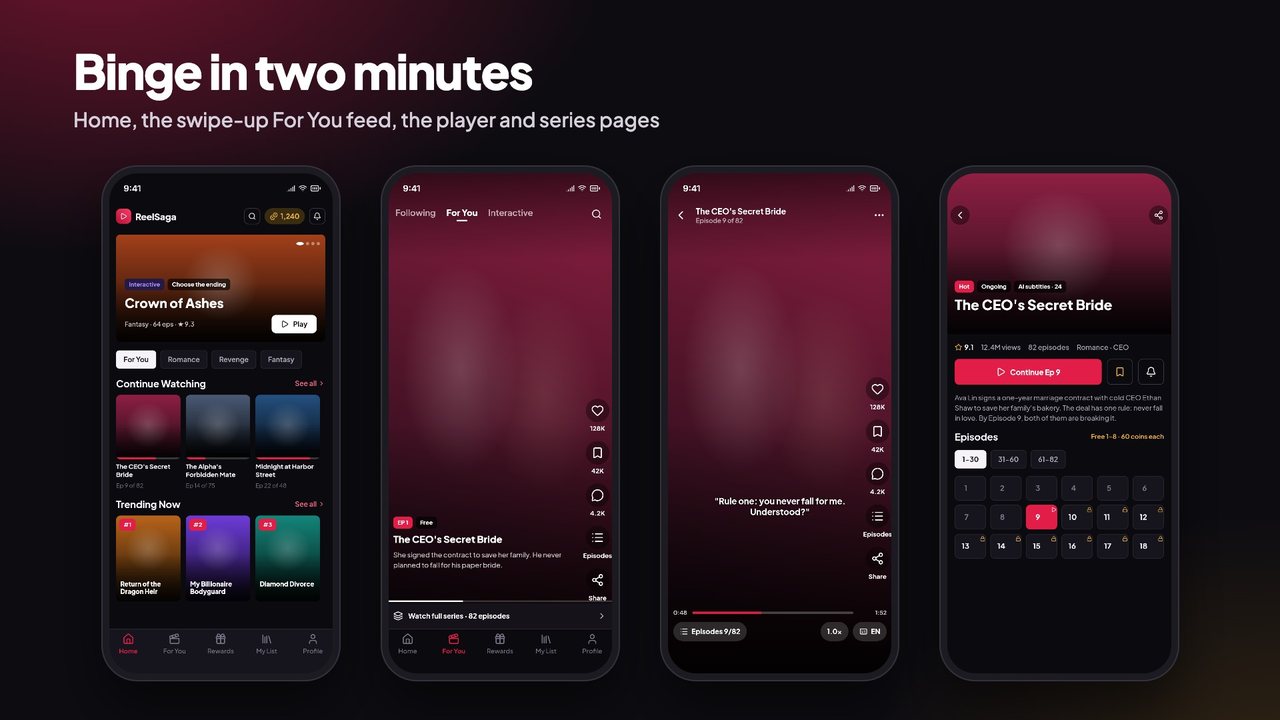
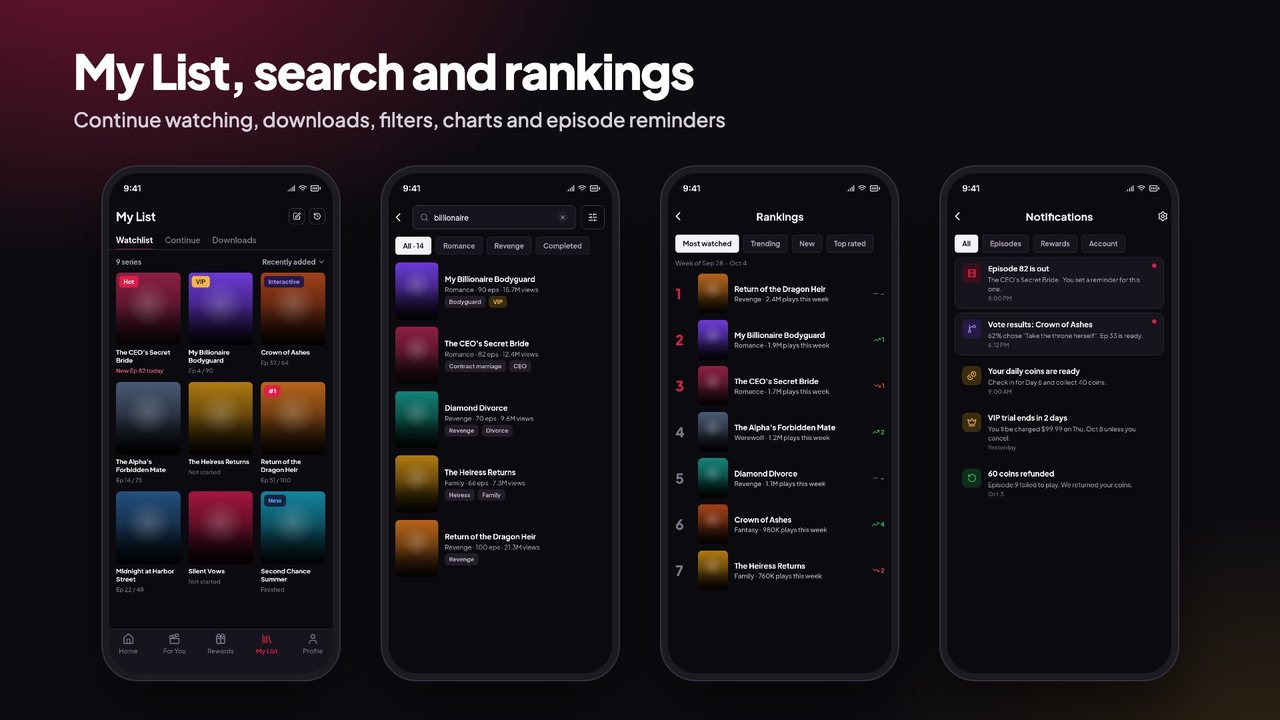
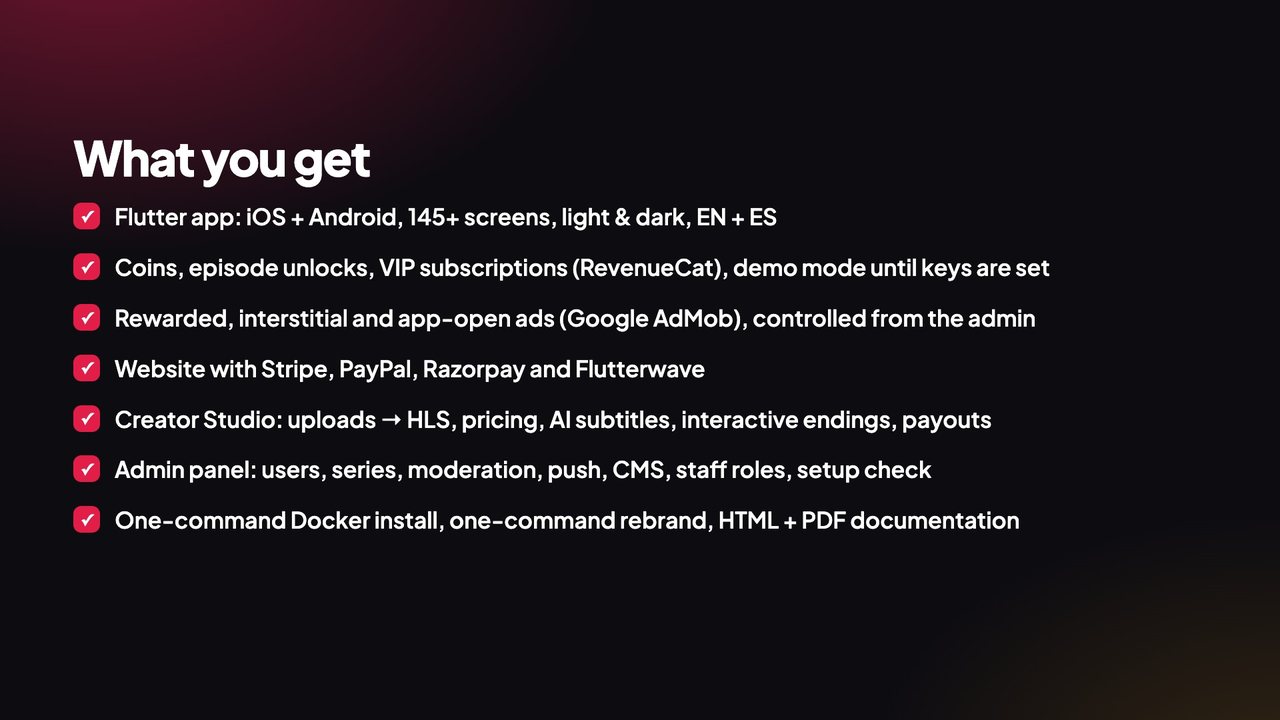
- Home with banners and rails, swipe-up For You feed, full-screen player, series pages and episode grid
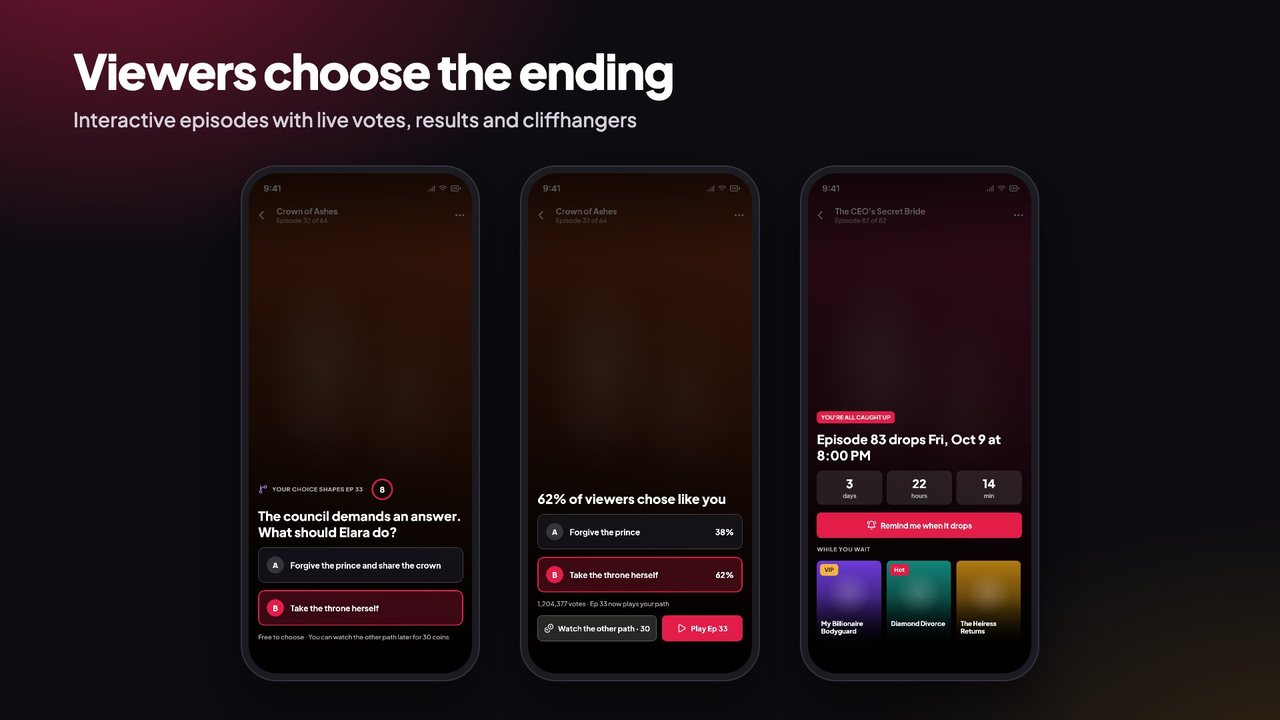
- Interactive “choose the ending” episodes with voting and alternate paths
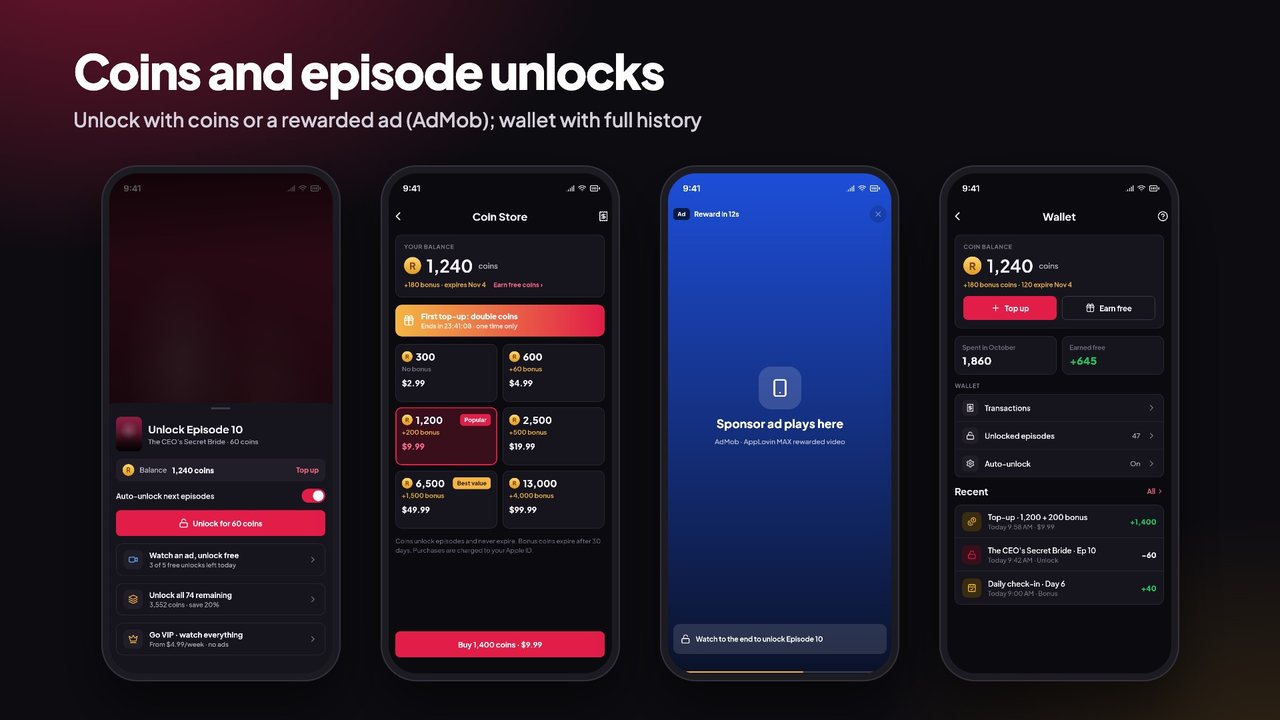
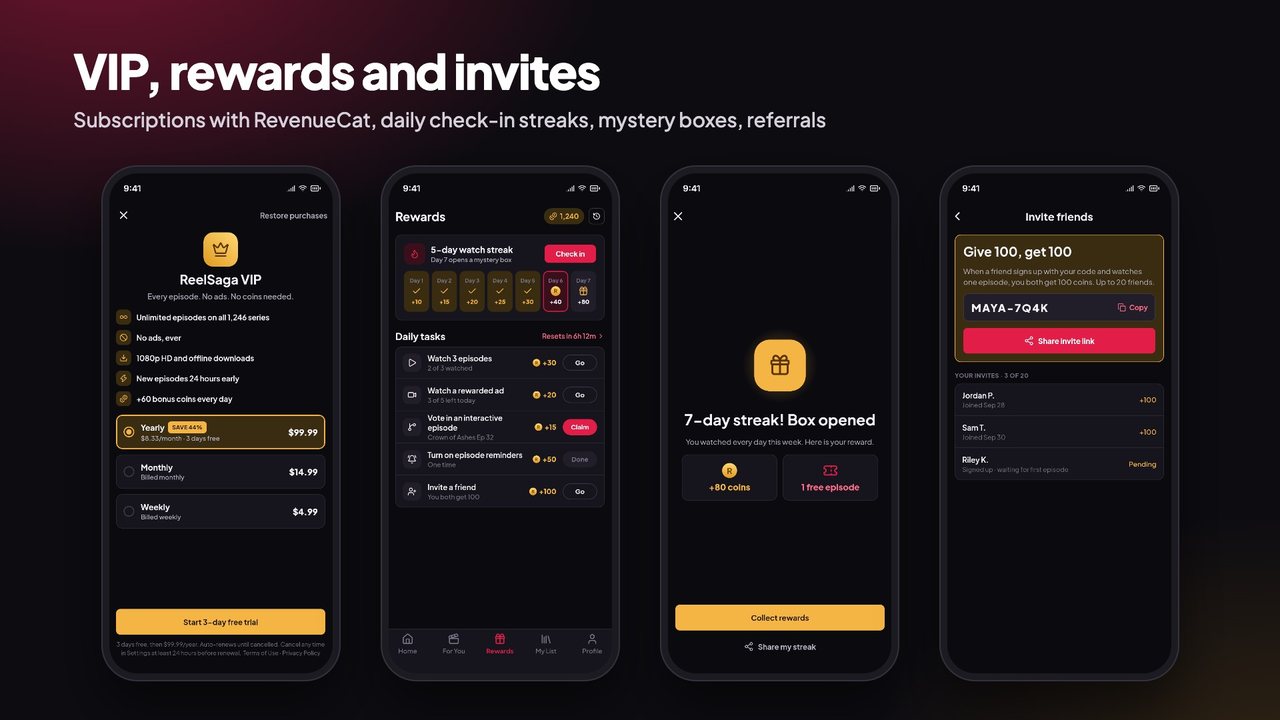
- Coins: episode unlocks, bundle discounts, daily check-in, rewarded ads, bonus expiry
- VIP subscriptions and coin packs through in-app purchases (RevenueCat)
- Google AdMob: rewarded, interstitial and app-open ads, all controlled from the admin, hidden for VIP
- My List, watch history, downloads for offline viewing, likes and shares
- Subtitles with AI translation, playback speed, quality, continue watching
- Sign in with Google, Apple or phone (Firebase), guest mode, account deletion
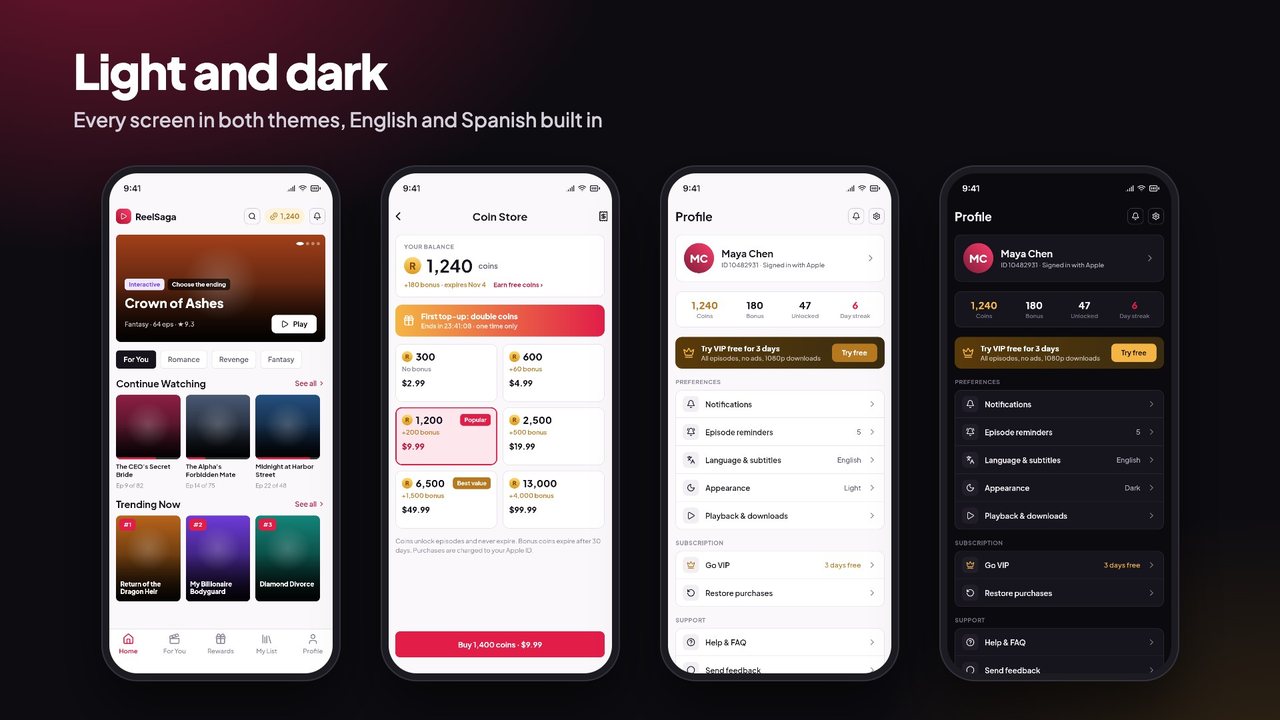
- Push notifications, force update, maintenance mode, light and dark themes, English and Spanish
Website (Next.js)
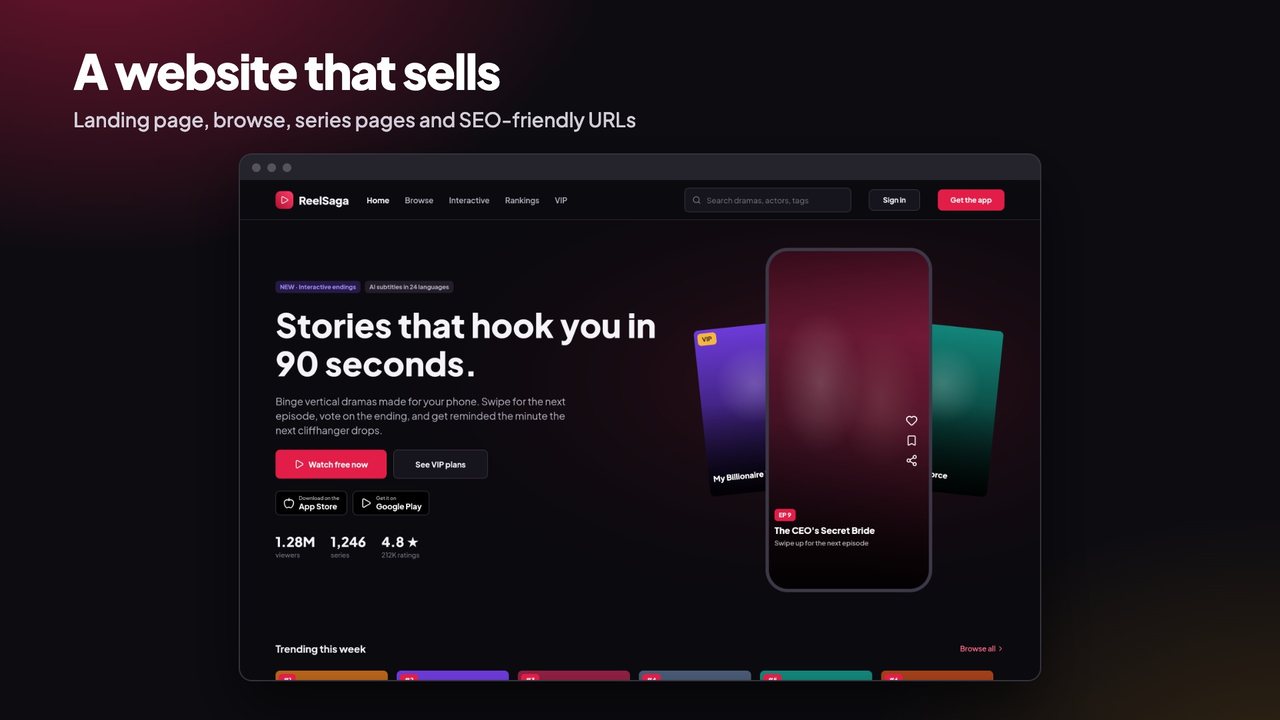
- Landing page, browse, rankings, series pages and a web player, with SEO-friendly URLs
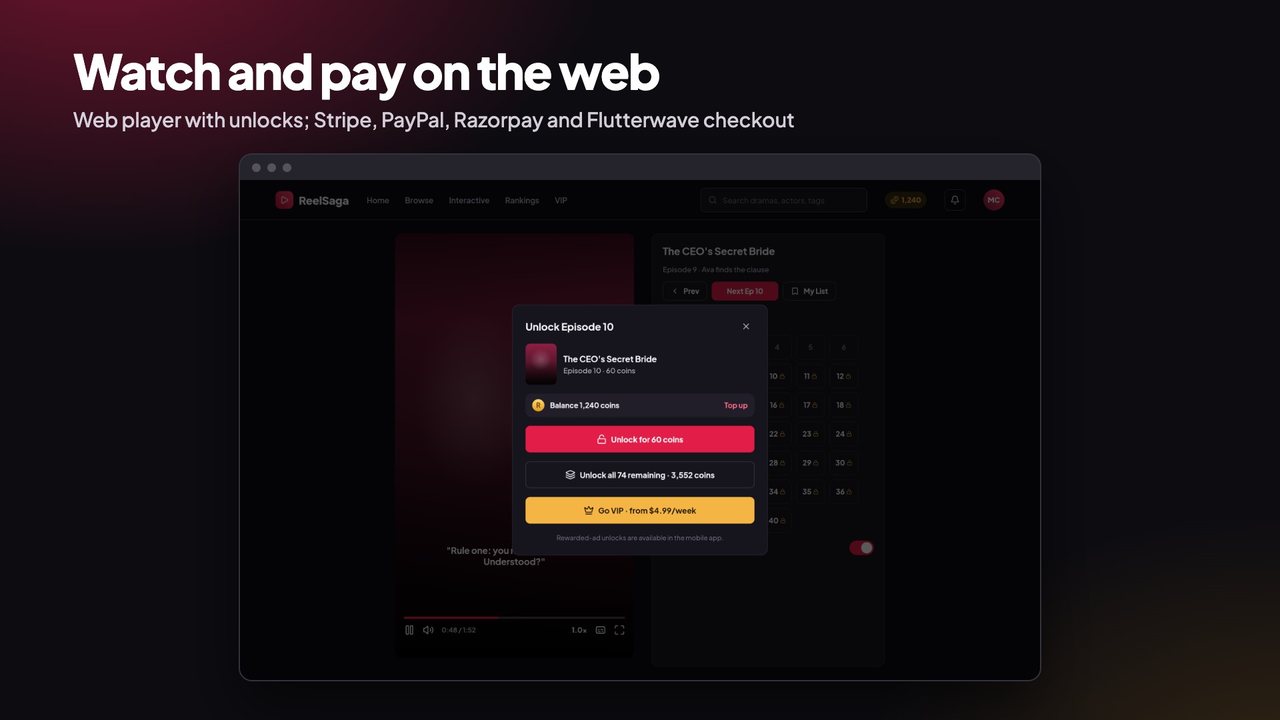
- Coin packs and VIP on the web with Stripe, PayPal, Razorpay or Flutterwave
- Account, wallet, purchase history, privacy, terms and delete-account pages
Creator Studio
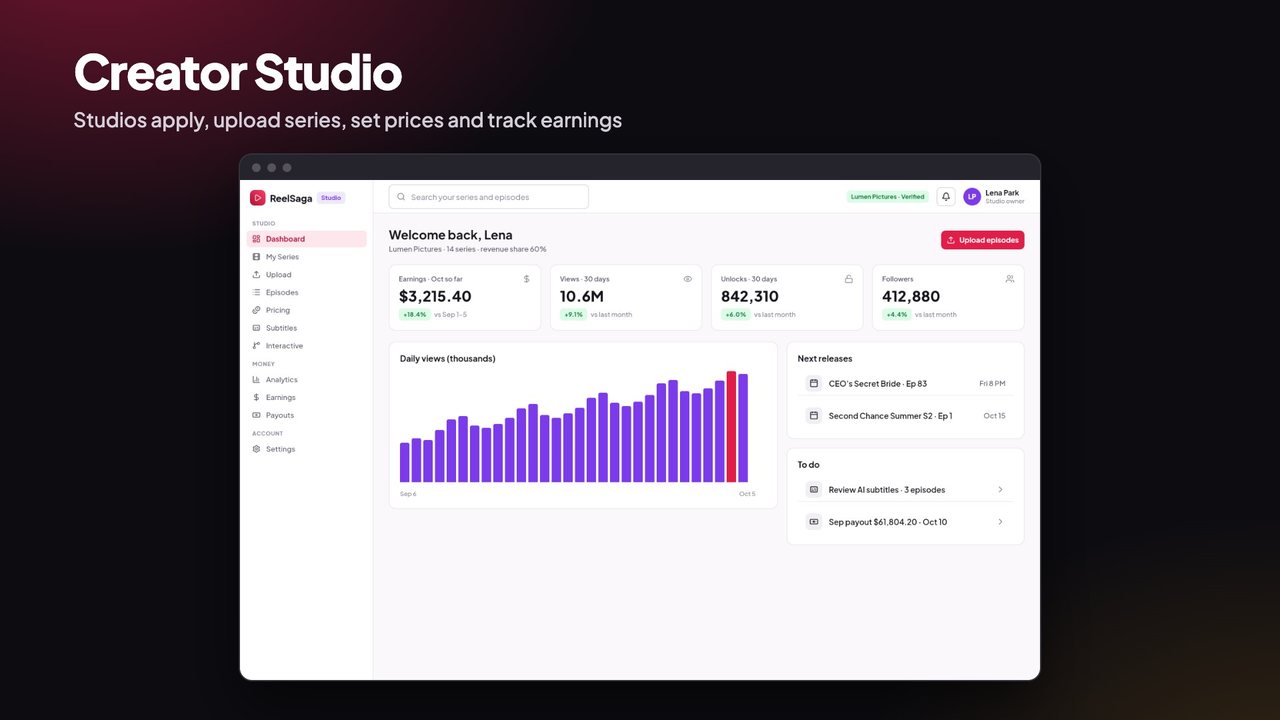
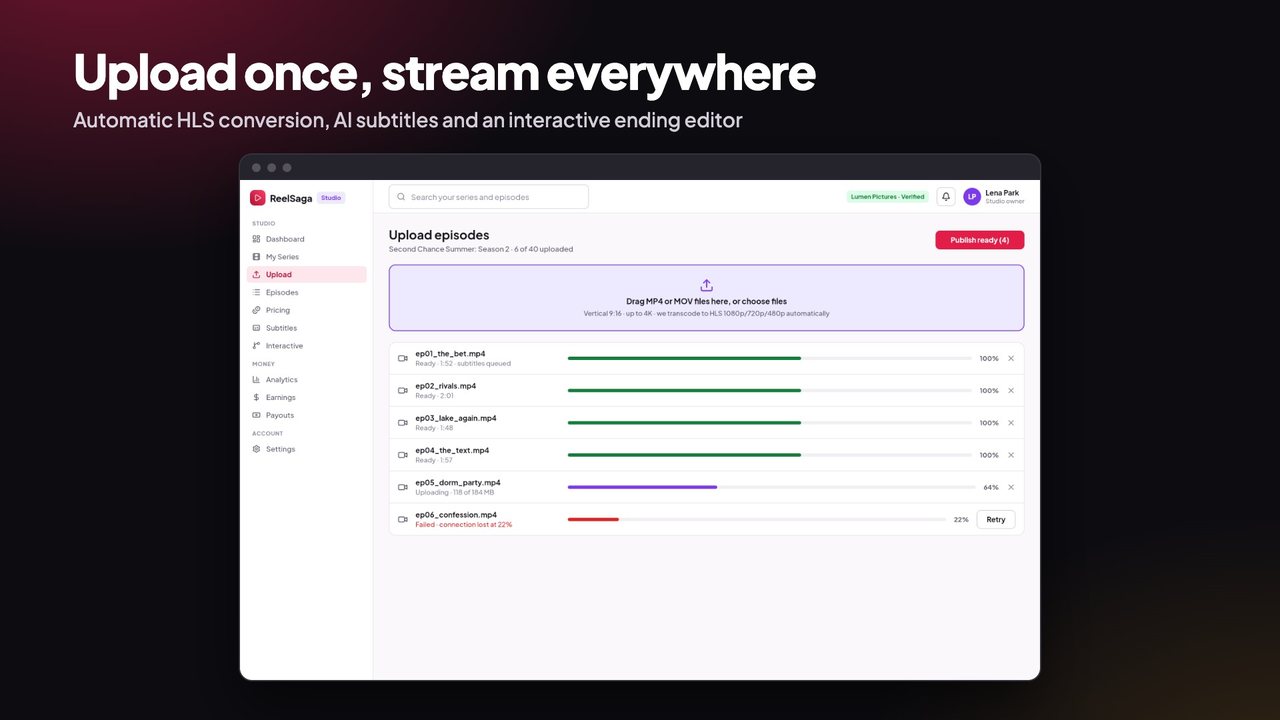
- Studios apply, you approve them; they upload episodes and the server turns them into streaming (HLS) video
- Unlock pricing with free episodes and bundle discounts, AI subtitles, choose-the-ending paths
- Revenue share you set: monthly statements from paid coin unlocks (bonus coins never turn into payouts) and a VIP revenue pool split by VIP plays (once per viewer, episode and day; never the studio’s own account), payouts with a minimum, early payouts with a fee
Admin panel
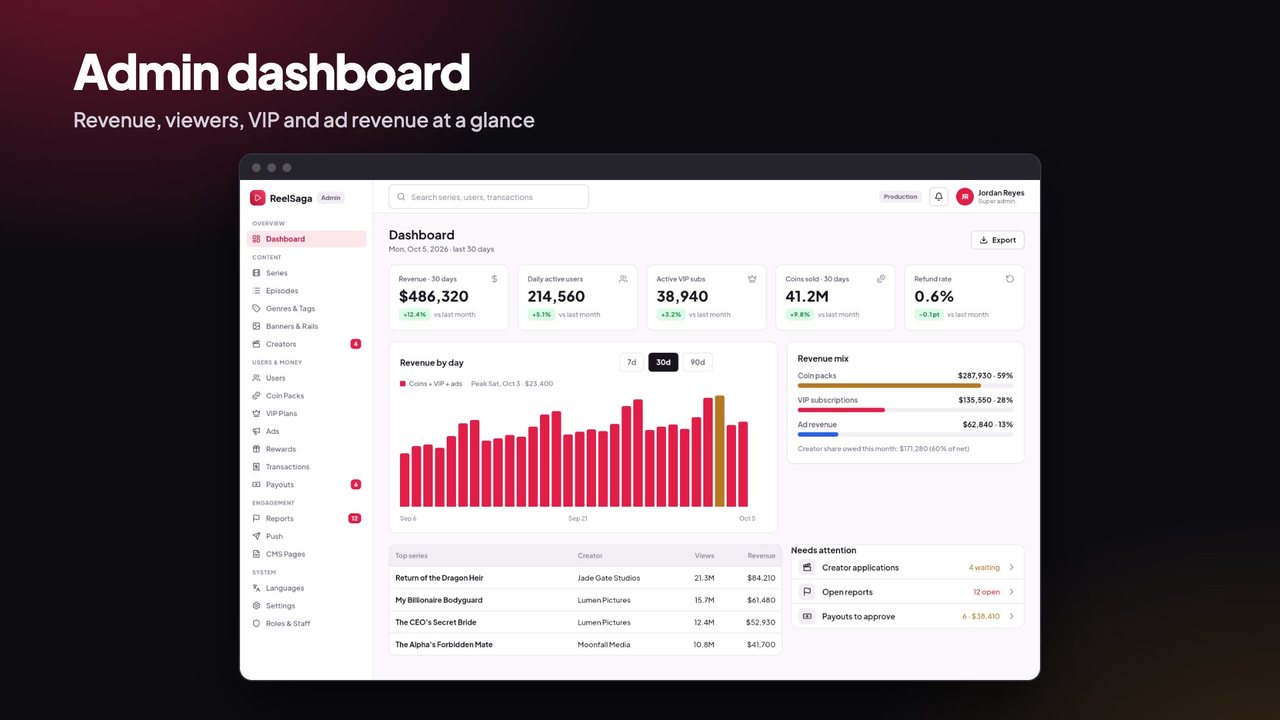
- Dashboard: revenue, daily viewers, VIP, coins sold, ad revenue
- Series, episodes, genres and tags, banners and rails, creators and applications
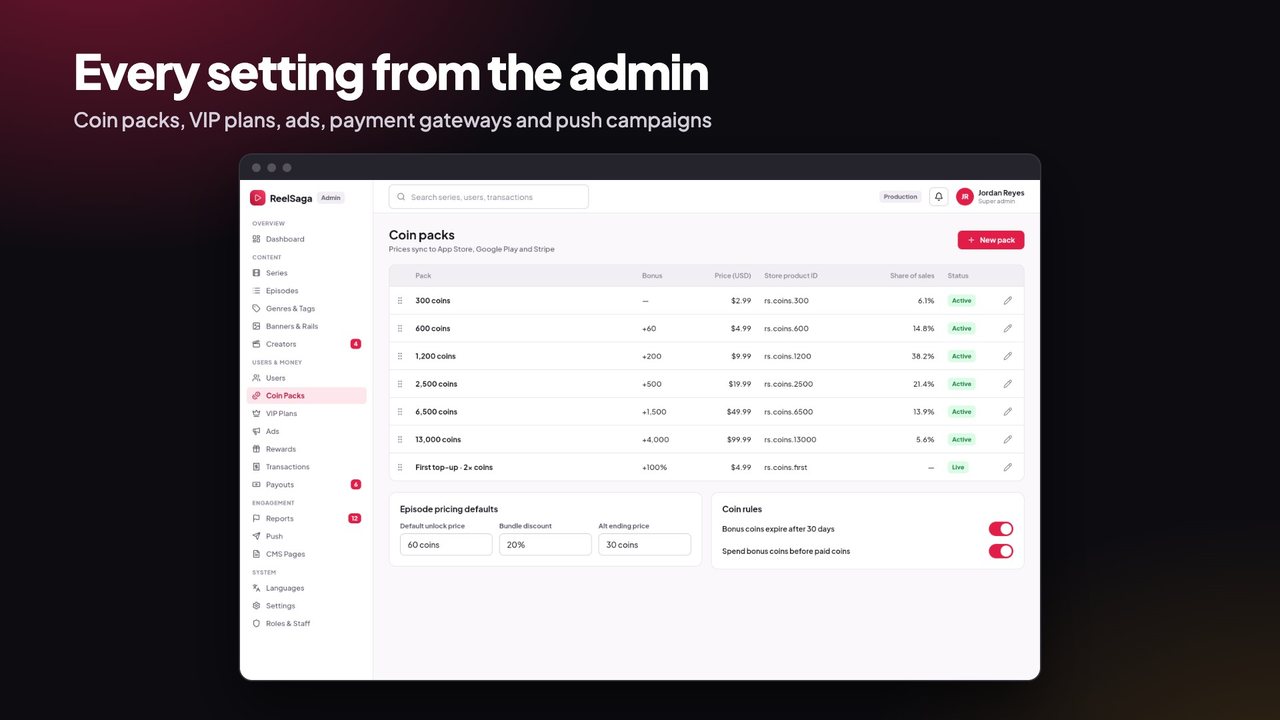
- Users, coin packs, VIP plans, ads, rewards, transactions, payouts
- Reports and moderation, push campaigns, CMS pages, languages
- Payment gateways and app settings, staff roles, and a setup check that shows which keys are missing
Security
- Rewarded ads verified on the server: coins, episode unlocks and streak restores from a rewarded ad are granted only after Google confirms the view through AdMob server-side verification (SSV). The server checks Google’s signature and that the view came from your own rewarded ad units, pays each confirmed view once, and enforces the daily limit and cooldown
- Creator payouts from real money only: studios earn from paid coins only; bonus coins (welcome, check-in, ads, invites) never turn into payouts. Each subscriber’s VIP payment goes only to the studios that subscriber watched (VIP plays count once per viewer, episode and day, only from paying VIP members, never from the studio’s own account). Refunds and chargebacks take the studio’s earnings back, also after the month is settled
- Welcome coins need a verified email (Google or Apple sign-in), so throwaway accounts can’t collect them
- Referral rewards checked on the server: only signed-in accounts (not guests) with a verified email can count as an invited friend, within their first 7 days, never the inviter’s own inviter; both sides are paid only after the friend has really watched, with a per-day and a total cap
- Guest account merging checked on the server: the guest must prove its session with its own Firebase token, only a signed-in account can take in a guest, and each account can take in one guest only
- Every purchase is confirmed with the store or payment gateway (RevenueCat, Stripe, PayPal, Razorpay, Flutterwave webhooks and API checks) before coins or VIP are granted, for the full price; store test (sandbox) purchases are ignored in production, and website checkouts return only to your own site. Test purchases without payment (demo mode) are off unless you switch them on with
DEMO_PURCHASES="true"to try the kit, and stop as soon as any payment key is set - Coin spending, bundles, alternate paths, refunds and payouts are safe against double requests; studios’ payout accounts and tax IDs are stored encrypted
Built for buyers
- Try it before you have every key: switch on demo purchases while you set up; without their keys, AI, email and ads simply stay off
- One-command install: Docker stack with the website, worker, PostgreSQL and MinIO storage
- One-command rebrand: name, app id, colour, website font and icon (the app font is a two-step swap in the docs)
- Step-by-step documentation in HTML and PDF: install, every key, costs of each service, Creator Studio walkthrough, choose the ending, creator earnings and payouts, the full
/api/v1reference, the database tables, and how to add your own API route or worker job
Requirements
- A Linux server (2 CPU, 4 GB RAM) with Docker, and a domain name
- Flutter 3.44 or newer; Android Studio; a Mac with Xcode 26 for iOS
- A Firebase project (sign-in and push)
- A RevenueCat account of your own to sell coins and VIP inside the app: the app uses RevenueCat’s SDK (
purchases_flutter), so you register with RevenueCat, accept its terms of service and add your own RevenueCat keys (no keys are included) - Storage for the videos: MinIO on your server (included in the Docker stack) or any S3-compatible bucket
- Your own Apple Developer and Google Play accounts to publish the app
- Optional: Google AdMob (your own publisher account), Stripe, PayPal, Razorpay, Flutterwave, OpenAI or Google Gemini, any SMTP email provider
Third-party services and their costs
These services are run by other companies and are not part of this item. Each has its own account, terms and pricing, which can change, and you are responsible for every cost they charge. The documentation has a cost table with links to each pricing page.
- RevenueCat (in-app purchases, required to sell in the app): free up to a monthly revenue limit, then a share of the revenue it tracks or a paid plan. Apple and Google also take their store commission (15% or 30%) on in-app sales.
- Firebase (sign-in, push, Analytics, Crashlytics, required): free Spark plan to start; phone sign-in SMS are charged per message, and Authentication beyond the free monthly users needs the pay-as-you-go Blaze plan.
- Google AdMob (ads, optional): you need your own AdMob publisher account; Google keeps its share of ad revenue.
- Stripe, PayPal, Razorpay and Flutterwave (website payments, optional): each takes a fee per payment and needs a verified business account in a supported country.
- Video storage and HLS streaming (required): MinIO on your server uses your disk and bandwidth; cloud storage (Amazon S3, Cloudflare R2, Backblaze B2 and others) charges for storage, requests and outgoing traffic. Each video is kept in up to three qualities plus download copies, and streaming traffic grows with every viewer, so this becomes the largest cost at scale.
- Server and domain (required): monthly hosting; video conversion needs CPU.
- OpenAI or Google Gemini (AI features, optional): charged per use.
- SMTP email provider (optional): usually a free tier, then per email.
Support
Use the Support tab on this page with your purchase code. Support covers questions about the item and bug fixes. Customisation and installation are not included; ask about our installation service.
Changelog
1.0.0 — first release. Includes server-side verification of rewarded ads (AdMob SSV) with a pending reward when Google is slow, creator earnings and payouts, choose-the-ending paths, and the security fixes listed in CHANGELOG.md.
| Author | codememory-saas |
|---|---|
| Price | $79 |
| Sales | 0 |
| Rating | 0 (0) |
| Published | Nov 4, 2026 |
| Last Update | Nov 4, 2026 |
| Compatible Software | Flutter 3.x |
| Demo Url | https://reelsaga-demo.templates.codememory.com |
| Mobile Files Included | Dart, YAML, JavaScript JSON, .kotlin, .plist, .swift, JavaScript JS, CSS, HTML |
Categories
Tags
External listing. code.market does not sell this product and does not process payment for it. Pricing, payment, delivery, licensing, refunds, and support are handled by the third-party merchant on its own website. We may earn an affiliate commission from a referral. Details.
Products of the Week.
Submit🥇

Perceptle
Perceptle is a daily browser-based game that challenges you to test your sensory intuition through five quick estimation and rhythm-based rounds.
Other · 1 views · 0 clicksOther · Week 47 · 1 views · 0 clicks
🥈

Free LinkedIn Likes From Real
Get free LinkedIn likes on your posts from real members who react by hand. No
SaaS · 124 views · 2 clicksSaaS · Week 47 · 124 views · 2 clicks
🥉

STOP GUESSING WHAT TO POST
AI that learns your brand voice and builds a month of consistent, on-brand social content: carousels, posts and hooks that sound like you, not like everyone else's AI.
SaaS · 7,686 views · 71 clicksSaaS · Week 47 · 7,686 views · 71 clicks
#4

aaas.market
407 reliable micro tools for solo founders, marketers and creators. They work in your browser
SaaS · 122 views · 0 clicksSaaS · Week 47 · 122 views · 0 clicks