
Rankwise SEO Suite - WordPress Plugin

Description
 007AJ
Rankwise SEO Suite
Titles, Schema, Sitemaps, Redirects and Site Audits
Give your WordPress site the on-page basics search engines and social networks read — titles, descriptions, structured data, sitemaps, breadcrumbs and redirects — plus Suite tools for larger content sites: five focus keywords, extra schema types, a 404 log, pattern redirects, image SEO, local SEO, audits and more. Everything runs on your own site.
Fully licensed version — use on your own sites Fully licensed
use on your own sites
Runs on your site
no outbound by default
Suite edition
full feature set
WordPress 6.3+
PHP 7.4+
A clear dashboard for the whole Suite
Status checks and every settings tab in one Rankwise SEO screen.
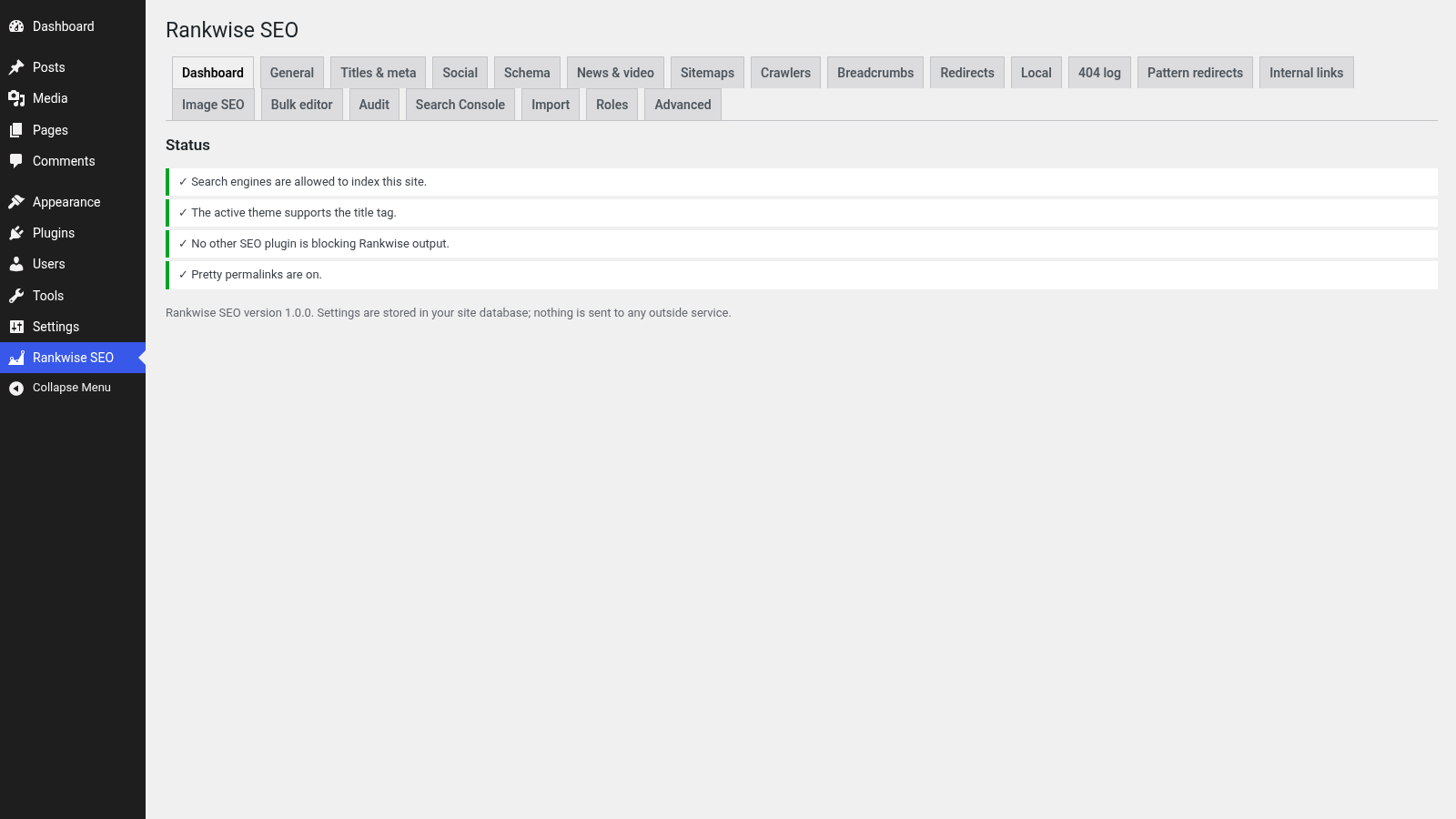 Dashboard with status checks and the Suite tab bar. Demo install with Harbor Studio sample data.
On-page SEO that stays on your site
Titles, social cards, structured data, sitemaps, breadcrumbs, redirects and an importer — the shared Rankwise toolkit, included in Suite.
Titles and descriptions
Templates with variables for every kind of page, plus a Rankwise SEO box on posts and pages (and fields on terms, optional on author profiles). SERP and social previews sit next to the fields while you write.
Open Graph and Twitter cards
Social title, description and image tags for sharing. Default image and Twitter card type are set once for the site.
JSON-LD structured data
Organisation or person, website, page, article and breadcrumb nodes. Suite also adds FAQ, how-to, product, local business, recipe, event and video — only when the required fields are filled in.
Sitemaps, robots.txt and llms.txt
Settings for the XML sitemap built into WordPress. A robots.txt editor with a safety check, optional AI crawler rules, and an optional /llms.txt file.
Breadcrumbs
A block, the shortcode, or a template function. Separator and home label are yours to set.
Redirects with CSV
301, 302, 307, 410 and 451 redirects with loop detection, CSV import and export, and an offer to add a redirect when you change a published post address.
Importer from prior SEO plugins
Bring titles, descriptions and other SEO fields across with a preview and an undo button.
Canonical, robots and verification
Per-page canonical links, noindex / nofollow controls and site verification tags for Google, Bing and others.
The Rankwise SEO box while you write
Search title, meta description, focus keyword, robots and social fields, with SERP preview, readability and keyword checks.
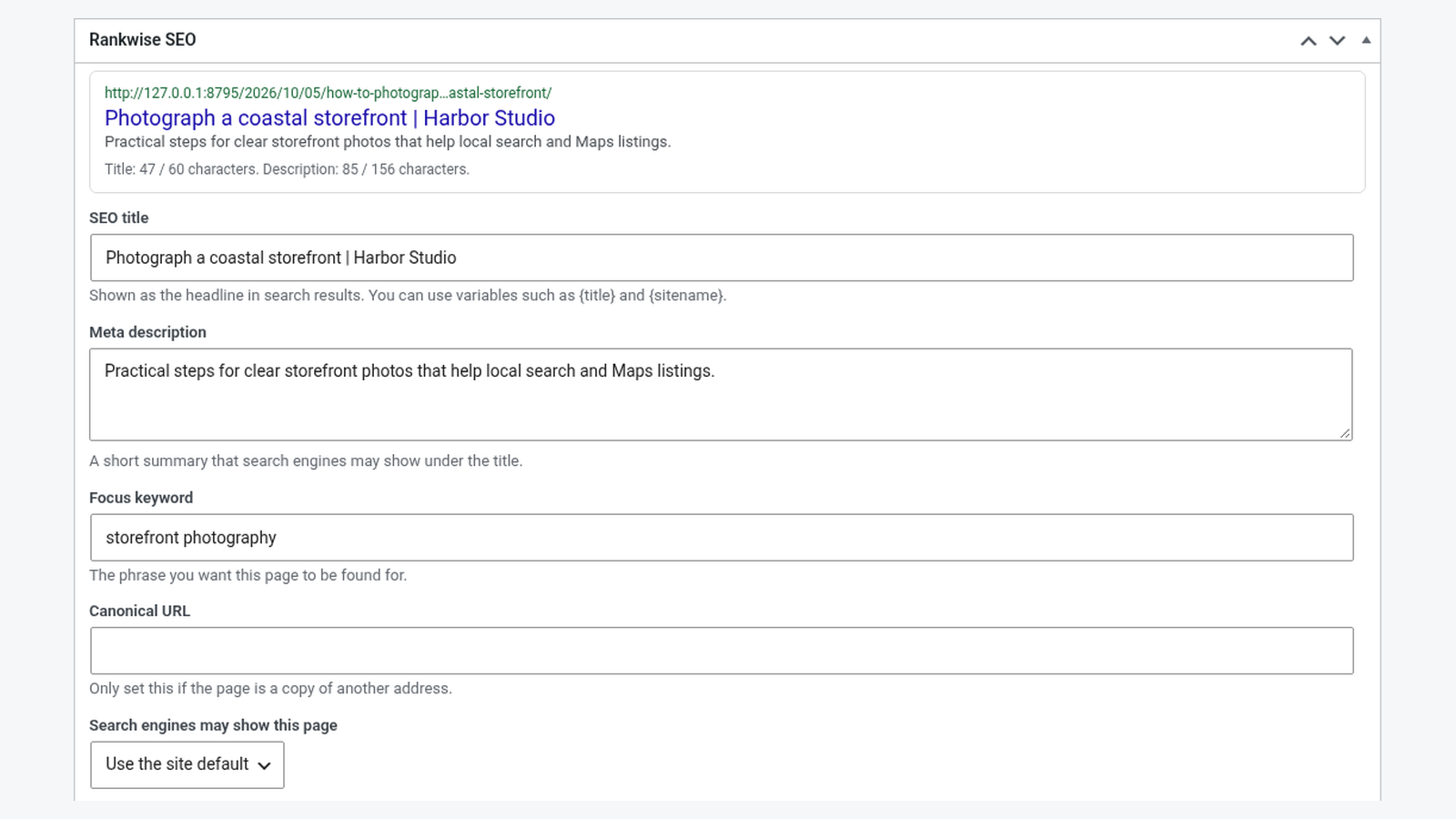 Rankwise SEO box on a sample Harbor Studio post. Demo install with Harbor Studio sample data.
Suite extras for larger content sites
Five focus keywords, richer schema, 404 logging, pattern redirects, image and local SEO, audits, bulk edits and more.
Five focus keywords with synonyms
The main focus keyword plus up to four more, each with optional synonyms, checked while you write.
Extra schema types
FAQ, how-to, product, local business, recipe, event and video. Missing required fields are listed in the editor; nothing is printed until they are filled.
404 log (no IP or user agent)
Addresses that returned not found, with hit counts and the referring host. CSV download and a one-click link to add a redirect. Entries prune automatically.
Pattern redirects
Regular-expression redirects with a tester, safety checks against slow patterns, CSV import and export, and bulk changes to exact redirects.
Internal link suggestions
Related posts from your own site that the text does not link to yet, from an index kept in your database. Nothing is sent outside.
Image SEO
A list of media library images without alternative text, plus an optional template that fills empty alt text when a page is shown (without changing the media library).
Local SEO
Business name, address, phone and opening hours, LocalBusiness structured data on a chosen page, and an address shortcode/block with a map link (nothing is embedded).
News and video sitemaps
Built on WordPress sitemap engine when you switch them on.
Google Search Console (optional)
Your own Google OAuth client, read-only scope, encrypted tokens and cached clicks / impressions / queries. Off by default; no connection was made in the demo screenshots.
SEO audit and Site Health
Titles, descriptions, noindex, duplicates and a few site checks, plus a Site Health test for critical findings. One check fetches only your own front page.
Bulk editor and role manager
Edit SEO titles, descriptions and noindex across many posts. Assign SEO capabilities by role (administrators cannot be locked out).
WP-CLI: wp rankwise
Audit, redirects, 404 prune, settings export/import, sitemap flush and link reindex from the command line.
Up to five focus keywords, with synonyms
The main keyword plus four more, each with optional synonyms, checked against the title, description and text while you write.
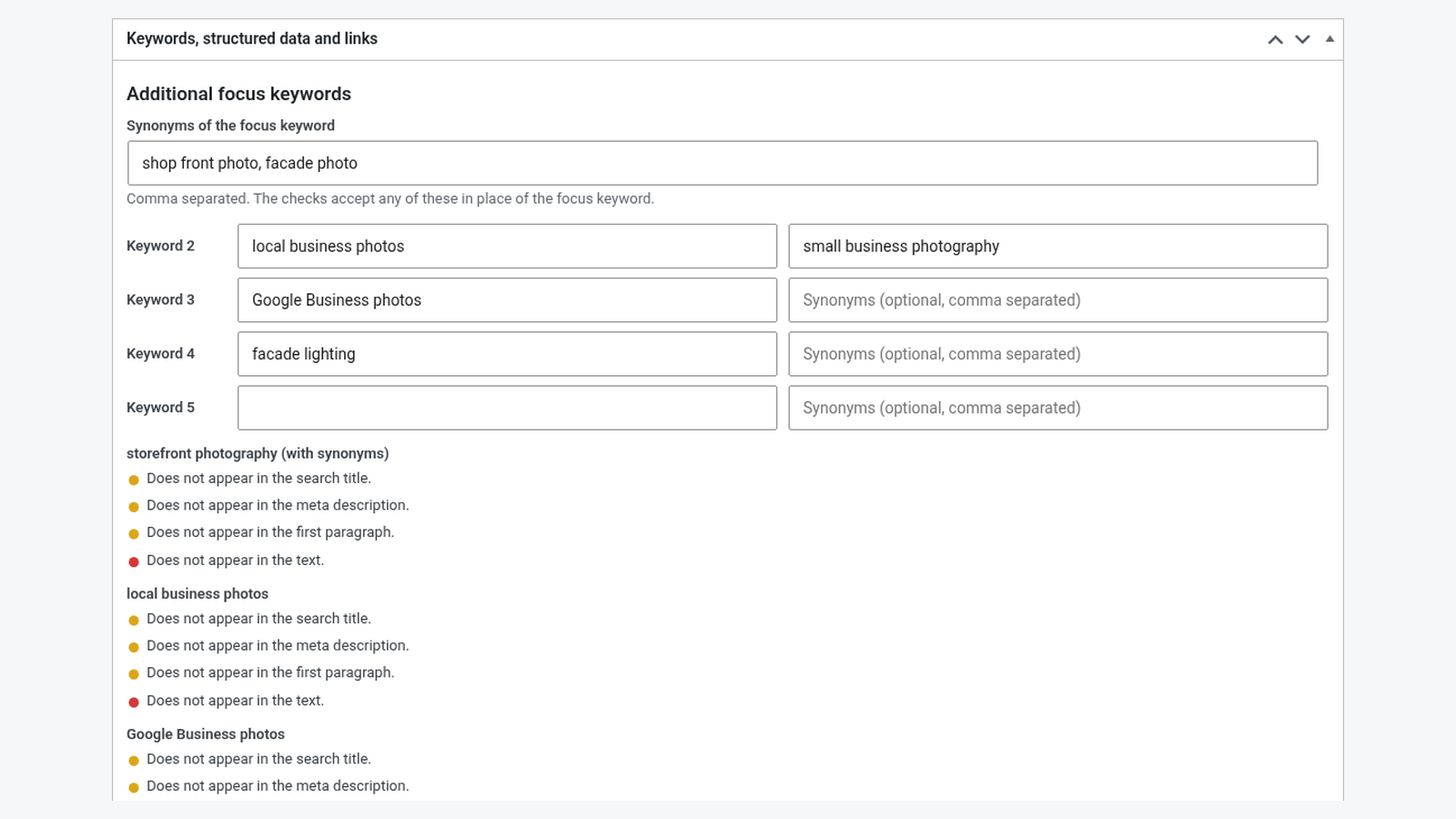 Additional focus keywords and synonyms on a sample post. Demo install with Harbor Studio sample data.
Structured data types when the fields are filled
FAQ, how-to, product, local business, recipe, event and video — chosen per post. Markup is added only when required fields are complete.
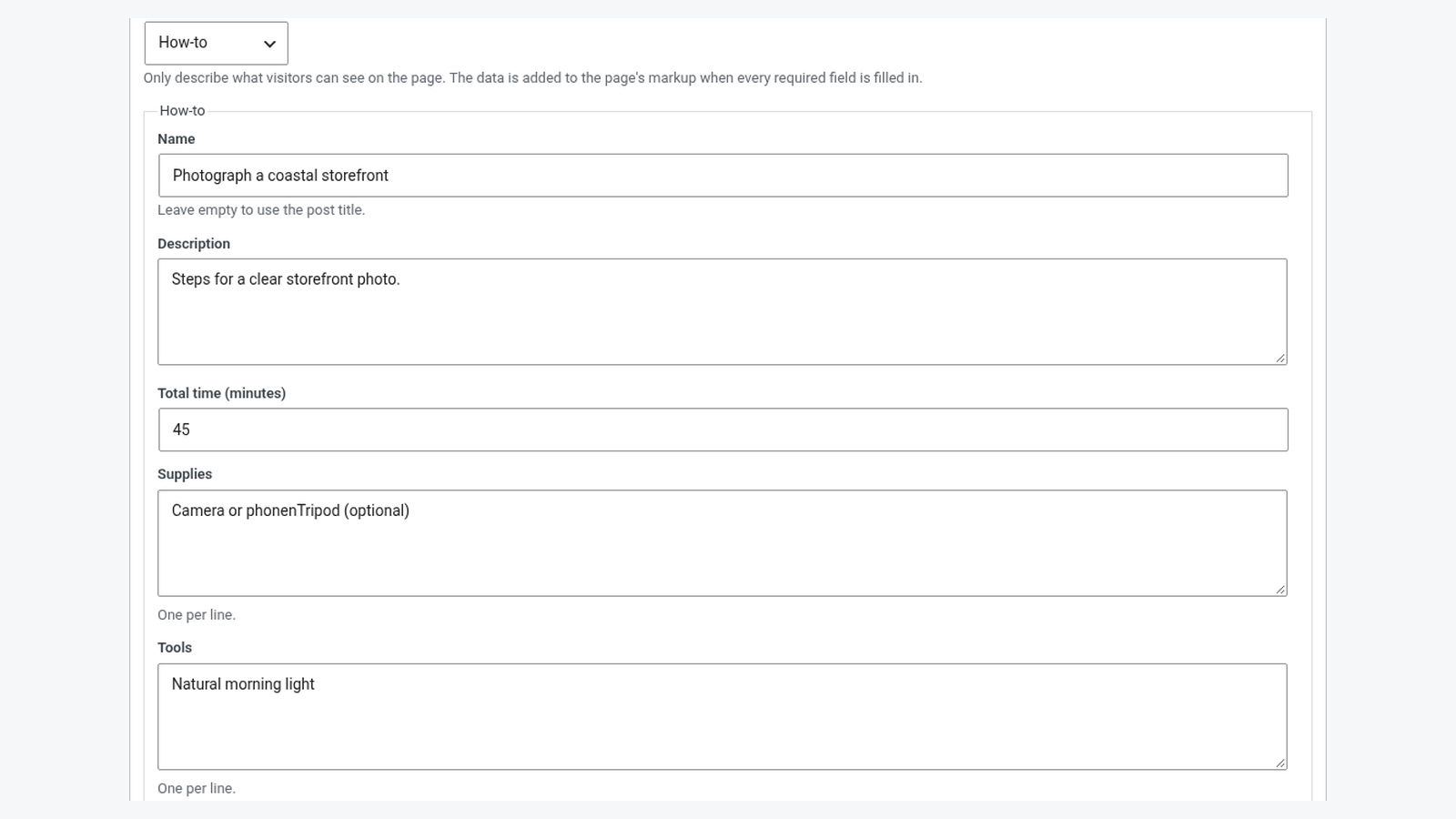 Structured data type selector with how-to fields. Demo install with Harbor Studio sample data.
Redirects and a private 404 log
Exact redirects with CSV, plus a 404 log that stores paths and referring hosts — never visitor IP addresses or user agents.
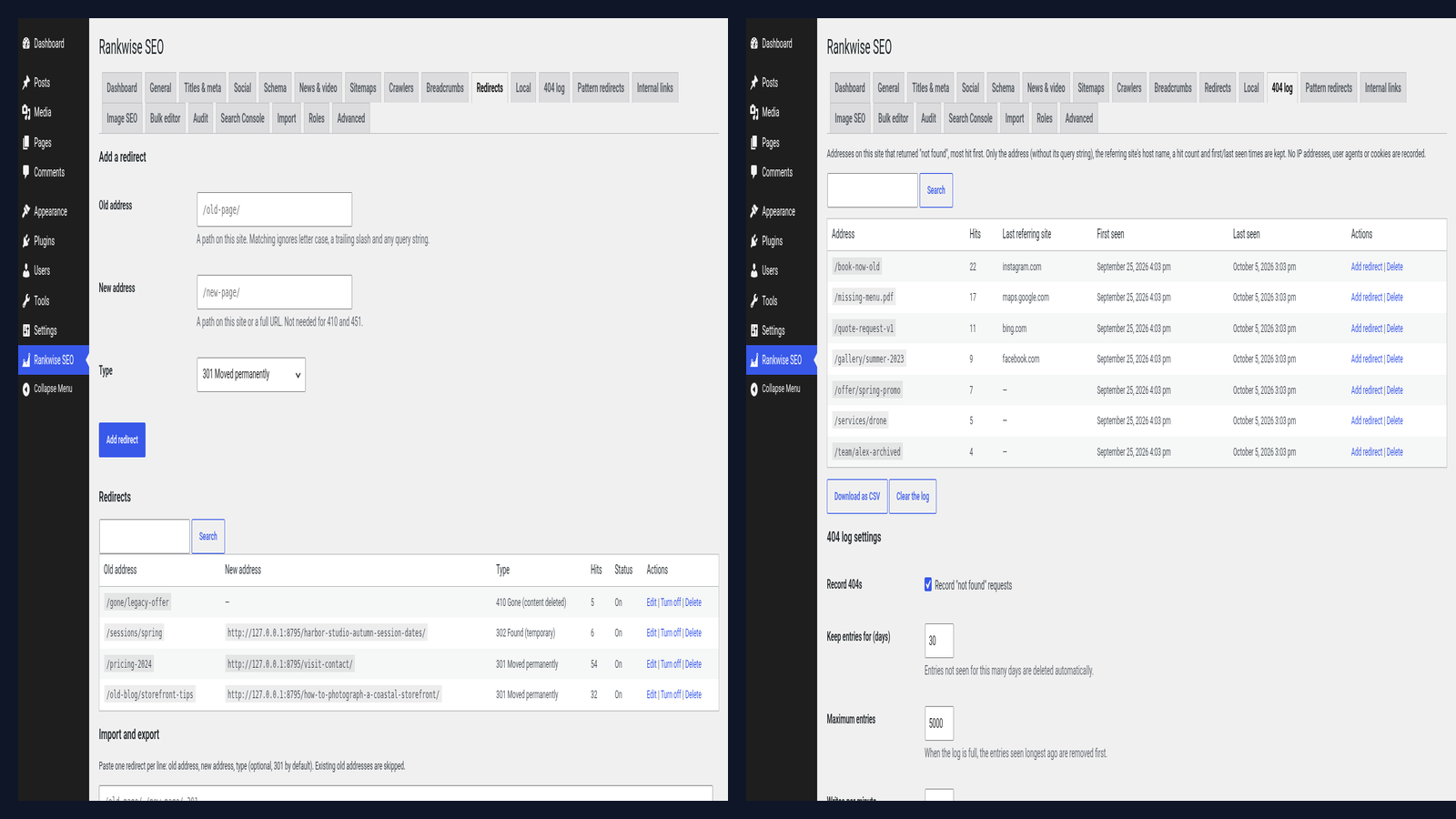 Redirects list and 404 log. Demo install with Harbor Studio sample data.
SEO audit you can run on your own site
Titles, descriptions, noindex, duplicates, thin content and a few site checks. One check fetches only your own front page.
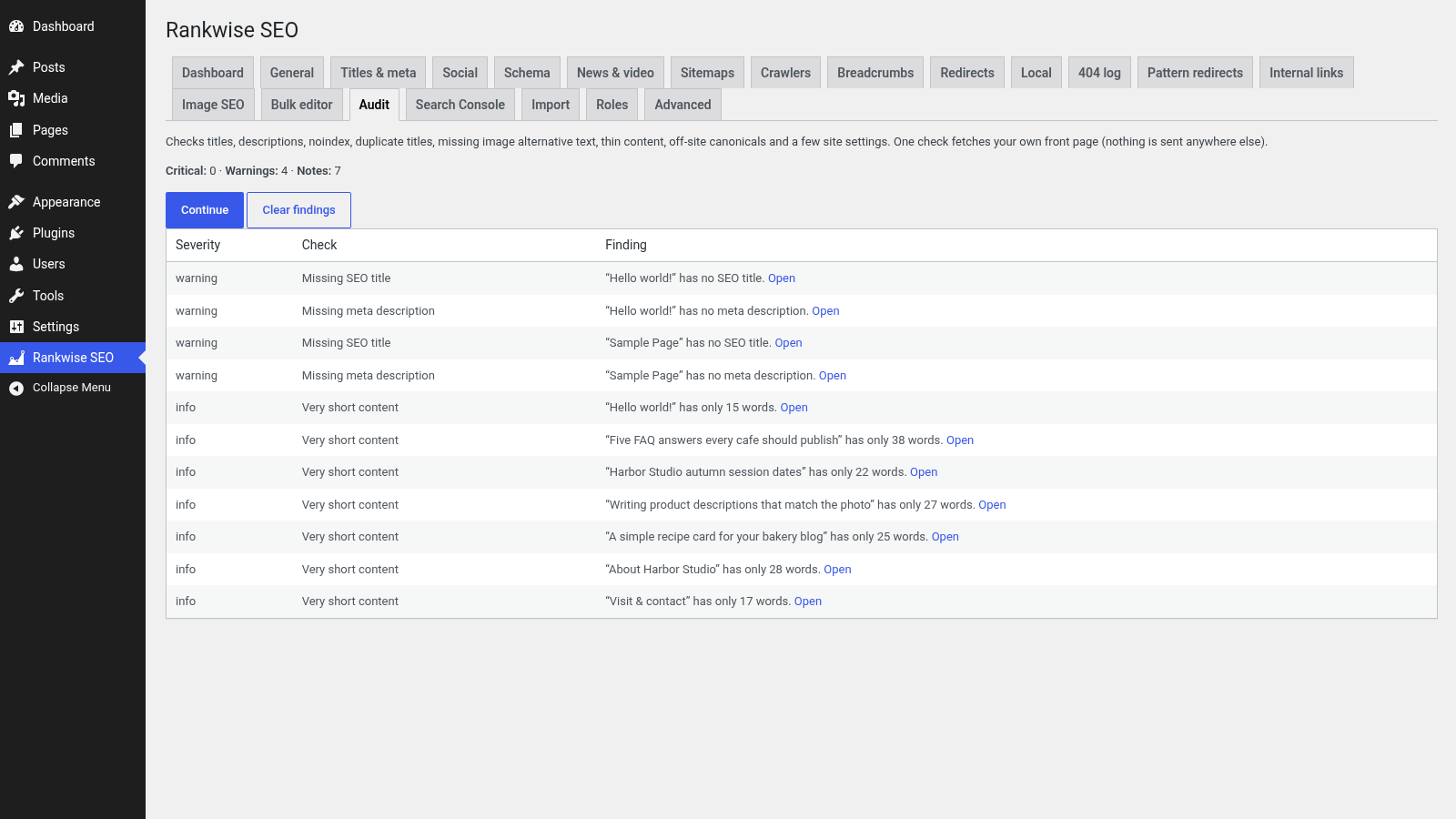 SEO audit findings on the Harbor Studio demo. Demo install with Harbor Studio sample data.
Bulk editor, local SEO and image alt text
Edit many titles and descriptions at once, publish local business details, and fill missing alternative text from a list or a template.
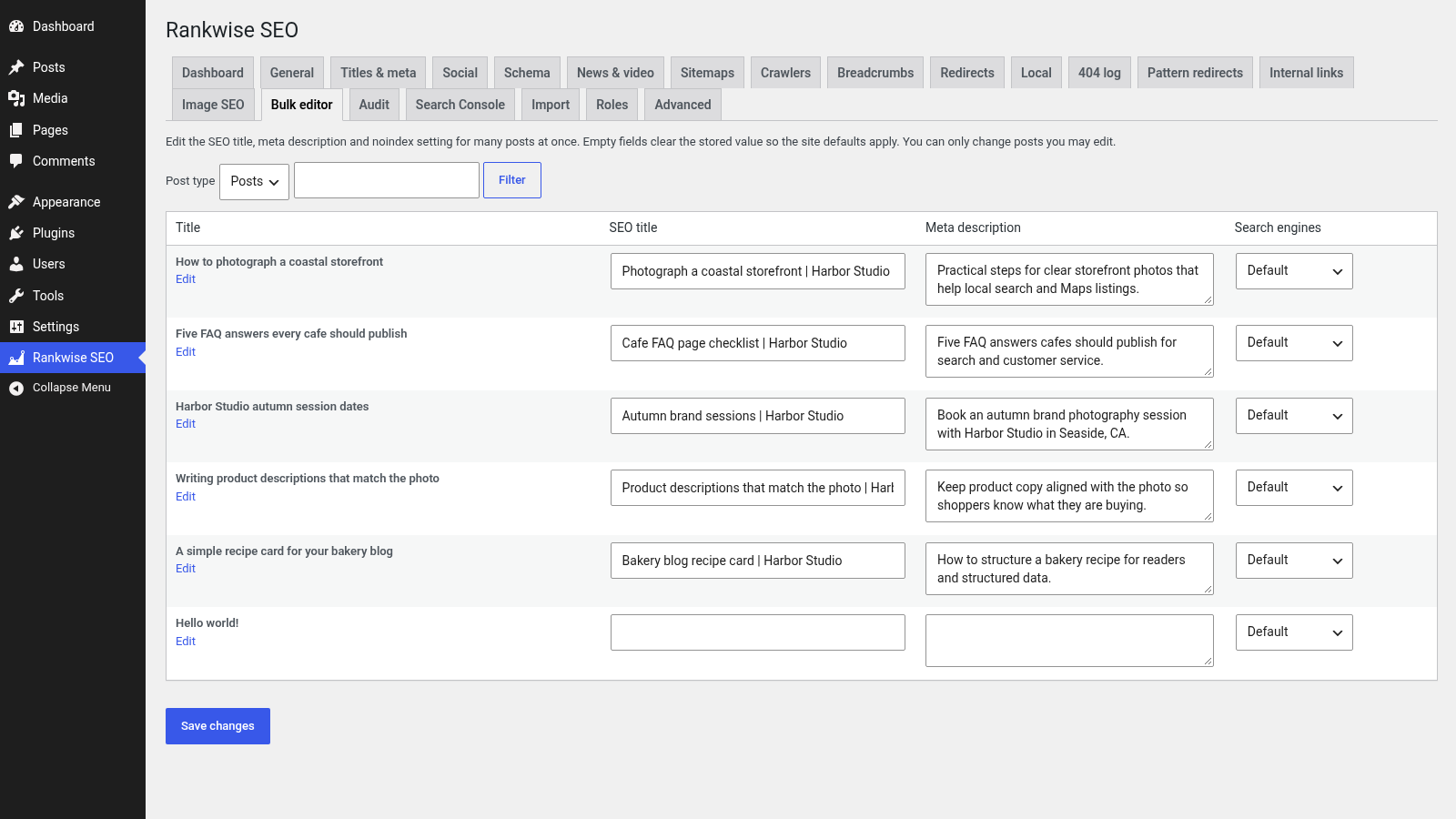 Bulk editor listing sample posts. Demo install with Harbor Studio sample data.
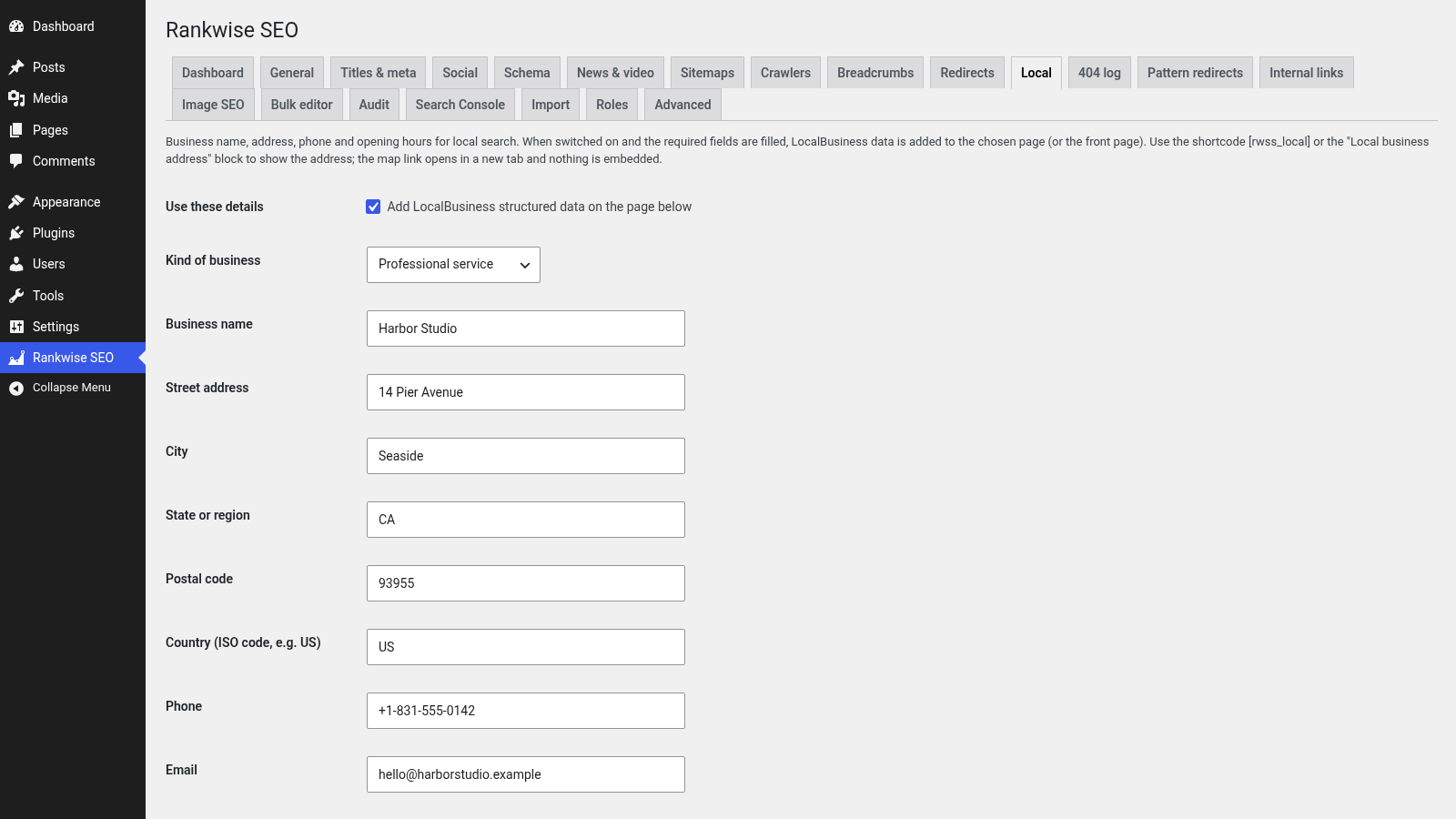 Local SEO settings for Harbor Studio. Demo install with Harbor Studio sample data.
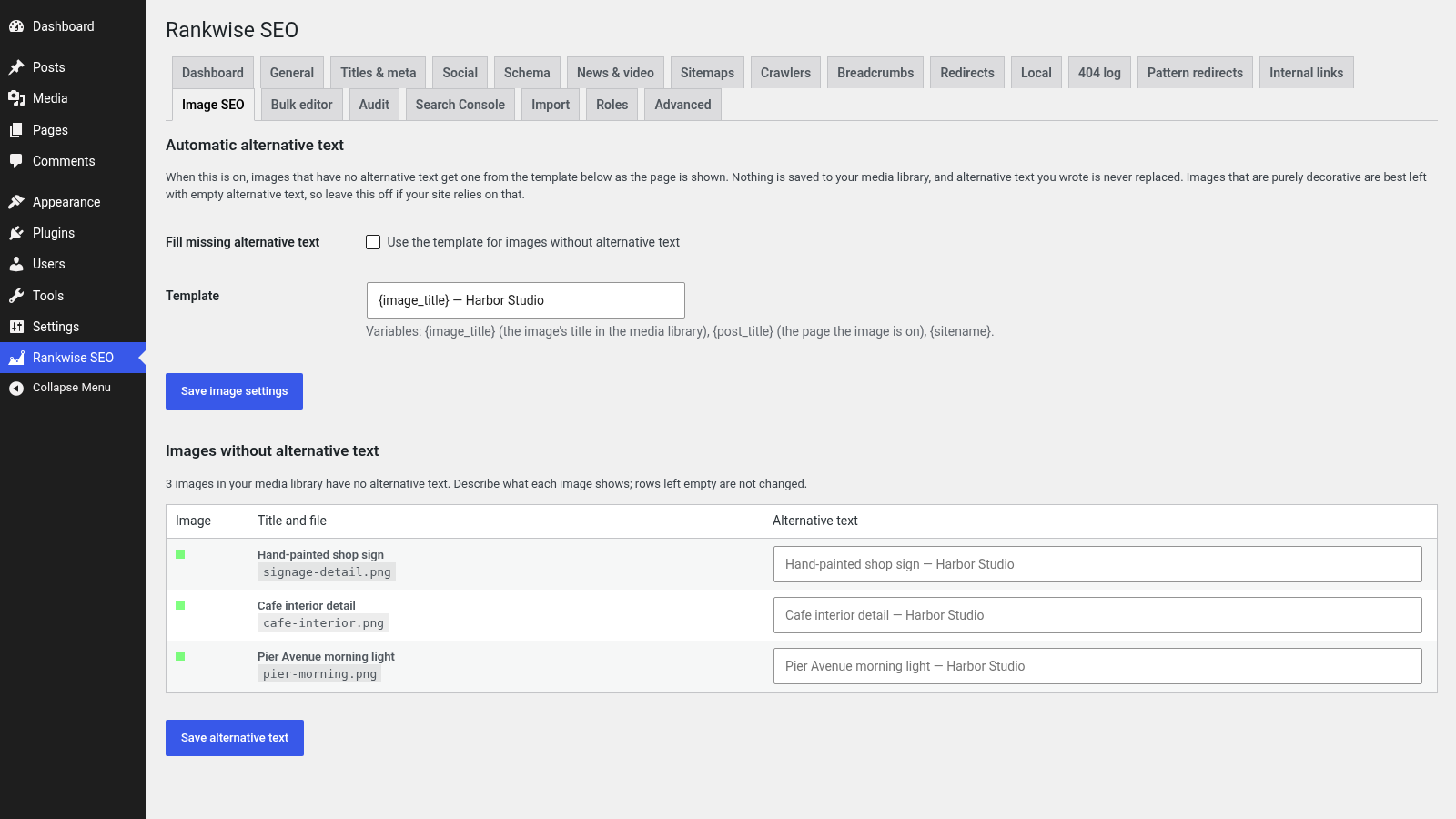 Image SEO list of images missing alternative text. Demo install with Harbor Studio sample data.
Optional Google Search Console
Connect with an OAuth client you create in Google Cloud. Read-only access; tokens encrypted on your site. The demo shows the settings UI only — no live Google connection was made.
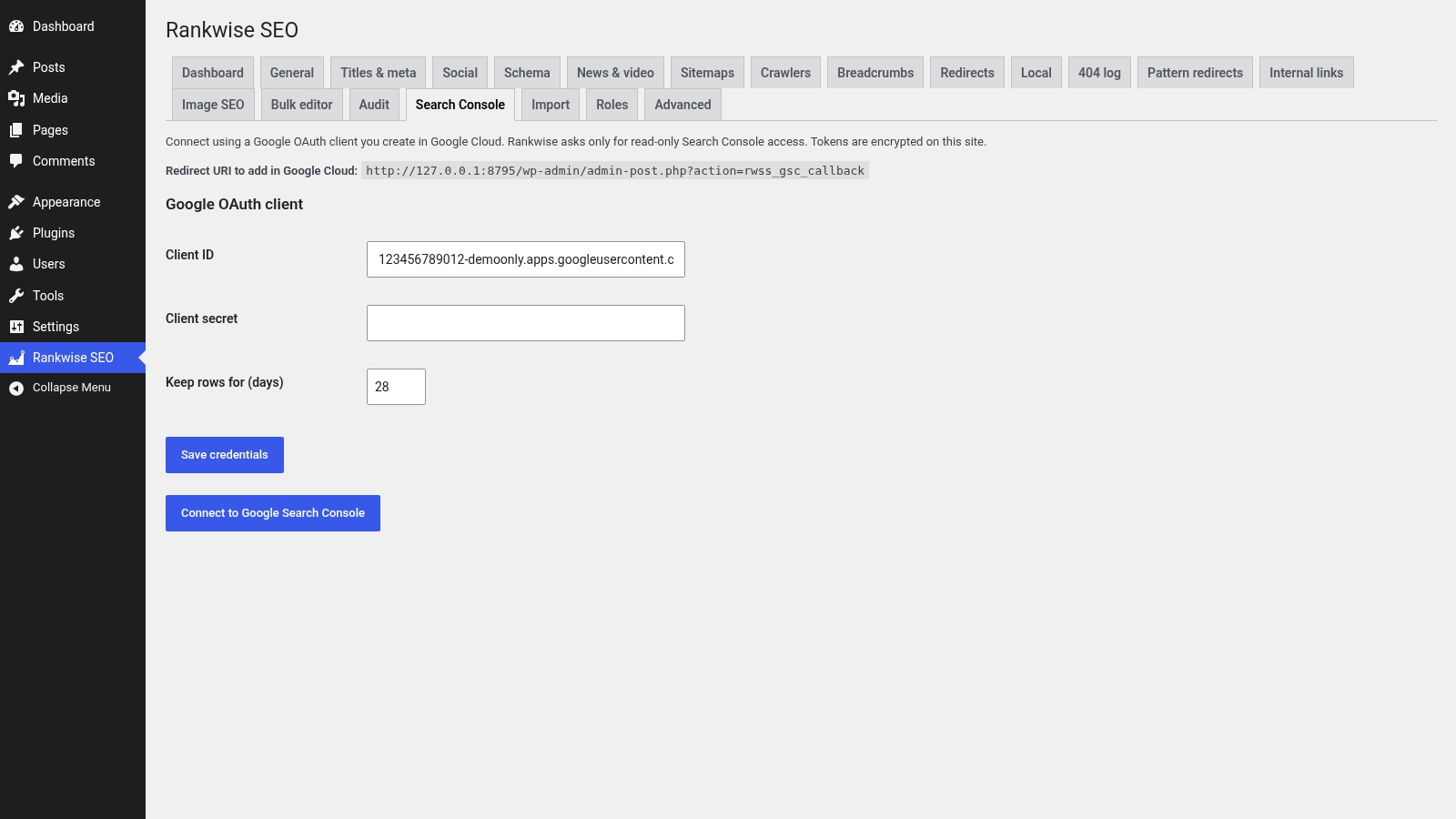 Search Console settings UI with a demo Client ID and empty secret. Not connected in the demo. Demo install with Harbor Studio sample data.
Details that keep SEO work practical
Readability checks, WooCommerce helpers when Woo is active, and a clear split between Suite and its sibling Toolkit edition.
Readability and focus keyword checks
English readability and focus-keyword presence in the block editor and the classic editor.
WooCommerce SEO when Woo is active
Product structured data with price and availability, noindex for cart/checkout/account, product category breadcrumbs and product images in the sitemap. WooCommerce was not installed in the demo screenshots.
Runs on your site
By default the plugin makes no requests to any outside service. Google Search Console is the only optional outbound path, and it is documented under External Services.
Sibling editions share data
Suite is a full edition on its own. Rankwise SEO Toolkit is a sibling edition that reads the same settings and SEO fields. Only one edition should be switched on at a time.
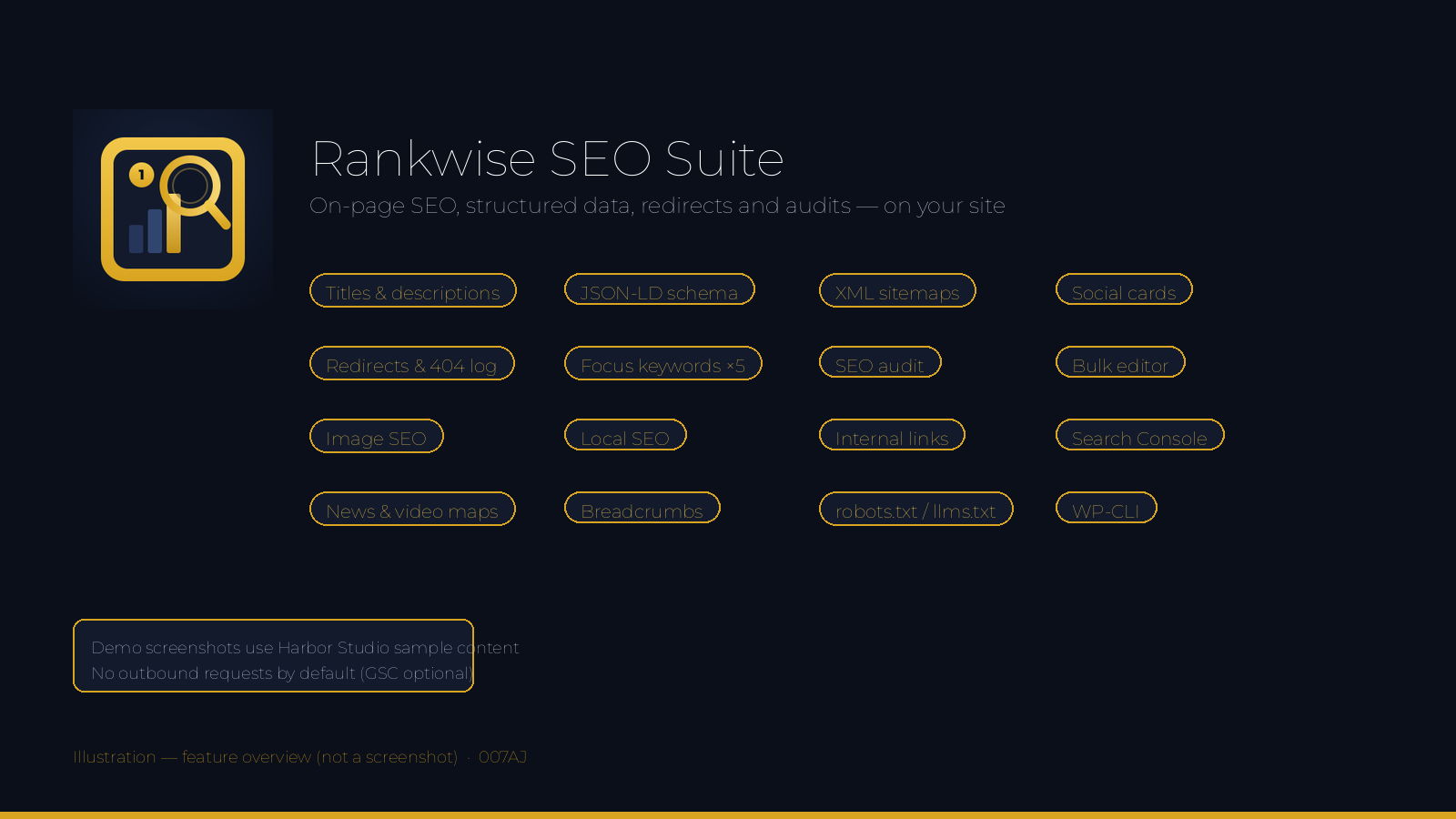 Illustration, not a screenshot.
How it works
From install to a working SEO setup in four steps.
1Install and open Rankwise SEO
Upload the plugin folder, switch it on, and open Rankwise SEO in the admin menu. The dashboard shows site status at a glance.
2Set titles, schema and sitemaps
Choose title templates, organisation details, social cards and sitemap options. Edit robots.txt or llms.txt only if you need to.
3Write with the SEO box
On each post, set the search title, description and focus keywords. Add FAQ, how-to or other structured data when the page really contains it.
4Audit, redirects and extras
Run an SEO audit, add redirects or pattern rules, fill missing image alt text, and connect Search Console only if you want that optional data.
Made for real WordPress content sites
Use it wherever titles, structured data and redirects need to stay under your control.
Blogs and magazinesLocal business sitesAgency client sitesBrochure and service sitesDocumentation sitesOnline shops (with WooCommerce)News and content sitesPortfolio and studio sitesFully licensed version
Fully licensed version — use on your own sites. You get the complete Suite edition, with every feature described on this page.
Requirements
- WordPress 6.3 or newer (shown working on WordPress 7.1.2)
- PHP 7.4 or newer
- A single WordPress site (multisite is not supported)
- Optional Google Search Console needs the PHP sodium extension and your own Google OAuth client
- Optional WooCommerce SEO features appear when WooCommerce is active
Frequently asked questions
What licence do I get?Each purchase is a fully licensed copy of the plugin for use on your own sites.
Is Suite a full edition, or does it need Toolkit?Suite is a full edition. It includes the shared on-page tools plus the Suite extras listed on this page. Toolkit is a sibling edition that shares the same settings and SEO fields. Switch only one edition on at a time; if both are on, the second pauses itself and says so.
Does the plugin contact other sites?By default, no. The only optional outbound path is Google Search Console, using an OAuth client you create, with read-only access. Tokens are encrypted on your site. Disconnecting revokes the token and deletes cached rows.
Which structured data types can I add?FAQ, how-to, product, local business, recipe, event and video, chosen per post. Only describe what visitors can see on the page. Search engines decide for themselves whether to show rich results.
How are pattern redirects kept fast?Patterns are limited to 200 characters and checked when you save them. Slow patterns are refused. While a page loads, pattern rules run only after exact redirects, with a short time budget and a cap on how many switched-on rules are used.
Where do internal link suggestions come from?From an index of your published content stored in your own database. Password-protected and noindex posts are left out. Nothing is sent to any outside service.
Does automatic alternative text change the media library?No. It is off by default. When switched on, empty alt text is filled from a template as the page is shown; nothing is saved, and alt text you wrote is never replaced.
Does it work on multisite?No. Multisite is not supported.
Can I remove all data when I delete the plugin?Nothing is removed unless you first tick Delete all data when the plugin is deleted. If Toolkit is still installed, data is kept so it continues to work.
Is it translation-ready?Yes. Text is prepared for translation and a languages folder is included.
Search titles, schema and redirects — on your own site
Rankwise SEO Suite covers the on-page basics and the extras larger sites need. Fully licensed version — use on your own sites.
007AJ
Rankwise SEO Suite by 007AJ. Screenshots are from a demo install with Harbor Studio sample data; the graphic labelled “Illustration” is not a screenshot. Google Search Console and WooCommerce are trademarks of their respective owners; this plugin is not affiliated with them. Search Console and WooCommerce flows were not exercised live in the demo.| Author | 0007AJ |
|---|---|
| Category | Plugins / WordPress / SEO |
| Price | $40 |
| Extended License | $120 |
| First Release | Oct 9, 2026 |
| Last Update | Oct 9, 2026 |
| Supported cms | Magento 1.8, WordPress 6.3, WordPress 6.4, WordPress 6.5, WordPress 6.6, WordPress 6.7, WordPress 6.8, WordPress 6.9, WordPress 7.0, WordPress 7.1 |
Categories
Tags
External listing. code.market does not sell this product and does not process payment for it. Pricing, payment, delivery, licensing, refunds, and support are handled by the third-party merchant on its own website. We may earn an affiliate commission from a referral. Details.
Products of the Week.
Submit🥇

STOP GUESSING WHAT TO POST
AI that learns your brand voice and builds a month of consistent, on-brand social content: carousels, posts and hooks that sound like you, not like everyone else's AI.
SaaS · 3,109 views · 28 clicksSaaS · Week 45 · 3,109 views · 28 clicks
🥈

Conversational Backlinks for Busy Founders
Place Backlink Relevant Conversation for your domain across Forums and Conversations
Website · 40,506 views · 216 clicksWebsite · Week 45 · 40,506 views · 216 clicks
🥉

upvote.club
Free Social Media Engagement that Helps Boost Your Content. Upvote Club supports 19 social networks with 100+ engagement actions in one dashboard. Add links to your posts and get free engagement from real users.
SaaS · 38,600 views · 110 clicksSaaS · Week 45 · 38,600 views · 110 clicks
#4

Substack Posting API
Onboard your Agent to Substack. Write Publish on Substack via API
SaaS · 57,635 views · 197 clicksSaaS · Week 45 · 57,635 views · 197 clicks
#5

Seenshot App
Free, Fast, MacOS Screenshot app. Make Screenshot cmd+shift+2 and send it via link
Desktop App · 27,066 views · 119 clicksDesktop App · Week 45 · 27,066 views · 119 clicks
#6

Hand-Placed Backlinks $9.99 per link. Flat rate.
Buy hand-placed forum, Q-A and directory backlinks. Flat $9.99 per link, no subscriptions — you only pay for approved listings.
Website · 3,002 views · 18 clicksWebsite · Week 45 · 3,002 views · 18 clicks
#7

Free Invoice Generator - PDF Invoices in Your Browser, No Sign-Up
A free invoice maker for freelancers and small businesses: fill in the invoice, check the live preview, and download a PDF that looks exactly like it. Any currency, tax per item, three templates, no sign-up, and nothing leaves your device.
1,696 views · 16 clicksWeek 45 · 1,696 views · 16 clicks
#8

Merge PDF Files Free - Combine PDFs in Your Browser, No Upload
A free PDF merger for office workers, students, and freelancers: combine PDFs and images into one file in the browser, reorder files and pages, pick page ranges, keep bookmarks, and open password-protected PDFs. Nothing is uploaded, no sign-up, no watermark.
1,588 views · 13 clicksWeek 45 · 1,588 views · 13 clicks