
QuickMunch – Multi-Restaurant Delivery & POS

Description
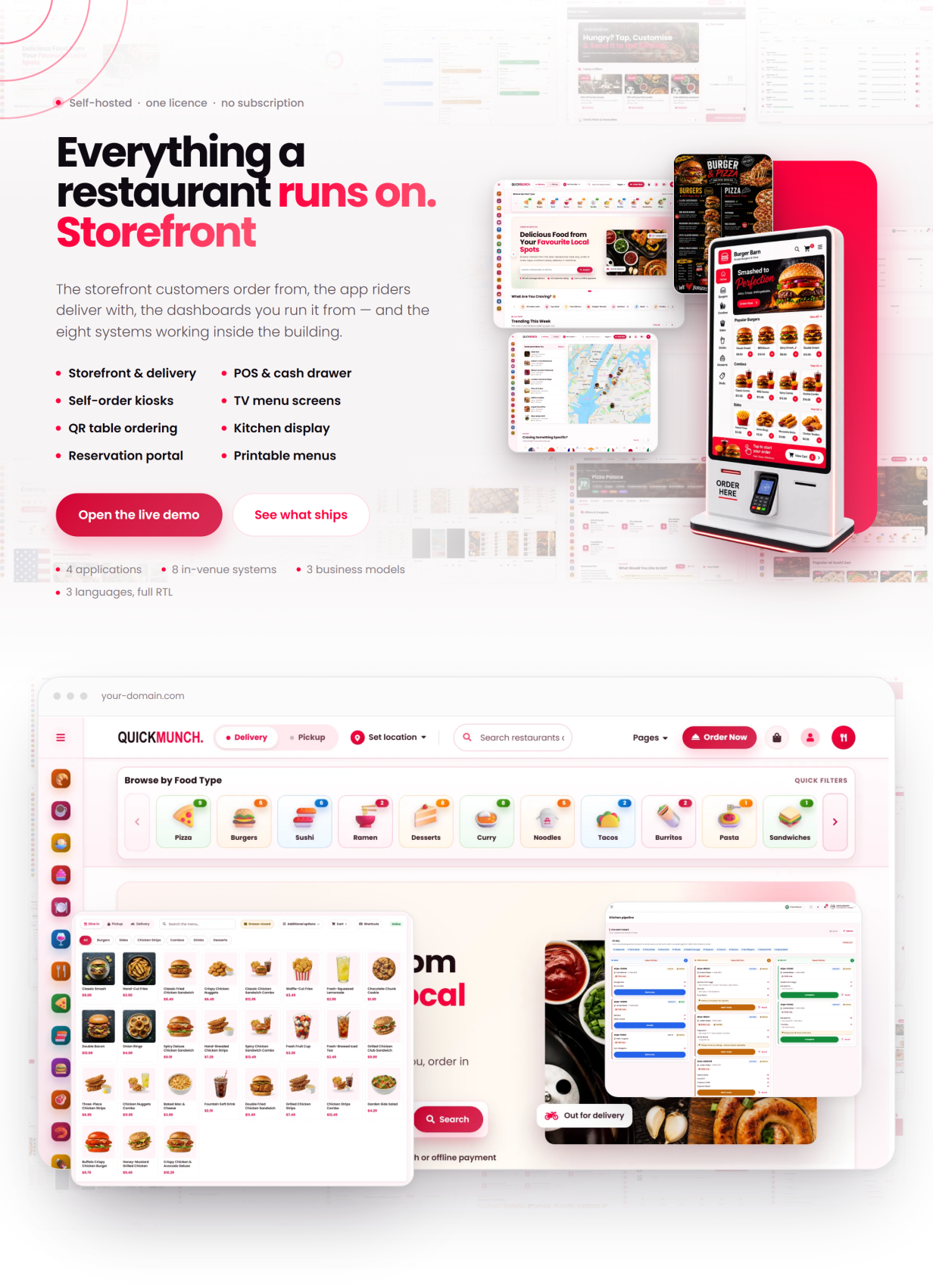
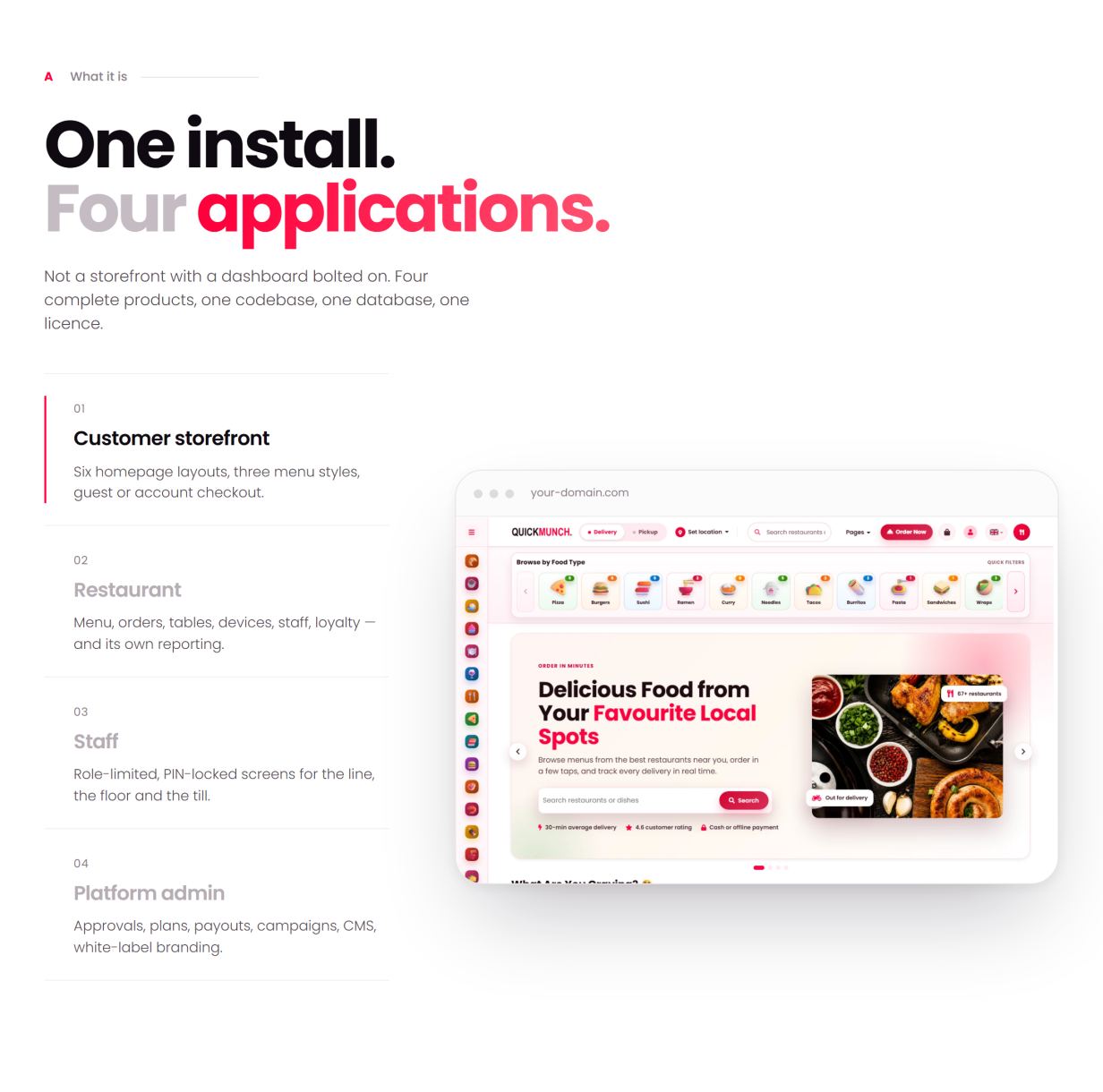
QuickMunch is a self-hosted, multi-restaurant food ordering and delivery platform built in native PHP 8.2 — no framework lock-in, no Composer or npm build step, and every asset bundled locally. Run it as a commission marketplace, as the operating system for your own chain of venues, or as a franchise network billing royalties — one install, three business models, switchable from the admin panel. Customers order from an installable storefront (PWA), restaurants run kitchen, floor, POS and devices, drivers deliver, and a super-admin governs plans, payments and payouts — in three languages (English, Spanish, Arabic) with full right-to-left support, from a web installer with realistic seeded demo data.
Live Demo
Front End Demo: Quickmunch
Dashboard Demo: Quickmunch log-in
One-click demo access is shown beside the login form — pick a role and you are in. All demo accounts share the password: demo1234
- Super-admin — admin@quickmunch.test / demo1234
- Restaurant owner — vendor@quickmunch.test / demo1234
- Customer — customer@quickmunch.test / demo1234
- Driver — driver@quickmunch.test / demo1234
- Manager — manager@quickmunch.test / demo1234
- Kitchen staff — kitchen@quickmunch.test / demo1234
- Host — host@quickmunch.test / demo1234
- Waiter — waiter@quickmunch.test / demo1234
Three Business Models, One Product
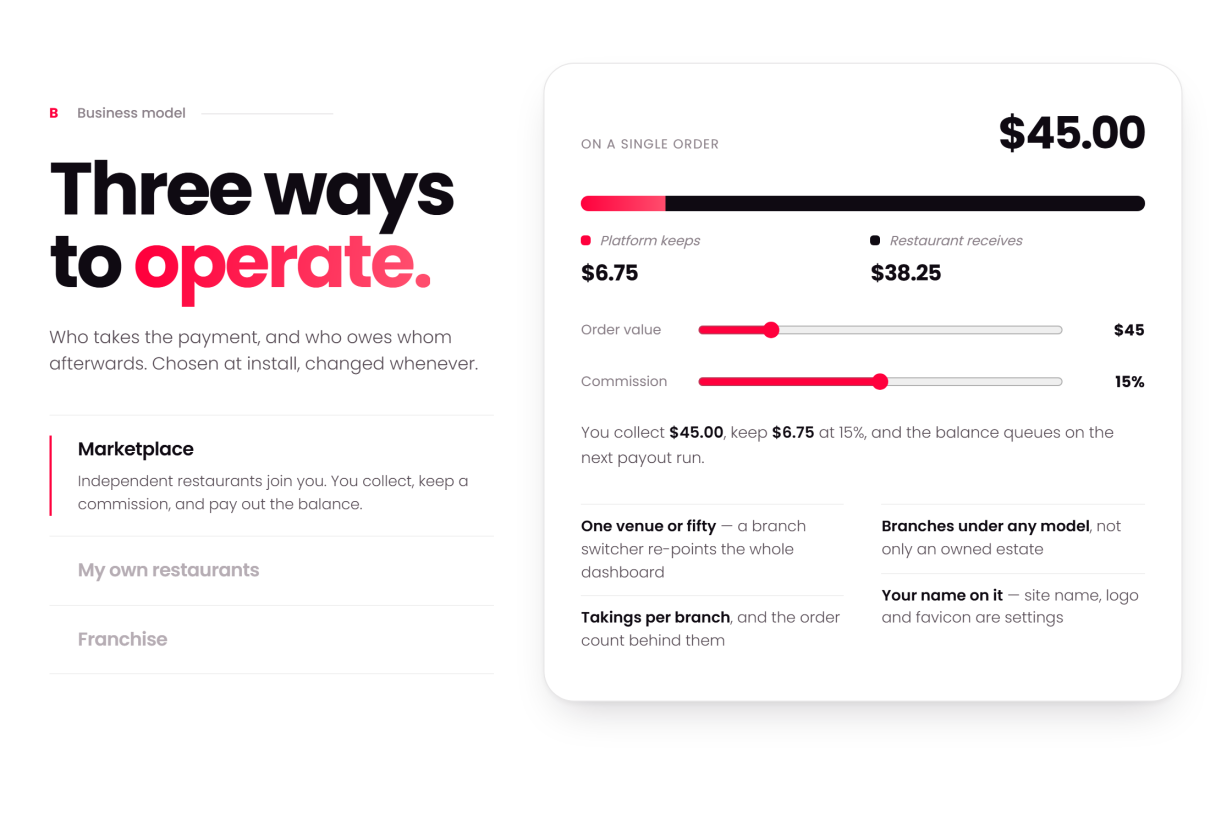
Chosen at setup, switchable later — every screen adapts to the model you run:
- Marketplace — independent restaurants. You collect payments, pay each restaurant its share and keep a commission, with statements and payouts built in.
- My own restaurants — one owner, many venues. All revenue is yours, consolidated. No payouts, no commission.
- Franchise — each restaurant takes its own payments. You charge a royalty, invoiced on the subscription.
How You Make Money (five income streams)
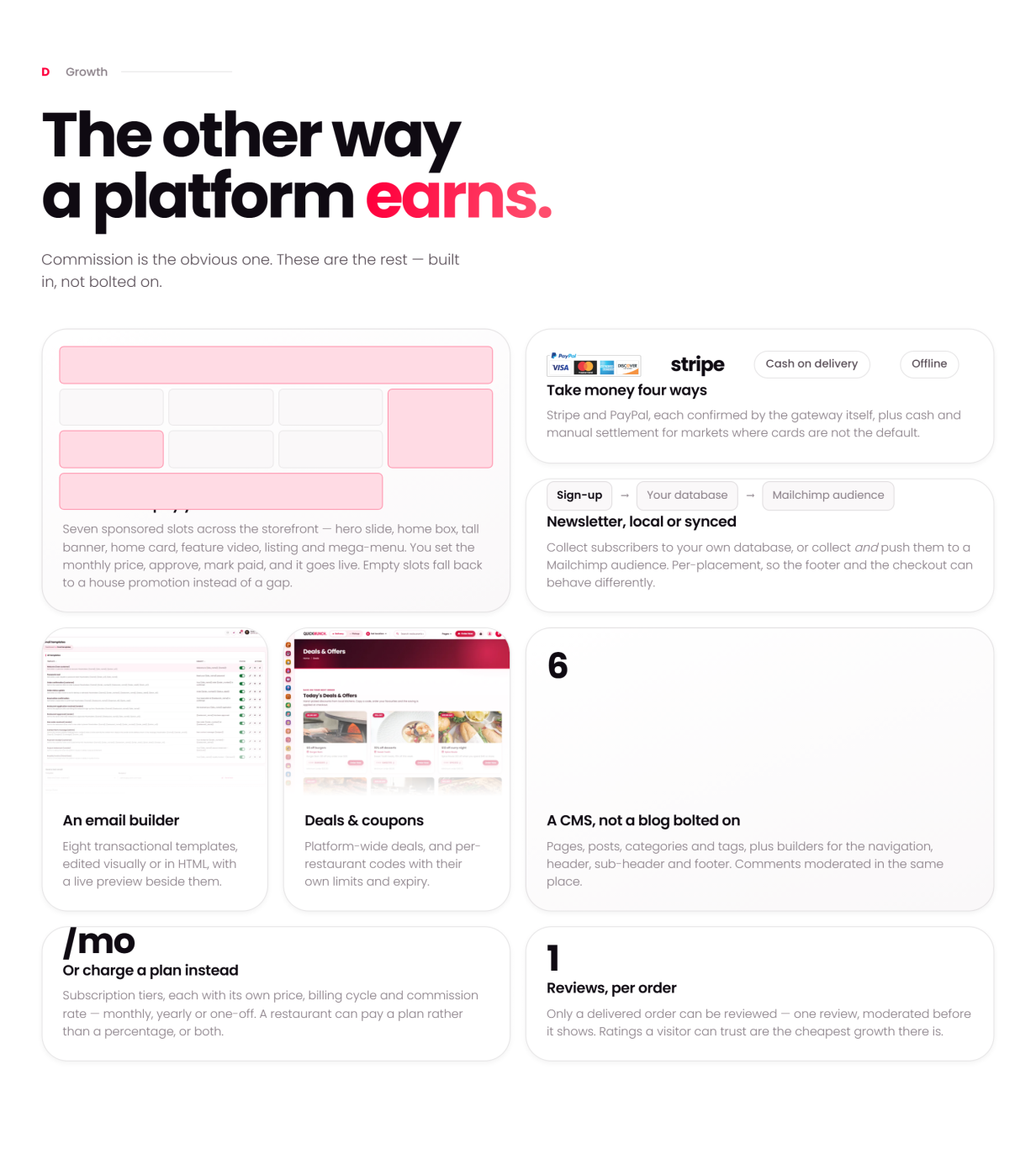
- Commission on every order — set your percentage and the platform takes it off the top of each bill automatically; the restaurant’s balance queues to the next payout run, with statements for both sides (marketplace model).
- Subscription plans — restaurants pay you monthly (or once, for lifetime tiers) to be on the platform: free, trial, monthly and lifetime plans with a feature matrix, billed as real Stripe / PayPal recurring agreements created by the app — no manual gateway dashboard work, ever. A restaurant can pay a plan instead of a percentage, or both — your pricing, your rules.
- Sponsored ads — restaurants buy placements across your storefront (hero slide, home box, tall banner, listing banner and more), pay online through the same gateways, and the placement goes live — with admin pricing, approval and a revenue report; empty slots fall back to house promotion.
- Royalty — in the franchise model each restaurant takes its own payments and you invoice a royalty on their sales, billed on the subscription.
- Platform tax — charged on top of plans and ads, separate from each restaurant’s own diner tax; both configurable.
Every stream lands in admin reporting: platform earnings, recurring revenue, ad revenue and payout statements.
White-Label: Your Brand on All of It
- Your logo, favicon and brand colour — one setting recolours the whole platform, storefront and dashboards alike
- Your site name, pages, navigation, header and footer — nothing in the product names QuickMunch to your customers
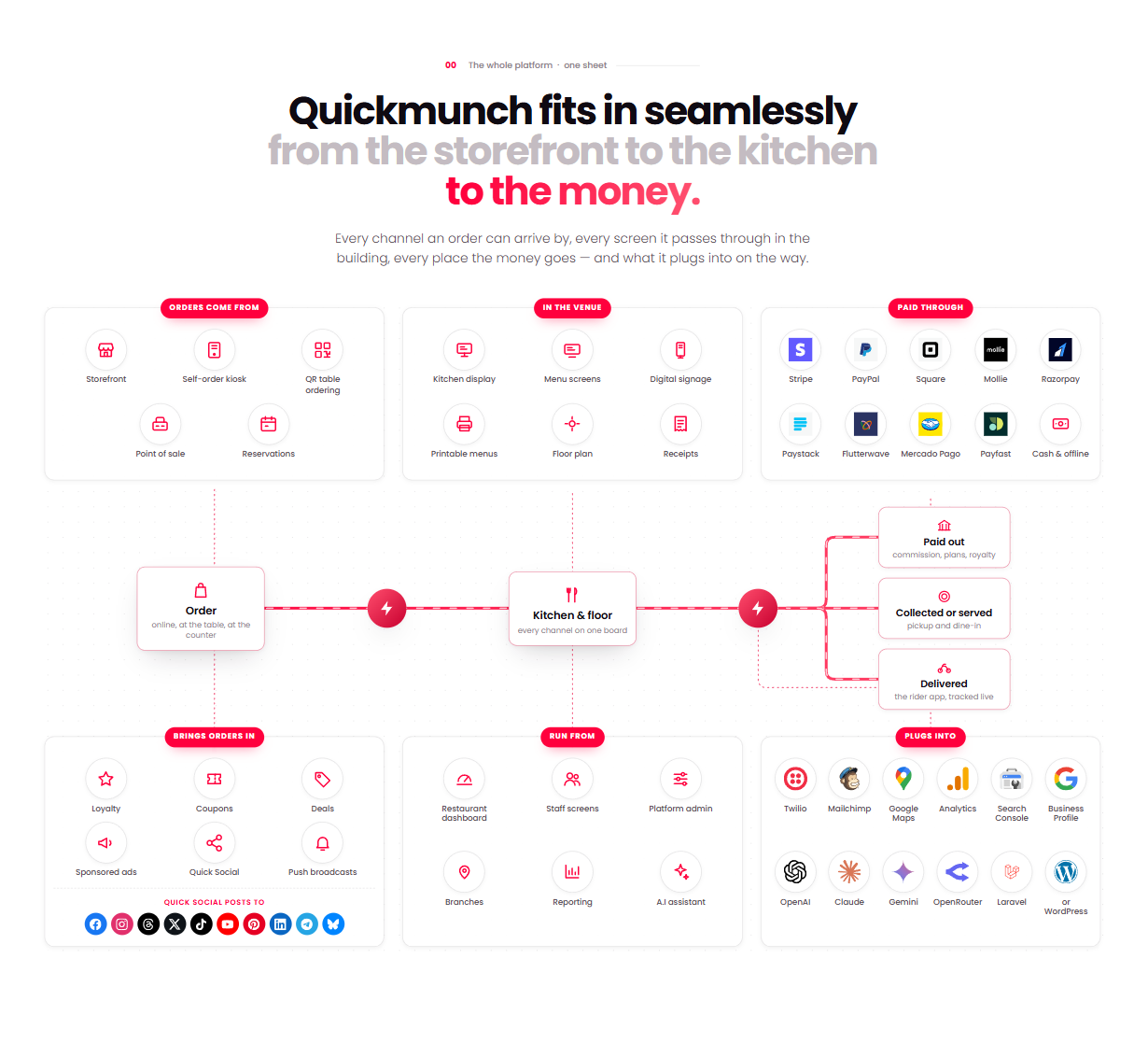
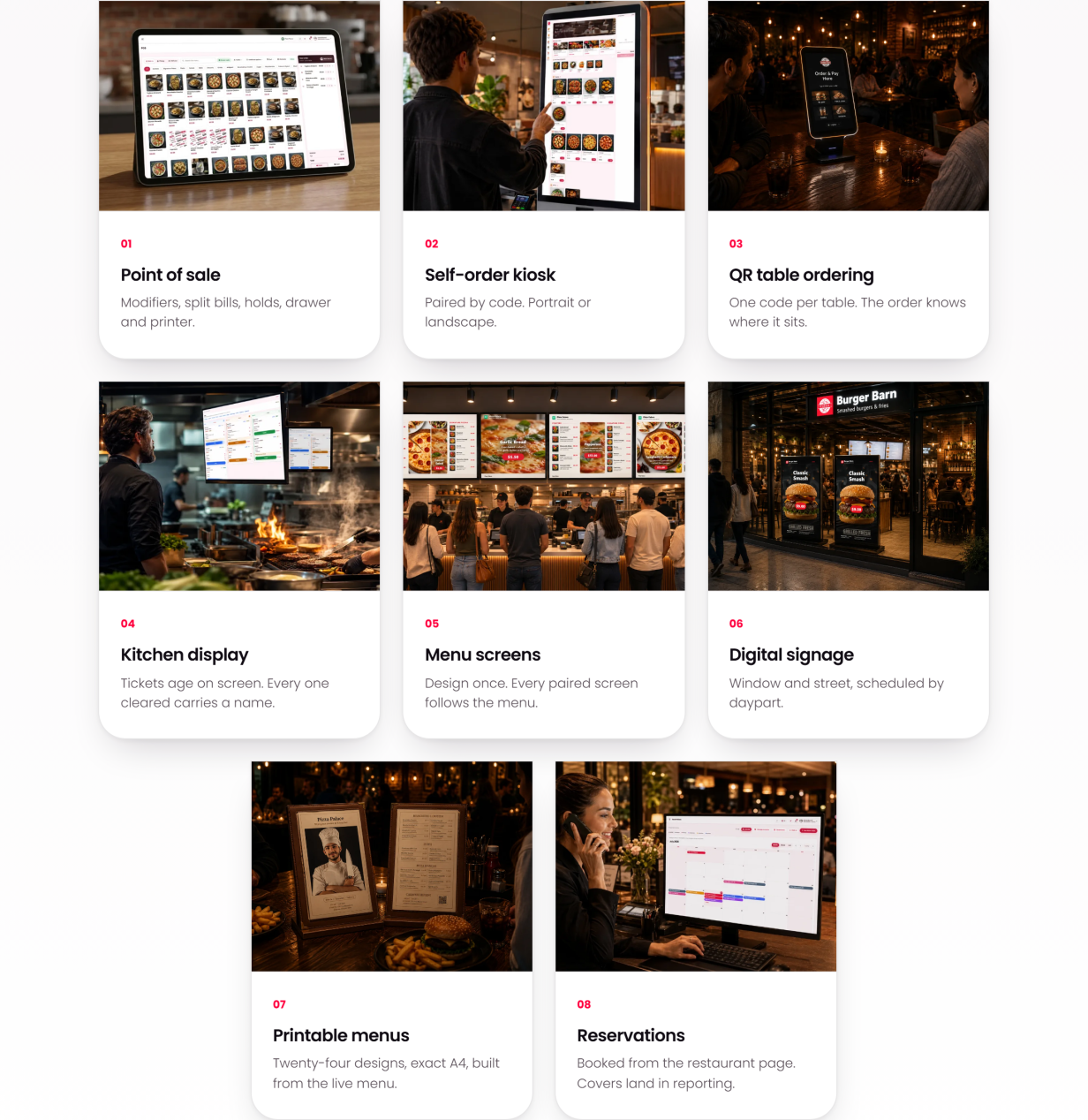
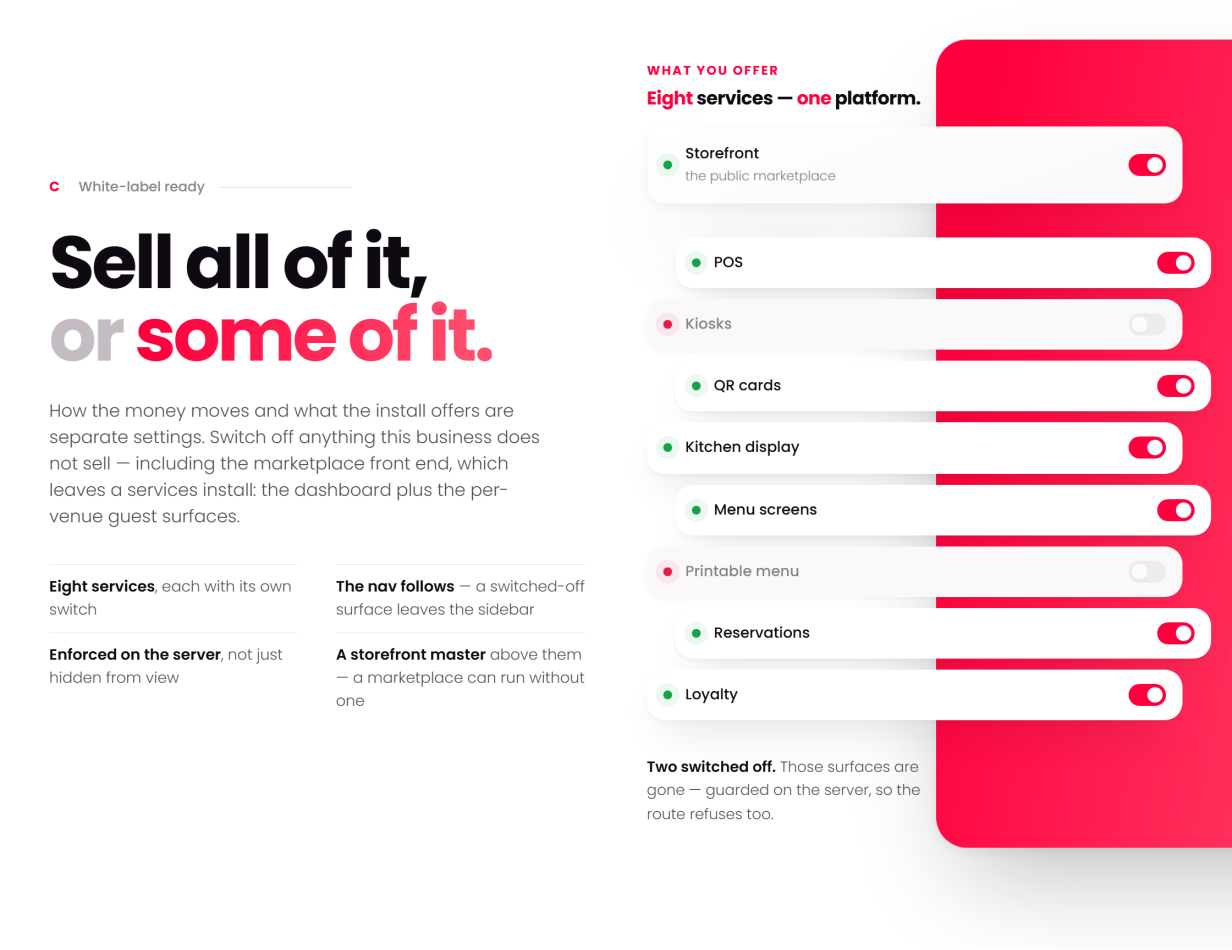
- Eight sellable services, each with its own switch: run storefront, POS, kiosks, QR cards, kitchen display, menu screens, printable menus, reservations and loyalty — all of it, or only what your market buys
Customer Storefront
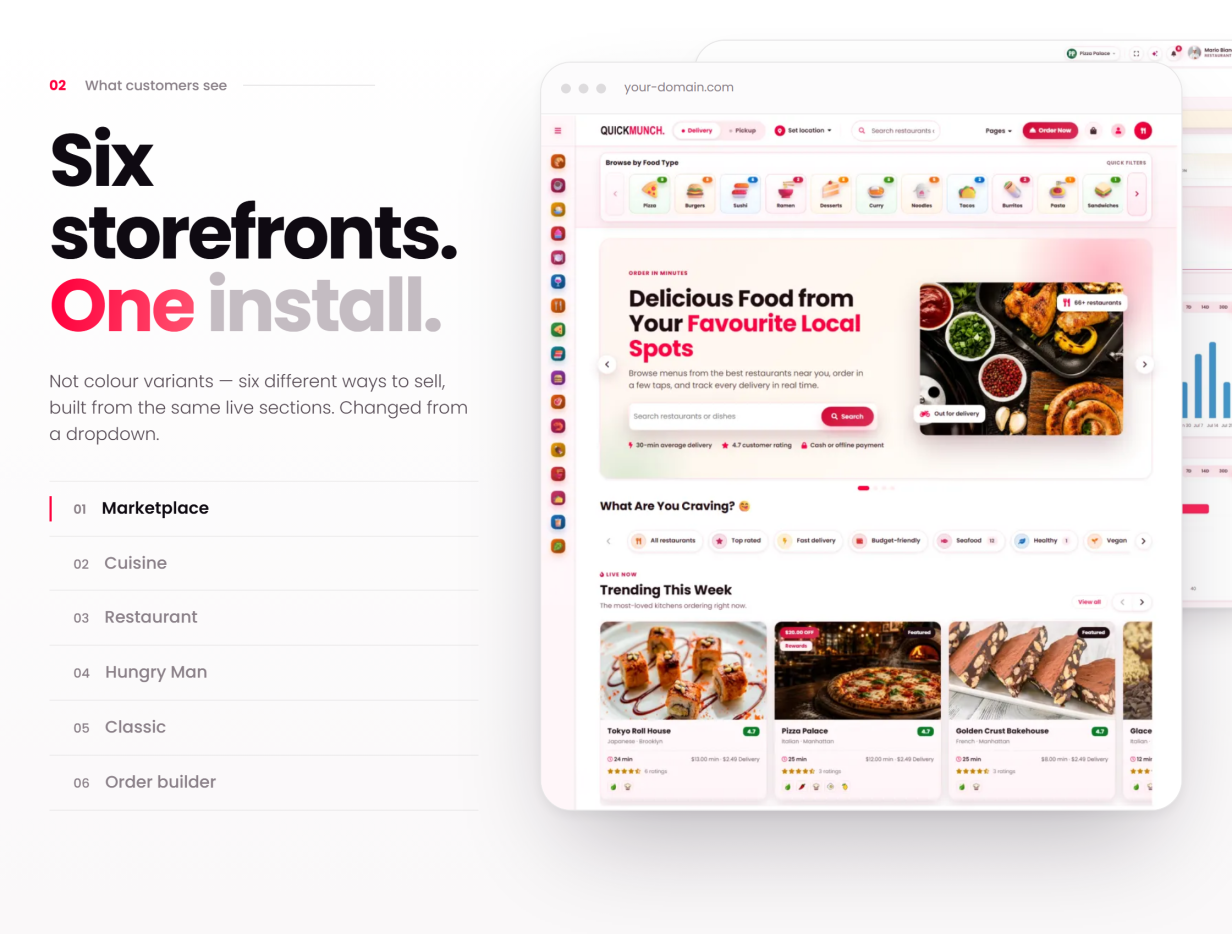
- Six selectable homepage layouts (admin-chosen), cuisine and dietary classifications with dedicated landing pages, search and open-now / rating / price filters
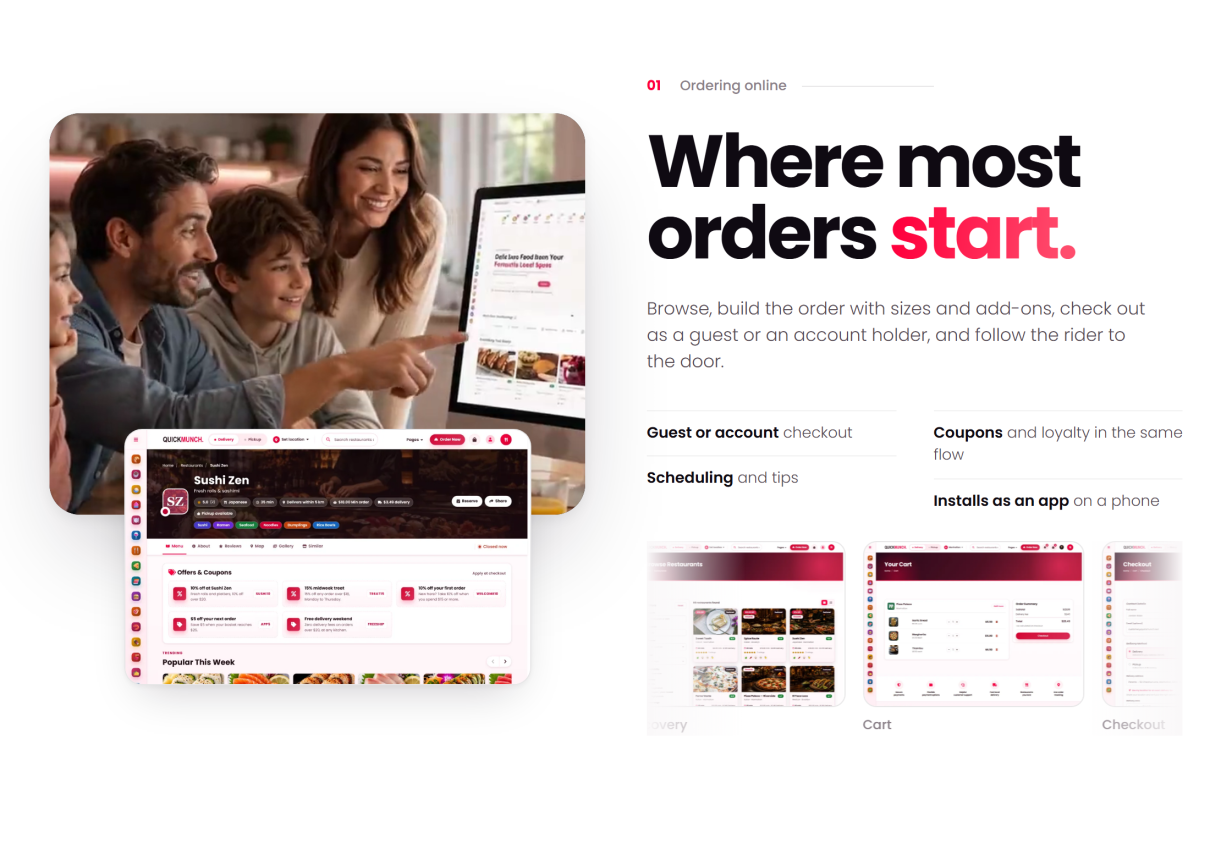
- Full menu with categories, item-options modal (sizes, add-ons, ingredient picker) and a live total; session cart with AJAX add / update / remove
- Guest checkout — Stripe, PayPal, cash-on-delivery or offline / manual payment
- Order scheduling, tips, service charge, per-restaurant tax, delivery zones, coupons and platform-wide deals
- Real-time order tracking on a bundled Leaflet map with private, tokenised links
- Installable web app (PWA) with native web-push order updates — no third-party push service
- Reviews (delivered orders only), favourites, addresses, loyalty wallet and order history with one-click reorder
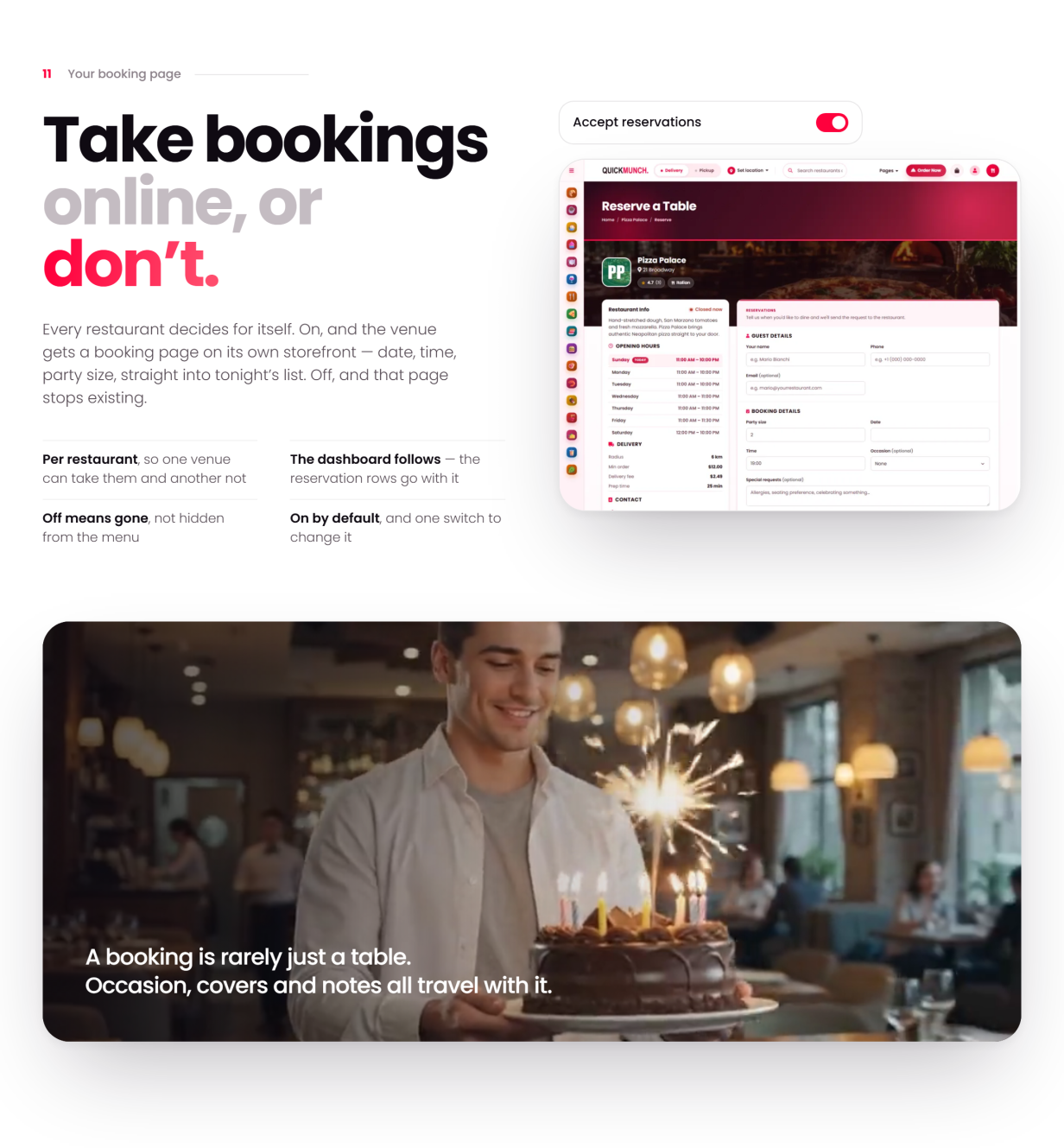
- Table reservations from the storefront, with party size and special requests
Restaurant Operations
- Dashboard: a live “Right now” strip, KPI cards with sparklines, revenue and order trends, an out-for-delivery map and a client-locations map
- Orders with validated status transitions, driver assignment and cancellation reasons
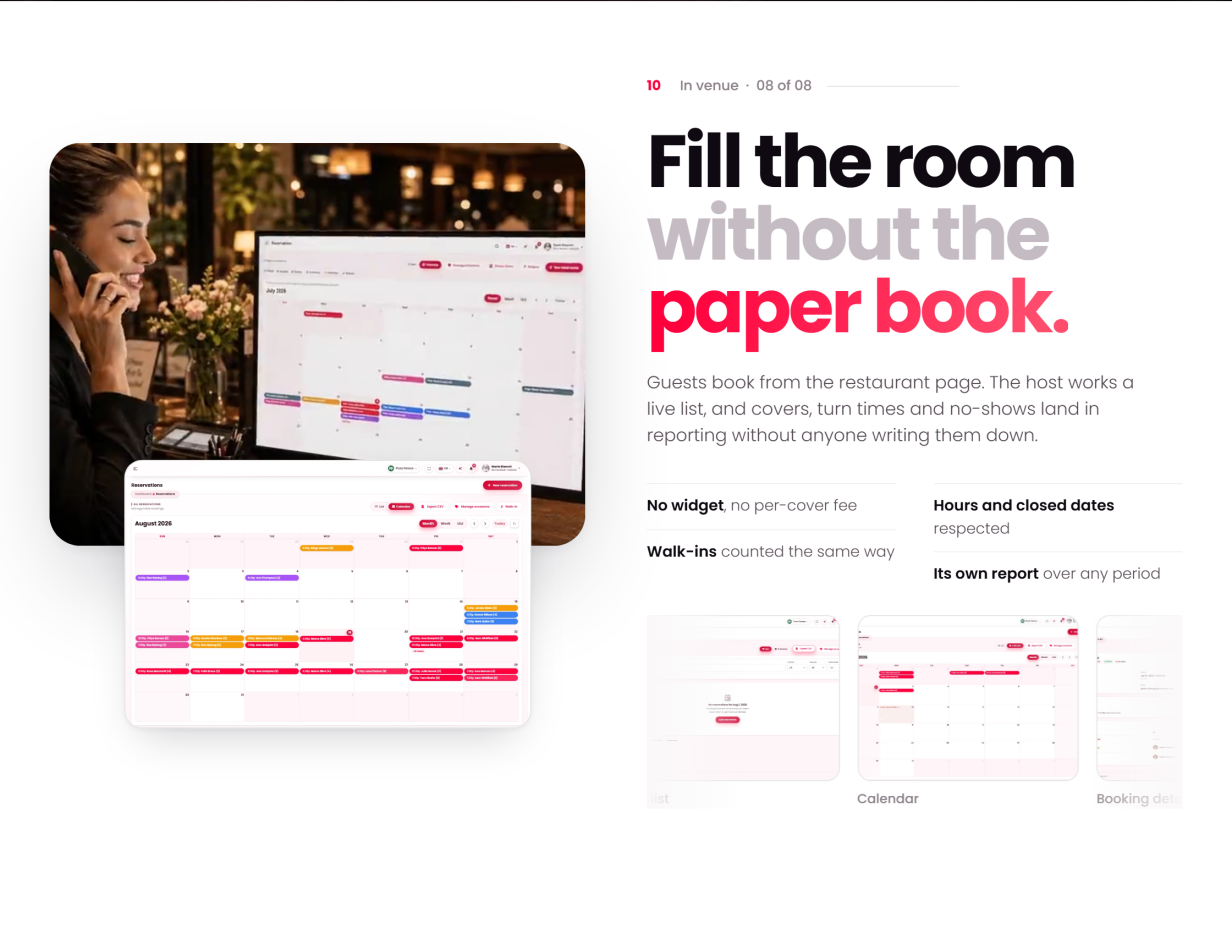
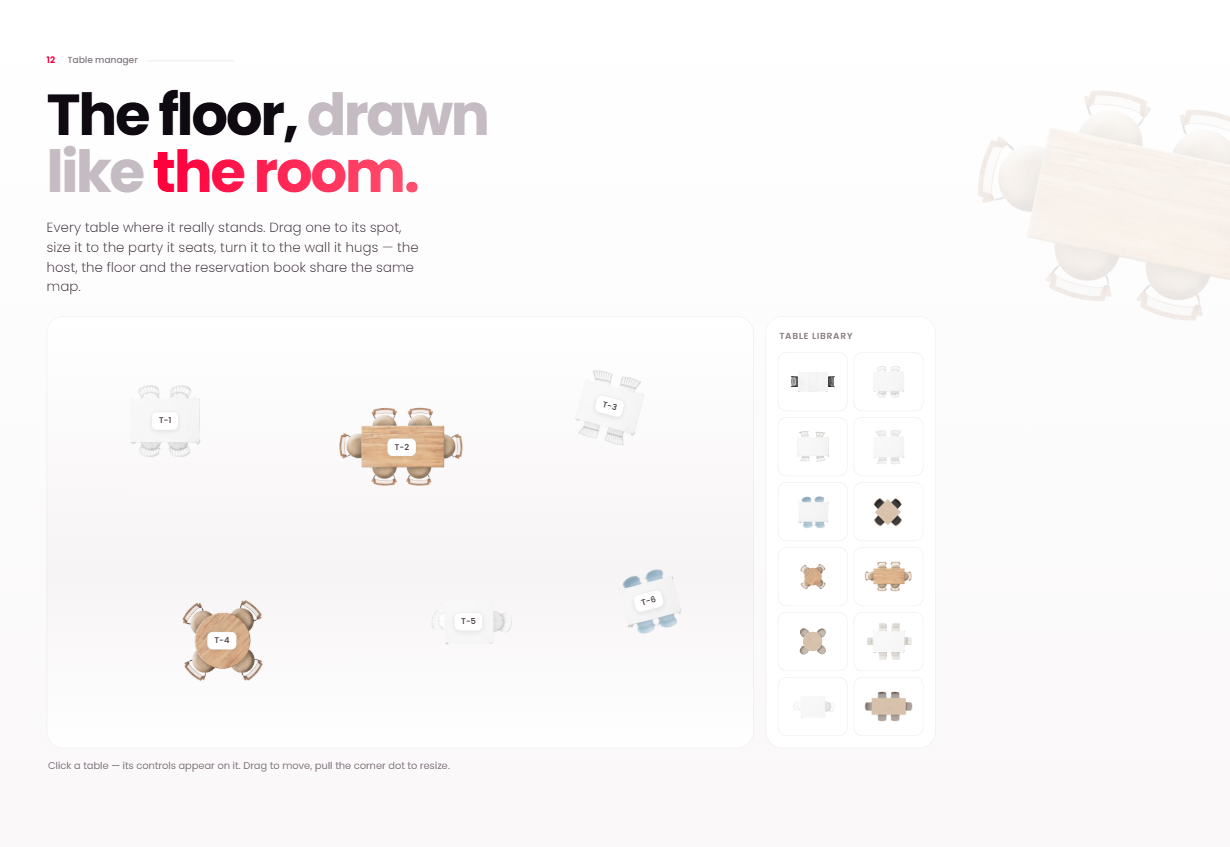
- Reservations in calendar and list views; drag-and-drop floor plan with zones and per-table status
- Menu: dishes with options, allergens and dietary attributes; categories; menu import with an AI-assisted draft flow; menu archive; upsell builder
- Inventory: stock items with unit costs, movements, low-stock alerts and stock value
- Customer book and a per-restaurant loyalty programme with a reward catalogue
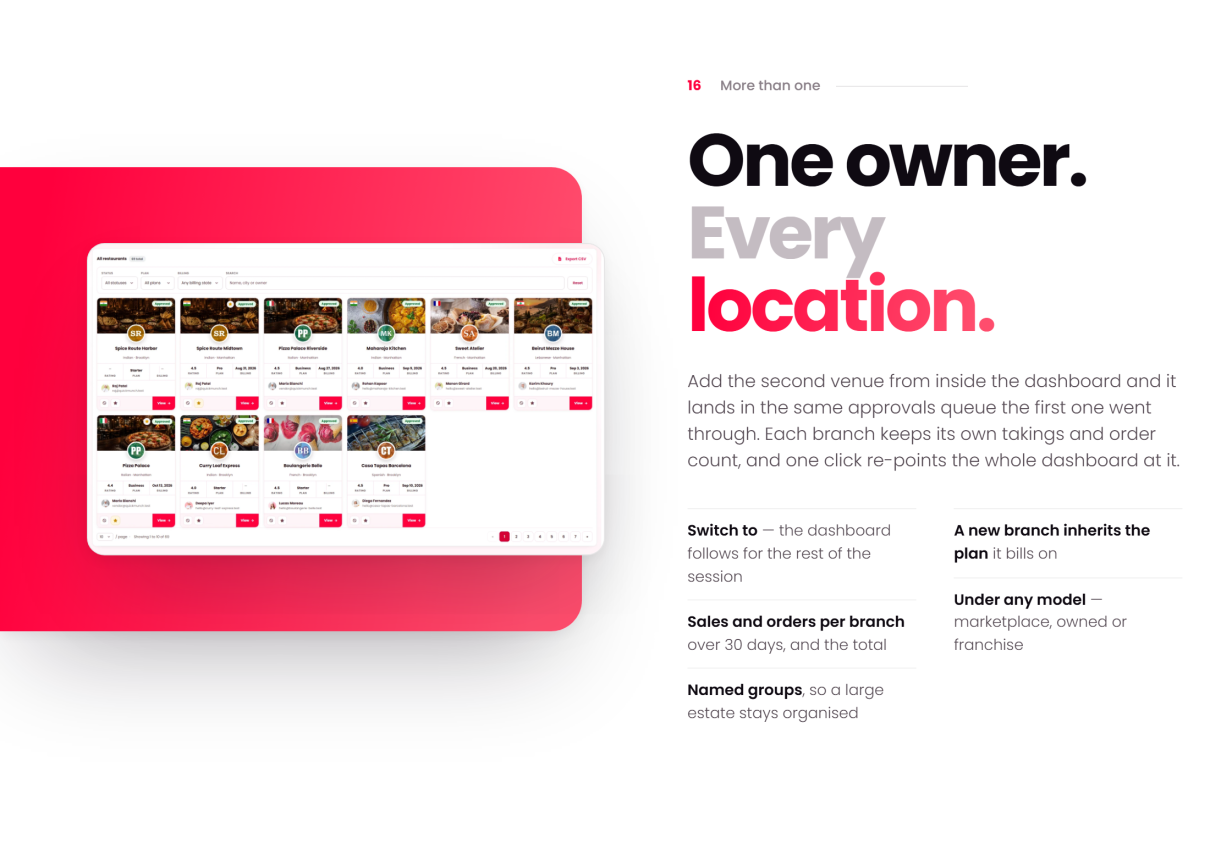
- Branches for multi-venue owners — each branch keeps its own takings and order count, and one click re-points the whole dashboard at it
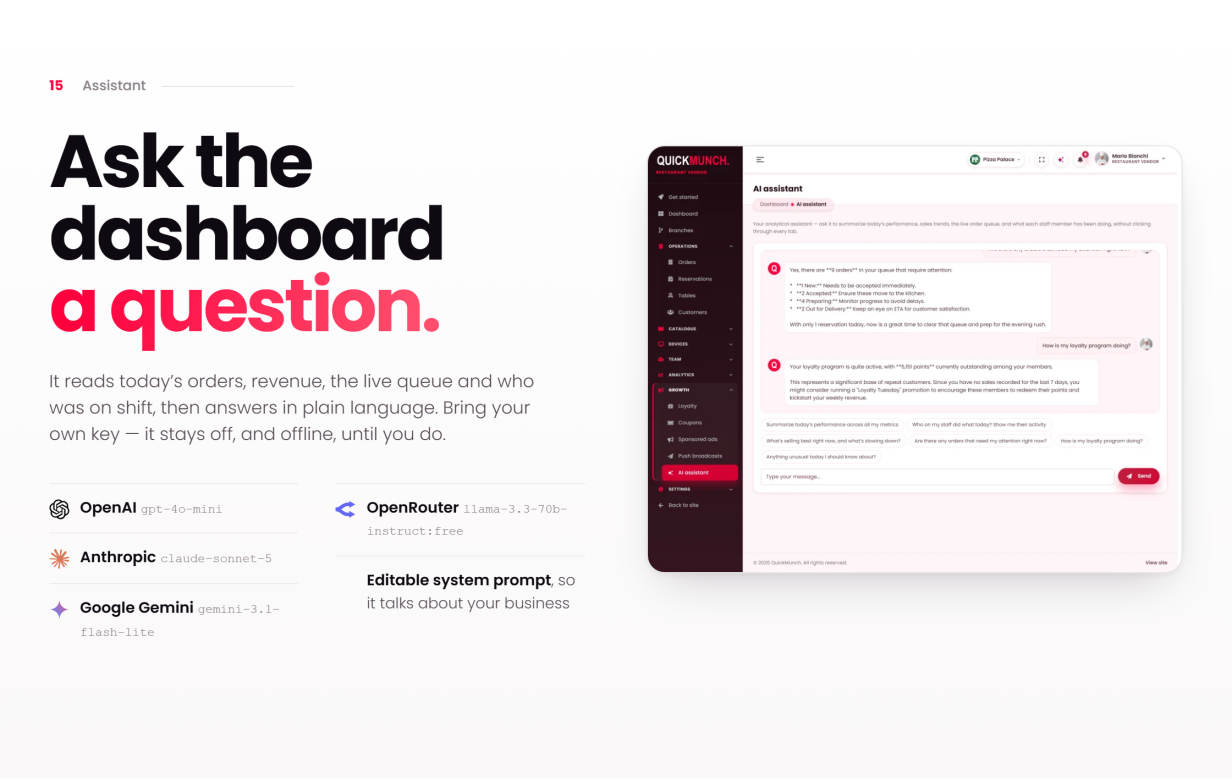
- An AI assistant that answers from the vendor’s own dashboard data — bring your own provider key
Quick Social: Every Restaurant Posts From Its Dish List
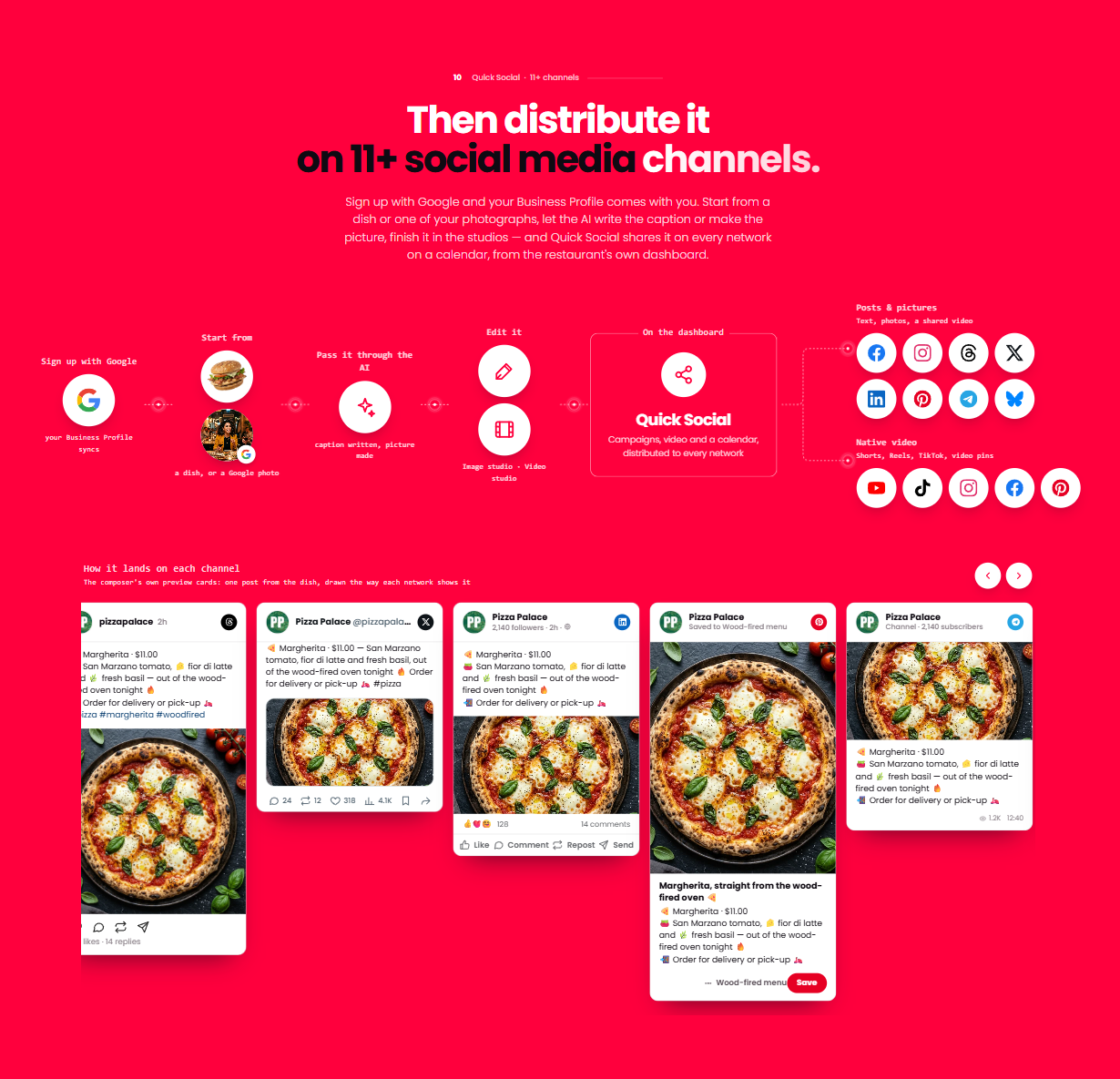
- Ten networks from the restaurant dashboard: Facebook, Instagram, Threads, X, TikTok, YouTube, Pinterest, LinkedIn, Telegram and Bluesky — each branch connects its own accounts
- A campaign composer that starts from a dish — name, price, description, photograph and the storefront link fill in — with text, picture and video posts, one preview per channel in that channel’s look, Write with AI, drafts, scheduling and Publish all
- Native video publishing to YouTube, TikTok, Instagram Reels, Facebook Reels and Pinterest video pins, with each platform’s own settings
- Campaign and video logs with every channel’s answer and one-click retries; archives with record pages that update or take down a post where the network allows; a calendar with day, week and month views and drag-to-reschedule
- An Image studio (restaurant templates with the price, moods, adjustments, text and shape layers, saved at the picture’s own size) and a Video studio (trim, reframe, captions, colour, rendered on your own server with FFmpeg)
- For the operator: the tool’s switch, the channels offered, one card per network app (provide it once, or let each branch register its own) and limits per branch — channels, campaigns per month, AI captions per month
Devices & Printing
- POS with parked tickets, quick keys, table picker, cash drawer and shift reports
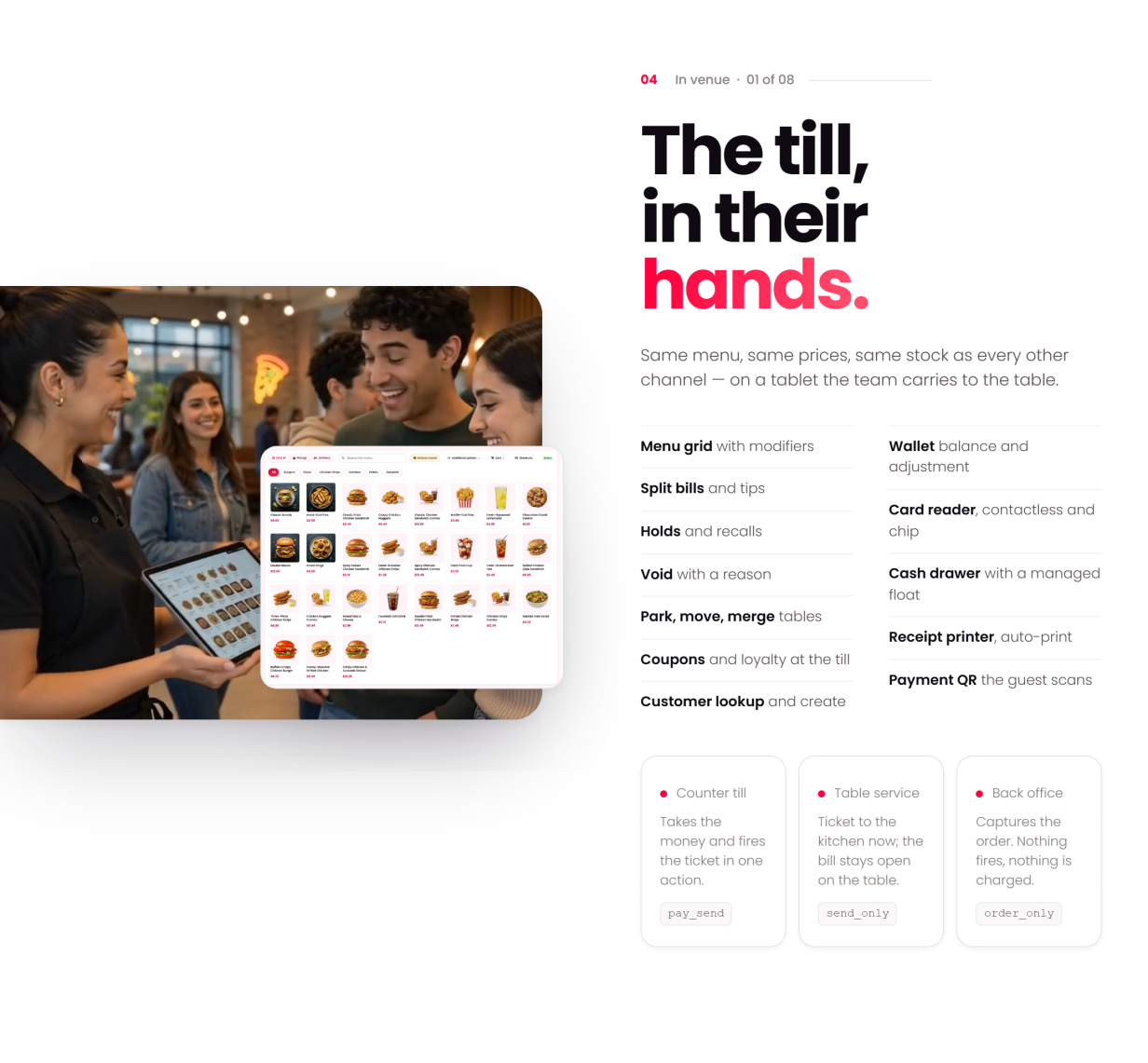
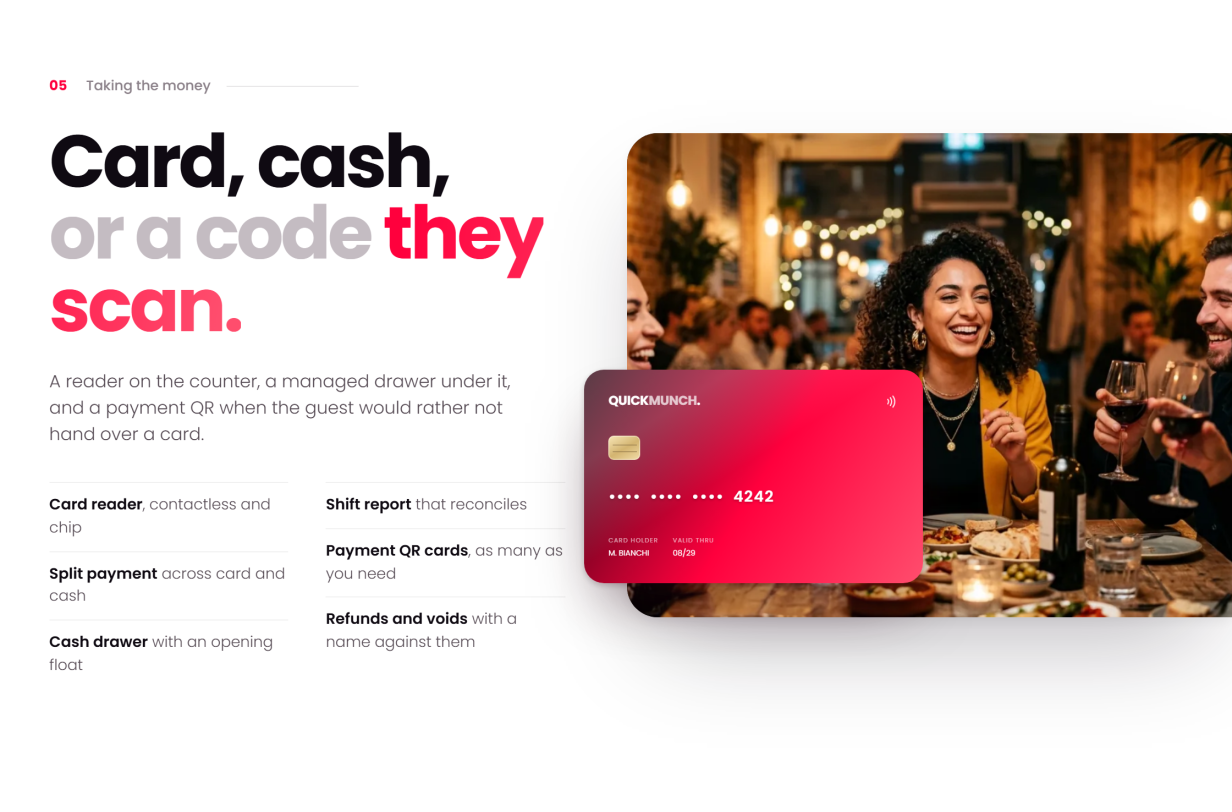
- Card, cash or payment QR the guest scans — split payments, refunds and voids with a name against them, and a shift report that reconciles
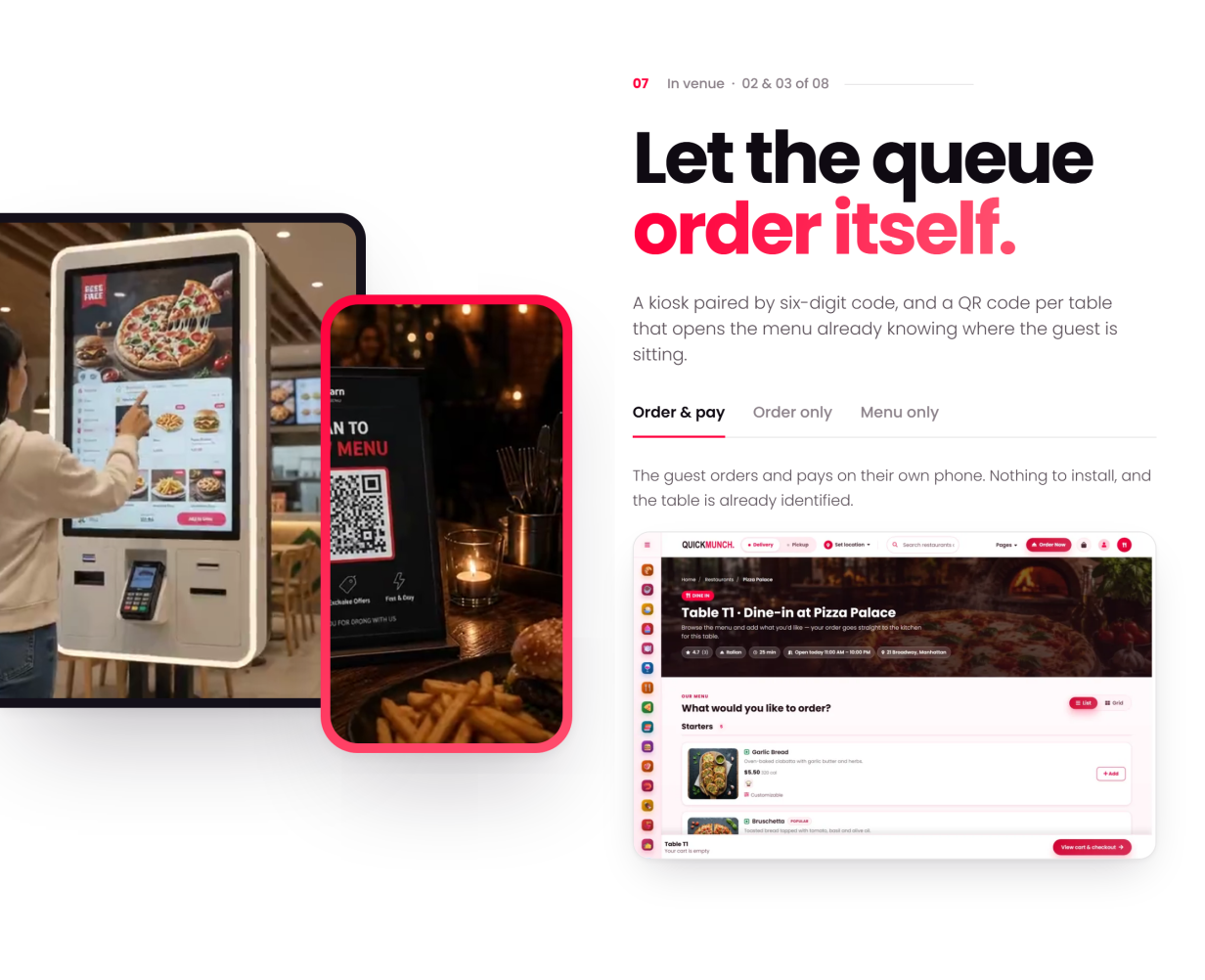
- Kiosks and QR scan-to-order at the table — the guest orders and pays on their own phone, and the order already knows where it sits
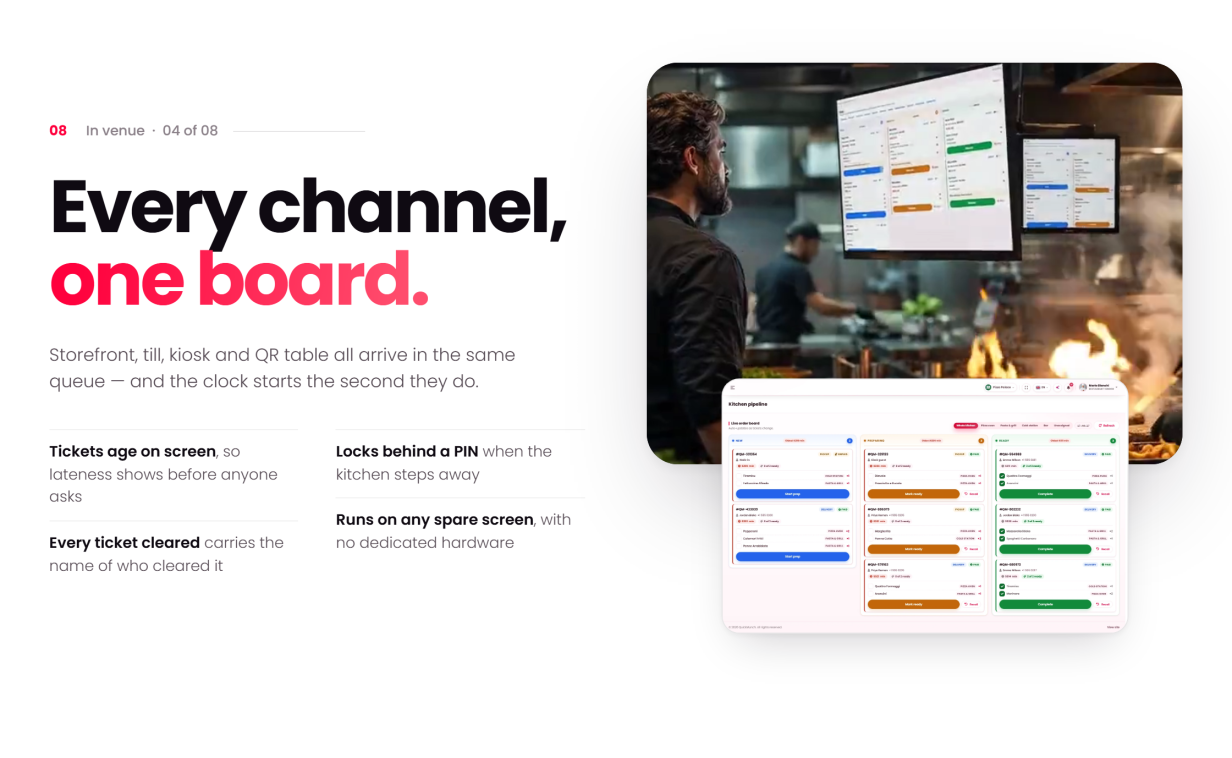
- Kitchen display (KDS): every channel lands on one colour-coded board, tickets age on screen, and every cleared ticket carries a name
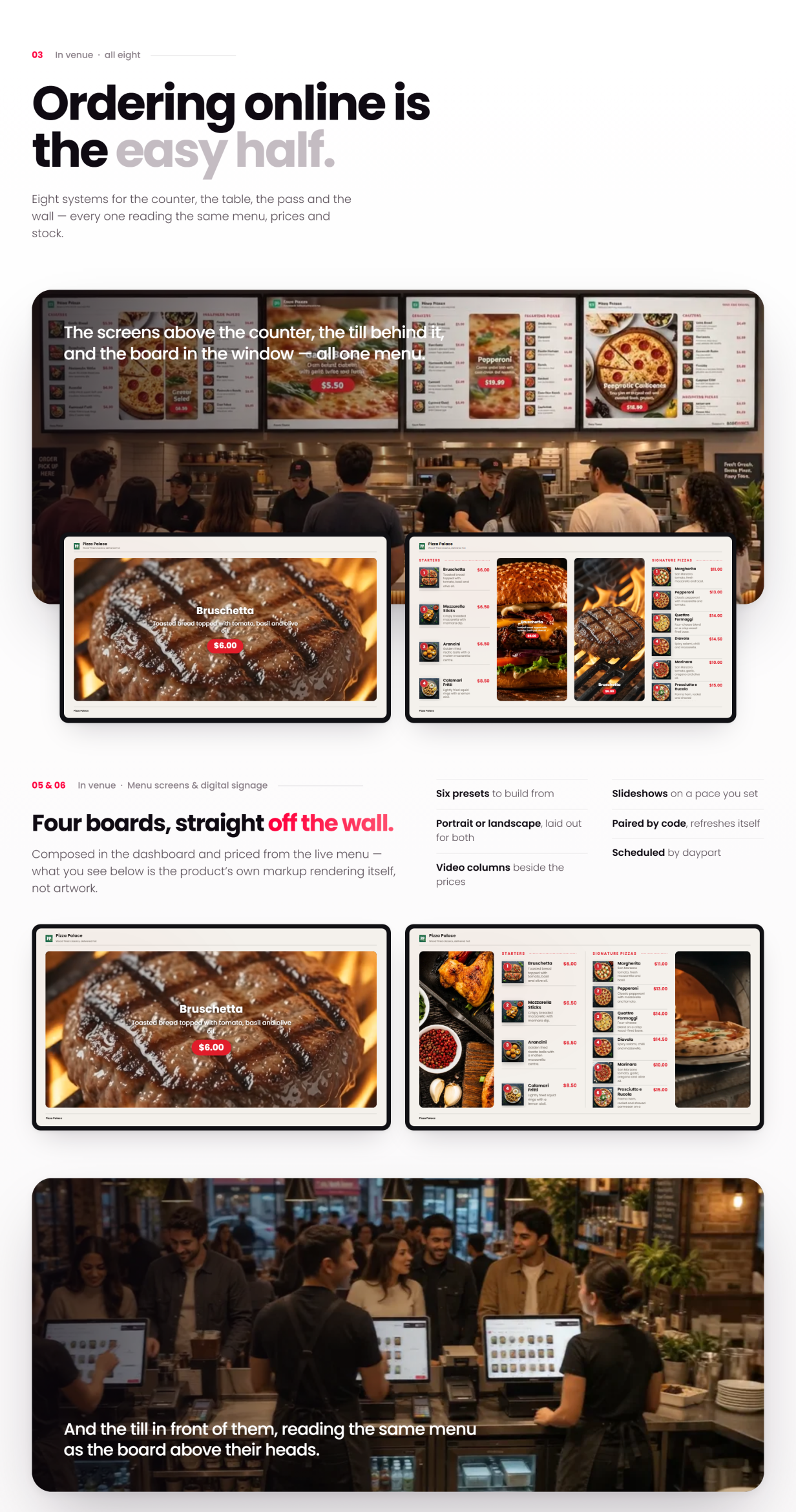
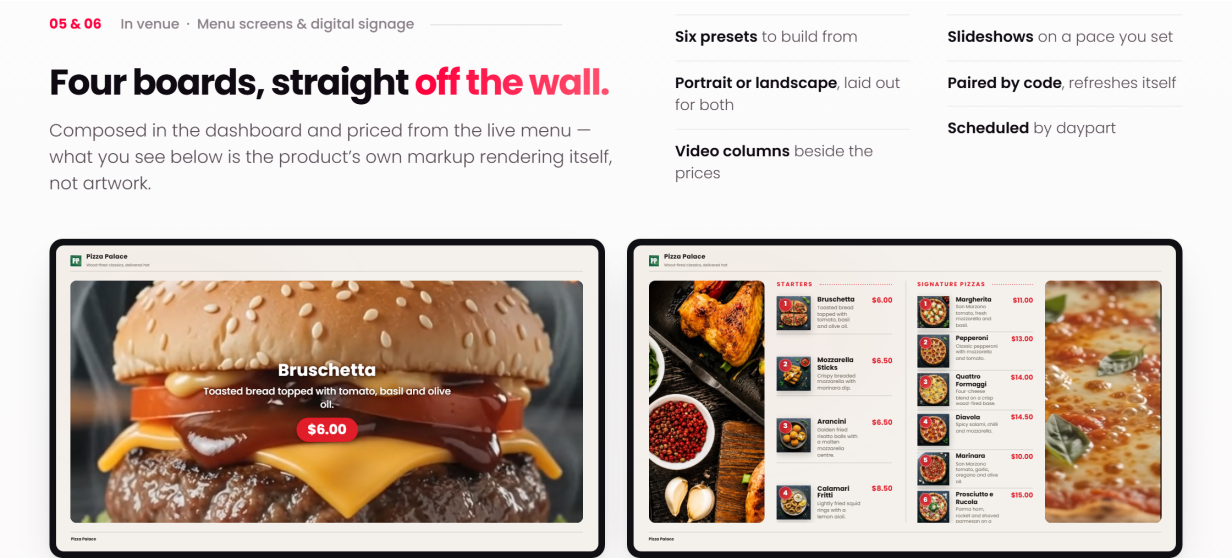
- TV screens (digital menu boards): pair a display with a code and it pulls the live menu — six presets, portrait or landscape, scheduled by daypart
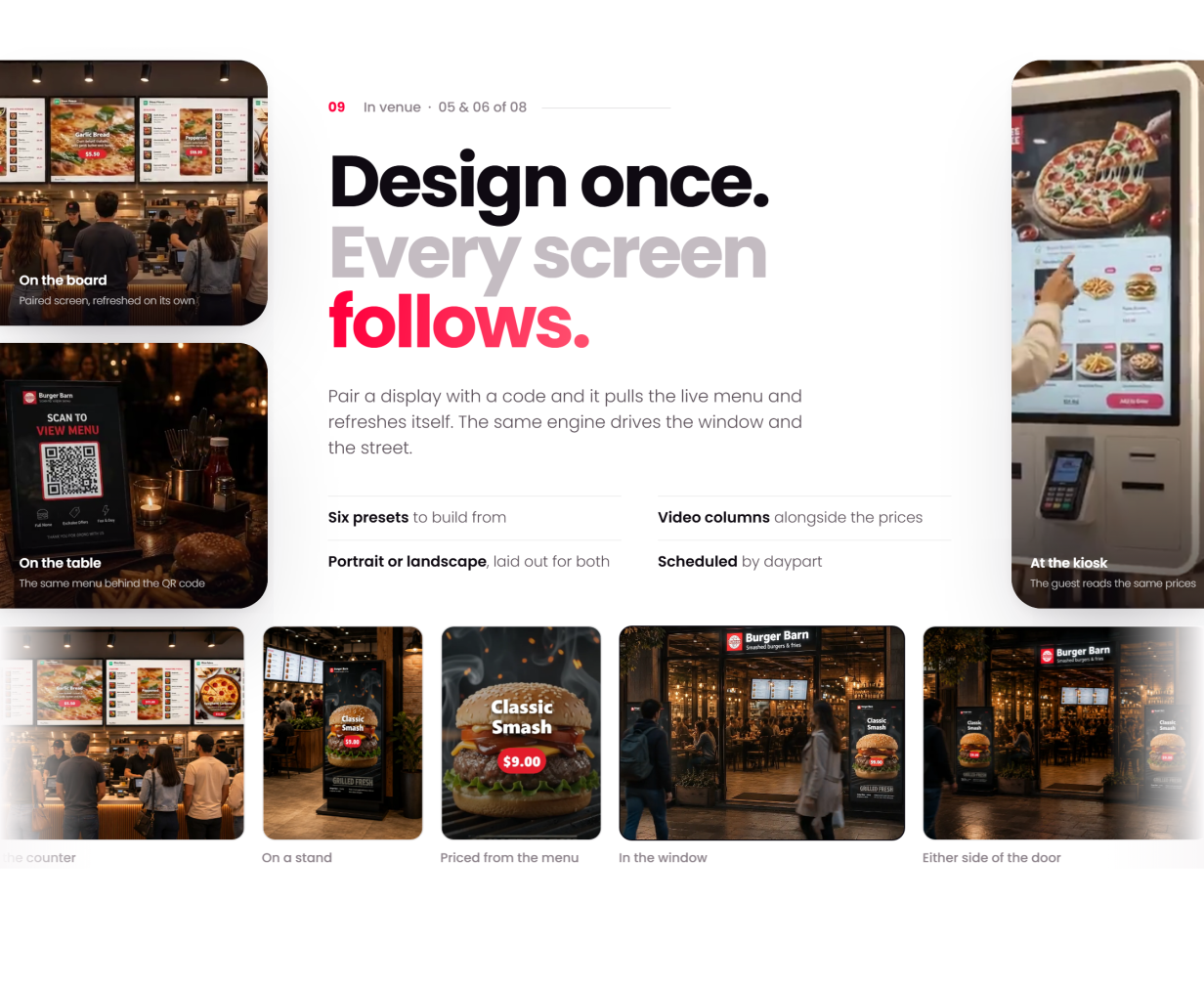
- The boards themselves — spotlight, menu + media and slideshow layouts composed in the dashboard, with video columns playing beside live menu prices
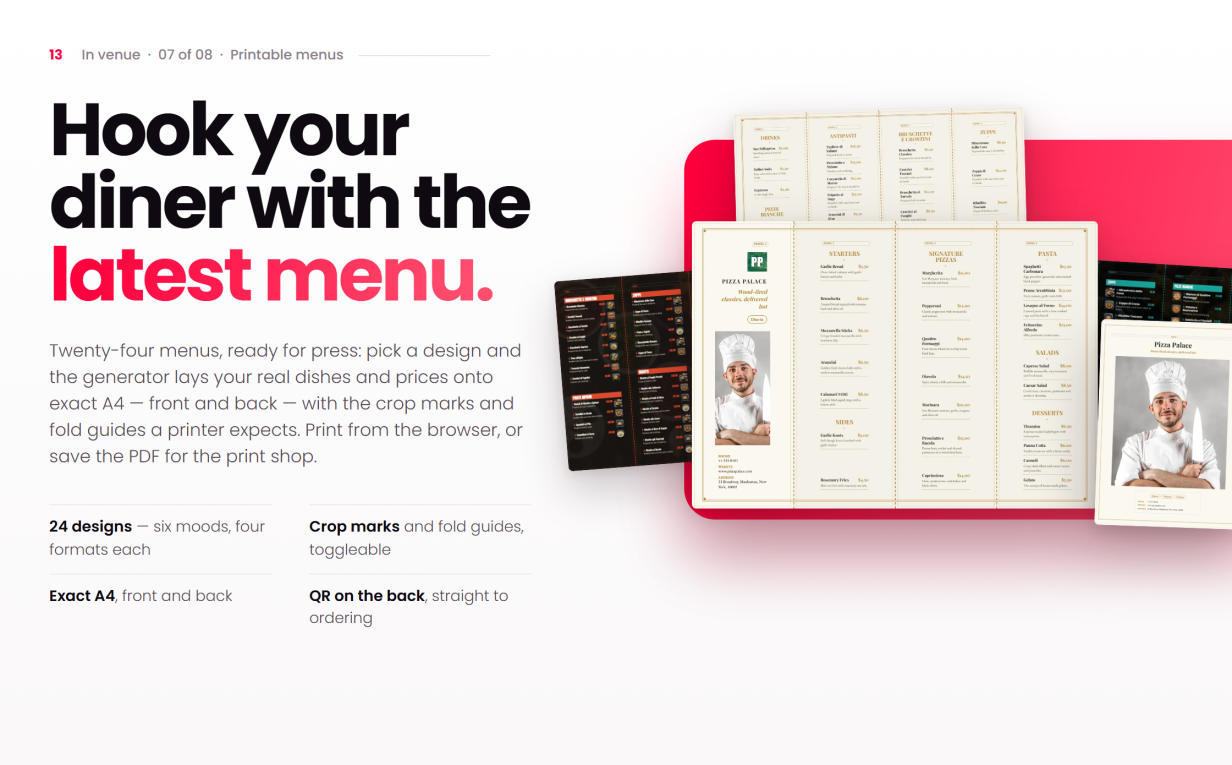
- 24 printable menu designs — six looks with four layouts each, from bi-folds and tri-folds to gatefolds, poster boards and single pages — laid out from the live menu on exact A4, front and back, with crop marks and fold guides for the print shop
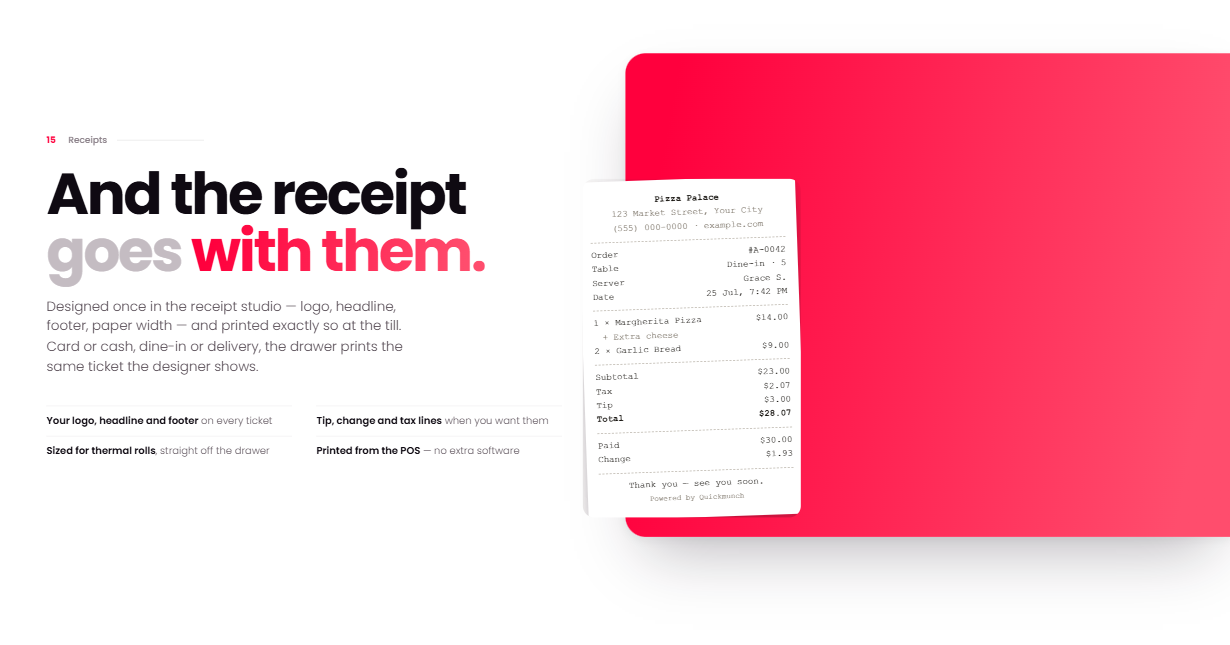
- Drag-and-drop receipt designer, per-device settings and idle lock
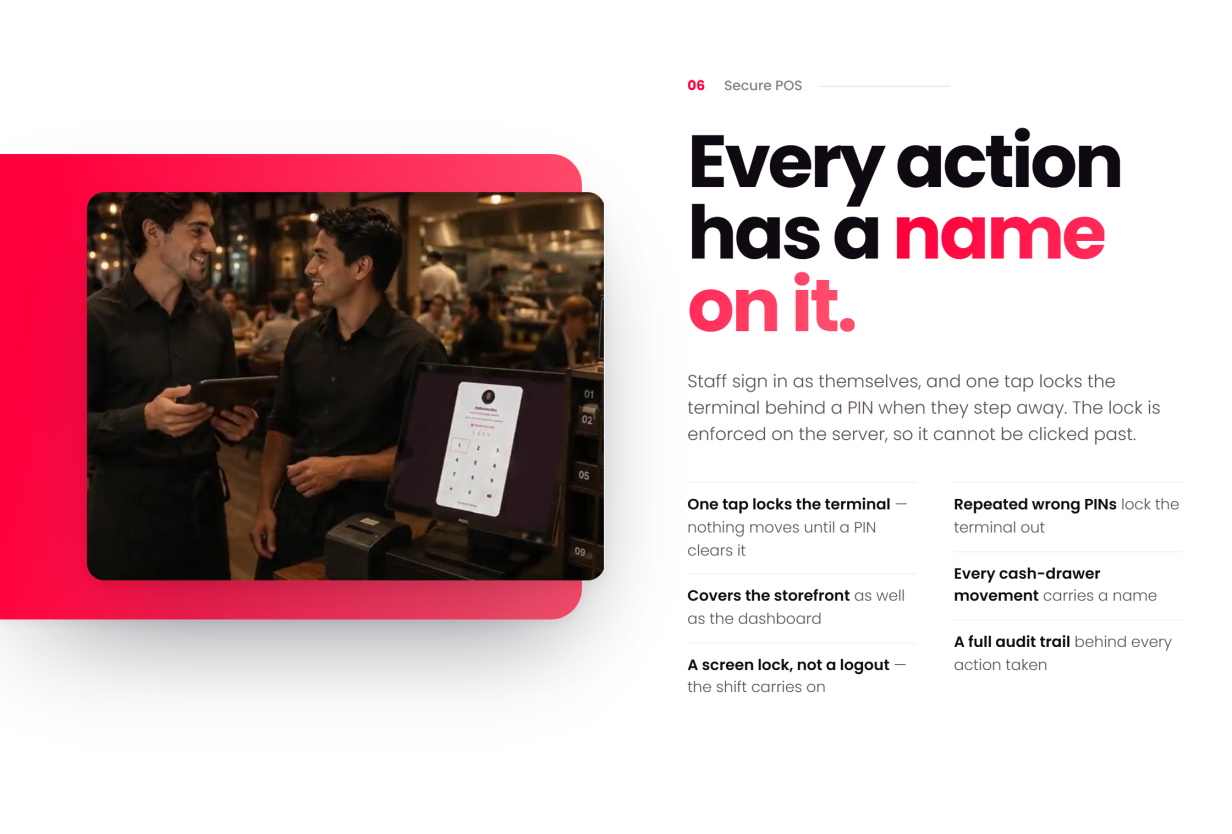
- Staff PIN security: one tap locks the terminal, repeated wrong PINs lock it out, and a full audit trail sits behind every action
Staff & Reports
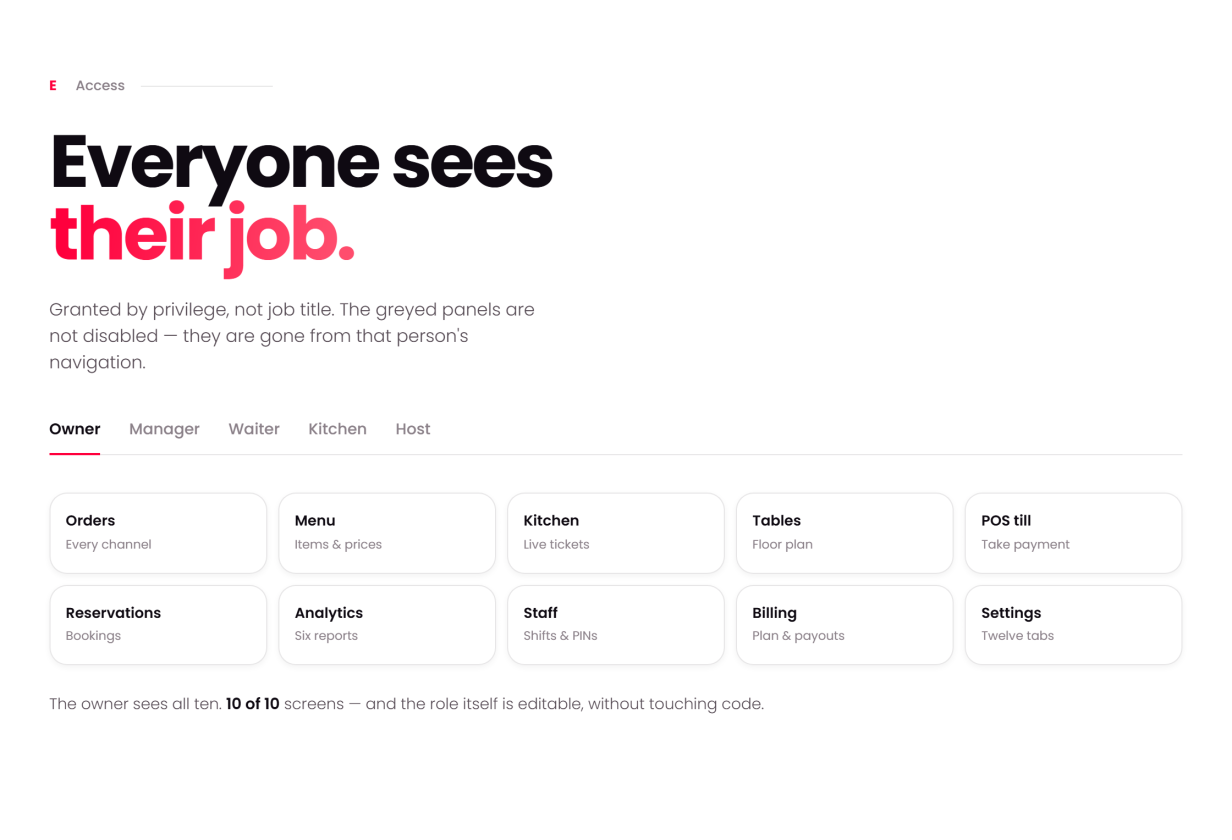
- Scoped staff roles — kitchen, host, waiter, manager — each with its own screen set
- Role permissions, PIN lock & handover, cash-drawer accountability
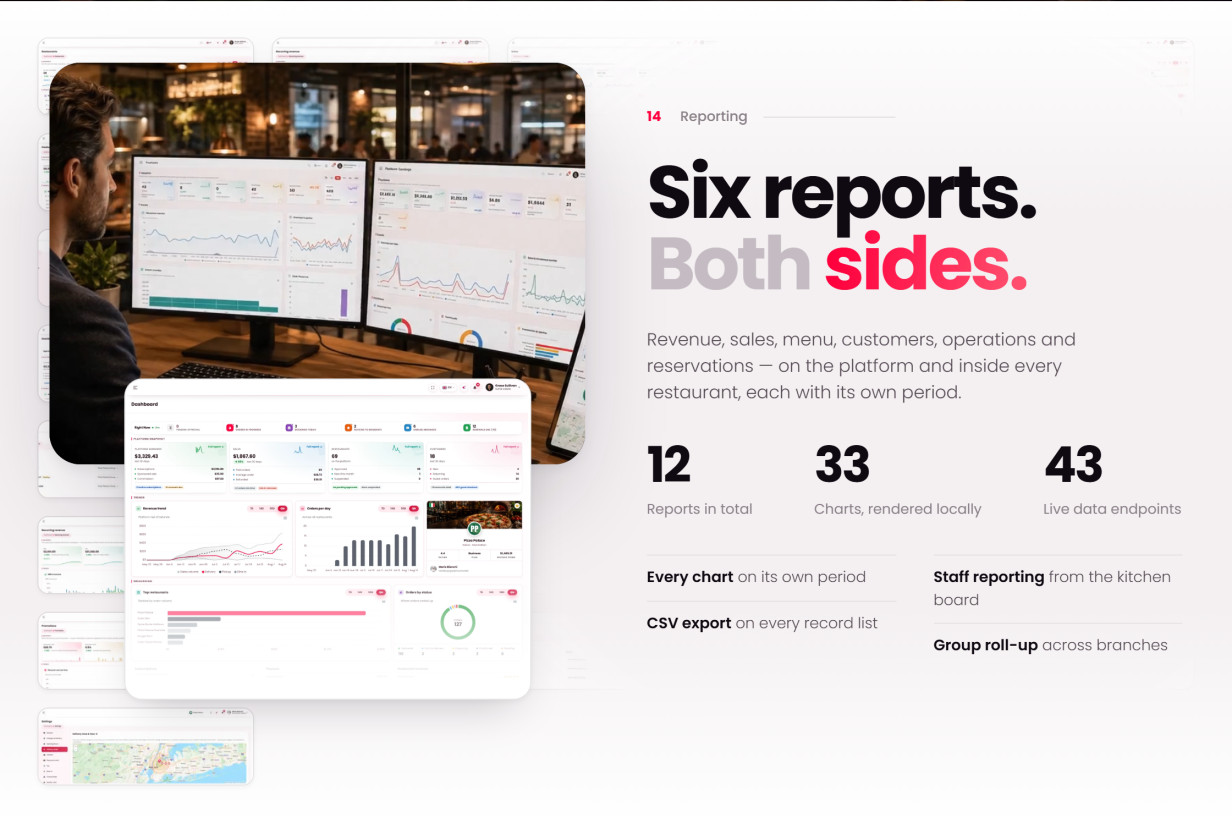
- Seven vendor reports: sales, menu performance, reservation trends, staff performance, customer insights, operations and kitchen efficiency
Driver / Rider
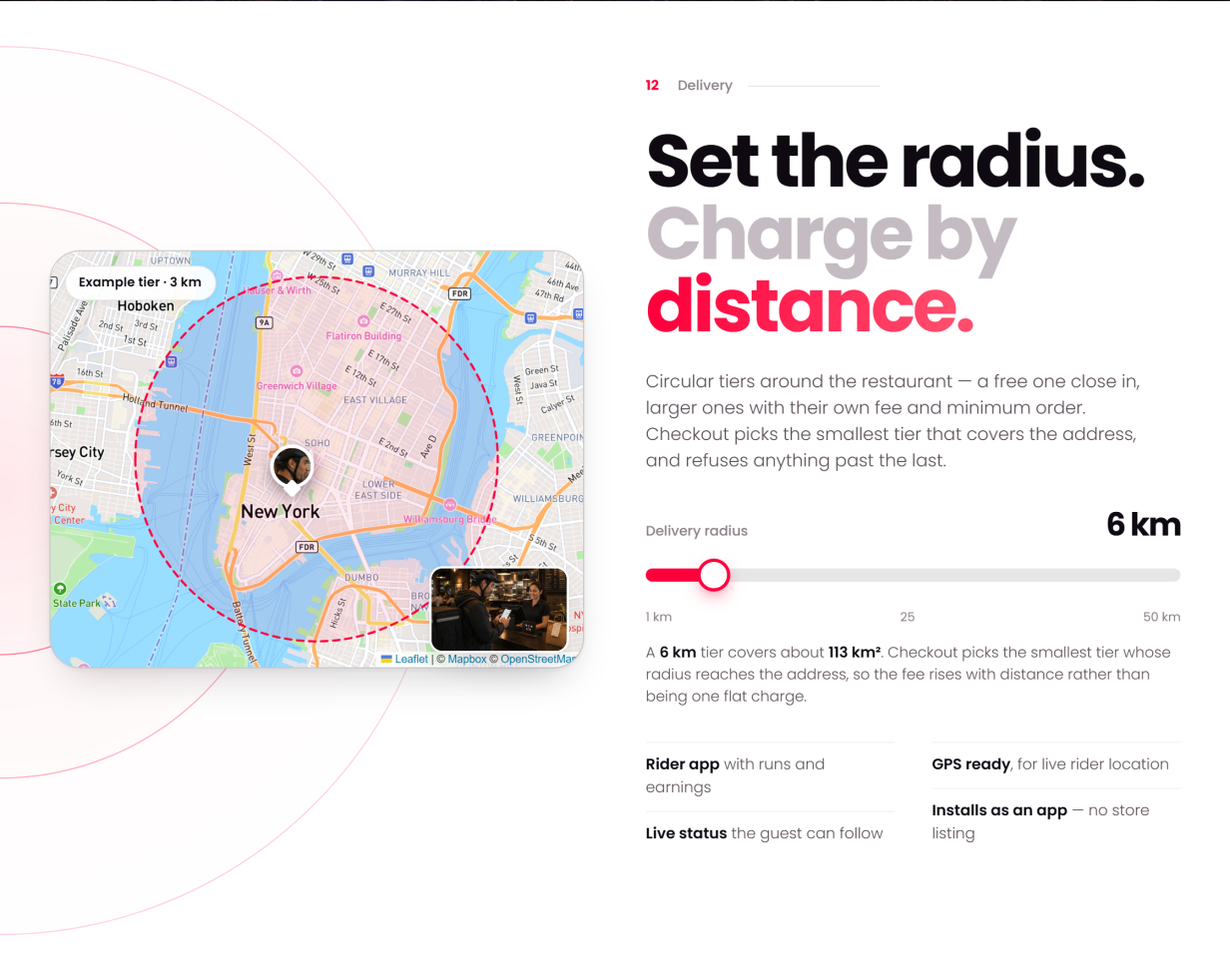
- Delivery zones as circular tiers with their own fee and minimum order — checkout picks the smallest tier that covers the address
- Assigned deliveries, status updates and a read-only earnings tally
- Availability toggle and live position on the vendor’s delivery map
Super-Admin
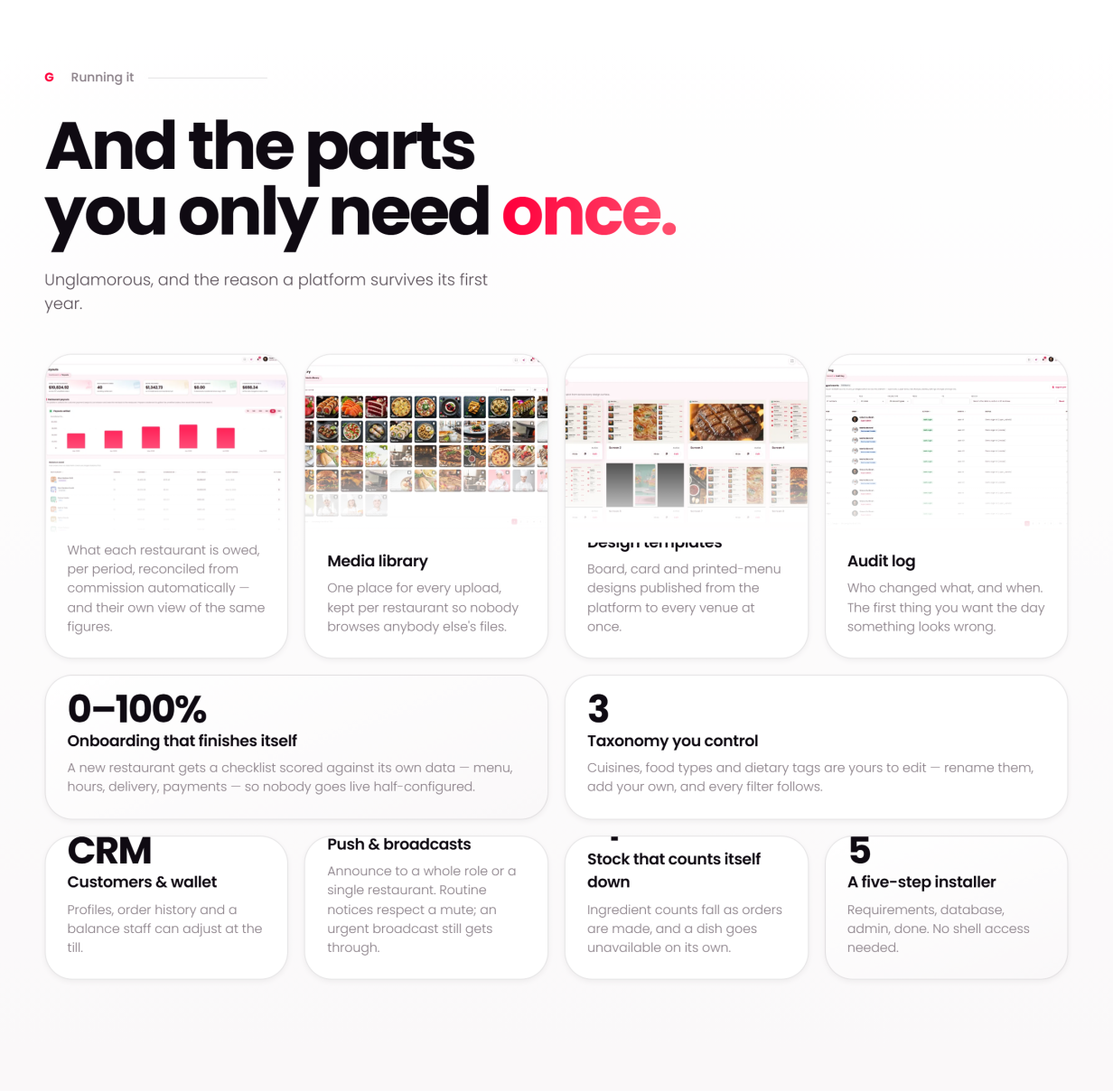
- Restaurants, users, roles & permissions, classifications, deals, loyalty and a platform-wide menu and media library
- Money: payments & gateways, plans, subscriptions, payouts, royalty invoices, platform earnings, recurring revenue, sponsored ads and ad revenue
- Website & content: CMS pages, blog with comments, header / navigation / footer editor, homepage layouts and SEO controls
- Messaging: transactional email with editable templates, SMS (Twilio), push broadcasts, automated drip sequences, a subscriber list with optional Mailchimp sync, and a contact inbox
- Design templates, audit log, platform reports, maintenance mode & backups
What’s Included
- Full PHP source for the storefront, vendor, staff, driver and admin areas
- Web installer, database schema and optional seeded demo data
- 109-page HTML documentation that filters by reader role and business model — every screen in the product has a page
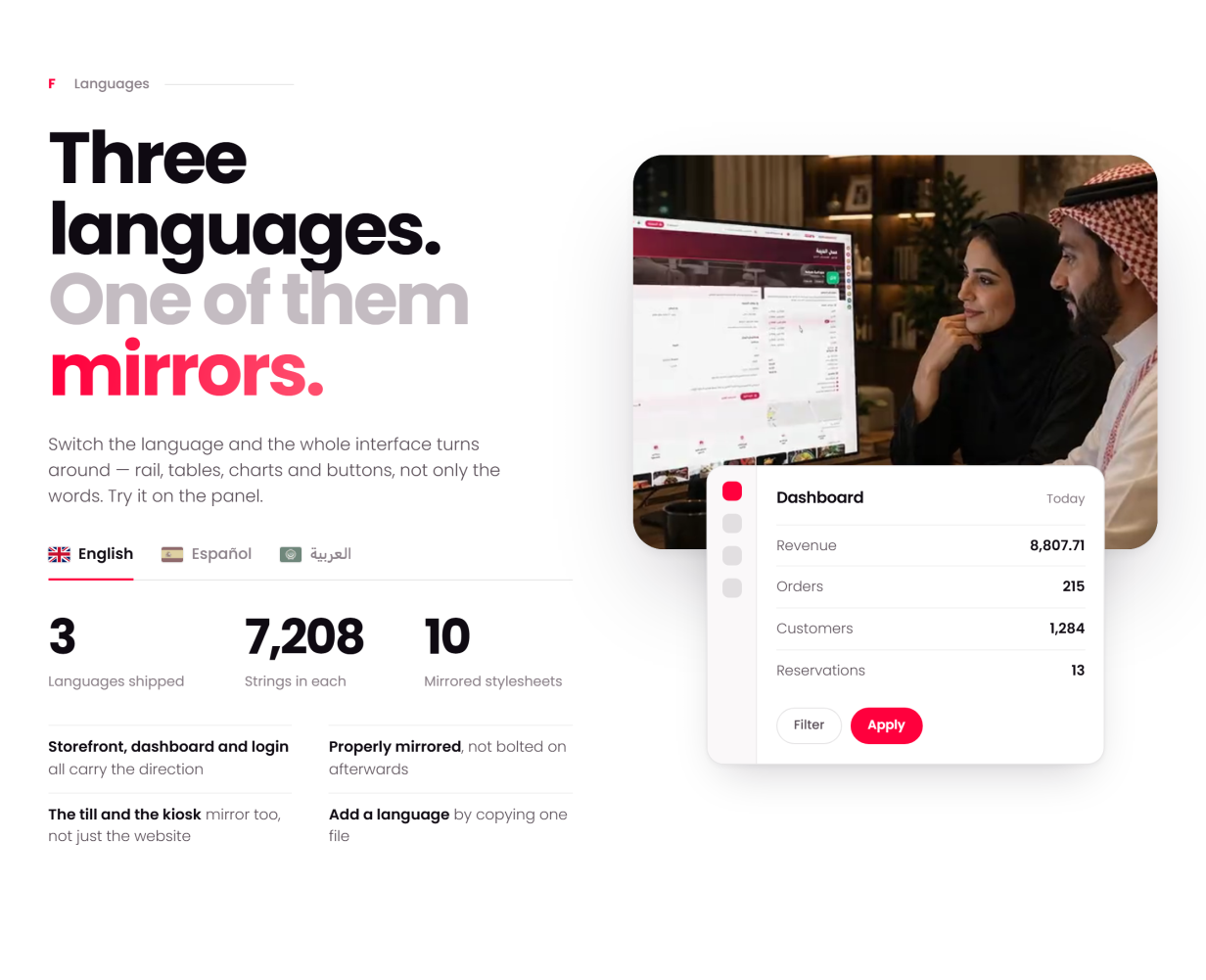
- Three-language UI (English, Spanish, Arabic) with generated RTL stylesheets
- 100% local assets: fonts, icons, images, charts and maps all self-hosted
Server Requirements
- PHP 8.2+ with PDO, GD, mbstring, openssl, fileinfo
- MySQL 5.7+ / MariaDB 10.4+
- Apache (mod_rewrite) or Nginx; HTTPS recommended (payments, push and the installable app want a secure address)
Third-Party Integrations (optional, off by default)
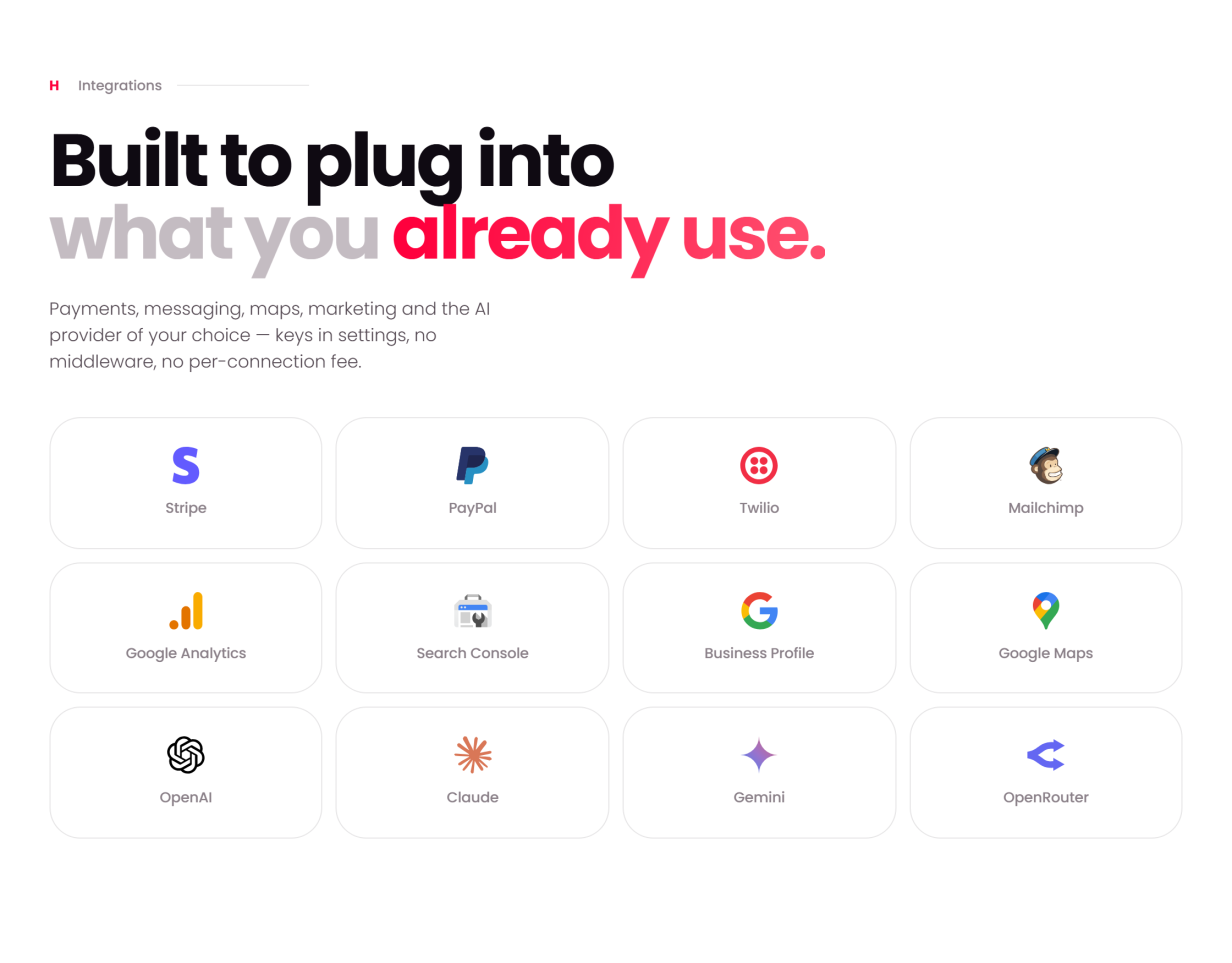
A default install runs with every integration switched off; each one activates only when you add your own key in the admin panel:
- Card payments — Stripe and PayPal built in; cash and offline / manual payment work with no keys at all
- SMS — Twilio, behind a provider-agnostic settings screen
- Email marketing — optional Mailchimp audience sync (the subscriber list lives in your own database either way)
- AI — bring your own provider key (e.g. OpenAI / Anthropic) for the vendor assistant and AI menu import; you must provide your own privacy notice per your provider’s terms
- Maps — bundled Leaflet with OpenStreetMap by default; optional premium tile keys
Support & Updates
- Documentation covers install, updating, configuration and every screen, with a troubleshooting guide, FAQ and glossary
- Support is provided through the CodeCanyon (Envato) item support form on this page
Credits (all bundled locally, license-compliant)
- Bootstrap (MIT), Font Awesome 5 Free (CC BY 4.0 / SIL OFL / MIT)
- ApexCharts, Leaflet, SweetAlert2, Flatpickr, FullCalendar, Choices.js, FilePond, Quill, Cropper.js, qrcode, interact.js, Panzoom, noUiSlider, Pickr, html2canvas (MIT)
- Microsoft Fluent Emoji 3D icons (MIT); Poppins font (SIL Open Font License)
- Demo photography is placeholder content and must be replaced with your own, licensed imagery before production use.
Features
QuickMunch — Key Features
- Multi-Restaurant Food Ordering & Delivery Platform
- 100% Native PHP 8.2 — no framework lock-in
-
###strong/strong###
- Marketplace
- Own Restaurant / Chain Management
- Franchise / Royalty Model
- White-Label Platform
- Customer Ordering PWA
- Restaurant Management Dashboard
- Super Admin Dashboard
- Restaurant Owner / Vendor Dashboard
- Manager Dashboard
- Kitchen Staff Management
- Host / Hostess Management
- Waiter / Cashier Management
- Driver / Delivery Management
- Customer Management
Ordering & Customer Features
- Restaurant discovery and search
- Cuisine and dietary classifications
- Advanced restaurant filters
- Multiple homepage layouts
- Digital menus with categories and item options
- Sizes, add-ons and ingredient selection
- AJAX shopping cart
- Guest checkout
- Stripe & PayPal payments
- Cash on delivery
- Offline / manual payments
- Order scheduling
- Tips and service charges
- Restaurant-specific taxes
- Delivery zones and fees
- Coupons and promotional deals
- Real-time order tracking
- Customer reviews
- Favorites
- Saved addresses
- Order history
- One-click reorder
- Loyalty wallet
- Table reservations
Restaurant Operations
- Live restaurant dashboard
- Order management
- Order status management
- Driver assignment
- Cancellation management
- Reservation calendar
- Floor plan management
- Table management
- Menu management
- Menu import with AI-assisted workflow
- Menu archive
- Upselling builder
- Inventory management
- Stock movements
- Low-stock alerts
- Stock valuation
- Customer database
- Restaurant loyalty program
- Multi-branch management
- Vendor AI assistant
POS & In-Venue Systems
- Full restaurant POS
- Parked tickets
- Quick keys
- Table selection
- Cash drawer management
- Shift management
- Card payments
- Cash payments
- QR payments
- Split payments
- Refunds and voids
- Kiosk ordering
- QR scan-to-order
- Kitchen Display System (KDS)
- Digital menu TV screens
- Portrait & landscape screen support
- Scheduled digital menus
- Live menu synchronization
- Printable menu generator
- 24 printable menu designs
- Receipt designer
- Device-specific settings
- Staff PIN security
- Terminal lock / idle lock
- Action audit trail
Staff & Reporting
- Role-based permissions
- Staff PIN authentication
- Cash-drawer accountability
- Staff handover
- Sales reports
- Menu performance reports
- Reservation reports
- Staff performance reports
- Customer insights
- Operations reports
- Kitchen efficiency reports
Delivery
- Delivery zones
- Distance-based delivery fees
- Minimum order requirements
- Driver assignment
- Delivery status updates
- Driver availability
- Driver live location
- Driver earnings overview
Super Admin
- Restaurant management
- User management
- Roles & permissions
- Cuisine / classification management
- Deals and promotions
- Loyalty management
- Global menu and media library
- Payment gateway management
- Subscription plans
- Recurring subscriptions
- Restaurant payouts
- Royalty invoices
- Platform earnings
- Sponsored advertising
- Ad revenue management
- CMS pages
- Blog management
- Navigation / header / footer management
- Homepage management
- SEO controls
- Email templates
- SMS messaging
- Push notifications
- Automated drip campaigns
- Subscriber management
- Mailchimp synchronization
- Contact inbox
- Design templates
- Audit logs
- Platform reports
- Maintenance mode
- Backups
Social Publishing (Quick Social)
- Ten networks from the restaurant dashboard — Facebook, Instagram, Threads, X, TikTok, YouTube, Pinterest, LinkedIn, Telegram and Bluesky
- Campaign composer that starts from a dish — text, picture and video posts, one preview per channel
- Write with AI captions, drafts, scheduling and Publish all
- Native video publishing — YouTube, TikTok, Instagram and Facebook Reels, Pinterest video pins
- Image studio and Video studio — templates, layers, trim, captions, rendered on your own server
- Calendar, logs and archives with one-click retries and per-branch limits
Monetization
- Order commissions
- Subscription plans
- Monthly subscriptions
- Lifetime plans
- Sponsored restaurant advertising
- Franchise royalties
- Platform taxes
- Automated Stripe / PayPal recurring billing
- Payout statements
- Revenue reporting
Localization & Technical
- English, Spanish & Arabic
- Full RTL support
- Self-hosted assets
- Web installer
- Seeded demo data
- Full PHP source code
- MySQL / MariaDB support
- Apache / Nginx support
- PWA support
- Native web push notifications
- Responsive dashboards
- Optional Stripe integration
- Optional PayPal integration
- Optional Twilio integration
- Optional Mailchimp integration
- Optional AI provider integration
- Leaflet / OpenStreetMap integration
Requirements
Server Requirements
- PHP 8.2 or higher
- MySQL 5.7+ or MariaDB 10.4+
-
Apache with
mod_rewriteenabled, or Nginx - PHP PDO
- PHP GD
- PHP mbstring
- PHP OpenSSL
- PHP Fileinfo
-
HTTPS / SSL certificate recommended
- Required/recommended for secure payments
- Push notifications
- PWA functionality
Optional Third-Party Services
These integrations are optional and are disabled by default:
- Stripe — online card payments
- PayPal — online payments and subscriptions
- Twilio — SMS notifications
- Mailchimp — email subscriber synchronization
- OpenAI / Anthropic or compatible AI provider — AI assistant and AI menu import
- OpenStreetMap / Leaflet — maps and delivery tracking
The documented server requirements are PHP 8.2+ with PDO, GD, mbstring,
OpenSSL and Fileinfo; MySQL 5.7+ / MariaDB 10.4+; and Apache with
mod_rewrite or Nginx. HTTPS is recommended for payments,
push notifications and the installable PWA.
The documentation also confirms that the third-party integrations are optional and switched off by default.
QuickMunch Changelog
Version 2.0
- Integrations: Under Settings → Integrations, each restaurant can connect its own Slack, Google Drive, Google Sheets, Google Calendar, Xero, QuickBooks Online, DoorDash Drive, Uber Direct, Uber Eats, AI phone line, Zapier, and REST API. A central hub shows every app's status and weekly activity. Each integration has its own page with Connect, Send Test, Open, Disconnect, and a preview of what it sends. The new Integration Log lists every piece of work and every API call, with Retry. Work runs automatically and is retried, with or without cron.
-
Slack: Receive new orders, accepted, ready, delivered, cancelled, and refunded orders, bookings, cancellations and no-shows, dishes going off sale, low stock, courier problems, reviews, payouts, AI agent posts, and daily and weekly reports, each sent to the channel you choose. Order cards include Accept, Start Preparing, Mark Ready, and Out for Delivery. The team can also type
/quickmunch today,orders,bookings,86, andback. - Google Drive: Saves each day's orders file and adds a From Google Drive picker and Save to Google Drive option to the media library. Google Sheets keeps a sales sheet with one row per day. Google Calendar keeps every booking in its own calendar, with a subscribe-by-link calendar that requires no Google sign-in. Xero and QuickBooks Online receive each day's takings as one journal against your own account codes.
- Courier deliveries: Send a paid delivery order to a DoorDash or Uber courier from the order list's Rider menu or the order page's new Courier card. Both networks' quotes are displayed side by side, with the cheapest and fastest options marked. A fee limit can require confirmation first. The courier's status, name, and drop-off time are shown on the order and the guest's tracking page. A new Courier Deliveries page is also included. Cancelling the order calls the courier off until it has the food.
- Uber Eats: Orders placed through the Uber Eats app arrive like your own orders, including the kitchen board, orders, stock, and reports. Orders can be accepted automatically or manually, the menu stays synchronized, and the store can be paused or opened from here.
- AI phone line: Answers calls on the restaurant's Twilio number, takes pickup and delivery orders from the live menu using the same pricing as the website, books tables according to the booking form's rules, and transfers callers to the team when requested or when it cannot understand them. Every call and its outcome are recorded on the new Phone Orders page.
-
REST API v1 and Zapier app: Provides orders, customers, bookings, and reviews for the restaurant's own tools, dish availability and coupons from external systems, webhooks for twelve events, and API keys with read or write access. Zapier triggers, actions, and searches are built on top of the API. The Zapier app ships in
integrations/zapier. - AI operations agent: Forecasts orders, takings, and covers for tomorrow, the next 7, 15, or 30 days, or any selected dates. It provides the prep list, staff hours by the hour, stock to reorder, and forecast accuracy.
- AI growth autopilot: Look at my numbers proposes weekly ideas based on the restaurant's own data, such as a slow-day coupon, comeback coupon, loyalty bonus, or Quick Social post. Nothing is executed until the owner approves it.
- Homepage 7 – Social Proof: Displays guests' photos and videos from every restaurant on one homepage, filtered by restaurant, network, and cuisine, with Add to Cart for the dish shown in each picture. Growth → Social Proof allows posts to be removed, approved, and restored. Settings → Tools controls Automatic or Manual approval and the display order. Restaurants can name the dish shown in each guest picture.
- Admin → Integrations: Provides one switch per integration. All integrations are disabled on a new installation, with the platform's own app keys for Slack, Google, Uber Eats, Xero, QuickBooks, and Zapier.
- Restaurant search: Search now also finds restaurants based on the dishes they sell.
-
Fixed: The old
/vendor/billingaddress was showing a Page Not Found error. It now opens the Plans & Billing page. - Fixed: Browser push notifications could not be enabled unless offline terminals were enabled.
- Fixed: Dashboards and the kiosk were requesting the app manifest and offline worker when offline terminals were disabled.
- Fixed: The restaurant map's location error was not translatable.
- Fixed: Checkout at a table set to Order Now, Pay Later was offering saved cards and other payment methods. It now offers paying in person, with wording appropriate for table orders.
- Delivery checkout: Delivery is now priced for the address as it is typed, and the customer is immediately informed when the address is outside the delivery area.
- Fixed: The order tracking page was keeping its Cancel button after the restaurant had accepted the order.
- Fixed: The voice name field was being displayed for the browser's own voice under Settings → AI.
-
Fixed: Homepage band headings were displaying an escaped
&when a translation contained one. -
Updating: Run
php database/migrate.phpafter replacing the files. This adds the integrations' tables, Uber Eats as an order source and payment method, and Homepage 7's columns and two settings. Every integration remains disabled until you enable it under Admin → Integrations. Nothing is dropped.
Version 1.3.1
-
Social Proof
Social Proof, part of Quick Social, gives each restaurant a single place to gather and moderate what its guests post about it. The new Quick Social → Social Proof page collects Google reviews, including the owner's reply, guest photos and videos from its Google Business Profile, Tripadvisor reviews and guest photos, recommendations and comments from its Facebook Page, comments on its YouTube videos, and Bluesky mentions.
Content is organized into Waiting, On your page and Hidden views, with source filtering and Approve, Hide, Back to waiting and Approve all actions. Four- and five-star reviews can be automatically approved.
-
Add a Guest's Post
Restaurants can paste a public TikTok, YouTube, X or Bluesky post URL and add it directly to the restaurant page.
-
What Our Guests Say
Added a What Our Guests Say section and a Guests tab to the restaurant page across all five restaurant styles.
Approved photos, videos, reviews and mentions are displayed with All, Photos, Videos, Reviews and Mentions filters, together with Google and Tripadvisor ratings and Load more.
The feature is available in English, Spanish and Arabic, and each restaurant can switch the section off.
-
Social Sync & Settings
Social sources are read automatically every six hours by the new Read social proof scheduled task, or immediately using Refresh.
If a source fails, its own network response is displayed while the remaining sources continue to be processed.
Settings → Tools now includes Quick Social and Social Proof under one switch. Tripadvisor has been added to Channels offered and remains disabled until enabled and configured with its Content API key. Sources not offered by the platform are automatically excluded from restaurant source lists. Redirect addresses now include a convenient copy button.
-
Updating
After replacing the files, run
php database/migrate.php.The migration adds the two Social Proof tables and Tripadvisor's switch and API key. No restaurant page content changes until its owner approves a post, and no existing data is dropped.
Version 1.3.0
-
Catering
Added catering for large orders booked for a specific date and headcount. Catering orders are paid in full at checkout like regular orders.
Each restaurant can enable catering under Settings → Catering and configure its booking notice, guest range, catering minimum, kitchen preparation timing, and delivery, pickup or both.
Each catering dish can have its own catering price, sold per tray with a defined serving size or per guest, together with a minimum quantity.
-
Catering Restaurant Pages
Added a Catering section and tab to all five restaurant page styles, including the restaurant introduction, booking information and catering dishes.
Catering also includes a dedicated basket and checkout step for the event, including date and time, guest count, event type and setup request. Booking times cannot be earlier than the configured booking notice and must fall within opening hours.
The restaurant list now includes an Offers catering filter and a Catering badge for participating restaurants.
-
Catering Orders
Catering orders include a Catering chip and an Upcoming catering filter in Orders. Event information is also shown on the order page, tracking page and receipt.
Orders reach the kitchen display a configured number of hours before the event, with a reminder sent to both the customer and restaurant one day before the event.
Catering pricing is also included in menu export and import.
-
Restaurant Claims
Marketplace and Franchise restaurants can now be listed before their owner joins using Add restaurant → Unclaimed listing.
Unclaimed restaurant pages display the menu without ordering and include a Claim this restaurant card. Owners can sign in or create an account and verify ownership through Google Business Profile or a six-digit code sent to the listing's phone number, depending on the configured restaurant claim settings.
Claims are managed through the new Claims queue with Approve and Reject actions. Google-verified claims can approve themselves.
Each restaurant also has a Claim & Verification card for managing claimed, unclaimed and verified status.
-
Verified Restaurants
Added a verified badge to restaurant page logos, restaurant cards, map pop-ups, and admin and restaurant dashboards.
-
Email & Languages
Added seven new email templates covering catering orders, catering reminders and restaurant claims. New wording is available in English, Spanish and Arabic.
-
Updating
After replacing the files, run
php database/migrate.php.The migration adds the catering columns, claims table, three settings and seven email templates. Catering remains disabled until enabled by the restaurant, every restaurant with an existing owner remains claimed, and no existing data is dropped.
Version 1.2.2
-
POS Styles
Added three new POS styles, bringing the total to four: Style 1 (the original till), Style 2 (dark layout with category rail and photo keys), Style 3 (classic register board with flat square keys), and Style 4 (terminal layout with framed zones, colour-coded keys, large prices and no photos).
Each restaurant selects its POS style from the visual choices under Device Settings → POS Settings. All styles use the same menu, prices, buttons and ticket, and Till layout switches work with every style.
-
Voice Assistant
The voice assistant's Tap to Talk button now appears in the dashboard footer bar for both admin and restaurant dashboards instead of View Site.
This prevents the assistant from covering the POS total and Charge button. View Site returns whenever the assistant is turned off.
-
Restaurant Page Styles
Added Style 3 and Style 4 alongside Classic, Style 1 and Style 2.
Both new layouts put the dishes first, with menu categories beside the menu, Popular This Week following the menu, and ordering available through a Your Order button next to Open Now. Offers, coupons, restaurant information and the map are moved to the bottom.
Style 3 displays each category as a horizontally scrollable row, using compact dish tiles in list view and photo cards in grid view. Style 4 displays dishes as a board beneath photo category tiles, with three dishes across in list view and up to six across in grid view.
Both layouts support list and grid views. Restaurants can choose their layout under Settings → General → Restaurant Page Layout .
-
Pages Menu
The Pages menu now links to every restaurant page style in use, from Restaurant Classic through Style 4, with each link opening a restaurant using the corresponding style.
-
Updating
After replacing the files, run
php database/migrate.php.The migration adds each restaurant's POS style, defaulting to Style 1 so existing tills retain their previous appearance, and adds Style 3 and Style 4 to the restaurant page layout choices. Existing restaurant settings are preserved and no data is dropped.
Version 1.2.1
-
Quick Social
Every restaurant can now publish from its own dashboard to Facebook, Instagram, Threads, X, TikTok, YouTube, Pinterest, LinkedIn, Telegram and Bluesky.
The campaign composer supports text, image and video posts, including posts created from a dish with its name, price, description, photograph and storefront link. Each channel receives its own preview, with AI writing, drafts, scheduling and Publish All.
A native video publisher supports YouTube, TikTok, Instagram Reels, Facebook Reels and Pinterest video pins with each platform's settings.
Campaign and Video logs record each channel's response and retries. All Campaigns and All Videos archives provide record pages for updating or removing posts where supported by the network.
The calendar provides day, week and month views, drag-to- reschedule, Publish Now, Back to Draft and Duplicate actions.
-
Image Studio & Video Studio
Added image and video tools for every restaurant. Image Studio includes restaurant templates, pricing, food-friendly moods, adjustments, text, badges, shapes and logo layers.
Images are saved to the media library at their own size. Video Studio provides trimming, reframing, colour adjustments, captions with bundled fonts and speed controls. Videos are rendered on the restaurant's own server with FFmpeg and saved to the library.
-
Channels
Each branch can connect its social accounts, including bot tokens and app passwords for Telegram and Bluesky, and select the Facebook Page or LinkedIn Page used for publishing. Connections can also be disconnected.
An hourly check identifies rejected network connections and notifies the owner.
-
Tools, AI & Permissions
Added the Quick Social switch, available channels, network app configuration and per-branch limits for channels, campaigns, videos and AI captions.
Settings → AI now includes Social Captions, which is disabled until enabled. The roles grid includes Quick Social permissions for Open, Publish and Connect.
Added scheduled tasks for Social Posts Due and Social Channel Check. No queue worker is required; a publishing run starts when the page responds.
-
Updating
After replacing the files, run
php database/migrate.php. The migration adds the three Quick Social tables and its settings switch. No existing data is dropped.FFmpeg is required for Video Studio only.
Version 1.2.0
-
Payment Gateways
Added six payment gateways: Mollie, Square, Paystack, Flutterwave, PayU (India) and SSLCommerz (Bangladesh).
Each gateway has its own card under Settings → Payment alongside Stripe and PayPal. Gateways remain disabled until the restaurant adds its own keys.
Payments are completed on the provider's page before returning the customer to the application. Payments are confirmed with the provider before an order is marked paid, and refunds can be issued from the order screen. Each gateway also displays its webhook status.
-
Restaurant Purchases
The new payment gateways also support restaurant purchases, including plans, sponsored placements, branch applications and royalty invoices.
Subscription plans paid through these gateways are treated as prepaid terms that the restaurant can renew from its Plans page.
-
Voice Assistant
Added a dashboard voice assistant for administrators and restaurants. The assistant can listen, answer using live dashboard figures, open pages and locate orders by name, and read responses aloud.
Voice can use Google Gemini or OpenAI speech with the user's own API key, or the browser's built-in voice. Provider, model, voice and panel settings are available under Settings → AI.
-
Updating
After replacing the files, run
php database/migrate.php. The migration adds the new settings rows and expands the order tender list. No existing data is dropped.
Version 1.1.2
-
Mobile Item Popup
Fixed the Add to Cart button being out of reach on phones for dishes with customization options. The popup now scrolls while the quantity and Add to Cart bar remain pinned at the bottom.
-
Delivery Radius
Deliveries outside a restaurant's configured delivery radius are now refused when no delivery zones have been set up.
Version 1.1.1
-
Installation Fix
Fixed installation failures on servers with MySQL strict mode enabled, including the
Data too long for column 'description'error encountered while loadingschema.sql.
Version 1.1
- Fixed TV menu screens and printable menus after CSS minification.
- Admins can now start TV screens and printable menus blank or from a template, matching the vendor flow.
- Fixed template preview links.
- Hardened TV screen pairing against repeated requests.
- Applied assorted CSS fixes across POS, kiosk, checkout and payment screens.
- Refreshed demo imagery.
Version 1.0
- Initial release.
Instructions
Live Demo
Front End Demo: Quickmunch Dashboard Demo: Quickmunch log-in One-click demo access is shown beside the login form — pick a role and you are in. All demo accounts share the password: demo1234
- Super-admin — admin@quickmunch.test / demo1234
- Restaurant owner — vendor@quickmunch.test / demo1234
- Customer — customer@quickmunch.test / demo1234
- Driver — driver@quickmunch.test / demo1234
- Manager — manager@quickmunch.test / demo1234
- Kitchen staff — kitchen@quickmunch.test / demo1234
- Host — host@quickmunch.test / demo1234
- Waiter — waiter@quickmunch.test / demo1234
| Author | metropolitanhost |
|---|---|
| Category | Scripts & Code / PHP Scripts / Management / Restaurant |
| Price | $59 |
| Extended License | $177 |
| Rating | 5.00 from 1 rating |
| Reviews | 1 |
| Likes | 6 |
| First Release | Aug 22, 2026 |
| Last Update | Oct 9, 2026 |
| Database | MySQL 4.x, MySQL 5.x |
| Files included | .php, .css, .html, .sql, JavaScript .js |
| Software version | PHP 8.0, PHP 8.2 |
Categories
Tags
External listing. code.market does not sell this product and does not process payment for it. Pricing, payment, delivery, licensing, refunds, and support are handled by the third-party merchant on its own website. We may earn an affiliate commission from a referral. Details.
Products of the Week.
Submit🥇

Perceptle
Perceptle is a daily browser-based game that challenges you to test your sensory intuition through five quick estimation and rhythm-based rounds.
Other · 1,489 views · 9 clicksOther · Week 47 · 1,489 views · 9 clicks
🥈

Free LinkedIn Likes From Real
Get free LinkedIn likes on your posts from real members who react by hand. No
SaaS · 1,632 views · 10 clicksSaaS · Week 47 · 1,632 views · 10 clicks
🥉

STOP GUESSING WHAT TO POST
AI that learns your brand voice and builds a month of consistent, on-brand social content: carousels, posts and hooks that sound like you, not like everyone else's AI.
SaaS · 9,176 views · 75 clicksSaaS · Week 47 · 9,176 views · 75 clicks
#4

aaas.market
407 reliable micro tools for solo founders, marketers and creators. They work in your browser
SaaS · 1,597 views · 5 clicksSaaS · Week 47 · 1,597 views · 5 clicks