
QuestionWhiz - AI Quiz and Question Generator
Description
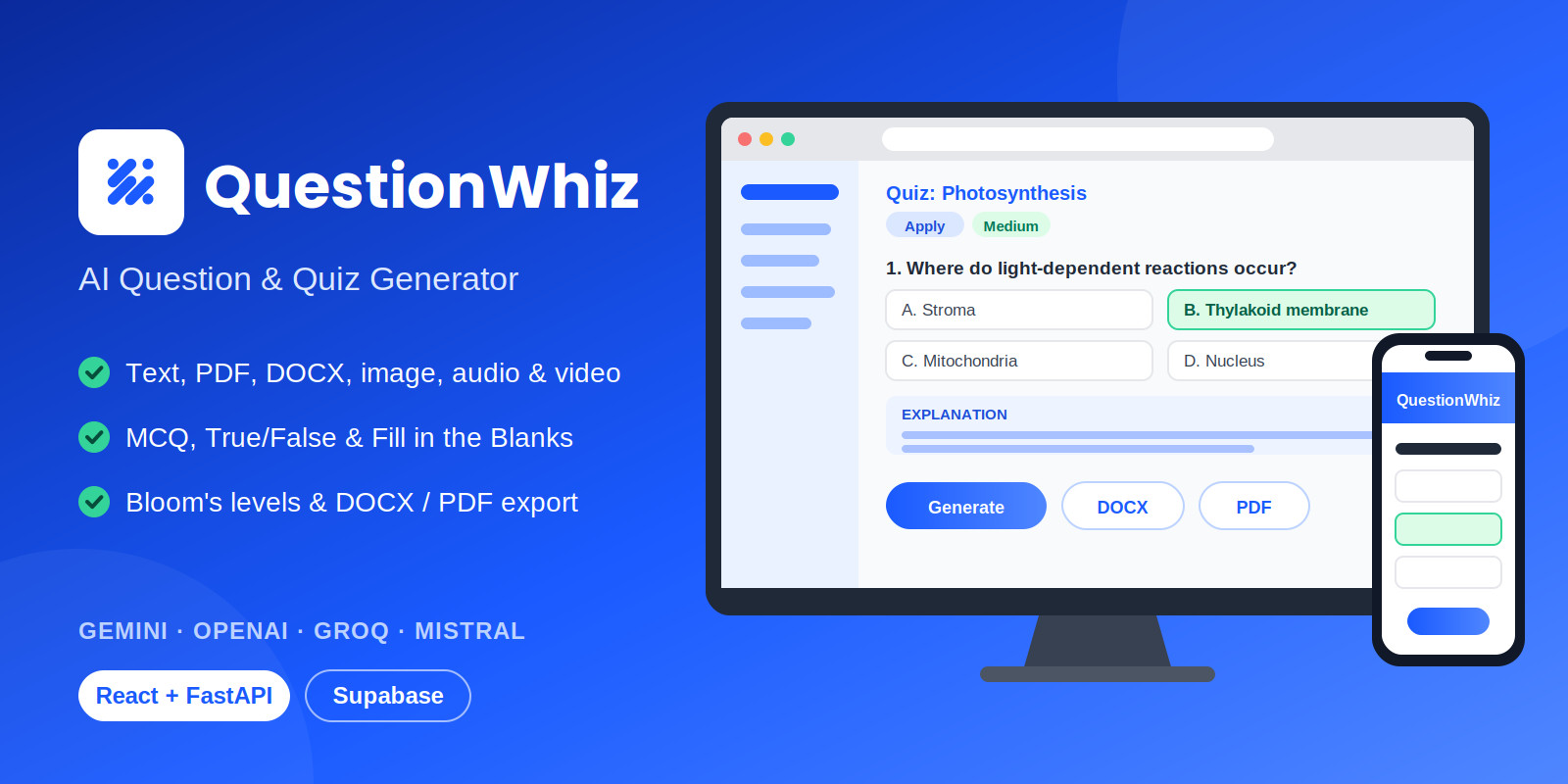
QuestionWhiz is a full-stack web application that turns text, topics, documents, images, audio and video into ready-to-use quizzes and study questions with AI. It combines a React 18 + Vite frontend with a FastAPI (Python) backend and uses Supabase for authentication and storage. It suits educators, schools, tutoring businesses, ed-tech founders and developers who want a working assessment platform to run or customize.
Flexible source inputs
- Paste text such as articles, excerpts or lecture notes
- Topic-based generation with subtopic, core concepts, constraints and keywords
- Similar-question generation from an existing question
- Multi-file upload for PDF and DOCX documents, images, audio and video
Pedagogical control
- All six Bloom's Taxonomy levels: Remember, Understand, Apply, Analyze, Evaluate, Create
- Easy, Medium and Hard difficulty
- Multiple Choice (A/B/C/D, 1/2/3/4 or a/b/c/d), True/False and Fill in the Blanks
- Optional answer keys and step-by-step explanations
Multi-provider AI (Bring Your Own Key)
- Supports Google Gemini, OpenAI, Groq and Mistral AI
- Users add their own API keys in the app; keys are kept in browser local storage and sent per request
- Vision models read images; Gemini processes audio and video
Dashboard, history and export
- Dashboard with generation analytics, question metrics and recent activity
- Quiz history with copy and re-export
- Client-side export to DOCX and PDF
- Installable as a Progressive Web App (PWA)
Security
- Supabase email/password and Google OAuth sign-in
- Server-side JWT verification (HS256 and RS256/ES256 via JWKS)
- Per-IP rate limiting and Pydantic input validation
Technology stack
React 18, Vite, React Router v6, Tailwind CSS, Python, FastAPI, Uvicorn, Pydantic, SlowAPI, Supabase (Auth + PostgreSQL), PyPDF2, docx, jspdf, file-saver.
What's included
- Complete source code (frontend and backend)
- README, installation guide, configuration guide and user guide
- Illustrated, printable PDF user manual
Requirements
- Python 3.10+ and Node.js 18+
- A Supabase project (the free tier is enough to start)
- At least one AI provider API key (Gemini, OpenAI, Groq or Mistral)
- Hosting for the backend and a static host for the frontend if deploying publicly
Please note
- AI provider usage is billed by the provider and is not included in the purchase.
- Image, audio and video features depend on the provider (Gemini or OpenAI for images, Gemini for audio and video).
- Review generated questions for accuracy before using them in graded assessments.
- Setup requires basic familiarity with Python, Node.js and environment configuration.
Features
- Generate questions from text, topics, PDF, DOCX, images, audio and video
- Multiple Choice, True/False and Fill in the Blanks
- Bloom's Taxonomy levels and Easy/Medium/Hard difficulty
- Answer keys and step-by-step explanations
- Supports Gemini, OpenAI, Groq and Mistral (Bring Your Own Key)
- Export to DOCX and PDF
- Quiz history, copy and re-export
- Dashboard with generation analytics
- Supabase email and Google OAuth sign-in
- Installable PWA
- Detailed documentation and illustrated PDF manual
Requirements
- Python 3.10 or newer, with pip
- Node.js 18 or newer, with npm
- A Supabase project (Project URL, API key and JWT secret; Email and Google OAuth providers if needed)
- At least one AI provider API key: Google Gemini, OpenAI, Groq or Mistral AI
- Gemini or OpenAI key for image input, and a Gemini key for audio and video input
- A modern web browser (Chrome, Edge, Firefox or Safari)
- For public deployment: a server or host for the FastAPI backend, a static host for the frontend, and HTTPS
Instructions
- Extract the package and open a terminal in the project folder. It contains
backend/andfrontend/. - Create a Supabase project at supabase.com. Note the Project URL, the API keys and the JWT secret. Enable the Email provider, and Google OAuth if you want it. Set the Site URL and Redirect URLs to your frontend address.
- Set up the backend:
cd backend
python -m venv venv
# Windows: .venvScriptsActivate.ps1
# macOS/Linux: source venv/bin/activate
pip install -r requirements.txt
- Configure the backend. Create
backend/.envwithSUPABASE_URL,SUPABASE_KEYandSUPABASE_JWT_SECRET.
python main.py. It runs at http://127.0.0.1:8081. Set up the frontend in a second terminal:
cd frontend
npm install
Configure the frontend. Create
frontend/.env with your Supabase URL, anon key and backend URL. Start the frontend: npm run dev, then open the address shown (typically http://localhost:5173). Sign up or sign in, open the API keys area and add your Gemini, OpenAI, Groq or Mistral key. Generate questions: choose a source (text, topic, similar question or files), set the question type, Bloom's level and difficulty, then click Generate. Export to DOCX or PDF, or review earlier quizzes in History. For production, run npm run build for the frontend and serve the output from a static host. Run the backend behind a process manager and HTTPS.Full details are in the included README, INSTALLATION, CONFIGURATION and USER_GUIDE files and the PDF manual.
| Author | lysarqsolutions23 |
|---|---|
| Category | Scripts & Code / Python |
| Price | $25 |
| Extended License | $75 |
| First Release | Oct 13, 2026 |
| Last Update | Oct 13, 2026 |
| Database | PostgreSQL 14, PostgreSQL 15, PostgreSQL 16 |
| Files included | .py, .css, .html, .jsx, .svg, .md, package.json, Dockerfile, JavaScript .js |
| Software version | Python 3.10, Python 3.11, Python 3.12, Python 3.13, Python 3.14, Node.js 22 |
| Html/css framework | Bootstrap, Tailwind CSS |
| Software framework | React, FastAPI |
| Javascript framework | React, Node.js |
| Programming language | JavaScript, Python |
Categories
Tags
External listing. code.market does not sell this product and does not process payment for it. Pricing, payment, delivery, licensing, refunds, and support are handled by the third-party merchant on its own website. We may earn an affiliate commission from a referral. Details.
Products of the Week.
Submit🥇

Actionbook
It works inside the user's own browser with the accounts already signed in. The user describes the result they need, and the agent reads, clicks and types through the pages, then delivers a dashboard or report where each data links back to its source.
Other · 730 views · 10 clicksOther · Week 44 · 730 views · 10 clicks
🥈

Free social media tools for creators & solofounders
295 free tools for growing your social media: write, plan, grow on local AI models, 100% free forever, No sign-up required, No trial. Write, check and measure posts on LinkedIn, Instagram, TikTok, X, YouTube, Reddit, Product Hunt and more: a free social media scheduler for 17 networks, engagement rate calculators, character counters, best time to post, hook generators and follower growth calculators. No login anywhere, no API or credit usage.
698 views · 6 clicksWeek 44 · 698 views · 6 clicks
🥉

STOP GUESSING WHAT TO POST
AI that learns your brand voice and builds a month of consistent, on-brand social content: carousels, posts and hooks that sound like you, not like everyone else's AI.
SaaS · 1,945 views · 21 clicksSaaS · Week 44 · 1,945 views · 21 clicks
#4

Hand-Placed Backlinks $9.99 per link. Flat rate.
Buy hand-placed forum, Q-A and directory backlinks. Flat $9.99 per link, no subscriptions — you only pay for approved listings.
Website · 1,896 views · 17 clicksWebsite · Week 44 · 1,896 views · 17 clicks
#5

Conversational Backlinks for Busy Founders
Place Backlink Relevant Conversation for your domain across Forums and Conversations
39,354 views · 211 clicksWeek 44 · 39,354 views · 211 clicks
#6

Free Invoice Generator - PDF Invoices in Your Browser, No Sign-Up
A free invoice maker for freelancers and small businesses: fill in the invoice, check the live preview, and download a PDF that looks exactly like it. Any currency, tax per item, three templates, no sign-up, and nothing leaves your device.
635 views · 11 clicksWeek 44 · 635 views · 11 clicks
#7

Merge PDF Files Free - Combine PDFs in Your Browser, No Upload
A free PDF merger for office workers, students, and freelancers: combine PDFs and images into one file in the browser, reorder files and pages, pick page ranges, keep bookmarks, and open password-protected PDFs. Nothing is uploaded, no sign-up, no watermark.
580 views · 4 clicksWeek 44 · 580 views · 4 clicks