QR & Barcode Scanner and Generator app
Description
QR Scanner & Generator
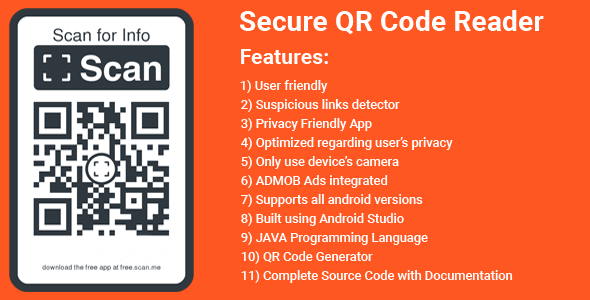
The QR Scanner belongs to the group of QR Scanner Apps. The app supports its users in detecting malicious links: QR Codes provide new possibilities for an attacker, as QR Codes can contain malicious links, i.e. links to phishing webpages or webpages from which malware would automatically be downloaded. Therefore it is important to carefully check the link before accessing the corresponding webpage.
This app is optimized regarding the user’s privacy. It only uses the device’s camera in order to decode QR codes and barcodes.
All in one QR Code Generator and QR Code Scanner
Generate QR Code for Website URL, Contacts, text, Wifi, Business card, SMS A great QR Code generator app for Instagram, WhatsApp, Twitter, Facebook Customize QR Code with different colors, eyes, patterns and frames Support using pictures as the QR code colors Create QR Code with plentiful templates Scan existing QR codes and decorate Add generated QR code to a picture or a poster ⭐ Manage your generated QR records and scan records Save the generated QR Code as a template User friendly and easy to useThank you for showing interest in my app. If you have any questions please do ask me through the message box
Categories
Tags
External listing. code.market does not sell this product and does not process payment for it. Pricing, payment, delivery, licensing, refunds, and support are handled by the third-party merchant on its own website. We may earn an affiliate commission from a referral. Details.
Products of the Week.
Submit🥇

Ecomz AI | Multi-Tenant SaaS
Launch your own branded AI e-commerce platform without building the software from scratch. Ecomz AI provides a white-label, source-code/business-in-a-box solution that lets you offer merchants online stores, branded mobile apps for each shop, AI-powered sales and support agents, a unified inbox, a customisable drag-and-drop page builder, Ecomz Appstore integrations, and subscription plans you control under your own SAAS brand/hosting/business.
Other · 147 views · 8 clicksOther · Week 43 · 147 views · 8 clicks
🥈

Whisper Notes - Best Offline
Whisper Notes turns speech into text entirely on your iPhone or Mac — no internet, no account, and your audio never leaves the device. Pick Whisper, Parakeet V3 or SenseVoice for 100+ languages, transcribe recordings and imported audio or video files with speaker labels, and on the Mac direct download hold Fn to dictate into any app. One-time purchase: $7.99 on iPhone, $14 on Mac, with 5,000 free words a week on Mac.
Other · 113 views · 5 clicksOther · Week 43 · 113 views · 5 clicks