
Proofora | AI Receipt and Warranty Tracker App With Laravel Key Proxy
Description
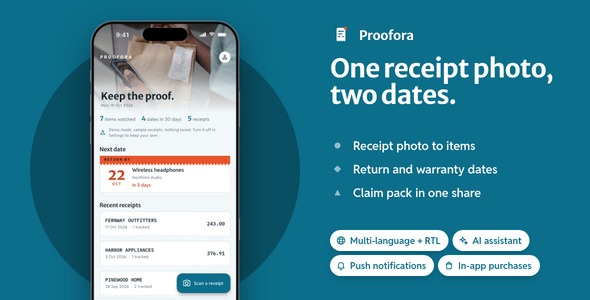
Photograph a receipt and every item on it gets two dates, the last day to return it and the day its warranty ends, with reminders before each and the proof for a claim on one clipboard. 15 screens in light and dark, three languages, a Laravel key proxy and a landing page in the download.
Demo Instructions
The Live Preview opens on four demos, listed below under Every part of Proofora, open before you buy. In a demo build (flutter run, and the Live Preview), demo mode is on: tap Skip on the first screen and the app opens; there is no account to make, because receipts stay on the phone. A release build has no demo mode. Six sample receipts are ready on the Scan tab’s camera screen; pick the top one and tap Read the receipt to watch it print, confirm the faded date, and track its two lines. No AI key is needed in demo mode.
- Admin panel of the included back end, once you install it: Email: admin@proofora.test · Password: password (the panel asks for a new password at the first sign-in)
Costs not included in the price
Outside demo mode the receipt reader needs an OpenAI, Anthropic or Gemini API account: yours behind the included key proxy, or each user’s own key. Push notifications, analytics and crash reports run on a Firebase project of your own (Firebase’s free tier covers them; without one the app runs with those three switched off). Reading a receipt or a shop’s policy, and the counter lines, call OpenAI, Anthropic or Gemini, and each of them bills every request, an ongoing cost for as long as the app is in use; with the included key proxy that usage is billed to the provider account you configure on your server. Publishing, push, analytics and in-app purchases each run on an account of your own: an Apple Developer Program membership, a Google Play Console account and a Firebase project. The key proxy needs a PHP host or a Docker server of your own. Each of those providers invoices you on its own, and none of it is part of this item’s price.
AI disclosure
AI-assisted tools were used during development and testing to help write and review the source code and the documentation of this item. The author reviewed, tested and finalized every part before release. The 14 photographs are licensed Pexels stock, each listed with its photographer in assets/images/goods/LICENSES.txt, and the six sample receipts are SVG drawings written for this item; no image-generation model was used.
In addition, Proofora’s receipt reader is AI-powered. A vision model from the provider you choose copies what is printed on the receipt: the shop, the date, each line, the total and any return period in the footer. It never works out a date, a policy or a price; both deadlines are counted on the phone from the purchase date and the shop’s card. Fields it was unsure of wait for a tap before any line becomes an item. The same route reads a pasted returns policy and writes three short counter lines from facts the app already holds. Without a key or a server, demo mode answers on the phone from the sample receipts.
What Proofora gives a buyer on day one
- A receipt turned into dates, end to end: photo, transcription, a confirm step for anything unsure, items with a return date and a warranty date, reminders 30, 7 and 1 day before, and a claim pack you can share.
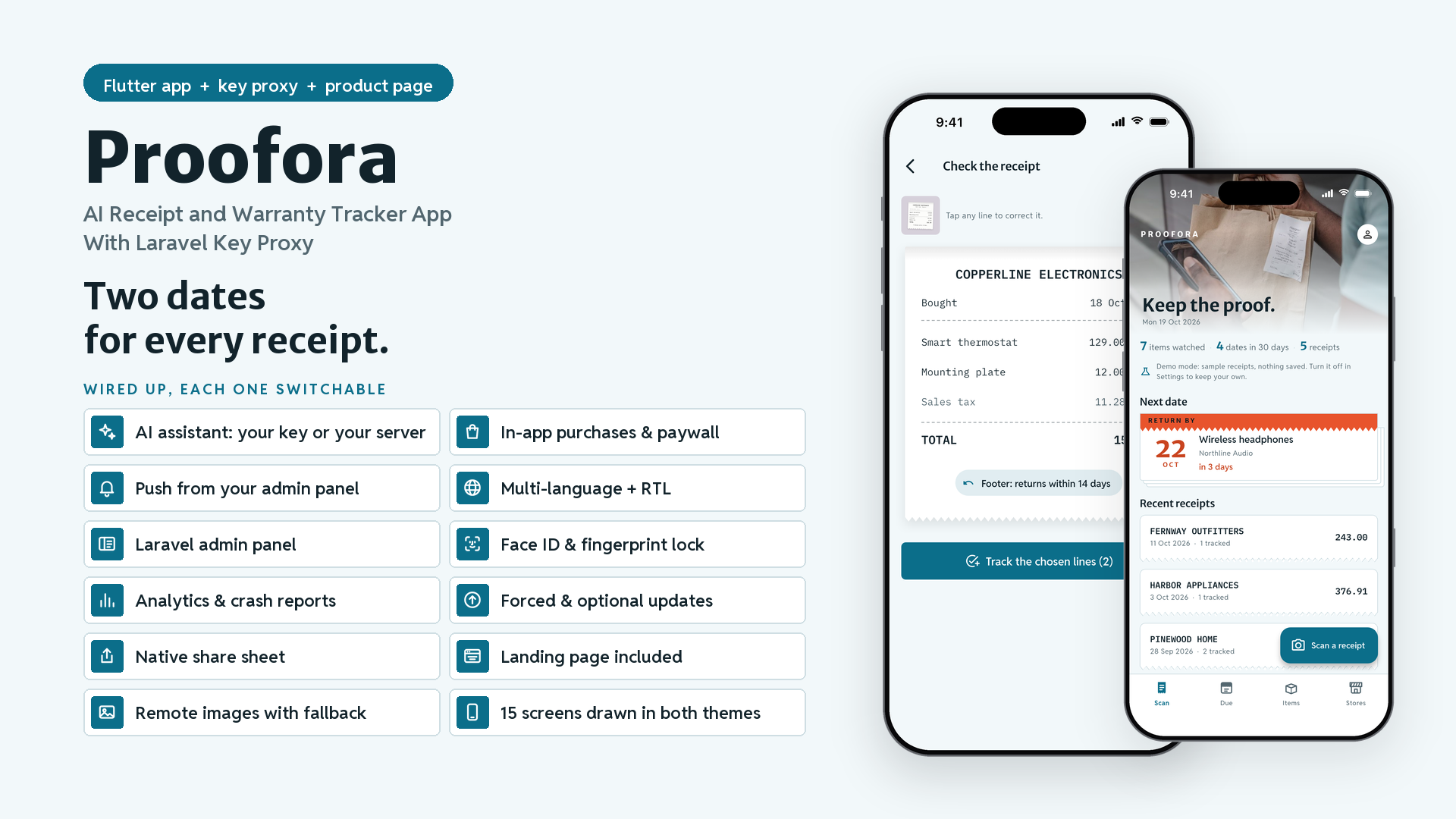
- The integrations are already done: in-app purchases with a paywall, push, analytics and crash reports, a Face ID / fingerprint lock, update prompts, three languages with RTL, a share sheet and remote images, each behind one interface and switched on from one config file. Here the paywall lifts the ten-item limit and the share sheet sends the claim pack.
- Your keys stay off the phone:
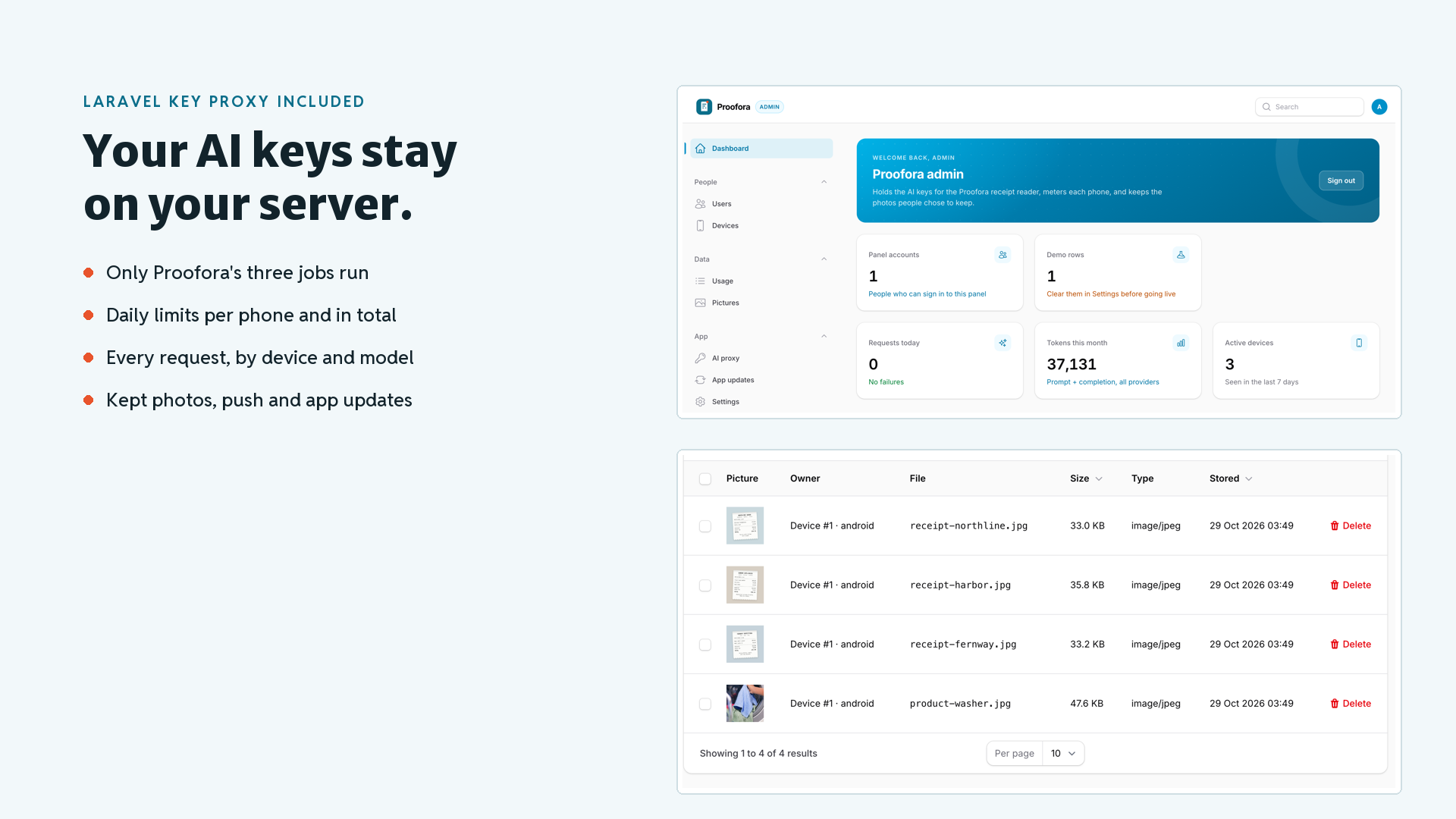
backend/is a Laravel key proxy with a Filament admin panel that holds the OpenAI, Anthropic and Gemini keys, runs only Proofora’s three jobs with prompts kept on the server, meters every phone per day and shows each request; it keeps photo copies only for people who switch that on. - Checked before it reached you: 108 app tests and 128 back-end tests, a walkthrough of every screen in light and dark, and the deadline engine tested on month ends, leap days and conflicting policies.
Nine things you will not have to build
- In-app purchases and a paywall: App Store and Google Play products behind
PurchaseGateway; Pro lifts the free plan’s ten watched items, survives offline and restores in one tap. - Push notifications: send from your admin panel to every install, choosing the screen a tap opens; permission is asked from Settings.
- Analytics and crash reports: screen views and the errors people actually hit, behind a consent switch.
- Face ID / Touch ID / fingerprint lock: lock on launch for a phone full of receipts, disabled on phones with nothing enrolled.
- Three languages with RTL: English, Spanish and Arabic, every receipt and reminder string included; add a language by copying one file.
- Update prompts: gentle and required updates driven by four lines in your server’s
.env. - Share sheet: the claim pack’s photos and summary in one share, plus backups and a CSV of every item, iPad anchored.
- Pictures on items: product, box and warranty card photos on every item, from the camera, the library or bundled samples, with fallbacks.
- AI assistant, your key or your server: OpenAI, Anthropic or Gemini behind one adapter that asks each for the same JSON, with the person’s own key or through the included key proxy; demo mode answers on the phone.
Every part of Proofora, open before you buy
Each part of this item opens in the Live Preview, not only the app. Its first page lists four demos, and the All demos button returns you there from any of them:
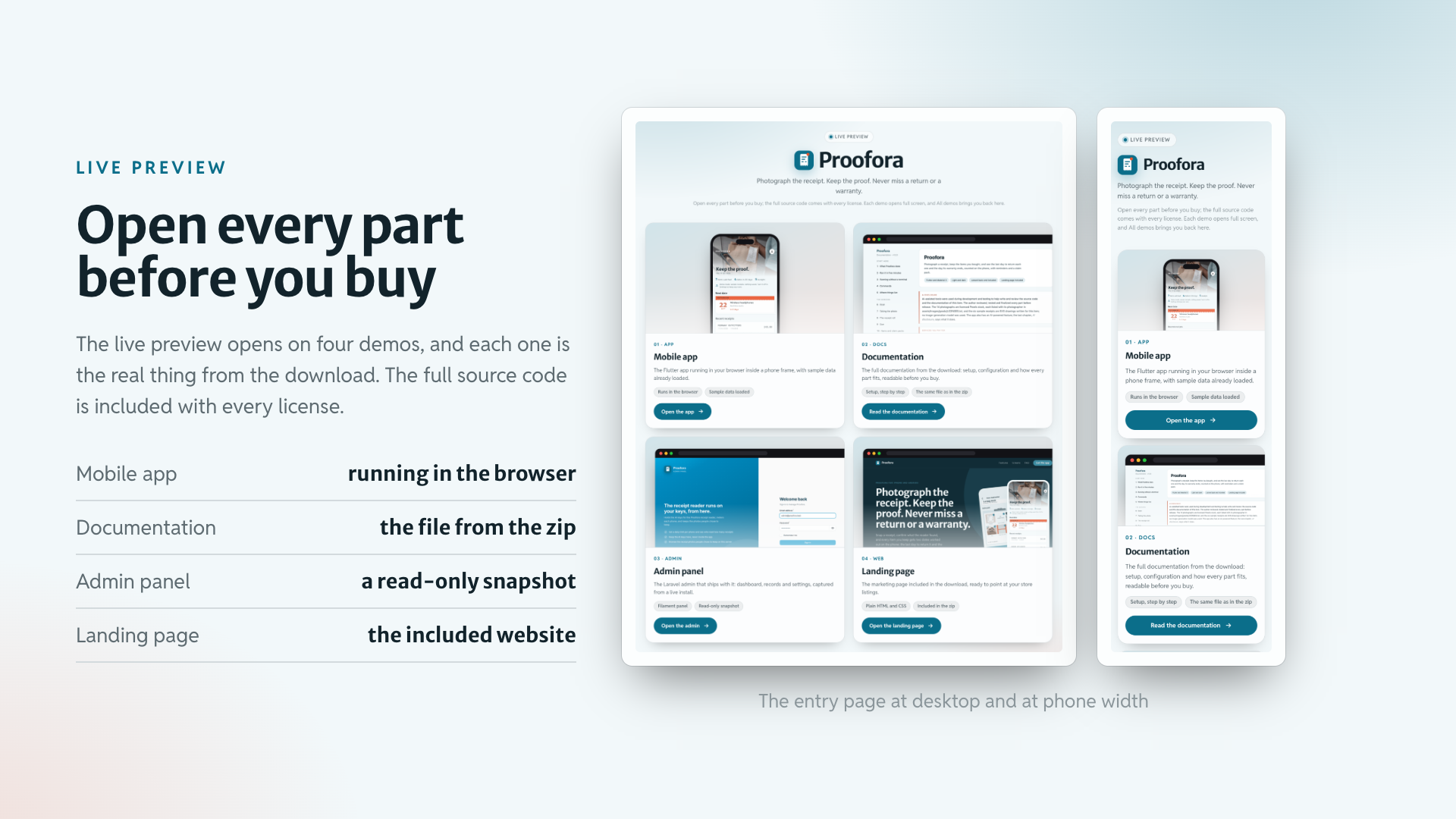
- Mobile app: the Flutter app running in your browser inside a phone frame, with the sample receipts already loaded.
- Documentation: the HTML manual exactly as it sits in the download, all 42 chapters.
- Admin panel: a read-only snapshot of the key proxy’s admin from a live install: the dashboard, every sidebar page, one record open.
- Landing page: the product website from the download, already in Proofora’s teal and type.
The full source code is included with every license type, Regular and Extended alike.
Four screens worth the receipt
The receipt roll
The reading comes back as a strip of till paper that prints line by line; unsure fields are underlined in coral and wait for Confirm, and a round button beside each line picks what to track.

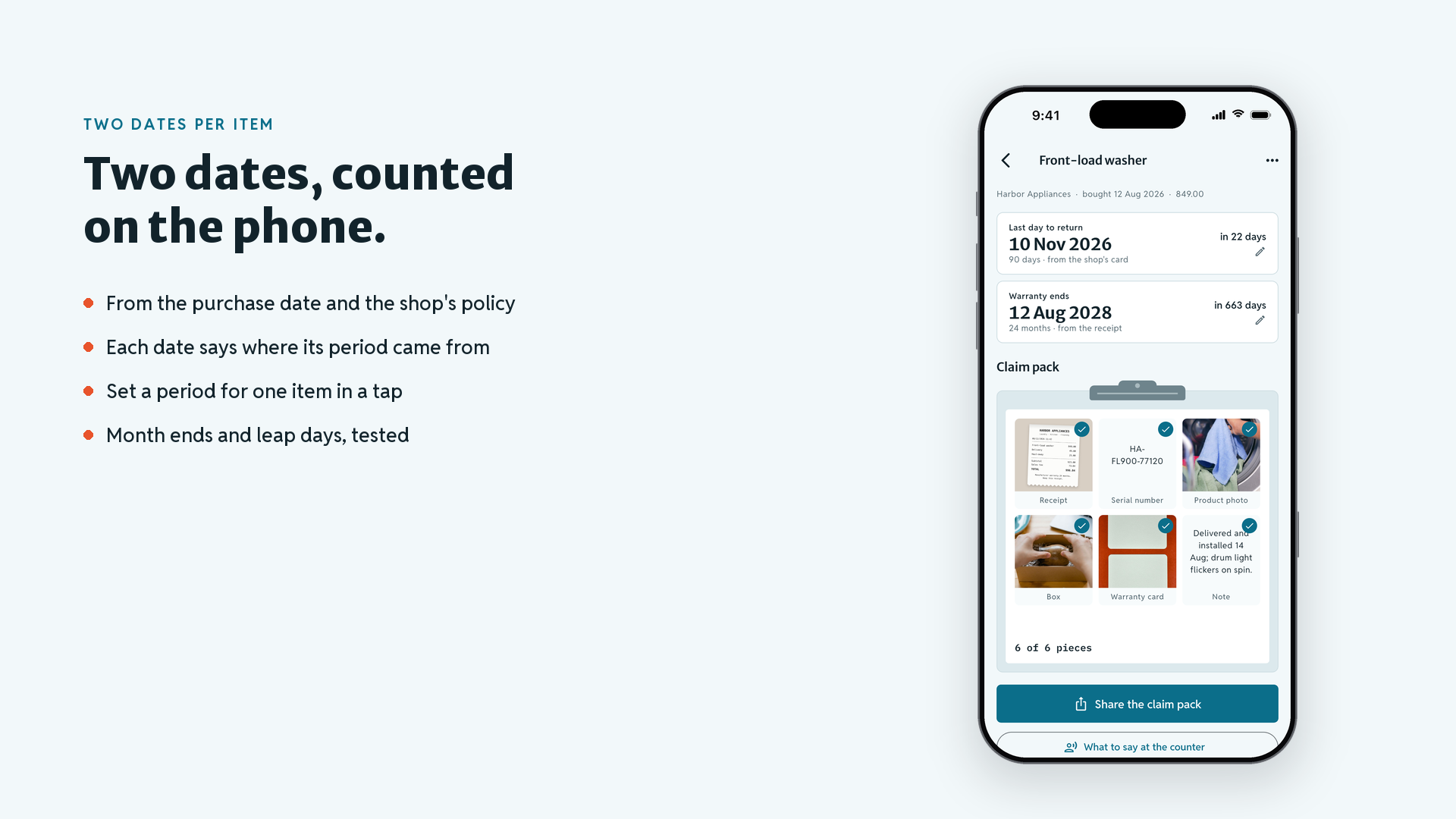
Each item carries its own two dates
Each item shows its last day to return and the day its warranty ends, with where each period came from.
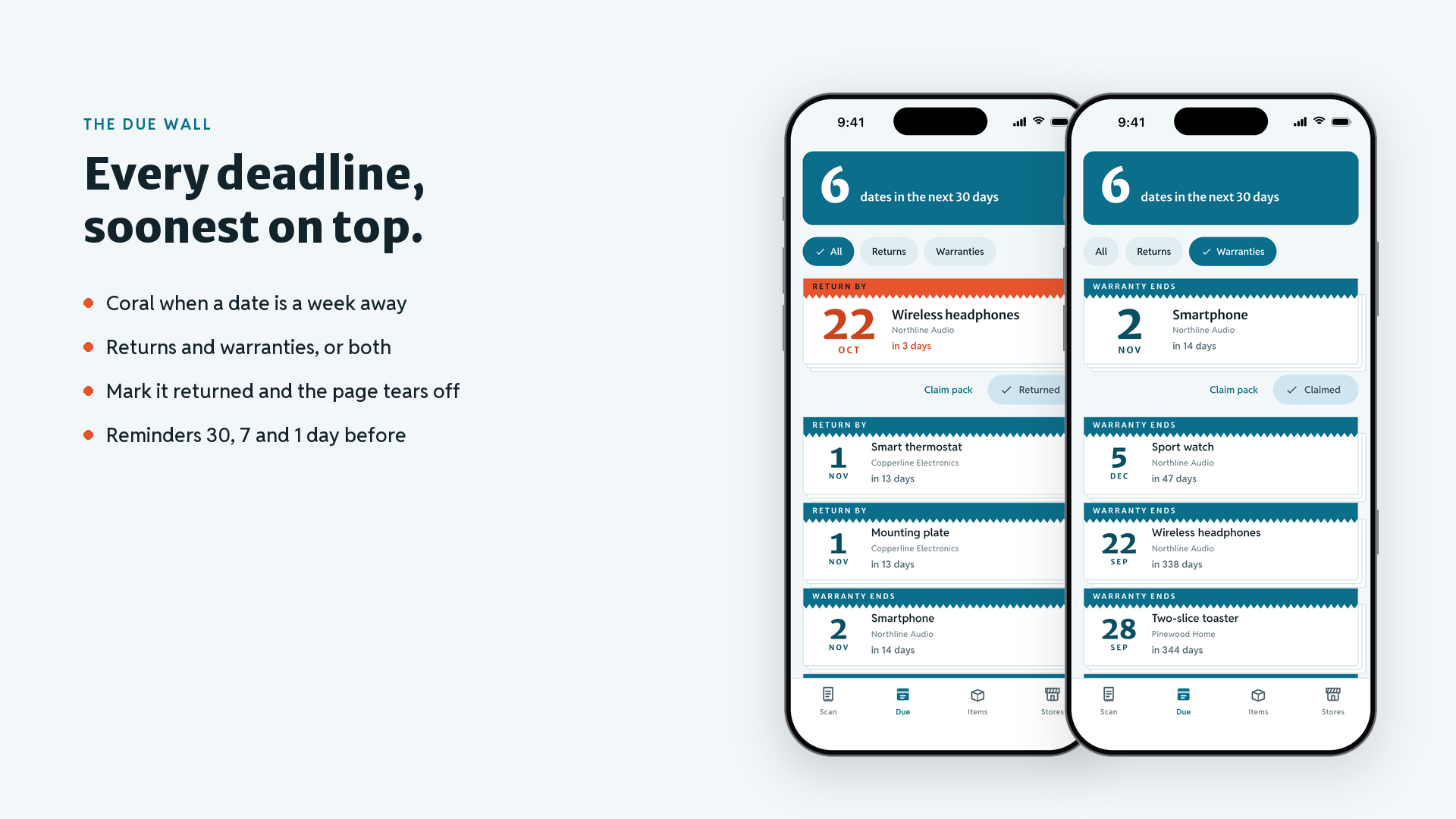
The tear-off due wall
Every return and warranty date as a calendar page, soonest on top; mark the top one Returned or Claimed and it tears off.
The claim pack clipboard
Six proof tiles (receipt, serial number, product, box, warranty card, note), a count of what is still missing, one share for the lot.

Shop cards under an awning
Each shop’s return window and warranty; paste its policy text or photograph the sign, and every date that depends on it moves.

The same paper after dark
Every screen in light and dark, from one color file.

Your key or your own server
Gemini, OpenAI or Claude with a key of your own, or the included key proxy.

Plus the screens a real app needs: onboarding, adding an item by hand, the AI routes screen with key and model fields, settings, a paywall and an about page.
Landing page included
The download ships a one-page product website for your app (landing/): a hero with two phone mock-ups, three feature tiles, a swipeable screen gallery, FAQ and store buttons, already in Proofora’s colors and type; change the copy and the store links and publish it anywhere static HTML is served.

Laravel back end included
backend/ is a Laravel key proxy with a Filament admin panel: the provider keys, the three receipt jobs and their fixed prompts, a per-phone daily limit, a site-wide daily and monthly budget, a request log by device, the kept photos, push sending and app-update notices. Point the app at it with one --dart-define=API_BASE_URL, or one line in the settings screen, and the app trades a random device key for a token. It runs on PHP 8.4 or later or in Docker, and provider usage is billed to your own account.
For the developer who ships it
- Dates you can trust in code: the deadline, policy and reminder engines are plain Dart with no Flutter import and an injected clock.
- Jobs in one place: each AI job is one file with its schema and its demo answer, and a test keeps the app’s prompt word for word equal to the server’s.
- One config file for every integration:
feature_config.dartholds the ids and switches;feature_packs.dartis the only place an implementation is chosen. - One color file re-skins it: the app, the icon, the admin panel and the landing page follow the same teal.

What you get: full Flutter source code with the eleven feature packs, the Laravel key proxy with its admin panel, the landing page, a README with the re-skinning and integration guide, offline HTML documentation (42 chapters), sample receipts and photos, light and dark themes.
Notes
The dates are worked out from the purchase date and the policy the person keeps for each shop; they are not a promise from any shop, and the shop’s own terms apply. The reader can misread faded or creased paper, so every field can be corrected by hand. Claim packs are shared as photos and text through the share sheet; there is no PDF export in this version.
Debug builds and the Live Preview run in demo mode on the bundled sample receipts. A release build is the real app: it has no demo mode, needs the address of your key proxy at build time, and reading receipts needs a network connection. Return and warranty reminders are scheduled on the phone.
Laravel is a trademark of its owner. Proofora is an independent product built on the open-source Laravel framework; it is not affiliated with, sponsored by or endorsed by Laravel.
Store receipts for purchases are checked by code you add at the hook PurchaseGateway leaves open. The interface lives entirely in the Dart source; no Figma or Sketch design files come with it.
| Author | coderqh |
|---|---|
| Price | $69 |
| Sales | 0 |
| Rating | 0 (0) |
| Published | Oct 30, 2026 |
| Last Update | Oct 30, 2026 |
| Compatible Software | Flutter 3.x |
| Mobile Files Included | Dart, YAML, JavaScript JSON, .kotlin, .swift, JavaScript JS, CSS, PHP, HTML |
Categories
Tags
External listing. code.market does not sell this product and does not process payment for it. Pricing, payment, delivery, licensing, refunds, and support are handled by the third-party merchant on its own website. We may earn an affiliate commission from a referral. Details.
Products of the Week.
Submit🥇

Perceptle
Perceptle is a daily browser-based game that challenges you to test your sensory intuition through five quick estimation and rhythm-based rounds.
Other · 1 views · 0 clicksOther · Week 47 · 1 views · 0 clicks
🥈

Free LinkedIn Likes From Real
Get free LinkedIn likes on your posts from real members who react by hand. No
SaaS · 124 views · 2 clicksSaaS · Week 47 · 124 views · 2 clicks
🥉

STOP GUESSING WHAT TO POST
AI that learns your brand voice and builds a month of consistent, on-brand social content: carousels, posts and hooks that sound like you, not like everyone else's AI.
SaaS · 7,686 views · 71 clicksSaaS · Week 47 · 7,686 views · 71 clicks
#4

aaas.market
407 reliable micro tools for solo founders, marketers and creators. They work in your browser
SaaS · 122 views · 0 clicksSaaS · Week 47 · 122 views · 0 clicks