Progress Map Wordpress Plugin
Description

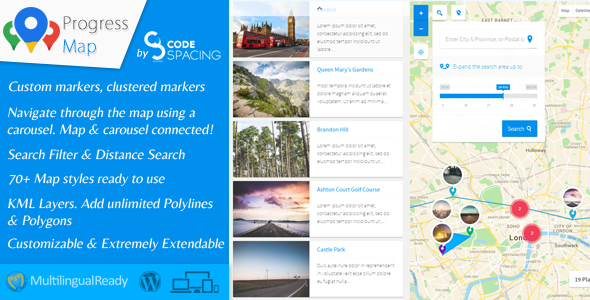
Progress Map is a WordPress plugin for location-based listings. If your website displays hotel listings, real estate listings, restaurant listings, job listings, store listings or any other kind of listing that refers to locations, Progress Map allows you to list these locations on Google Maps easily and provide your visitors with an easy way to navigate through these on your website.
Your locations will be displayed both as markers on Google Maps as well as on a carousel. The carousel is connected to a map, so that when it’s selected it will target the location on the map making it even easier for your readers to find your listings.
Adding locations to your map is simple. All you need to do is add your location’s coordinates to the form on the “Add new post” page. Progress Map works with both default post types as well as custom post types with no restriction on how many custom post types you can use.
We keep our pricing competitive, but this doesn’t mean we skimp on features. Progress Map is jam-packed with useful features, making our plugin even better value.
Progress Map provides a powerful admin panel from where you will be able to manage everything directly.
With endless customisation options and unique features that can’t be found anywhere else, Progress Map for WordPress is an innovative plugin that offers everything you need – and more.
When we built Progress Map, we paid attention to every detail and left no stone unturned to ensure that our plugin checks all your boxes. Plus, our commitment to adding more features and continually improving Progress Map means that it just keeps getting better.
Sleek, elegant and user-friendly, Progress Map will take your website to the next level.

Improvements
13.10.2022 - version 5.7

- Made the plugin compatible with PHP8
13.04.2022 - version 5.6.9

- Added the possibility to increased the map zoom in the settings up to 22
- Fixed the JS errors "Cannot read properties of undefined (reading 'length')"
- Fixed JS erros in "jquery custom scrollbar plugin"
05.07.2021 - version 5.6.8

- Edit: Re-addition of the functionality that automatically geolocats the user's location and displays their position on the map
12.06.2021 - version 5.6.7

- NEW: Added the possibility to hide all KML Layer on map load and show them using the KML Layer's list (KML Layers settings => KML Layers onLoad status)
23.05.2021 - version 5.6.6

- Fixed a compatibility issue with the extension "List & Filter"
20.05.2021 - version 5.6.5

- NEW: Added the possibility to show or hide only locations of the currently logged-in user (Query settings -> Authors type)
- Improvement: Removed the map options "Draggable" and "ScrollWheel". These options are now controllable from the new setting "Map settings => Controls & Interaction => Gesture Handling".
- Edit: Prevent the map from automatically geolocating the user location as it is now considered a violation. The user now need to click on the geolocation button to show their position on the map.
- Improvement: Added multiple error messages that will appear during the configuration of the plugin and that will give detailed instructions to the user to fix occuring problems.
- Deprecated: The option "Troubleshooting => Loading scripts & styles => Combine files" is now deprecated. the option "Separate files (Minified versions)" should be used instead!
10.02.2021 - version 5.6.4

- Fixed an PHP error that occurs when saving the map settings
20.12.2020 - version 5.6.3

- NEW: Added possibility to automatically convert the address field to "lat,Long" and save them as new custom fields when adding/editing the post.
- NEW: Added possibility to automatically regenerate "lat,Long" coordinates for all locations based on the provided address (Troubleshooting => Regenerate markers).
- NEW: Added possibility to open the polygon link inside a modal/popup ("Polygon settings => YOUR POLYGON => Polygon Options => URL Target")
- NEW: Added possibility to open the polyline link inside a modal/popup ("Polyline settings => YOUR POLYLINE => Polyline Options => URL Target")
- NEW: Added possibility to open the image overlay link inside a modal/popup ("Ground overlay settings => YOUR IMAGE => Image Options => URL Target")
- Fixed a compatibility issue with the extension "Submit Locations" regarding multicheck custom fields
- Fixed an issue where it wasn't possible to load the carousel after updating to WP 5.6
- Fixed several compatibility issues with WP 5.6
05.06.2020 - version 5.6

Polygons:

- NEW: Added possibility to change the polygon style on mouse enter/hover (Polygons settings => YOUR POLYGON => Polygon hover style)
- NEW: Added possibility to draw dashed stroke around polygons (Polygons settings => YOUR POLYGON => Polygon style => Stroke type)
- NEW: Added possibility to change the map viewport to contain a polygon bounds when clicking inside of it (Polygons settings => YOUR POLYGON => Polygon options => Change the viewport on polygon click?)
- NEW: Added support for polygons with coordinates format [Longitude,Latitude] (Polygons settings => YOUR POLYGON => Polygon Paths => LatLngs order)

Polylines:

- NEW: Added possibility to draw dashed polylines (Polylines settings => YOUR POLYLINE => Polyline style => Stroke type)
- NEW: Added support for polylines with coordinates format [Longitude,Latitude] (Polylines settings => YOUR POLYLINE => Polyline Path => LatLngs order)

MAP Holes:

- NEW: Added support for holes with coordinates format [Longitude,Latitude] (Hole settings => YOUR MAP HOLE => Hole Path => LatLngs order)

KML Layers:

- NEW: Added possibility to display a KML Layers list on the map allowing the possibility to show & hide specific KML layer(s) from the map (KML Layers settings => KML Layers list)

Zooming to countries:

- Improved the countries dropdown list
- NEW: Added the possibility to add a search functionality to quickly find a specific country in the list (Zooming to countries => Search input field)

Other:

- NEW: Added possibility to change the route color, weight, and opacity in the route map (
- NEW: Added default autocomplete settings under the menu "Progress Map"
- Changed the style of the container of the "Nearby points of interest"
- Changed the skin of the slider
12.04.2020 - version 5.5

- NEW: Added a new feature that allows adding a menu to the markers (Marker menu settings)
- NEW: Added possibility to open directions between user location and markers (Marker menu settings => "Directions" link)
- NEW: Added two new options to change the modal top & bottom margin (Progress Map => Customize => Modal top maring | Modal bottom margin)
- NEW: When using the infobox display event "On marker hover", the plugin will automatically switch to "On marker click" for mobile devices
- Improved the way of opening the map tools
- Fixed a CSS issue that occurs when resizing the infoboxes
23.03.2020 - version 5.4

- Improved the loading speed of the map by adding the carousel & infoboxes images to the cache
- Fixed an issue where it wasn't possible to remove the ellipses from the infoboxes
- Fixed an issue with opening the single post modal
08.02.2020 - version 5.3

- NEW: Added the NEW FEATURE "MAP HOLES" that allows covering the map with an overlay and to highlight only areas of interest.
- NEW: Added possibility to display infoboxes when reaching a specific zoom level (Infobox settings => Display event => By reaching a zoom level)
- NEW: Added possibility to display a close button to infoboxes (Infobox settings => Show close button)
- NEW: Added possibility to render bicycle information on your map (Map settings => Bicycling layer)
- NEW: Added more options to control the heatmap layer properties (Heatmap layer settings)
- NEW: Added possibility to generate a heatmap custom color gradient (Heatmap layer settings => Heatmap Color Gradient Generator)
- NEW: Added possibility to deactivate geo-targeting on the search form (Search form settings => Allow Geo-targeting)
- NEW: Added possibility to display and edit all custom fields added from the extension "Submit locations" in the add/edit post.
- Fixed an issue where it wasn't possible to increase the small cluster image size to more than "50px"
- Fixed an issue where infoboxes sometimes not able to open the post link inside a modal
20.01.2020 - version 5.2

- NEW: Added possibility to override the default API Key for a specific map (Map settings => Override default API Key)
- NEW: Added possibility to override the default map language for a specific map (Map settings => Override default map language)
- NEW: Added possibility to restrict map bounds (Progress Map settings => Default map settings => Map Restriction) | (Map settings => Map Restriction)
- NEW: Added a drawing tool that will help you find your image overlays bounds from the map settings (Edit your ground overlays to see the changes)
- NEW: Added a drawing tool that will help you draw your polylines from the map settings (Edit your polylines to see the changes)
- NEW: Added a drawing tool that will help you draw your polygons from the map settings (Edit your polygons to see the changes)
- Improved the way you can set the map center (Progress Map => Default map settings => Map center) | (Map settings => Map center)
- Added support for the changes made in "GMaps Places API" regarding "Place Field Migration"
- Improved the CSS code of the admin settings fields to meat the changes made in WP 5.3
- Fixed an issue where it wasn't possible to upload KML/KMZ files to the media library
20.11.2019 - version 5.1

- Fixed a conflict with WP 5.3 that prevents displaying the map settings
- Fixed some PHP errors that occurs during plugin instalation
01.07.2019 - version 5.0

- NEW: Added possibility to filter the carousel by displaying only locations in the viewport of the map (Carousel settings => Syncronize the carousel with the viewport of the map)
- NEW: Added possibility to detach the carousel from the map (Carousel settings => Connect the carousel to the map)
- NEW: Added possibility to override the parameter "Plugin settings => "Outer link" custom field name" for specific maps ((custom) post type & Map settings => How to get the posts link?)
- NEW: Added support for HTML content inside polygons & Polylines desription/infowindow
- NEW: Added possibility to create custom infobox title & description (Infobox settings => Infobox title/description)
- NEW: Added possibility to create single maps' custom infobox title & description (Progress Map => Default infobox settings => Infobox title/description)
15.06.2019 - version 4.9.1

- Added some quality improvements required by Envato.
- Fixed an issue where the default marker image size doesn't reflect the values set in the "Default marker settings".
- Fixed an issue where it wasn't possible to display custom content for the larger infobox.
- Fixed some issues in the backend fields description.
- Fixed a page scroll issue when setting the display status of the search form to "Open".
17.05.2019 - version 4.9

- Added some quality improvements required by Envato.
10.05.2019 - version 4.8

- Improved the performance of the SQL query responsible for loading locations on the map
- New: Added possibility to change the size the default GMaps controls (Map settings => Map controls size)
- Removed support for shortcode attribute "optional_latlng"
26.04.2019 - version 4.7

- NEW: Added possibility to enable/disable fullscreen mode for the modal (Progress Map => Customize => Allow fullscreen?).
- NEW: Added possibility to specify the initial & minimum radius when searching for nearby places (Nearby points of interest settings => "radius" & "Minimum radius")
- Improved the plugin admin style
27.02.2019 - version 4.6

- NEW: Added possibility to connect a KML/KMZ layer to a post and make the KML/KMZ layer visibility dependent to that post visibility on the map.
- NEW: Added possibility to connect an image (Ground Overlay) to a post and make the image visibility dependent to that post visibility on the map.
- NEW: Added possibility to connect a polyline to a post and make the polyline visibility dependent to that post visibility on the map.
- NEW: Added possibility to connect a polygon to a post and make the polygon visibility dependent to that post visibility on the map.
- NEW: Added possibility to open the "Nearby places" Map inside the modal by clicking on the infobox or the marker.
- NEW: Added possibility to change the Modal width & height.
- NEW: Added possibility to force to open the modal in fullscreen.
- Fixed a PHP error
01.10.2018 - version 4.4

- Fixed a PHP error that occurs while updating the plugin from v3 to v4.
10.09.2018 - version 4.3

- Fixed a PHP error that prevents updating the maps.
- Fixed a PHP error that prevents regenerating markers.
17.08.2018 - version 4.2

- New: Added support for "Map Background" feature. "Map settings => Map background".
- New: Added support for "clickable Icons" feature. "Map settings => clickable Icons".
- New: Added support fo "Rotate Control" feature. "Map settings => Show rotate control".
- New: Added support "Scale Control" feature. "Map settings => Show scale control".
- New: Added support for "Cooperative Gesture Handling" feature. "Map settings => Scroll wheel".
- New: Added support for "Fullscreen control" feature. "Map settings => Show fullscreen control".
- Fixed an issue where it wasn't possible to add new posts to the map.
12.08.2018 - version 4.1

- Fixed a PHP error that appears after installing the plugin.
- Fixed a JS error.
25.07.2018 - version 4.0

- New: Added support for Marker Labels:

  1. Possibility to display marker labels "Marker labels settings".
  2. Possibility to automatically label all markers with a number that represents the order of each marker on the map "Marker labels settings => Automatically label all markers with a number".
  3. Possibility to manually label markers with a number or letter "Marker labels settings => manually label markers".
  4. Possibility to use a unique marker label style or to use different style for each marker on your map.

- New: Added support for Marker Popups:

  1. Possibility to display marker popups "Marker popups settings".
  2. Possibility to display the value of a custom field as the content of the marker popups.
  3. Possibility to display the value of a taxonomy terms as the content of the marker popups.
  4. Possibility to display 5 starts rating as the content of the marker popups.
  5. 5 starts rating can be calculate based on the value of a custom field or a taxonomy term.
  6. Possibility to change the style of the marker popups.
  7. Possibility to display a custom text before and/or after the value of the custom field and/or the taxonomy term.

- New: Improved the Autocomplete feature:

  1. Possibility to disable the autocomplete search "Autocomplete settings => Use Autocomplete for address fields? => No".
  2. Possibility to restrict the autocomplete search to the map bounds "Autocomplete settings => Restrict the search to the bounds? => Yes".
  3. Possibility to restrict the autocomplete search to specific countries "Autocomplete settings => Restrict the search to specific countries? => Yes".

- New: Possibility to change the infobox width & height "Infobox settings => Infobox width/height".

- New: Possibility to find posts/locations on the map based on the user location.

- New: Possibility to click on the ground overlay image in order to open a custom URL/Link "Ground Overlays settings => YOUR OVERLAY => Clickable".

- New: Possibility to display locations with no available coordinates "(Custom) Post Type & Map settings => Display locations with no coordinates?".

- New: The post title will be displayed when hovering over the marker.

- New: Added support for SVG icons for markers and clusters.

- New: Possibility to change and/or specify the size of the marker icons.

- Changed the whole plugin settings page.

- Split the section "Map settings" into 4 different sections. "Map settings", "Marker settings", "clustering settings" and "Geo-targeting settings".

- Split the section "Overlays settings" into 3 different sections. "Ground overlays settings", Polylines settings" and "Polygons settings".

- Fixed an issue where it wasn't possible to use the search fields "Map settings => Posts to retreive" and "Map settings => Posts not to retreive".
05.07.2018 - version 3.9.2

- Changed bootstrap class names to avoid conflicts with other themes and plugins using the same CSS framework.
23.06.2018 - version 3.9.1

- Fixed an issue where it wasn't possible to open infoboxes on marker click on touch devices.
19.06.2018 - version 3.9

- Improved the plugin in so many ways. No more slow loading. Infoboxes & carousel items are now loading very fast.
- New: Possibility to regenerate markers for each map. ("All maps => YOUR MAP => Regenerate markers").
- Fixed an issue where the infoboxes are not connected to their markers when reaching a small zoom level (between 0 and 4).
03.06.2018 - version 3.8

- New: Possibility to change the main colors of the plugin from the plugin settings (Progress map => Customize).
- Changed frontend .PNG images to .SVG
- Removed the fields "Map settings => Zoom-in CSS & Zoom-out CSS". Use the fields "Progress map => Default map settings => Zoom-in CSS & Zoom-out CSS" instead!
- Removed deprecated places in "Nearby points of interest". The following types have been deprecated and are no longer supported by the service Google Places (Establishment, Finance, Food, General contractor, Grocery or supermarket, Health, Place of worship).
23.03.2018 - version 3.7.1

- Fixed an issue where it wasn't possible to save a post with no coordinates.
11.03.2018 - version 3.7

- New: Possibility to hide and show markers when displaying/hidden the heatmap layer. "Map settings => Heatmap layer => Yes and change markers visibility".
- New: Added an option to hide the featured image in the carousel items. "Carousel items settings => Items image".
- Fixed an issue where clicking on the cluster displays the markers and the list of all location available within it.
08.02.2018 - version 3.6

- New: Possibility to open the single post page inside a modal/popup by clicking on the marker ("Format & Media => Format => Link)
- New: Possibility to open the single post page inside a modal/popup by clicking on the post link ("Infobox settings => Post URL => Open inside a modal/popup" & "Carousel items settings => Post URL => Open inside a modal/popup" & "Default infobox settings => Post URL => Open inside a modal/popup")
- New: Possibility to open multiple modals, one inside another.
- New: When hovering over the cluster, the map will draw a circle around the clustered area.
- New: Route map. Possibility to display a route map that connects multiple posts with a route.
- Fixed an issue where it wasn't possible to edit the fields in the widget "Add locations".
- Fixed a JS conflict with other plugins in the administration.
- Fixed an issue where it wasn't possible to select the main post type.
- Optimized the plugin images
01.02.2018 - version 3.5.1

- Added new hooks to change the infobox size.
- Fixed an issue where polylines are not visible.
26.01.2018 - version 3.5

- New: Possibility to add/upload media files (gallery, video, audio, etc...) of a location and to pop them up when a user clicks on the location's marker on the map.
- New: Possibility to pop-up the location media files on the main map as well as the single maps ("Light Map", "Static Map" & "Nearby Map").
- New: "Image Maps". Possibility to create image maps by adding an image (Ground overlay) to the map. A map can support multiple images (Ground overlays).
- New: The "Smart Map" feature. The map will communicate with the users and help them to navigate through it. It'll show them instructions and infos about what they expect to see/happen by interacting with an item (marker, layer, etc...) on the map.
- New: Customized the widget "Progress Map: Add locations" and improved it with tabs system.
- New: Added a new infobox style that supports only title & content/excerpt.
- Fixed a compatibility issue with PHP 7.2
- Fixed an issue with Marker Clusters.
- Changed the plugin's files structure.
13.12.2017 - version 3.4

- Fixed an issue where saving a map generates the error "Header already sent".
05.10.2017 - version 3.3

- New: Possibility to use the map as a search map by clearing all markers on map load and by
       displaying them only after sending a search request from an available search tool. "(Custom) post type & Map settings => How would you like to use this map?"
- New: Possibility to display the Heatmap Layer. "Map settings => Heatmap layer"
- New: Added Rotating 45° imagery support.
- Fixed an issue where "Outer links" were not working.
- Fixed an error in the admin settings
13.06.2017 - version 3.2.1

- Fixed an issue where "Outer links" were not working.
- Fixed an error in the map settings page
02.06.2017 - version 3.2

- New: Nearby points of interest. Possibility to display all nearby points of interest of each post/location on the map including user location. "Nearby points of ineterest settings".
- New: Possibility to resize the map circle after doing a search request in order to increase or decrease the search distance and get more or less results. "Search form settings => Resize the circle".
- New: Possibility to change the order of the map elements. "Customize => Map horizontal elements display order | Customize => Map vertical elements display order".
- New: Possibility to duplicate a map.
- Added Retina support for user marker icon.
- Changed the name of the menu "Custom CSS" to "Customize".
- Fixed an issue where the distance used to draw a circle wasn't converted to miles when selecting the option "Search form settings => Distance unit => Miles".
- Fixed an issue where the custom CSS in "Progress Map => Troubleshooting & configs => Custom CSS" wasn't added to the plugin style.
- Added missing strings to "WPML"
- Fixed an issue with marker categories images not been imported when updating from v2 to v3.
- Fixed an issue with the fields "Query settings => Posts to retrieve" and "Query settings => Posts not to retrieve" when updating from v2 to v3. If a field is empty, the plugin renders the ID of the new map as the default value.
22.05.2017 - version 3.1

- New: Added a new field that allows sorting posts using different custom field types. "Query settings => Custom field type".
- Prevent JS conflicts in the administration by removing the plugin files from all admin pages except for this plugin pages.
16.05.2017 - version 3.0

New: Each map will have it's own settings page.
New: Possibility to create unlimited number of maps without adding any attributes to shortcode.
New: Added new feature that allows switching between countries using a dropdown list displayed on the map. Check the menu "Zoom to country settings".
New: Possibility to display the countries names in 121 language.
New: Possibility to display unlimited number of KML Layers in one single map.
New: Possibility to click on Polylines and Polygons and to redirect to a URL and/or to display an infobox with the overlay description.
New: Added a new feature that allows recenetring the map to the initial zoom and center point.
New: Possibility to open the faceted search on map load.
New: Possibility to pre-select options in the faceted search on map load.
New: Possibility to change the order of the taxonomy terms in the faceted search.
New: Possibility to open the search form on map load.
New: Added video tutorials on Youtube.
- Rebuilt the plugin from ground up
- Changed the shortcode name  to
- Changed the shortcode name  to
- Changed the shortcode name  to
- Changed the shortcode name  to
- Changed the shortcode name  to

Note: You must watch the following videos before your update to v3:
 -
 -
16.03.2017 - version 2.8.6

- Fixed an issue where the last word in the carousel is removed.
- Added the possibility to remove the link from the infobox on the Light & Static maps using the shortcode attribute "infobox_link_target".
16.12.2016 - version 2.8.5

- New: Added an option to disable changing the center point of the map while resizing the browser. Use the shortcode attribute "window_resize"!
- New: Autofit. Possibility to Autofit or extend the map bounds to contain all markers & clusters & overlays using the shortcode attribute "autofit".
- New: Possiblity to disable the GMaps API from the frontend or from the backend. Available from "Troubleshooting & configs => Google Maps API (JS File)".
- Included the PHP code that limits loading the scripts & styles directly in the plugin's code instead of copying it in the file "functions.php" of the theme.
- Fixed an error in the library "Mobile Detect".
- Updated the library "Mobile Detect".
- Fixed an issue where choosing an infobox type using the shortcode attribute "infobox_type" displays two different infobox types.
- Updated some functions in the code.
16.06.2016 - version 2.8.4

- New: Added possibility to change the default marker used for the shortcode "cs_static_marker_map" by using the attribute "marker_img".
- Updated the librairy "Mobile detect".
- Updated the WPML code.
- Fixed an issue where the slider used in the search form causes an error in the extension "List & Filter".
- Changed a file name. You need to update the plugin from your website plugins page!
10.05.2016 - version 2.8.3

- Added a notice that informs users that the Geolocation feature has been deprecated on non-secure origins such as http. More infos could be found at
20.04.2016 - version 2.8.2.1

- Removed the admin notice of "Nearby Places WordPress Plugin".
18.04.2016 - version 2.8.2

- New: Added options to disable scripts & stylsheets suspected of creating conflicts with themes.
- Added option to drag the map to the nearest zone containing the markers when filtering locations. Option available in "Faceted search settings / Drag the map".
- Fixed an issue where custom markers uploaded from the Add/Edit post page can not be displayed.
24.03.2016 - version 2.8.1

- Added possibility to change the text "Toggle Carousel" using the filter "cspm_toggle_carousel_text".
- Fixed an issue where the custom marker uploaded in the "Add/Edit post" page were not displayed.
- Fixed an issue that causes conflicts in mobile devices (Only iphone & ipad).
20.03.2016 - version 2.8

- New: Added new shortcode () to display the map of a location based on LatLng coordinates.
- New: Possibility to override the layout type using the shortcode attribute "layout".
- New: Added a new map control (button) that allows the geolocalisation of the user's position on the map.
- New: Added possibility to upload custom marker icon for specific post(s) from the Add/Edit post page.
- New: Added the automcomplete service to the address fields to provide place predictions based on a user's text input.
- New: Possibility to add Google Maps API key from "Map settings / API Key".
- New: Possibility to translate the plugin using .mo and .po files.
- Speed Optimization. Now, the plugin will load only necessary scripts & styles based on the options activated in the plugin settings.
- Redesigned all plugin's elements (Carousel, Search form, Faceted search, UI controls, Infoboxes, ...).
- For better user experience, carousel arrows will always be displayed.
- Deprecated the option "Troubleshooting & configs / Use the map on SSL environment". From now on, the plugin will automatically detect the website's environment.
- Fixed an issue where the infoboxes were not loaded when activating the option "Map settings / Geo targeting" and dragging the map.
- Fixed an issue when clicking on the button "Get Pinpoint" of the frontend form.
- Fixed an issue when the minimum zoom of the map is bigger than the maximum zoom.
- Removed the sensor parameter from the map. The sensor parameter is no longer required for the Google Maps JavaScript API.
- Changed files structure.
15.10.2015 - version 2.7.5

- Fixed an issue where thé infoboxes disappear because of an update in Google Map API.
- Fixed an issue in the carousel where the map stops to work because of an update in Google Map API.
- Fixed an issue where the carousel doesn't load items when clicking on the left arrow of the carousel.
- Fixed an issue where the map stops working when a user ignores the browsers message when asking to share their location.
20.04.2015 - version 2.7.4.0

- Fixed an issue where the user marker displays an infobox that shouldn't be visible.
- Fixed an issue where the infobox disappears when clicking on a marker after zooming-in the map by double click.
13.04.2015 - version 2.7.4

- New: Added the Transit Layer to the map. To be activated from "Map settings => Transit Layer".
- New: Possibility to display a marker indicating a user's location when the Geo Targeting is active. To be activated from "Map settings => Show user location?".
- New: Possibility to display a Circle around the user's marker when the Geo Targeting is active. To be activated from "Map settings => Draw a Circle around the user's location".
- New: Possibility to set a different zoom level for the Geo Target option. To be set from "Map settings => Geotarget Zoom".
- New: Possibility to activate/deactivate the Geo Targeting option using the shortcode attribute "geo" (e.g. geo="true"). Other details could be found on the Docs Page.
- New: Possibility to hide the infobox when the mouse leaves a marker. To be activated from "Infobox settings => Remove Infobox on mouseout?"
- Fixed an issue with the Geo Targeting not working on some browser or breaks the map when a user chooses not to share their location.
- Fixed an issue in the carousel when the auto scroll is active.
- Fixed an issue where the map changes the center point while navigating through or when resizing the browser.
- Fixed an issue where the carousel item's content doesn't execute HTML tags.
- Added the custom markers used in the demo in the images folder 'codespacing-progress-map/img/markers'.
- Minified the JS & CSS files.
26.02.2015 - version 2.7.3

- Fixed an issue with the attribute "center_at" when using it with a post ID.
- Fixed a PHP error in progress-map.php
01.02.2015 - version 2.7.2

- Fixed an issue where the carousel is not working on IE.
- Fixed a PHP error caused when the field "Carousel items settings => Items description" is empty.
- Fixed an issue where the carousel is not working after a search request or when filtering locations.
- Fixed an issue where some scripts remains in pages that doesn't use the Map.
14.12.2014 - version 2.7.1

- Now all light maps, static maps & streetview maps will be hidden when there's no coordinate to show.
- Fixed an issue where two or more carousels in the same page were not fully loaded.
- Fixed a fatal error with the Mobile_Detect class.
- Fixed an issue in the Javascript code.
06.12.2014 - version 2.7

- NEW Feature: KML Layers. This feature will allow you to display your KML layers on the map. Available from the menu "KML Layers Settings".
- NEW Feature: Polylines & Polygons. Possibility to draw unlimited number of Polylines & Polygons on the map. Available from the menu "Overlays Settings".
- NEW Feature: StreetView Map. Possibility to display the StreetView map of a location using the new shortcode .
- NEW Feature: Autofit. Possibility to Autofit or extend the map bounds to contain all markers & clusters & overlays. Available from "Map Settings => Autofit".
- NEW Feature: Possibility to display the current traffic layer. Available from "Map Settings => Traffic Layer".
- NEW: Added a new infobox type called "Large Infobox". Available from "Infobox Settings => Large Infobox".
- Changed the text field in "Query settings => Main content type" to a select field to make it easy to select a post type.
- Changed the text field in "Query settings => Secondary content types" to a select list to make it easy to select the secondary post types.
- Changed the function query_posts to get_posts to prevent conflicts with Parallax Themes.
- Fixed an issue where the carousel stops to work when choosing to autoscroll the carousel from "Carousel settings => Auto".
- Fixed an issue where the carousel wasn't hidden on all mobiles when selecting the option "Responsive layout" in "Layout settings => Layout type".
- Fixed a Javascript bug related to the existence of some functions like the function map.panTo() and some other functions.
- Fixed some issues in the frontend form.
- Fixed an issue where the link of the button "More" can not be opened in a new tab when selecting the option "Open in a new window" in "Carousel items settings => Post URL".
21.07.2014 - version 2.6.6

- Fixed an issue where the cluster images are cut when selecting the option "Enable" in "Map settings => Retina Support".
21.07.2014 - version 2.6.5

* New: Possibility to enable/disable the map zoom on double click by selecting and option in "Map settings => Zoom on Double click"
- Fixed an issue where the carousel can't show the marker position when "Carousel settings => Wrap" id set to "Null".
- Fixed an issue where users had to click several times on a cluster to display the  markers.
11.07.2014 - version 2.6.4

* New: Possibility to disable links in the infoboxes by selecting the option "Disable" under "Infobox settings => Post URL".
- Fixed an issue where clicking the button "Search" in the frontend form adds duplicated markers.
- Fixed an issue with clusters and the max zoom of the map.
- Fixed an issue with the "infobox 1" thumbnail. (Must regenerate thumbnails to execute the fixes).
- Fixed an issue where the infoboxes aren't showing after selecting the options "On marker click" and "On marker hover".
- Fixed an issue where the spinner is not hiding when Geotargeting option is active.
03.07.2014 - version 2.6.3

* New: Added a new shortcode to add locations from the frontend using a frontend form.
* New: Possiblity to prevent the map from being dragged by selecting the option "No" under "Map settings => Draggable".
* New: Possibility to select the maximum/minimum zoom of the map under "Map settings => Max. zoom/Min. zoom".
* New: Possiblity to override the faceted search terms of the default taxonomy using the shortcode attribute "faceted_search_tax_terms".
* BETA: Added WPML compatibily. This option can be activated under "Troubleshooting & Configs => Use the plugin with WPML".
* New: Possibility to display a custom column in the posts/custom posts list indicating the posts coordinates. This option can be activated under "Troubleshooting & Configs => Display the coordinates column".
* Fixed an issue where the infoboxes were not hidden in the light map after selecting "No" in "Infobox settings => Show infobox".
* Fixed an issue where the multiple markers in the same location aren't showing when selecting "Terrain" in "Map settings => Initial style".
20.05.2014 - version 2.6.2

* New: Possibility to select the initial style of the map from the shortcode using the attribute "initial_map_style".
- Fixed an issue where the map can't move to the center point after resizing the screen.
06.05.2014 - version 2.6.1

* New: Possibility to display locations by term slug using the new shortcode attribute "tax_query_field"
* New: Possibility to add a name to the maps custom style.
* New: Possibility to change/set the marker anchor point.
* New: Possibility to center the map automaticaly on the first marker using the new shortcode ("center_at") attribute option "auto".
* New: Possibility to control the movement of the carousel on marker/infobox hover/click.
* New: Possibility to include or exclude the plugin's scripts & style from posts, pages and/or page templates.
* New: Possibility to add any extra CSS code added to change the style of the plugin.
* New: Added the scroll to the infoboxes.
- Fixed a bug where the plugin is not capable of saving settings when there is too much users registered in a website.
- Fixed a bug where the Cluster disappears if you click the first item in the carousel twice.
- Fixed an issue where the map tiles are not fully loaded if the map is used inside a Tab or an Accordion.
02.04.2014 - version 2.6.0

* New feature: Possibility to display the post terms in the carousel items description.
- Fixed an error where the faceted search wasn't working when selecting the layout
  "Fit in the box (Map only)" or "Full screen Map (Map only)".
27.03.2014 - version 2.6

- Fixed an issue where the plugin was not capable of regenerating a big amount
  of markers.
- Fixed an error where the clustering method return an error when it's set to "No".
- Fixed an issue with UTF-8 encoding and foreign characters.
- Fixed an issue where the marker animation is repeated multiple times.
- Fixed an issue in the administration that causes an endless loading.
17.03.2014 - version 2.5

* New feature: Possibility to overide the Faceted search settings from the shortcode
               attributes.
* New feature: Possibility to configure the map to work on an SSL environement (HTTPS).
* New feature: Possibility to load the plugin's JS & CSS files only on the pages and/or
               posts that uses the map.
* New feature: Possibility to combine all the plugin's JS & CSS files into one file.
* New feature: Possibility to use the markers and the carousel items as a link to
               other pages in outer websites.
* New feature: Possibility to connect the plugin with your already built custom
               fields (Latitude & longitude fields).

* Enhanced the map with 5 new marker infoboxes.
* Enhanced the loading speed of the map to handle a large amount of markers.
* Enhanced the search form with a slider to easly select a radius of search.
* Enhanced the map to fit the selected radius of search.
* Enhanced the map styles with 15 cool styles.
* Enhanced the marker animations with 2 new animations.
* Added the possibility to make the title in the carousel items as a link to the
  post page.

- Fixed an error where the reset button in the search form wasn't working.
- Fixed an error where the post count wasn't displaying the correct number after a
  filter search.
- Fixed an issue of double markers.
- Fixed some CSS conflict.
21.01.2014 - version 2.4.2

- Replaced the SVG icon of the search form button by a PNG icon.
- Added possibility to upload a custom icon for the search form button.
- Added possibility to change the background color of the search form.
19.01.2014 - version 2.4.1

- Fixed and error where filtering posts return an error when the autoscroll mode of
  the carousel is activated
16.01.2014 - version 2.4.0

- Fixed and error where the map is not displayed when a secondary location is added
  to a post.
11.01.2014 - version 2.4

* New feature: A powerfull search form with possibility to select a distance of search
               & an option to draw a circle around the search area.
* New feature: Possiblity to add unlimited distances, select a distance unit
               (Km & Miles), enable/disable the circle option & customize the
               circle style.
* New feature: Possibility to hide/show the search form from the shortcode attributes.
* New feature: Possibility to change the map style. Includes 56 wonderfull style that
               will give your map an amazing view.
* New feature: Possibility to add a unique style by providing the Javascript style
               array.
* New feature: Possibility to choose the initial style of the map. (Map, Satellite,
               Terrain, Hybrid & Custom style)
* New feature: Possibility to choose a custom style from the shortcode attributes.
* New feature: Geo targetting. Possibility to geolocate the website visitor.
* New feature: Add support of retina display for map markers & clusters.
* New feature: 2 new layout. ("Map, toggle carousel from top", "Map, toggle carousel
               from bottom") to toggle the carousel from the top & the bottom.
* New feature: A new layout type to disable & hide the carousel on mobile browsers.
* New feature: Increase the loading speed of the map to handle a large amount of
               markers with ease.
               (A map with 528 markers takes about 5 seconds to load everything
               on OS X & Windows 7)
* New feature: Added a loading bar & spinner indicating the loading process of the map.
- Updated the whole functions name to prevent confliction with other plugins.
- Increase the loading speed of the plugin administration page.
- Fixed an issue where the plugin administration page is to heavy when loading a
  large number of categories & tags.
- Fixed an issue where HTML tags are not executed correctly in the carousel items
  description.
06.12.2013 - version 2.3.0

- Fixed an error where the "More" text in the carousel item can't be modified.
- Changed the context value of the "Add locations" to "Advanced" and added an
  explanation on how to use the form.
27.11.2013 - version 2.3

* New feature: 3 new layouts type. Map with carousel on top, Fit in the box with
               carousel on top & Full screen Map with carousel on top.
25.11.2013 - version 2.2.0

- Display the title of the post when hovering over the "More" link in the bubble
  overlay.
- Show an error message when the center point of the map is not entered correctly.
- Fixed an error where the map show a wrong location when hovering over a marker.
- Fixed an error where a undefined property is not tested when no options are saved.
- Fixed an error where the map is not showing when an item description is not escaped.
22.11.2013 - version 2.2

* New feature: Add support for multiple locations per post.
19.11.2013 - version 2.1.0

- Fixed an issue where the faceted search stops calling the items in the carousel.
- Fixed a CSS conflict.
18.11.2013 - version 2.1

* New feature: Add support for multiple instances of the map, with different posts
               and settings for each instance.
* New feature: Possibility to show/hide the carousel and faceted search in each
               instance of the map.
* New feature: Possibility to overide the default query settings for each instance
               of the map.
* New feature: Add support for multiple marker categories in the map.
* New feature: Possibility to add custom marker for each category in the map.
* New feature: Possibility to filter locations by catgories, tags or custom taxonomies.
* New feature: Possibility to filter locations by selecting one taxonomy or multiple
               taxonomies.
* New feature: 6 skins where each skin comes with 10 set of colors to customize the
               faceted search form.
* New feature: Show the number of your locations on top of the map with possibility
               to change the default clause text & style.
* New feature: Possibility to set a new zoom level to the map when the an item is
               fired in the carousel.
- Fixed an issue where the plugin return error when the carousel item size in not
  defined in the plugin's settings.
- Remove support for the serialized array passed in the @post_ids parameter in the
   shortcode.
  Replace serialize(POST_IDS_ARRAY) function by implode(',', POST_IDS_ARRAY).
02.11.2013 - version 2.0

- New feature: Increase the speed of the Map loading. (The execution time of 18 posts
               decreased from 20 second to 5 seconds)
- New feature: Possibility to choose posts by categories, tags, custom fields, status
               and more...
- New feature: 2 new layout type. "Full Screen Map" & "Fit in the box".
- New feature: 2 new shortcodes allowing to add a "light" map & a "static" map in
               order to show a single post. (useful for the single post page).
- New feature: Move the carousel using Touch Swipe.
- New feature: Move the carousel using the scroll wheel.
- New feature: Possibility to change the position of the marker overlay & customize
               the overlay's link (style, text & external link).
- New feature: Possibility to enable/disable the clustering option & control the
               cluster size.
- New feature: Possibility to choose the default marker offered by Google map.
- New feature: Possibility to change the background color of the carousel arrows.
26.10.2013 - version 1.4

- Fixed an issue where in some websites, the map jumps over the page content.
- Fixed an issue where the map is not showing when an item description contain an
  empty line.
15.10.2013 - version 1.3

- Fixed a CSS conflict where the background in some websites become white.
13.10.2013 - version 1.2

- Fixed an issue where the plugin causes an error when updating the post status.
- Fixed an issue where the plugin uses a deprecated function (escape).
09.10.2013 - version 1.1

- Fixed an issue where the 'Location' form return a bad location when searching
  for an address.
Categories
Tags
External listing. code.market does not sell this product and does not process payment for it. Pricing, payment, delivery, licensing, refunds, and support are handled by the third-party merchant on its own website. We may earn an affiliate commission from a referral. Details.
Products of the Week.
Submit#1

wanapi.app
Wan API is a developer platform for the Wan video model family. Compare Wan 3.0, Prime and Pro specifications and prices, then prepare a request in the preview playground.
Other · 8,042 views · 19 clicksOther · Week 42 · 8,042 views · 19 clicks
#2

wanapi.ai
Wan API is a developer platform for the Wan video model family. Compare Wan 3.0, Prime and Pro specifications and prices, then prepare a request in the preview playground.
Other · 7,391 views · 11 clicksOther · Week 42 · 7,391 views · 11 clicks
#3

yee.site
Your link in bio, but a real website. Start from beautiful templates and ready-made sections, then add a shop, bookings, a blog and as many pages as you need. Perfect for your link in bio, portfolio or personal site.
Other · 13,461 views · 22 clicksOther · Week 42 · 13,461 views · 22 clicks
#4

upvote.club
Free Social Media Engagement that Helps Boost Your Content. Upvote Club supports 19 social networks with 100+ engagement actions in one dashboard. Add links to your posts and get free engagement from real users.
SaaS · 34,363 views · 104 clicksSaaS · Week 42 · 34,363 views · 104 clicks
#5

Seenshot App
Free, Fast, MacOS Screenshot app. Make Screenshot cmd+shift+2 and send it via link
Desktop App · 22,855 views · 114 clicksDesktop App · Week 42 · 22,855 views · 114 clicks
#6

Conversational Backlinks for Busy Founders
Place Backlink Relevant Conversation for your domain across Forums and Conversations
Website · 34,634 views · 204 clicksWebsite · Week 42 · 34,634 views · 204 clicks
#7

Substack Posting API
Onboard your Agent to Substack. Write Publish on Substack via API
SaaS · 53,505 views · 190 clicksSaaS · Week 42 · 53,505 views · 190 clicks
#8

codester.com
SocialDesk+: Omnichannel Social Commerce & Business Management Platform This is stronger than simply “Social Commerce and Messaging” because it tells buyers this is a complete business platform, not just a messaging script. Turn Social Conversations Into Sales SocialDesk+ is a complete omnichannel social commerce and business management platform built for businesses that sell and communicate with customers through social media. Instead of switching between WhatsApp, Facebook, Instagram and TikTok, businesses can manage customer conversations, comments, products, leads, follow-ups, automation, teams and business reports from one professional workspace. And because the full source code is included, developers, agencies and entrepreneurs can customize, rebrand and launch SocialDesk+ as their own business solution or SaaS platform. 🚀 Build Your Own Social Commerce Business SocialDesk+ gives you the foundation to launch: - Your own SaaS platform - A white-label social CRM - A social-commerce management system - A customer communication platform - A business messaging solution - A custom solution for clients - A multi-business subscription platform 💬 Connect Your Customers Supported social channels include: WhatsApp • Facebook • Instagram • TikTok Bring supported conversations into one centralized workspace and help businesses respond faster without constantly switching between platforms. 🛍️ More Than a Messaging Platform SocialDesk+ combines communication with the tools businesses need to manage customer opportunities: Inbox Manage customer conversations from connected channels. Comments Monitor and respond to social-media comments. Customers & Leads Organize customer information and potential buyers. Products & Catalog Manage products and give your team quick access to product information. Follow-Ups Make sure potential customers don't get forgotten. Automation Automate repetitive customer questions and responses. AI Assistant Provide AI-assisted communication when configured. Team Management Give managers and staff access to the business workspace. Reports & Analytics Track activity using business reports and analytics. The current product listing already includes these capabilities. 🔥 Why Buyers Will Want It Launch Faster Start with an already-built business platform instead of developing the entire system from zero. Customize Everything The full source code is included, allowing developers to change branding, features, workflows and integrations. Build a SaaS Create multiple business workspaces and offer SocialDesk+ as a subscription-based service. Sell to Businesses Offer it to retailers, restaurants, service businesses, online sellers, agencies and other businesses that communicate with customers through social media. Mobile + Web + Backend This isn't just a mobile UI template. It includes: - Flutter mobile application - Python / FastAPI backend - Web interface - Administration tools - Database infrastructure - API-based architecture - SQLite / PostgreSQL support - Android and iOS project structure 💼 One Platform. Multiple Business Opportunities. For SaaS Entrepreneurs Launch your own subscription platform and allow multiple businesses to operate inside separate workspaces. For Software Agencies Customize and rebrand the platform for clients instead of building an omnichannel business system from scratch. For Developers Use the complete source code as a foundation for your own social-commerce or customer-management product. For Businesses Deploy a dedicated version for your own customer-service and social-commerce operations. 🧩 What's Included Mobile - Flutter / Dart - Android - iOS project Backend - Python - FastAPI - SQLAlchemy - Alembic Database - SQLite - PostgreSQL Web - HTML5 - CSS3 - JavaScript Deployment - Docker - Docker Compose - Production configuration Business Platform - Multi-workspace architecture - Authentication - Teams - Customers - Products - Messaging - Comments - Automation - Reports - Subscriptions - Administration The current listing also documents third-party integrations such as Meta, TikTok, Stripe, Firebase, SMTP and optional OpenAI configuration. ⚡ What Makes SocialDesk+ Different? You're not buying a simple: ❌ Chat UI ❌ WhatsApp clone ❌ Flutter template ❌ Admin dashboard ❌ Basic CRM You're getting a complete business platform foundation that can be customized, branded and commercialized. Connect. Automate. Manage. Grow. SocialDesk+ Omnichannel Social Commerce & Business Management Platform One important change I'd make to the current listing The current page starts with: “A simple guide to managing your social conversations, customers, products and business activity.”
Other · 20,877 views · 35 clicksOther · Week 42 · 20,877 views · 35 clicks
#9

sandbook.app
Sandbook reads EPUB, PDF, web pages and scanned pages aloud with Kokoro TTS, an open neural voice model that runs on your iPhone, free and offline. Choose from 41 natural voices in English, Spanish, French, Italian, Brazilian Portuguese and Hindi and follow each word as it is spoken. Try the same voices in your browser first with the free Kokoro TTS online demo.
Other · 20,788 views · 17 clicksOther · Week 42 · 20,788 views · 17 clicks