
ProERP Suite - Complete ERP System

Description
Overview
ProERP Suite is a powerful, enterprise-grade ER
P solution designed to streamline and automate business operations across departments from a single centralized platform. Built using Laravel and Bootstrap, ProERP Suite combines ERP, CRM, HRMS, Payroll, Attendance, Visitor Management, Asset Management, Document Management, Inventory, Finance, Project Management, POS, Ecommerce, and Customer Portal functionalities into one integrated system. Whether you are a government organization, enterprise, educational institution, manufacturing company, service provider, healthcare organization, or growing business, ProERP Suite helps improve productivity, operational efficiency, compliance, and decision-making through automation and real-time reporting. The system offers a modern responsive interface, role-based access control, workflow approvals, audit trails, advanced reporting, and secure data management, making it suitable for organizations of all sizes.
Why Choose ProERP Suite?
✅ Complete Enterprise ERP Solution ✅ Modern Laravel Architecture ✅ Responsive Bootstrap Interface ✅ Multi-Role Access Control ✅ HRMS & Payroll Automation ✅ Visitor Pass & Gate Pass Management ✅ Asset Lifecycle Management ✅ Document Management System (DMS) ✅ CRM & Lead Management ✅ Inventory & Store Management ✅ Project & Task Tracking ✅ Sales, Invoicing & GST Support ✅ Ecommerce & Customer Portal ✅ AI Chat Integration ✅ Advanced Reports & Analytics ✅ Enterprise Security Controls
Business Modules Included
ERP & Business Operations
Manage business processes, departments, workflows, approvals, and enterprise-wide operations from a centralized dashboard.
Human Resource Management System (HRMS)
Manage employee records, attendance, leave requests, organizational structure, employee self-service, and workforce operations efficiently.
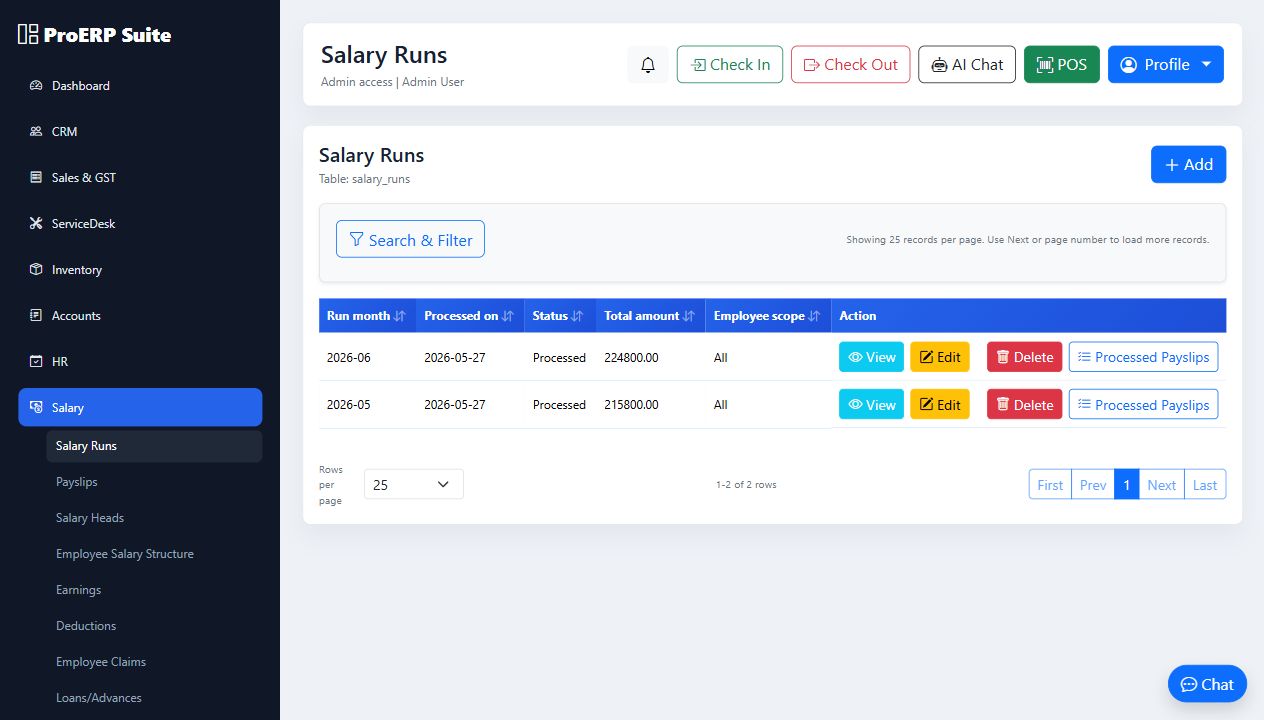
Payroll Management
Automate salary processing, payslip generation, allowances, deductions, tax calculations, and payroll reporting.
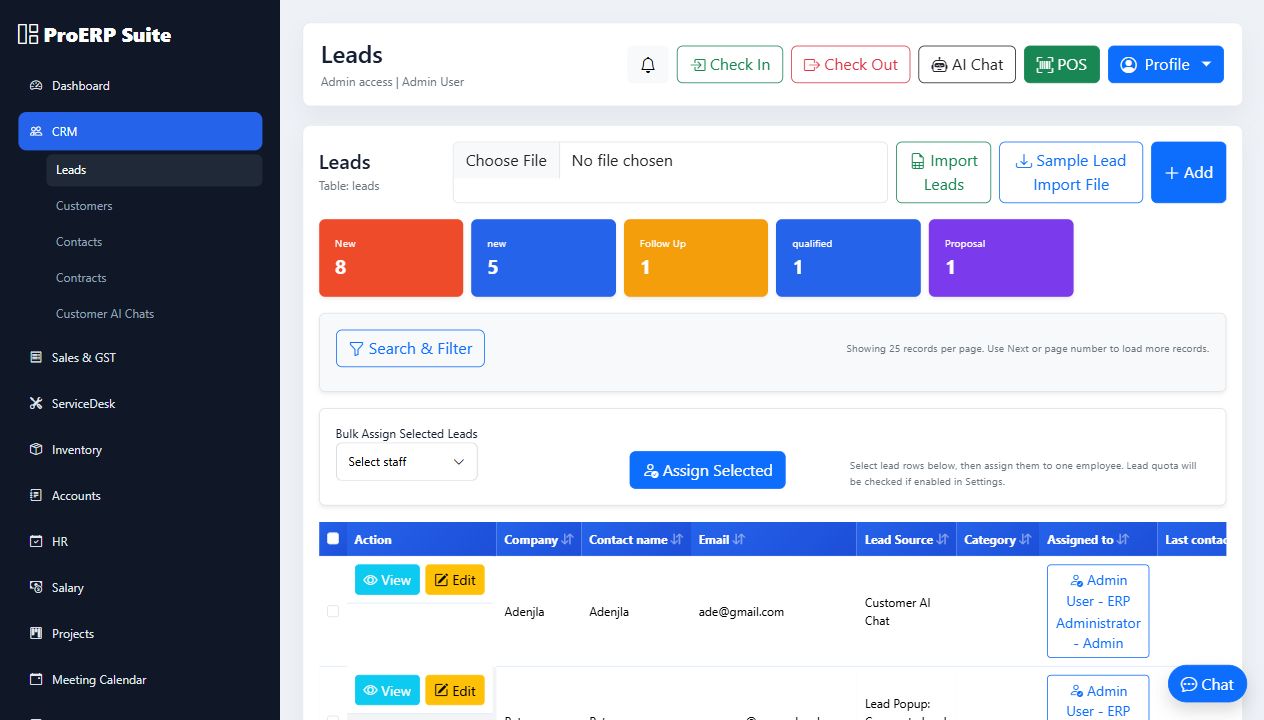
Customer Relationship Management (CRM)
Track leads, customers, opportunities, quotations, invoices, sales pipelines, and customer interactions from a single platform.
Visitor Management System (VMS)
Digitize visitor registration, approvals, visitor passes, QR-based check-in/check-out, host notifications, and visitor history tracking.
Gate Pass Management
Generate and manage visitor gate passes, material movement passes, and approval workflows with complete audit trails.
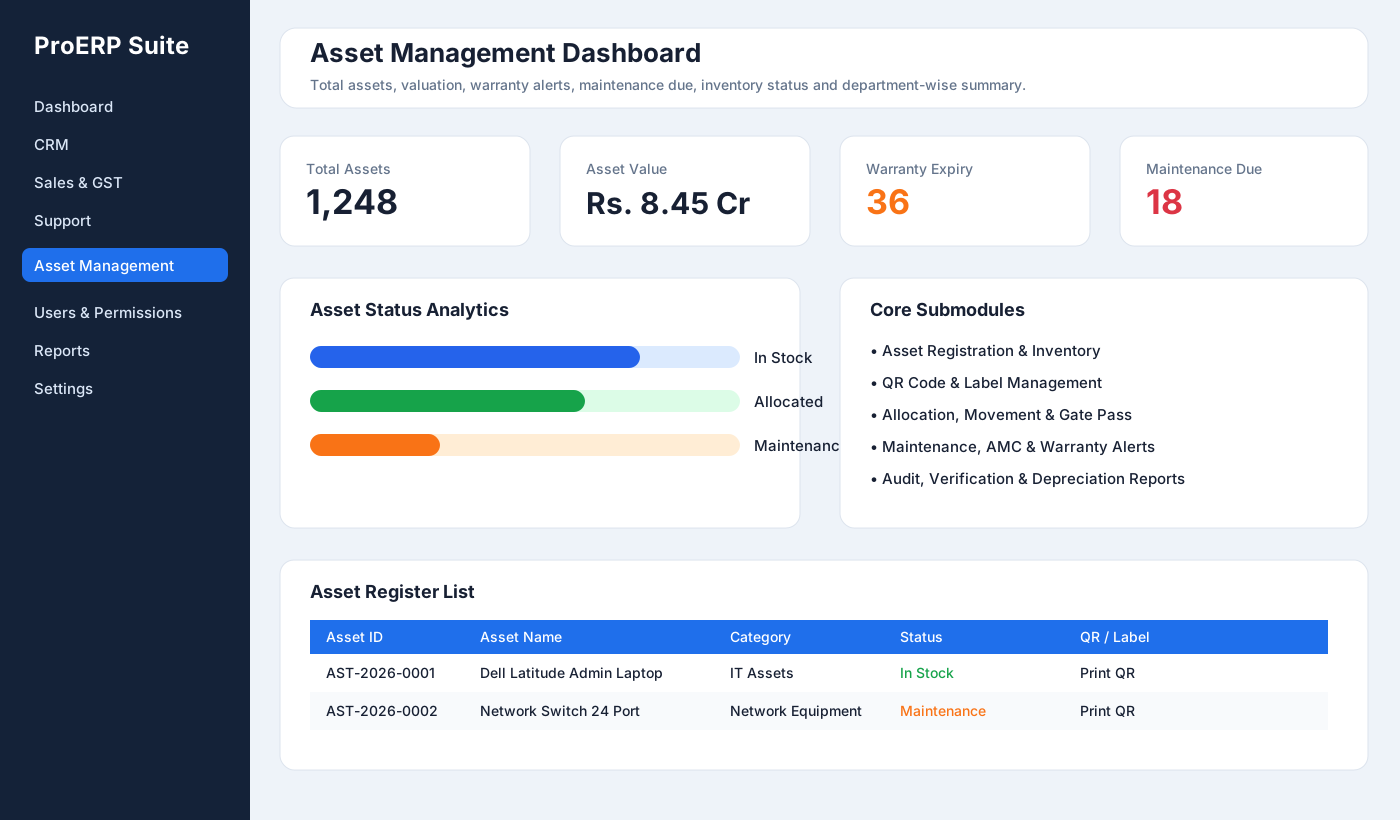
Asset Management System
Track asset allocation, transfers, maintenance schedules, depreciation, asset inventory, and lifecycle management.
Document Management System (DMS)
Store, organize, search, share, approve, and manage documents securely with version control and access permissions.
Inventory Management
Manage products, warehouses, stock levels, suppliers, purchase orders, stock movement, and inventory reports.
Finance & Accounts
Monitor income, expenses, invoices, payments, receivables, payables, and financial reporting from a centralized system.
Project Management
Plan projects, assign tasks, track milestones, monitor progress, and improve team collaboration.
Helpdesk & Service Management
Manage complaints, support tickets, service requests, and issue resolution processes.
Ecommerce & POS
Sell products online, manage orders, customers, payments, and point-of-sale operations through integrated ecommerce and POS modules.

Customer Portal
Allow customers to access invoices, support requests, orders, contracts, and service information through a dedicated portal.
Reporting & Analytics
Generate real-time reports and dashboards for HR, payroll, visitors, assets, sales, inventory, projects, finance, and business operations.
Security Features
- Role-Based Access Control (RBAC)
- User Permissions Management
- Activity Logs & Audit Trails
- Secure Authentication
- Session Management
- Captcha Protection
- Password Security Controls
- Data Access Restrictions
- Backup & Recovery Support
- Compliance-Ready Architecture
Technology Stack
- Laravel 10+
- PHP 8.1+
- MySQL / MariaDB
- Bootstrap 5
- HTML5
- CSS3
- JavaScript
- REST API Ready
Suitable For
- Government Departments
- Public Sector Organizations
- Metro Rail Corporations
- Manufacturing Companies
- Educational Institutions
- Healthcare Organizations
- Construction Companies
- Service Providers
- Corporate Enterprises
- SMEs & Startups
- Multi-Branch Businesses
Benefits
- Increase Operational Efficiency
- Eliminate Manual Processes
- Improve Employee Productivity
- Strengthen Customer Relationships
- Centralize Business Data
- Enhance Asset Visibility
- Improve Document Control
- Automate Visitor Management
- Enable Better Decision Making
- Reduce Operational Costs
- Improve Compliance & Governance
ProERP Suite is a complete digital transformation platform that helps organizations manage people, processes, assets, customers, documents, visitors, projects, inventory, and finances through a single powerful ERP ecosystem.
ERP Software, Laravel ERP, HRMS Software, Payroll Management System, Visitor Management System, Visitor Pass Software, Gate Pass Management, Asset Management Software, Document Management System, DMS Software, CRM Software, Inventory Management System, Employee Management System, Attendance Management, Leave Management, Project Management Software, Business Management Software, Enterprise ERP Solution, Laravel CRM, Laravel HRMS, Laravel Payroll, Enterprise Resource Planning, Workflow Automation Software, Office Management System, Digital Workplace Platform.
Features
Key FeaturesERP & Business Management
- Centralized ERP platform
- Department-wise operations management
- Multi-user architecture
- Workflow automation
- Enterprise reporting
CRM & Sales Management
- Lead management
- Customer database
- Contact management
- Sales pipeline tracking
- Quotations and invoices
- Customer communication history
- Contract management
HRMS
- Employee management
- Employee profiles
- Organization structure
- Department management
- Designation management
- Employee self-service portal
Attendance & Leave
- Daily attendance
- Check-in / Check-out
- Mobile attendance support
- Leave requests
- Leave approvals
- Attendance reports
Payroll Management
- Salary structure management
- Payroll processing
- Payslip generation
- Salary approvals
- Payroll reports
- Tax and deductions management
Visitor Management System (VMS)
- Visitor registration
- Visitor gate pass generation
- Visitor approval workflow
- QR-based visitor tracking
- Visitor history
- Host notifications
- Entry and exit logs
Material Gate Pass Management
- Inward material pass
- Outward material pass
- Asset movement tracking
- Approval workflows
- Security verification logs
Asset Management
- Asset registration
- Asset allocation
- Asset transfer
- Asset maintenance records
- Asset depreciation tracking
- Asset inventory reports
- Asset lifecycle management
Document Management System (DMS)
- Centralized document repository
- Folder structure management
- Version control
- Document approval workflow
- Secure document access
- Download and audit logs
- Document categorization
Inventory Management
- Product management
- Stock monitoring
- Purchase management
- Supplier management
- Warehouse tracking
- Stock movement reports
Accounts & Finance
- Income management
- Expense tracking
- Financial reporting
- Invoice management
- Payment tracking
- GST-ready operations
Project Management
- Project planning
- Task assignment
- Team collaboration
- Milestone tracking
- Progress monitoring
- Project reports
Service Desk & Support
- Ticket management
- Complaint tracking
- Service requests
- Resolution monitoring
- SLA support
Learning Management System (LMS)
- Course management
- Learning materials
- Training records
- Employee skill development
Website CMS
- Dynamic content management
- Page builder
- Blog management
- SEO settings
- Homepage customization
Ecommerce & POS
- Product catalog
- Online store
- Shopping cart
- Order management
- Point of Sale (POS)
- Customer orders
AI Features
- AI Chat integration
- Customer assistance
- Knowledge support
- Productivity enhancements
Reports & Analytics
- Dashboard analytics
- HR reports
- Attendance reports
- Payroll reports
- Sales reports
- Asset reports
- Visitor reports
- Custom reporting
Security Features
- Role-based access control (RBAC)
- User permissions
- Activity logs
- Login security
- Captcha support
- Secure authentication
- Audit trail
- Laravel 10
- PHP 8.1+
- MySQL / MariaDB
- Bootstrap Responsive UI
- HTML5
- CSS3
- JavaScript
- REST API Ready
Requirements
Server Requirements
- PHP 8.1 or Higher
- MySQL 5.7+ or MariaDB 10+
- Apache/Nginx Web Server
- Mod Rewrite Enabled
- SSL Certificate Recommended
Supported Environments
- Shared Hosting
- VPS
- Dedicated Server
- Cloud Hosting
- XAMPP
- WAMP
- cPanel
- CWP
- Linux Server
- Windows Server
Instructions
Installation Guide
Zip File Contents
The ZIP file contains the following folders:
- Database
- Contains the
.sqlfile required for database creation and import.
- Contains the
- proERP_Suite
- Contains the PHP Laravel application files.
- Copy all files and folders to the hosting server or web server directory.
- Documentation
- Contains the User Manual and Installation Guide.
Option 1: Installation on XAMPP (Windows)
Step 1: Install XAMPP Download and install the latest version of XAMPP with Apache, MySQL/MariaDB, and PHP 8.1 or above. Step 2: Copy Project Files Extract and copy the project folder 'proerp_suit' to:C:xampphtdocs
Ensure all folders such as app, bootstrap, config, public, resources, routes, storage, and vendor are present.
Step 3: Start Apache and MySQL
Open the XAMPP Control Panel and start both Apache and MySQL services.
Step 4: Create Database
Open phpMyAdmin and create a new database named:
proerp_suite
Select UTF8MB4 collation and import the provided SQL database file from databse folder
Step 5: Configure Environment Settings
Open the .env file and update the following values:
APP_URL=http://localhost/proerp_suit

DB_DATABASE=proerp_suite
DB_USERNAME=root
DB_PASSWORD=

ASSET_URL=http://localhost/proerp_suit
Step 6: Set Folder Permissions
Ensure the following directories have write permissions:
- storage
- bootstrap/cache
- public/uploads
- public/assets/uploads
- Website:
http://localhost/proerp_suit/ - Admin:
http://localhost/proerp_suit/login Admin user: admin@proerp.local Password: password123 - Staff:
http://localhost/proerp_suit/login Staff user: employee@proerp.local Password: password123 - Manager:
http://localhost/proerp_suit/login Manager user: manager@proerp.local Password: password123 - Finance:
http://localhost/proerp_suit/login User: finance@proerp.local Password: password123 - HR:
http://localhost/proerp_suit/login User: hr@proerp.local Password: password123 - Store:
http://localhost/proerp_suit/login User: store@proerp.local Password: password123 - Customer Care:
http://localhost/proerp_suit/login User: customercare@proerp.local Password: password123 - Customer:
http://localhost/proerp_suit/customer/login User: customer@proerp.local Password: password123
Option 2: Installation on cPanel / CWP Hosting Server
Step 1: Create Hosting Account Ensure your hosting server supports PHP 8.1+, MySQL/MariaDB, SSL, and Laravel applications. Step 2: Upload Project Files Upload the project ZIP file through File Manager and extract it into:public_html/proerp_suit
or your preferred application directory.
Step 3: Create Database
Using MySQL Database Wizard, create:
- Database
- Database User
- Assign All Privileges
APP_URL=https://yourdomain.com/proerp_suit

DB_DATABASE=your_database_name
DB_USERNAME=your_database_user
DB_PASSWORD=your_database_password

ASSET_URL=https://yourdomain.com/proerp_suit
Configure SMTP, payment gateways, social login credentials, CAPTCHA keys, and other third-party integrations as required.
Step 5: Configure Document Root
Point the domain or subdomain document root to the Laravel public directory if your hosting provider supports custom document roots.
Example:
/home/username/proerp_suit/public
Step 6: Set Permissions
Grant write permissions to:
- storage
- bootstrap/cache
- public/uploads
- public/assets/uploads
- Website:
<a href="https://yourdomain.com/proerp_suit/">https://yourdomain.com/proerp_...</a> - Admin:
<a href="https://yourdomain.com/proerp_suit/login">https://yourdomain.com/proerp_...</a> Admin user: admin@proerp.local Password: password123 - Staff:
<a href="https://yourdomain.com/proerp_suit/login">https://yourdomain.com/proerp_...</a> Staff user: employee@proerp.local Password: password123 - Manager:
<a href="https://yourdomain.com/proerp_suit/login">https://yourdomain.com/proerp_...</a> Manager user: manager@proerp.local Password: password123
Demo Staff Portal: ProERP Suite Login
Demo Website: <a href="https://ganakapps.store/apps/erp/proerp_suit/proerp_suit/">ProERP Website</a>
Demo CUstomer Portal: <a href="https://ganakapps.store/apps/erp/proerp_suit/proerp_suit/customer/login">Customer Login</a>
<br />
admin@proerp.local
password123
Staff portal
Manager
manager@proerp.local
password123
Staff portal
Employee
employee@proerp.local
password123
Staff portal
Finance
finance@proerp.local
password123
Staff portal
HR
hr@proerp.local
password123
Staff portal
Store
store@proerp.local
password123
Staff portal
Customer Care
customercare@proerp.local
password123
Staff portal
Customer
customer@proerp.local
password123
Customer portal| Author | nexgenaidev |
|---|---|
| Category | Scripts & Code / PHP Scripts / Management / Business |
| Price | $32 |
| Extended License | $96 |
| First Release | Jun 5, 2026 |
| Last Update | Jun 5, 2026 |
| Files included | .php, .css, .html, JavaScript .js |
| Software version | PHP 8.1, PHP 8.2, PHP 8.3 |
Categories
Tags
External listing. code.market does not sell this product and does not process payment for it. Pricing, payment, delivery, licensing, refunds, and support are handled by the third-party merchant on its own website. We may earn an affiliate commission from a referral. Details.
Products of the Week.
Submit🥇

STOP GUESSING WHAT TO POST
AI that learns your brand voice and builds a month of consistent, on-brand social content: carousels, posts and hooks that sound like you, not like everyone else's AI.
SaaS · 3,096 views · 28 clicksSaaS · Week 45 · 3,096 views · 28 clicks
🥈

Conversational Backlinks for Busy Founders
Place Backlink Relevant Conversation for your domain across Forums and Conversations
Website · 40,486 views · 216 clicksWebsite · Week 45 · 40,486 views · 216 clicks
🥉

upvote.club
Free Social Media Engagement that Helps Boost Your Content. Upvote Club supports 19 social networks with 100+ engagement actions in one dashboard. Add links to your posts and get free engagement from real users.
SaaS · 38,578 views · 110 clicksSaaS · Week 45 · 38,578 views · 110 clicks
#4

Substack Posting API
Onboard your Agent to Substack. Write Publish on Substack via API
SaaS · 57,616 views · 197 clicksSaaS · Week 45 · 57,616 views · 197 clicks
#5

Seenshot App
Free, Fast, MacOS Screenshot app. Make Screenshot cmd+shift+2 and send it via link
Desktop App · 27,049 views · 119 clicksDesktop App · Week 45 · 27,049 views · 119 clicks
#6

Hand-Placed Backlinks $9.99 per link. Flat rate.
Buy hand-placed forum, Q-A and directory backlinks. Flat $9.99 per link, no subscriptions — you only pay for approved listings.
Website · 2,988 views · 18 clicksWebsite · Week 45 · 2,988 views · 18 clicks
#7

Free Invoice Generator - PDF Invoices in Your Browser, No Sign-Up
A free invoice maker for freelancers and small businesses: fill in the invoice, check the live preview, and download a PDF that looks exactly like it. Any currency, tax per item, three templates, no sign-up, and nothing leaves your device.
1,682 views · 16 clicksWeek 45 · 1,682 views · 16 clicks
#8

Merge PDF Files Free - Combine PDFs in Your Browser, No Upload
A free PDF merger for office workers, students, and freelancers: combine PDFs and images into one file in the browser, reorder files and pages, pick page ranges, keep bookmarks, and open password-protected PDFs. Nothing is uploaded, no sign-up, no watermark.
1,575 views · 13 clicksWeek 45 · 1,575 views · 13 clicks