
Privacy Indicators - iOS14, Android 12 indicators
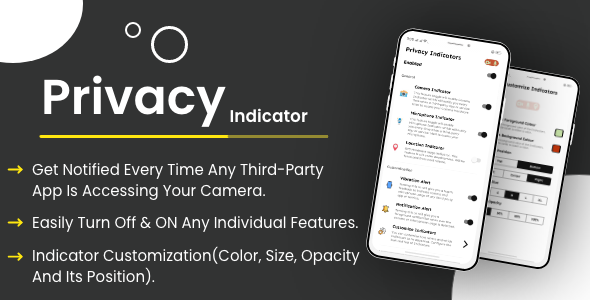
Description
Want To Get Latest Updates Faster Then Others, Join Us Here


Privacy Indicators: Application
Welcome!
Introduction:
Recording Indicators in iOS 14 : With iOS 14, Apple is introducing a camera and microphone recording indicator in the status bar. It will appear as an orange dot above the signal bar. The idea of a recording indicator is to alert users whenever the mic or camera are being used. The feature will give users more control over data and privacy.
Privacy Indicators will bring the above Recording Indicators feature of iOS 14 to Android (With more extra features and customization
So install the app and will never have trust issues with the Camera and Mic usage
.
FEATURES:
- Get Notified every time any third-party app is accessing your Camera.
- Get Notified every time any app is accessing your Microphone.
- You can customize indicator color, size, opacity, and position
- Option to enable Haptic feedback when indicators appear
- You can turn off any individual features in required
- View log of Indicators triggered, all at one place.
How to Use:
1. After installing the App, Enable the Service from the Accessibility Settings.
2. You can Customize the Indicators color and position as per your choice from the Home.
3. Also if required you can enable the Vibration Feedback or Notification option.
4. The Service keeps running in the background and automatically starts even you restart the mobile
Check the Live demo
 Click Here To Download
•Icons
Most of the icons used in the application are vector icons (SVG files) from the Google Material Design icon pack.
•Google Material Design icon pack:
https://material.io/icons/
Material icons are delightful, beautifully crafted symbols for common actions and items. They are open source distributed and free for everyone (to use).
•Rate
This item is sold exclusively on Envato Market (CodeCanyon). If you purchased the item and like it and its documentation please, rate it.
•Item support policy
This Envato Market (CodeCanyon) item comes with NO support from the author. More information about Envato Market (CodeCanyon) item support: https://codecanyon.net/page/item_support_policy
•Contact
If you have any questions, problems or recommendations, please do not hesitate to contact me anytime. I will try to answer you as quickly as possible. Email address: infusiblecoder@gmail.com
APP CONFIGURATION SERVICE:
Check out app configuration service if you like us to set up everything for your app.
NOTE: Client is to provide the user with the logo, splash screen, app color, and access to the Firebase project for the app configuration.
ITEM SUPPORT:
Item support is provided through our email contact us at infusiblecoder@gmail.com

Check Out Our Other Apps


| Type | Android App |
|---|---|
| Author | InfusibleCoderPvtLtd |
| Price | $18 |
| Sales | 2 |
| Rating | 0 (1) |
| Published | Aug 25, 2021 |
| Last Update | Aug 25, 2021 |
| Compatible Software | Android 12.0, Android 11.0, Android 10.0, Android 9.0, Other |
| Mobile Files Included | .apk, .dex, .so, .db, .java, .xml, Layered PNG |
External listing. code.market does not sell this product and does not process payment for it. Pricing, payment, delivery, licensing, refunds, and support are handled by the third-party merchant on its own website. We may earn an affiliate commission from a referral. Details.
Products of the Week.
Submit🥇

Perceptle
Perceptle is a daily browser-based game that challenges you to test your sensory intuition through five quick estimation and rhythm-based rounds.
Other · 1 views · 0 clicksOther · Week 47 · 1 views · 0 clicks
🥈

Free LinkedIn Likes From Real
Get free LinkedIn likes on your posts from real members who react by hand. No
SaaS · 124 views · 2 clicksSaaS · Week 47 · 124 views · 2 clicks
🥉

STOP GUESSING WHAT TO POST
AI that learns your brand voice and builds a month of consistent, on-brand social content: carousels, posts and hooks that sound like you, not like everyone else's AI.
SaaS · 7,686 views · 71 clicksSaaS · Week 47 · 7,686 views · 71 clicks
#4

aaas.market
407 reliable micro tools for solo founders, marketers and creators. They work in your browser
SaaS · 122 views · 0 clicksSaaS · Week 47 · 122 views · 0 clicks