
Premium SEO Pack – Wordpress Plugin
Description

 Let’s start with the meaning of SERP. It stands for ‘Search Engine Result Pages’. They are the pages in Google in which results are displayed for your online search queries.
On Google, these pages display a combination of paid adverts and organic results.
SERP involves a combination of on-page optimization, constant/periodic content creation and authority building through trustworthy back-links.
Having good SERP positions is crucial to ensure your website is found easily for the right searches.
This is why our improved SERP Module comes with a lot of New Features!
Premium SEO Pack’s powerful SERP Rank Tracking Module retrieves search engine Rankings for pages and keywords, and stores them for easy comparison later.
It’s so easy to add keywords to the tracking module, simply select them from your focus keywords or add them manually! Also, you can track up to 5 competitors!
Also, we have another module added, it’s Website Statistics! You can compare your website evolution between 2 dates, and choose to include competitors as well (or not).
The first stat is your Website Score for the Keywords entered for a certain search engine (let’s say google.com) and it’s based on an algorithm that finds your website pages and keywords that are in top 100.
Next is the keywords rankings summary – this one shows if on your website, your ranking moved up or down and if your keywords are in top 1,3,5,10,30,50 or 100.
The last stats are for the keywords, too see their evolution, when they were last checked, and each keyword’s position on google searches.
Last but not the least is the Report Module. There are 2 types of reports. One for Website Stats and one for Keyword Rank Changes.
Both reports can be viewed in the admin area, downloaded as PDF’s or sent by e-mail.
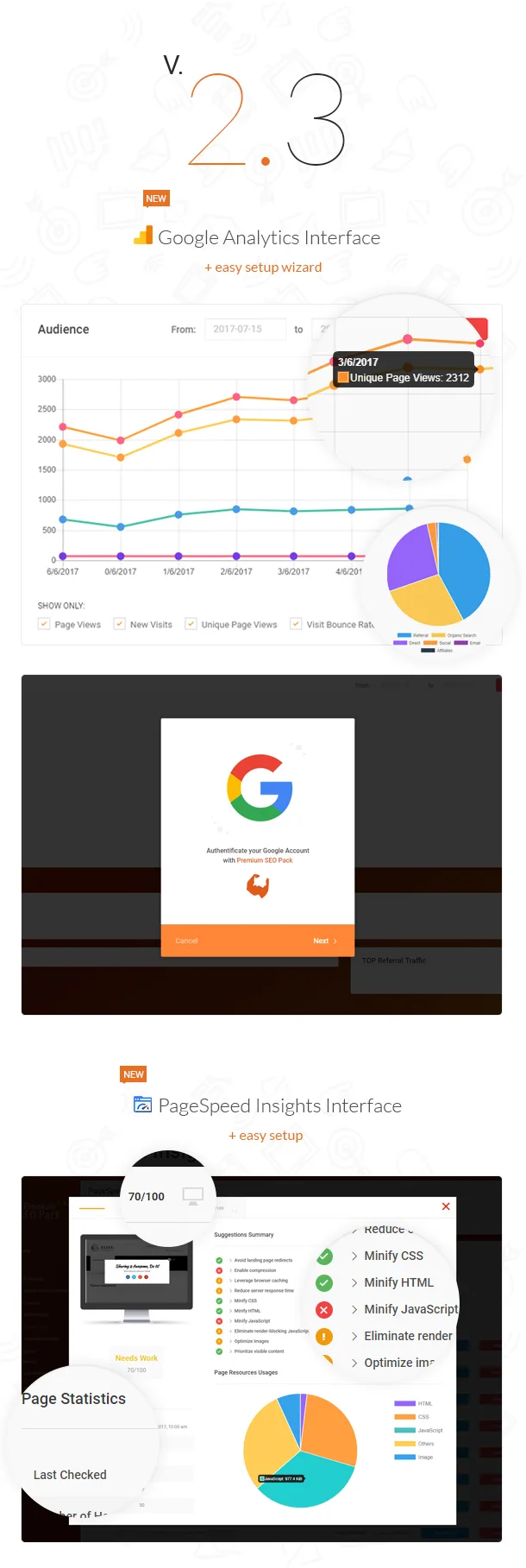
In Version 2.3 of Premium SEO Pack we’ve dramatically improved the Google Analytics Module & the Pagespeed Insights as well.
Starting from the interface design, to the functionality - we’ve also added Easy Setup for both of them!
The Google Analytics module how has an easy setup wizard, where you simply connect your analytics account with Premium SEO Pack plugin. There’s no longer mandatory to create your own application on google console & all the fuss.
The Pagespeed Module also comes with a working key now, you can use it straight away!
The NEW Google Analytics Interface
Using the new Google Analytics Interface, you will see real time statistics and how your website is performing right now.
Audience Chart
Here you can see a graph consisting of:- Page Views
- New Visits
- Unique Page Views
- Visit Bounce Rate
Top Channels – The Top Channel Pie Chart will show you the traffic that comes to your website trough certain channels.
- Referral
- Organic Search
- Direct
- Social
- Affiliates
- Pageviews
- Unique Pageviews
- Avg. Time on Page
- Entrances
- Bounce Rate
- % Exit
- Page Value
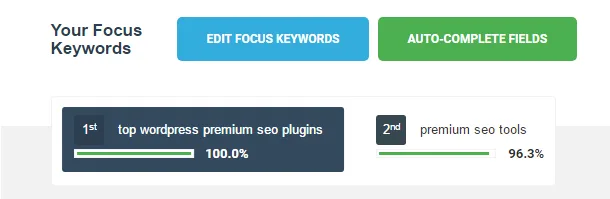
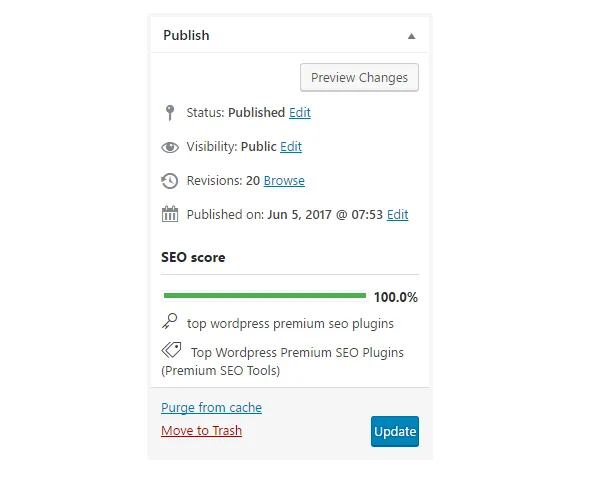
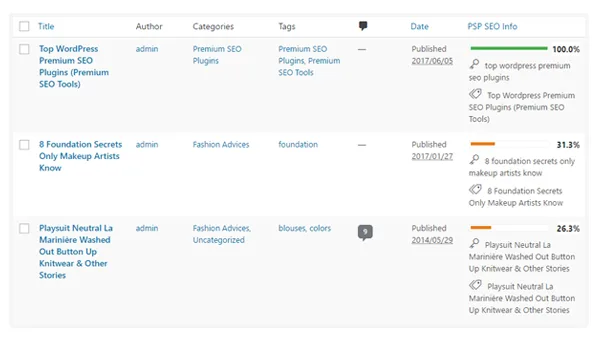
 One of Premium SEO Pack’s Newest features is the possibility to add multiple focus keywords on your post in order to better optimize it!
When searching google people usually use as keywords words that are slightly similar or synonyms. If you want to rank a post for multiple focus keywords, now you have this possibility using the Premium SEO Pack.
It’s now super easy to add multiple focus keywords and optimize your text. You can add a maximum of 10 different focus keywords.
Tips On Targeting Multiple Focus Keywords
- Secondary keywords must be researched (just like your primary)
- Secondary keywords must have same search intent as the primary keyword
- Craft your headline, SEO title, meta description to read well and include keywords
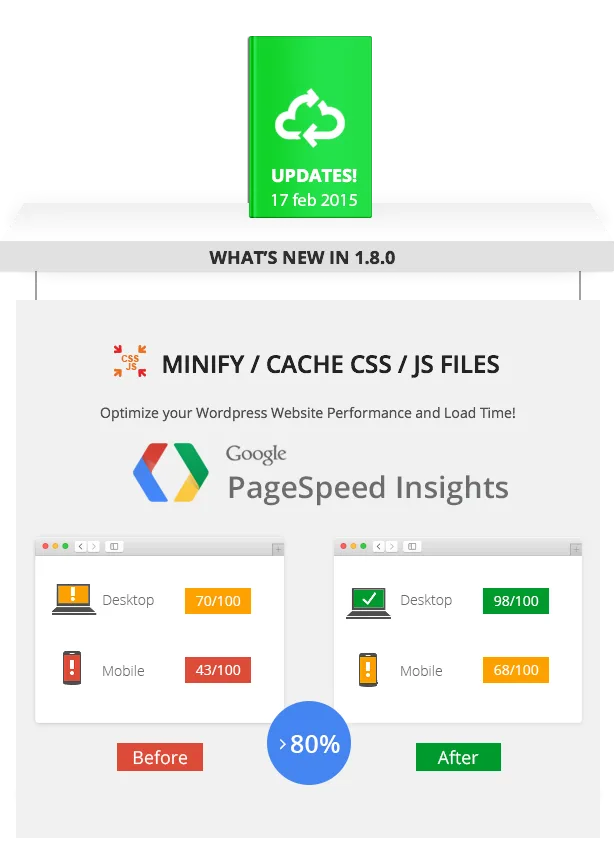
Minify / Cache Js & Css Files
Using our newest module called Minify you can easily optimize your website performance & frontend load time.How does it work?
- Easily Minify CSS & JS files on a single button click.
- Cache files
- Download remote files – enable this option if you have your server under htaccess password protection
- Exclude files option – if you wish to exclude js / css files, you can easily do so (header styles, header scripts, footer scripts)
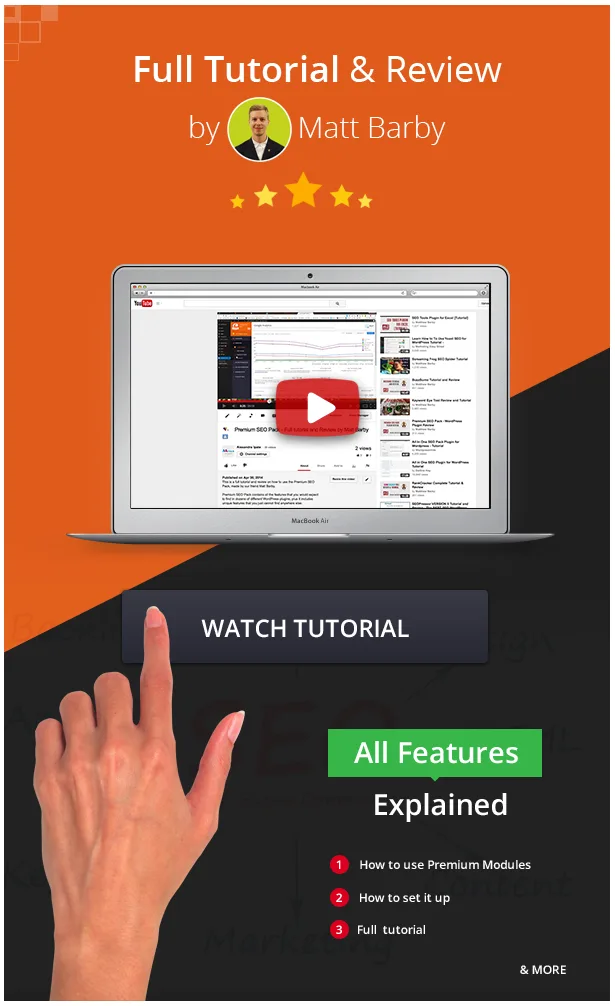
Premium SEO Pack for WordPress
Most WordPress features work pretty well out of the box, and that is probably why it is the most popular content management system on the planet.However, site owners usually need to work with WordPress to optimize their site for speed and search engine optimization.
The Premium SEO Pack for WordPress is the ultimate tool for optimizing your website for today’s search engines. Premium SEO Pack contains all the features that you would expect to find in dozens of different WordPress plugins, plus it includes unique features that you just cannot find anywhere else.
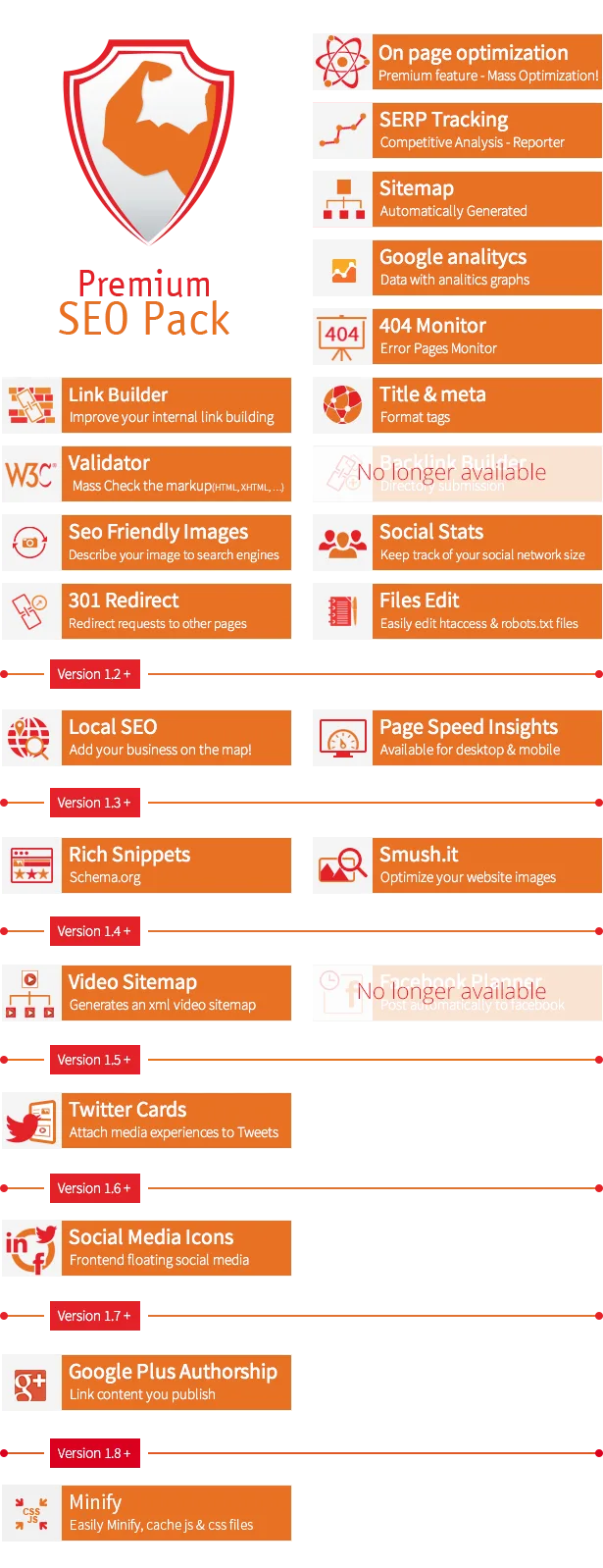



FULL FEATURES LIST
- Works as plugin on any Wordpress Install (3.8+)
- Based on modules manager, you must activate the modules in order to work
Modules
MONITORING
- Google Analitycs- This tool even provides a user-friendly dashboard that helps you monitor the important aspects of your site’s performance from inside your WordPress Admin area.
- 404 Monitor – you can see what URLs are referring visitors to 404 pages, how many hits it had and redirect them to another page
- Serp Tracking – SERP Tracking – Search Engine Results Page Reporter – Compare. Keep an eye on your competitors!
- Google Pagespeed Insights Module – Google Pagespeed Insights Module measures the performance of a page for desktop devices and mobile devices. You can test the page speed on multiple pages as once, mass test speed pages, or one by one and view the score on desktop & mobile, and view a full report.
ON PAGE OPTIMIZATION
- Mass Optimization – using this premium feature you can mass optimize all your posts/pages at once!
- Local SEO – Using our newest Local Seo Module you can now rank your website locally and on google maps in no time! Be found by local customers using our LOCAL SEO Module!
- On page optimization – optimize your pages / post types one by one, right on the post/page! It also works on categories and any other custom taxonomies
- Title & Meta Format – set custom page titles, meta descriptions, meta keywords, meta robots and social meta using defined format tags for Homepage, Posts, Pages, Categories, Tags, Custom Taxonomies, Archives, Authors, Search, 404 Pages and Pagination.
- Sitemap – the sitemap is generated automatically trough our module
- Video Sitemap – the sitemap is generated automatically trough the video sitemap
- SEO Slug Optimizer- Slug Optimizer removes common words from the slug of a post or page
- SEO Friendly Images – automatically update all images with proper ALT and Title Attributes
- Google Authorship – Make your content feel personal! Link your content to your Google+ profile!
OFF PAGE OPTIMIZATION
- REMOVED Backlink Builder – automatically add your link to thousands of different website directories that will automatically provide free backlinks
- Link Builder – improve your site internal link building.
- 301 Link Redirect – useful for any permalink changes
- Social Stats - keep track of your social network size
ADVANCED SETUP
- Files Edit - allows you to edit the robots.txt and .htaccess files.
- W3C Validator - Mass Check the markup (HTML, XHTML, …) of your pages/posts/custom taxonomies.
- SEO Insert Code - Add custom code into < head > and wp_footer
- Media Smushit -For this module we use the Smush.it API, that allows you to optimize the website images without changing their look or visual quality.
- REMOVED Facebook Planner - The Facebook Planner module allows you to publish your website data directly to Facebook profiles / pages / groups
- Twitter Cards
PLUGIN SETTINGS
- Modules Manager – allows you to activate / deactivate modules
- Capabilities - allows you to give certain permissions to different classes of users
- Setup/Backup – install default configuration, import SEO settings from other seo plugins, backup current settings
- Server Status – the server status allows you to see what modules are active, if they are configured correct and so on
- Remote support – this allows you to give us secured access to your wordpress install, in case that you have issues with the plugin
 DISCLAIMER
 DISCLAIMER
AA-Team does not permit, under any circumstances, the reselling of any of our plugins / themes outside the Envato Marketplace.
The Extended License does not allow you to resell / redistribute the plugin without written permission from AA-Team.
If you’re an Envato Author and wish to include our plugins into your themes, please contact us.
You can read more about licenses here and here.
Changelog
Version 1.8.0
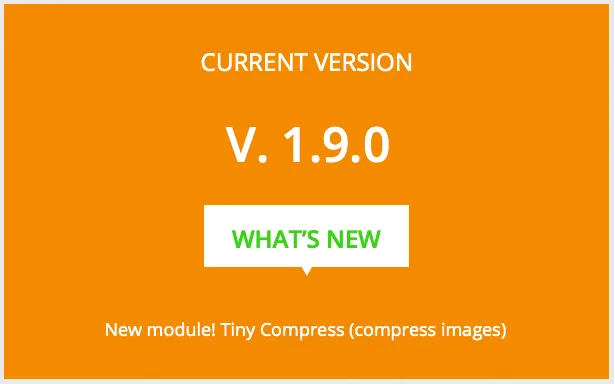
Added new module - Minify / Cache JS / CSS files
Bugfixes

Version 1.7.5

FIX - Trimmed the whitespaces on all authorization input fields for Google analytics, pagespeed, serp and facebook settings
Removed posts that are password protected from sitemap.xml
Removed "include images" option from the index sitemap (use sitemap-images.xml file for posts images)
New sitemap.xml index file (  )
Add "items per page" (max limit for splitting posttypes: post, page, custom post-type), "enable stylesheet .xsl", "last modify is gmt" options (added to general tab)
Add "memory limit", "execution time limit", "compress" options (execution variables tab)
Fixes to sitemap-images.xml file (verify post attachments from database table wp_posts, guid field, are image files)
"Standard content" and "custom taxonomies" added to include tab beside already existing "custom post types"
Add 2 excluding options ("exclude categories", "exclude post types by id field")
Add "author roles", "archive type" options
"Priority", "frequency" add to formatting tab and changes made to relate the above updates

Version 1.7.1, 1.7.2, 1.7.3, 1.7.4
Bugfixes

Version 1.7

Added new Google Authorship module
Bugfixes on speed

Version 1.6

Added new Social Sharing module
Added new Server Status module
Twitter Cards module (bug fix)
Backlink Builder module (import url list from aa-team server, bug fix for recognizing urls as spyware/virus address)
Log latest authorize responses (for Google Analytics, Facebook Planner, Google Pagespeed, Serp Tracking modules)
Improvements to plugin resources usage (load only the necessary plugin modules per admin page and frontend)
Minimized plugin framework css files
New improved plugin interface

Version 1.5.3
Added Twitter Cards support

Version 1.5.1
Fix for permissions issue.

Version 1.5
Title & meta format module (bugs fix & force title tag rewrite method)
Add remote support module
Add multisite support
Pagespeed module (bug fix)
Facebook Planner module (bug fix - featured image send to wall)
Mass optimization module (SEO Score fix words count bug & add auto complete fields button)
Add capabilities support

Version 1.4
Added new module - Video Sitemap
Added new module - Facebook Planner
Bugfixes

Version 1.3
Added new module - Media Smushit
Added new module - Rich Snippets
Full Utf8 Support
Bugfixes

Version 1.2
Added new module - LOCAL SEO
Added new module - Page Speed Insights

Version 1.1.2.1
Bugfix on edit post - special characters on focus keyword

Version 1.1.2

Compatible with WPML
On_page_optimization bugfix - warning
Seo rules into shortcodes too (images that come from shortcodes)
Title_meta_format bugfix - warning
Seo Focus keyword - special characters available
"More" Tag fixed

Version 1.1.1

Bugfixes

Version 1.1

Added New Module - SERP Tracking!
Bugfixes on Seo Friendly Images
Added new feature - the possibility to import SEO Settings from other popular SEO Plugins

Version 1.0

Initial Release
Categories
Tags
External listing. code.market does not sell this product and does not process payment for it. Pricing, payment, delivery, licensing, refunds, and support are handled by the third-party merchant on its own website. We may earn an affiliate commission from a referral. Details.
Products of the Week.
Submit🥇

STOP GUESSING WHAT TO POST
AI that learns your brand voice and builds a month of consistent, on-brand social content: carousels, posts and hooks that sound like you, not like everyone else's AI.
SaaS · 4,298 views · 38 clicksSaaS · Week 45 · 4,298 views · 38 clicks
🥈

Conversational Backlinks for Busy Founders
Place Backlink Relevant Conversation for your domain across Forums and Conversations
Website · 42,020 views · 223 clicksWebsite · Week 45 · 42,020 views · 223 clicks
🥉

upvote.club
Free Social Media Engagement that Helps Boost Your Content. Upvote Club supports 19 social networks with 100+ engagement actions in one dashboard. Add links to your posts and get free engagement from real users.
SaaS · 40,064 views · 117 clicksSaaS · Week 45 · 40,064 views · 117 clicks
#4

Substack Posting API
Onboard your Agent to Substack. Write Publish on Substack via API
SaaS · 59,073 views · 198 clicksSaaS · Week 45 · 59,073 views · 198 clicks
#5

Seenshot App
Free, Fast, MacOS Screenshot app. Make Screenshot cmd+shift+2 and send it via link
Desktop App · 28,448 views · 122 clicksDesktop App · Week 45 · 28,448 views · 122 clicks
#6

Hand-Placed Backlinks $9.99 per link. Flat rate.
Buy hand-placed forum, Q-A and directory backlinks. Flat $9.99 per link, no subscriptions — you only pay for approved listings.
Website · 4,281 views · 19 clicksWebsite · Week 45 · 4,281 views · 19 clicks
#7

Free Invoice Generator - PDF Invoices in Your Browser, No Sign-Up
A free invoice maker for freelancers and small businesses: fill in the invoice, check the live preview, and download a PDF that looks exactly like it. Any currency, tax per item, three templates, no sign-up, and nothing leaves your device.
2,956 views · 17 clicksWeek 45 · 2,956 views · 17 clicks
#8

Merge PDF Files Free - Combine PDFs in Your Browser, No Upload
A free PDF merger for office workers, students, and freelancers: combine PDFs and images into one file in the browser, reorder files and pages, pick page ranges, keep bookmarks, and open password-protected PDFs. Nothing is uploaded, no sign-up, no watermark.
2,729 views · 13 clicksWeek 45 · 2,729 views · 13 clicks