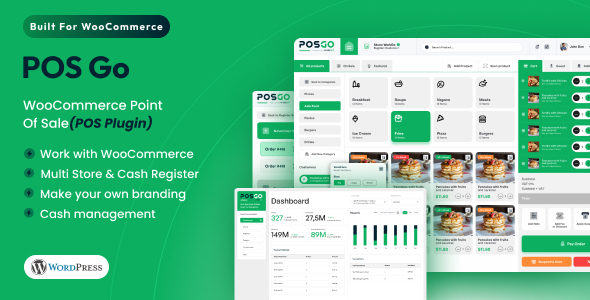
POSGo - WooCommerce Point Of Sale (POS Plugin)
Description
Overview
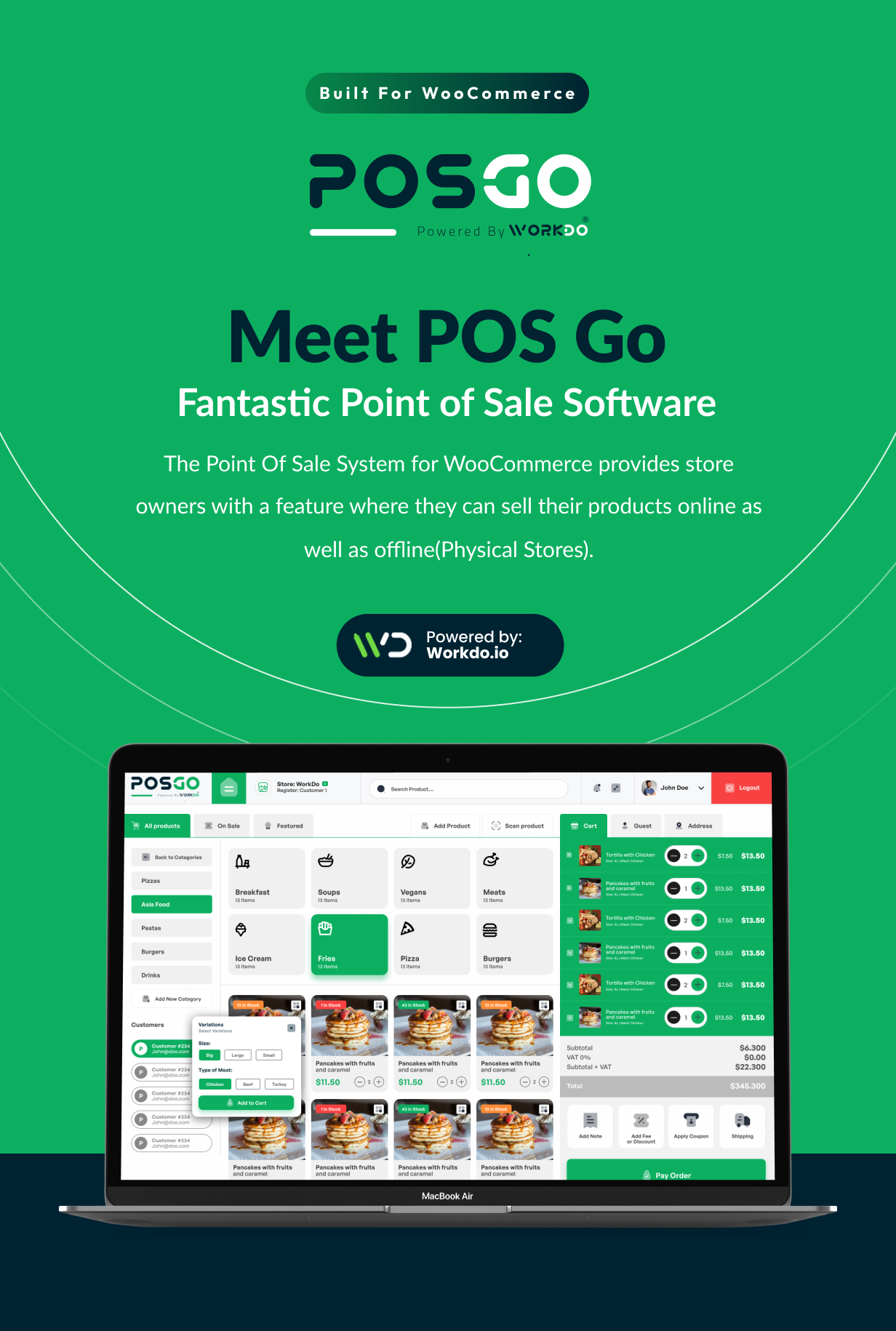
POSGo – Point Of Sale for WooCommerce is the most convenient way of converting physical orders from retail stores to a modern web browser. With the assistance of POSGo – WooCommerce Point of Sale, managing products, orders, customers, and sales will become easier. The business owners will have an advantage for seamless selling as the products are arranged in a well-framed and structured manner according to their types, prices, variations, and stock. It is an excellent way to store management and customer satisfaction enhancement.


What to expect from POSGo – WooCommerce Point Of Sale (POS Plugin)
- A visually attractive dashboard to understand business activities
- Make your own branding
- Stock Management
- Change Product Quantity
- Add/ Remove items in the Cart
- Change the Item Price
- Alter through the various product variants available in the cart
- Multi Registers
- Order Note/ Item Note/ Product Note/ Reason Note
- Add new customers
- Add/ Remove Cart Discount (Percentage or fixed amount)
- Discount and Coupon (Item Discount and Cart Discount)
- Print Receipts
- Cash Management
- Checkout with multiple payment methods
- Reports of Transactions and Sales
- Sound while adding products to the cart
- View in Full Screen on the desktop version
- Refund, Full Exchange
- Close Register with Note
- Guest Checkout without Register/ Login
- Hassle-free payment via Direct Bank Transfer, Cash On Delivery, Chip and Pin, Check payments, and PayPal
Benefits of having POSGo – WooCommerce Point Of Sale (POS Plugin)
The POS plugin’s simple and easy-to-use interface is an important feature. This plugin is a great option for businesses of all sizes because it is made to be simple to use, even for people who don’t have a lot of experience with technology. Moreover, the module offers a scope of customization choices, so you can tailor the interface to meet your specific needs. To put it briefly, the POS plugin adds value to your business like- Ability to instantly and electronically store endless stock and clients data
- Advanced automation of customer experience, feedback, streamlined transactions, and timesaving
- Improves efficiency with error rectification
- Stock management with the benefit of a digital database, keeping a watch on overselling items and shortchanging orders, managing the stock value, quantity, and varieties
- Tracking of sales data
- Access to a variety of customizable accurate reports
- Price consistency and accuracy for the same level of customer service
- Get knowledge about Gross revenue, Sales patterns, and tracking of the Cash flows
Salient Features of POSGo – WooCommerce Point Of Sale (POS Plugin)
License
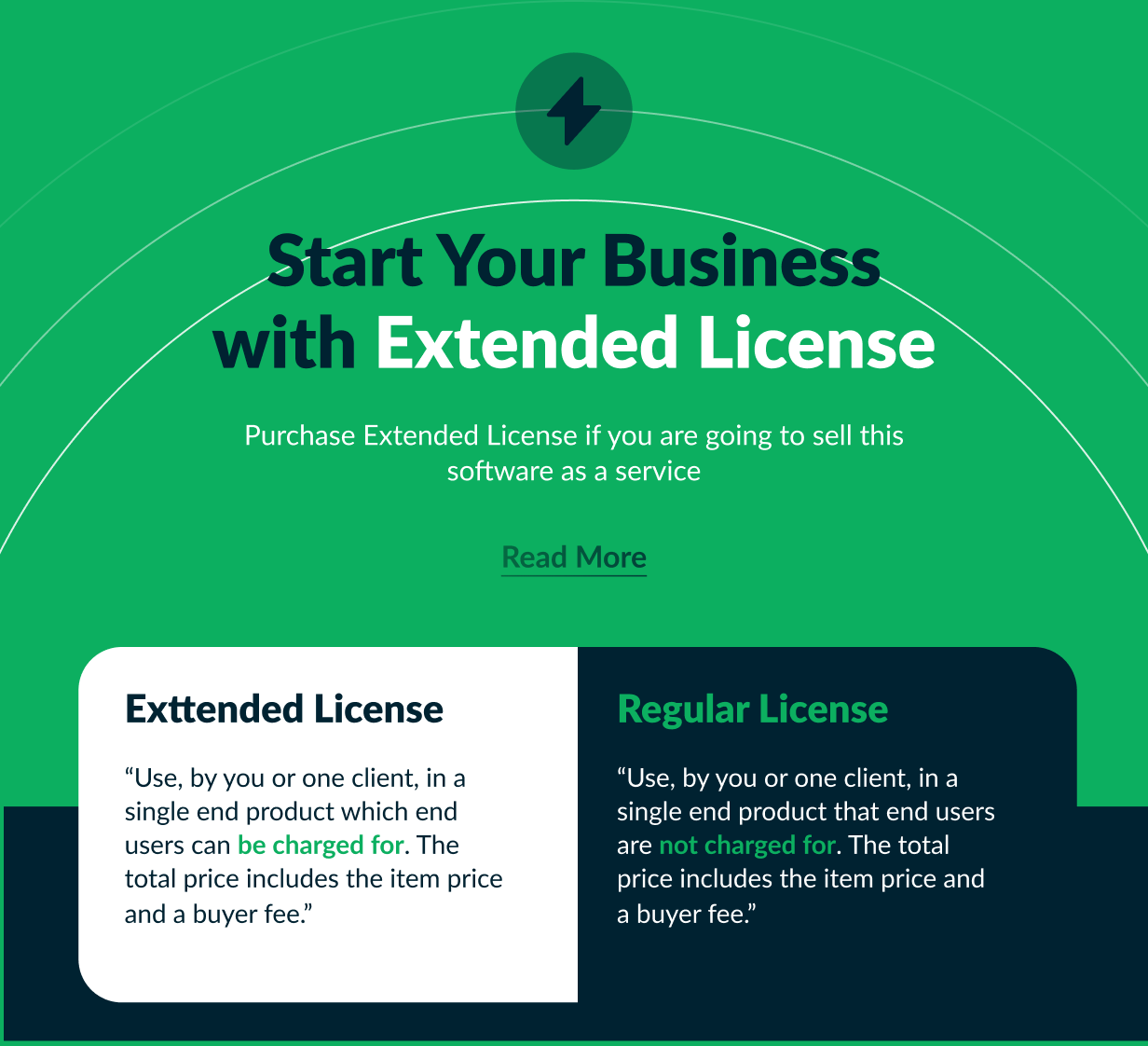
Regular License Use, by you or one client, in a single end product which end-users are NOT CHARGED for. The total price includes the item price and a buyer fee. Extended License Use, by you or one client, in a single end product which end-users can be CHARGED for. The total price includes the item price and a buyer fee.Dashboard
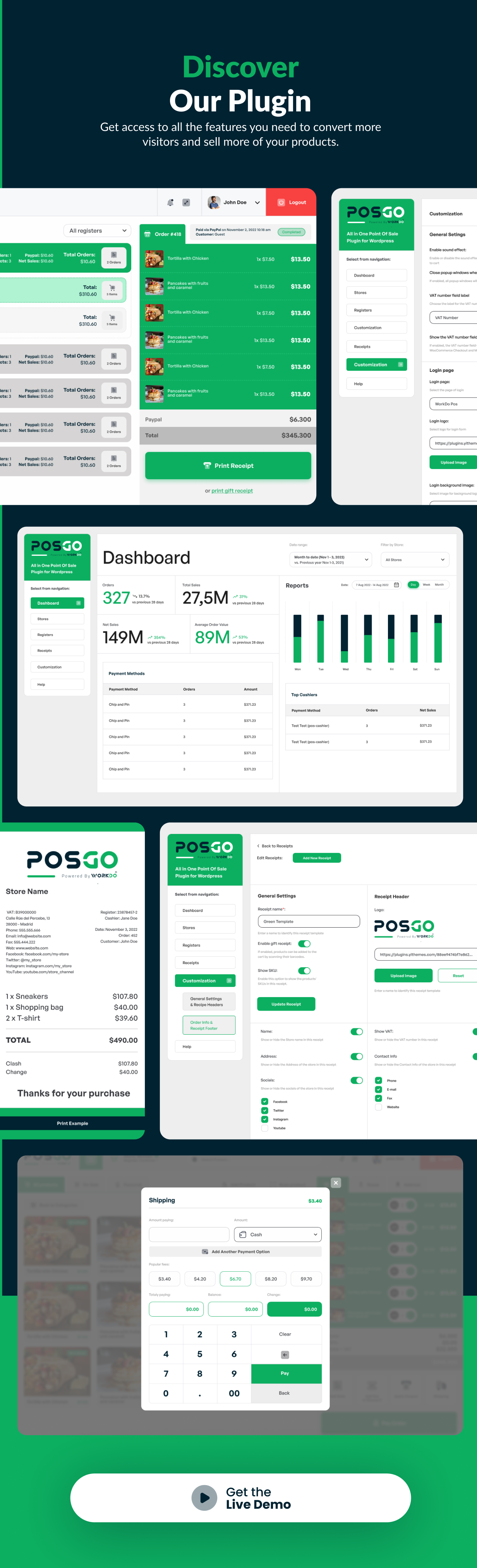
The exquisite dashboard of POSGo – WooCommerce Point Of Sale gives you the status summaries of all the already registered stores’ Orders, Total Sales, Net Sales, and Average Order Values with a selection of specific dates, such as today, yesterday, last week, month to date, last month, and last year. Along with that, it already shows the compared data of the current year with the previous year. The dashboard also summarizes the Payment Methods used with the Orders and Amounts. Additionally, it previews the top cashiers based on Orders and Net Sales.Stores’ Settings
The admin side is responsible for updating, deleting, enabling, and disabling the stores as needed. The admin can easily set up multiple stores with the help of this store module. The cashiers’ and managers’ access privileges are included in the store’s details. Each store needs to have a single manager with full access. Rest assured that the cashier’s access scope is up to the admin. A new manager and cashier can only be created from the store’s settings after filling in a few details. In one store there can be multiple managers as well as cashiers. Also, in one store the manager and the cashier can be the same person. Selection of the Payment Methods Moving forward, the admin of the store has several options for how customers can pay, including Direct Bank Transfer, Check Payments, Cash on Delivery, Cash (POSGO), and Chip and Pin (POSGO). Selection of the Products to Show The admin can redo the restriction of items that are available from the particular Register. Also, the filtering of including or excluding the categories and products can be done here. Register Dashboard for the Products and Register Visibility The register dashboard assists with how to display the products. You have the option of showing the list of categories first, followed by the products from which the cashier must select a category before finding the product, or all of the products in one view. The cashier’s visibility of the register can be restricted by the Manager. If the Manager wishes to display the register for any of the specified cashiers, at least one cashier must be assigned to the store. Receipt The selection of the receipt template will be here which has already been generated with the help of the receipt module. Additionally, there are two optional actions to go with whether the cashier wants to enable or disable the Register closing report and final notes. And enabling the Register final notes will enable a dedicated box in the Register closure view, where the cashier can add notes.Registers’ Settings
The Register module of POSGo – WooCommerce Point Of Sale shows the details of the existing stores with you. From this location, the admin can take actions such as editing, and deleting the store. Also, there is an option of deleting the stores in bulk and filtering them from their enabling statuses.Customization Settings
Here the customization module will help the manager with how the store will look and be presented in the front end. This includes many features.- Sound effects every time a product is added to the cart.
- Close popup windows when clicking on the background when you want to close every kind of popup window appearing on the POSGo screen when you click out of it.
- VAT number field label that will define the VAT number field in POSGo and while enabling it, the VAT number field will also show on WooCommerce Checkout and My Account pages.
- The login page field will help to customize the name of the login page, login logo, login background image, and background color.
- The payment method settings will help out with the choice of payment and can be overridden for each Register.
- The preset settings of Number Keyboard, and Fee and Discount set the percentage discount preset which will appear when you generate the receipt.
- Stock management has options like Show stock on the register when you want to show the number of available units of in-stock products.
- When there is no stock of the products in the store, there are options as the customer can purchase without stock management, can purchase from the general stock, or cannot purchase.
- The exchange and refund of stock will be managed through the backend by the admin or the manager.
- Rest are the color settings options for the pages of your register.
Receipts’ Settings
Here, the receipts module configures your sales receipt templates. Take note that each register can use a custom template for the sales receipt. The first section shows the General info on the Receipt name, SKUs, Name, Address, and Social details with the customization of the header logo, VAT, and contact information. The second section shows the Order info with the order date, number, label, customer name, register name and label, cashier name, and the note to show in the footer.Login Screen of POSGo
An already customized login screen from the setting will appear here asking for your login credentials then selecting your store and registering. With the customized settings of accesses given to the managers and cashiers, the register will be operated. The already opened and logged-in registers are visible from the Registers’ Settings. The User menus consist of the customization and store and register details.Products
From the product window, the searching, addition, and management of the product can be done as per the product categories setting from the Register. The products can be added to the cart with one click as well. The quantity can be updated with another click or from the cart. The product category can be created in the front end with the category name and slug. While adding a new product the cashier has to fill up a few required details with the image of the product.Cart and Payment
From the shopping cart, users can update or alter the quantity of the products. In addition, both fixed and percentage-based discounts and fees can be applied to the entire order. The cashier can use settings that have been applied before or change them from the cart. Additionally, The cashier can add notes to the particular order which will be displayed on the receipt. From the empty cart option, you can empty the cart in one move, and start adding the products again. The payment window will help to get to know the total amount the customer has to pay and the customer can utilize the already generated coupons. It facilitates the payment methods with the calculation of total pay with balance and change amount.Customer and Address
When you place an order from the POSGo screen, you can either process the order for guest users, or you can associate an existing or a new user with it. This can be useful if you need to save customers’ details like the billing and shipping information (for example for home delivery) or if you have special coupons for returning customers only and so on. Customers can checkout as guests as well as with login providing the details. New customers’ profiles will also be created here filling up a few details. The address window will show the shipping address details. One can use the already saved details or update with the new ones.Order History
The order history will show the list of orders grouped by day from the most recent to the oldest placed order in the current store. One can check the order details with one click and filter the orders by the Registers as well.Today’s Profit
From today’s profit menu, you will be able to see a recap of all sales made since the register opening.Manage Cash and Close Register
The addition and removal of cash are to be done from the Manage Cash window with the reason note. The close register window shows the final total sales and cash total which one can update with the reason note.Support
Please send support request here for any issues, questions or suggestions. To save time and get quick feedback, please don’t ask for support in comments section.

Categories
Tags
Products of the Week.
Submit#1

wanapi.app
Wan API is a developer platform for the Wan video model family. Compare Wan 3.0, Prime and Pro specifications and prices, then prepare a request in the preview playground.
Other · 8,796 views · 23 clicksOther · Week 42 · 8,796 views · 23 clicks
#2

wanapi.ai
Wan API is a developer platform for the Wan video model family. Compare Wan 3.0, Prime and Pro specifications and prices, then prepare a request in the preview playground.
Other · 8,144 views · 14 clicksOther · Week 42 · 8,144 views · 14 clicks
#3

yee.site
Your link in bio, but a real website. Start from beautiful templates and ready-made sections, then add a shop, bookings, a blog and as many pages as you need. Perfect for your link in bio, portfolio or personal site.
Other · 14,305 views · 24 clicksOther · Week 42 · 14,305 views · 24 clicks
#4

upvote.club
Free Social Media Engagement that Helps Boost Your Content. Upvote Club supports 19 social networks with 100+ engagement actions in one dashboard. Add links to your posts and get free engagement from real users.
SaaS · 35,195 views · 104 clicksSaaS · Week 42 · 35,195 views · 104 clicks
#5

Seenshot App
Free, Fast, MacOS Screenshot app. Make Screenshot cmd+shift+2 and send it via link
Desktop App · 23,682 views · 115 clicksDesktop App · Week 42 · 23,682 views · 115 clicks
#6

Conversational Backlinks for Busy Founders
Place Backlink Relevant Conversation for your domain across Forums and Conversations
Website · 35,445 views · 206 clicksWebsite · Week 42 · 35,445 views · 206 clicks
#7

Substack Posting API
Onboard your Agent to Substack. Write Publish on Substack via API
SaaS · 54,296 views · 190 clicksSaaS · Week 42 · 54,296 views · 190 clicks
#8

codester.com
SocialDesk+: Omnichannel Social Commerce & Business Management Platform This is stronger than simply “Social Commerce and Messaging” because it tells buyers this is a complete business platform, not just a messaging script. Turn Social Conversations Into Sales SocialDesk+ is a complete omnichannel social commerce and business management platform built for businesses that sell and communicate with customers through social media. Instead of switching between WhatsApp, Facebook, Instagram and TikTok, businesses can manage customer conversations, comments, products, leads, follow-ups, automation, teams and business reports from one professional workspace. And because the full source code is included, developers, agencies and entrepreneurs can customize, rebrand and launch SocialDesk+ as their own business solution or SaaS platform. 🚀 Build Your Own Social Commerce Business SocialDesk+ gives you the foundation to launch: - Your own SaaS platform - A white-label social CRM - A social-commerce management system - A customer communication platform - A business messaging solution - A custom solution for clients - A multi-business subscription platform 💬 Connect Your Customers Supported social channels include: WhatsApp • Facebook • Instagram • TikTok Bring supported conversations into one centralized workspace and help businesses respond faster without constantly switching between platforms. 🛍️ More Than a Messaging Platform SocialDesk+ combines communication with the tools businesses need to manage customer opportunities: Inbox Manage customer conversations from connected channels. Comments Monitor and respond to social-media comments. Customers & Leads Organize customer information and potential buyers. Products & Catalog Manage products and give your team quick access to product information. Follow-Ups Make sure potential customers don't get forgotten. Automation Automate repetitive customer questions and responses. AI Assistant Provide AI-assisted communication when configured. Team Management Give managers and staff access to the business workspace. Reports & Analytics Track activity using business reports and analytics. The current product listing already includes these capabilities. 🔥 Why Buyers Will Want It Launch Faster Start with an already-built business platform instead of developing the entire system from zero. Customize Everything The full source code is included, allowing developers to change branding, features, workflows and integrations. Build a SaaS Create multiple business workspaces and offer SocialDesk+ as a subscription-based service. Sell to Businesses Offer it to retailers, restaurants, service businesses, online sellers, agencies and other businesses that communicate with customers through social media. Mobile + Web + Backend This isn't just a mobile UI template. It includes: - Flutter mobile application - Python / FastAPI backend - Web interface - Administration tools - Database infrastructure - API-based architecture - SQLite / PostgreSQL support - Android and iOS project structure 💼 One Platform. Multiple Business Opportunities. For SaaS Entrepreneurs Launch your own subscription platform and allow multiple businesses to operate inside separate workspaces. For Software Agencies Customize and rebrand the platform for clients instead of building an omnichannel business system from scratch. For Developers Use the complete source code as a foundation for your own social-commerce or customer-management product. For Businesses Deploy a dedicated version for your own customer-service and social-commerce operations. 🧩 What's Included Mobile - Flutter / Dart - Android - iOS project Backend - Python - FastAPI - SQLAlchemy - Alembic Database - SQLite - PostgreSQL Web - HTML5 - CSS3 - JavaScript Deployment - Docker - Docker Compose - Production configuration Business Platform - Multi-workspace architecture - Authentication - Teams - Customers - Products - Messaging - Comments - Automation - Reports - Subscriptions - Administration The current listing also documents third-party integrations such as Meta, TikTok, Stripe, Firebase, SMTP and optional OpenAI configuration. ⚡ What Makes SocialDesk+ Different? You're not buying a simple: ❌ Chat UI ❌ WhatsApp clone ❌ Flutter template ❌ Admin dashboard ❌ Basic CRM You're getting a complete business platform foundation that can be customized, branded and commercialized. Connect. Automate. Manage. Grow. SocialDesk+ Omnichannel Social Commerce & Business Management Platform One important change I'd make to the current listing The current page starts with: “A simple guide to managing your social conversations, customers, products and business activity.”
Other · 21,653 views · 35 clicksOther · Week 42 · 21,653 views · 35 clicks
#9

sandbook.app
Sandbook reads EPUB, PDF, web pages and scanned pages aloud with Kokoro TTS, an open neural voice model that runs on your iPhone, free and offline. Choose from 41 natural voices in English, Spanish, French, Italian, Brazilian Portuguese and Hindi and follow each word as it is spoken. Try the same voices in your browser first with the free Kokoro TTS online demo.
Other · 21,543 views · 18 clicksOther · Week 42 · 21,543 views · 18 clicks