
POS OS - POS Software with POS ERP
Description
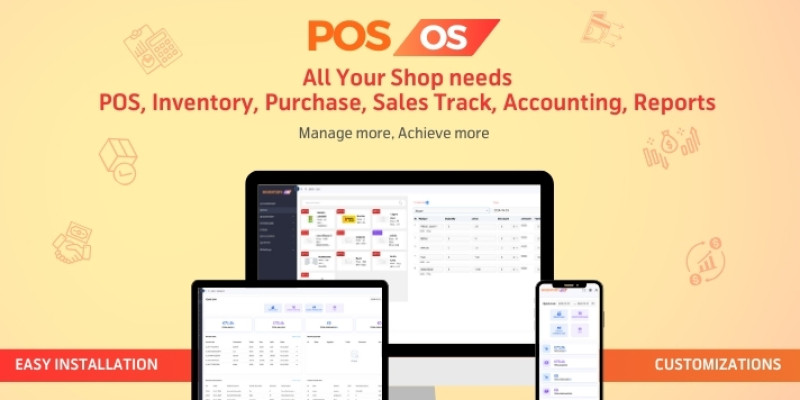
Introducing POS OS – our state-of-the-art POS system powered by Laravel and React.js, designed to streamline your daily business operations. This all-inclusive POS software is perfect for managing your retail shop or store. It ensures efficient inventory control, sales and purchases tracking, as well as comprehensive customer and supplier data management. Furthermore, this POS system simplifies invoice handling and expedites payment transactions.
What distinguishes our POS OS software is its advanced Progressive Web Application (PWA) feature. This allows users to install our POS system as a mobile app on both Android and iOS devices, as well as a Desktop application. With the unique Single-Page-Load feature integrated into this POS solution, there are no page-loading delays, delivering seamless navigation for a superior user experience. This enhances the versatility, control, and mobility of your POS operations.
With POS OS, gain access to real-time business information, at any place and any time. Be it a small business or a large corporation, our POS system is your go-to solution for streamlined inventory, purchases, and sales management. This comprehensive POS solution puts all your business needs in one place.
Contact for Customization and Queries: WhatsApp: https://wa.os.omega.ac Find more: https://solution.omega.ac


IMPORTANT NOTE: Once you buy this product you will get all future updates for free. And we are continuously developing our product from our customers ’s suggestions and experiences. If you need any more functionality just email us with your great idea and our team will start researching that idea, if we find it suitable then congratulations! Your idea will be converted as features in future updates.
Features
Dashboard
- Elegant dashboard design
- Datewise total sales, purchase, and invoice number
- Datewise Sales vs Profit time-series graph
- Sale vs Purchase pie chart
- Top buying customers by Sales and Profit in the Bar chart
Products
- Manage product list and quantity
- Add new product
- Edit, delete & view products, category, brand
- Category-wise product manage
- Brand-wise product manage
- New Category, Sub Category create
- New Brand create
Purchases
- Make invoice with auto calculation
- View the purchase invoice and history of payments
- Make payment to the due invoice
- View datewise total purchase invoice, amount, due, and paid
- On purchase, Inventory products will be updated
Purchases Returns
- Return products of any purchase invoice
- On return payment and stock will be auto-adjusted
Sales
- Generate sale invoice against any customer
- View the sales invoice and history of payments
- Receive payment to the due invoice
- View datewise total sale invoice, amount, due, paid, and profit
Sales Returns
- Return products of any sale invoice
- On return payment and stock will be auto-adjusted
Suppliers
- Manage all supplier
- Add, edit, delete & view suppliers
- View all purchase invoices of a single supplier
- Manage supplier’s due and other records
Customers
- Manage all customer
- Add, edit, delete & view customer
- View all purchase invoices of a single supplier
- Manage customer’s due and other records
HR Manage
- Add, edit, delete & view users, assign roles
- Add, edit, delete & view customers, and suppliers
- Create new Designation and assign it to your staff
- Fully dynamic Permission and Role management
- Level of access control
Accounting
- General Ledger (all transactions)
- Individual ledger (accounts wise transactions)
- Trial Balance
- Balance Sheet
- Income Statement (Profit and Loss report)
Reports
- All transaction history with datewise pagination
- Total datewise sales and profit
- Total datewise purchase
- Customers, suppliers, due, top-buying-customers
POS and PWA
- POS interface and thermal invoice printing
- PWA – mobile app available on both Android and iOS
- Pagination in all table view
- Datewise data view in table
Barcode Generation, printing, and scanning Packing Slip printing Dynamic Invoice Header, Footer data edit Bulk CSV data upload Download data as CSV Product Search and many more…
Requirements
Software Stack & Recommended Versions
Frontend: ReactJS
ReactJS version : 18
Instructions
Our software is very simple and intuitive to use. You can start within a few minutes. A detailed Installation Guide is available inside the ‘Documentation’ folder you download from Codester once you purchase. You will also get a Quick Start guide there. By following the quick start you will be able to use the software easily. If you face any issues at any time of installation or using the software just contact us and we will support you as soon as possible.
| Author | omegasolution |
|---|---|
| Category | Scripts & Code / PHP Scripts / POS |
| Price | $24 |
| Extended License | $72 |
| Likes | 1 |
| First Release | Oct 7, 2024 |
| Last Update | Jan 28, 2025 |
| Files included | .php, .css, .html, .sql, JavaScript .js |
| Software framework | React, Laravel |
Categories
Tags
External listing. code.market does not sell this product and does not process payment for it. Pricing, payment, delivery, licensing, refunds, and support are handled by the third-party merchant on its own website. We may earn an affiliate commission from a referral. Details.
Products of the Week.
Submit🥇

Perceptle
Perceptle is a daily browser-based game that challenges you to test your sensory intuition through five quick estimation and rhythm-based rounds.
Other · 1,489 views · 9 clicksOther · Week 47 · 1,489 views · 9 clicks
🥈

Free LinkedIn Likes From Real
Get free LinkedIn likes on your posts from real members who react by hand. No
SaaS · 1,632 views · 10 clicksSaaS · Week 47 · 1,632 views · 10 clicks
🥉

STOP GUESSING WHAT TO POST
AI that learns your brand voice and builds a month of consistent, on-brand social content: carousels, posts and hooks that sound like you, not like everyone else's AI.
SaaS · 9,176 views · 75 clicksSaaS · Week 47 · 9,176 views · 75 clicks
#4

aaas.market
407 reliable micro tools for solo founders, marketers and creators. They work in your browser
SaaS · 1,597 views · 5 clicksSaaS · Week 47 · 1,597 views · 5 clicks