
Poco - Fast Food Restaurant WordPress Theme

Description
Poco is an elegant & responsive Fast Food Restaurant WordPress Theme. It is created for any online shop. You can use it for many purposes such as restaurants, cafes, fast food stores, pizza & burger stores, bakery, bars or fast food blogs.
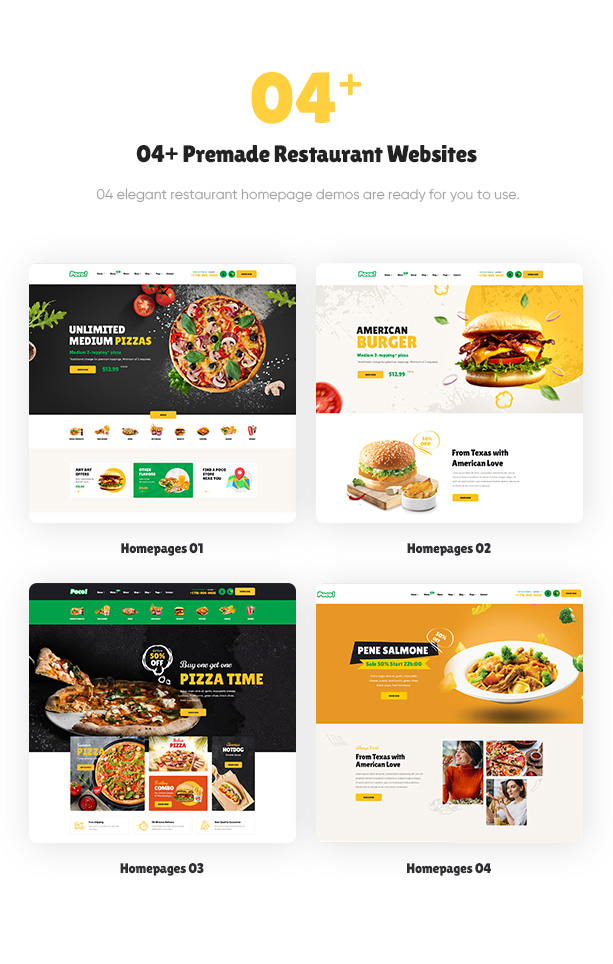
This fast food WooCommerce theme comes up with many features and functionality that make your restaurant far different from other restaurants in the town. There are 04+ creative homepage demos that are ready to use for you to choose from. Also, just by one click, you already have it imported in your WordPress website.
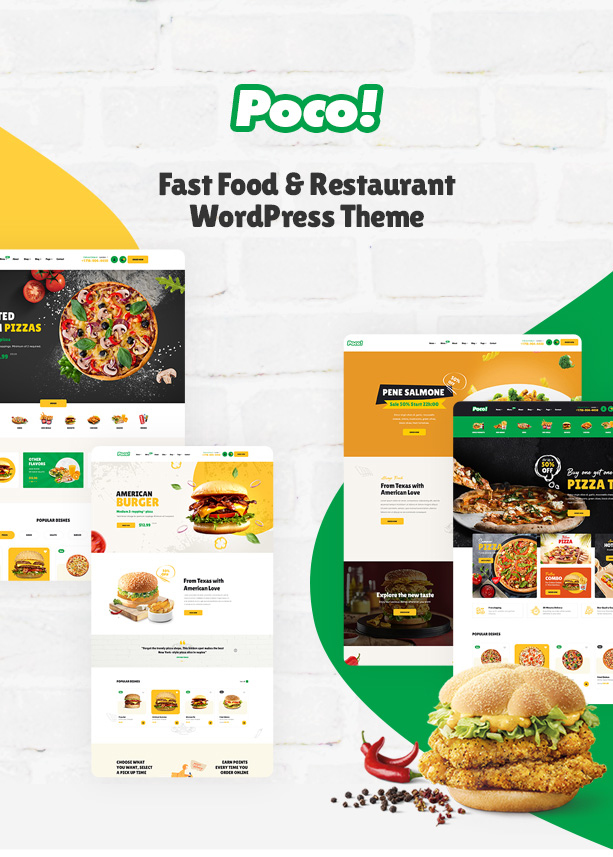
Poco theme supports any devices & browsers. It keeps the same experience when used on any gadgets. And other browsers do, too. Moreover, it is optimized for SEO, page speed and performance. The theme loads fast with high quality. Poco is built with Elementor, so building pages is easier with the one who doesn’t know to code.
Explore the Poco restaurant now!
Poco Sucessful Projects and Review
View stunning websites built from our amazing theme Poco – Fast Food Restaurant WordPress Theme.
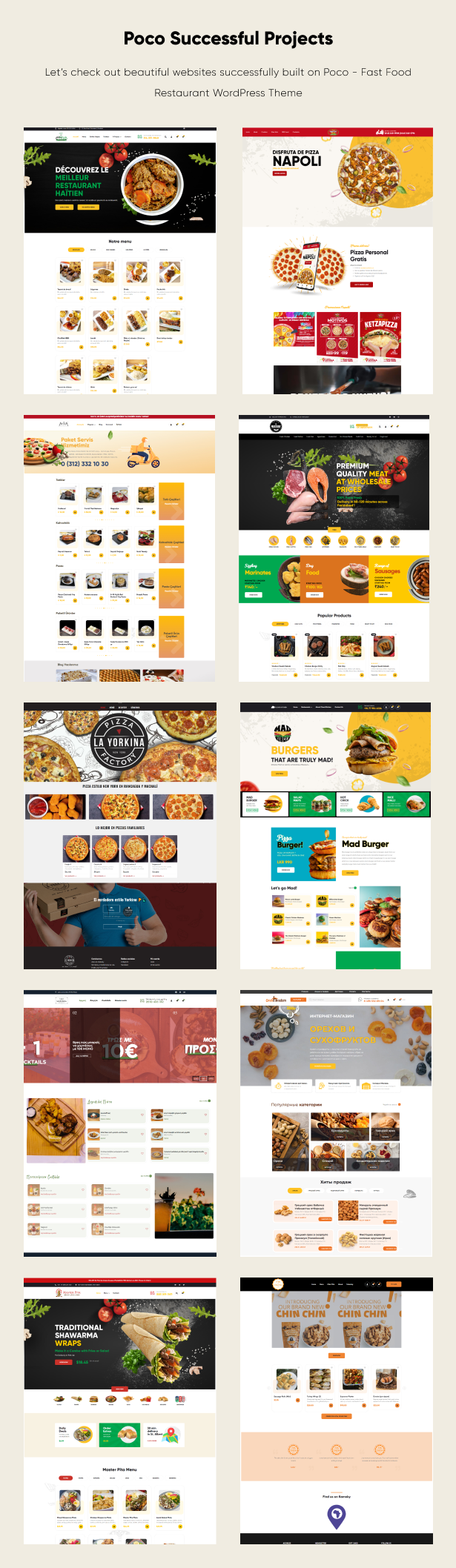
- https://orehnadom.ru/
- https://themeatery.in/
- https://kantinamanolio.gr/
- https://thecloudkitchen.lk/
- https://chefmakcreole.com/
- https://masterpita.ca/
- https://tcclady.com/
- https://www.layorkina.com/
- https://www.kspglobalwines.com/
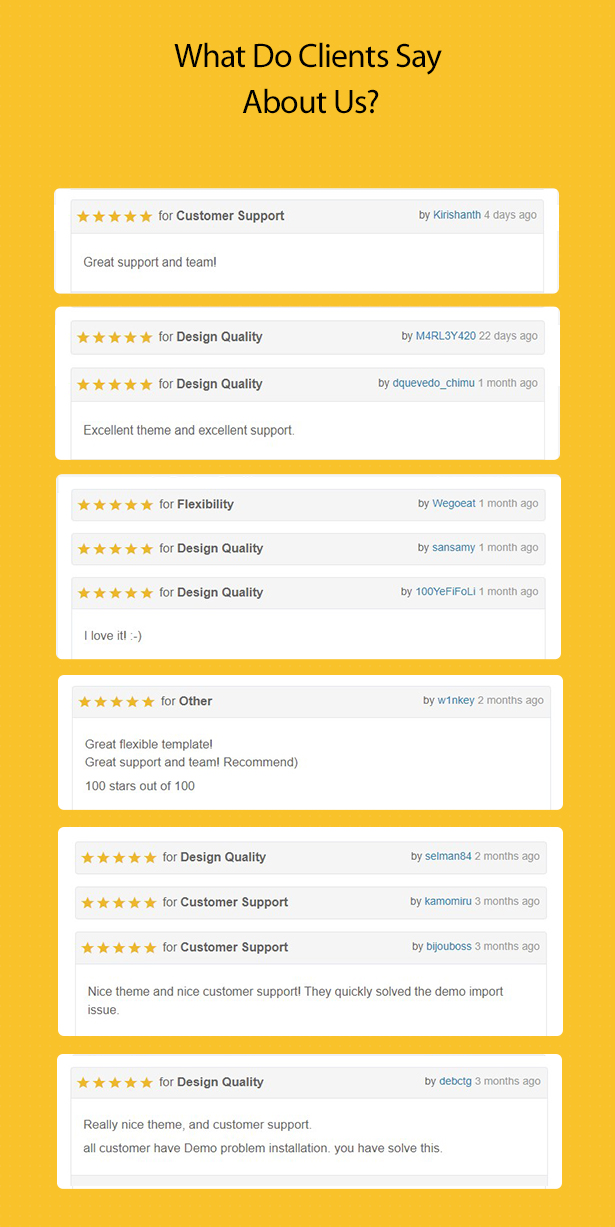
Customers say about our team and Poco – Fast Food Restaurant WordPress Theme
What Makes Poco – Fast Food WordPress Theme Worth to Use
Fully Responsive Layouts
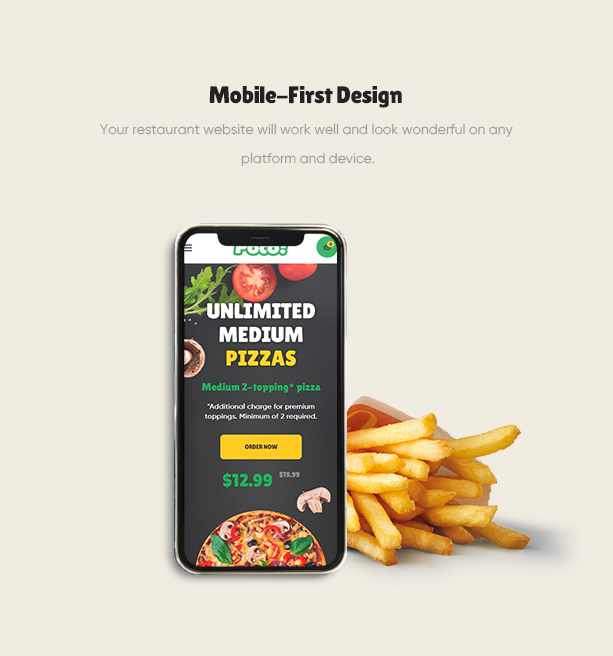
Online shopping on mobile is more and more popular in the world. That’s why every online shop needs to be responsive with any devices, especially mobiles.
With Poco – responsive eCommerce Shop WordPress theme, you can have an awesome mobile fast food store. Expand your customer scale with Poco now!
Ease to Build Pages
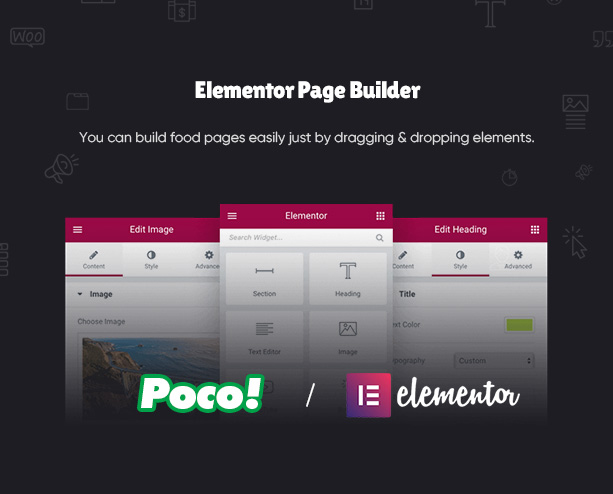
You can create a new page by yourself easily with the help of Elementor. Just by drag and drop elements you want to finish a page. Try it out!
Import Demo Quickly
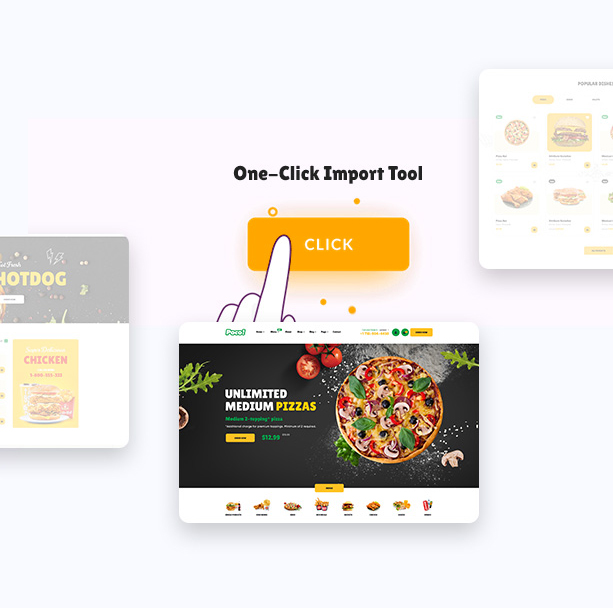
You can save a lot of time when using Poco’s one click demo import tool. You just need to choose a fast food demo you like and the tool will import it for you.
Fast Loading Page
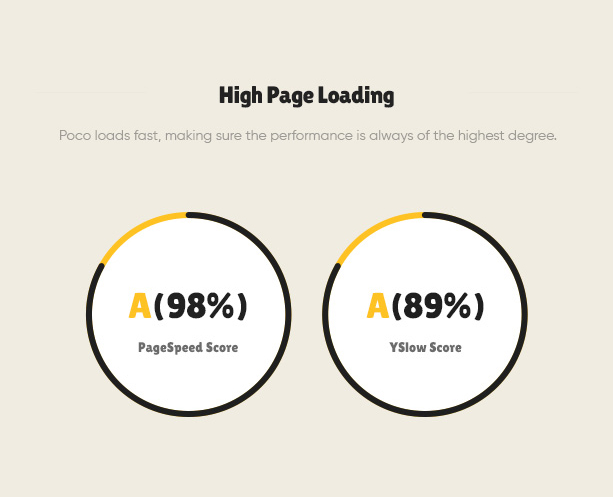
This organic shop theme is absolutely optimized for page loading speed and page performance. Create a food store website with high performance in most of the devices with Poco now!
Various Header & Footer Styles
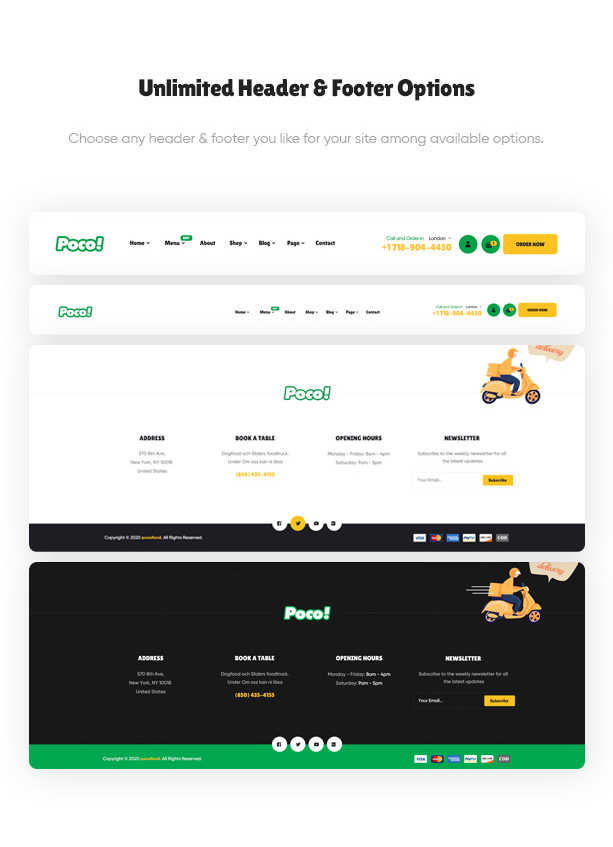
There are several premade footer and header options for you to use. You can choose any header and footer to fit your fast food restaurant site.
Elegant Designs for any Restaurant Cafe
04+ Stunning Pre-built Homepages
Pick one prebuilt homepage that is suitable with your business and make it to be an awesome website for selling fast food, pizza, burger and so on.
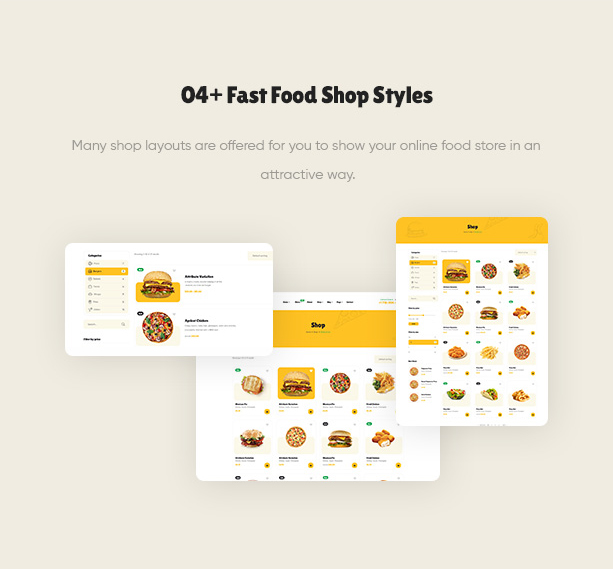
Numerous Fantastic Shop Pages
Moreover, Poco food reservation WP theme offers some styles for shop product displaying. Each style has the beauty of their own. Just choose one and sell fast food!
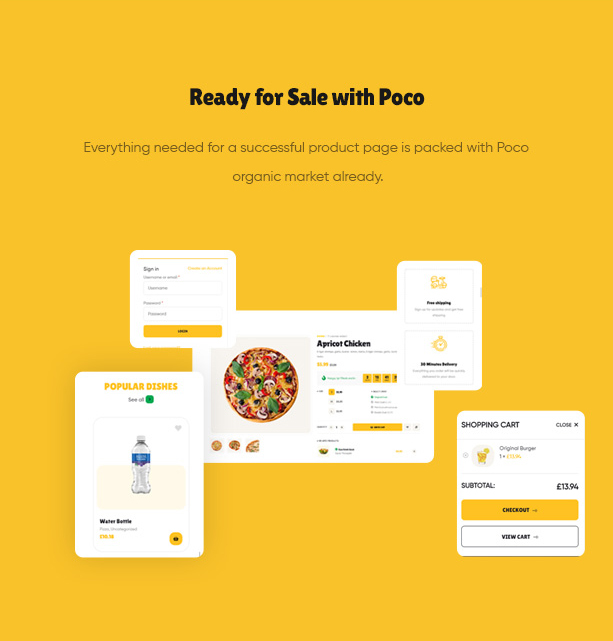
WooCommerce Shop Ready
All functions for sale that you are likely to need for a fast food restaurant are ready with Poco. You just need to upload your product image, set the price and sell them.
Support Google Reviews Widgets plugin
The theme is compatible with Widgets for Google Reviews. It’s a stunning tool that allows you to display your Google reviews on your website in 2 minutes. Check it our!

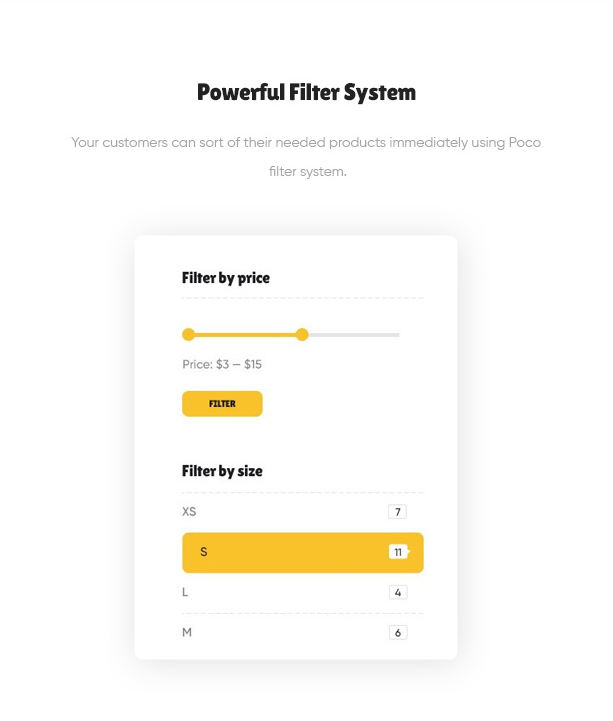
Powerful Filtering System
Using Poco’s predefined filters, your customers can easily search for the products they want with the highest accuracy.
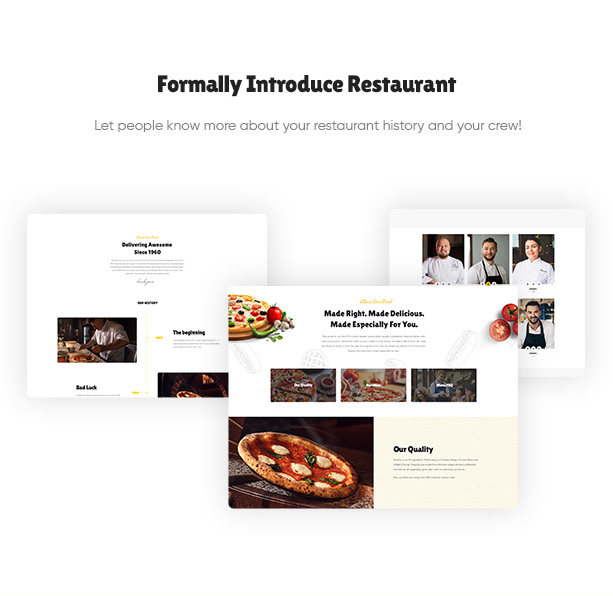
Proper Restaurant Introduction
You can introduce your team and your restaurant history easily with the stunning design of Poco.
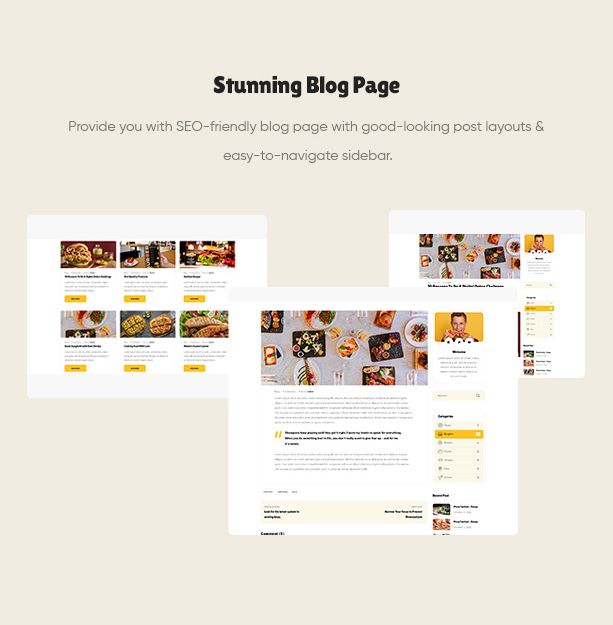
Elegant Food Blog Page
Another purpose of this theme that you can think of is a blog for cuisine & restaurant. It has modern blog styles that you can write and post your articles seamlessly.
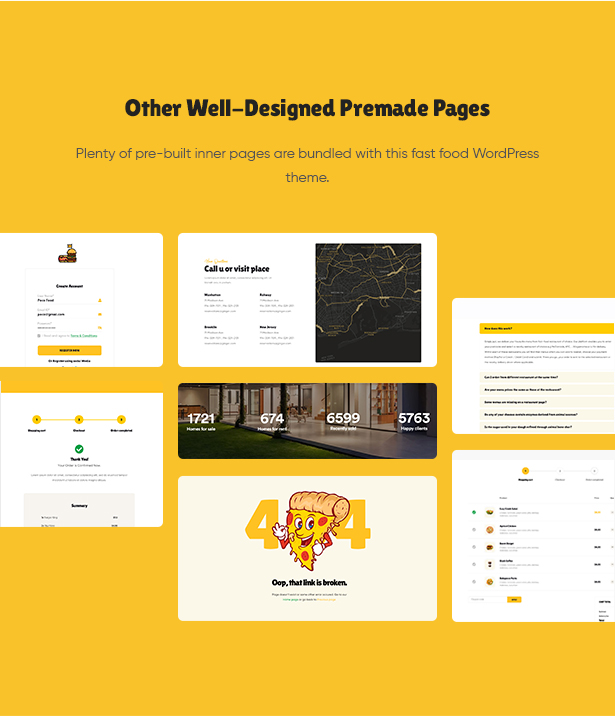
Premade Inner Pages
Poco also comes with other inner pages for a great fast food reservation theme. You will find many attractive page designs such as 404, FAQ, cart, checkout, my account, orders and more.
A Powerful & Appealing Fast Food Store WooCommerce Theme
Packed with Popular WordPress Plugins
Poco – WordPress theme for the food market includes a number of most-used plugins such as Elementor, WooCommerce, Contact Form 7, MailChimp, Slider Revolution. They will empower your site a lot and help boost your fast food store to a new level of awesomeness.
Other Highlight Features
Moreover, this clean & modern Food Store eCommerce Theme brings you many other outstanding features for the best food restaurant website.
Reliable Support & Documentation
The full documentation is provided to help you to use the theme easily. You can find how to install the theme, configure some sections and others. We offer dedicated & friendly support from our technical support team and regular & free-lifetime updates.

ONE OF THE BEST FAST FOOD RESTAURANT WOOCOMMERCE WORDPRESS THEME!
- Built on Elementor Drag & Drop Page Builder for WordPress
- 04+ Homepage Demos
- Mobile First Design
- High Loading Score
- Shop & Products Pages
- Many Header & Footer Options
- Blog Pages
- Many Premade Functional Pages
- One Click Demo Import
- Package of WordPress Plugins
- Contact Form 7 Included
- WordPress 5.5 tested and approved
- Premade widgets to build content easier
- Optimized for Speed, Search Engine Optimization, Mobile Optimized, Highly Conversion Rate Optimization and Unlimited Customize
- Clean, modern, multi-purpose design can be used for any type of websites
- Elaborated clean code for your convenience
- Cross-browser compatibility: Chrome, FireFox, Safari, Opera, IE10
- Totally Responsive Design
- Different sidebars variations
- Amazing parallax effects both on rows and content
- Fast and perfect performance while viewing
EASE OF CUSTOMIZATION
- WordPress Customizer Supported: allows you to configure the theme’s functions via WordPress options.
- Customizer allows customizing your site: Main options, Side area options, Social Link, Post list options, Portfolio options, Styling options, Layout settings, Footer section options, Header section options
- Advanced options to enable/disable individual features
- Full control over site width (full-width or boxed), content area and sidebars
- Revolution slider included with updates provided
- Fast and convenient Elementor Builder
- Vector icons for perfect retina design
- Numerous background options: add parallax background images to Rows, style Menus, add as Header background, boxed content background or Client logos
- Top page additional styling possibilities
- Stunning Header & Footer builder function
- Unlimited button styles: you set the height and the shape of the button manually, also additional CSS rules allow even more options
- Touch-friendly interface for your convenient usage on smartphones and tablets
- Fully Responsive Design
- Sidebar generator allows you to create the unlimited number of sidebars to your taste
- Select Main/Second site color for easy customization tools
Our Support Channels:
- Helpdesk: Submit A Ticket
- Email Support: pavothemes@gmail.com
- Detail Documentation
Changelog:
## [2.2.10] – 07 Sep 2026
- Resolved compatibility issues with WooCommerce 11.1.0.
- Fixed Elementor Products carousel in WooCommerce List layout.
- Fixed Elementor PHP 8.4 deprecation notice.

## [2.2.9] – 02 Jul 2026
### Fixed
- Resolved compatibility issues with WooCommerce 10.9.x

## [2.2.8] – 02 Dec 2025
- Resolved compatibility issues with WooCommerce 10.3.x
- Improved: Validated post_style setting with fallback to default style.

## [2.2.7] – 17 July 2025
### Fixed
- Resolved compatibility issues with WooCommerce 10.2.0

## [2.2.6] – 17 July 2025
### Fixed
- Resolved compatibility issues with WooCommerce 10.0.0

## [2.2.5] – 27 June 2025
- Resolved outdated WooCommerce 9.9.0 issues

## [2.2.4] – 24 April 2025
- Resolved outdated WooCommerce 9.8.0 issues
- Updated theme compatibility with WordPress 6.8

## [2.2.3] – 3 March 2025
- Resolved outdated WooCommerce 9.7.0 issues

## [2.2.2] – 22 January 2025
- Resolved outdated WooCommerce 9.6.0 issues

## [2.2.1] – 18 December 2024
- Updated compatibility with Elementor 3.26.0
- Resolved outdated WooCommerce 9.5.1 issues

## [2.2.0] – 25 November 2024
- Resolved outdated WooCommerce 9.4 issues

## [2.1.9] – 13 September 2024
- Updated WooCommerce template to version 9.3.1
- Fixed bug in Elementor 3.24.0

## [2.1.8] – 30 August 2024
- Updated WooCommerce template to version 9.2.3

## [2.1.7] – 25 July 2024
- Updated WooCommerce template to version 9.1.4

## [2.1.6] – 17 June 2024
- Fixed widgets bug in Elementor 3.22.0

## [2.1.5] – 8 May 2024
- Updated WooCommerce template to version 8.8.3

## [2.1.4] – 1 November 2023
- Fixed: Check product category empty

## [2.1.3] – 1 October 2023
- Updated compatibility with Elementor Pro 3.16.2

## [2.1.2] – 24 July 2023
- Updated WooCommerce template to version 7.9.0

## [2.1.1]
- Updated WooCommerce template to version 7.8.0

## [2.1.0]
- Updated compatibility with Elementor Pro 3.12.0

## [2.0.0]
- Added homepages 5, 6, 7, 8

## [1.9.8]
- Updated WooCommerce template to version 7.0.1

## [1.9.7]
- Updated WooCommerce template to version 6.9.1
- Updated WooCommerce product image sizes

## [1.9.6]
- Updated WooCommerce template to version 6.5

## [1.9.5]
- Fixed: Compatible with Variation Swatches for WooCommerce 2.0.0
- Fixed: RTL testimonial carousel

## [1.9.4]
- Fixed: Dropdown account menu

## [1.9.3]
- Updated compatibility with Elementor 3.5.5

## [1.9.0]
- Updated to WordPress 5.8

## [1.8.0]
- Updated responsive product list view

## [1.7.4]
- Updated cart and checkout page CSS

## [1.7.3]
- Updated WooCommerce template to version 5.2

## [1.7.2]
- Fixed bug when deactivating WooCommerce plugin

## [1.7.1]
- Fixed checkout shipping CSS

## [1.7.0]
- Updated compatibility with Elementor 3.1.0

## [1.6.0]
- Fixed one-click install

## [1.4.1]
- Fixed: Setup custom setting action

## [1.4.0]
- Added: Setup custom setting page

## [1.3.1]
- Fixed duplicate content in sidebar archive product

## [1.3.0]
- Fixed cart count in handheld footer bar

## [1.2.0]
- Updated security

## [1.1.0]
- Fixed one-click install

## [1.0.2]
- Fixed font errors in Elementor

## [1.0.1]
- Added custom font “Gilroy”

## [1.0.0]
- Initial release
| Type | WooCommerce Theme |
|---|---|
| Author | pavothemes |
| Category | Wordpress / Ecommerce / Woocommerce |
| Price | $59 |
| Sales | 1,719 |
| Rating | 4.57 from 61 ratings |
| Published | Oct 7, 2020 |
| Last Update | Sep 7, 2026 |
| Columns | 4+ |
| Compatible Browsers | Firefox, Safari, Opera, Chrome, Edge |
| Compatible Software | WordPress 6.8.x, WordPress 6.7.x, WordPress 6.6.x, WordPress 6.5.x, WordPress 6.4.x, WordPress 6.3.x, WordPress 6.2.x, WordPress 6.1.x, WordPress 6.0.x, WordPress 5.9.x, WordPress 5.8.x, WordPress 5.7.x, WordPress 5.6.x, WordPress 5.5.x, WordPress 5.4.x, WordPress 5.3.x, WordPress 5.2.x, WordPress 5.1.x, WordPress 5.0.x, WordPress 4.9.x |
| Compatible With | Elementor, WooCommerce 9.x.x, WooCommerce 8.x.x, WooCommerce 7.x.x, WooCommerce 6.x.x, WooCommerce 5.x.x |
| Documentation | Well Documented |
| Gutenberg Optimized | No |
| Layout | Responsive |
| Files Included | PHP Files, CSS Files, JS Files |
| Widget Ready | Yes |
| Key Features | Fast Food Reservation WooCommerce Theme, Restaurant Food Store For Pizza Burger & Bake, Elementor, Fast Loading & Easy to Use |
Categories
Tags
External listing. code.market does not sell this product and does not process payment for it. Pricing, payment, delivery, licensing, refunds, and support are handled by the third-party merchant on its own website. We may earn an affiliate commission from a referral. Details.
Products of the Week.
Submit🥇

STOP GUESSING WHAT TO POST
AI that learns your brand voice and builds a month of consistent, on-brand social content: carousels, posts and hooks that sound like you, not like everyone else's AI.
SaaS · 4,265 views · 38 clicksSaaS · Week 45 · 4,265 views · 38 clicks
🥈

Conversational Backlinks for Busy Founders
Place Backlink Relevant Conversation for your domain across Forums and Conversations
Website · 41,970 views · 223 clicksWebsite · Week 45 · 41,970 views · 223 clicks
🥉

upvote.club
Free Social Media Engagement that Helps Boost Your Content. Upvote Club supports 19 social networks with 100+ engagement actions in one dashboard. Add links to your posts and get free engagement from real users.
SaaS · 40,011 views · 115 clicksSaaS · Week 45 · 40,011 views · 115 clicks
#4

Substack Posting API
Onboard your Agent to Substack. Write Publish on Substack via API
SaaS · 59,022 views · 198 clicksSaaS · Week 45 · 59,022 views · 198 clicks
#5

Seenshot App
Free, Fast, MacOS Screenshot app. Make Screenshot cmd+shift+2 and send it via link
Desktop App · 28,394 views · 122 clicksDesktop App · Week 45 · 28,394 views · 122 clicks
#6

Hand-Placed Backlinks $9.99 per link. Flat rate.
Buy hand-placed forum, Q-A and directory backlinks. Flat $9.99 per link, no subscriptions — you only pay for approved listings.
Website · 4,235 views · 19 clicksWebsite · Week 45 · 4,235 views · 19 clicks
#7

Free Invoice Generator - PDF Invoices in Your Browser, No Sign-Up
A free invoice maker for freelancers and small businesses: fill in the invoice, check the live preview, and download a PDF that looks exactly like it. Any currency, tax per item, three templates, no sign-up, and nothing leaves your device.
2,915 views · 17 clicksWeek 45 · 2,915 views · 17 clicks
#8

Merge PDF Files Free - Combine PDFs in Your Browser, No Upload
A free PDF merger for office workers, students, and freelancers: combine PDFs and images into one file in the browser, reorder files and pages, pick page ranges, keep bookmarks, and open password-protected PDFs. Nothing is uploaded, no sign-up, no watermark.
2,691 views · 13 clicksWeek 45 · 2,691 views · 13 clicks