
Plugin Wordpress WhatsApp Floating Button Advanced
Description
Transform Your WordPress Site with the Ultimate WhatsApp Floating Button Plugin!
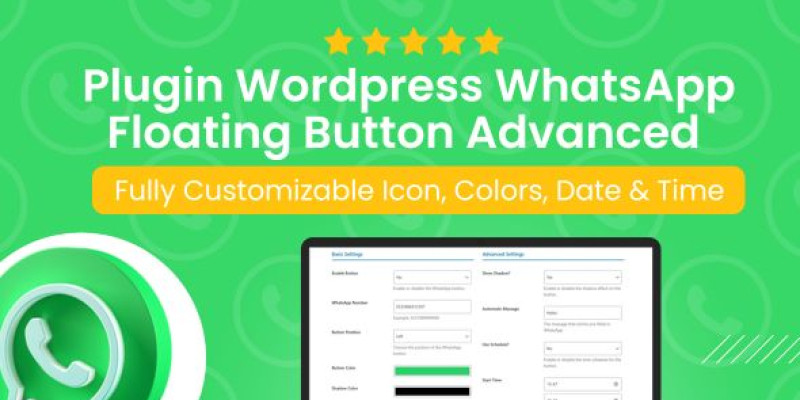
Take user interaction to the next level with the WhatsApp Floating Button Advanced plugin. Fully customizable and loaded with powerful features, this plugin ensures seamless communication between you and your visitors. Perfect for businesses, customer support, or anyone who wants to stay connected.
Features
- Customizable Design: Change the button’s icon, colors, size, and position to match your website’s style effortlessly.
- Scheduled Display: Control when the button is visible by setting specific dates and times. Ideal for businesses with set hours.
- Position Options: Place the button wherever you prefer – bottom-right, top-left, or center – ensuring a perfect fit for your layout. Smooth Animations: Add a touch of modernity with fade-in, slide, or bounce animations.
- Call-to-Action Text: Display an engaging message like “Need help? Contact us!” to grab attention and boost conversions. Multilanguage Support: Fully translatable to reach global audiences.
- Mobile-Friendly: Optimized for all devices, ensuring a perfect user experience on smartphones, tablets, and desktops.
Instructions
WhatsApp Floating Button Advanced DocumentationWelcome to the documentation for the WhatsApp Floating Button Advanced plugin. This guide provides step-by-step instructions to configure and use the plugin effectively.
Overview
The WhatsApp Floating Button Advanced plugin adds a customizable floating WhatsApp button to your WordPress site, enabling easy interaction between users and your WhatsApp account.
Installation
- Download the plugin ZIP file.
- Log in to your WordPress admin dashboard.
- Navigate to Plugins > Add New, then click Upload Plugin.
- Choose the ZIP file and click Install Now.
- Activate the plugin after installation.
Configuration
Navigate to Settings > WhatsApp Button to configure the plugin. Below are the available options:
Basic Settings
- Enable Button: Toggle to enable or disable the WhatsApp button on your site.
- WhatsApp Number: Enter your WhatsApp number in international format (e.g., +5531999999999).
- Button Position: Choose whether the button appears on the right or left side of the screen.
- Button Color: Customize the button's color.
Advanced Settings
- Show Shadow: Enable or disable the shadow effect around the button.
- Automatic Message: Set a default message for users when opening WhatsApp.
- Use Schedule: Enable to show the button only during specific times.
- Use Date Range: Set a date range for the button's visibility.
- Language: Select the plugin language.
Additional Options
- Button Size: Adjust the size of the button.
- Button Style: Choose the button's shape (default, circular, square).
- Button Animation: Select an animation for the button (pulse, bounce, none).
- Custom Button Image: Upload a custom image for the button.
Frontend Behavior
Once configured, the button will:
- Appear on the specified side of the screen.
- Display only within the defined time and date ranges (if enabled).
- Open WhatsApp with the pre-filled message when clicked.
Troubleshooting
- Button Not Appearing: Ensure the button is enabled, the number is correctly entered, and time/date restrictions are configured.
- Settings Not Applied: Clear your browser cache and verify that settings have been saved.
Support
If you encounter issues, contact us at contato.alttechnology@gmail.com.
| Author | alttechnology |
|---|---|
| Category | Plugins / WordPress / Social Media |
| Price | $9 |
| Extended License | $27 |
| First Release | Jan 14, 2025 |
| Last Update | Jan 14, 2025 |
| Supported cms | WordPress 6.3, WordPress 6.4, WordPress 6.5 |
| Files included | .php, .css, .html |
Categories
Tags
External listing. code.market does not sell this product and does not process payment for it. Pricing, payment, delivery, licensing, refunds, and support are handled by the third-party merchant on its own website. We may earn an affiliate commission from a referral. Details.
Products of the Week.
Submit🥇

Perceptle
Perceptle is a daily browser-based game that challenges you to test your sensory intuition through five quick estimation and rhythm-based rounds.
Other · 3,957 views · 16 clicksOther · Week 47 · 3,957 views · 16 clicks
🥈

Free LinkedIn Likes From Real
Get free LinkedIn likes on your posts from real members who react by hand. No
SaaS · 4,075 views · 18 clicksSaaS · Week 47 · 4,075 views · 18 clicks
🥉

STOP GUESSING WHAT TO POST
AI that learns your brand voice and builds a month of consistent, on-brand social content: carousels, posts and hooks that sound like you, not like everyone else's AI.
SaaS · 11,557 views · 80 clicksSaaS · Week 47 · 11,557 views · 80 clicks
#4

aaas.market
407 reliable micro tools for solo founders, marketers and creators. They work in your browser
SaaS · 3,936 views · 7 clicksSaaS · Week 47 · 3,936 views · 7 clicks