
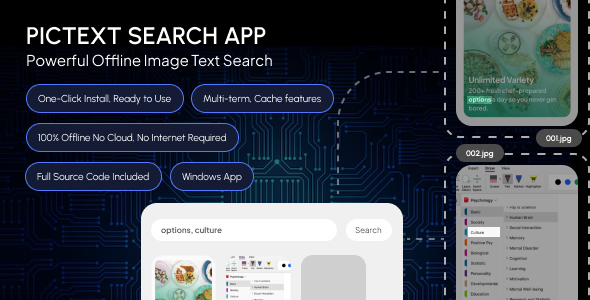
PicText Search | Powerful Offline Image Text Search
Description
PicText Search – Find text inside your images, instantly.
PicText Search is a lightweight, fully offline Windows desktop application that scans your image folders and finds any photo, screenshot, or scanned document containing specific text using built-in OCR (Optical Character Recognition). No internet connection, no cloud services, and no third-party software required. Everything runs locally on your PC.
Search through thousands of images in seconds and extract exact matching words from any picture perfect for scanned documents, screenshots, and photo archives.
Key Features
- 100% Offline no internet connection needed after installation
- One-click installer no manual setup, no dependencies, nothing extra to configure
- Subfolder search scan an entire folder tree in one pass
- Multiple search terms search several words or phrases at once
- Regex & fuzzy matching advanced pattern search plus approximate/typo-tolerant matching
- Smart caching scanned images are cached locally for instant re-searches
- Live progress bar with pause, resume, and cancel controls
- Grid or list view visual thumbnail grid or a detailed sortable table
- Powerful filters filter by file type, folder, or date modified
- Bulk copy/move move or copy all matched files to a new folder in one click
- Search history every past search logged, one click to repeat it
- Top words report see the most frequent words across all your images
- Export to CSV/TXT for reporting and record-keeping
- Full source code included clean, modular, and easy to customize
Who is this for?
Perfect for anyone who needs to search large collections of screenshots, scanned receipts, invoices, ID cards, memes, chat exports, or any images containing text photographers, admins, researchers, students, and everyday Windows users managing large photo libraries.
Requirements
- Windows 10 or later (64-bit)
- No Python, no separate OCR engine, no internet required
What’s Included
- Windows installer (.exe)
- Full readable source code
- Documentation (HTML)
| Type | Windows App |
|---|---|
| Author | iDev_Envato |
| Price | $8 |
| Sales | 1 |
| Rating | 0 (0) |
| Published | Aug 31, 2026 |
| Last Update | Aug 31, 2026 |
| Application Runtime | Native |
| High Resolution | No |
| Operating System Versions | Windows 11, Windows 10 |
Categories
Tags
External listing. code.market does not sell this product and does not process payment for it. Pricing, payment, delivery, licensing, refunds, and support are handled by the third-party merchant on its own website. We may earn an affiliate commission from a referral. Details.
Products of the Week.
Submit🥇

STOP GUESSING WHAT TO POST
AI that learns your brand voice and builds a month of consistent, on-brand social content: carousels, posts and hooks that sound like you, not like everyone else's AI.
SaaS · 7,359 views · 67 clicksSaaS · Week 46 · 7,359 views · 67 clicks
🥈

Conversational Backlinks for Busy Founders
Place Backlink Relevant Conversation for your domain across Forums and Conversations
Website · 46,642 views · 232 clicksWebsite · Week 46 · 46,642 views · 232 clicks
🥉

upvote.club
Free Social Media Engagement that Helps Boost Your Content. Upvote Club supports 19 social networks with 100+ engagement actions in one dashboard. Add links to your posts and get free engagement from real users.
SaaS · 44,581 views · 127 clicksSaaS · Week 46 · 44,581 views · 127 clicks
#4

Substack Posting API
Onboard your Agent to Substack. Write Publish on Substack via API
SaaS · 63,469 views · 206 clicksSaaS · Week 46 · 63,469 views · 206 clicks
#5

Seenshot App
Free, Fast, MacOS Screenshot app. Make Screenshot cmd+shift+2 and send it via link
Desktop App · 32,719 views · 127 clicksDesktop App · Week 46 · 32,719 views · 127 clicks
#6

Hand-Placed Backlinks $9.99 per link. Flat rate.
Buy hand-placed forum, Q-A and directory backlinks. Flat $9.99 per link, no subscriptions — you only pay for approved listings.
Website · 8,339 views · 19 clicksWebsite · Week 46 · 8,339 views · 19 clicks
#7

Free Invoice Generator - PDF Invoices in Your Browser, No Sign-Up
A free invoice maker for freelancers and small businesses: fill in the invoice, check the live preview, and download a PDF that looks exactly like it. Any currency, tax per item, three templates, no sign-up, and nothing leaves your device.
6,965 views · 29 clicksWeek 46 · 6,965 views · 29 clicks
#8

Merge PDF Files Free - Combine PDFs in Your Browser, No Upload
A free PDF merger for office workers, students, and freelancers: combine PDFs and images into one file in the browser, reorder files and pages, pick page ranges, keep bookmarks, and open password-protected PDFs. Nothing is uploaded, no sign-up, no watermark.
6,445 views · 18 clicksWeek 46 · 6,445 views · 18 clicks