
PHP Laravel Auction - Multi-vendor Auction Script
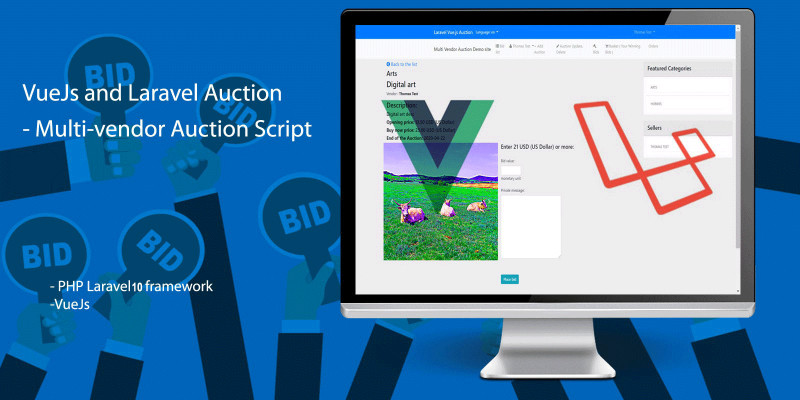
Description
If you click 'Live Demo' button Click 'Remove Frame' link!! I can help you in the project installation (mail).
######################## Update (2024.11.01. )
VueJs 3 and PHP Laravel 10 Auction is an E-Commerce multi-vendor, multilingual program. (with ECPay integration) built Laravel Framework 10.35.0 Server Requirements: PHP >= 8.1 Laravel: Auction 10 - Multi Vendor - Multilingual with ECPay, DEMO video:
www.youtube.com/watch?v=3wzwVS...
########################
VueJs 3 and PHP Laravel 8 Auction is an E-Commerce multi-vendor, multilingual program.
VueJs 3 and PHP Laravel 10 Auction is an E-Commerce multi-vendor, multilingual program.
This is a VueJs and PHP Laravel based software that let users sell goods or bid on other products after registration.
Video:
Intro video: www.youtube.com/watch?v=UK8iKU...
If you prefer jQuery than VueJs change JS_LiBRARY="jQuery" setting in the env file.
www.youtube.com/watch?v=IXox5h...
Features
- Vendors/sellers can create their own account, product, specify their own currency, upload product images.
- User (vendor) can set the opening price, buy now price, currency, category.
- User (vendor) can add 10 photos of the product by dragging on the page.
- SuperAdmin user can moderate the auction and has full control of user, bid, auction.
- Registered user (vendor) can create auction or bid auction.
Requirements
- Server Requirements: PHP >= 8.1, MySQL, Apache webserver, .htaccess enabled.
- The program is also working on shared hosting.
If you need help to install my project to your web hosting I will help you.
Instructions
Installation:
Unzip this folder to your desktop.
Open this link : https://www.apachefriends.org/
(2024.11.01.) Download Xampp ( PHP 8.2.12 ) for Windows (Linux, OSX)
Install Xampp on your pc. (https://www.apachefriends.org/faq_windows.html)
Open your Xampp root folder.
Move the unzipped laravel10_auction folder into htdocs
Start Xampp:
Windows: Click on xampp-control.exe
Click on Apache, Mysql button
Open this link: http://localhost/phpmyadmin/
Go to databases: http://localhost/phpmyadmin/index.php?route=/server/databases
Create new database: ’ laravel10_auction’
On the left frame click on ’ laravel10_auction’
Click on ’Import’ tab.
In the File to import section, click Choose File to the project SQL folder laravel10_auction.sql file.
Click the Go button at the bottom to start the import process.
After the import completes, you should see a success message confirming that the file was successfully imported.
Open this link: http://localhost/laravel10_auction/public/
That's it; the website appears.
############
Installation on webserver or shared hosting (in the manual)
--- Edit .env file
Open in the main folder .env file in a Notepad or similar text editor.
Edit the host, database,username, password rows.
DB_CONNECTION=mysql DB_HOST=localhost DB_PORT=3306 DB_DATABASE=laravel10_auction DB_USERNAME=root DB_PASSWORD=
The .env file protected with .htaccess
--- MYSQL
MYSQL setting: Open PHPMYADMIN: http://localhost/phpmyadmin/
Create a laravel10_auction database. (Create a MySQL database with the name is same as .env setting .) Import the SQL files of the program from the project/ SQL folder! (laravel10_auction.sql)
Mail setting - Local test:
For local test create account on mailtrap.io or use this setting.
https://mailtrap.io/ Create account if you want to see your test mails.
MAIL_DRIVER=smtp MAIL_HOST=smtp.mailtrap.io MAIL_PORT=2525 MAIL_USERNAME=********* MAIL_PASSWORD=****************** MAIL_ENCRYPTION=tls
Mail setting - Server Test Use Gmail for the Sender. Create an Gmail account. Create an App password (not the Gmail account password.) Sign in with App Passwords https://support.google.com/acc...
my mail setting: MAIL_DRIVER=smtp MAIL_HOST=smtp.gmail.com MAIL_PORT=587 MAIL_USERNAME=************* MAIL_PASSWORD= ****************(Add your App password) MAIL_ENCRYPTION=tls
VueJs Development info:
--- Vue Js 3
The components communicate through the Vuex Store. (vuex: 4)
First NPM exists: npm --version NPM install https://nodejs.org/en/download...
My console show now: 8.3.0 You can update: npm install -g npm@latest npm install
Install vue cli: npm install -g @vue/cli
You can check you have the right version with this command: vue --version
If you want to edit the VueJs 3 file Go to
want to edit the VueJs 3 file Go to C:/Server/xampp/htdocs/projects/laravel_auction5/resources/js/components
folder.
Edit this file.
Add this command : npm run dev
| Author | smartcodecreator |
|---|---|
| Category | Scripts & Code / PHP Scripts / Miscellaneous |
| Price | $14 |
| Extended License | $42 |
| Rating | 4.10 from 7 ratings |
| Reviews | 7 |
| Likes | 10 |
| First Release | May 25, 2017 |
| Last Update | Nov 4, 2024 |
| Files included | .php, .css, .html, JavaScript .js |
| Software version | PHP 8.1, PHP 8.2 |
| Software framework | Vue.js, Laravel |
Categories
Tags
External listing. code.market does not sell this product and does not process payment for it. Pricing, payment, delivery, licensing, refunds, and support are handled by the third-party merchant on its own website. We may earn an affiliate commission from a referral. Details.
Products of the Week.
Submit🥇

Perceptle
Perceptle is a daily browser-based game that challenges you to test your sensory intuition through five quick estimation and rhythm-based rounds.
Other · 1,489 views · 9 clicksOther · Week 47 · 1,489 views · 9 clicks
🥈

Free LinkedIn Likes From Real
Get free LinkedIn likes on your posts from real members who react by hand. No
SaaS · 1,632 views · 10 clicksSaaS · Week 47 · 1,632 views · 10 clicks
🥉

STOP GUESSING WHAT TO POST
AI that learns your brand voice and builds a month of consistent, on-brand social content: carousels, posts and hooks that sound like you, not like everyone else's AI.
SaaS · 9,176 views · 75 clicksSaaS · Week 47 · 9,176 views · 75 clicks
#4

aaas.market
407 reliable micro tools for solo founders, marketers and creators. They work in your browser
SaaS · 1,597 views · 5 clicksSaaS · Week 47 · 1,597 views · 5 clicks