Photo Puzzle - Android Source Code
Description
Complete Java Android Studio project · AdMob ready · Easy to reskin · Publish on Google Play in minutes
⬇️ Try the Live Demo APK Before You Buy
Install the demo APK on your Android phone, tablet, Android TV or Fire TV and play the actual game before purchasing the source code.
📱 Download Mobile APK 📺 Download Android TV APK
Tip: enable “Install unknown apps” for your browser on Android to install the APK file.
📖 About This Android Photo Puzzle Game Source Code
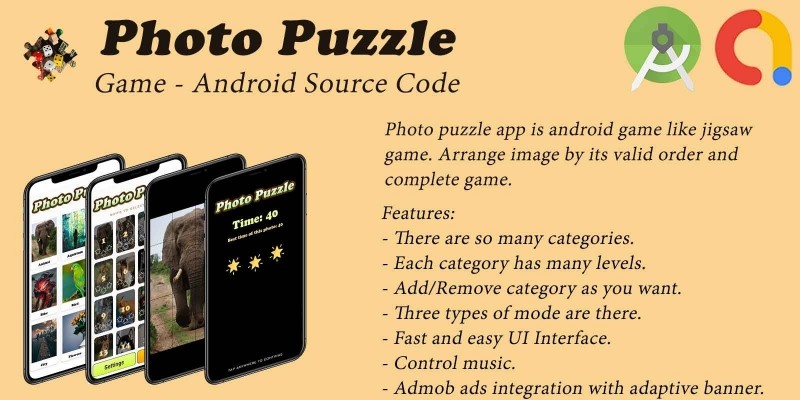
Photo Puzzle is a complete, ready-to-publish Android puzzle game source code written in Java using Android Studio. The project includes a mobile (phone & tablet) app and a separate Android TV / Fire TV app built on the Leanback library. Players pick a photo from beautifully organised categories, then tap to rotate scrambled tiles and fold the picture back together against the clock to earn up to 3 stars per level. With AdMob banner and interstitial ads already integrated and 10 ready-made photo categories, this is one of the fastest complete Android apps to rebrand, reskin and upload to Google Play.
Two app modules built from one shared code base:
- 📱 Mobile module – portrait phone & tablet experience with touch controls.
- 📺 Android TV module – Leanback-powered landscape UI with full D-pad navigation.
✨ Key Features
Feature What It Does 🎮 Tap-to-Rotate Puzzle Gameplay Rotate scrambled tiles by tapping; finish the photo to win the level. 🖼️ 10 Built-in Photo Categories Animals, Birds, Cars, Bikes, City, Nature, Food, Flowers, Architecture, Aquarium - 16 photos in each category. ➕ Add Unlimited Photos & Categories Just drop a folder of JPG images intoassets/Categories/ – no Java code changes required.
⏱️ Timer & Personal Best Time
Per-photo best completion time saved locally in SQLite database.
⭐ 3-Star Rating System
Stars awarded based on completion time and the chosen game mode.
🎚️ Multiple Game Modes
Adjustable difficulty changes the time-to-stars curve for replay value.
💰 Google AdMob Integrated
Banner + Interstitial ads ready. Change all 3 ad IDs in a single XML file.
📺 Android TV & Fire TV Support
Leanback launcher icon, D-pad friendly UI, landscape layout, separate publishable module.
🔊 Background Music & SFX
Background music + tile / win sound effects with mute toggle in Settings.
💾 100% Offline SQLite Storage
All progress, scores and best times saved locally - no server, no backend, no API keys.
🌍 Multi-Language Ready
All strings in strings.xml - add any language with a new values-xx/ folder.
🎨 Material 3 Theme
Modern Material Design 3 look, easy to recolor from colors.xml.
⚡ Easy Reskin
Change package name, app name, icon, AdMob IDs and photos in under an hour.
📚 Detailed Documentation
Step-by-step README plus inline code comments showing exactly what to change.
🕹️ How to Play the Photo Puzzle Game
- Open the app and pick a photo category (Animals, Cars, Nature…).
- Swipe to choose the photo you want to solve.
- The picture is split into tiles and rotated randomly.
- Tap any tile to rotate it 90°.
- When all tiles are aligned, the photo folds back together – level complete!
- Beat your personal best time on every photo and earn up to ⭐⭐⭐.
🛠️ Technical Specifications
- Programming Language: Java 11
- IDE: Android Studio (Hedgehog or newer)
- compileSdk / targetSdk: 36 (latest)
- minSdk: 24 (Android 7.0+) - covers ~98% of active Android devices
- Architecture: Two Gradle modules (
:mobileand:tv) sharing the same code style - Libraries: AndroidX, Material 3, Google AdMob, Picasso, Leanback, sdp-android, SwitchButton, SQLite
- Backend: None required - 100% offline app
- Monetisation: Google AdMob (Banner + Interstitial)
- Output: APK and AAB (Android App Bundle) ready for Google Play
📦 What You Get In This Package
- ✅ Full Android Studio project with complete Java source code.
- ✅ Both Mobile and Android TV apps in one project.
- ✅ All assets included: 10 photo categories (160+ images), custom fonts, sound effects, drawables, icons.
- ✅ Detailed README.md with rebrand, reskin and Google Play publish guide.
- ✅ Inline code comments showing exactly where to change AdMob IDs, package name and app name.
- ✅ Free future bug fixes.
⚡ Reskin & Publish on Google Play in Under an Hour
You can launch your own branded photo puzzle game on Google Play very quickly:
- Open the project in Android Studio & let Gradle sync.
- Change the package name in
build.gradle(Refactor → Rename). - Replace the launcher icon via Image Asset Studio.
- Edit 3 strings in
res/values/strings.xmlto set your own AdMob IDs. - (Optional) Drop your own JPG photos into
assets/Categories/<YourCategory>/. - Generate a signed AAB and upload to Google Play Console.
💡 No advanced coding required for the basic rebrand - everything important lives in resource files.
🎯 Perfect For
- Indie Android developers looking for a complete puzzle game source code.
- App resellers and reskin agencies who want a quick Google Play launch.
- Beginners learning Android Studio with a real-world Java game project.
- Studios that need an Android TV game template to ship fast.
- Educators teaching Android, SQLite, AdMob integration and Leanback UI.
📋 Requirements
- Android Studio Hedgehog or newer
- JDK 11 (auto-provisioned by Gradle)
- Android SDK 36 installed
- Test device running Android 7.0+ (or an emulator)
- An AdMob account for ad monetisation (optional)
🏷️ Tags
android source code, android puzzle game, photo puzzle, picture puzzle, jigsaw puzzle android, android studio project, java android game, complete android app, reskin android game, android tv source code, leanback game, fire tv game, admob integrated game, android game template, google play ready, offline android game, sqlite android, material 3 android, android puzzle template, hyper casual puzzle.
💬 Support
Need help with rebranding, publishing or adding a new feature? Send us a message and we will be happy to help. Free updates and bug fixes are included.
Launch Your Own Android Puzzle Game Today 🚀
Buy once, brand it, publish it on Google Play. No subscriptions, no hidden costs.
Android, Google Play, AdMob and the Android robot are trademarks of Google LLC.
Features
- Now Available for Mobile and Android TV!
- Complete Android Photo Puzzle & Jigsaw Puzzle Game source code in Java.
- 10 built-in photo categories (Animals, Birds, Cars, Bikes, City, Nature, Food, Flowers, Architecture, Aquarium).
- Each category has 16 levels (160+ images included).
- Add/Remove category as you want.
- Add/Remove photos as you want - just drop JPG files in the assets folder.
- Three types of game mode (Easy, Medium, Hard).
- 3-Star rating system based on completion time.
- Timer with personal best time saved per photo.
- Fast and easy UI Interface with Material 3 design.
- Control music and sound effects from in-game Settings.
- Admob ads integration with adaptive banner.
- Admob interstitial ads integration.
- Android TV & Fire TV support with Leanback launcher and D-pad navigation.
- 100% offline - SQLite local storage, no backend required.
- Multi-language ready - just add a values-xx/strings.xml file.
- Easy reskin - change package name, app name, icon and AdMob IDs in minutes.
- Detailed README documentation included with step-by-step publish guide.
- Built with Android Studio, Java 11, AndroidX, Material 3, compileSdk 36.
- Ready to publish on Google Play Store.
Requirements
Android Studio Hedgehog or newer should be installed JDK 11 & Android SDK 36 Google Play Developer Account Google AdMob Account (for ads) Keystore file to sign the release build Android 7.0+ test device or emulator Basic knowledge of Android Studio & Java Internet connection for first Gradle sync Read the attached Documentation (README.md) carefully
Instructions
1. Open the project in Android Studio (Hedgehog or newer) and let Gradle sync. 2. Change the Package Name in build.gradle (Refactor → Rename) to your own. 3. Replace the App Name and Launcher Icon (Image Asset Studio). 4. Replace the 3 AdMob IDs in res/values/strings.xml (App ID, Banner, Interstitial). 5. (Optional) Add / remove your own photos and categories inside assets/Categories/. 6. (Optional) Replace background music & sound effects in the assets/ folder. 7. Build → Generate Signed App Bundle / APK → create a keystore → choose release. 8. Upload the generated AAB / APK to your Google Play Console — There you go! 9. Repeat for the tv module to publish the Android TV version. 10. Read the included README.md for full step-by-step instructions.
| Author | radhi1995 |
|---|---|
| Category | App Templates / Android / Games / Puzzle |
| Price | $17 |
| Extended License | $51 |
| Rating | 4.70 from 7 ratings |
| Reviews | 7 |
| Likes | 12 |
| First Release | Nov 19, 2019 |
| Last Update | May 18, 2026 |
| Files included | .html, .apk, .java, .xml |
| Operating systems | Android 7.0, Android 8.0, Android 9.0, Android 10.0, Android 11.0, Android 12.0, Android 4.0, Android 5.0, Android 6.0 |
Categories
Tags
External listing. code.market does not sell this product and does not process payment for it. Pricing, payment, delivery, licensing, refunds, and support are handled by the third-party merchant on its own website. We may earn an affiliate commission from a referral. Details.
Products of the Week.
Submit🥇

Perceptle
Perceptle is a daily browser-based game that challenges you to test your sensory intuition through five quick estimation and rhythm-based rounds.
Other · 1,489 views · 9 clicksOther · Week 47 · 1,489 views · 9 clicks
🥈

Free LinkedIn Likes From Real
Get free LinkedIn likes on your posts from real members who react by hand. No
SaaS · 1,632 views · 10 clicksSaaS · Week 47 · 1,632 views · 10 clicks
🥉

STOP GUESSING WHAT TO POST
AI that learns your brand voice and builds a month of consistent, on-brand social content: carousels, posts and hooks that sound like you, not like everyone else's AI.
SaaS · 9,176 views · 75 clicksSaaS · Week 47 · 9,176 views · 75 clicks
#4

aaas.market
407 reliable micro tools for solo founders, marketers and creators. They work in your browser
SaaS · 1,597 views · 5 clicksSaaS · Week 47 · 1,597 views · 5 clicks