
Perfex CRM and TelegramBot Notification Module

Description
Telegram Automation for Perfex CRM
Telegram Automation for Perfex CRM turns your Perfex CRM into a real-time Telegram notification and automation hub. Send instant CRM alerts to Telegram users, groups, and channels, create smart notification rules, customize message templates, link staff Telegram accounts, and monitor delivery logs from one clean admin interface.
This module is ideal for sales teams, support teams, finance departments, project teams, agencies, service businesses, and companies that want to receive important Perfex CRM updates directly inside Telegram.
Live Demo & Documentation
Admin Demo: https://perfex.rblxdrip.com/admin
Username: test@gmail.com Password: test
Online Documentation: https://perfex.rblxdrip.com/event-documentation/telegram/
Product by By8e Solutions
Telegram Automation for Perfex CRM is developed by By8e Solutions, a software development and CRM customization company focused on business automation, CRM modules, integrations, and custom web solutions.
Company Website: https://www.by8esolutions.com
Why Use Telegram Automation?
Email notifications are often missed, delayed, or buried in inboxes. Telegram is fast, mobile-friendly, and widely used by teams for real-time communication. With this module, your important Perfex CRM activities can instantly reach the right staff member, team group, or department channel.
- Never miss a new lead notification
- Send invoice and payment alerts to finance teams
- Notify support teams when tickets are created
- Route task and project updates to the right staff
- Send daily CRM digest summaries to managers
- Track sent and failed notifications from logs
Main Features
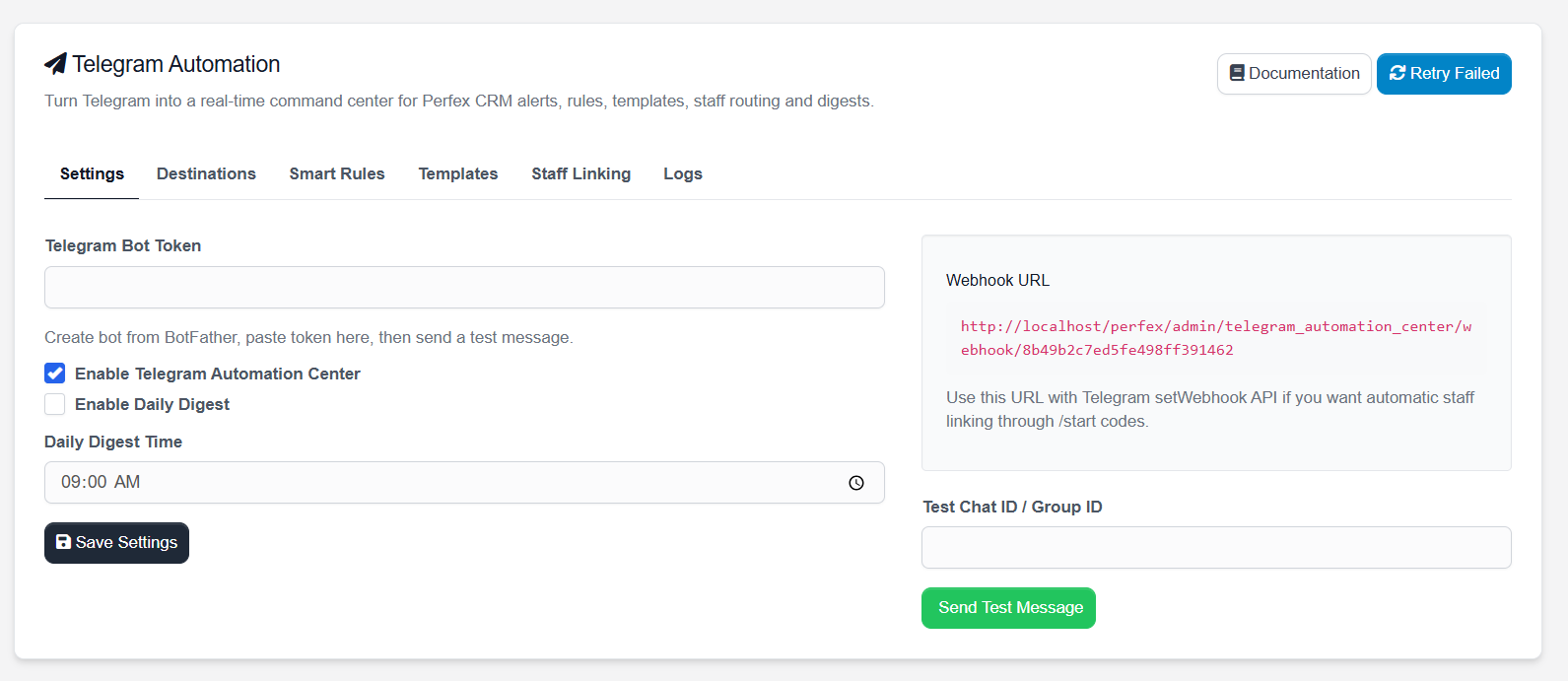
- Telegram Bot Token Setup – connect your Telegram bot with Perfex CRM
- Smart Notification Rules – decide which CRM event should trigger which Telegram notification
- Multiple Destinations – send alerts to Telegram groups, channels, or personal chats
- Staff Telegram Linking – generate staff linking codes and connect staff Telegram accounts
- Message Template Builder – customize notification content for different CRM events
- HTML / Markdown Parse Mode – format Telegram messages professionally
- Daily Digest Support – configure daily CRM summary notifications
- Notification Logs – review delivery status, attempts, and Telegram API responses
- Retry Failed Notifications – resend failed notification attempts
- Webhook URL Support – use Telegram webhook for automatic staff linking
- Clean Perfex Admin UI – tab-based settings interface inside Perfex CRM
Module Screenshots
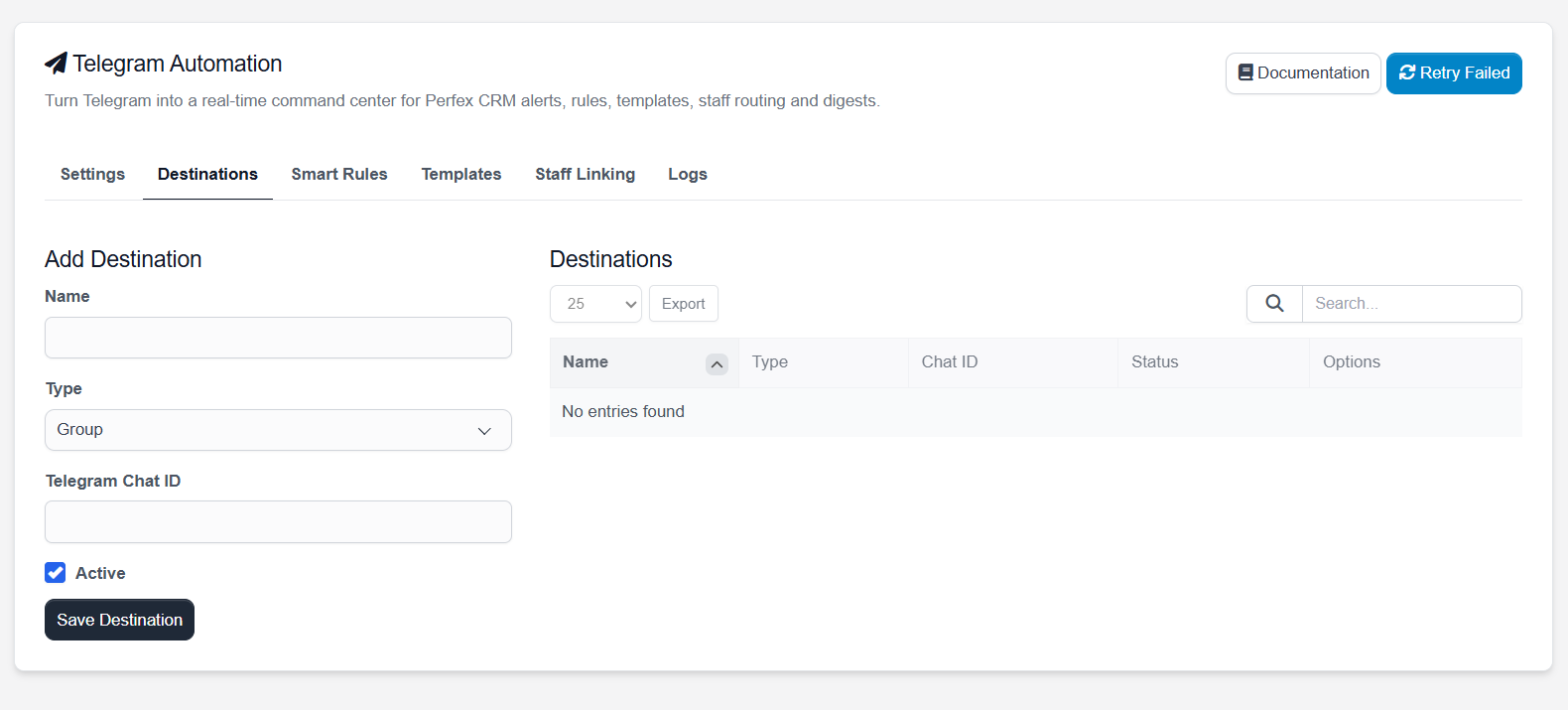
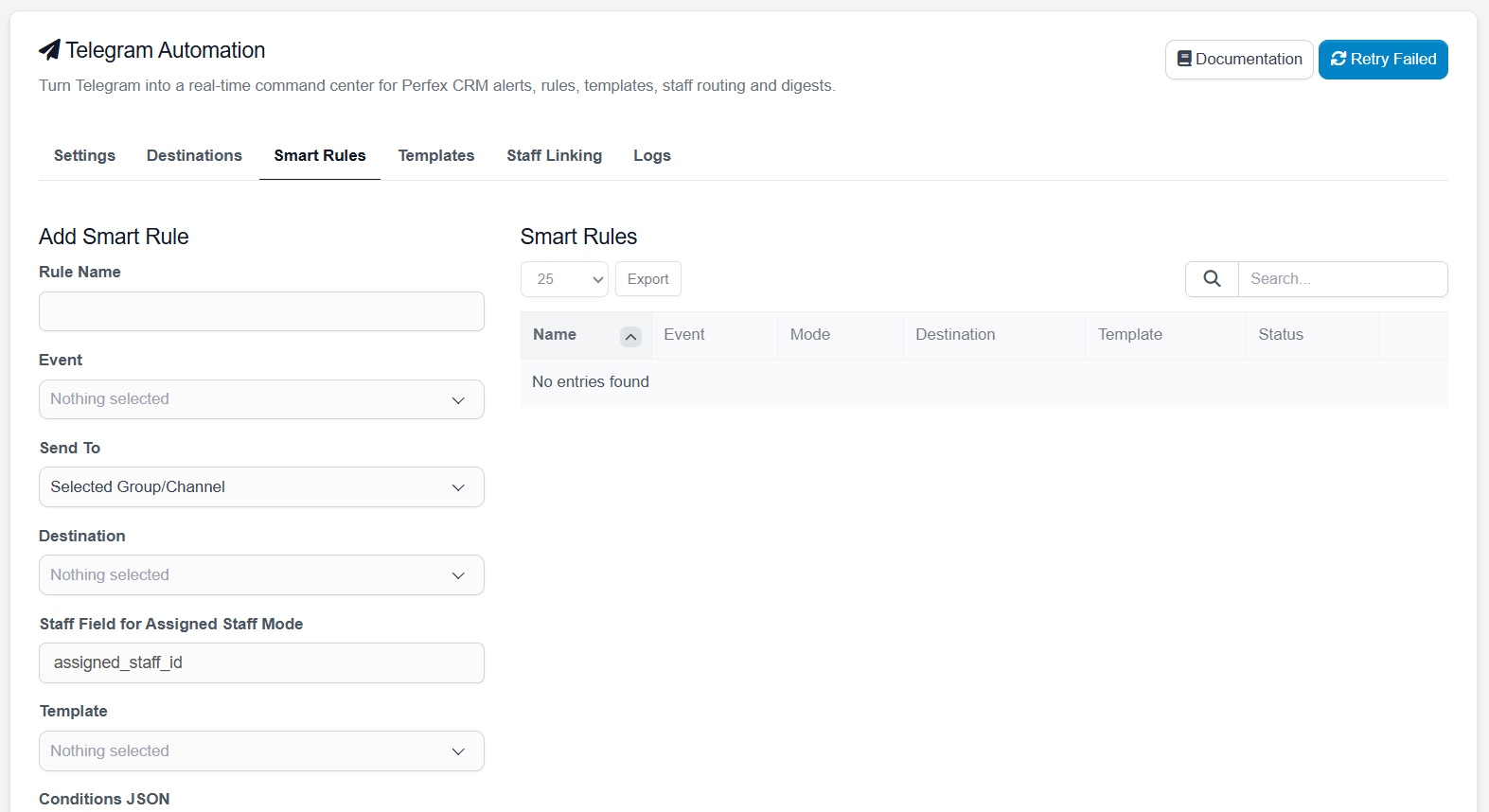
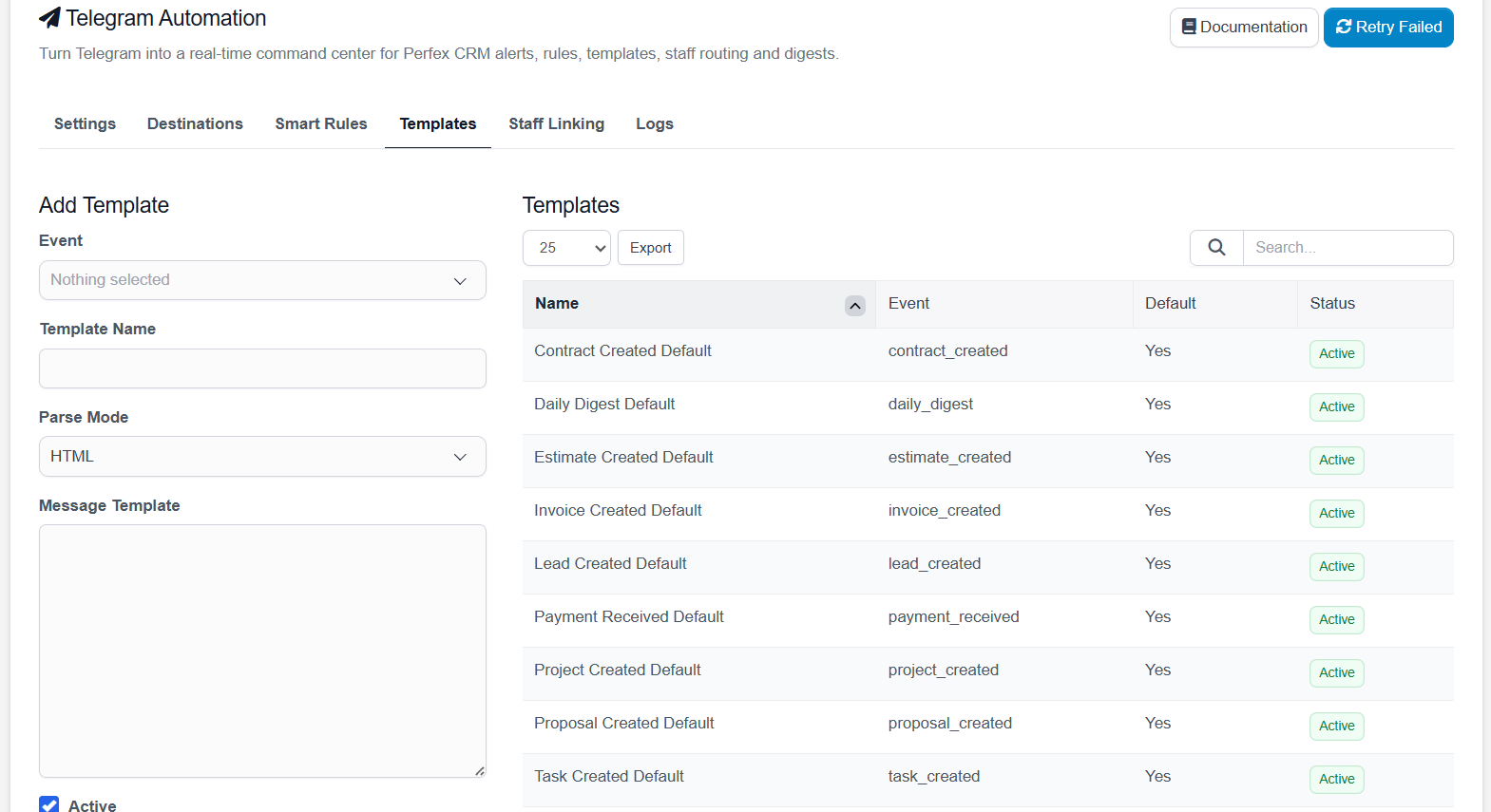
Below are screenshots from the module admin area showing the main settings, destinations, smart rules, templates, staff linking, and logs screens.
Settings
Destinations
Smart Rules
Templates
Staff Linking
Notification Logs
Supported Notification Events
The module includes default templates and event support for common Perfex CRM workflows.
- Lead Created
- Invoice Created
- Payment Received
- Project Created
- Proposal Created
- Estimate Created
- Contract Created
- Task Created
- Daily Digest
Smart Rules Engine
The Smart Rules section allows you to control how Telegram notifications are routed. You can choose an event, select a destination, assign a template, define staff routing, and enable or disable each rule.
Example rules:
- Send new lead alerts to the Sales Telegram group
- Send payment received alerts to the Finance Telegram group
- Send new ticket alerts to the Support Telegram group
- Send task notifications directly to assigned staff
- Send daily digest updates to management
Telegram Destinations
Create and manage different Telegram destinations from the module.
- Group – for team-based notifications
- Channel – for announcement-style notifications
- Personal – for individual staff or admin notifications
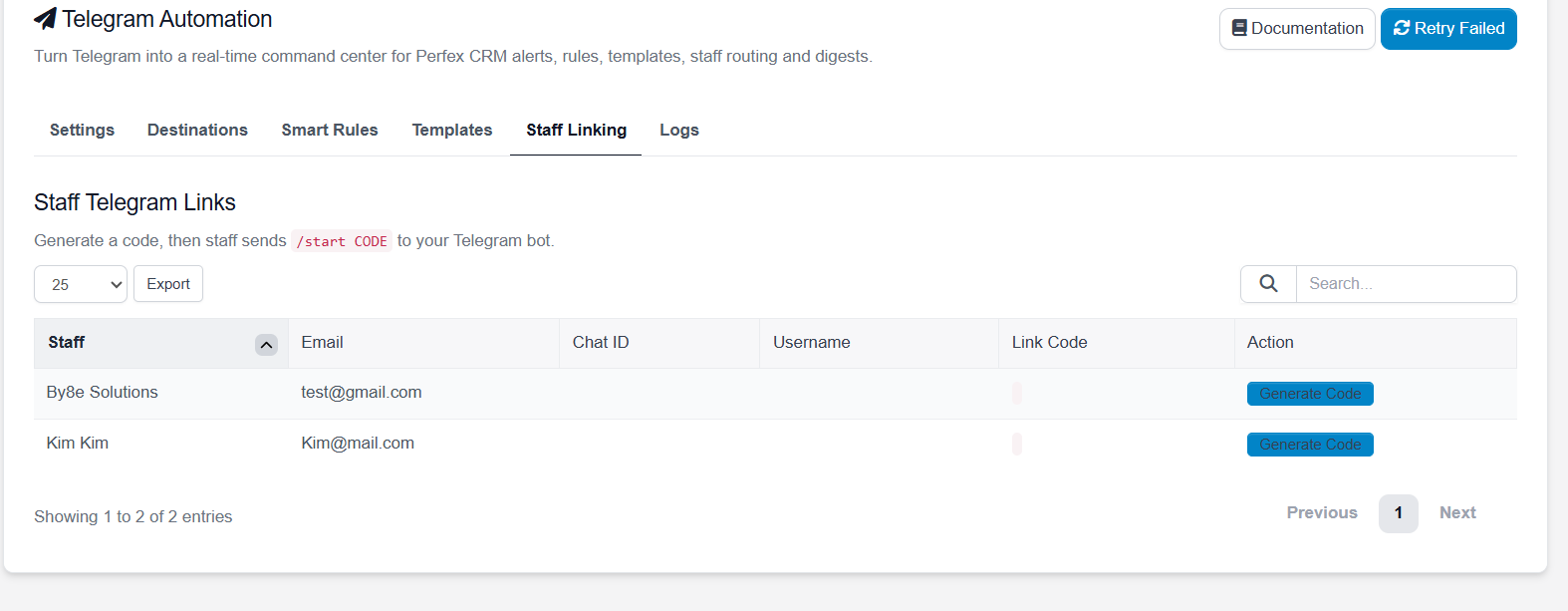
Staff Telegram Linking
Staff members can be linked with Telegram using unique linking codes. The admin generates a code for a staff member, and the staff member sends that code to the Telegram bot using:
/start CODE
Once linked, staff members can receive personal Telegram alerts based on assigned CRM records.
Message Templates
Customize Telegram notification messages using templates. Each template can be assigned to an event and can use dynamic fields.
Common dynamic fields include:
- {admin_url}
- {lead_name}
- {ticket_subject}
- {invoice_number}
- {invoice_total}
- {customer_name}
- {assigned_staff}
- {due_date}
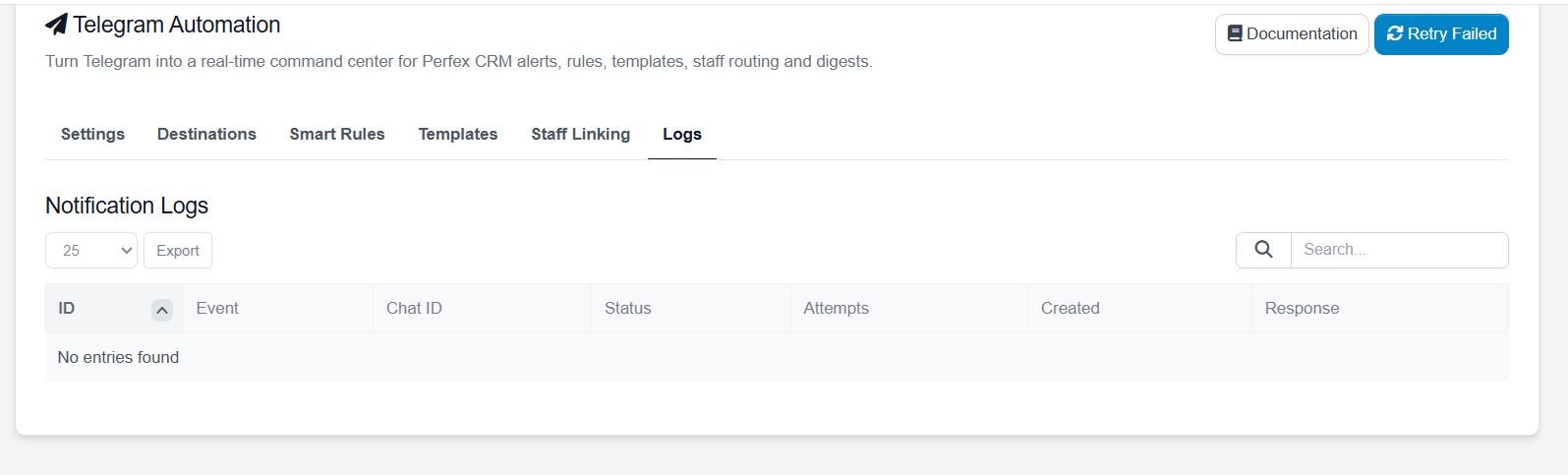
Notification Logs
The Logs tab helps you monitor notification delivery. You can review event type, chat ID, status, attempts, created date, and Telegram API response.
This makes it easier to troubleshoot wrong chat IDs, invalid bot tokens, failed requests, or inactive rules.
Best Use Cases
- Sales Teams: instant new lead and proposal alerts
- Support Teams: ticket creation and escalation notifications
- Finance Teams: invoice and payment updates
- Project Teams: project and task notifications
- Management: daily CRM digest and important activity alerts
- Agencies: keep departments updated without checking CRM all day
Basic Setup Flow
- Create a Telegram bot using BotFather
- Copy the bot token
- Paste the token in module Settings
- Create Telegram destinations such as groups, channels, or personal chats
- Create or review message templates
- Create Smart Rules for your CRM events
- Send a test message
- Start receiving Perfex CRM alerts inside Telegram
Important Note About Webhook
For Telegram webhook and automatic staff linking, your Perfex CRM installation must be accessible through a public HTTPS URL. Localhost URLs will not work with Telegram webhook in production.
Requirements
- Perfex CRM installed and working
- Admin access to Perfex CRM
- Telegram bot token from BotFather
- PHP version supported by your Perfex CRM installation
- Public HTTPS URL required for Telegram webhook functionality
Documentation Included
Full HTML documentation is included with the module package and is also available online. It covers installation, settings, destinations, smart rules, templates, staff linking, logs, webhook setup, and troubleshooting notes.
Online Documentation: https://perfex.rblxdrip.com/event-documentation/telegram/
About By8e Solutions
By8e Solutions provides software development, CRM customization, business automation, web application development, and integration services. This module is part of our CRM automation product line for businesses using Perfex CRM.
Visit Website: https://www.by8esolutions.com
Support
If you need support, please provide:
- Perfex CRM version
- PHP version
- Module version
- Screenshot of the issue
- Error message or Telegram API response
- Steps to reproduce the issue
Summary
Telegram Automation for Perfex CRM is more than a simple notification module. It helps your team stay updated in real time, route alerts to the correct people, customize notification messages, link staff Telegram accounts, and keep track of notification delivery from inside Perfex CRM.
Turn Telegram into your Perfex CRM command center and never miss an important lead, invoice, payment, task, project, or CRM update again.
| Type | PHP Script |
|---|---|
| Author | by8e |
| Category | Php Scripts / Add Ons |
| Price | $40 |
| Sales | 87 |
| Rating | 3.00 from 9 ratings |
| Published | Jun 8, 2020 |
| Last Update | May 5, 2026 |
| Compatible Browsers | Firefox, Chrome, Edge |
| Compatible Software | PHP 8.x |
| Software Framework | CodeIgniter |
| Source Files Included | HTML, PHP, SQL |
| Video Preview Resolution | 1366x668 |
External listing. code.market does not sell this product and does not process payment for it. Pricing, payment, delivery, licensing, refunds, and support are handled by the third-party merchant on its own website. We may earn an affiliate commission from a referral. Details.
Products of the Week.
Submit🥇

STOP GUESSING WHAT TO POST
AI that learns your brand voice and builds a month of consistent, on-brand social content: carousels, posts and hooks that sound like you, not like everyone else's AI.
SaaS · 4,277 views · 38 clicksSaaS · Week 45 · 4,277 views · 38 clicks
🥈

Conversational Backlinks for Busy Founders
Place Backlink Relevant Conversation for your domain across Forums and Conversations
Website · 41,987 views · 223 clicksWebsite · Week 45 · 41,987 views · 223 clicks
🥉

upvote.club
Free Social Media Engagement that Helps Boost Your Content. Upvote Club supports 19 social networks with 100+ engagement actions in one dashboard. Add links to your posts and get free engagement from real users.
SaaS · 40,029 views · 117 clicksSaaS · Week 45 · 40,029 views · 117 clicks
#4

Substack Posting API
Onboard your Agent to Substack. Write Publish on Substack via API
SaaS · 59,040 views · 198 clicksSaaS · Week 45 · 59,040 views · 198 clicks
#5

Seenshot App
Free, Fast, MacOS Screenshot app. Make Screenshot cmd+shift+2 and send it via link
Desktop App · 28,411 views · 122 clicksDesktop App · Week 45 · 28,411 views · 122 clicks
#6

Hand-Placed Backlinks $9.99 per link. Flat rate.
Buy hand-placed forum, Q-A and directory backlinks. Flat $9.99 per link, no subscriptions — you only pay for approved listings.
Website · 4,248 views · 19 clicksWebsite · Week 45 · 4,248 views · 19 clicks
#7

Free Invoice Generator - PDF Invoices in Your Browser, No Sign-Up
A free invoice maker for freelancers and small businesses: fill in the invoice, check the live preview, and download a PDF that looks exactly like it. Any currency, tax per item, three templates, no sign-up, and nothing leaves your device.
2,928 views · 17 clicksWeek 45 · 2,928 views · 17 clicks
#8

Merge PDF Files Free - Combine PDFs in Your Browser, No Upload
A free PDF merger for office workers, students, and freelancers: combine PDFs and images into one file in the browser, reorder files and pages, pick page ranges, keep bookmarks, and open password-protected PDFs. Nothing is uploaded, no sign-up, no watermark.
2,704 views · 13 clicksWeek 45 · 2,704 views · 13 clicks