PDF Editor - iOS Source Code
Description
PDF Editor – Annotate, Sign & Edit PDFs with Ease PDF Editor is a feature-rich, user-friendly PDF editor designed for professionals, students, and anyone who works with PDF documents. With a clean and intuitive interface, you can annotate, sign, and customize your PDFs in just a few taps.
Key Features
- Write and highlight directly on PDF pages
- Add text, comments, and custom notes
- Sign documents using your saved signature
- Export and share your edited PDFs effortlessly
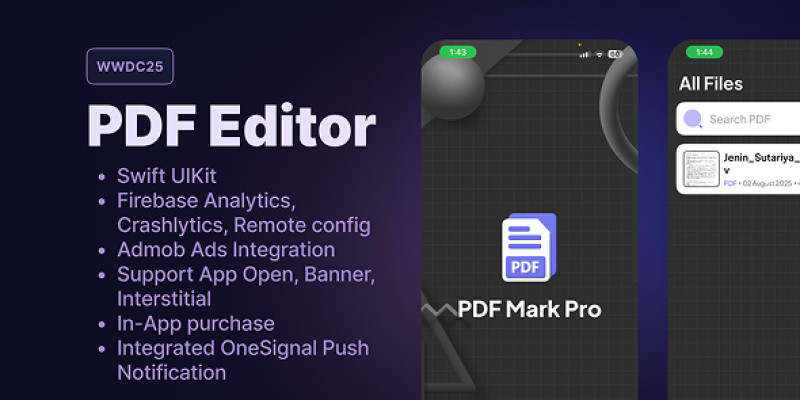
Monetization AdMob Ads Integrated (Banner, Interstitial, Native, App Open)
In-App Purchase Integrated (Premium Unlock: remove ads, unlock advanced features)
Whether you're reviewing contracts, filling out forms, or adding notes,PDF Editor gives you complete control—efficiently and effortlessly.
Features
PDF Editing Draw and highlight directly on PDF pages using Apple Pencil or touch
Add text annotations, sticky notes, and comments
Insert images, stamps, logos, or shapes
Undo/Redo functionality
Full zoom and page navigation support
Signature Tools Create and save digital signatures
Drag and place signature anywhere on the document
File Management Import PDFs from:
Files app
iCloud Drive
Email attachments
Save and export edited PDFs
Share via Mail, AirDrop, Messages, or cloud storage
Security Option to lock PDFs with password
Local file storage; user privacy respected
UI/UX Clean and modern SwiftUI/UIKit interface
Dark Mode and iPad split-screen compatible
Smooth and responsive editing experience
Monetization AdMob Ads Integration:
- Banner Ads
- Interstitial Ads
- Native Ads
- App Open Ads
In-App Purchase:
Subscription-based model (Monthly/Yearly)
Unlock premium tools and remove ads
Requirements
Software & SDKs
- macOS Monterey or newer
- Xcode 14 or higher
- Swift 5.x
- iOS 13.0 or higher (recommended iOS 15+)
Accounts
- Apple Developer Account (for publishing & IAP setup)
- AdMob Account (for monetization)
Optional: Firebase for analytics (not required)
Dependencies
- PDFKit (native iOS SDK – no third-party PDF SDK required)
- Google Mobile Ads SDK (AdMob)
- StoreKit 2 (for handling in-app purchases)
- Swift Package Manager (SPM) or CocoaPods for dependency management
Instructions
1. Open Project in Xcode
- Download the source code
- Open the .xcodeproj or .xcworkspace file in Xcode
- Let it resolve packages and dependencies
2. Update App Configuration
- Change the Bundle Identifier to your own
- Set your Team for code signing
- Update App Display Name, icon, and launch screen
3. Configure AdMob
- Add your AdMob App ID in Info.plist
- Replace test Ad Unit IDs with your own ad units in the code
4. Set Up In-App Purchases
- Add your in-app product IDs in App Store Connect (e.g., com.pdfmarkpro.monthly)
- Replace sample product IDs in code
- Enable StoreKit testing or use a sandbox tester account
5. Customize Branding
- Replace app icon assets in Assets.xcassets
- Modify colors, fonts, or layouts as needed
- Localize strings if targeting multiple regions
6. Build & Test
- Use a real device for PDFKit testing
- Build and run the app using Xcode
- Test all IAP flows and ad displays
7. Submit to App Store
- Archive the app via Xcode
- Validate and upload using Xcode Organizer
- Fill metadata and submit for review via App Store Connect
| Author | jeninsutariya |
|---|---|
| Category | App Templates / iOS / Applications |
| Price | $25 |
| Extended License | $75 |
| Likes | 9 |
| First Release | Aug 2, 2025 |
| Last Update | Aug 2, 2025 |
| Files included | .h, .m, .nib, .swift, .db |
| Operating systems | iOS 12.0, iOS 14.0, iOS 13.0, iOS 15.0 |
Categories
Tags
External listing. code.market does not sell this product and does not process payment for it. Pricing, payment, delivery, licensing, refunds, and support are handled by the third-party merchant on its own website. We may earn an affiliate commission from a referral. Details.
Products of the Week.
Submit🥇

Perceptle
Perceptle is a daily browser-based game that challenges you to test your sensory intuition through five quick estimation and rhythm-based rounds.
Other · 3,957 views · 16 clicksOther · Week 47 · 3,957 views · 16 clicks
🥈

Free LinkedIn Likes From Real
Get free LinkedIn likes on your posts from real members who react by hand. No
SaaS · 4,075 views · 18 clicksSaaS · Week 47 · 4,075 views · 18 clicks
🥉

STOP GUESSING WHAT TO POST
AI that learns your brand voice and builds a month of consistent, on-brand social content: carousels, posts and hooks that sound like you, not like everyone else's AI.
SaaS · 11,557 views · 80 clicksSaaS · Week 47 · 11,557 views · 80 clicks
#4

aaas.market
407 reliable micro tools for solo founders, marketers and creators. They work in your browser
SaaS · 3,936 views · 7 clicksSaaS · Week 47 · 3,936 views · 7 clicks