
PayBill - Payment Invoice Management System
Description
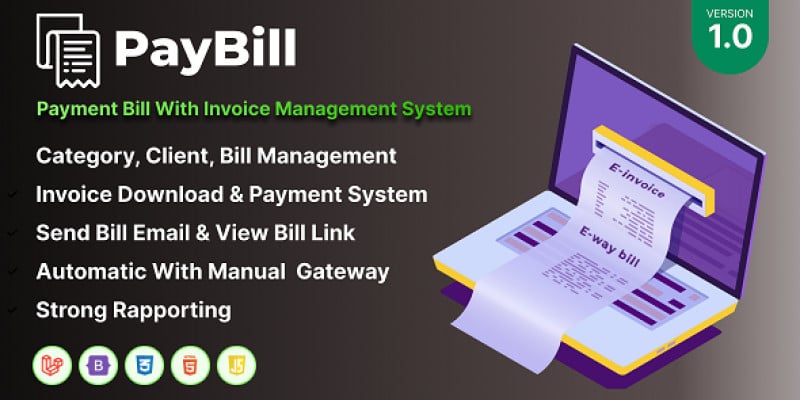
PayBill is a professional invoice management system built with PHP Laravel, designed to simplify and streamline your bill or invoicing process. Ideal for businesses and freelancers, PayBill offers an intuitive platform to manage client categories, create client profiles, generate bills, and facilitate payments.
Once a bill is created, a unique link is generated, which can be sent to clients via email with just a click of a button. Clients can then view their bills and make payments directly from the link, making the entire process seamless and efficient.
Are you in need of a comprehensive invoice management system? PayBill is a cost-effective solution, supporting payment system. With an easy setup process, you'll be up and running in minutes. We provide excellent support and customization services. Get PayBill today and manage your invoices efficiently.
Don't wait, get PayBill today and start running your business smoothly!
Demo Link: https://demo.namsweb.com/pay... Username: admin Password: admin
Features
Features: - Manage Category. - Manage Clients. - Manage Bills. - Pending Bills. - Completed Bills. - Pending Payment Bills. - Cancelled Bills. - Manage Payment Gateways. - Payments Management. - Premium Admin Dashboard. - General Setting. - Manage Logo & Favicon. - Email Manager. - SMS Manager. - System Information. - Clear Cache. - Report & Request. - Support modern browser and cross-browser compatibility. - Strong and powerful admin interface. - A clean and modern user interface. - 6+ Payment Gateway and manual payment gateaway. - Functionality is Simple and all Dynamic Features. - Easy Documentation. - And More…
Requirements
- PHP 8.3 - MySql 8.0 or Higher - MariaDB 10.6 or Higher - PHP Extensions: BCMath, Ctype, cURL, DOM, FileInfo, GD, JSON, Mbstring, OpenSSL, PCRE, PDD, pdo_mysql, Tokenizer, XML - PHP Functions: file_get_contents(), allow_url_fopen()
Instructions
Setting up the system is simple and requires no coding knowledge. We’ve designed our installation system to ensure a flawless and easy installation process.
Installation Steps:
- Upload the entire file you downloaded after purchase to your server.
- Extract or unzip the file, and move all contents from the
Filesfolder to the main directory where you want to install the system. Ensure that you include bothindex.phpand.htaccessin this transfer. - Navigate to
http://your-site-url/install/index.phpin your browser and follow the on-screen instructions. Your system should be ready for use.
| Author | NamsWeb |
|---|---|
| Category | Scripts & Code / PHP Scripts / Payment |
| Price | $16 |
| Extended License | $48 |
| Likes | 2 |
| First Release | Aug 6, 2024 |
| Last Update | Aug 6, 2024 |
| Files included | .php, .css, .html, .sql, JavaScript .js |
Categories
Tags
External listing. code.market does not sell this product and does not process payment for it. Pricing, payment, delivery, licensing, refunds, and support are handled by the third-party merchant on its own website. We may earn an affiliate commission from a referral. Details.