Partwise - HTML and JavaScript UI Components
Description
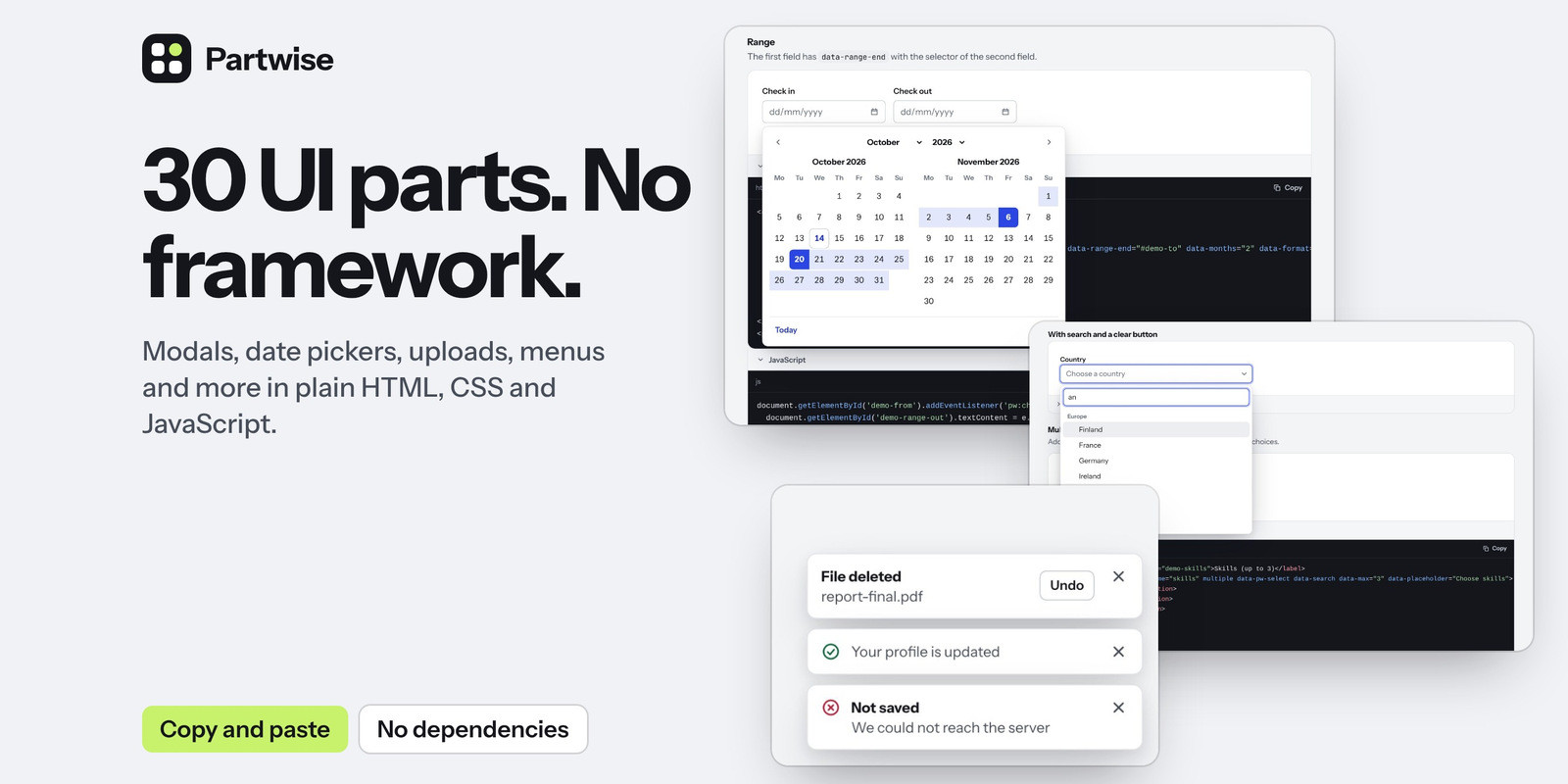
Partwise is a set of 30 interactive UI components and 14 CSS-only basics in plain HTML, CSS and JavaScript. Add two files to a page, copy the HTML of a component, and it works. No framework, no dependencies and no build step.
The 30 components
- Overlays: modal, drawer, dropdown menu and context menu, popover, tooltip, toast, command palette, lightbox, tour
- Navigation: tabs, accordion, navigation bar with dropdown panels, pagination, banner
- Forms: select with search and multiple choice, date picker with ranges, file upload, tag input, code input, rating, signature pad, field helpers, form validation
- Content: carousel, image compare, countdown, code block with copy button, filter grid, scroll reveal, cookie consent
- CSS only: buttons, badges, chips, alerts, cards, avatars, progress, spinner, skeleton, table, breadcrumb, timeline, stat, empty state, and form styles
Good to know before you buy
- This is a front-end kit. Sending forms, uploading files and saving data are done by your own code or server
- It is plain JavaScript, not a React or Vue component library. It runs in any page, and the guide explains how to use it next to a framework
- The select and the filter grid work on the items that are in the page. They do not load results from a server while you type
- The date picker has dates only, no times. The lightbox shows pictures only. Menus have one level
- The cookie consent is a tool, not legal advice
- Built with care for accessibility and tested with a keyboard and automated checks. It has not been through a formal audit
- Texts inside components are in English. Most can be changed with an attribute
- Made for current versions of Chrome, Edge, Firefox and Safari (Safari 16.2 or newer). The automated tests ran in Chrome
In the download
- The two bundle files, each as a small and as a readable version with comments
- One CSS and one JavaScript source file per component
- 34 guide pages with demos and copy-ready code
- README, changelog and license
Features
- Two files: one stylesheet and one script. Or load single components from the source folder
- Switched on by attributes: write data-pw-modal or data-pw-tabs in your HTML. No JavaScript needed for the common cases
- A script interface and events for everything else: open, close, set values, listen for changes
- Your colours through a few CSS variables. Light, dark and automatic themes
- Built on real form fields: the select, date picker, tag input and upload keep their value in normal fields, so forms submit as usual
- Keyboard friendly: every component works without a mouse, dialogs keep the focus inside, and screen readers get the right roles and states
- Right-to-left pages are supported
- A page for every component with live demos, copy-ready HTML, options, events and keys
Requirements
- A current version of Chrome, Edge, Firefox or Safari (Safari 16.2 or newer)
- Any website or web app where you can add one stylesheet and one script
- No framework, no dependencies and no build tools are needed
Instructions
- Unzip the download and open index.html in your browser to see every component
- Copy dist/partwise.min.css and dist/partwise.min.js into your project and load them in your page
- Open the guide page of a component in docs, copy its HTML and paste it into your page
- Set your colours with the CSS variables described in documentation.html
- For options, events and the script interface, see the page of each component
| Author | cancap |
|---|---|
| Category | Scripts & Code / JavaScript / Miscellaneous |
| Price | $34 |
| Extended License | $102 |
| First Release | Oct 5, 2026 |
| Last Update | Oct 5, 2026 |
| Files included | .css, .html, .md, JavaScript .js |
| Programming language | JavaScript |
Categories
Tags
External listing. code.market does not sell this product and does not process payment for it. Pricing, payment, delivery, licensing, refunds, and support are handled by the third-party merchant on its own website. We may earn an affiliate commission from a referral. Details.
Products of the Week.
Submit🥇

Actionbook
It works inside the user's own browser with the accounts already signed in. The user describes the result they need, and the agent reads, clicks and types through the pages, then delivers a dashboard or report where each data links back to its source.
Other · 705 views · 9 clicksOther · Week 44 · 705 views · 9 clicks
🥈

Free social media tools for creators & solofounders
295 free tools for growing your social media: write, plan, grow on local AI models, 100% free forever, No sign-up required, No trial. Write, check and measure posts on LinkedIn, Instagram, TikTok, X, YouTube, Reddit, Product Hunt and more: a free social media scheduler for 17 networks, engagement rate calculators, character counters, best time to post, hook generators and follower growth calculators. No login anywhere, no API or credit usage.
673 views · 6 clicksWeek 44 · 673 views · 6 clicks
🥉

STOP GUESSING WHAT TO POST
AI that learns your brand voice and builds a month of consistent, on-brand social content: carousels, posts and hooks that sound like you, not like everyone else's AI.
SaaS · 1,922 views · 21 clicksSaaS · Week 44 · 1,922 views · 21 clicks
#4

Hand-Placed Backlinks $9.99 per link. Flat rate.
Buy hand-placed forum, Q-A and directory backlinks. Flat $9.99 per link, no subscriptions — you only pay for approved listings.
Website · 1,875 views · 17 clicksWebsite · Week 44 · 1,875 views · 17 clicks
#5

Conversational Backlinks for Busy Founders
Place Backlink Relevant Conversation for your domain across Forums and Conversations
39,331 views · 210 clicksWeek 44 · 39,331 views · 210 clicks
#6

Free Invoice Generator - PDF Invoices in Your Browser, No Sign-Up
A free invoice maker for freelancers and small businesses: fill in the invoice, check the live preview, and download a PDF that looks exactly like it. Any currency, tax per item, three templates, no sign-up, and nothing leaves your device.
612 views · 11 clicksWeek 44 · 612 views · 11 clicks
#7

Merge PDF Files Free - Combine PDFs in Your Browser, No Upload
A free PDF merger for office workers, students, and freelancers: combine PDFs and images into one file in the browser, reorder files and pages, pick page ranges, keep bookmarks, and open password-protected PDFs. Nothing is uploaded, no sign-up, no watermark.
553 views · 4 clicksWeek 44 · 553 views · 4 clicks