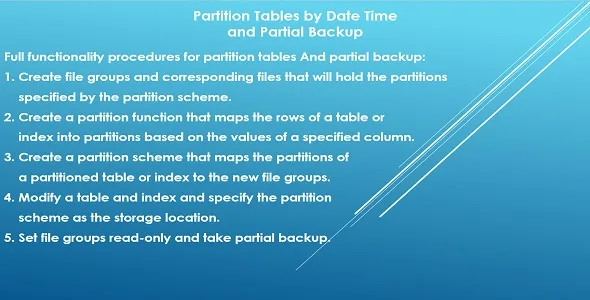
Partition Tables by Date Time and Partial Backup
Description
What is Table Partitioning? Partitioning enables large tables to be subdivided into smaller manageable pieces and each small piece is called a “partition”. The data in partitioned tables and indexes is horizontally divided into units that can be spread across more than one file/filegroup in a database.
What Does This Project Do? In short, there are complete procedures here that partition large tables containing columns with datetime data type on a monthly basis (one or more months dynamically), just specify some basic information. And the procedures manage everything. No third party software was created and only the sql server agent service was used to repartition the new incoming data in the partitioned tables and take partial database backup.
Requirements: There are limitations due to the use of some system functions or special operations, so you must meet the following conditions before implementation: • SQL Server 2017 (14.x) and later. • ALTER ANY DATASPACE permission, this is required to create files and filegroups. • There must be a field in the table with the type of datetime.
Categories
External listing. code.market does not sell this product and does not process payment for it. Pricing, payment, delivery, licensing, refunds, and support are handled by the third-party merchant on its own website. We may earn an affiliate commission from a referral. Details.
Products of the Week.
Submit🥇

STOP GUESSING WHAT TO POST
AI that learns your brand voice and builds a month of consistent, on-brand social content: carousels, posts and hooks that sound like you, not like everyone else's AI.
SaaS · 5,982 views · 52 clicksSaaS · Week 46 · 5,982 views · 52 clicks
🥈

Conversational Backlinks for Busy Founders
Place Backlink Relevant Conversation for your domain across Forums and Conversations
Website · 44,515 views · 227 clicksWebsite · Week 46 · 44,515 views · 227 clicks
🥉

upvote.club
Free Social Media Engagement that Helps Boost Your Content. Upvote Club supports 19 social networks with 100+ engagement actions in one dashboard. Add links to your posts and get free engagement from real users.
SaaS · 42,531 views · 123 clicksSaaS · Week 46 · 42,531 views · 123 clicks
#4

Substack Posting API
Onboard your Agent to Substack. Write Publish on Substack via API
SaaS · 61,477 views · 204 clicksSaaS · Week 46 · 61,477 views · 204 clicks
#5

Seenshot App
Free, Fast, MacOS Screenshot app. Make Screenshot cmd+shift+2 and send it via link
Desktop App · 30,770 views · 124 clicksDesktop App · Week 46 · 30,770 views · 124 clicks
#6

Hand-Placed Backlinks $9.99 per link. Flat rate.
Buy hand-placed forum, Q-A and directory backlinks. Flat $9.99 per link, no subscriptions — you only pay for approved listings.
Website · 6,485 views · 19 clicksWebsite · Week 46 · 6,485 views · 19 clicks
#7

Free Invoice Generator - PDF Invoices in Your Browser, No Sign-Up
A free invoice maker for freelancers and small businesses: fill in the invoice, check the live preview, and download a PDF that looks exactly like it. Any currency, tax per item, three templates, no sign-up, and nothing leaves your device.
5,143 views · 19 clicksWeek 46 · 5,143 views · 19 clicks
#8

Merge PDF Files Free - Combine PDFs in Your Browser, No Upload
A free PDF merger for office workers, students, and freelancers: combine PDFs and images into one file in the browser, reorder files and pages, pick page ranges, keep bookmarks, and open password-protected PDFs. Nothing is uploaded, no sign-up, no watermark.
4,739 views · 15 clicksWeek 46 · 4,739 views · 15 clicks