
Parallax Slider - Responsive jQuery Plugin

Description


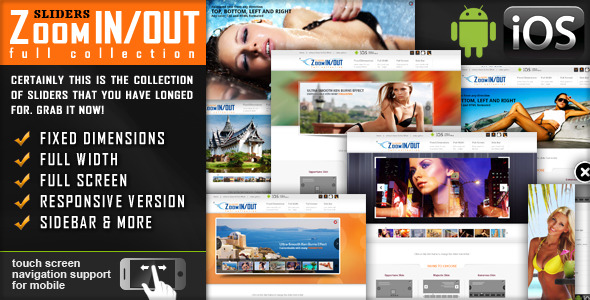
Parallax Effect – Full Collection of Sliders comes in 4 versions: Classic, Perpetuum Mobile, Mouse Interaction and Ultra. Each of these 4 versions has 2 skins (bullets & thumbs) and can be used as Fixed Dimensions or as Full Width. Please see the features and check the live preview of this slider and convince yourself of its quality.
 NEED THE WORDPRESS PLUGIN FOR THIS PRODUCT? YOU CAN DOWNLOAD IT FROM HERE: http://codecanyon.net/item/uberslider-layer-slider-wordpress-plugin/5836306
Parallax Effect – Full Collection of Sliders includes 4 types of sliders:
- Classic – Perpetuum Mobile – Mouse Interaction – Ultra
NEW: From these sliders you can create, in minutes, sidebar banners.
 CLASSIC
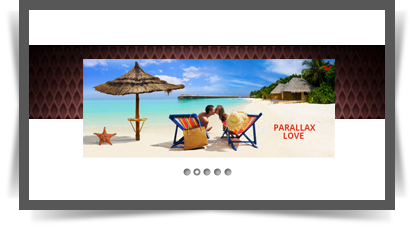
- touch screen navigation support for mobile
- responsive design. Available parameter to disable responsive behaviour
- 2 predefined skins: bullets & thumbs
- layered elements: permits almost unlimited number of layers, images or texts.
- animated text from any direction: top, bottom, left and right. CSS and HTML formated
- external url link parameter for each slide
- target parameter: _blank or _self
- width & height parameters
- autoplay parameter
- loop parameter
- show/hide controllers parameter
- show/hide bottom thumbs parameter
- circle timer parameters for color, dimensions, transparency
- you can include YouTube, Vimeo & HTML5
- you can insert multiple instances in the same page with the same skin or using a different skin.
- detailed help documentation included. Also, all the examples present in the preview are included in the download .zip
PERPETUUM MOBILE

- touch screen navigation support for mobile
- responsive design. Available parameter to disable responsive behaviour
- 2 predefined skins: bullets & thumbs
- layered elements: permits almost unlimited number of layers, images or texts.
- animated text from any direction: top, bottom, left and right. CSS and HTML formated
- perpetuum move: define multiple backgrounds elements that can have a perpetuum move. For each background you can enable or disable this behavior.
- continuous move for layers: you can choose which layer will move continuously between 2 positions just by setting additional parameters
- rotary motion for layers: you can choose which layer will rotate just by setting additional parameters. This feature is working for all browsers, except IE7 & IE8
- width & height parameters
- external url link parameter for each slide
- target parameter: _blank or _self
- autoplay parameter
- loop parameter
- show/hide controllers parameter
- show/hide bottom thumbs parameter
- circle timer parameters for color, dimensions, transparency
- you can include YouTube, Vimeo & HTML5
- you can insert multiple instances in the same page with the same skin or using a different skin.
- detailed help documentation included. Also, all the examples present in the preview are included in the download .zip
MOUSE INTERACTION
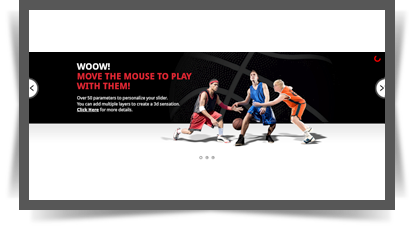
- touch screen navigation support for mobile
- responsive design. Available parameter to disable responsive behaviour
- 2 predefined skins: bullets & thumbs
- layered elements: permits almost unlimited number of layers, images or texts.
- animated text from any direction: top, bottom, left and right. CSS and HTML formated
- mouse interaction: by moving the mouse over the slider, the elements will react. Available parameter to disable this behavior.
- continuous move for layers: you can choose which layer will move continuously between 2 positions just by setting additional parameters
- rotary motion for layers: you can choose which layer will rotate just by setting additional parameters. This feature is working for all browsers, except IE7 & IE8
- width & height parameters
- external url link parameter for each slide
- target parameter: _blank or _self
- autoplay parameter
- loop parameter
- show/hide controllers parameter
- show/hide bottom thumbs parameter
- circle timer parameters for color, dimensions, transparency
- you can include YouTube, Vimeo & HTML5
- you can insert multiple instances in the same page with the same skin or using a different skin.
- detailed help documentation included. Also, all the examples present in the preview are included in the download .zip
ULTRA
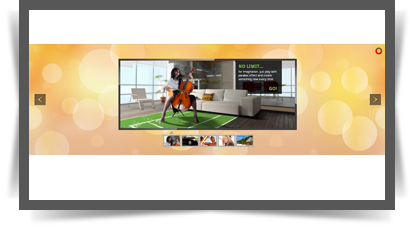
- touch screen navigation support for mobile
- responsive design. Available parameter to disable responsive behaviour
- 2 predefined skins: bullets & thumbs
- layered elements: permits almost unlimited number of layers, images or texts.
- animated text from any direction: top, bottom, left and right. CSS and HTML formated
- asynchronous move for backgrounds: Define multiple backgrounds elements that can have an asynchronous move, customizable through parameters.
- width & height parameters
- external url link parameter for each slide
- target parameter: _blank or _self
- autoplay parameter
- loop parameter
- show/hide controllers parameter
- show/hide bottom thumbs parameter
- circle timer parameters for color, dimensions, transparency
- you can include YouTube, Vimeo & HTML5
- you can insert multiple instances in the same page with the same skin or using a different skin.
- detailed help documentation included. Also, all the examples present in the preview are included in the download .zip
OTHER RECOMMENDED PLUGINS

Keywords: parallax effect, banner rotator, caption, fluid, gallery, image, jquery, mobile, ios, plugin, resizable, responsive, slider, slideshow, swipe, touch
If you need additional information don’t hesitate to contact us at office@lambertgroup.ro. We’ll try to answer you as quickly as possible. Enjoy!
| Type | JavaScript Script |
|---|---|
| Author | LambertGroup |
| Category | Javascript / Sliders |
| Price | $11 |
| Sales | 1,612 |
| Rating | 4.63 from 108 ratings |
| Published | Oct 15, 2012 |
| Last Update | Jun 13, 2025 |
| Compatible Browsers | IE7, IE8, IE9, IE10, IE11, Firefox, Safari, Opera, Chrome, Edge |
| Compatible Software | jQuery |
| Source Files Included | JavaScript JS, HTML, CSS, Layered PSD |
Categories
Tags
External listing. code.market does not sell this product and does not process payment for it. Pricing, payment, delivery, licensing, refunds, and support are handled by the third-party merchant on its own website. We may earn an affiliate commission from a referral. Details.
Products of the Week.
Submit🥇

STOP GUESSING WHAT TO POST
AI that learns your brand voice and builds a month of consistent, on-brand social content: carousels, posts and hooks that sound like you, not like everyone else's AI.
SaaS · 3,993 views · 35 clicksSaaS · Week 45 · 3,993 views · 35 clicks
🥈

Conversational Backlinks for Busy Founders
Place Backlink Relevant Conversation for your domain across Forums and Conversations
Website · 41,641 views · 222 clicksWebsite · Week 45 · 41,641 views · 222 clicks
🥉

upvote.club
Free Social Media Engagement that Helps Boost Your Content. Upvote Club supports 19 social networks with 100+ engagement actions in one dashboard. Add links to your posts and get free engagement from real users.
SaaS · 39,668 views · 114 clicksSaaS · Week 45 · 39,668 views · 114 clicks
#4

Substack Posting API
Onboard your Agent to Substack. Write Publish on Substack via API
SaaS · 58,696 views · 198 clicksSaaS · Week 45 · 58,696 views · 198 clicks
#5

Seenshot App
Free, Fast, MacOS Screenshot app. Make Screenshot cmd+shift+2 and send it via link
Desktop App · 28,079 views · 122 clicksDesktop App · Week 45 · 28,079 views · 122 clicks
#6

Hand-Placed Backlinks $9.99 per link. Flat rate.
Buy hand-placed forum, Q-A and directory backlinks. Flat $9.99 per link, no subscriptions — you only pay for approved listings.
Website · 3,938 views · 19 clicksWebsite · Week 45 · 3,938 views · 19 clicks
#7

Free Invoice Generator - PDF Invoices in Your Browser, No Sign-Up
A free invoice maker for freelancers and small businesses: fill in the invoice, check the live preview, and download a PDF that looks exactly like it. Any currency, tax per item, three templates, no sign-up, and nothing leaves your device.
2,615 views · 17 clicksWeek 45 · 2,615 views · 17 clicks
#8

Merge PDF Files Free - Combine PDFs in Your Browser, No Upload
A free PDF merger for office workers, students, and freelancers: combine PDFs and images into one file in the browser, reorder files and pages, pick page ranges, keep bookmarks, and open password-protected PDFs. Nothing is uploaded, no sign-up, no watermark.
2,434 views · 13 clicksWeek 45 · 2,434 views · 13 clicks