
Paint Product Addon for WooCommerce

Description

Paint Product Addon for WooCommerce plugin enables you to enhance your online store by adding paint swatches with categories, as well as estimated prices and paint product addons specifically designed for WooCommerce. As an admin, you can input the color name, price, and corresponding color code for each paint product. These details will then be displayed as swatches on the front-end of your website, allowing users to easily select their desired colors and make purchases.
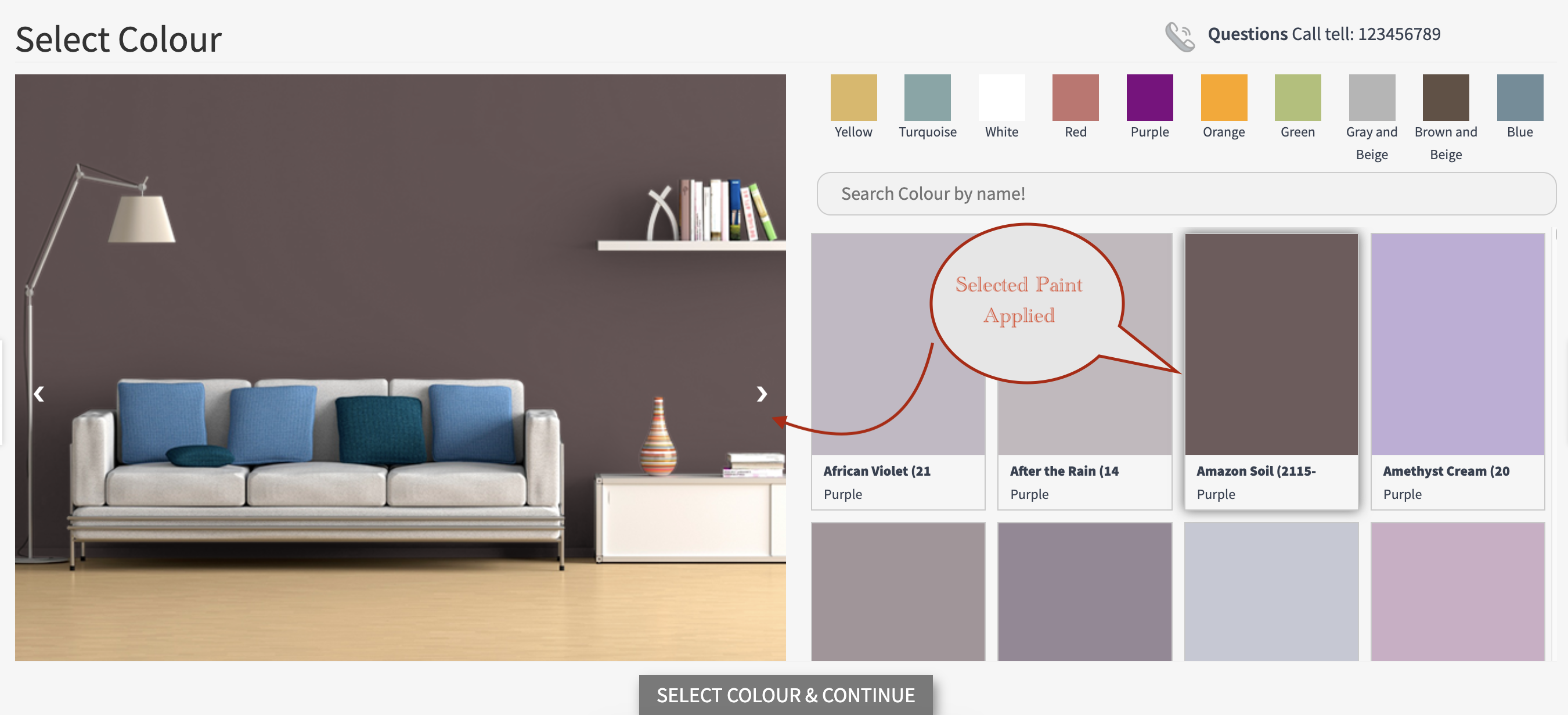
Additionally, we provide specially created transparent images that simulate the application of paint. By clicking on the paint swatches, users can visualize how the selected color would look on their room walls. This feature helps customers make informed decisions about their paint choices.
Furthermore, the plugin allows admins to set paint quantities for users to estimate the amount of paint needed per square meter. Moreover, users have the option to purchase additional addons for their paintwork, which can be attached by the admin from the backend of the website.



Features of Paint Product addon for WooCommerce
- Allow admin to add color name, price and hex color code for paint
- Admin can add paint and its estimated prices
- Option to filter paint color swatches by category
- Allows to search paint color by name or code
- Selected paint colour added to cart and order for admin to prepare
- Option to set multiple colour swatches category with paint product
- Option available to attached addon products with paint product
- Fully responsive swatches layout for all devices
- Full setting options available to customize popup text, color etc
Paint Product addon for WooCommerce Plugin Demos
The Paint Product addon for WooCommerce allows your customers to select theri desire paint color and buy with addons product, Check the demo below for more details.
Setting Paint Product with Addons
Once the plugin is installed and activated, navigate to the post type “Paint Colors” and click on “Add New Color.” Fill in the color name, color code, price, and assign it to the relevant category.
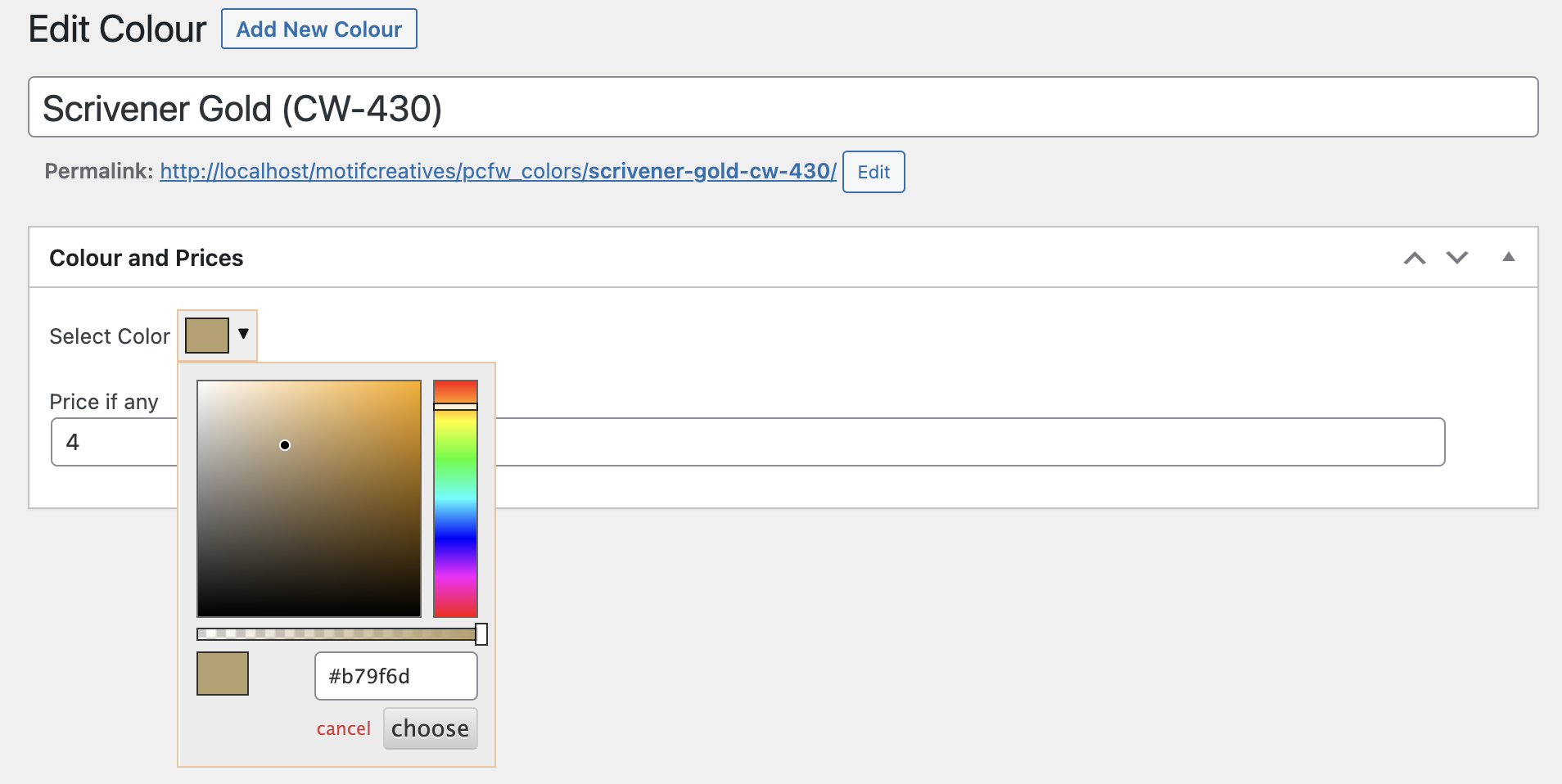
You have the option to create a post type category and set the category color for frontend display.
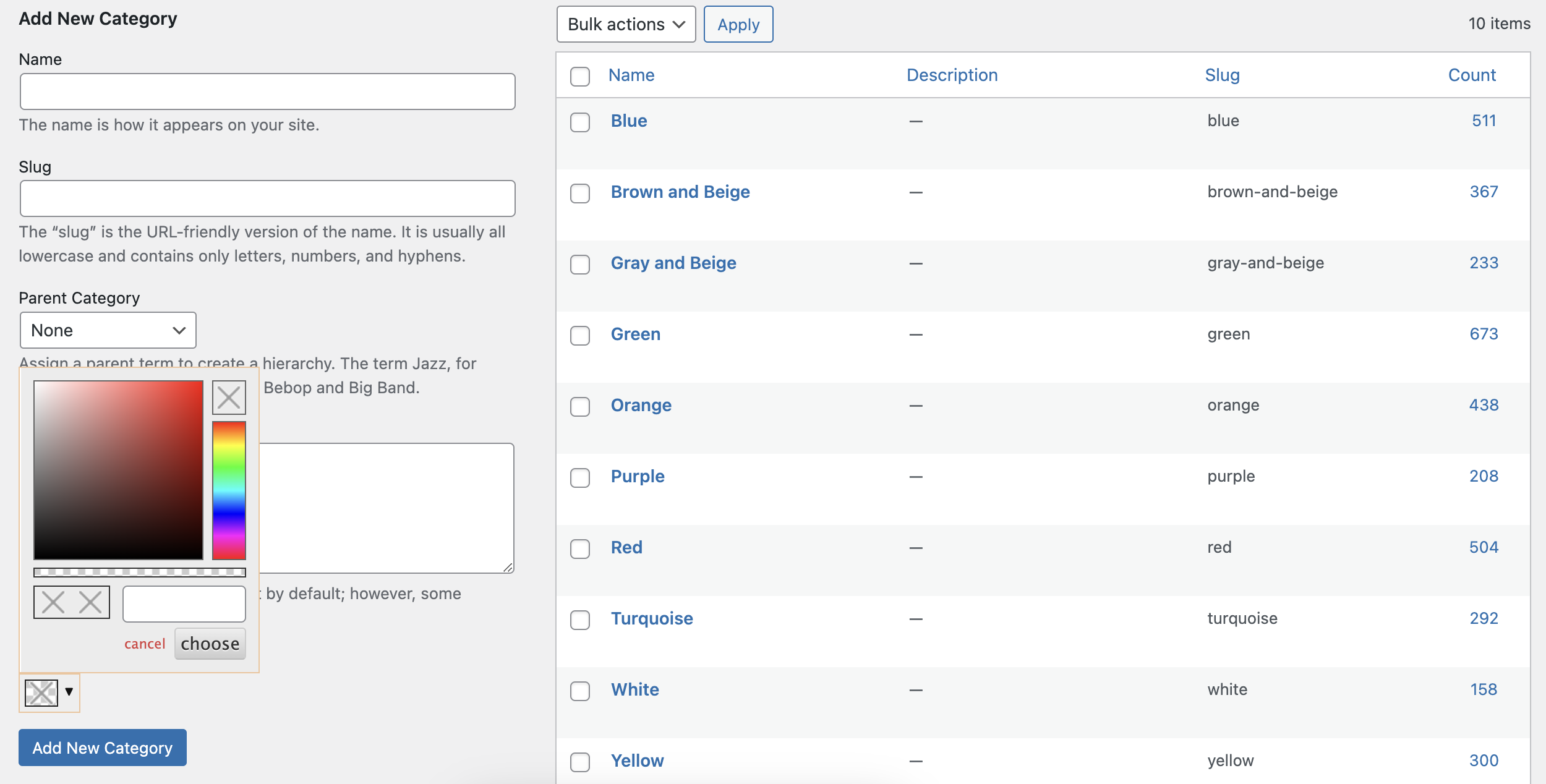
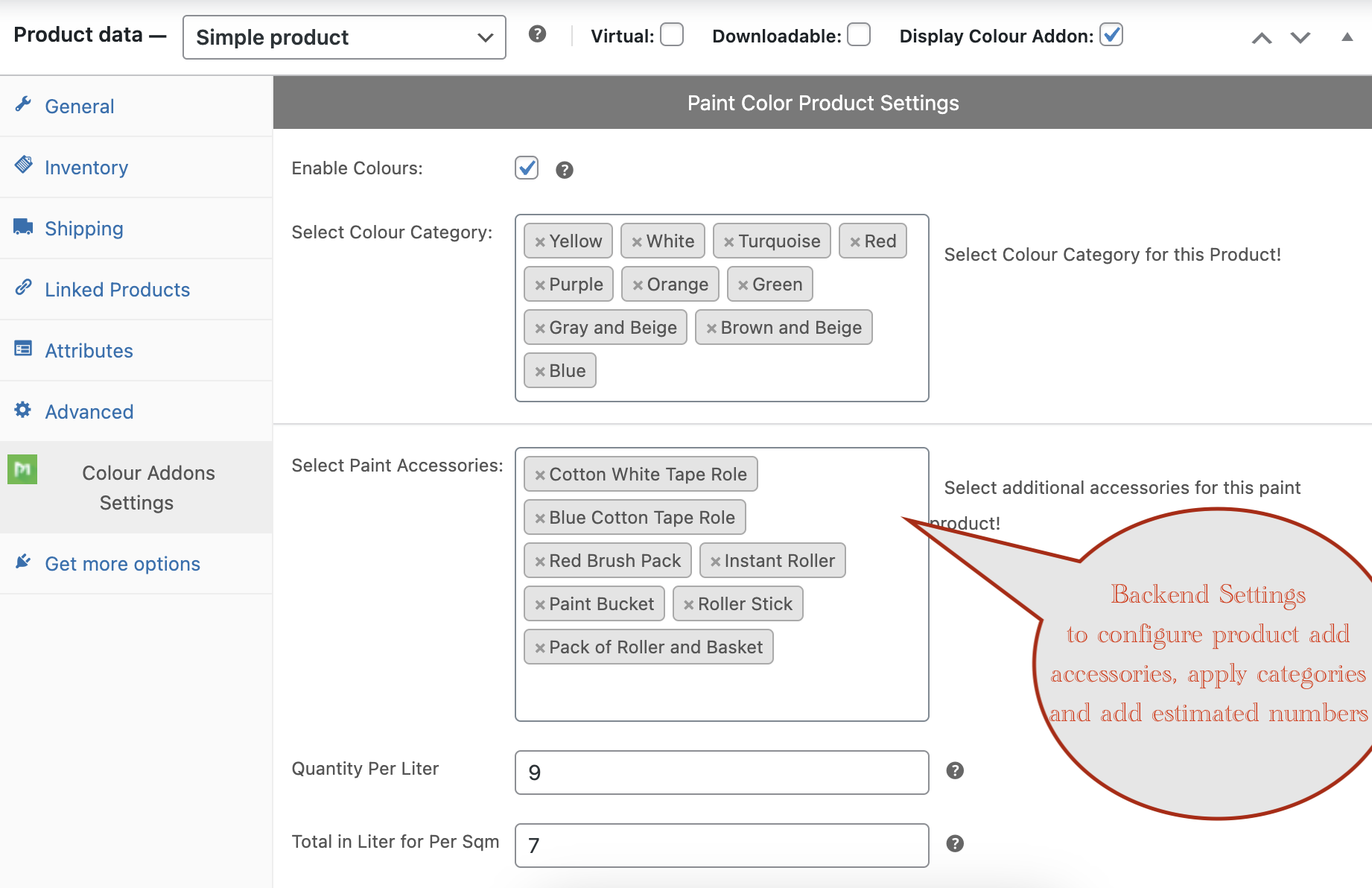
Once both the category and color have been created, go to the product page and click on the “Color Addons Settings” tab located under the “Product Data” tab and follow below steps.
- Enable the color paint checkbox.
- Select the categories you created in the above steps.
- Select paint product accessories (simple products as addons).
- Set the calculation numbers for both the quantity per liter and the total in liters for per square meter. Once you have entered these values, proceed to publish the product.
Frontend View of Paint Product Addon
After completing all the configurations on the backend, a “Select Color” button becomes available. When clicked, a popup window appears with color swatches organized into categories. Users can choose a color swatch to see how it looks on a wall. Additionally, users have the option to filter the colors by category and search for specific colors using a hex code or name.
Second Step (Paint Product Addons Plugin)
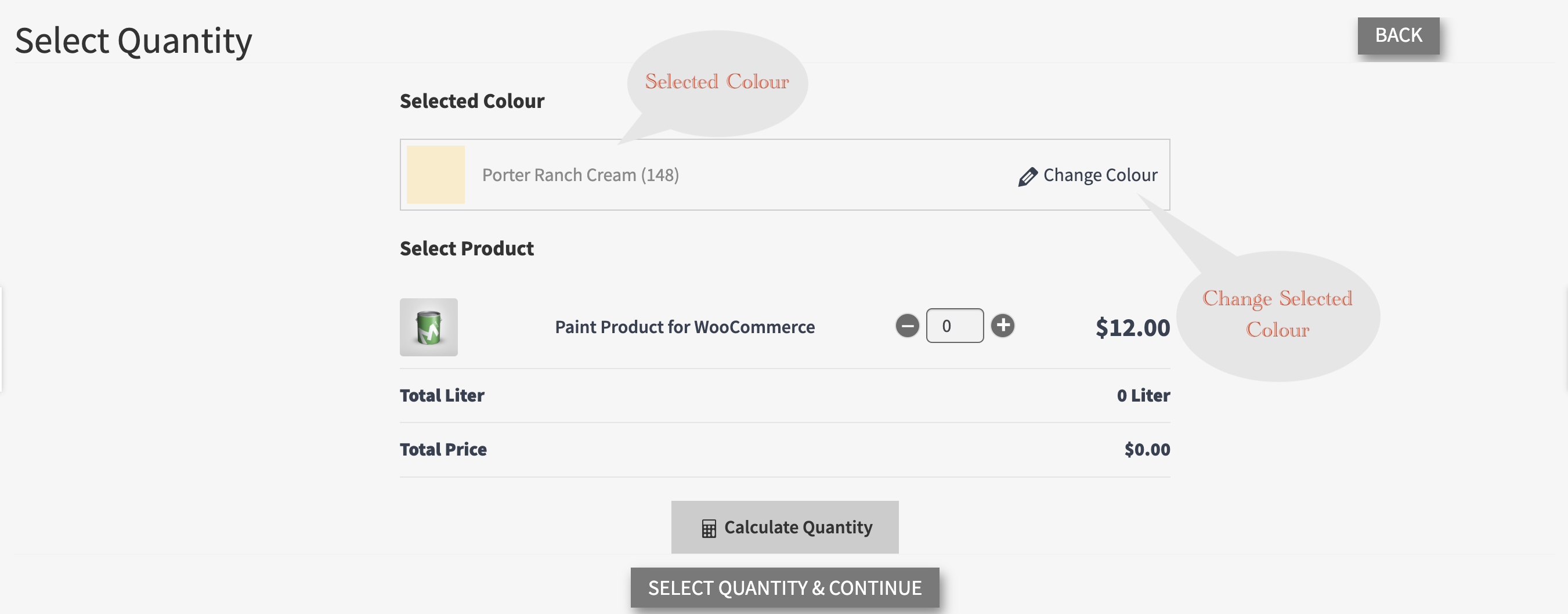
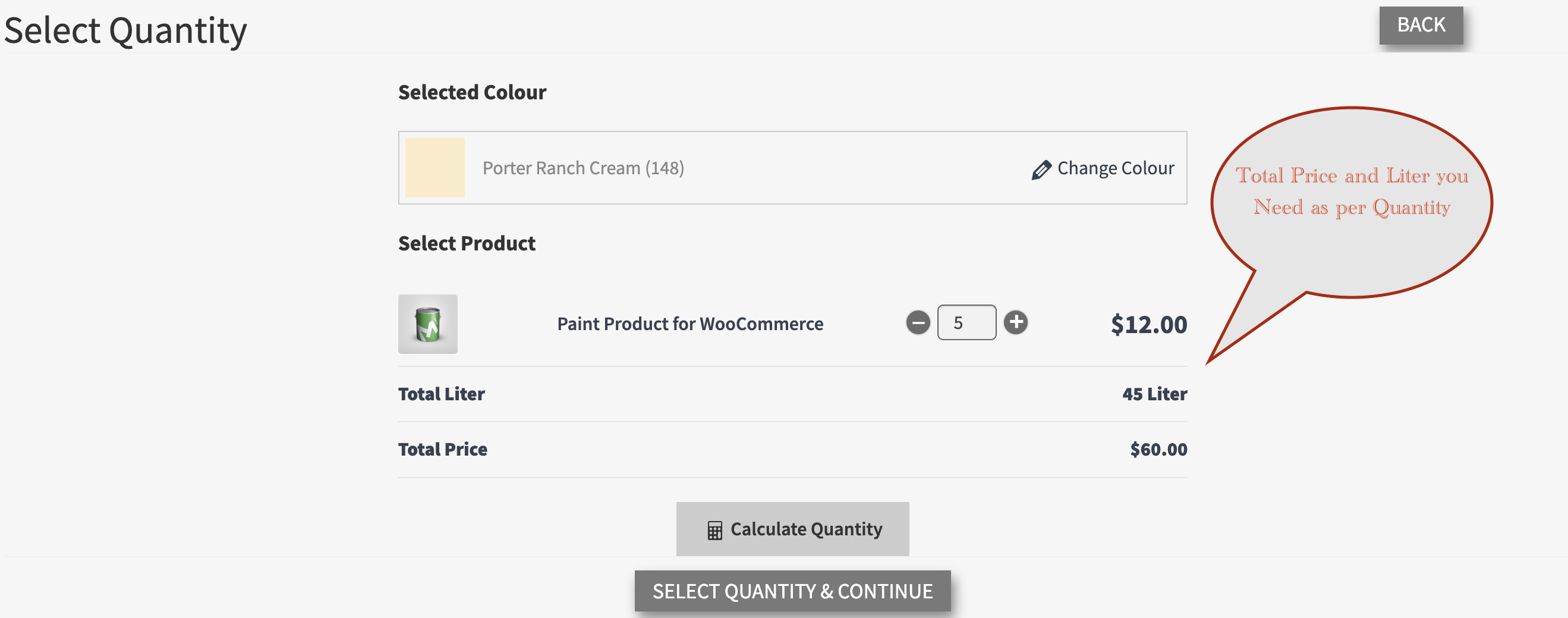
In this step, you can view the selected color, along with the quantity and price information of the product. It will provide you with the total liters per quantity and their corresponding prices.
Estimated Calculator (Step Two)
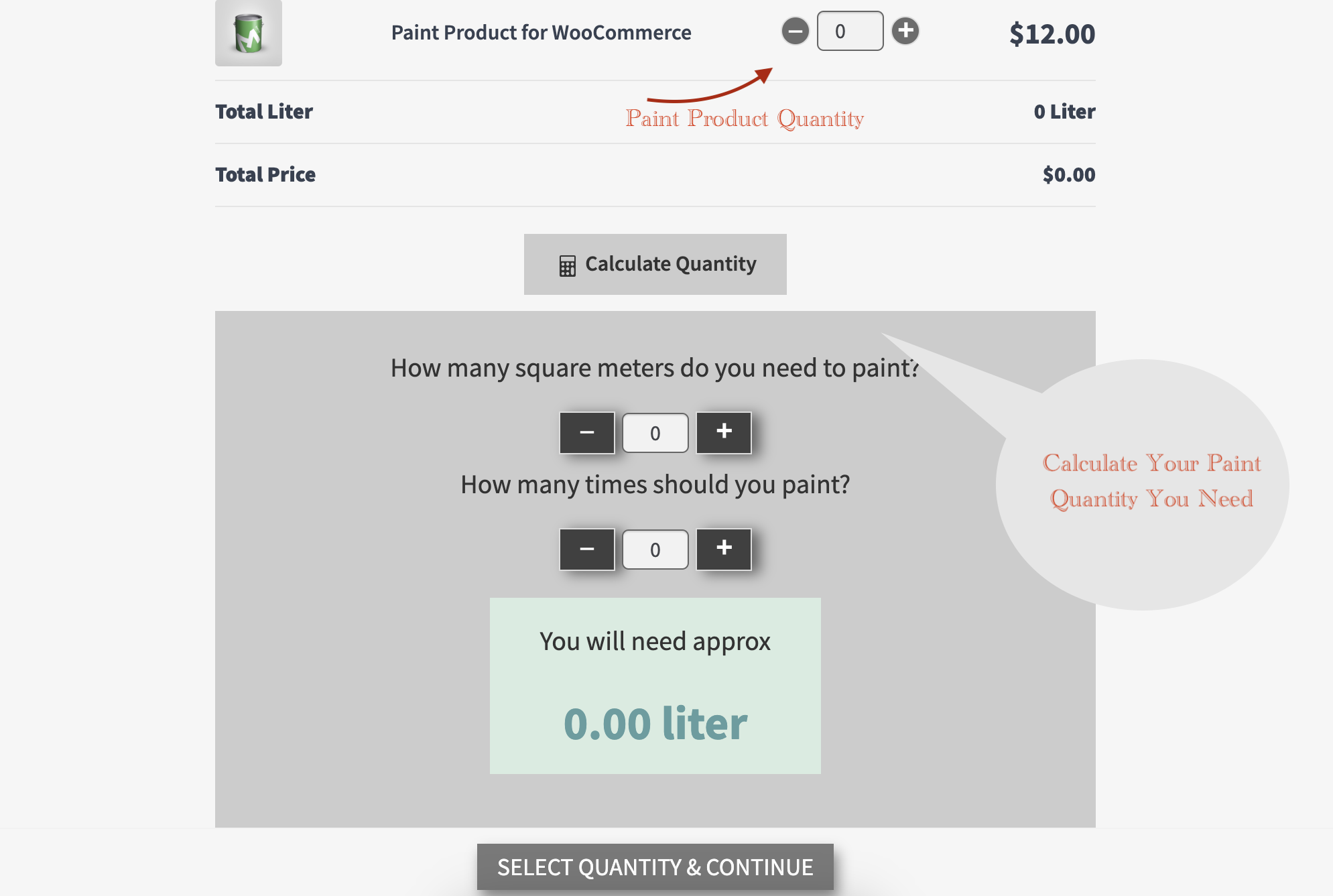
The Estimated Calculator provides you with the total amount of liters you require based on.
Addon Products (Paint Accessories)
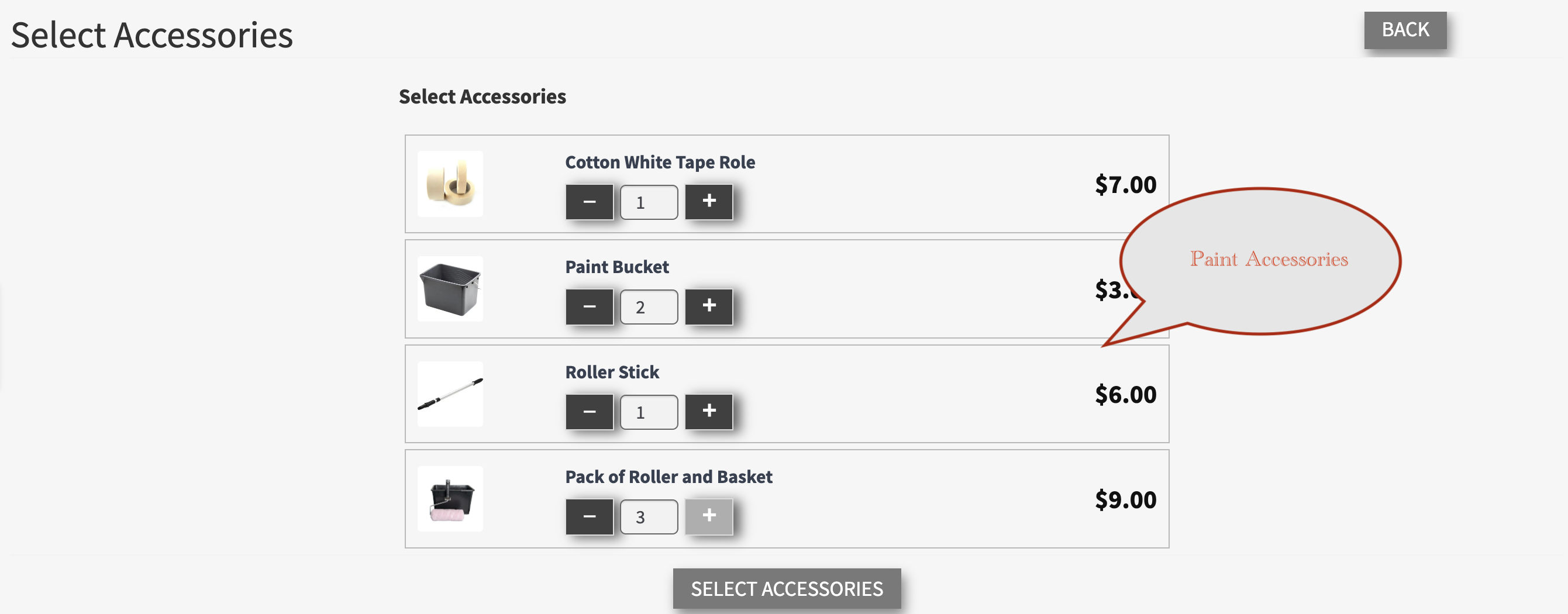
In the third and final step, all the accessories that were added in the first step of configuration are available to be added to the cart.
Cart View of Paint Product Addons Plugin
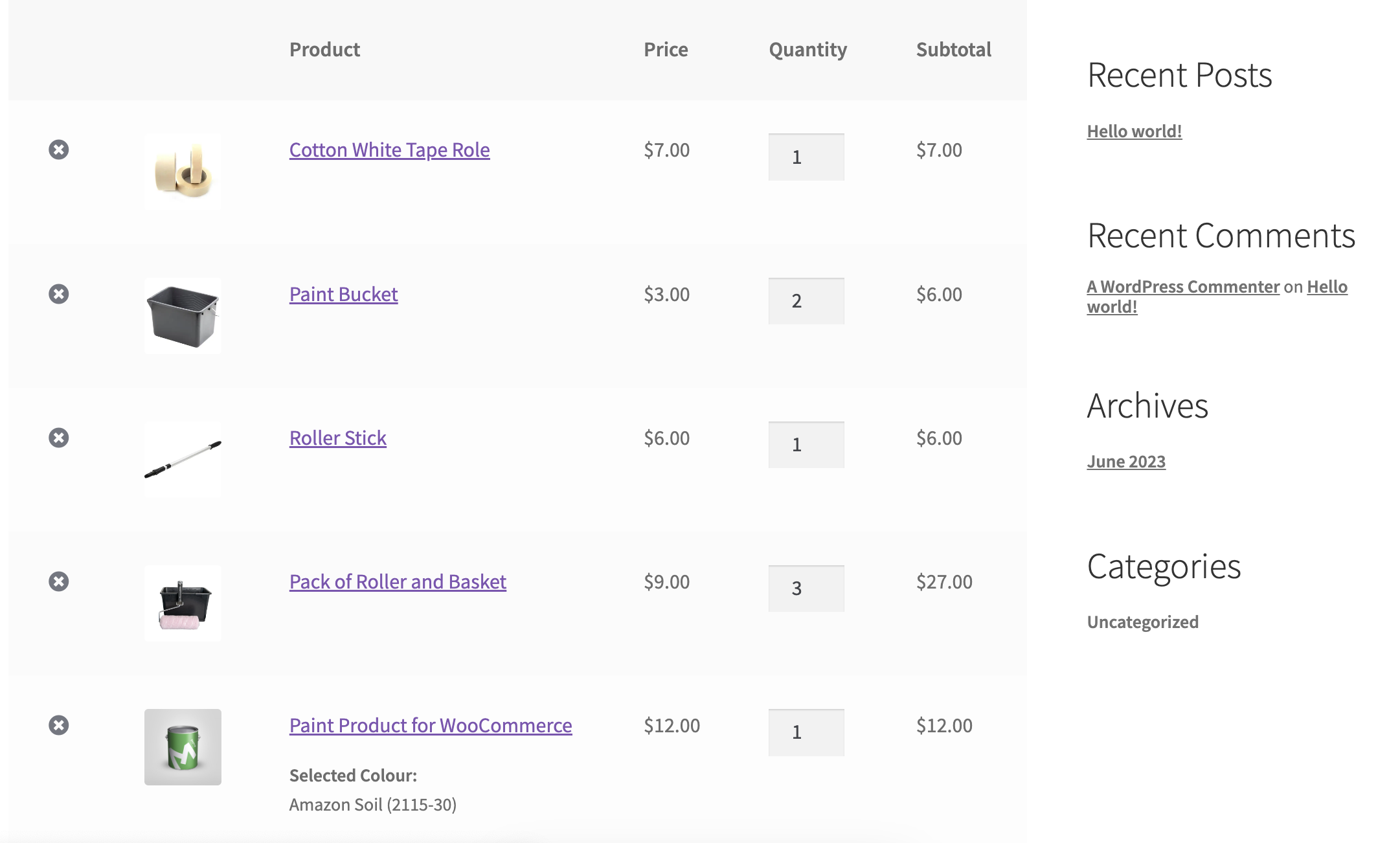
After selecting the accessories and adding them to the cart, both the main product and its color variant, as well as the selected quantities of product accessories, will be available in the cart.
Pre-Translated Languages

Change log:
Version 1.0.5
Compatibility checks & fixes with the latest woo and wp
Version 1.0.4
Compatibility checks & fixes with the latest woo and wp
Version 1.0.3
Compatibility checks & fixes with the latest woo and wp
Version 1.0.2
Compatibility checks & fixes with the latest woo and wp
Version 1.0.1
Compatibility checks & fixes with the latest woo and wp
High-Performance Order Storage Compatibility
Version 1.0.0
Initial release
| Type | WooCommerce Plugin |
|---|---|
| Author | MotifCreatives |
| Category | Wordpress / Ecommerce / Woocommerce |
| Price | $29 |
| Sales | 28 |
| Rating | 5.00 from 7 ratings |
| Published | Jun 5, 2023 |
| Last Update | Aug 21, 2026 |
| Compatible Browsers | Firefox, Safari, Opera, Chrome, Edge |
| Compatible Software | WordPress 7.0.x, WordPress 6.9.x, WordPress 6.8.x, WordPress 6.7.x, WordPress 6.6.x, WordPress 6.5.x, WordPress 6.4.x, WordPress 6.3.x, WordPress 6.2.x, WordPress 6.1.x, WordPress 6.0.x, WordPress 5.9.x, WordPress 5.8.x, WordPress 5.7.x, WordPress 5.6.x, WordPress 5.5.x, WordPress 5.4.x, WordPress 5.3.x |
| Compatible With | WooCommerce 10.x.x, WooCommerce 9.x.x, WooCommerce 8.x.x, WooCommerce 7.x.x, WooCommerce 6.x.x, WooCommerce 5.x.x |
| Gutenberg Optimized | Yes |
| Source Files Included | JavaScript JS, HTML, XML, CSS, PHP, Layered PSD |
Categories
Tags
External listing. code.market does not sell this product and does not process payment for it. Pricing, payment, delivery, licensing, refunds, and support are handled by the third-party merchant on its own website. We may earn an affiliate commission from a referral. Details.
Products of the Week.
Submit🥇

STOP GUESSING WHAT TO POST
AI that learns your brand voice and builds a month of consistent, on-brand social content: carousels, posts and hooks that sound like you, not like everyone else's AI.
SaaS · 4,301 views · 38 clicksSaaS · Week 45 · 4,301 views · 38 clicks
🥈

Conversational Backlinks for Busy Founders
Place Backlink Relevant Conversation for your domain across Forums and Conversations
Website · 42,024 views · 223 clicksWebsite · Week 45 · 42,024 views · 223 clicks
🥉

upvote.club
Free Social Media Engagement that Helps Boost Your Content. Upvote Club supports 19 social networks with 100+ engagement actions in one dashboard. Add links to your posts and get free engagement from real users.
SaaS · 40,068 views · 117 clicksSaaS · Week 45 · 40,068 views · 117 clicks
#4

Substack Posting API
Onboard your Agent to Substack. Write Publish on Substack via API
SaaS · 59,077 views · 198 clicksSaaS · Week 45 · 59,077 views · 198 clicks
#5

Seenshot App
Free, Fast, MacOS Screenshot app. Make Screenshot cmd+shift+2 and send it via link
Desktop App · 28,452 views · 122 clicksDesktop App · Week 45 · 28,452 views · 122 clicks
#6

Hand-Placed Backlinks $9.99 per link. Flat rate.
Buy hand-placed forum, Q-A and directory backlinks. Flat $9.99 per link, no subscriptions — you only pay for approved listings.
Website · 4,285 views · 19 clicksWebsite · Week 45 · 4,285 views · 19 clicks
#7

Free Invoice Generator - PDF Invoices in Your Browser, No Sign-Up
A free invoice maker for freelancers and small businesses: fill in the invoice, check the live preview, and download a PDF that looks exactly like it. Any currency, tax per item, three templates, no sign-up, and nothing leaves your device.
2,960 views · 17 clicksWeek 45 · 2,960 views · 17 clicks
#8

Merge PDF Files Free - Combine PDFs in Your Browser, No Upload
A free PDF merger for office workers, students, and freelancers: combine PDFs and images into one file in the browser, reorder files and pages, pick page ranges, keep bookmarks, and open password-protected PDFs. Nothing is uploaded, no sign-up, no watermark.
2,733 views · 13 clicksWeek 45 · 2,733 views · 13 clicks