
OverRider - Advanced Web Traffic Generator
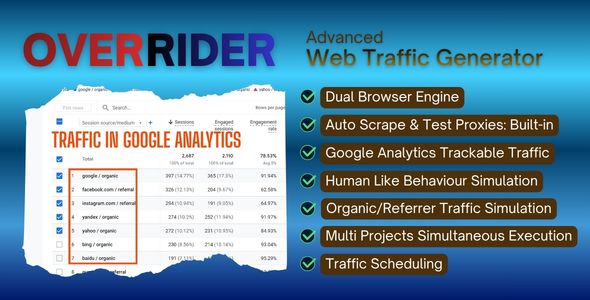
Description
OVERRIDER – Advanced Web Traffic Generator
Version 2.1.1 | Built-in Auto Proxy Engine | Multi-Project Traffic | 100,000+ Real Device Profiles
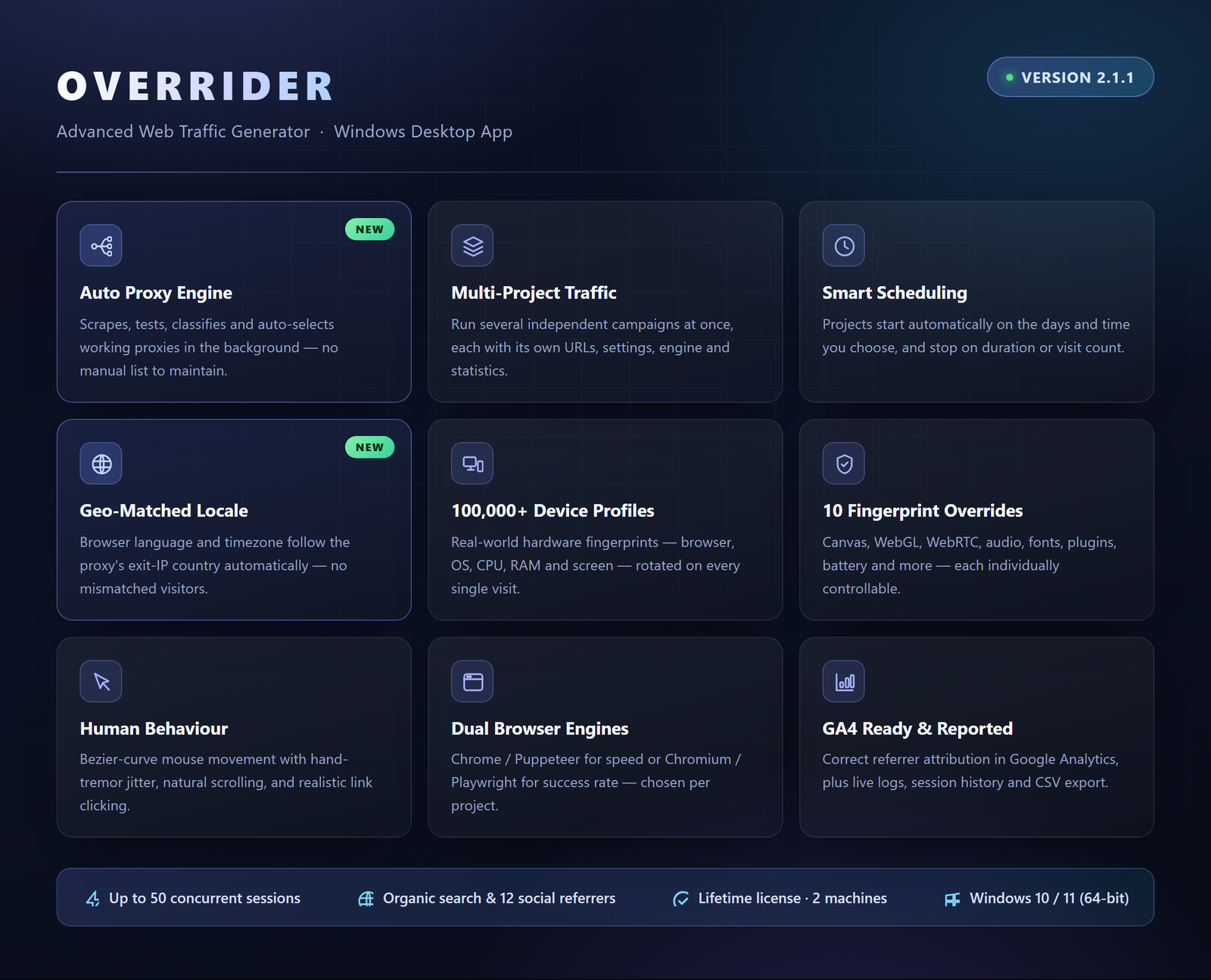
What is OVERRIDER?
The name reflects exactly what it does. OVERRIDER is a professional-grade web traffic bot that overrides the signals that expose automated traffic — browser fingerprints, hardware identifiers, language and timezone data, mouse movement patterns, and more — replacing each one with data from a real device profile. The result is traffic that looks, feels, and behaves like a genuine human session from every angle.
OVERRIDER generates unlimited human-like web traffic and simulates authentic user behavior — including scrolling, natural mouse movement, link clicking, and multi-page navigation — and is fully compatible with Google Analytics 4 and all major analytics platforms. Advanced anti-bot protection overrides WebGL fingerprinting, Canvas output, WebRTC behaviour, Navigator and Screen properties, Client Hints API, and HTTP request headers. Modern anti-bot systems check all of these vectors; OVERRIDER addresses every one.
Version 2.1 goes much further. A built-in Auto Proxy Engine scrapes, tests, classifies and auto-selects working proxies for you — no more hunting for proxy lists or pasting them in by hand. A multi-project architecture lets you run several independent campaigns at the same time, each with its own URLs, traffic sources, schedule and browser engine — and each able to start automatically at the day and time you choose. Language and timezone can now be matched to the proxy’s real location, so a visit routed through a German IP behaves like a German visitor in every respect.
You also have precise control over how each visit behaves. Set the link depth to control how deeply link navigation is followed within the site, enable link clicking to simulate organic in-page interaction, configure stay time ranges, choose which resources load, and decide whether the visitor follows internal links or stays on the landing page. Every parameter can be tuned to match your exact traffic goal.
Perfect For: SEO Professionals, Traffic Sellers, Web Developers, Website Owners and Digital Marketers

New Since Version 1.1
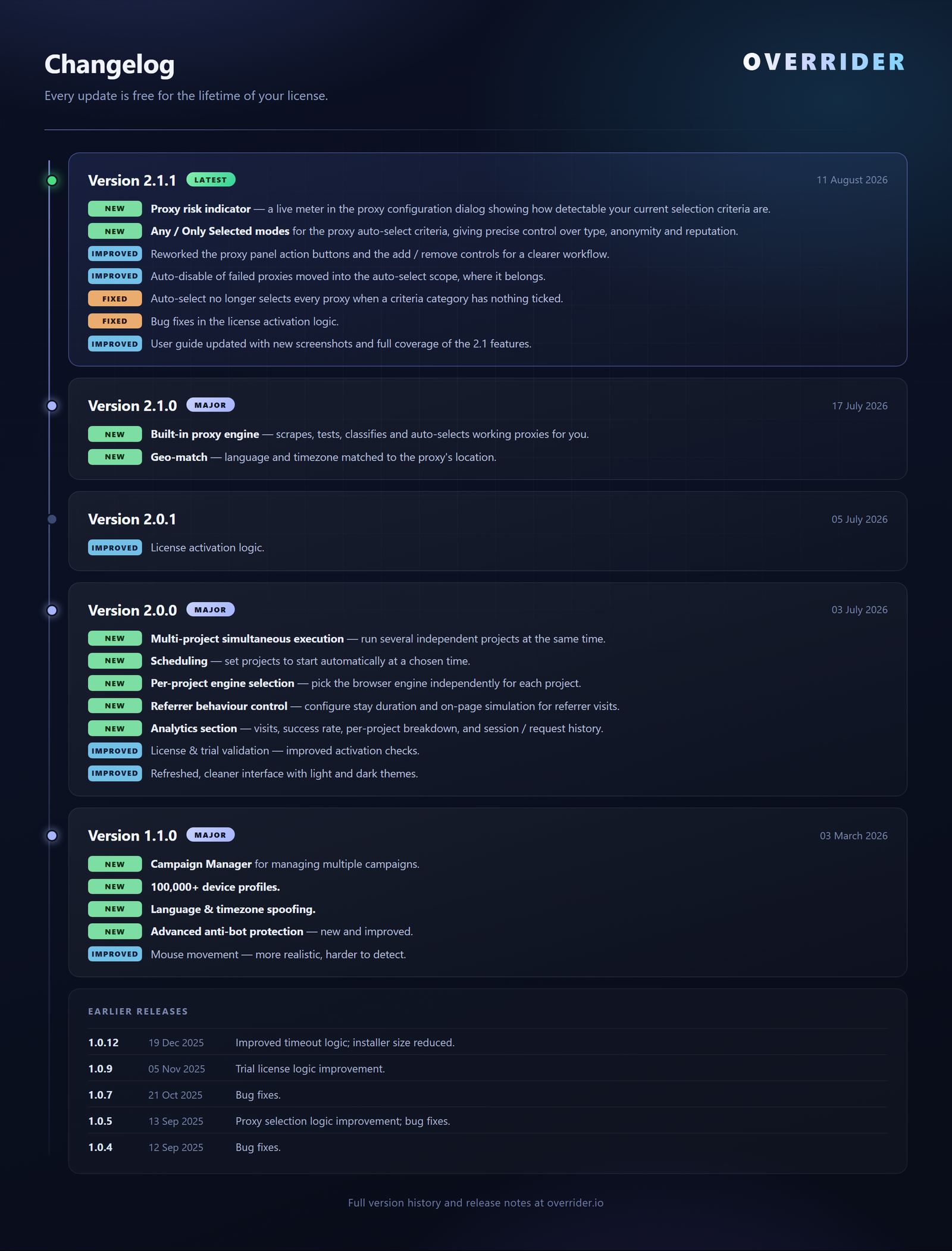
Version 2.1
- Built-in Auto Proxy Engine — scrapes, tests, classifies and auto-selects working proxies in the background, on a schedule you control
- Geo-Match Language & Timezone — locale and timezone matched to the proxy’s location
- Proxy Risk Indicator — a live meter showing how detectable your current proxy selection criteria are
Version 2.0
- Multi-Project Simultaneous Execution — run several independent projects at the same time
- Scheduling — set projects to start automatically at a chosen time
- Per-Project Engine Selection — pick the browser engine independently for each project
- Referrer Behaviour Control — configure stay duration and on-page simulation for referrer visits
- Analytics Section — visits, success rate, per-project breakdown, and session / request history
- Refreshed Interface — cleaner UI with light and dark themes
See OVERRIDER in Action
Key Features
Built-in Auto Proxy Engine NEW
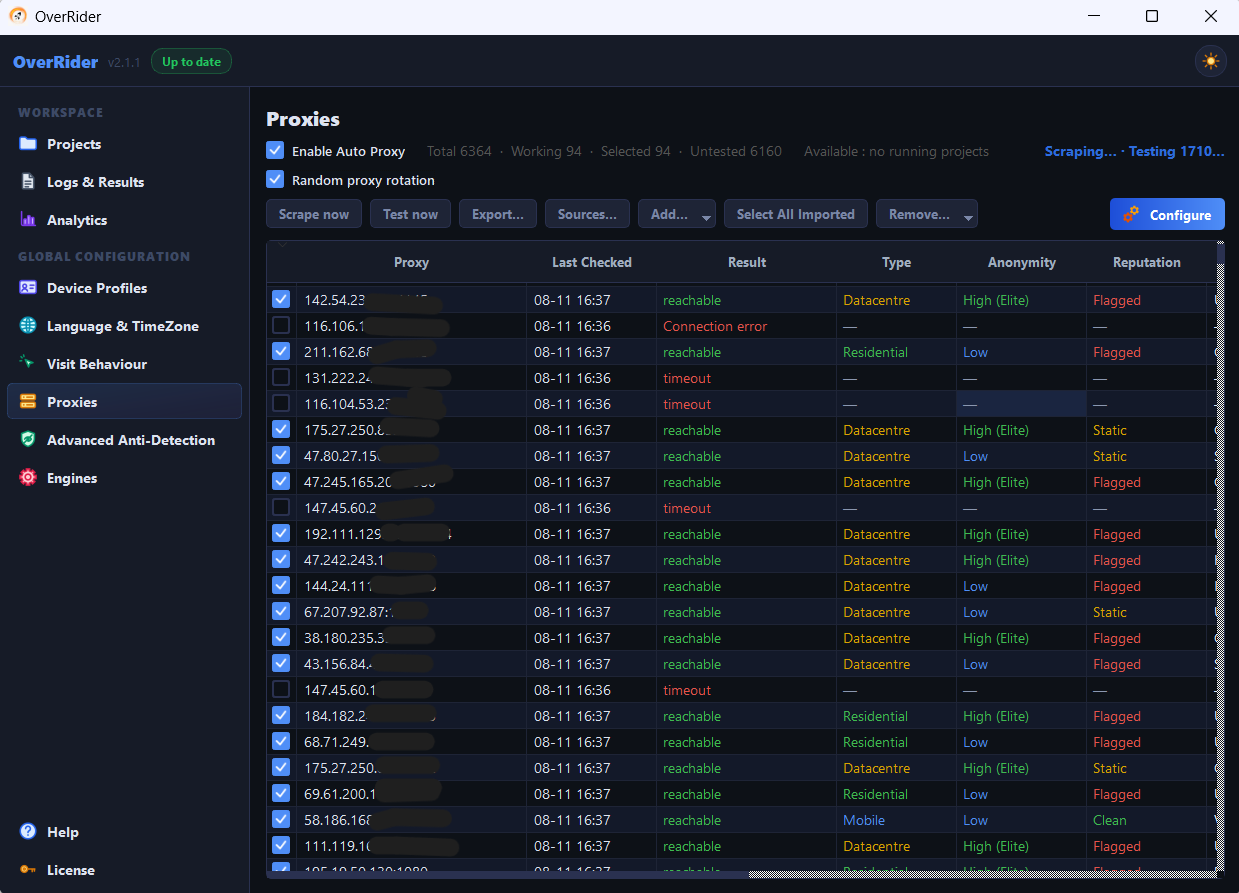
OVERRIDER now finds and maintains proxies for you. Turn on Enable Auto Proxy and the built-in engine scrapes fresh proxies from its own sources, tests them in the background, classifies each one, and keeps a healthy working set selected for traffic — completely hands-off.
- Automatic Scraping — pulls fresh proxies from multiple built-in sources; add your own sources too
- Background Testing — parallel testing (default 25 threads) on a schedule, so dead proxies never reach live traffic
- Full Classification — Type (Residential / Mobile / Datacentre), Anonymity (Elite / Low / Transparent), Reputation (Clean / Static / Flagged), Country, Exit IP, ISP and Latency
- Auto-Select Criteria — set the rules (type, anonymity, reputation, scope, country, max latency) and OVERRIDER keeps the matching working proxies selected for you
- Risk Indicator — a live meter that rises as your criteria get more permissive, so you can see the detection risk of your selection at a glance
- Bring Your Own Proxies — import paid/residential lists from file or clipboard; they’re tested and classified exactly the same way
- Self-Healing Rotation — failed proxies are dropped automatically and running projects refresh their live rotation on the fly
- Full Control — Scrape now, Test now, bulk Remove (Failed / Flagged / Transparent), Export (all / working / selected), and one-click Reset to Defaults
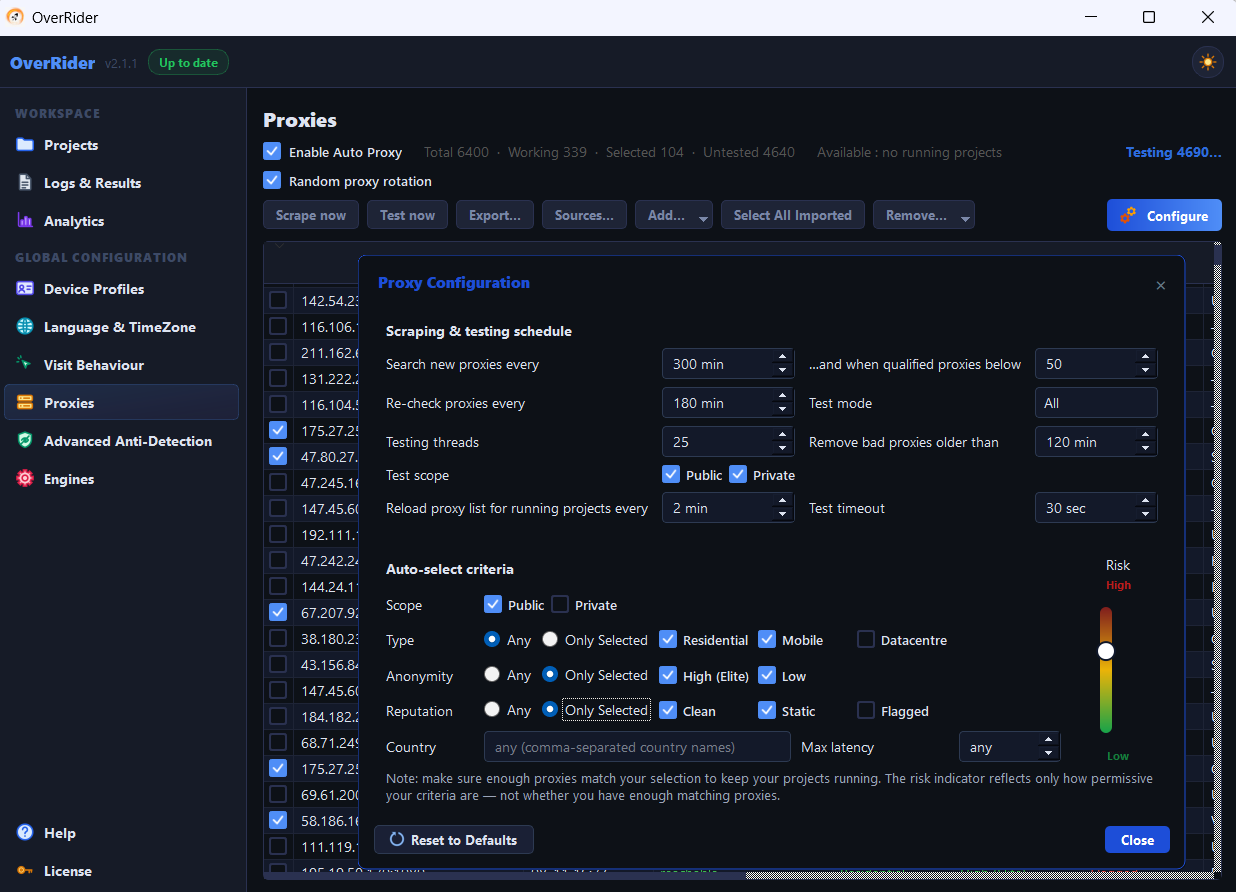
Note on free proxies: the Auto Proxy engine scrapes free, public proxy lists. Free proxies are convenient for getting started, but they are not guaranteed private — for sensitive or high-value campaigns we recommend importing paid residential proxies, which OVERRIDER tests and manages in exactly the same way.
Multi-Project Traffic Management
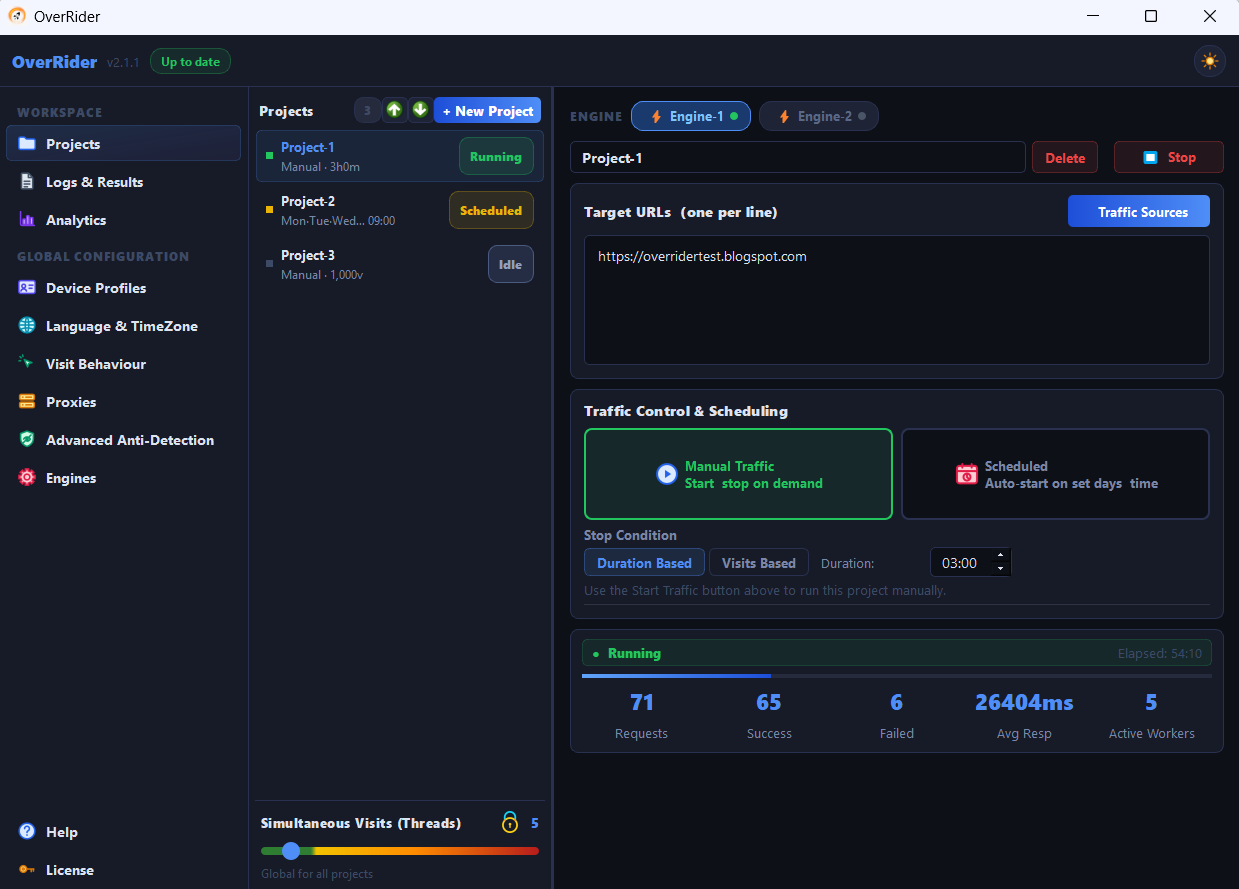
Save unlimited named projects and run several of them at the same time. Every project is fully independent — its own target URLs, traffic sources, visit settings, stop condition, schedule and browser engine. Threads are divided automatically between running projects and rebalanced whenever you start or stop one. Perfect for agencies handling multiple client sites from a single window.
Traffic Sources — Organic Search & Social
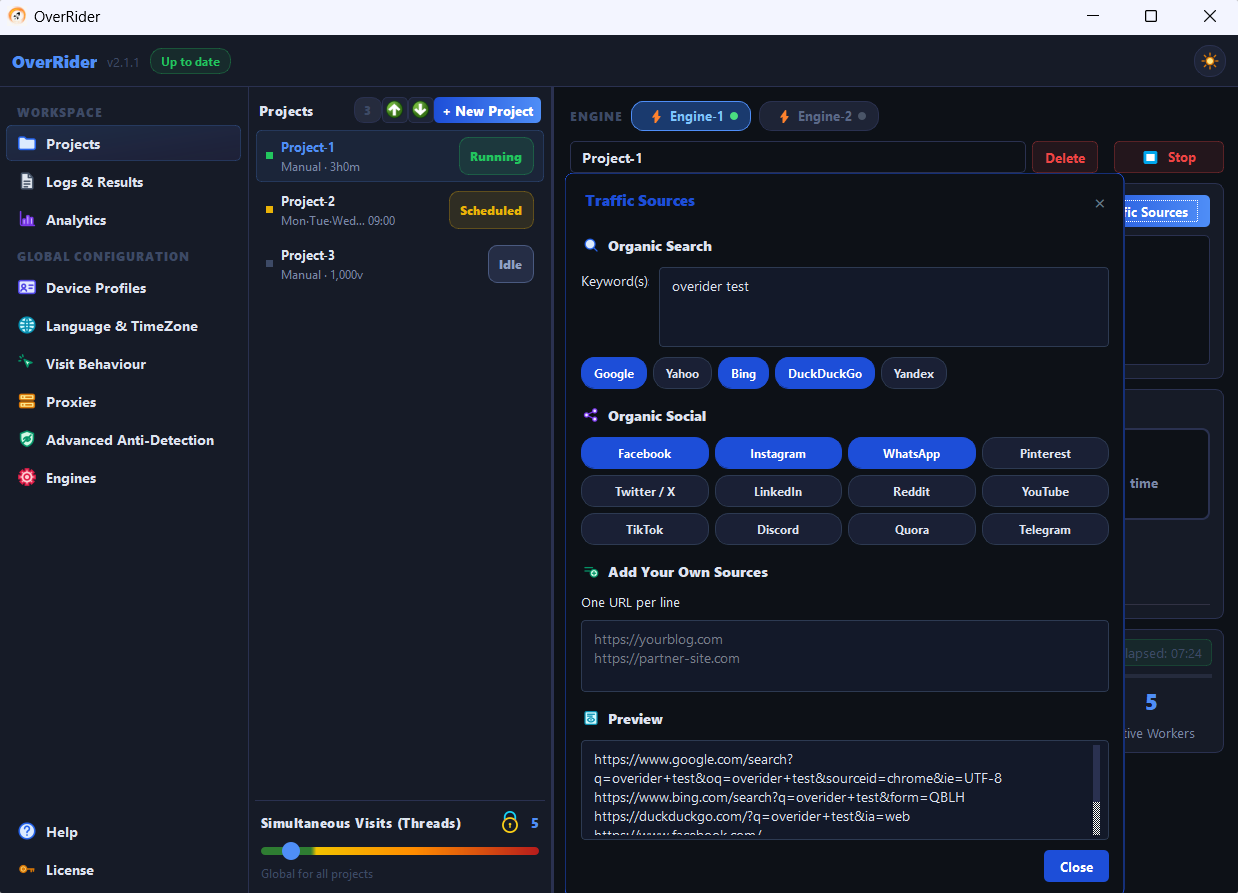
Decide exactly how your visitors “arrive”. Enter your keywords and OVERRIDER builds a referrer URL for every keyword × every selected search engine — Google, Yahoo, Bing, DuckDuckGo and Yandex. Add social traffic from Facebook, Instagram, WhatsApp, Pinterest, Twitter/X, LinkedIn, Reddit, YouTube, TikTok, Discord, Quora and Telegram, or paste your own custom referrer URLs. A live preview shows every referrer that will be used before you save.
Realistic Referrer Behaviour
A real visitor doesn’t teleport from Google to your page. OVERRIDER loads the search or social referrer page first, scrolls it, moves the mouse across it, waits a configurable amount of time, and only then clicks through to your site — so the arrival looks like a genuine click, not an instant jump.
100,000+ Real Device Profiles
A built-in library of real-world hardware fingerprints. Every visit uses a unique combination of browser, OS, CPU, RAM, and screen resolution. Filter profiles by device type, operating system, browser, and hardware specs.
Advanced Anti-Bot Protection
OVERRIDER overrides every browser fingerprinting vector that modern anti-bot systems rely on — 10 individually controllable overrides, all ON by default:
- Canvas Image Override — unique pixel noise on every visit
- Graphics Card Override (WebGL) — GPU vendor and renderer matched to the device profile
- Real IP Leak Protection (WebRTC) — blocks real IP exposure via RTCPeerConnection
- Audio Fingerprint Override — perturbs the AudioContext fingerprint
- Browser Plugin Override — realistic plugin and MIME-type list matching the mimicked browser
- Battery Info Hiding — masks the Battery Status API
- Notification Permission Fix — removes a permission mismatch that normally only appears on bots
- Realistic Daylight-Saving Time — timezone behaves correctly across the year instead of a flat constant
- Installed Font Override — per-OS font list (Segoe UI on Windows, Helvetica Neue on Mac, etc.)
- Network Connection Override — reports a connection type consistent with the profile
- Always on: navigator.webdriver masking and a realistic window.chrome object, plus Navigator/Screen, Client Hints (userAgentData) and HTTP header spoofing on every visit
Language and Timezone Spoofing
75+ language/timezone combinations across 6 geographic regions. Every visit reports a consistent locale — in the browser’s language APIs, Date object, and Intl formatting — not just at the IP level. Turn on Geo-Match and OVERRIDER goes one better: the locale and timezone are derived from the country of the proxy’s exit IP, so a German proxy produces a German-language visitor in the Berlin timezone automatically.
Advanced Page Visit Control
Full control over how each browser session behaves on your website:
- Link Depth — controls how deeply link navigation is followed within the site
- Link Clicking — click internal and/or external links, with a configurable number of clicks per visit
- Link Navigation Mode — clicked links open in the Same Page, a New Tab, or Mixed
- Stay Time — min/max time on page, plus separate stay times for clicked pages and referrer pages
- Resource Loading — choose whether images, CSS, and JavaScript load per visit
- Reset to Defaults — restore every visit-behaviour setting to factory values in one click
More Realistic Mouse Movement
Mouse movement uses asymmetric Bezier curves with hand-tremor jitter and randomly varying speed — closely matching how a real person actually moves a mouse. Far harder to detect than simple linear paths.
Human Behavior Simulation
Advanced algorithms simulate realistic human behavior including scrolling, mouse movements, link interaction, and natural reading patterns — making every visit indistinguishable from a real user.
Smart Scheduling & Stop Conditions
Give each project its own schedule — pick the days of the week and a start time, and OVERRIDER launches the traffic automatically. Choose how each run ends: Duration Based (run for HH:MM) or Visits Based (stop after N completed visits). Minimise to the system tray and let it work.
Google Analytics Compatible
Full GA4 attribution support — traffic shows correctly in Google Analytics with proper referrer chains, session data, and user journey tracking.
Multi-Threading Engine
Run 1 to 50 concurrent browser sessions simultaneously, shared automatically across all running projects. Generate massive traffic volumes efficiently with parallel processing and smart worker management.
Dual Browser Engine
Choose Engine-1 (Chrome/Puppeteer) for speed or Engine-2 (Chromium/Playwright) for maximum success rate — per project. Install and manage both engines directly from the app with one click.
Real-Time Log Streaming
Live output from every browser session step by step as it happens — page loads, scrolls, mouse activity, link clicks and errors — with timestamps, status indicators, and per-project filter pills.
Analytics & Reporting
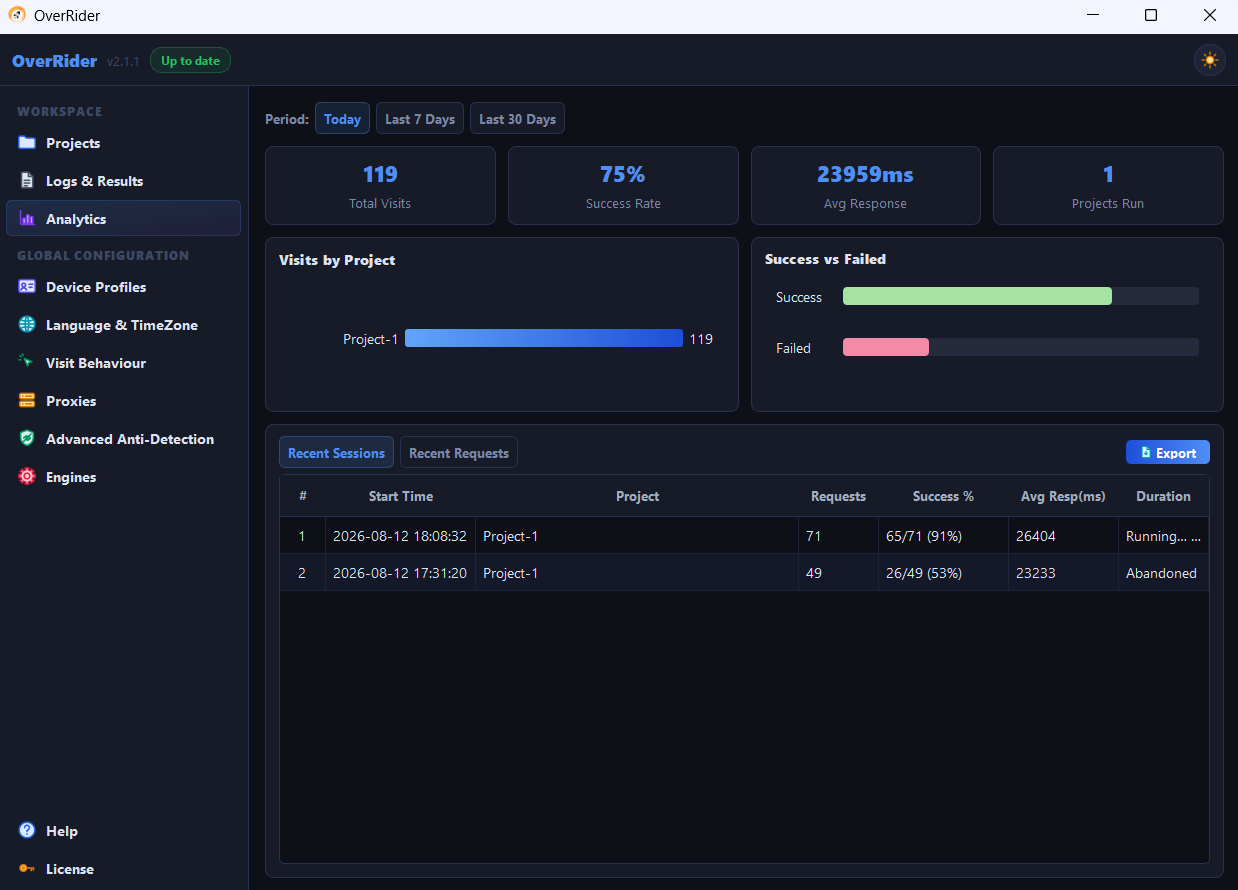
A dedicated Analytics panel with a success-vs-failed chart, a full session history table, and a per-request detail view with filtering. Export everything to CSV or Excel to prove results to clients.
Proxy Support
Full support for HTTP, HTTPS, and SOCKS proxies, with or without authentication (ip:port, user:pass@ip:port or ip:port:user:pass). Random or sequential rotation per visit, and matching language/timezone profiles for fully consistent geo-located visitors.
Other Important Features
- Referrer Chain Support: Proper HTTP referrer headers for realistic traffic sources — organic, social, referral, and direct
- UTM Parameter Support: Full UTM tracking for marketing campaign testing and analytics validation
- Multiple Target URLs: Rotate visits across unlimited URLs per project — homepage, blog posts, product pages
- Smart Retry Logic: Automatic retries with exponential backoff to maximise success rate
- CSV Export: Full results export with status codes, response times, engine, thread, proxy, user agent, device type and referer
- Live Stats: Aggregate stat cards across all projects plus independent per-project statistics
- Cookie Management: Session persistence for realistic returning visitor simulation
- Light & Dark Theme: Modern interface with a one-click theme switch and system-tray operation
- Built-in Updates: Check for updates from inside the app — free for the lifetime of your license
- Easy to Use: Intuitive interface — no technical knowledge required
Who Uses OVERRIDER?
SEO Professionals
Boost website metrics — Reduce website bounce rate & Increase CTR, and demonstrate traffic capabilities to clients.
Agencies & Traffic Sellers
Run every client campaign as its own project, side by side, on independent schedules — then export per-project analytics as proof of delivery.
Web Developers
Test website performance under load, verify analytics integration, and stress-test new features.
Website Owners
Increase website visibility, improve search rankings, and attract more organic visitors.
Easy One-Click Installation
Get Started in 5 Minutes!
- Download: Download the installer from your CodeCanyon Downloads page
- Install: Run the setup file and follow the simple wizard — no administrator rights needed
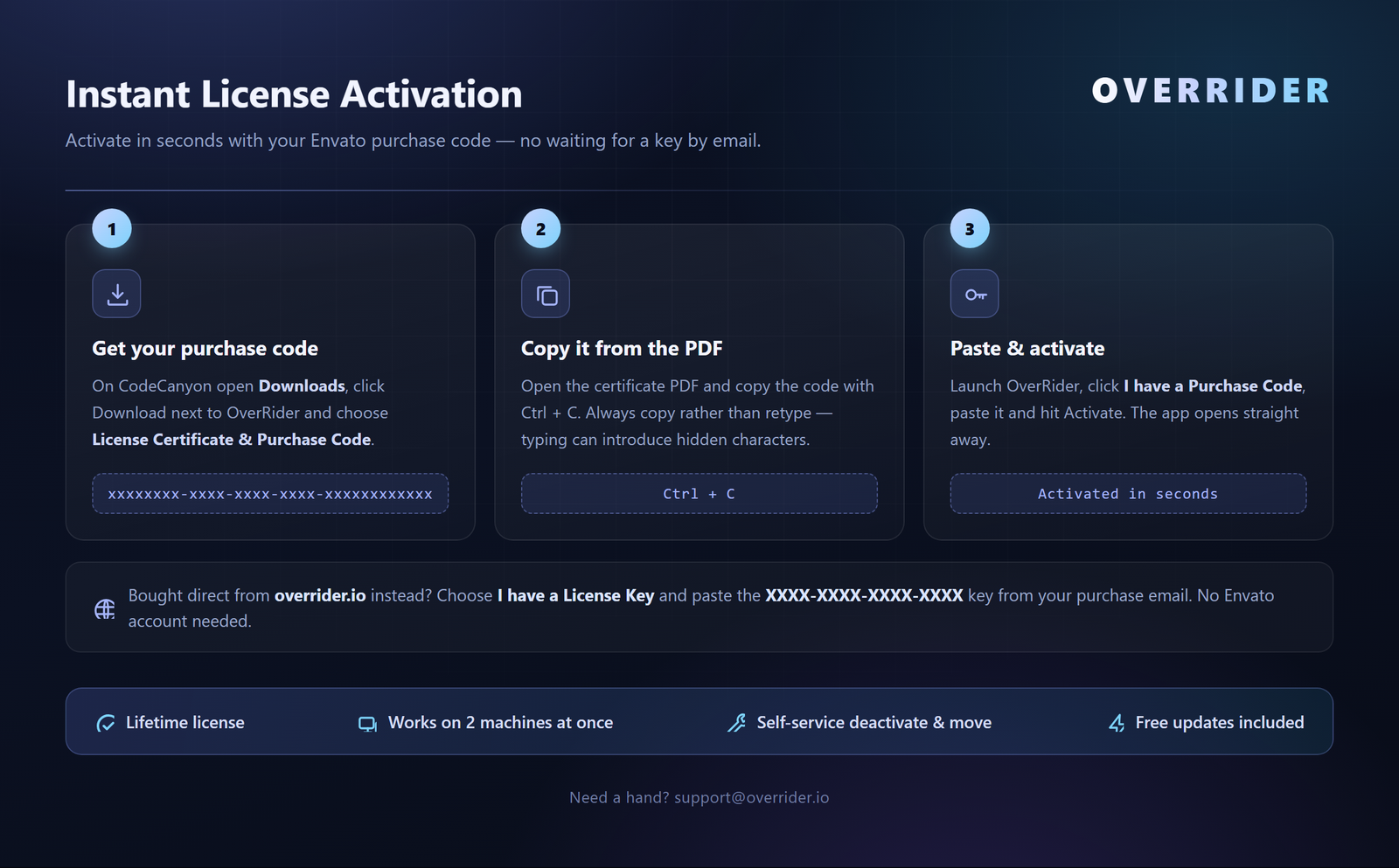
- Activate: Paste your Envato Purchase Code (from the License Certificate PDF in your Downloads) and click Activate — instant, no waiting for an email
- Install an Engine: Click Install on Engine-1 or Engine-2 — the browser is downloaded for you
- Generate Traffic: Create a project, add your URL, and start sending traffic immediately!
How to Setup OverRider? Watch Demo

Click to Watch Demo on YouTube
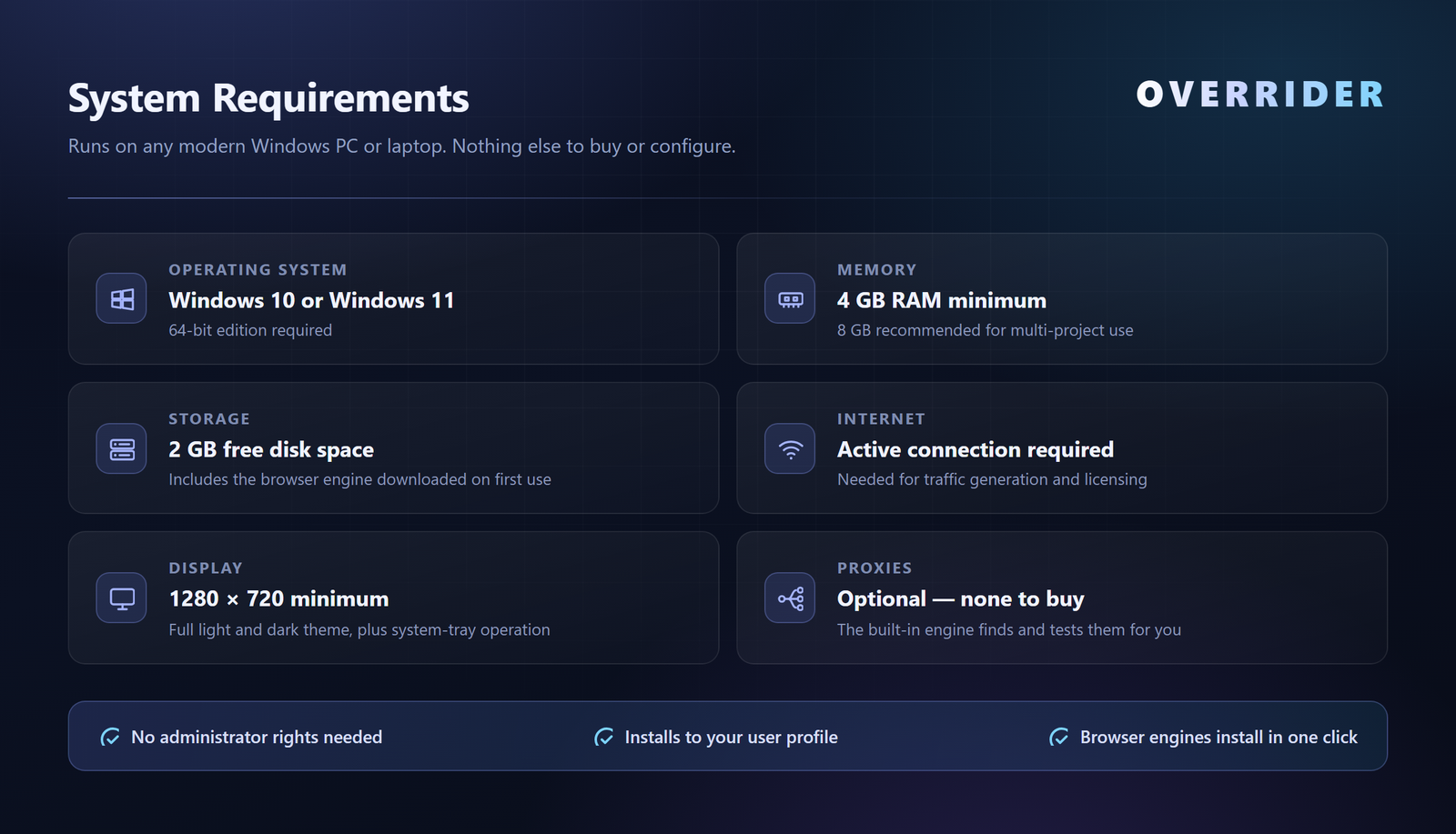
System Requirements
Frequently Asked Questions
Q: Is this safe to use?
OverRider is designed with safety as a priority. It uses realistic behavior patterns, proper delays, and authentic user agents to simulate natural traffic. When used responsibly, it’s a safe tool for traffic generation.
Q: Do I need to buy proxies?
No — the built-in Auto Proxy Engine scrapes, tests and selects free public proxies automatically, so you can start immediately with nothing to configure. If you already own paid residential proxies, import them from a file or the clipboard and OverRider tests, classifies and rotates them the same way. For high-value campaigns, paid residential proxies are recommended.
Q: Will Google Analytics detect this traffic?
OVERRIDER traffic appears as normal visits in Google Analytics with proper referrer attribution and user behavior patterns.
Q: Can I target specific countries?
Yes. Restrict proxy auto-selection to specific countries, and turn on Geo-Match so each visit’s browser language and timezone follow the proxy’s exit-IP country automatically — a fully consistent geo-located visitor.
Q: Can I run traffic to several websites at once?
Yes. Create a separate project per website or client, and run as many of them simultaneously as you like. Each project keeps its own URLs, traffic sources, settings, schedule and statistics, and OverRider divides the available threads between them automatically.
Q: How much traffic can I generate?
There are no limits. You can generate as much traffic as your hardware and internet connection can handle, with up to 50 concurrent sessions running in parallel.
Q: Does traffic run on a schedule?
Yes. Each project can auto-start on the days and time you choose, and stop after a set duration or a set number of visits. OverRider just needs to be running (minimised to the tray is fine).
Q: How do I activate my purchase?
Download the License Certificate & Purchase Code PDF from your CodeCanyon Downloads page, copy the purchase code, and paste it into the activation dialog. Activation is instant — no email wait. Your license works on up to 2 machines at the same time, and you can release a slot at any time via Help → License → Deactivate.
Q: Do I need technical knowledge?
No. OVERRIDER has an intuitive interface that anyone can use. Simply enter your URL and configure basic settings. No coding required.
Q: Does OverRider click on Google AdSense ads?
No. OverRider is strictly a website traffic generation/SEO tool and is not designed for ad clicking, CPC inflation, or any form of click fraud. OverRider does not include any ad-clicking functionality and does not support or encourage its use for that purpose. If your goal is to simulate organic/referral traffic, improve website SEO, stress test, or validate your analytics setup, OverRider is built for exactly that.
What’s Included
Desktop Application
Full Windows 10/11 (64-bit) software with both browser engines installable in one click
Lifetime License — Instant Activation
Activate straight away with your Envato Purchase Code — no waiting for a key by email. One license covers up to 2 machines at the same time, and a machine slot can be released and reused whenever you need it.
User Manual
Comprehensive illustrated guide covering every panel, setting and workflow
Email Support
Quick assistance
Free Updates
Automatic updates

Changelog
Need Help?
Our support team is here to assist you with any questions or issues.
| Type | Windows App |
|---|---|
| Author | SEOBrainLab |
| Price | $23 |
| Sales | 18 |
| Rating | 5 (3) |
| Published | Nov 25, 2025 |
| Last Update | Aug 19, 2026 |
| Application Runtime | Native |
| Demo Url | https://overrider.io/demo/ |
| High Resolution | Yes |
| Operating System Versions | Windows 11, Windows 10 |
| Video Preview Resolution | 1920x1080 |
Categories
Tags
External listing. code.market does not sell this product and does not process payment for it. Pricing, payment, delivery, licensing, refunds, and support are handled by the third-party merchant on its own website. We may earn an affiliate commission from a referral. Details.
Products of the Week.
Submit🥇

STOP GUESSING WHAT TO POST
AI that learns your brand voice and builds a month of consistent, on-brand social content: carousels, posts and hooks that sound like you, not like everyone else's AI.
SaaS · 7,331 views · 67 clicksSaaS · Week 46 · 7,331 views · 67 clicks
🥈

Conversational Backlinks for Busy Founders
Place Backlink Relevant Conversation for your domain across Forums and Conversations
Website · 46,599 views · 232 clicksWebsite · Week 46 · 46,599 views · 232 clicks
🥉

upvote.club
Free Social Media Engagement that Helps Boost Your Content. Upvote Club supports 19 social networks with 100+ engagement actions in one dashboard. Add links to your posts and get free engagement from real users.
SaaS · 44,541 views · 127 clicksSaaS · Week 46 · 44,541 views · 127 clicks
#4

Substack Posting API
Onboard your Agent to Substack. Write Publish on Substack via API
SaaS · 63,427 views · 206 clicksSaaS · Week 46 · 63,427 views · 206 clicks
#5

Seenshot App
Free, Fast, MacOS Screenshot app. Make Screenshot cmd+shift+2 and send it via link
Desktop App · 32,676 views · 127 clicksDesktop App · Week 46 · 32,676 views · 127 clicks
#6

Hand-Placed Backlinks $9.99 per link. Flat rate.
Buy hand-placed forum, Q-A and directory backlinks. Flat $9.99 per link, no subscriptions — you only pay for approved listings.
Website · 8,300 views · 19 clicksWebsite · Week 46 · 8,300 views · 19 clicks
#7

Free Invoice Generator - PDF Invoices in Your Browser, No Sign-Up
A free invoice maker for freelancers and small businesses: fill in the invoice, check the live preview, and download a PDF that looks exactly like it. Any currency, tax per item, three templates, no sign-up, and nothing leaves your device.
6,927 views · 29 clicksWeek 46 · 6,927 views · 29 clicks
#8

Merge PDF Files Free - Combine PDFs in Your Browser, No Upload
A free PDF merger for office workers, students, and freelancers: combine PDFs and images into one file in the browser, reorder files and pages, pick page ranges, keep bookmarks, and open password-protected PDFs. Nothing is uploaded, no sign-up, no watermark.
6,410 views · 18 clicksWeek 46 · 6,410 views · 18 clicks