Otaxi - Taxi UI Kit For Mobile Application for Sketch App
Description
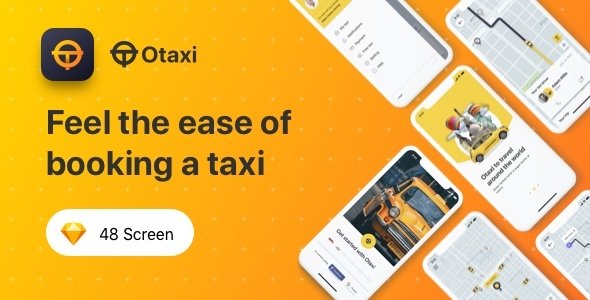
Otaxi UI Kit is UI KIT for applications that order Taxis. Otaxi can also be customized to become a car ordering application such as the uber application, take application, gojek application or careem application.
Otaxi UI Kit has full features with 48 screens and includes Sans Fransisco fonts for the iOS platform. all elements and layers are arranged correctly so that they can be easily understood and adjusted.
Key Features
- 48 iOS screens
- 375×812 Resolution
- 100% scalable Vectors
- Totally based on Flat Design Standards
- San Francisco fonts (Included on download package)
- Easy to change color style
- Easy to change car color style
- Well-documented Help file
- Compatible with Sketch App List of All Pages : 46 screens
- 1.0 Splash Screen
- 2.0 Onboard 1
- 3.0 Onboard 2
- 4.0 Onboard 3
- 5.0 Login/Register
- 6.0 Input Phone Number
- 7.0 Verification Code
- 8.0 Verification Code Input
- 9.0 Home / Dashboard
- 10.0 Search Destination
- 11.0 Multistop Destination
- 12.0 Multistop Destination Input
- 13.0 Select Destination with Maps
- 14.0 Choose Otaxi standart
- 15.0 Choose Otaxi XL
- 16.0 Promo Code
- 17.0 Promo Code Input
- 18.0 Navigation Between Location and Destination 2
- 19.0 Search Driver
- 20.0 Detail Order (Waiting Driver)
- 21.0 Detail Order (Waiting Driver 2)
- 22.0 Chat
- 23.0 Chat with Keyboard
- 24.0 Navigation to Destination Zoom in
- 25.0 Navigation to Destination Zoom out
- 26.0 Rating & Review
- 27.0 Rating & Review Input
- 28.0 Hamburger Menu
- 29.0 Notifications
- 30.0 My Taxi/Ongoing Orders
- 31.0 My Taxi/History
- 32.0 Detail Order
- 33.0 Detail History
- 34.0 Account Setting
- 35.0 Update Name
- 36.0 Update Email
- 37.0 Update Gender
- 38.0 Update Gender Dropdown
- 39.0 Update Birth Date
- 40.0 Payment Option
- 41.0 Add Payment Method
- 42.0 Credit Card Form
- 43.0 Payment Option 2
- 44.0 Empty State GPS
- 45.0 Empty State Server Error
- 46.0 Empty State No Notification
- 47.0 Empty State Internet Error
- 48.0 Empty State No Taxi
Source & Credits Images:
Image : Unsplash
Font : Sans Fransisco
Icon : Flaticonn
Please Note: All images are just used for Preview Purpose Only. They are not part of the template and NOT included in the final purchase files. Complete source files in Documentation.
How to use for Sketch
Add or Change Image: Select the Artboard Group Layers section, double-click on the Layer with the Name mask, and you can adjust it on the right side by clicking “Select Image”. You can also edit text, colors or font files in the same way.
Don’t forget to rate this item if you like it.
Categories
Tags
External listing. code.market does not sell this product and does not process payment for it. Pricing, payment, delivery, licensing, refunds, and support are handled by the third-party merchant on its own website. We may earn an affiliate commission from a referral. Details.
Products of the Week.
Submit🥇

STOP GUESSING WHAT TO POST
AI that learns your brand voice and builds a month of consistent, on-brand social content: carousels, posts and hooks that sound like you, not like everyone else's AI.
SaaS · 4,287 views · 38 clicksSaaS · Week 45 · 4,287 views · 38 clicks
🥈

Conversational Backlinks for Busy Founders
Place Backlink Relevant Conversation for your domain across Forums and Conversations
Website · 41,998 views · 223 clicksWebsite · Week 45 · 41,998 views · 223 clicks
🥉

upvote.club
Free Social Media Engagement that Helps Boost Your Content. Upvote Club supports 19 social networks with 100+ engagement actions in one dashboard. Add links to your posts and get free engagement from real users.
SaaS · 40,039 views · 117 clicksSaaS · Week 45 · 40,039 views · 117 clicks
#4

Substack Posting API
Onboard your Agent to Substack. Write Publish on Substack via API
SaaS · 59,049 views · 198 clicksSaaS · Week 45 · 59,049 views · 198 clicks
#5

Seenshot App
Free, Fast, MacOS Screenshot app. Make Screenshot cmd+shift+2 and send it via link
Desktop App · 28,423 views · 122 clicksDesktop App · Week 45 · 28,423 views · 122 clicks
#6

Hand-Placed Backlinks $9.99 per link. Flat rate.
Buy hand-placed forum, Q-A and directory backlinks. Flat $9.99 per link, no subscriptions — you only pay for approved listings.
Website · 4,258 views · 19 clicksWebsite · Week 45 · 4,258 views · 19 clicks
#7

Free Invoice Generator - PDF Invoices in Your Browser, No Sign-Up
A free invoice maker for freelancers and small businesses: fill in the invoice, check the live preview, and download a PDF that looks exactly like it. Any currency, tax per item, three templates, no sign-up, and nothing leaves your device.
2,935 views · 17 clicksWeek 45 · 2,935 views · 17 clicks
#8

Merge PDF Files Free - Combine PDFs in Your Browser, No Upload
A free PDF merger for office workers, students, and freelancers: combine PDFs and images into one file in the browser, reorder files and pages, pick page ranges, keep bookmarks, and open password-protected PDFs. Nothing is uploaded, no sign-up, no watermark.
2,711 views · 13 clicksWeek 45 · 2,711 views · 13 clicks