Organic Grunge - WordPress Cafe & Restaurant Theme
Description
Latest Update: Version 1.0.7 on 2017-06-13.
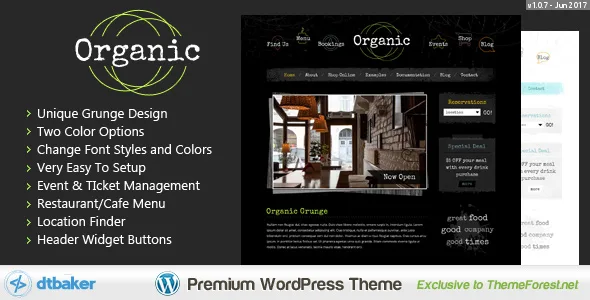
Organic Grunge is a creative WordPress theme that is easy to setup and comes with a great set of graphics and features. This theme is perfect for your online creative shop, trendy cafe, restaurant, sports team, custom clothing store or anything that needs the “grunge” feel.
- WordPress 4.8 compatible!
- Brand new easy installation wizard – watch the video to see how great this really is. No messing about with tricky settings, just click a few buttons and you’re up and running like the live demo.
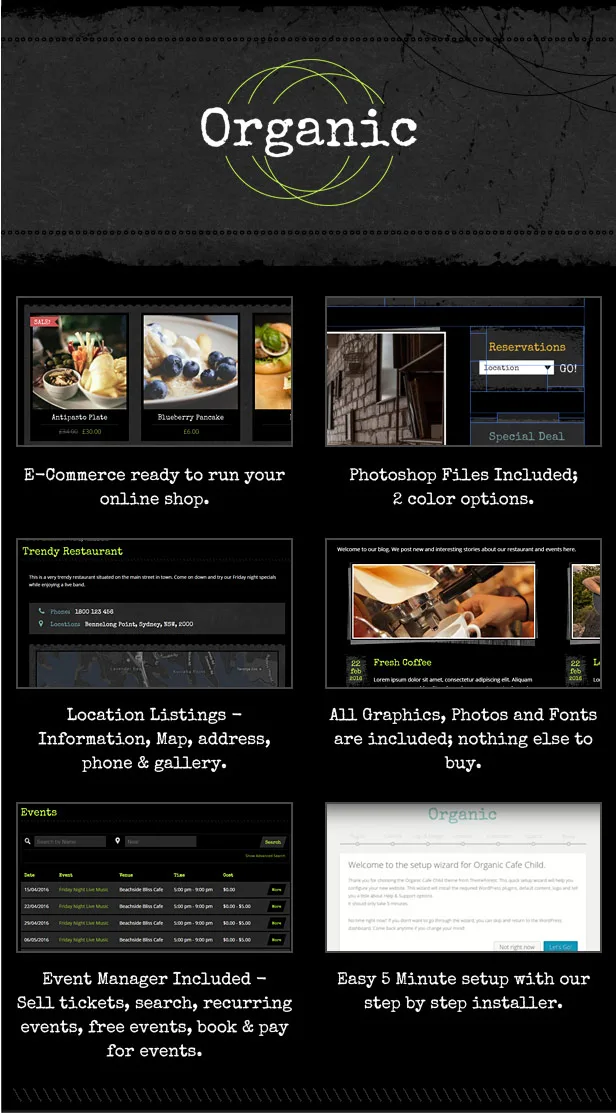
- Creative and easily Customizable Design
- No complicated frameworks – if you need to do advanced changes it will be easy
- Some great included shortcodes (click here to see) – including Google Maps, Fancy Lines, Banners and over 600 icons.
- Easy sidebar manager (hide/show sidebar on each page, left/right/footer widgets)
- Built in image style/decoration – make your inserted images look great with a nice framed decoration – See the demo
- Custom grunge widget styles – decorate your widgets to create that look – see demo
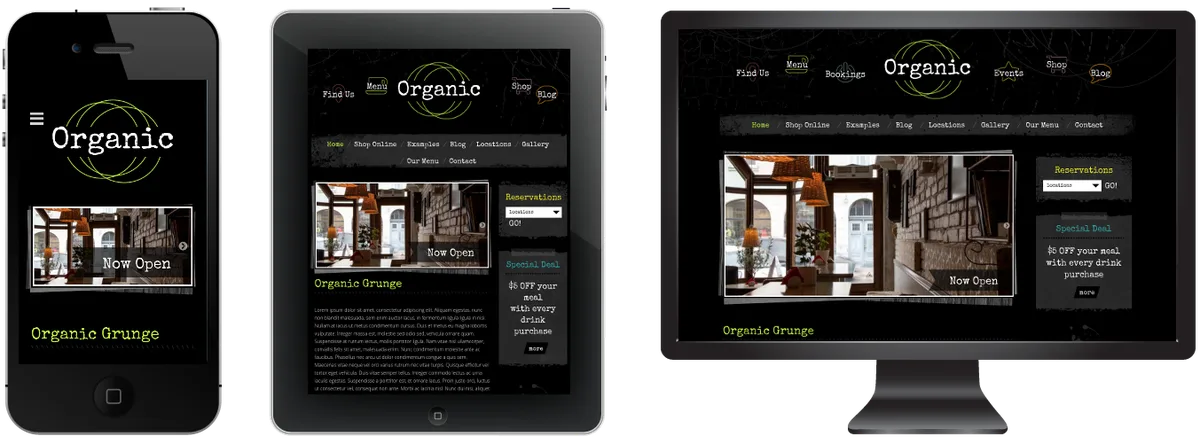
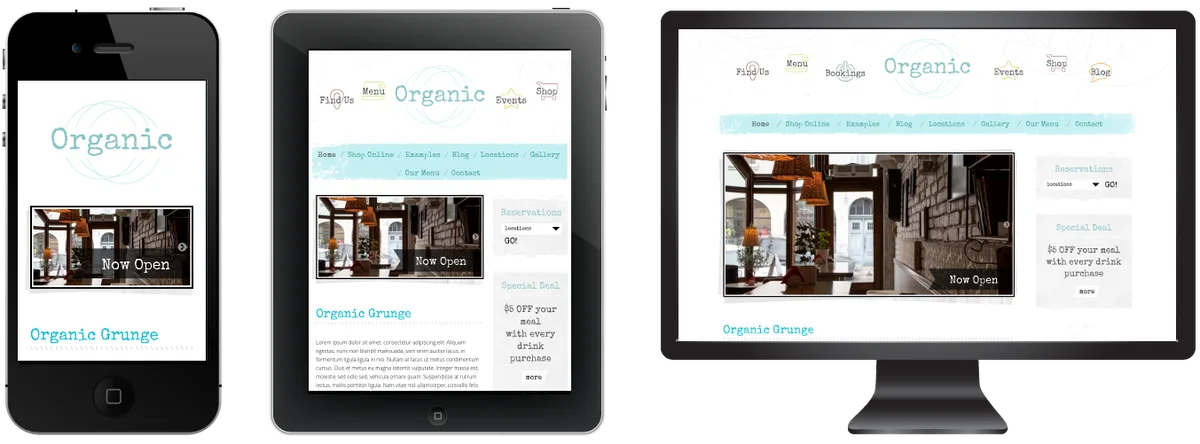
- Two color options included: Dark, Light. You can easily change the colors of most fonts through the Customize menu.
- Easy Font Customizer – change sizes, colors, padding and more.
- Professional e-Commerce option with WooCommerce: example
- Responsive CSS Layout – iPhone and Tablet friendly (can be disabled as well)
- LESS files included for some of the CSS files (optional)
- Contact Forms through ContactForm7 plugin: example
- Easy theme customizations
- Full Documentation provided – check it out!
- Straight forward CSS and HTML markup making it easy for more advanced users to customize
- Default content included so you can get up and running like the demo site in no time (watch the video to see how easy it really is)

Quick Setup Guide:
New to websites? Here are the steps you need to follow to get up and running with this website theme.
- Purchase a “domain name” (e.g. yourbusiness.com)
- Purchase “WordPress website hosting” (hosting is the computer server that runs your website and emails 24/7)
- Some popular providers for domain names and hosting are: BlueHost, DreamHost and WPengine. Generally the more you pay the faster your website will load.
- Talk to your chosen hosting provider to setup your “WordPress” and make sure it works. You should be able to login to your “WordPress Dashboard” with a username and password.
- Once you are at this point, come back here and purchase this WordPress theme.
- Once purchased, go to and press “Download” and then “Installable WordPress file only”. This will download a small (less than 20MB) zip file to your desktop.
- Login to your WordPress dashboard, go to Appearance > Themes > Add New > Upload and choose the ZIP file you just downloaded.
- After uploading the theme to WordPress choose the “Activate” option
- Follow the setup wizard steps.
Requirements
- Some basic knowledge on how to use WordPress
- WordPress 4.8 or above running on your website
- The ability to install WordPress themes and plugins
- Advanced Changes: you will need good PHP/CSS/HTML knowledge or be prepaired to hire someone from Envato Studio to perform advanced modifications for you.
Elementor Page Builder
This theme is comatible with the Elementor page builder. Elementor is a very powerful and very good WordPress page builder. Using Elementor will help you design amazing looking pages very quickly and easily.
More details about the Elementor page builder are here:
- Read the documentation available here:
- Watch the Videos on Youtube here:
- Stay up to date on the latest new features via Facebook here:
Upgrading to Elementor Pro
This theme is compatible with the Free version of Elementor. It is already extremely powerful, but you can take it to the next level by purchasing the 3rd party Pro version. For a small extra fee you get access to great new features such as: Form Builders, Slides, Portfolio, Global Widgets, Custom CSS, Pro Pre-Made Templates, WooCommerce addons, Flip Box, Masonry Layout, Share Buttons and much more.

To find out more and to purchase Elementor Pro please click here:
Support
We hope you enjoy this theme, we had a great time making it. Thanks!Changelog:
Here is a list of theme changes:
- Version: 1.0.7 Date: 2017-06-13 – Elementor page builder update – WordPress 4.8 update
- Version: 1.0.6 Date: 2017-04-24 – WooCommerce update – Elementor support – WordPress update
- Version: 1.0.5 Date: 2016-06-06 – Fix logo header text – Fix WooCommerce cart checkout page
- Version: 1.0.4 Date: 2016-04-06 – Fix installation wizard
- Version: 1.0.3 Date: 2016-04-04 – Fix defaults and script positions
- Version: 1.0.2 Date: 2016-03-31 – Fix back/next default nav button color
- Version: 1.0.1 Date: 2016-03-02 – Initial Release
Categories
Tags
External listing. code.market does not sell this product and does not process payment for it. Pricing, payment, delivery, licensing, refunds, and support are handled by the third-party merchant on its own website. We may earn an affiliate commission from a referral. Details.
Products of the Week.
Submit🥇

STOP GUESSING WHAT TO POST
AI that learns your brand voice and builds a month of consistent, on-brand social content: carousels, posts and hooks that sound like you, not like everyone else's AI.
SaaS · 5,417 views · 51 clicksSaaS · Week 45 · 5,417 views · 51 clicks
🥈

Conversational Backlinks for Busy Founders
Place Backlink Relevant Conversation for your domain across Forums and Conversations
Website · 43,618 views · 226 clicksWebsite · Week 45 · 43,618 views · 226 clicks
🥉

upvote.club
Free Social Media Engagement that Helps Boost Your Content. Upvote Club supports 19 social networks with 100+ engagement actions in one dashboard. Add links to your posts and get free engagement from real users.
SaaS · 41,632 views · 123 clicksSaaS · Week 45 · 41,632 views · 123 clicks
#4

Substack Posting API
Onboard your Agent to Substack. Write Publish on Substack via API
SaaS · 60,582 views · 203 clicksSaaS · Week 45 · 60,582 views · 203 clicks
#5

Seenshot App
Free, Fast, MacOS Screenshot app. Make Screenshot cmd+shift+2 and send it via link
Desktop App · 29,912 views · 124 clicksDesktop App · Week 45 · 29,912 views · 124 clicks
#6

Hand-Placed Backlinks $9.99 per link. Flat rate.
Buy hand-placed forum, Q-A and directory backlinks. Flat $9.99 per link, no subscriptions — you only pay for approved listings.
Website · 5,656 views · 19 clicksWebsite · Week 45 · 5,656 views · 19 clicks
#7

Free Invoice Generator - PDF Invoices in Your Browser, No Sign-Up
A free invoice maker for freelancers and small businesses: fill in the invoice, check the live preview, and download a PDF that looks exactly like it. Any currency, tax per item, three templates, no sign-up, and nothing leaves your device.
4,316 views · 17 clicksWeek 45 · 4,316 views · 17 clicks
#8

Merge PDF Files Free - Combine PDFs in Your Browser, No Upload
A free PDF merger for office workers, students, and freelancers: combine PDFs and images into one file in the browser, reorder files and pages, pick page ranges, keep bookmarks, and open password-protected PDFs. Nothing is uploaded, no sign-up, no watermark.
3,965 views · 14 clicksWeek 45 · 3,965 views · 14 clicks