
2 App Template| Online Banking App| Wallet App| Net Banking App| Digital Bank App| Opus Banking
Description


Online Banking, Wallet & Net Banking App Template
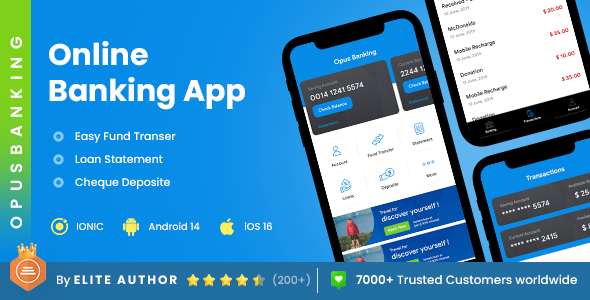
Opus Banking App Template is a complete digital banking solution designed for secure and efficient financial transactions. The template covers essential banking needs in one platform.
Key Features of Opus Banking App Template
- Multiple Fund Transfer Options – Direct Banking, RTGS, and IMPS.
- Add & Manage Beneficiaries – Save and manage beneficiary details.
- Loan Management – Explore loan offers, apply for loans, and view detailed loan statements.
- Deposits Tracking – Access and manage list of deposits directly from the app.
- Biometric Security – Thumb impression authentication for enhanced account protection.
- Nearby Bank & ATM Locator – Find nearby branches and ATMs.
- User Profile Management – Update personal information and account preferences.
Built on a clean and optimized code structure, Opus Banking App Template ensures reliable performance and easy customization for developers. It is a practical choice for financial service providers who want to launch a modern and reliable mobile banking application.
✅ Perfect For
Digital Banking Applications
Fintech Startups
Wallet Solutions
Online Fund Transfer Platforms
Loan Management Apps
Banks and Financial Service Providers
Opus Banking comes with 20+ screens.
List of Screens


Changelog & Update History
Version 6.0
02 July 2026
Update: Updated in Ionic8
Version 5.2
26 February 2026
Update: Performance enhancements
Version 5.1
02 June 2025
Enhanced user experience
UI refinements
Resolved minor glitches
General performance enhancements
Version 5.0
07 December 2024
Enhanced responsiveness
Fixed minor glitches
Updated documentation
Version 4.9
22 August 2024
Updated: Demo Content Updated
Updated: Improved speed and efficiency
Fixed: Minor Bug Fixes
Version 4.8
17 May 2024
Update: Improved Responsive Menu
Update: Add Sentences to translation files.
Update: Color theme improve
Update: Fixed Screen Linking Issue
Version 4.7
10 March 2024
Update: Various minor fixes
Update: Responsiveness Improve
Update: Improved Template Documentation
Version 4.6
21 December 2023
Update: Documentation Update
Version 4.5
9 October 2023
Update: Improved Template Documentation
Update: Performance Enhancements
Update: Various fixes and improvements
Version 4.4
08 September 2023
Update: Performance Enhancements
Update: Improved Template Documentation
Update: Improved font readability
Update: Various minor styling improvements.
Version 4.3
15 July 2023
Update: User interface design
Update: User profile settings
Update: Improved loading speed
Update: User-friendly navigation menu.
Version 4.2
31 May 2023
Update: Documentation updated
Update: Image improvements
Update: Responsiveness improve
Update: Minor Bug Fixes
Update: Screen Linking Issue Fix
Version 4.1
7 April 2023
Update: Resolved UI responsiveness issues.
Update: Other improvements and bug fixes.
Update: Product Description update
Update: Minor update
Update: Improve UI / UX
Update: Add Sentences to translation files.
Version 4.0
22 February 2023
Update: Compatible for Android 14
Update: Compatible for iOS 16
Update: Documentation Update
Update: UI Improvements
Update: Minor Bug Fixes
Version 3.2
2 November 2022
Update: Other minor bug fixes
Update: Other ui fixes
Version 3.1
19 July 2022
Update: Documentation Updated
Version 3.0
9 March 2022
New: Updated for IONIC 6
New: Multiple new languages added
New: Android 13 support added
New: iOS 15 support added
Fix: Dark Mode Toggle state bug fix
Fix: Login screen bug
Fix: Scrolling Bar in lists
Update: Documentation updated
Update: other minor bug fixing
Version 2.4
18 October 2021
Update: Coding structure improve
Update: Add Sentences to translation files.
Version 2.3
17 March 2021
New: ANIMATION ON ALL SCREENS
Update: Documentation Updated
Update: UI Improvements
Update: Minor Bug Fixes
version 2.2
23 December 2020
Update: Documentation Updated
Update: UI Improvements
Update: Minor Bug Fixes
Update: Screen Linking Issue Fix
New: New Screens Added
Version 2.1
15 April 2020
New: Change Language Page
New: Arabic Language Added
New: Portuguese Language Added
New: Indonesia Language Added
New: French Language Added
New: Spanish Language Added
Version 2.0
26 March 2020
Update: Updagrade to IONIC 5
Update: UI Improvements
Update: Other Bug Fixes
Update: Ready For iOS 14 and Android 10


Opus Banking can be used as paytm clone, phonepe clone, google pay clone, bhim clone, mobikwik clone, hdfc bank clone, icici bank clone, sbi yono clone, axis bank clone, idfc first bank clone, yes bank clone, wise alternative, revolut alternative, chime alternative, cash app clone, venmo alternative, monzo alternative, n26 alternative, payoneer alternative, wise script, wise software, wise system, bhim software, google pay alternative, phonepe software, core banking software, banking management system, finance management software, mobile wallet system, digital wallet software, online transaction app, secure payment app, mobile banking solution, banking software development, bank crm system, ready made banking app, white label banking app, banking php script, flutter banking app, bank app development, mobile payment software, wallet system software, banking automation software, online payment app, digital finance software, fintech app solution, financial institution system, financial software development, complete banking system, mobile money transfer app


| Type | Native Web App |
|---|---|
| Author | opuslabworks |
| Price | $79 |
| Sales | 125 |
| Rating | 0 (1) |
| Published | Aug 23, 2019 |
| Last Update | Jul 2, 2026 |
| Compatible Software | Other, Other, Other, Other, Other |
| Demo Url | https://opuslab.works/apps/payment-banking/opusbanking |
| Mobile Files Included | JavaScript JSON, CSS, HTML |
| Software Framework | Cordova, Ionic |
Categories
Tags
External listing. code.market does not sell this product and does not process payment for it. Pricing, payment, delivery, licensing, refunds, and support are handled by the third-party merchant on its own website. We may earn an affiliate commission from a referral. Details.
Products of the Week.
Submit🥇

STOP GUESSING WHAT TO POST
AI that learns your brand voice and builds a month of consistent, on-brand social content: carousels, posts and hooks that sound like you, not like everyone else's AI.
SaaS · 6,693 views · 64 clicksSaaS · Week 46 · 6,693 views · 64 clicks
🥈

Conversational Backlinks for Busy Founders
Place Backlink Relevant Conversation for your domain across Forums and Conversations
Website · 45,719 views · 230 clicksWebsite · Week 46 · 45,719 views · 230 clicks
🥉

upvote.club
Free Social Media Engagement that Helps Boost Your Content. Upvote Club supports 19 social networks with 100+ engagement actions in one dashboard. Add links to your posts and get free engagement from real users.
SaaS · 43,698 views · 125 clicksSaaS · Week 46 · 43,698 views · 125 clicks
#4

Substack Posting API
Onboard your Agent to Substack. Write Publish on Substack via API
SaaS · 62,625 views · 204 clicksSaaS · Week 46 · 62,625 views · 204 clicks
#5

Seenshot App
Free, Fast, MacOS Screenshot app. Make Screenshot cmd+shift+2 and send it via link
Desktop App · 31,869 views · 125 clicksDesktop App · Week 46 · 31,869 views · 125 clicks
#6

Hand-Placed Backlinks $9.99 per link. Flat rate.
Buy hand-placed forum, Q-A and directory backlinks. Flat $9.99 per link, no subscriptions — you only pay for approved listings.
Website · 7,558 views · 19 clicksWebsite · Week 46 · 7,558 views · 19 clicks
#7

Free Invoice Generator - PDF Invoices in Your Browser, No Sign-Up
A free invoice maker for freelancers and small businesses: fill in the invoice, check the live preview, and download a PDF that looks exactly like it. Any currency, tax per item, three templates, no sign-up, and nothing leaves your device.
6,172 views · 21 clicksWeek 46 · 6,172 views · 21 clicks
#8

Merge PDF Files Free - Combine PDFs in Your Browser, No Upload
A free PDF merger for office workers, students, and freelancers: combine PDFs and images into one file in the browser, reorder files and pages, pick page ranges, keep bookmarks, and open password-protected PDFs. Nothing is uploaded, no sign-up, no watermark.
5,702 views · 16 clicksWeek 46 · 5,702 views · 16 clicks