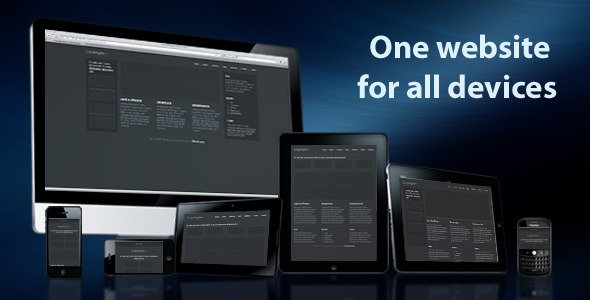
One Website For All Devices
Description
One Website For All Devices allows you to build a single website, web application or native mobile application that works on multiple devices, screen sizes and orientations, all from the same code.
Consider how the following layout adjusts itself automatically to accommodate different screen dimensions:
Using the first two layouts for example, you could build a native iPad and iPhone app that scales perfectly on both devices.
It is aimed at two groups of developers:- Web developers looking to build responsive websites that adjust automatically to multiple screen sizes and devices.
- Mobile application developers looking to accomplish the same purpose, but in native mobile applications or web apps built using HTML code and tools like PhoneGap, Corona or Titanium.
- Developing and maintaining multiple versions of the same website for different platforms (i.e. mobile.website.com, ipad.website.com and www.website.com)
- Compromising real state and/or content to allow smaller screens to access the same site, such as optimizing a site for 1024×768, which can look fairly small to users with screen resolutions of 1280px wide and above
- Having to build multiple versions of native mobile applications, one for each platform such as iOS, Blackberry and Android
The purpose of this package is to help you set the structure of a multi-device website or native application quick and easy, while staying out of your way. A set of structural, responsive web design templates allow you to add all the design beauty and styling, and get you started in minutes. Mobile application developers can use this package with tools such as PhoneGap, Appcelerator Titanium, Corona, Rhomobile, Sencha and AppMobi. The powerful multi-platform publishing capabilities of these tools, allow you to deploy native mobile applications using the same source code, leveraging native APIs and device-specific features; all of this using your web dev skills.
One Website For All Devices works on all browsers and modern mobile devices. It uses a combination of techniques to render the best layout for each of the following 4 screen size groups:
- Mobile: below 728px wide (i.e. iPhone, Blackberry, Motorola Atrix)
- Tablets: below 960px wide (i.e. iPad in portrait mode, Blackberry Playbook and smartphones in landscape mode)
- Netbooks & tablets: below 1200px wide (i.e. HP Mini, iPad in landscape mode, low res monitors)
- Monitors: above 1200px wide (i.e. 19” monitors and up, iMacs, large screen laptops)
- Detailed documentation, what is included and how to use this product
- One Website For All Devices – light: 7 structural templates on white background
- One Website For All Devices – dark: 7 structural templates on dark background
- Base files: the backbone of One Website For All Devices, these files provide the core functionality (included with light and dark sets)
- PhoneGap package (XCode 4 version included): uses dark version of One Website For All Devices by default (found in “www” folder)
- Photoshop template with 8 overlays to help you measure your layouts and get an idea of what they will look like on different screens and devices
Categories
Tags
External listing. code.market does not sell this product and does not process payment for it. Pricing, payment, delivery, licensing, refunds, and support are handled by the third-party merchant on its own website. We may earn an affiliate commission from a referral. Details.
Products of the Week.
Submit🥇

STOP GUESSING WHAT TO POST
AI that learns your brand voice and builds a month of consistent, on-brand social content: carousels, posts and hooks that sound like you, not like everyone else's AI.
SaaS · 3,992 views · 35 clicksSaaS · Week 45 · 3,992 views · 35 clicks
🥈

Conversational Backlinks for Busy Founders
Place Backlink Relevant Conversation for your domain across Forums and Conversations
Website · 41,640 views · 222 clicksWebsite · Week 45 · 41,640 views · 222 clicks
🥉

upvote.club
Free Social Media Engagement that Helps Boost Your Content. Upvote Club supports 19 social networks with 100+ engagement actions in one dashboard. Add links to your posts and get free engagement from real users.
SaaS · 39,666 views · 114 clicksSaaS · Week 45 · 39,666 views · 114 clicks
#4

Substack Posting API
Onboard your Agent to Substack. Write Publish on Substack via API
SaaS · 58,695 views · 198 clicksSaaS · Week 45 · 58,695 views · 198 clicks
#5

Seenshot App
Free, Fast, MacOS Screenshot app. Make Screenshot cmd+shift+2 and send it via link
Desktop App · 28,077 views · 122 clicksDesktop App · Week 45 · 28,077 views · 122 clicks
#6

Hand-Placed Backlinks $9.99 per link. Flat rate.
Buy hand-placed forum, Q-A and directory backlinks. Flat $9.99 per link, no subscriptions — you only pay for approved listings.
Website · 3,936 views · 19 clicksWebsite · Week 45 · 3,936 views · 19 clicks
#7

Free Invoice Generator - PDF Invoices in Your Browser, No Sign-Up
A free invoice maker for freelancers and small businesses: fill in the invoice, check the live preview, and download a PDF that looks exactly like it. Any currency, tax per item, three templates, no sign-up, and nothing leaves your device.
2,614 views · 17 clicksWeek 45 · 2,614 views · 17 clicks
#8

Merge PDF Files Free - Combine PDFs in Your Browser, No Upload
A free PDF merger for office workers, students, and freelancers: combine PDFs and images into one file in the browser, reorder files and pages, pick page ranges, keep bookmarks, and open password-protected PDFs. Nothing is uploaded, no sign-up, no watermark.
2,433 views · 13 clicksWeek 45 · 2,433 views · 13 clicks