OAuth Connector for Twitch.tv - PHP
Description
// NEWS: OCTOBER 2026: Still works!
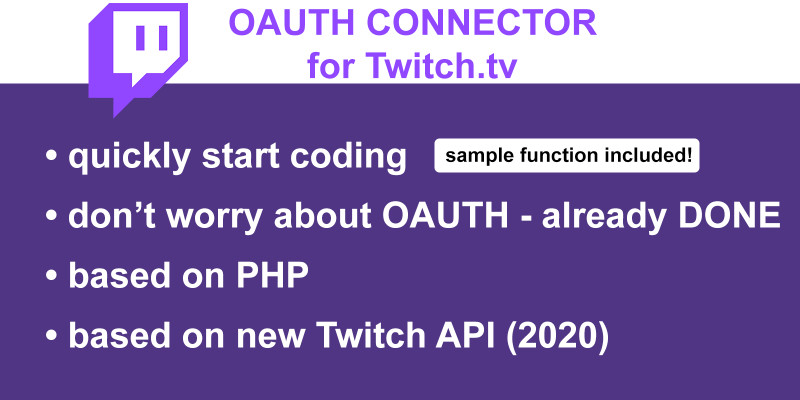
Our OAuth Connector takes care of the authentication process, freeing you to focus on coding. We've also included a sample function to demonstrate its use, which can be easily modified to suit your specific needs, accelerating your development process.
The Connector retrieves and refreshes OAuth tokens using your provided client ID and client secret. We've included a guide on how to obtain these from Twitch.
Please note, this OAuth Connector is designed for obtaining 'app access tokens' only. Before proceeding, ensure your planned functionalities only require an 'app access token'. To verify this, check the 'Authorization' section of the function you're implementing on the Twitch API reference page: https://dev.twitch.tv/docs/api/reference/
For instance, the 'Get Videos' function accepts both 'app access token' and 'user access token', which means this function can be implemented using our OAuth Connector: https://dev.twitch.tv/docs/api/reference/#get-videos
The "PHP OAuth Connector for Twitch.tv API" isn't endorsed by Twitch or Amazon and doesn't reflect the views or opinions of Twitch or anyone officially involved in producing or managing Twitch or Amazon.
Features
- easy to use and provides you a head-start for your development
- sample function included
- automatically gets the OAUTH token after first script runtime
- automatically refreshes the twitch OAUTH token (expires every 60 days)
Requirements
- PHP knowledge
- PHP Version: at least version 8.0 - higher is recommended
- Server needs to have permissions to read and write to the config-File
- cURL needs to be enabled in the php.ini / allowed on the server
Instructions
You will also get all Instructions in the README file after your purchase!
In general you have to do these steps:
1: Register your app at Twitch Developer to obtain a client ID and client secret
2: Paste your Client ID and Client Secret into the config.ini file into the according keys
3: Download the package, extract it and copy the files into the folder of your website / webapp
4: Use the following code to try out the OAuth Connector and the sample function to get a working response from the Twitch API
try {
 // Instantiate a new TwitchApi object. Make sure to provide the correct path to the 'config.ini' file.
 $twitchApi = new TwitchApi(__DIR__ . '/path/config.ini');

 // Call the getID() function and pass the name of the Twitch user whose ID you want to retrieve.
 $id = $twitchApi->getID('LIRIK');

 // echo the Streamer and his Twitch ID
 echo "LIRIK - ID: " . $id;
} catch (Exception $e) {
 // If something goes wrong, the script will catch the exception and print its message.
 echo "We encountered an issue. Please refresh or try it again later.";
}
5: Use the included sample function (getID) as your starting point to easily develop your own functions and quickly develop your needed functionalities!
| Author | Fragxz |
|---|---|
| Category | Scripts & Code / PHP Scripts / Social Networking |
| Price | $9 |
| Extended License | $27 |
| Likes | 3 |
| First Release | Jun 27, 2023 |
| Last Update | Jun 27, 2023 |
| Software version | PHP 8.0, PHP 8.1, PHP 8.2, PHP 8.3, PHP 8.4 |
Categories
Tags
External listing. code.market does not sell this product and does not process payment for it. Pricing, payment, delivery, licensing, refunds, and support are handled by the third-party merchant on its own website. We may earn an affiliate commission from a referral. Details.
Products of the Week.
Submit🥇

STOP GUESSING WHAT TO POST
AI that learns your brand voice and builds a month of consistent, on-brand social content: carousels, posts and hooks that sound like you, not like everyone else's AI.
SaaS · 6,571 views · 61 clicksSaaS · Week 46 · 6,571 views · 61 clicks
🥈

Conversational Backlinks for Busy Founders
Place Backlink Relevant Conversation for your domain across Forums and Conversations
Website · 45,536 views · 229 clicksWebsite · Week 46 · 45,536 views · 229 clicks
🥉

upvote.club
Free Social Media Engagement that Helps Boost Your Content. Upvote Club supports 19 social networks with 100+ engagement actions in one dashboard. Add links to your posts and get free engagement from real users.
SaaS · 43,524 views · 124 clicksSaaS · Week 46 · 43,524 views · 124 clicks
#4

Substack Posting API
Onboard your Agent to Substack. Write Publish on Substack via API
SaaS · 62,458 views · 204 clicksSaaS · Week 46 · 62,458 views · 204 clicks
#5

Seenshot App
Free, Fast, MacOS Screenshot app. Make Screenshot cmd+shift+2 and send it via link
Desktop App · 31,708 views · 125 clicksDesktop App · Week 46 · 31,708 views · 125 clicks
#6

Hand-Placed Backlinks $9.99 per link. Flat rate.
Buy hand-placed forum, Q-A and directory backlinks. Flat $9.99 per link, no subscriptions — you only pay for approved listings.
Website · 7,403 views · 19 clicksWebsite · Week 46 · 7,403 views · 19 clicks
#7

Free Invoice Generator - PDF Invoices in Your Browser, No Sign-Up
A free invoice maker for freelancers and small businesses: fill in the invoice, check the live preview, and download a PDF that looks exactly like it. Any currency, tax per item, three templates, no sign-up, and nothing leaves your device.
6,020 views · 20 clicksWeek 46 · 6,020 views · 20 clicks
#8

Merge PDF Files Free - Combine PDFs in Your Browser, No Upload
A free PDF merger for office workers, students, and freelancers: combine PDFs and images into one file in the browser, reorder files and pages, pick page ranges, keep bookmarks, and open password-protected PDFs. Nothing is uploaded, no sign-up, no watermark.
5,565 views · 16 clicksWeek 46 · 5,565 views · 16 clicks