
Northbit - IT Services WordPress Theme
Description
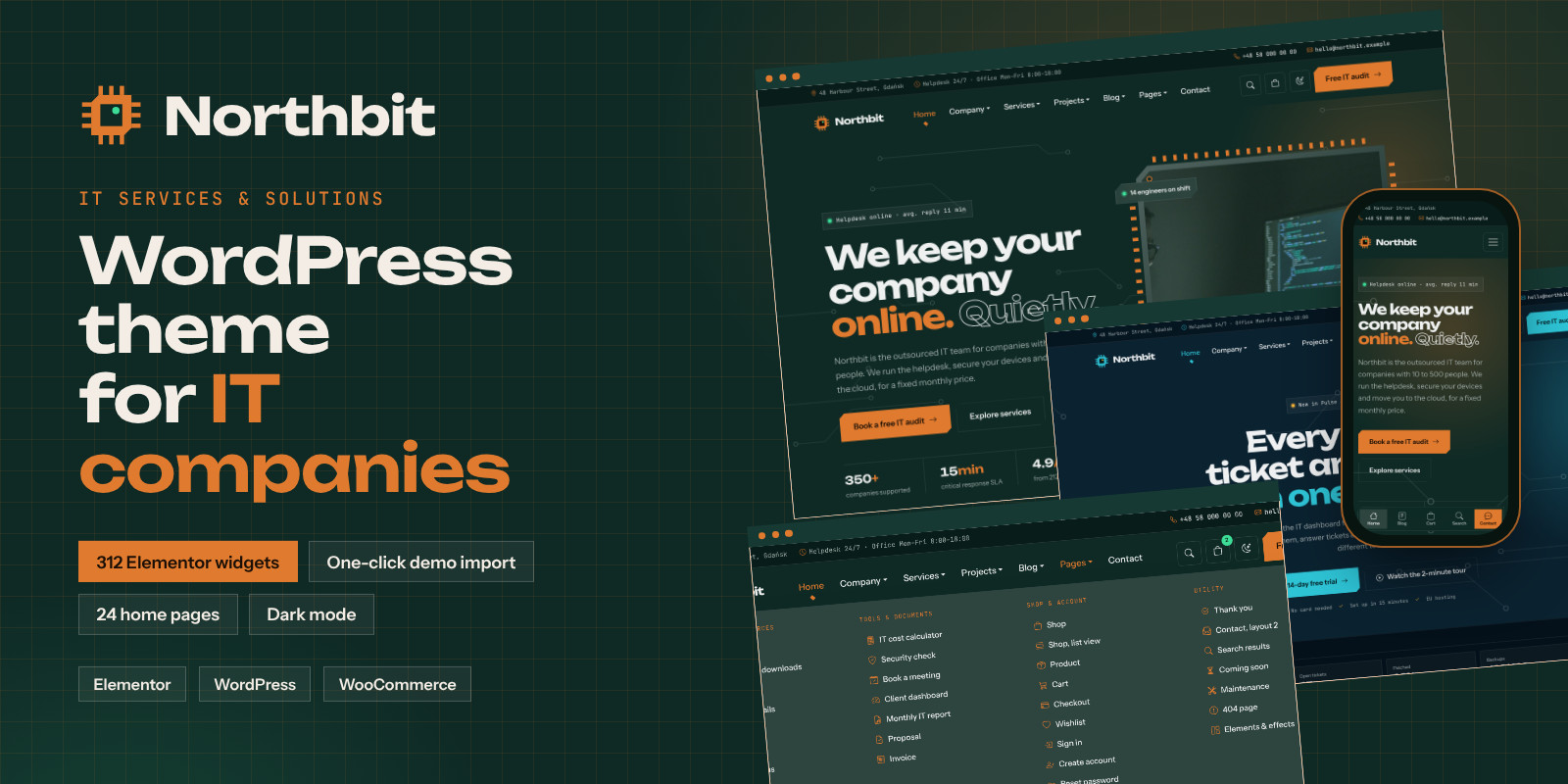
A WordPress theme for IT companies: managed service providers (MSP), helpdesk and IT support teams, cybersecurity firms, cloud and hosting providers, AI consultancies, software houses and IT consultants. Its circuit-board design with cut corners and monospace details sets it apart from generic corporate themes, and every section of the design is an Elementor widget you can edit, move and reuse.
Built on Bootstrap 5.3.8 with plain JavaScript. Works with the free Elementor; no Elementor Pro needed.
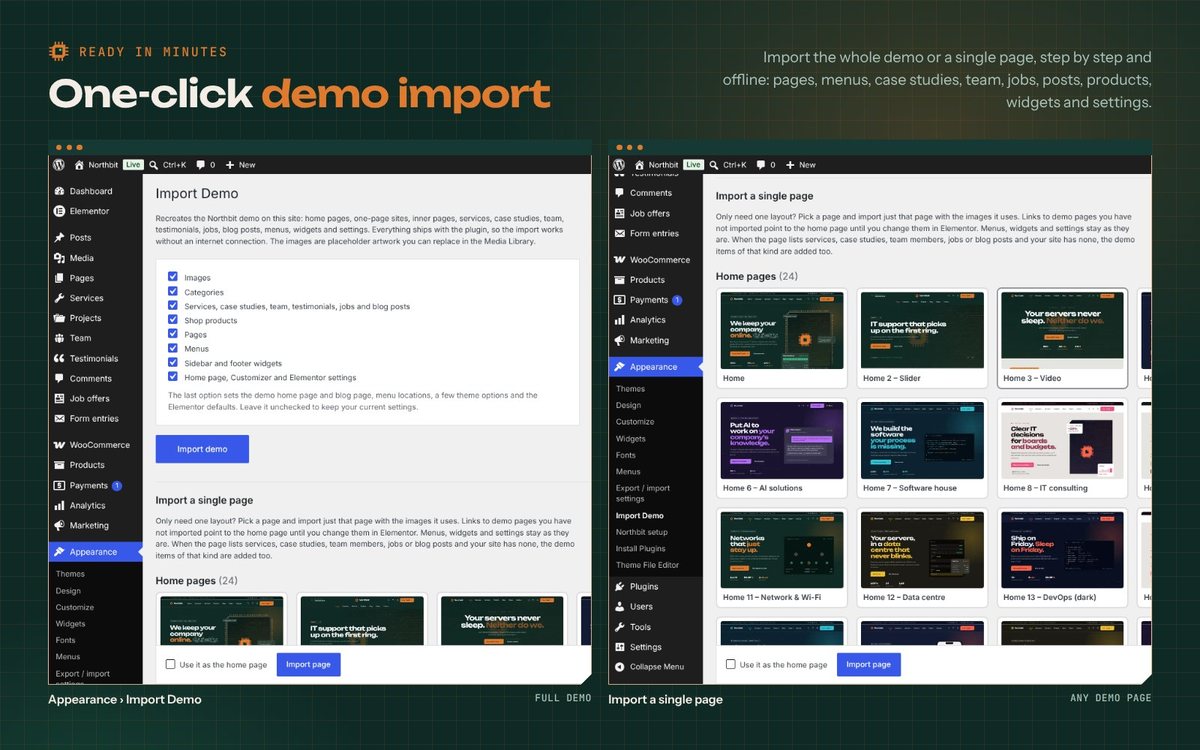
One click imports the whole demo: pages, menus, services, case studies, team, jobs, blog posts, shop products, widgets and settings. You can also import a single page.
See it in action
Watch the 1.5-minute video: https://youtu.be/RhOGwgSj2KI. It shows the home pages, editing a page in Elementor, the Style tab of a Northbit widget and the block library.
What's included
- Northbit theme (
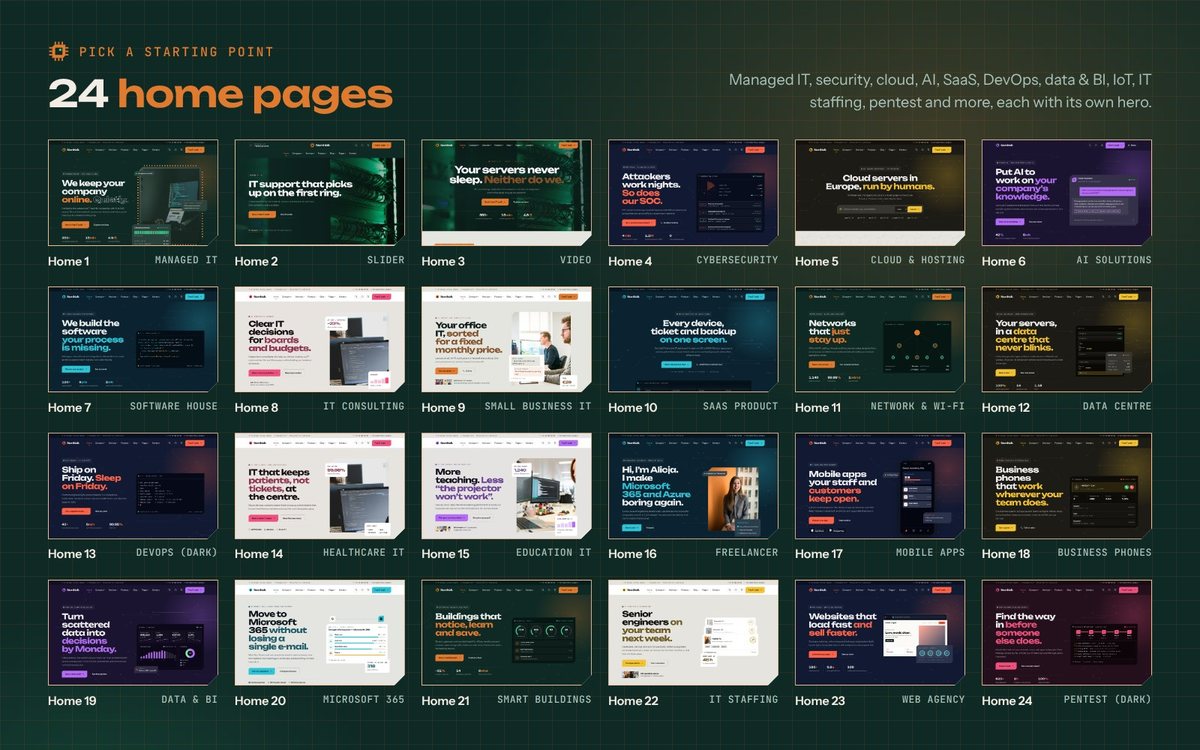
northbit.zip), child theme and the Northbit Core plugin with 312 Elementor widgets, the block library, forms and the demo import - 24 home pages: Managed IT, Slider, Video background, Cybersecurity (SOC), Cloud & hosting, AI solutions, Software house, IT consulting, Small business IT, SaaS product, Network & Wi-Fi, Data centre, DevOps (dark), Healthcare IT, Education IT, Freelance consultant, Mobile apps, Business phones (VoIP), Data & BI analytics, Microsoft 365 migration, IoT & smart buildings, IT staffing, Web agency, Penetration testing
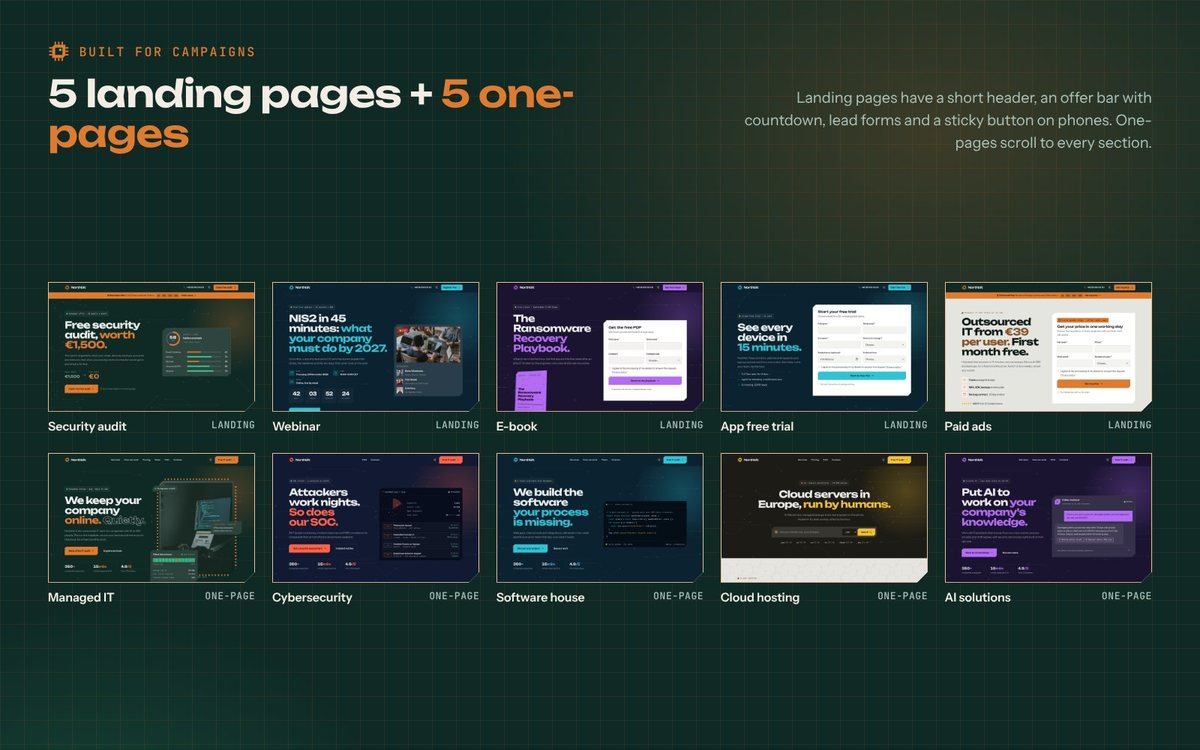
- 5 one-page sites and 5 landing pages: free security audit, webinar sign-up, e-book download, app free trial, paid ads campaign
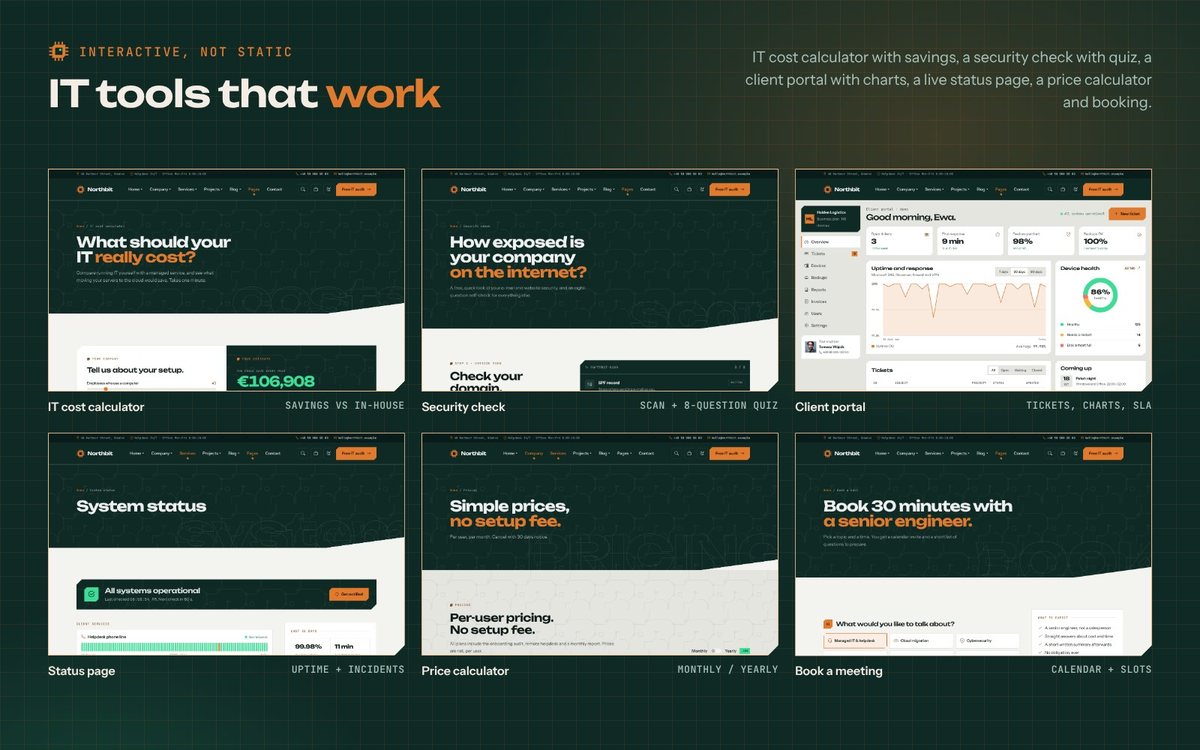
- IT tools: IT cost calculator, security check with quiz, price calculator, system status page, meeting booking
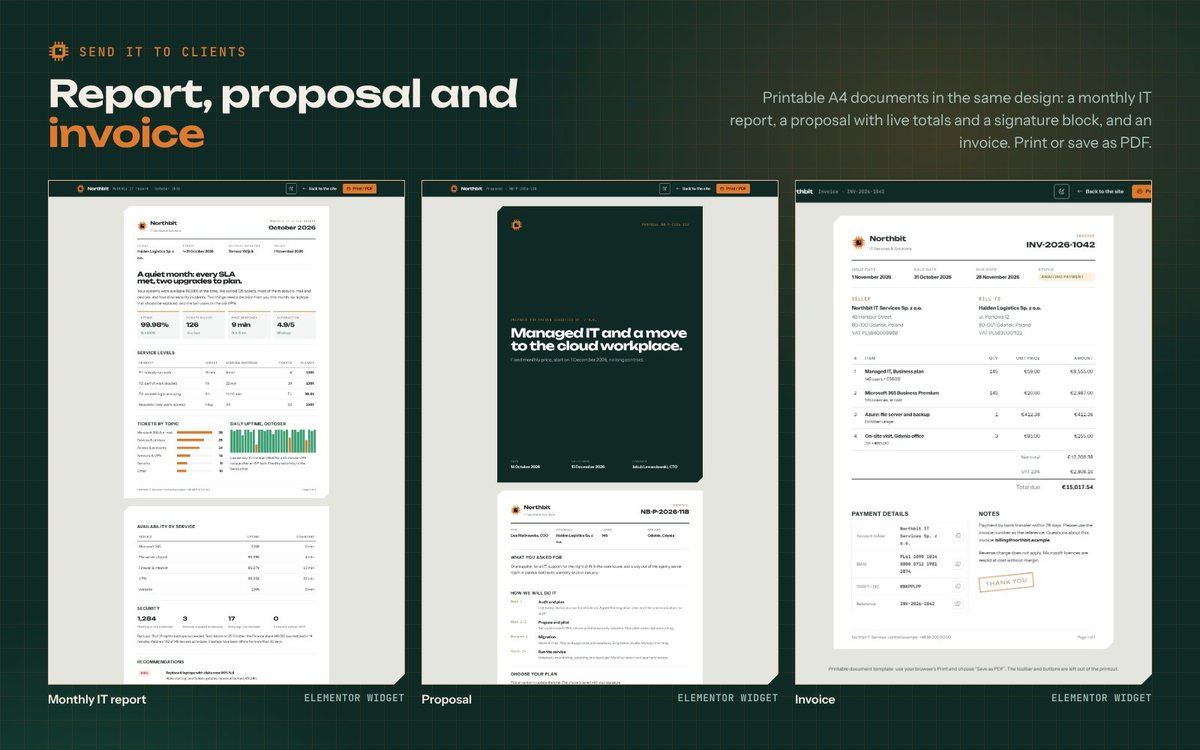
- Client area: client portal dashboard and 3 printable A4 documents (monthly IT report, proposal, invoice) with a "Printable document" page template
- Company: About (2 layouts), Team (2 layouts), Team member, Testimonials, Careers and job offers, Industries, FAQ
- Services and projects: Services (2 layouts), Service details (2 layouts), Pricing (2 layouts), Case studies grid and masonry, Case study in Classic and Story layouts
- Blog and resources: Blog (list, left sidebar, grid, masonry), single post with author box and comments, Resources with gated downloads, Webinars, Webinar details
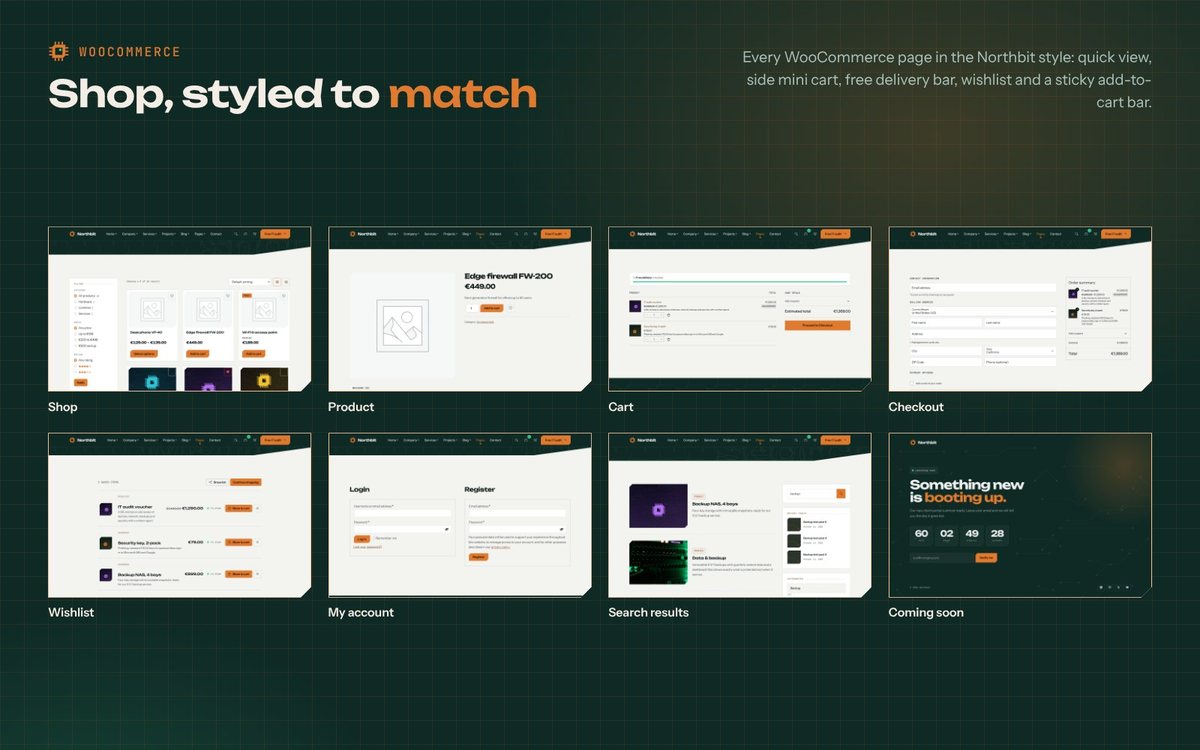
- Shop (WooCommerce): shop in grid or list view, product, cart, checkout, My account and a wishlist
- Utility: Search results, Thank you, Coming soon, Maintenance, Privacy, Terms, 404, Contact (2 layouts), Elements
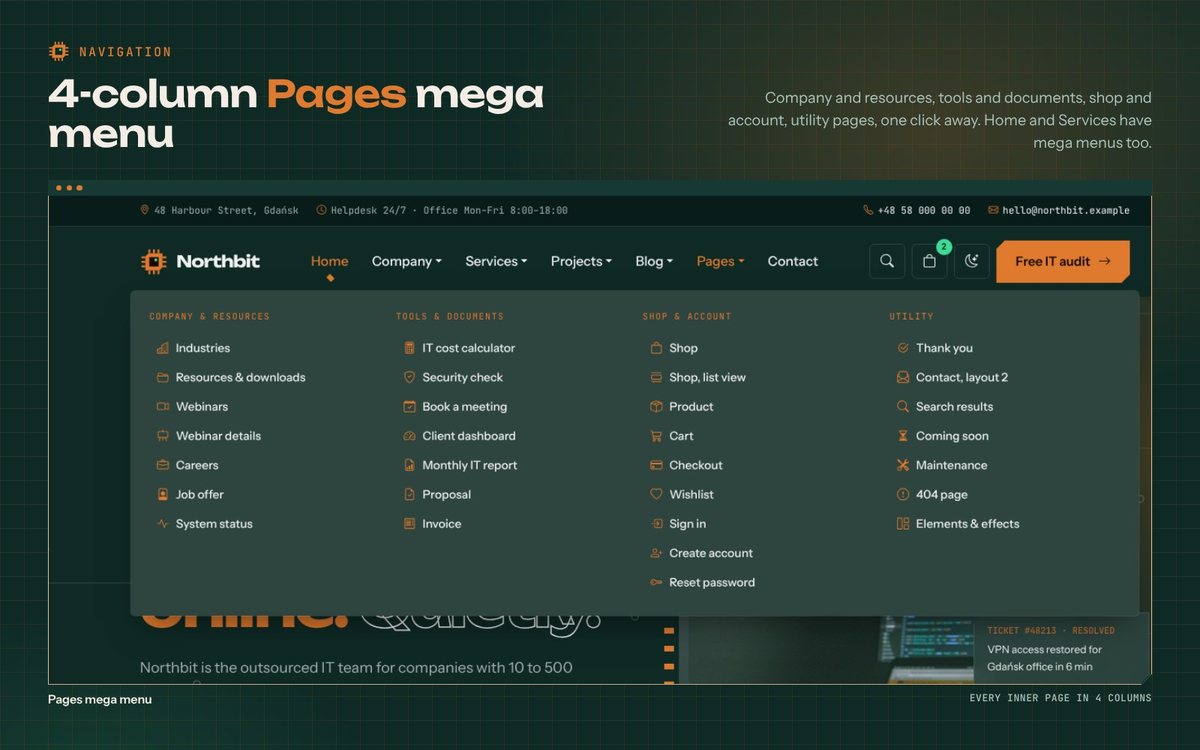
- Home, Services and a 4-column Pages mega menu, built in Appearance › Menus
- 8 HTML e-mail templates in the documentation folder
- HTML documentation, translation templates (.pot) and Polish and German translations
Notes
- Demo photos and video are not included in the download. The live preview uses photos from Unsplash and a video from Pexels for presentation only. The demo import uses original circuit-board artwork made for this theme, ready to be replaced in the Media Library. An optional step of the import, off by default, downloads the preview photos and video straight from Unsplash and Pexels under their free licences.
- All company names, people, figures and reviews in the sample content are fictional.
Screens
Changelog
Version 1.8.3 (16 Oct 2026)
- Fixed: importing the demo again after its pages were deleted by hand rebuilds the demo menus left behind, instead of reusing a menu with missing items. A menu of yours with the same name is kept; the demo gets its own copy and takes the menu locations.
- Fixed: "Remove demo content" with restore also puts your menus back in their locations.
Version 1.8.1 (15 Oct 2026)
- Security: the contact, appointment and newsletter forms check a WordPress nonce (fetched when the form is sent, so it works with page caching).
- Improved: the demo import remembers your settings from before the import; "Remove demo content" can restore them (home page, posts per page, permalinks, menu locations, Elementor and WooCommerce settings).
- Changed: the setup screen installs and activates plugins only through TGM Plugin Activation.
- New: optional download of the real demo photos and video from Unsplash and Pexels during the demo import (off by default), also for a single page; the import screen lists every setting the import changes.
- Fixed: plugin sizes in the documentation.
Version 1.8.0 (14 Oct 2026)
- New: 233 section widgets, one for every section of the HTML design, in eight "Northbit sections" categories (312 Elementor widgets in total).
- New: the section widgets in the block library (352 blocks, with previews).
- New: Home 19 to Home 24 in the demo (data & BI, Microsoft 365 migration, IoT buildings, IT staffing, web agency, penetration testing) and in the Home mega menu.
- Improved: the light header layout uses the light top bar.
Version 1.7.0 (14 Oct 2026)
- New: optional confirmation e-mail to the visitor, with an HTML template (see Forms and e-mail); 8 HTML e-mail templates in
documentation/email-templates. - Improved: the demo import takes over empty "Home" and "Contact" pages made by an installer.
- Improved: the map loads only near the screen; consent-gated scripts accept data-src.
- Fixed: tested with W3C validator, axe (WCAG 2.2 AA), WP_DEBUG and keyboard on 135 pages; contrast, focus rings, dialog roles, a PHP error on array form fields, anchor buttons.
Version 1.6.0 (14 Oct 2026)
- New: import a single demo page; block library with 120 sections in the Elementor editor.
- New: header and footer from Elementor templates without Elementor Pro (10 site part widgets, per-page choice, starter templates).
- New: Style tab in every Northbit widget; colour presets become Elementor global colours, fonts and Elementor 4 variables.
- New: 28 block patterns and block styles for the block editor.
- New: only the CSS each page needs is loaded, minified files.
- New: Polish and German translations,
wpml-config.xml.
Version 1.5.0 (14 Oct 2026)
- New: 12 inner pages in the demo: industries, resources, webinars, webinar details, thank you, service details layout 2, IT cost calculator, security check, client dashboard, monthly report, proposal, invoice.
- New: 23 widgets (see section 09) and the "Printable document" page template.
- New: Pages mega menu (mega-pages menu class), custom cursor option, page option to hide the mobile bar, WhatsApp button and newsletter popup.
- New: word-by-word title reveal, Image Gallery mosaic layout with the theme lightbox, form redirect to a thank-you page.
Version 1.4.0 (14 Oct 2026)
- New: 10 home pages (Home 9–18) and 5 landing pages (audit, webinar, e-book, app trial, paid ads) in the demo.
- New: "Landing page" header layout, header button and
light/darkmode per page. - New: Hero widget with 11 new visuals, particles background and extras (price, event details, countdown, badges, store buttons, book).
- New widgets: Split section, Lead Form, Offer Bar, Sticky CTA, Offer Stack, Before / After, Area Rows, Chapters, Author, CTA Band.
- New: pipeline steps,
pain/offer/spec/stackcards, feature tabs, client strip, Calendly with contact lines. - New: Home mega menu (mega-home, mega-mini, mega-join menu classes).
Version 1.3.0 (14 Oct 2026)
- New: side mini cart with a free delivery progress bar (also on the cart page).
- New: quick view on product cards, sticky "Add to cart" bar on product pages.
- New: product options as buttons with colour swatches; "Northbit: Product filter" widget (category, price, rating).
- New: Calendly booking widget and shortcode (loads on click or after marketing consent).
- New: coming soon and maintenance mode (503) in the Customizer.
- New: export and import of the theme settings (Appearance › Export / import settings).
- New: TGM Plugin Activation: install or update the plugins in bulk (Appearance › Install Plugins).
Version 1.2.0 (14 Oct 2026)
- New: Form entries in the admin with CSV export; every form message is kept even when the email fails.
- New: optional Google reCAPTCHA v3 for all forms.
- New: newsletter forms send through the theme, with Mailchimp (API key, audience, double opt-in) or email.
- New: cookie bar with categories (necessary, analytics, marketing), Google Consent Mode v2 and a "Cookie settings" link.
- New: Google Analytics 4, Google Tag Manager and Meta Pixel fields that wait for consent; custom code in head, body and footer.
- New: schema.org structured data (company, website, breadcrumbs, articles), off when an SEO plugin is active.
- New: live search suggestions in the search window.
- New: "Load more" button or infinite scroll for the blog, reading progress bar, copy link button.
- New: mobile bottom bar (own menu) and WhatsApp chat button.
Version 1.1.1 (9 Oct 2026)
- Fixed: the main menu and the Services mega menu could appear in the wrong order on some servers. Running the demo import again rebuilds the demo menus.
Version 1.1.0 (9 Oct 2026)
- New: mega menu support in the main menu (CSS class "mega"), used by the demo Services menu.
- New: demo menus mirror the HTML version, with icons and short descriptions.
- New: demo pages Pricing 2, Elements, Maintenance, Wishlist, Blog grid, Blog left sidebar and Blog masonry.
- New: "Blog posts" page template with its own layout and sidebar options.
- New: "Story" layout for case studies (big header, numbers band, before and after, phases).
- New: wishlist for WooCommerce (heart buttons and a page).
- New: shop list view (?view=list) with a grid / list switch.
- New: maintenance layout in the Countdown widget.
- Changed: the demo import turns on customer registration in WooCommerce.
Version 1.0.2 (9 Oct 2026)
- New: filters to swap the demo images
Version 1.0.1 (8 Oct 2026)
- Fixed: the demo import stopped at the Pages step
- Fixed: "Install & activate" on the setup screen (fallback and error message)
Version 1.0.0 (7 Oct 2026)
- First release
Features
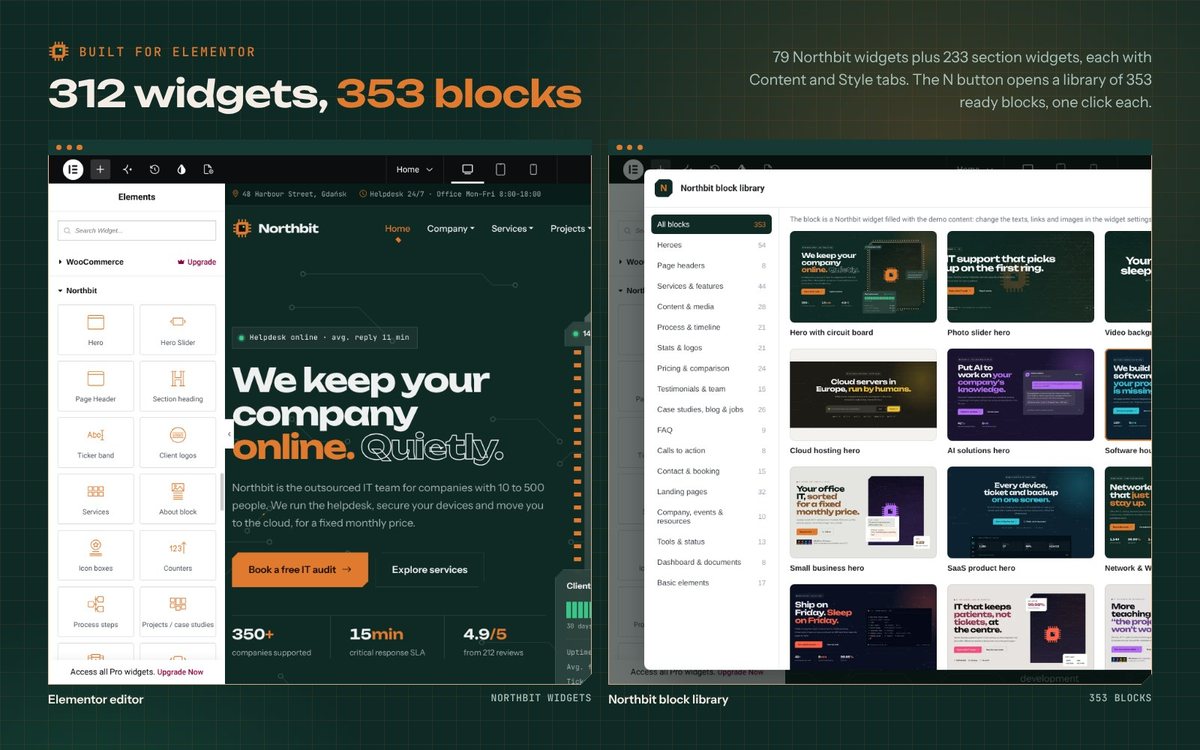
- 312 Elementor widgets: 79 configurable widgets plus 233 section widgets (every section of the design), each with Content and Style tabs (colours, typography, spacing and corners)
- Northbit block library inside the Elementor editor: 352 ready sections in 17 categories with previews, inserted with one click
- One-click demo import that works offline, step by step; import the full demo or a single page, and remove it again
- Colour presets become Elementor global colours and fonts, and Elementor 4 variables
- Header and footer from Elementor templates without Elementor Pro (site part widgets, per-page choice, starter templates)
- 28 block patterns and block styles for the block editor
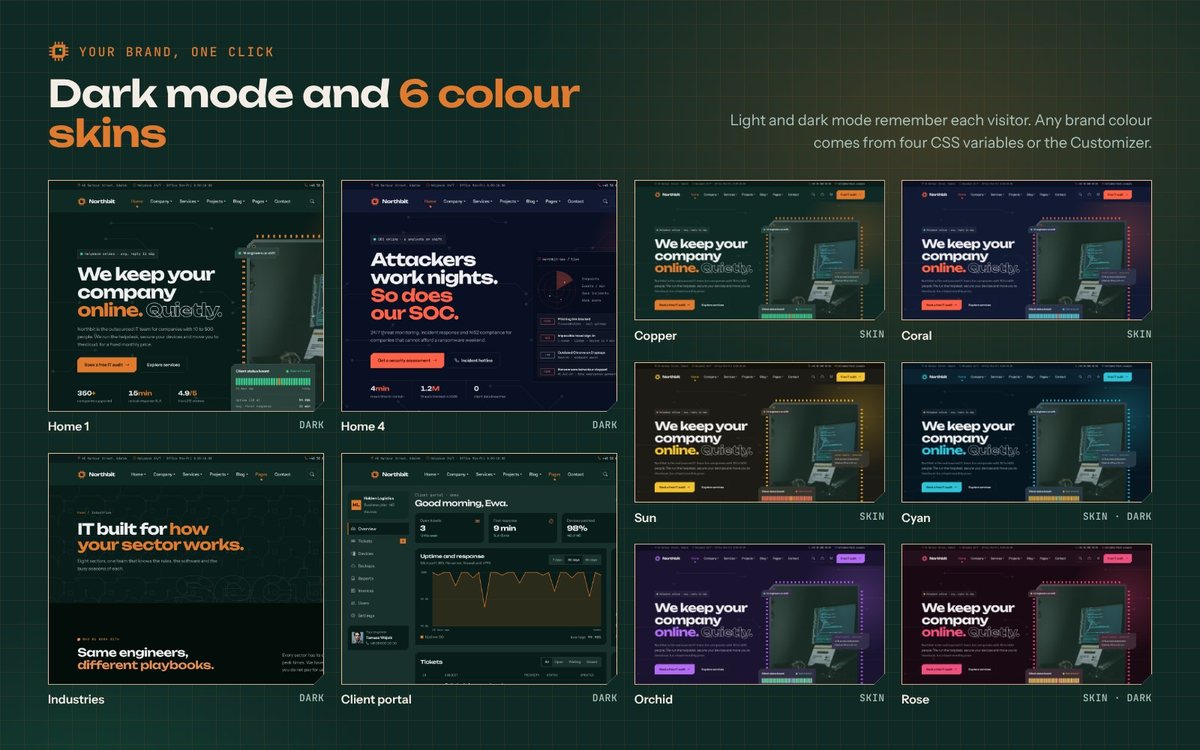
- 6 colour skins plus any brand colour from the Customizer; light and dark mode, remembered for each visitor
- Header layouts: classic, light, centred logo, transparent over the hero, off-canvas side menu, one-page and landing page; 3 footers; all changeable per page
- Page options on every page: header, footer, colour skin, light or dark mode, sidebar, page title
- Custom post types for services, case studies, team members, testimonials and job offers, with their own fields and archives
- Working contact, lead, booking and newsletter forms; entries saved in WordPress with CSV export; optional reCAPTCHA v3 and Mailchimp; Contact Form 7 also works
- Forms can open a thank-you page after sending; job applications with PDF CV
- IT cost calculator, security check and quiz, client dashboard with charts, status board and printable documents as Elementor widgets
- WooCommerce styling for every shop page: quick view, side mini cart with a free delivery bar, sticky add-to-cart bar, option buttons with colour swatches, product filter widget, wishlist
- Cookie consent with categories and Google Consent Mode v2; Google Analytics 4, Tag Manager and Meta Pixel fields that wait for consent
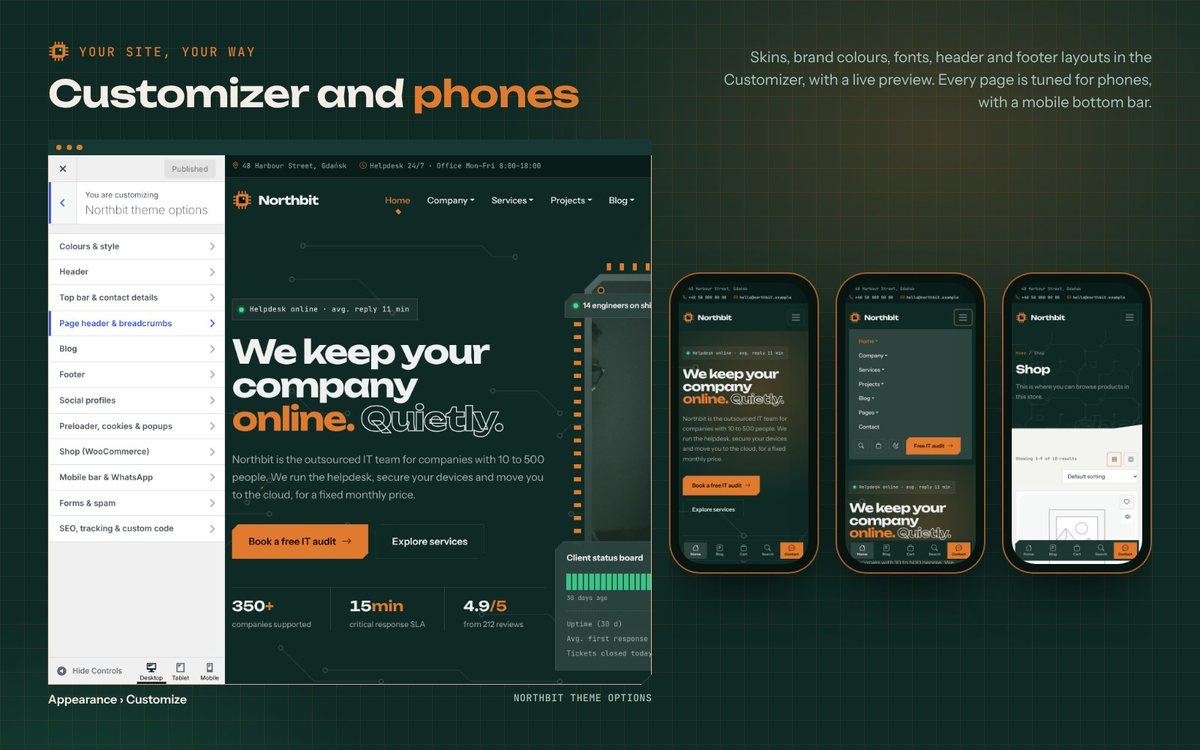
- Live search suggestions, Load more or infinite scroll, reading progress bar, mobile bottom bar, WhatsApp button
- Calendly booking widget and shortcode that load only on click or after marketing consent
- Coming soon and maintenance mode with a proper 503
- Export and import of all theme settings; bulk plugin install and update (TGM Plugin Activation)
- Effects: word-by-word titles, particles background, custom cursor,
before/afterslider, gallery lightbox; all off for "reduce motion" - Structured data (company, website, breadcrumbs, articles), switched off when an SEO plugin is active
- Only the CSS each page needs is loaded, minified files
- Right-to-left support, translation ready with Polish and German included,
wpml-config.xmlfor WPML and Polylang - Self-hosted fonts (Unbounded, Instrument Sans, JetBrains Mono), no requests to Google Fonts
- Clean, escaped PHP; content lives in the plugin, so it stays when you switch themes
Requirements
- WordPress 6.5 or newer (tested up to 7.1), PHP 7.4 or newer (8.2+ recommended)
- PHP memory limit of 256 MB recommended for Elementor
- Elementor (free version) for the page layouts; installed from the theme's setup screen
- Optional: WooCommerce for the shop, Contact Form 7, WPML or Polylang
- Upload limit of at least 8 MB on the server for
northbit.zip(or upload the theme folder by FTP)
Instructions
- Unzip the download. Do not upload the whole folder to WordPress; the theme is
northbit.zipinside it. - In WordPress go to Appearance > Themes > Add New > Upload Theme, upload
northbit.zipand activate it. - The Northbit setup screen opens. Click Install and Activate for Northbit Core and Elementor (and WooCommerce if you want the shop).
- Go to Appearance > Import Demo and click Import demo. It works offline and takes about half a minute. You can also import a single page, or remove the demo content later.
- Pick your home page in Settings > Reading, add your logo in Appearance > Customize > Site Identity, then choose a colour preset, header and footer in Northbit theme options.
- Edit any page with Elementor: every section is a Northbit widget. The N button in the editor opens the block library. Replace the demo images in the Media Library.
- Forms send to the site's admin e-mail by default (or the Send to field of each form widget). Add your Mailchimp and reCAPTCHA keys in Appearance > Customize > Forms & spam.
- Optional: upload
northbit-child.zipand activate the child theme if you want to change the theme's code.
The documentation (documentation/index.html in the download) explains every step, widget and setting, with a FAQ. For help, send us a message through this item page.
| Author | netmakers |
|---|---|
| Category | Themes / WordPress / Business |
| Price | $59 |
| Extended License | $177 |
| First Release | Oct 15, 2026 |
| Last Update | Oct 21, 2026 |
| Supported cms | WordPress 6.5, WordPress 6.6, WordPress 6.7, WordPress 6.8, WordPress 6.9, WordPress 7.0, WordPress 7.1, WooCommerce 11.x |
| Files included | .php, .css, .html, JavaScript .js |
| Html/css framework | Bootstrap |
External listing. code.market does not sell this product and does not process payment for it. Pricing, payment, delivery, licensing, refunds, and support are handled by the third-party merchant on its own website. We may earn an affiliate commission from a referral. Details.
Products of the Week.
Submit🥇

Actionbook
It works inside the user's own browser with the accounts already signed in. The user describes the result they need, and the agent reads, clicks and types through the pages, then delivers a dashboard or report where each data links back to its source.
Other · 633 views · 9 clicksOther · Week 44 · 633 views · 9 clicks
🥈

Free social media tools for creators & solofounders
295 free tools for growing your social media: write, plan, grow on local AI models, 100% free forever, No sign-up required, No trial. Write, check and measure posts on LinkedIn, Instagram, TikTok, X, YouTube, Reddit, Product Hunt and more: a free social media scheduler for 17 networks, engagement rate calculators, character counters, best time to post, hook generators and follower growth calculators. No login anywhere, no API or credit usage.
603 views · 6 clicksWeek 44 · 603 views · 6 clicks
🥉

STOP GUESSING WHAT TO POST
AI that learns your brand voice and builds a month of consistent, on-brand social content: carousels, posts and hooks that sound like you, not like everyone else's AI.
SaaS · 1,854 views · 19 clicksSaaS · Week 44 · 1,854 views · 19 clicks
#4

Hand-Placed Backlinks $9.99 per link. Flat rate.
Buy hand-placed forum, Q-A and directory backlinks. Flat $9.99 per link, no subscriptions — you only pay for approved listings.
Website · 1,808 views · 17 clicksWebsite · Week 44 · 1,808 views · 17 clicks
#5

Conversational Backlinks for Busy Founders
Place Backlink Relevant Conversation for your domain across Forums and Conversations
39,270 views · 210 clicksWeek 44 · 39,270 views · 210 clicks
#6

Free Invoice Generator - PDF Invoices in Your Browser, No Sign-Up
A free invoice maker for freelancers and small businesses: fill in the invoice, check the live preview, and download a PDF that looks exactly like it. Any currency, tax per item, three templates, no sign-up, and nothing leaves your device.
556 views · 11 clicksWeek 44 · 556 views · 11 clicks
#7

Merge PDF Files Free - Combine PDFs in Your Browser, No Upload
A free PDF merger for office workers, students, and freelancers: combine PDFs and images into one file in the browser, reorder files and pages, pick page ranges, keep bookmarks, and open password-protected PDFs. Nothing is uploaded, no sign-up, no watermark.
497 views · 4 clicksWeek 44 · 497 views · 4 clicks