
NexusChat AI - Premium Embeddable AI Chat Widget
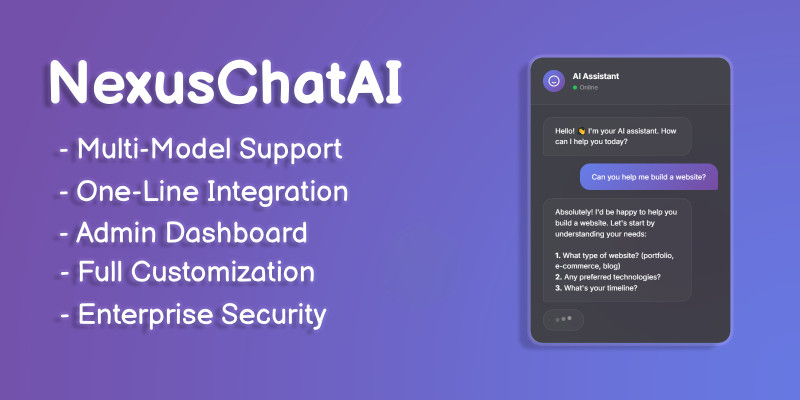
Description
The Most Beautiful & Powerful AI Chat Widget for Any Website
Embed GPT-5.2, Claude, Gemini, Grok and 400+ AI models into your website with just ONE LINE of code!
Features
⭐ Why Choose NexusChat AI?
- ✅ 400+ AI Models - Access GPT-5.2, Grok 1, Claude 4.5, Gemini 3.0, Llama 3.1, and more through OpenRouter
- ✅ One-Line Integration - Just add one script tag, that's it!
- ✅ Stunning Design - Premium glassmorphic UI that impresses visitors
- ✅ Admin Dashboard - Full control over settings, analytics, and conversations
- ✅ Streaming Responses - Real-time typing effect like ChatGPT
- ✅ Conversation Memory - AI remembers the conversation context
- ✅ Mobile Responsive - Works perfectly on all devices
- ✅ Well Documented - Detailed guides for installation and customization
- ✅ Docker Ready!
🎨 What's Included
- 📁 Complete source code (Node.js + vanilla JavaScript)
- 📁 Beautiful landing page
- 📁 Admin dashboard
- 📁 Embeddable widget
- 📁 Comprehensive documentation
- 📁 Easy one-line embed script
💻 Perfect For
- ✓ Business websites needing AI support
- ✓ E-commerce stores
- ✓ SaaS applications
- ✓ Portfolio websites
- ✓ Web agencies (multiple client sites)
- ✓ Developers building AI products
Requirements
🛠️ Requirements
- - Node.js 18+
- - OpenRouter API key (free to sign up)
- - Any hosting (VPS, shared, cloud)
Instructions
NexusChat AI Integration InstructionsStep 1: Get Requirements
- Install Node.js 18+.
- Sign up for a free OpenRouter API key.
Step 2: Set Up
- Download the source code package.
- Run npm install in the project directory.
Step 3: Configure
- Add your OpenRouter API key to the config file (e.g., .env).
- Customize settings via the admin dashboard.
Step 4: Embed on Website
- Add this script tag to your HTML:
Step 5: Launch
- Host on any server (VPS, cloud, etc.).
- Access the widget on your site and test conversations.
For details, check the included documentation. Updates via comments support.
| Author | codestation |
|---|---|
| Category | Scripts & Code / NodeJS |
| Price | $42 |
| Extended License | $126 |
| First Release | Feb 4, 2026 |
| Last Update | Feb 4, 2026 |
| Files included | .css, .html, JavaScript .js |
| Javascript framework | Node.js |
Categories
Tags
External listing. code.market does not sell this product and does not process payment for it. Pricing, payment, delivery, licensing, refunds, and support are handled by the third-party merchant on its own website. We may earn an affiliate commission from a referral. Details.
Products of the Week.
Submit🥇

STOP GUESSING WHAT TO POST
AI that learns your brand voice and builds a month of consistent, on-brand social content: carousels, posts and hooks that sound like you, not like everyone else's AI.
SaaS · 4,283 views · 38 clicksSaaS · Week 45 · 4,283 views · 38 clicks
🥈

Conversational Backlinks for Busy Founders
Place Backlink Relevant Conversation for your domain across Forums and Conversations
Website · 41,993 views · 223 clicksWebsite · Week 45 · 41,993 views · 223 clicks
🥉

upvote.club
Free Social Media Engagement that Helps Boost Your Content. Upvote Club supports 19 social networks with 100+ engagement actions in one dashboard. Add links to your posts and get free engagement from real users.
SaaS · 40,035 views · 117 clicksSaaS · Week 45 · 40,035 views · 117 clicks
#4

Substack Posting API
Onboard your Agent to Substack. Write Publish on Substack via API
SaaS · 59,045 views · 198 clicksSaaS · Week 45 · 59,045 views · 198 clicks
#5

Seenshot App
Free, Fast, MacOS Screenshot app. Make Screenshot cmd+shift+2 and send it via link
Desktop App · 28,417 views · 122 clicksDesktop App · Week 45 · 28,417 views · 122 clicks
#6

Hand-Placed Backlinks $9.99 per link. Flat rate.
Buy hand-placed forum, Q-A and directory backlinks. Flat $9.99 per link, no subscriptions — you only pay for approved listings.
Website · 4,253 views · 19 clicksWebsite · Week 45 · 4,253 views · 19 clicks
#7

Free Invoice Generator - PDF Invoices in Your Browser, No Sign-Up
A free invoice maker for freelancers and small businesses: fill in the invoice, check the live preview, and download a PDF that looks exactly like it. Any currency, tax per item, three templates, no sign-up, and nothing leaves your device.
2,931 views · 17 clicksWeek 45 · 2,931 views · 17 clicks
#8

Merge PDF Files Free - Combine PDFs in Your Browser, No Upload
A free PDF merger for office workers, students, and freelancers: combine PDFs and images into one file in the browser, reorder files and pages, pick page ranges, keep bookmarks, and open password-protected PDFs. Nothing is uploaded, no sign-up, no watermark.
2,707 views · 13 clicksWeek 45 · 2,707 views · 13 clicks