
Next Hour | Movie and Video Subscription Flutter TV App
Description
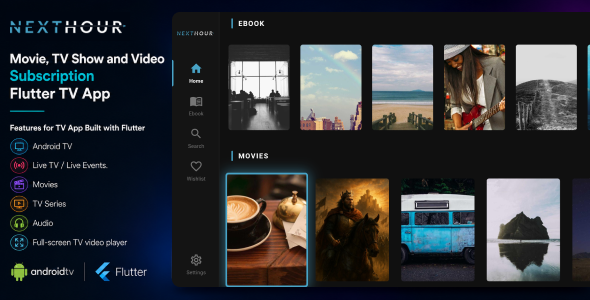
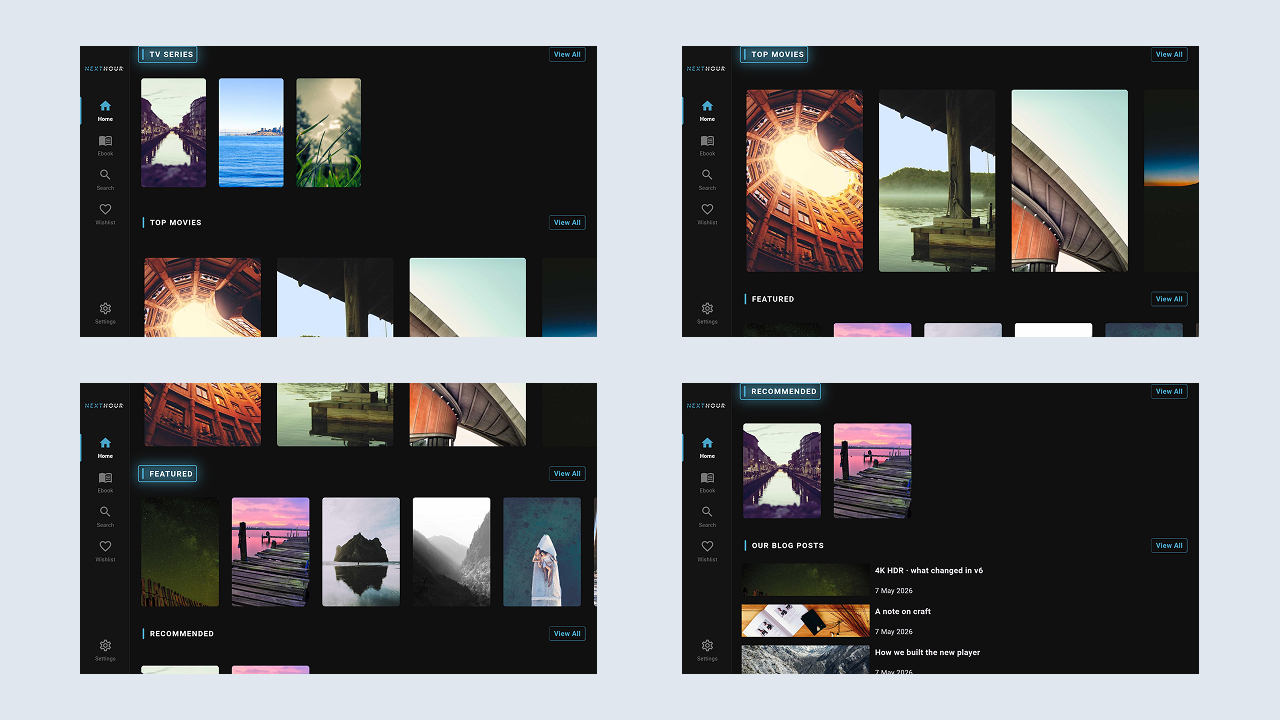
Next Hour is a Flutter-based TV application designed for video streaming and subscription platforms. It provides a TV-optimized interface for accessing movies, TV series, episodes, videos, audio content, live events, and other media managed through the Next Hour CMS backend.
The application integrates with the Next Hour web and mobile platform through REST APIs, enabling centralized content management, user authentication, subscription access control, and media delivery.
Next Hour | Movie and Video Subscription Flutter TV App is designed for Android TV and compatible Smart TV environments. It includes remote-control navigation, a landscape interface, media playback capabilities, and integration with the Next Hour CMS.
Key capabilities include:
- Movie, TV series, and video content browsing.
- Subscription-based content access.
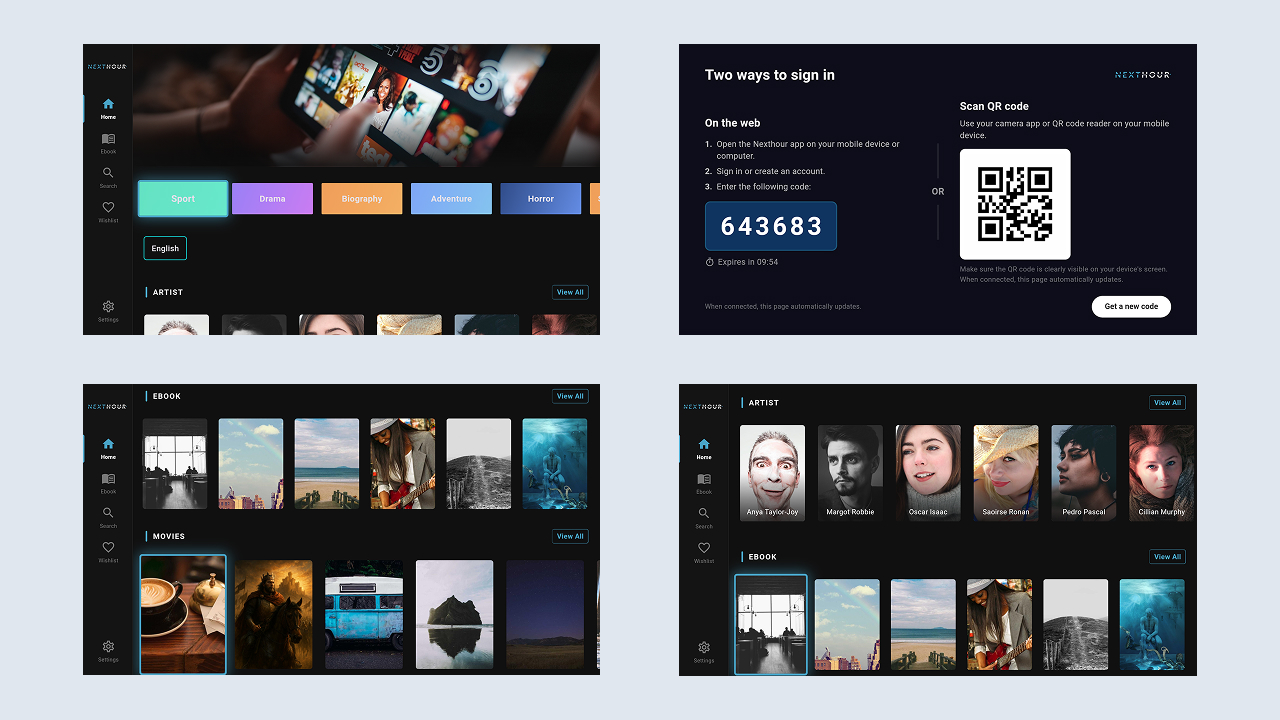
- TV-to-mobile pairing using QR codes or pairing codes.
- Full-screen video playback with multiple source formats.
- Content search, watchlist, and watch history.
- REST API integration with the Next Hour CMS.
The TV application requires the Next Hour web and mobile platform to operate.
Demo Instructions/strong>
First download the Demo Next Hour Mobile App then sign in with the admin login
Username: admin@mediacity.co.in
Password: 12345678
After signing in, open Menu → Connect TV and scan the QR code displayed on the TV, or enter the pairing code manually. The TV application connects to the associated account.
Required Web and App Version
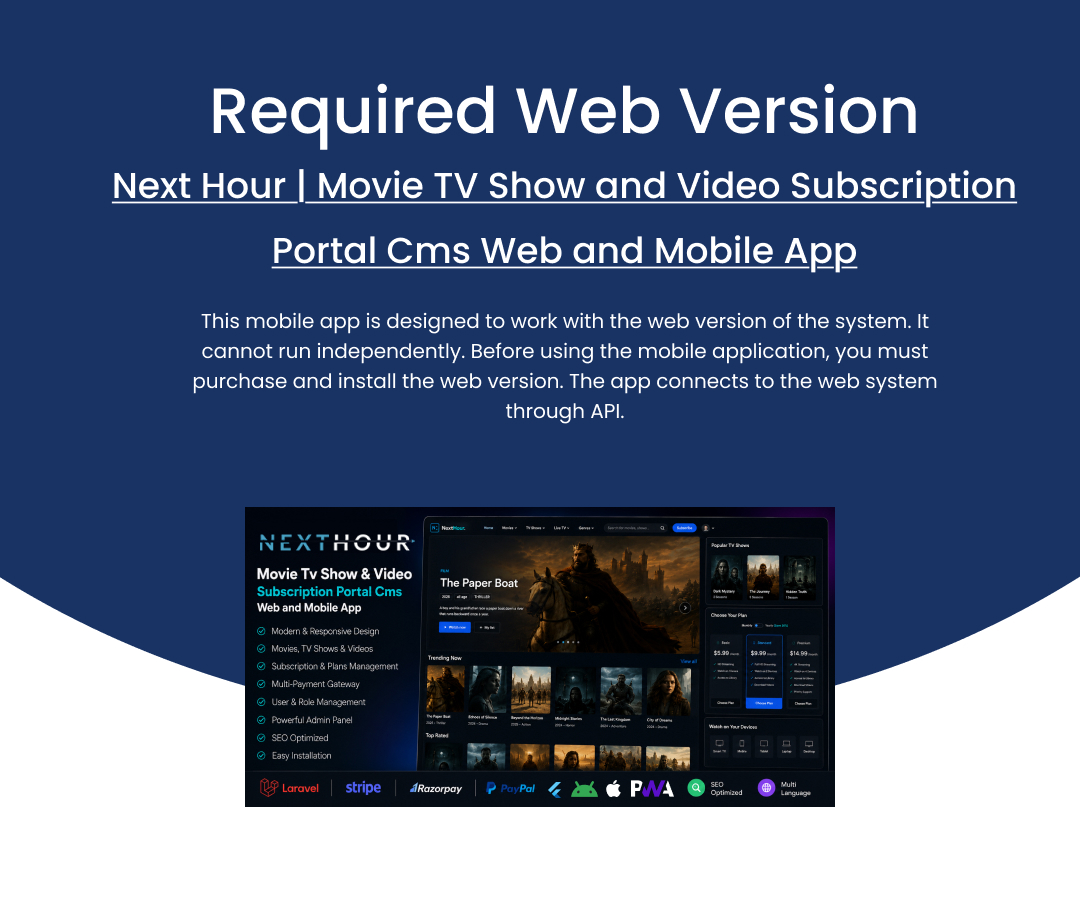
This TV application is designed to operate with the web and mobile versions of Next Hour. It is not a standalone application and requires the Next Hour web and mobile platform for backend services, content management, and user data.
Before using the TV application, you must purchase and install the required web and mobile version. The TV application communicates with the backend through REST APIs.
Web and App Version:
Important — Third-Party Services & Additional Costs
Next Hour supports integration with optional third-party services for specific application features. These services are provided by external companies, are not included in this item, and are not included in the purchase price.
Buyers are responsible for creating and maintaining their own accounts with the respective service providers. Additional usage-based or transaction fees may apply according to each provider’s pricing policy.
- AI features: Require an API key from an AI provider such as OpenAI. Usage charges are billed directly by the provider.
- Payment gateways: Stripe, Razorpay, PayPal, Paystack, and Flutterwave require the buyer’s own merchant account. Transaction fees are charged by the respective payment gateway.
This item does not include API keys, credits, or subscriptions for third-party services. All associated costs are the responsibility of the buyer.
Target Use Cases
- OTT Platform Owners: Deploy a branded TV streaming application integrated with the Next Hour subscription platform.
- Content Creators: Distribute movies, web series, and video content to TV audiences through a centralized CMS.
- Entertainment Businesses: Provide subscription-based media access through a dedicated TV application.
- Subscribers and Viewers: Access available streaming content on supported Android TV and Smart TV devices.
- Cinema and Media Companies: Distribute managed media libraries through a TV-oriented streaming interface.
Key Features
General Features
- Built with Flutter using a structured and maintainable codebase.
- Android TV optimized with remote-control and D-pad focus navigation.
- Landscape big-screen UI with a dark theme designed for TV viewing.
- Multi-language UI using
easy_localization(English, Arabic, Spanish, Hindi, Persian, Turkish). - Channel Up / Down tab cycling and D-pad focus wrappers across screens.
- Kids Mode state support.
- In-app update prompt, app sharing, and Rate Us / store redirect functionality.
- Fully integrated with the Next Hour CMS backend through REST APIs.
Content & Streaming
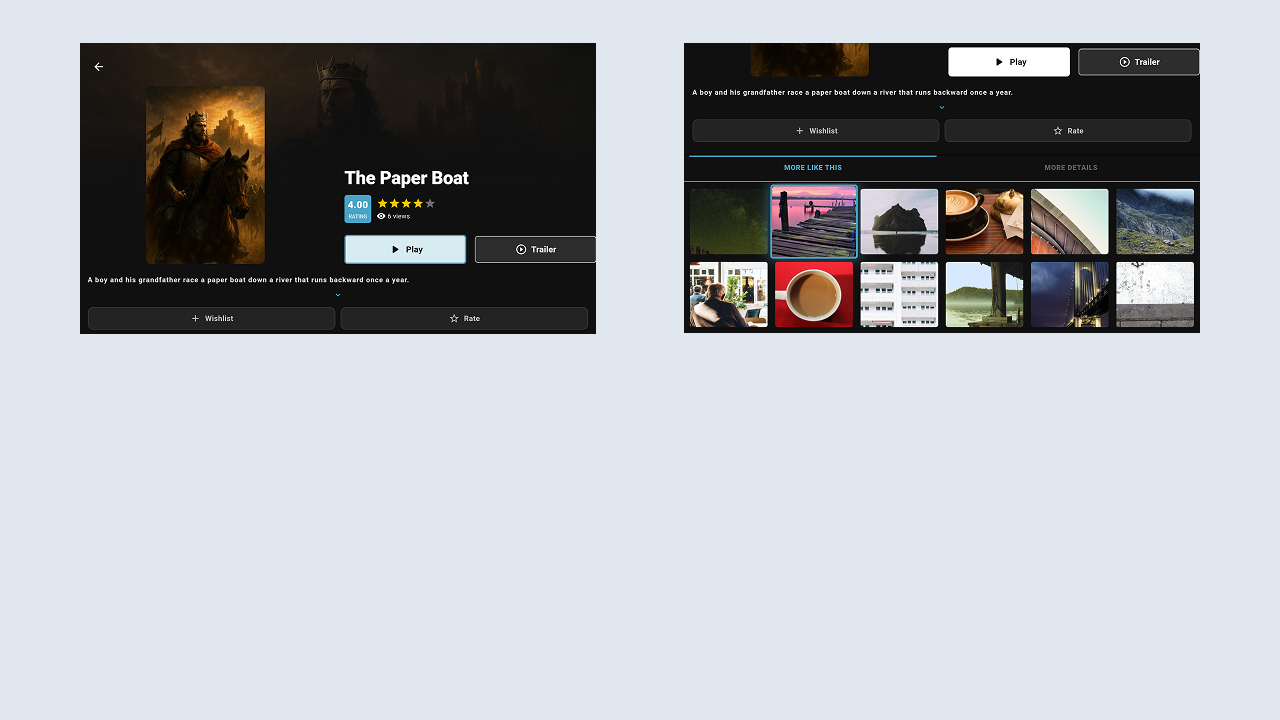
- Movies with detail pages, including cast, genre, rating, and trailer.
- TV Series with Seasons and Episodes.
- Audio content with a dedicated audio player.
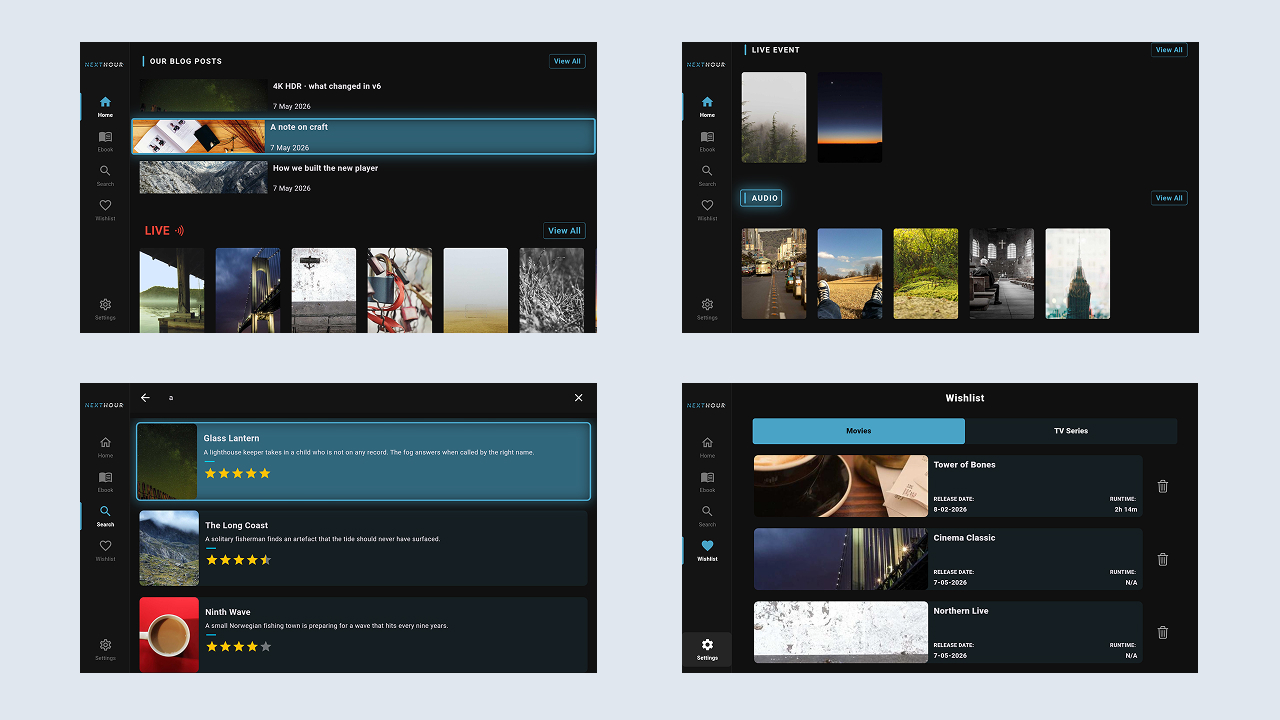
- Live TV / Live Events.
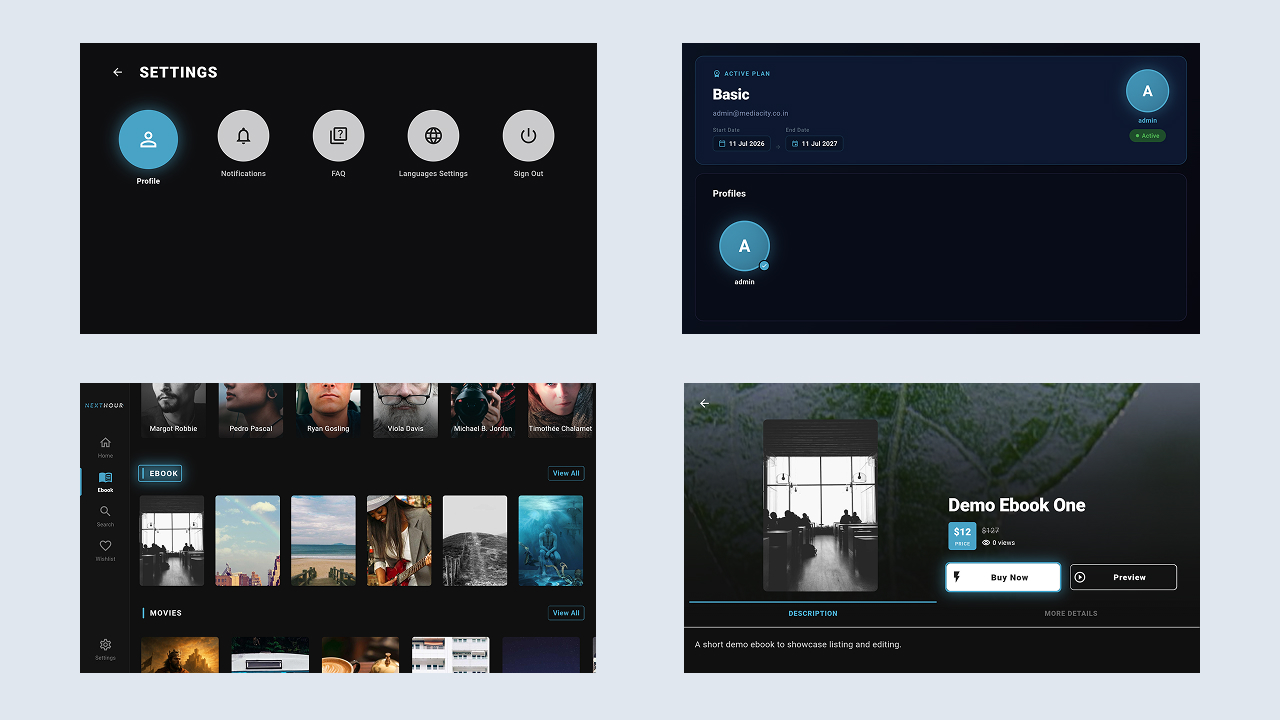
- eBooks with an in-app PDF reader.
- Videos with general and short-form content catalogs.
- Genres & Categories with dynamic menus managed through the administration panel.
- Global Search across available content.
- Actors & Directors pages with filmography.
- Home Banner / Featured Slider with carousel support.
- Featured, Top / Trending, Recommended, and category sections on the Home screen.
- Continue Watching / Resume and Watch History.
- Watchlist / Favorites with add and remove functionality.
- Blogs / News section.
- Custom CMS Pages and FAQ.
Video Player
- Full-screen TV video player with play, pause, and seek controls.
- Multi-source playback: Self-hosted MP4 / HLS, YouTube, Vimeo, Google Drive, and iFrame-embedded video. Direct files use the native
video_playerimplementation, while server-based and embedded playback uses WebView. - Subtitles / Captions in SRT format with multi-language track selection.
- Video Quality Selection: Supports quality options from 240p up to 1080p when multiple qualities are available.
- Playback Speed Control: Supports playback speeds from 0.5× to 2× through a TV overlay.
- Keep-Awake functionality during playback to prevent the screen from sleeping.
Audio Player
- Dedicated Audio Player screen with poster artwork.
- Seek Bar with total duration, current playback position, and ±10-second skip controls.
- Play, pause, and continue playback controls.
Subscription & Access Control
- Free & Premium content separation.
- Subscription / Membership Status display, including current plan, history, and invoices.
- Locked-Content Indicator for premium content.
- Free plans can be activated on TV. Premium content access is controlled by the user’s active subscription plan.
Important:
The TV application does not include a payment gateway. All subscription management operations, including purchasing, upgrading, renewing, cancelling, and managing plans, are handled through the mobile application.
The TV application provides read-only access to the user’s current subscription plan and history. Users can activate a free plan on TV. When an active plan is available through the mobile application, premium content is unlocked for the associated account according to the subscription status.
Authentication & Profiles
- TV ↔ Mobile Pairing: Primary TV sign-in through a pairing code or QR code displayed on the TV and confirmed using the mobile application.
- Email + Password authentication, including Register / Create Account, Forgot Password, and Change Password.
- Mobile Phone OTP login using a one-time code provided through the backend.
- Multi-Screen Profiles: Create, select, and manage user profiles through the “Who’s Watching” interface.
- Persistent Session: Bearer token storage using
flutter_secure_storagewith automatic re-login support.
Engagement & Notifications
- Push Notifications through OneSignal and Firebase Cloud Messaging.
- In-app Notifications Inbox with list and detail views.
- Comments with threaded replies on content.
- Star Ratings display.
- Donation screen.
Advertising
- Google AdMob banner advertisements, with integrations for Unity Ads and Facebook Audience Network.
- Advertisements are displayed to non-subscribers and automatically hidden for subscribed or remove-ads users, according to the application’s configuration.
Admin & CMS Integration
- Integrated with the Next Hour CMS backend.
- RESTful API integration for content, menus, and user data.
- Dynamic Content & Menu Categories managed through the administration panel.
- Application content, sliders, and enable/disable states are controlled through the CMS.
What’s Included
- Full Flutter source code (Dart) for the TV application.
- Clean and well-structured project following clean architecture principles.
- Placeholder configuration files for Firebase, Facebook Login, and Google Sign-In.
- Step-by-step documentation covering installation, configuration, build and release procedures, troubleshooting, and FAQs.
Detailed Setup Instructions: Documentation includes REST API base URL configuration, Firebase setup, social login keys, and payment gateway configuration. This application functions as a client for the Next Hour web and mobile platform. Server installation, database configuration, and environment setup are covered in the documentation provided with the web version.
Note: Media assets, including images, icons, and logos used in the preview images, are not included in this item. Permission from the respective authors may be required for commercial or non-commercial use of these assets. Refer to the included documentation for additional information.
AI Usage Disclosure
AI-assisted tools were used during the development of this item, including assistance with source code, debugging, development-related tasks, and documentation.
All AI-assisted output was reviewed, modified, tested, and integrated by the development team. The final product has been manually reviewed and tested to ensure functionality, quality, and compatibility.
The item does not include AI-powered features unless specifically stated in the feature documentation.
| Author | media-city |
|---|---|
| Price | $11 |
| Sales | 0 |
| Rating | 0 (0) |
| Published | Oct 13, 2026 |
| Last Update | Oct 13, 2026 |
| Compatible Software | Flutter 3.x |
| Demo Url | https://nexthour.mediacity.co.in/ |
| Mobile Files Included | Dart |
Categories
Tags
External listing. code.market does not sell this product and does not process payment for it. Pricing, payment, delivery, licensing, refunds, and support are handled by the third-party merchant on its own website. We may earn an affiliate commission from a referral. Details.
Products of the Week.
Submit🥇

Perceptle
Perceptle is a daily browser-based game that challenges you to test your sensory intuition through five quick estimation and rhythm-based rounds.
Other · 1 views · 0 clicksOther · Week 47 · 1 views · 0 clicks
🥈

Free LinkedIn Likes From Real
Get free LinkedIn likes on your posts from real members who react by hand. No
SaaS · 124 views · 2 clicksSaaS · Week 47 · 124 views · 2 clicks
🥉

STOP GUESSING WHAT TO POST
AI that learns your brand voice and builds a month of consistent, on-brand social content: carousels, posts and hooks that sound like you, not like everyone else's AI.
SaaS · 7,686 views · 71 clicksSaaS · Week 47 · 7,686 views · 71 clicks
#4

aaas.market
407 reliable micro tools for solo founders, marketers and creators. They work in your browser
SaaS · 122 views · 0 clicksSaaS · Week 47 · 122 views · 0 clicks