
NexAI | Flutter News App With Laravel Admin and Website

Description
NexAI | Flutter News App With Laravel Admin Panel, AI Magazine and Website
NexAI is a complete, production-ready AI-powered news, blog, and magazine ecosystem that includes: (1) a fully functional Flutter mobile application (Android & iOS ready), (2) a powerful Laravel-based Admin Console with AI integration, and (3) a responsive public Website (news web pages + SEO-friendly structure). Everything is integrated end-to-end with a secure REST API, modern admin editorial workflows, multi-network monetization tools, and scalable architecture.
Live Demo & Preview
- Demo Website: https://nexainews.burhanstoreapp.xyz/
- Admin Panel: https://nexainews.burhanstoreapp.xyz/admin
- Download Demo APK: Download NexAI News APK
Demo Instructions
To test and evaluate the administrative backend demo preview, use the sandbox credentials below:
- Demo Admin URL: https://nexainews.burhanstoreapp.xyz/admin
- Demo Email:
admin@gmail.com - Demo Password:
12345678
⚠️ Security Notice for Buyers: Please ensure you change default administrator credentials immediately after deploying the backend to your live production server.
⚠️ Mandatory Disclaimer: External Service Costs
Please note that this item integrates with third-party services which are not included in the purchase price. Buyers are responsible for setting up and maintaining their own accounts for these services:
- AI Services (OpenAI): Features like automated news generation and smart summaries require an OpenAI API Key. Usage will incur costs based on OpenAI’s standard API pricing.
- Push Notifications (OneSignal): Push notifications integrate with OneSignal. Any plan subscriptions or usage limits are governed by OneSignal’s terms.
- Firebase Integration: Push notifications, Google Sign-In, and other Firebase features may incur costs depending on your usage volume and Firebase’s pricing tiers (Spark free tier vs. Blaze pay-as-you-go plan).
- Ads (Google AdMob / Meta Ads): Monetization features require your own ad network publisher accounts and are subject to those platforms’ policies and any applicable fees.
AI Services Disclosure & Configuration
NexAI utilizes external AI services (OpenAI GPT) to provide cutting-edge automated news generation, article rewriting, and instant bullet-point summaries.
- AI Service Provider: OpenAI (GPT-4 / GPT-3.5 Turbo)
- Configuration: You can easily configure or update your OpenAI API key directly from the Laravel Admin Panel under Settings > API.
Overview & Key Highlights
NexAI bridges traditional news journalism with next-generation automated content tools and rich user engagement. From automated AI article generation to interactive polls, quizzes, and short video reels, every aspect of this project is built for speed, retention, and maximum ad monetization.
Why Choose NexAI?
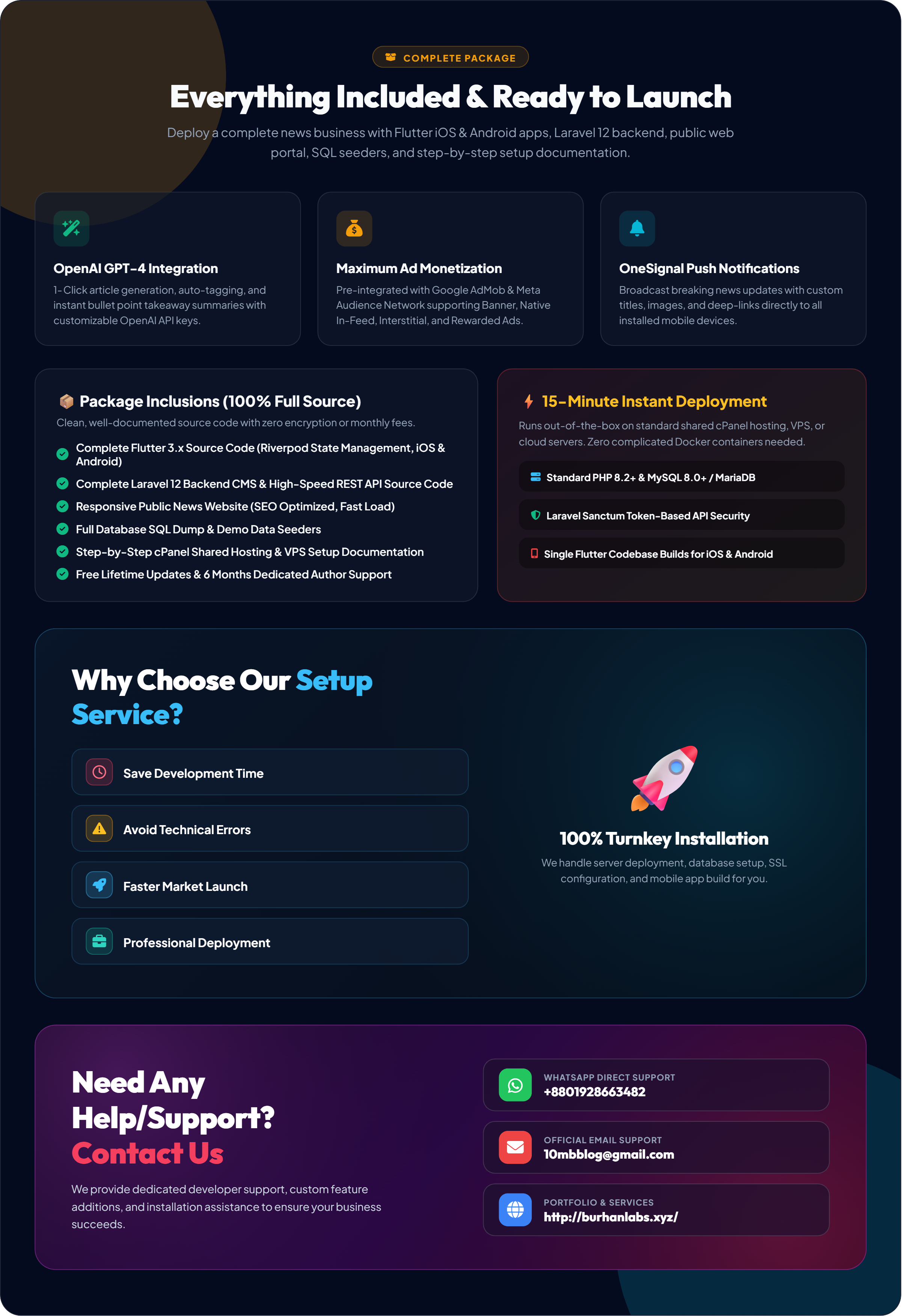
- End-to-End Solution: Includes Flutter Mobile App, Laravel Admin Dashboard, and Public News Web Portal.
- Modern UI/UX: Glassmorphism-inspired dark & light modes, smooth animations, and clean reading typography.
- Monetization-Ready: Seamless support for Google AdMob and Meta Audience Network (Banner, Interstitial, Rewarded, and Native in-feed ads).
- Interactive Engagement: Short video reels, community comments, breaking news ticker, and interactive polls & quizzes.
What is Included in the Package?
- Flutter Mobile App Source Code: Clean, modular, Riverpod-powered codebase for iOS and Android.
- Laravel Backend & Admin Panel: Complete REST API, role-based access control, and CMS.
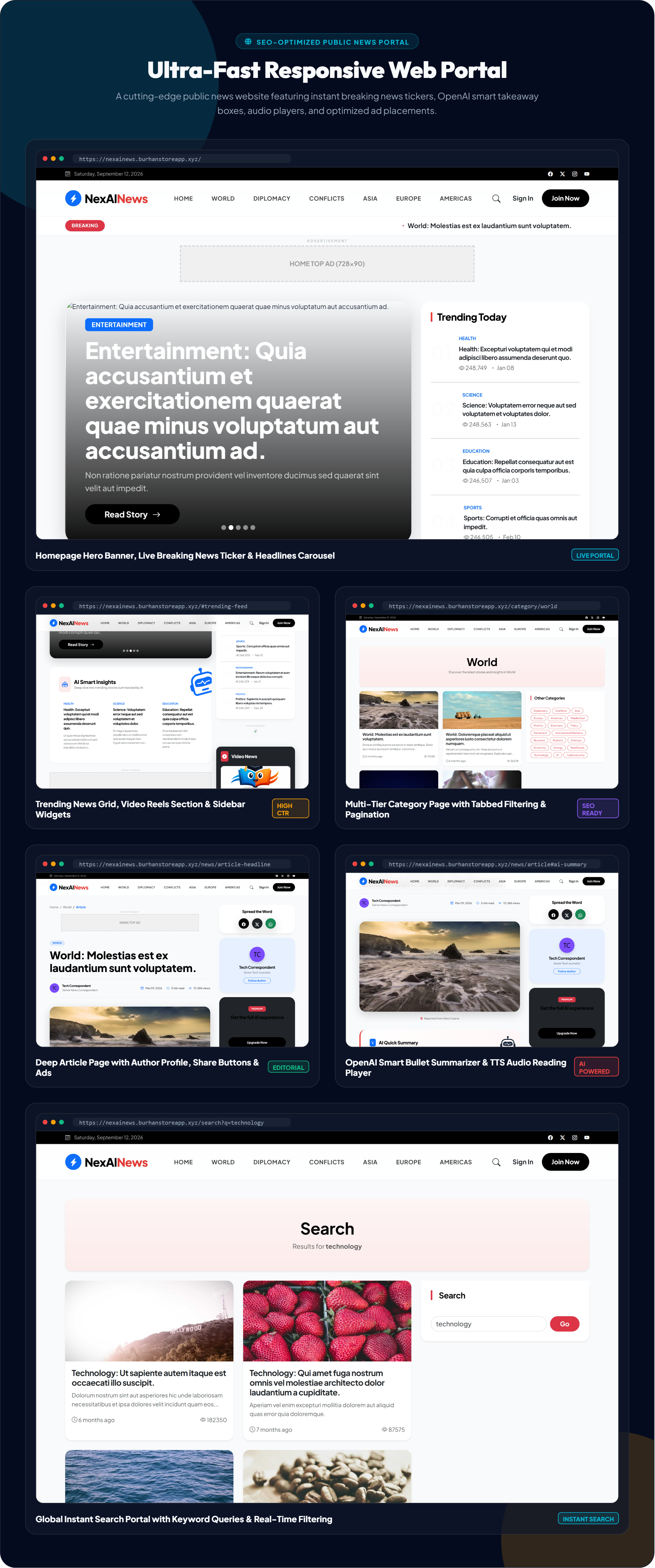
- Public News Website: SEO-optimized public portal with social sharing and fast loading.
- Database Seeders & SQL Dump: Instant setup with sample news categories, articles, and interactive polls.
- Comprehensive Documentation: Step-by-step cPanel shared hosting setup, app customization guide, and troubleshooting.
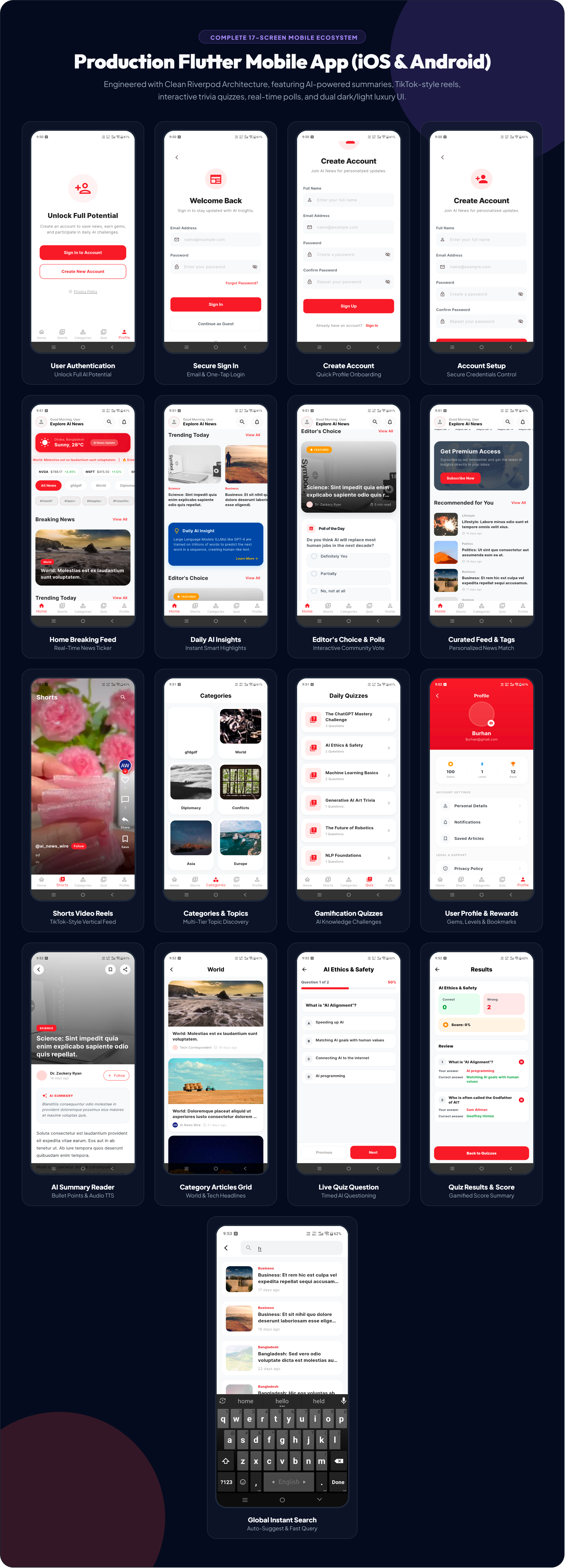
High-Performance Flutter App Features
- AI Smart Summaries: Generates instant key takeaways for any article.
- Shorts & Video Reels: Immersive full-screen vertical video feed.
- Breaking News Ticker: Real-time animated ticker on the home screen.
- Categories & Subcategories: Tabbed multi-tier browsing for easy content discovery.
- Interactive Polls & Quizzes: Vote on trending topics and participate in daily quizzes.
- Global Instant Search: Search by title, tag, or category with recent history.
- Bookmarks & Offline Reading: Save favorite articles to read anytime.
- Dynamic Dark & Light Modes: Fluid theme switching tailored to system preferences.
- Audio / Text-to-Speech (TTS): Listen to news articles on the go.
- Social Sharing: One-tap sharing to WhatsApp, Facebook, X, and native share sheets.
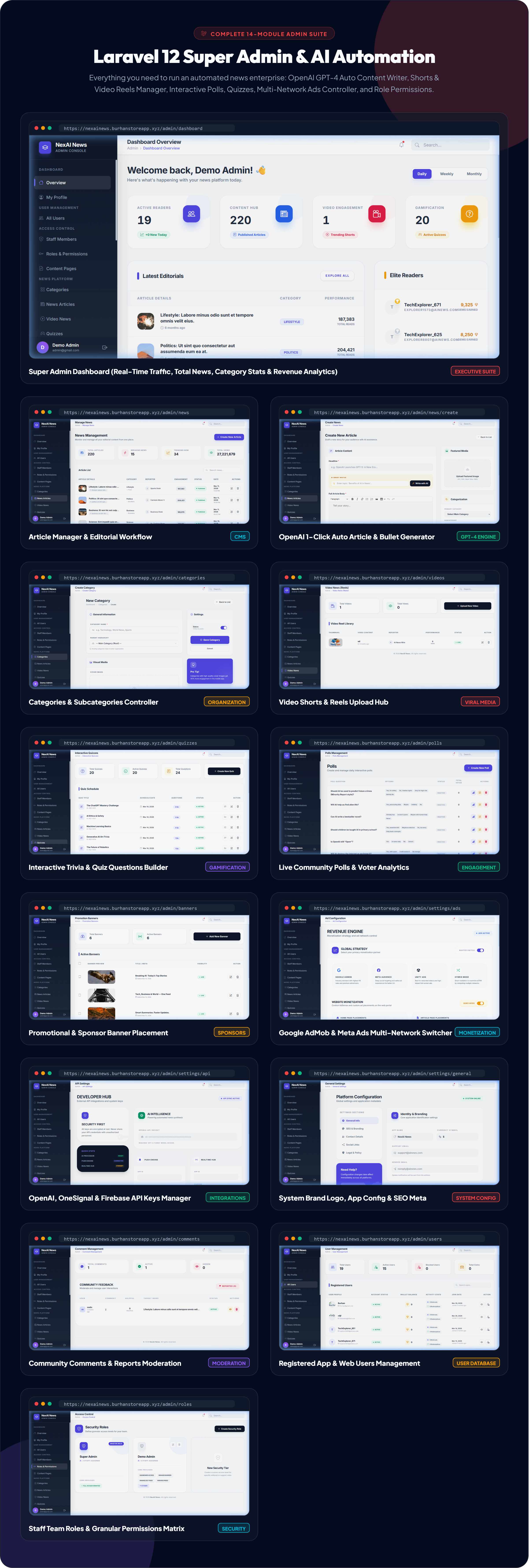
️ Powerful Laravel Admin Console
- Live Analytics Dashboard: Real-time tracking of users, articles, categories, views, and comments.
- AI Content Generator: Generate full articles, titles, and SEO meta tags with one click using OpenAI.
- Category & Location Management: Organize news by categories, subcategories, and regional locations.
- Shorts & Media Manager: Upload and manage video reels with thumbnails and tags.
- Polls & Quizzes Builder: Create interactive single/multi-choice polls with live result graphs.
- Comment Moderation: Approve, edit, report, or delete user comments to keep discussions clean.
- Push Notification Dispatcher: Send instant breaking news notifications via OneSignal directly from admin.
- Ad Network Controller: Switch between AdMob and Meta Ads, and configure ad unit IDs with zero app rebuilds.
- Staff & RBAC Permissions: Create roles (Admin, Editor, Reporter) with custom permission levels.
- General App Settings: Manage app branding, contact information, social links, and maintenance mode.
Monetization & Ad Strategy
- Dual Ad Networks: Native support for Google AdMob and Meta (Facebook) Audience Network.
- Supported Ad Formats: Banner Ads, Interstitial Ads, Rewarded Ads, and Native Feed Ads.
- Admin-Controlled Frequency: Adjust ad display frequency dynamically from the backend without updating the app.
- In-App Purchases / Subscriptions (Ready): UI and architecture ready for ad-free VIP subscription models.
⚙️ Modern Tech Stack
- Mobile App: Flutter SDK (Latest Stable), Dart, Riverpod State Management, Dio HTTP client.
- Backend API & Admin: Laravel 11/12, PHP 8.2+, MySQL / MariaDB, Blade & Bootstrap 5 UI.
- Push Notifications: OneSignal & Firebase Cloud Messaging (FCM).
- AI Integration: OpenAI REST API (GPT-4 / GPT-3.5 Turbo).
- Security: Laravel Sanctum, CSRF protection, SQL injection prevention, XSS filtering.
System & Server Requirements
Server Requirements (Laravel Backend)
- PHP 8.2 or higher
- MySQL 5.7+ / 8.0+ or MariaDB 10.3+
- Required PHP Extensions:
bcmath,ctype,curl,fileinfo,json,mbstring,openssl,pdo_mysql,tokenizer,xml,gd,zip - Apache or Nginx web server with mod_rewrite enabled
- cPanel Shared Hosting or VPS/Dedicated Server
Development Requirements (Flutter App)
- Flutter SDK (Latest Stable)
- Dart SDK
- Android Studio / VS Code with Flutter extension
- Java Development Kit (JDK 17 recommended)
- Xcode & macOS (Only for building iOS app)
Backend Installation (cPanel or VPS)
- Upload laravel_code to your server (or extract in
public_html/ custom directory). - Create a MySQL database and user in your hosting panel and assign all privileges.
- Copy
.env.exampleto.envand update your database credentials, app URL, and mail settings. - Run
composer installto install backend dependencies. - Run
php artisan key:generateandphp artisan migrate --seed(or importdb.sqlvia phpMyAdmin). - Create storage symlink:
php artisan storage:link. - Access your admin panel at
https://yourdomain.com/adminand log in with your administrator account (see offline Documentation for details).
Flutter App Setup
- Open flutter_code in Android Studio or VS Code.
- Run
flutter pub getin terminal to fetch all dependencies. - Update the API Base URL in
lib/core/constants/app_constants.dartwith your server URL. - Add your
google-services.json(for Android) andGoogleService-Info.plist(for iOS) from Firebase. - Test on an emulator or real device using
flutter run. - Build production release:
flutter build appbundle --release(for Google Play Store).
Support & Customization
We are committed to helping you launch your news app successfully. If you have questions, encounter setup challenges, or require custom feature development, feel free to contact us through our CodeCanyon profile page.
| Type | Flutter App |
|---|---|
| Author | BurhanStore |
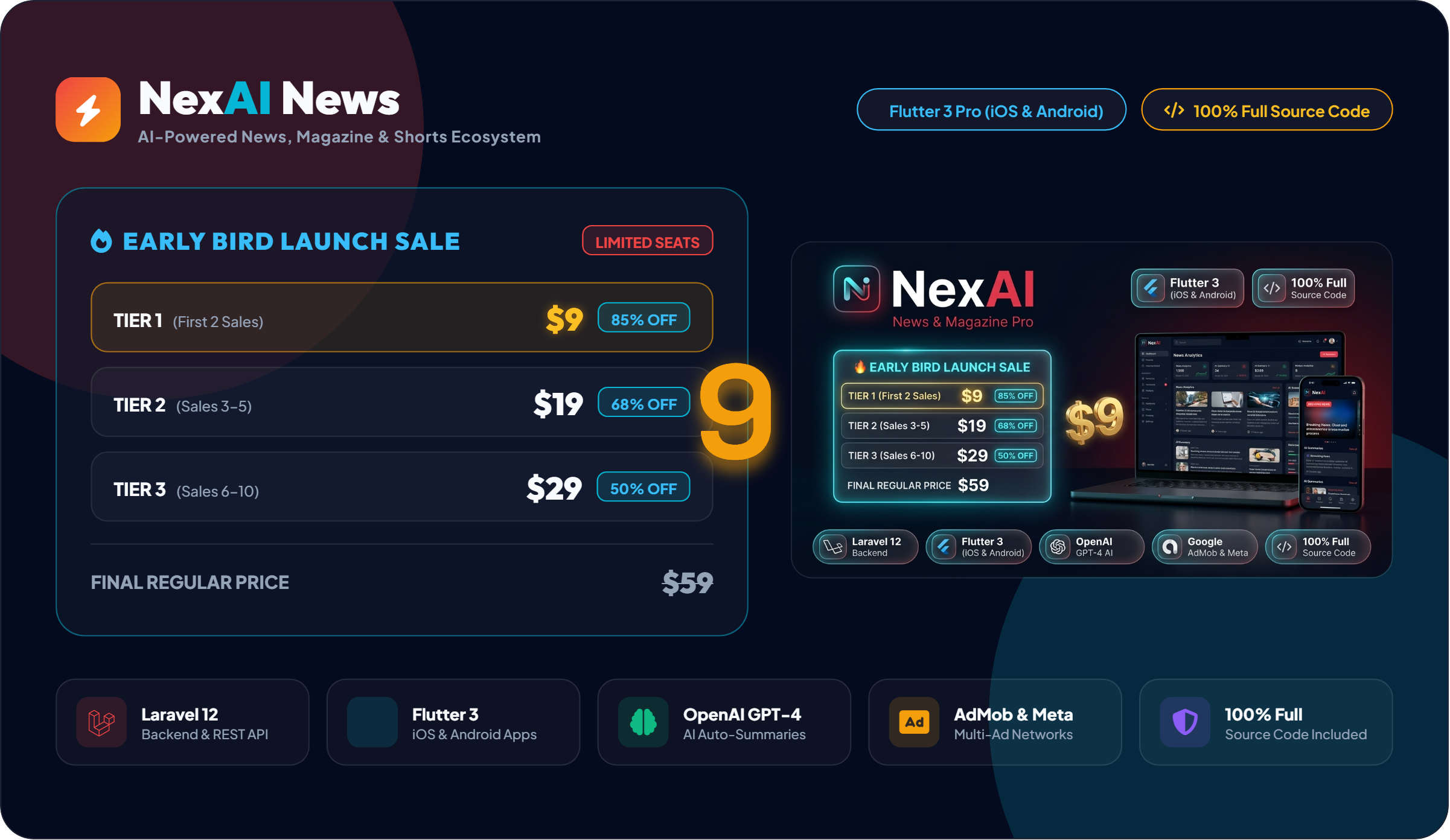
| Price | $19 |
| Sales | 3 |
| Rating | 0 (0) |
| Published | Sep 11, 2026 |
| Last Update | Sep 11, 2026 |
| Compatible Software | Flutter 3.x |
| Demo Url | https://nexainews.burhanstoreapp.xyz |
| Mobile Files Included | Dart, YAML, JavaScript JSON, .kotlin, .swift, Layered PSD, Layered PNG, JavaScript JS, CSS, Sass, Stylus, PHP, HTML |
Categories
Tags
External listing. code.market does not sell this product and does not process payment for it. Pricing, payment, delivery, licensing, refunds, and support are handled by the third-party merchant on its own website. We may earn an affiliate commission from a referral. Details.